
Symphony Pro 6.7.7
Symphony Pro 6 is a complete and intuitive app for writing music notation on iPad.
Download
365.05 MB
20downloads
3this week
FreeCommercial
0reviews
Screenshots
About Symphony Pro
Symphony Pro 6 is a complete and intuitive app for writing music notation on iPad. It allows you to compose music for just about any size ensemble, from piano, symphonies, band, lead sheets, chord charts, guitar tabs, and more.
Starting Version 5, Symphony Pro now offers handwriting recognition as the only in-app purchase: Perfect with Apple Pencil, and works great with touch or capacitive stylus
GETTING STARTED
SP provides all of the key options to begin your work. Import a score via MusicXML, MXL, MIDI, or SP file from your computer, or from apps like Dropbox, Mail, iCloud Drive, or Safari. You can base your project on a template, or start a blank score and add additional parts later.
EDITING
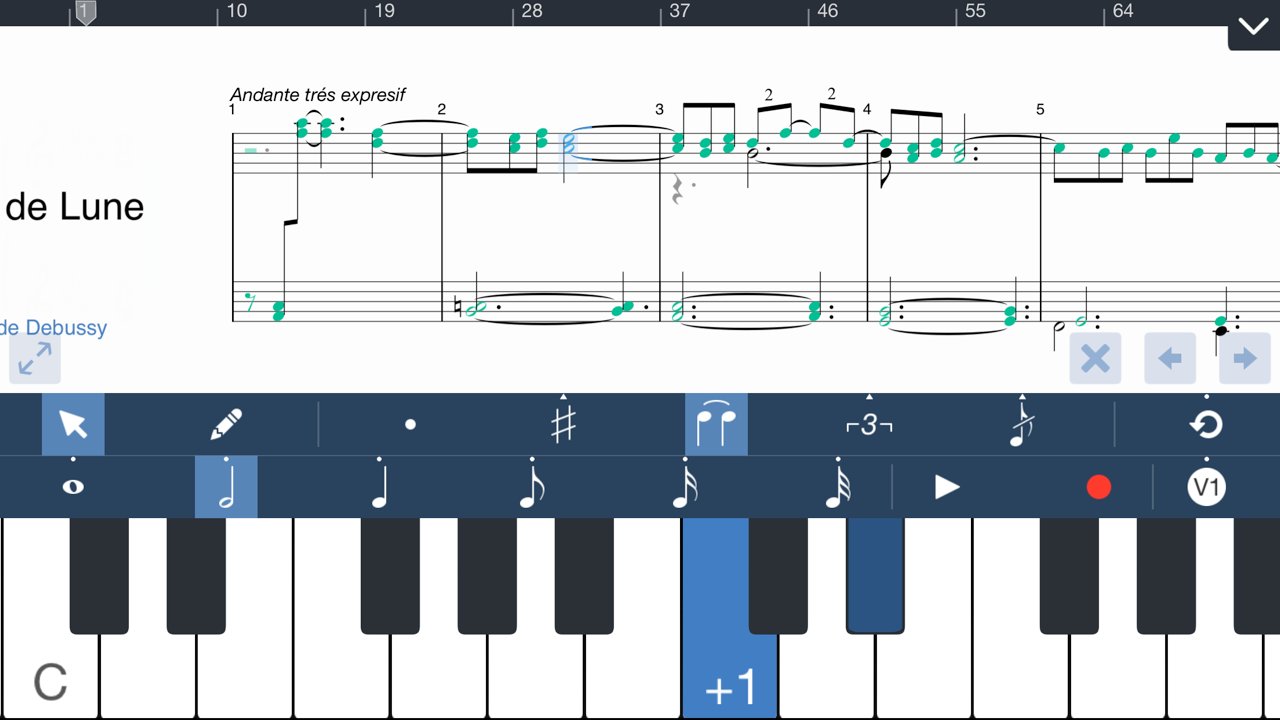
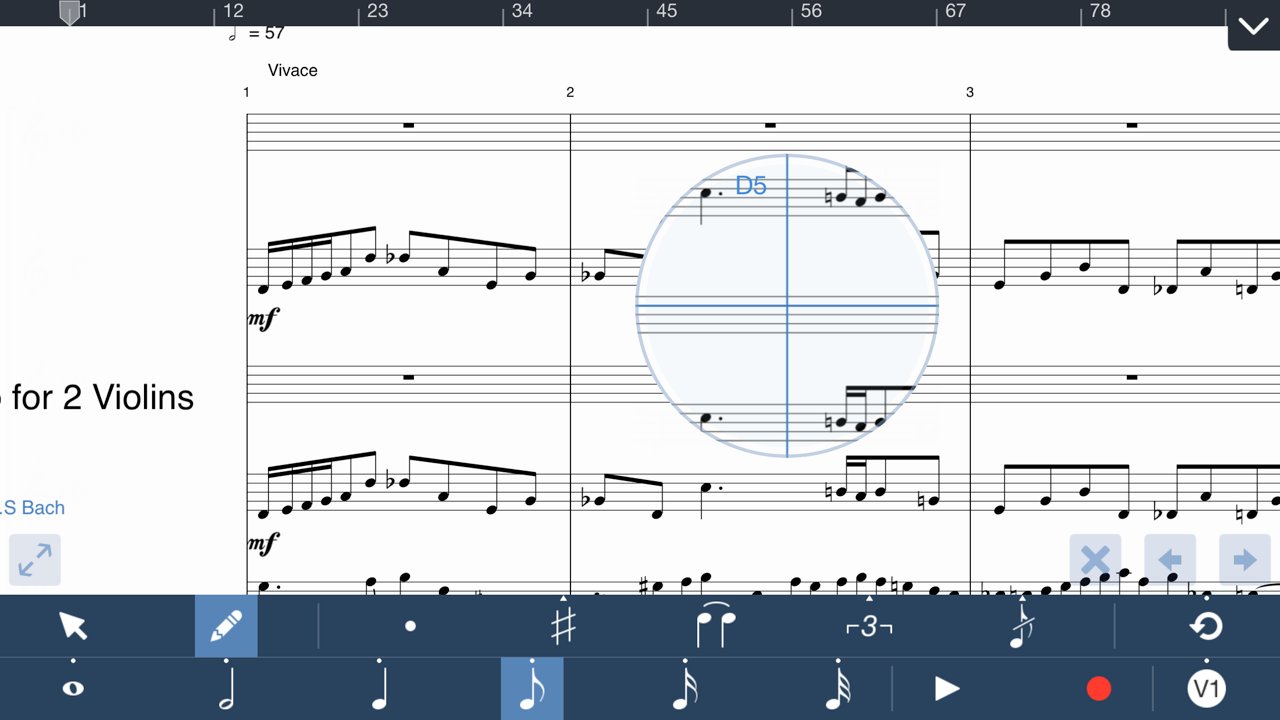
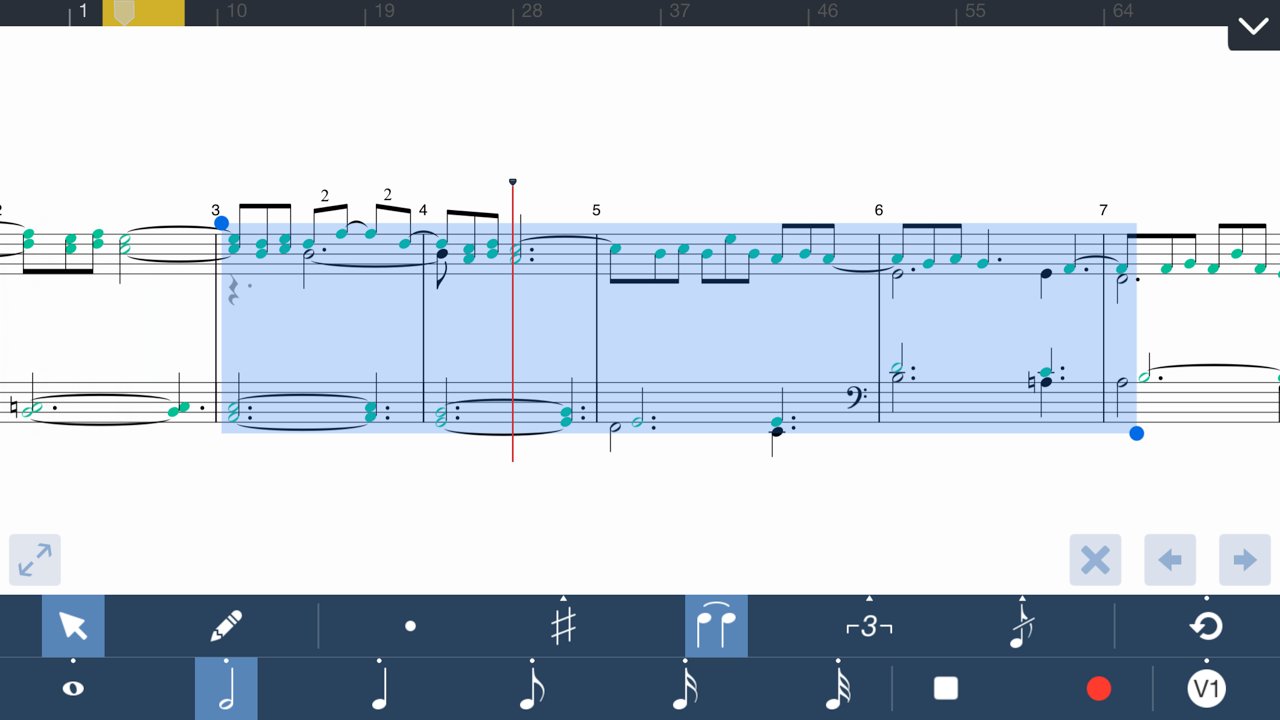
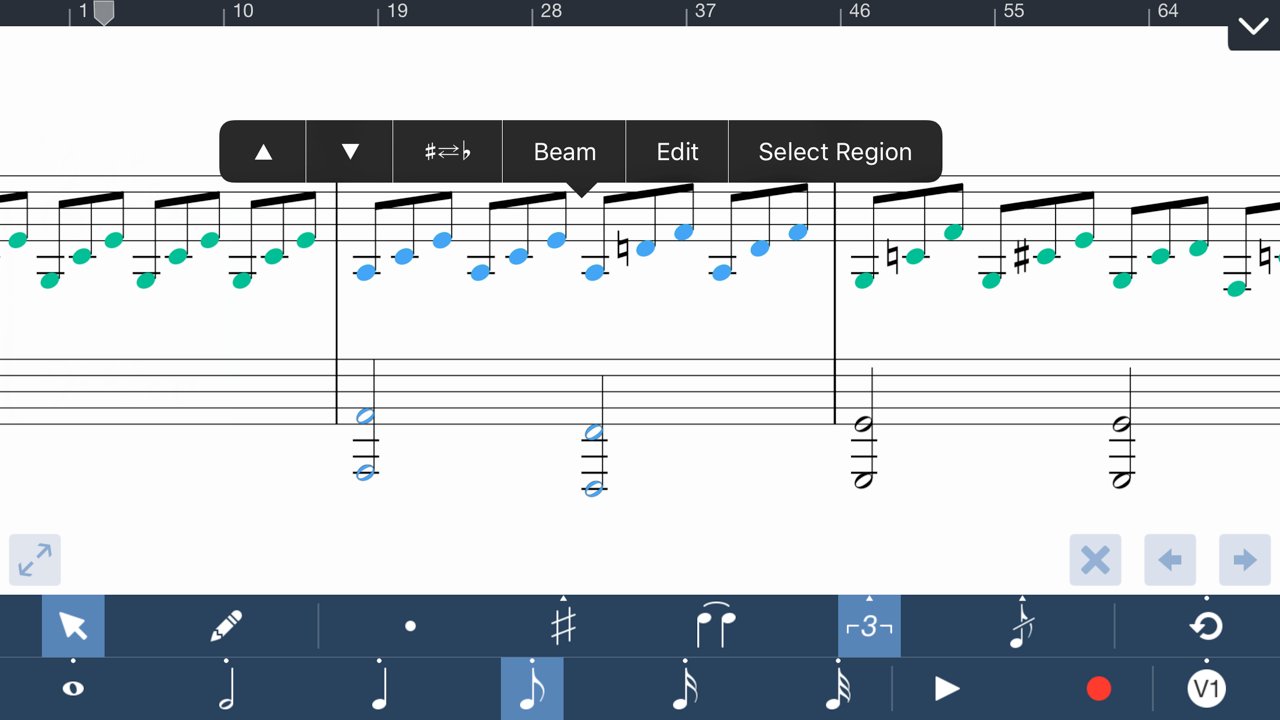
To add notes, choose Pencil mode, and tap anywhere on a bar to begin editing right away. You can quickly specify note properties before or after placing notes. By switching to Select mode with one touch, you can also transpose, erase, cut, and paste multiple notes/tracks.
With an on-screen instrument, a QWERTY keyboard, or Core MIDI compatible keyboard, you can quickly enter notes & chords in step entry mode. Record a part in real-time with on-screen instruments to transcribe into notation.
Versions 4 & 5 take greater advantage of the iPad touchscreen. With shortcuts and contextual menus to edit note & bar properties, many of the commonly used editing commands are right at your fingertips.
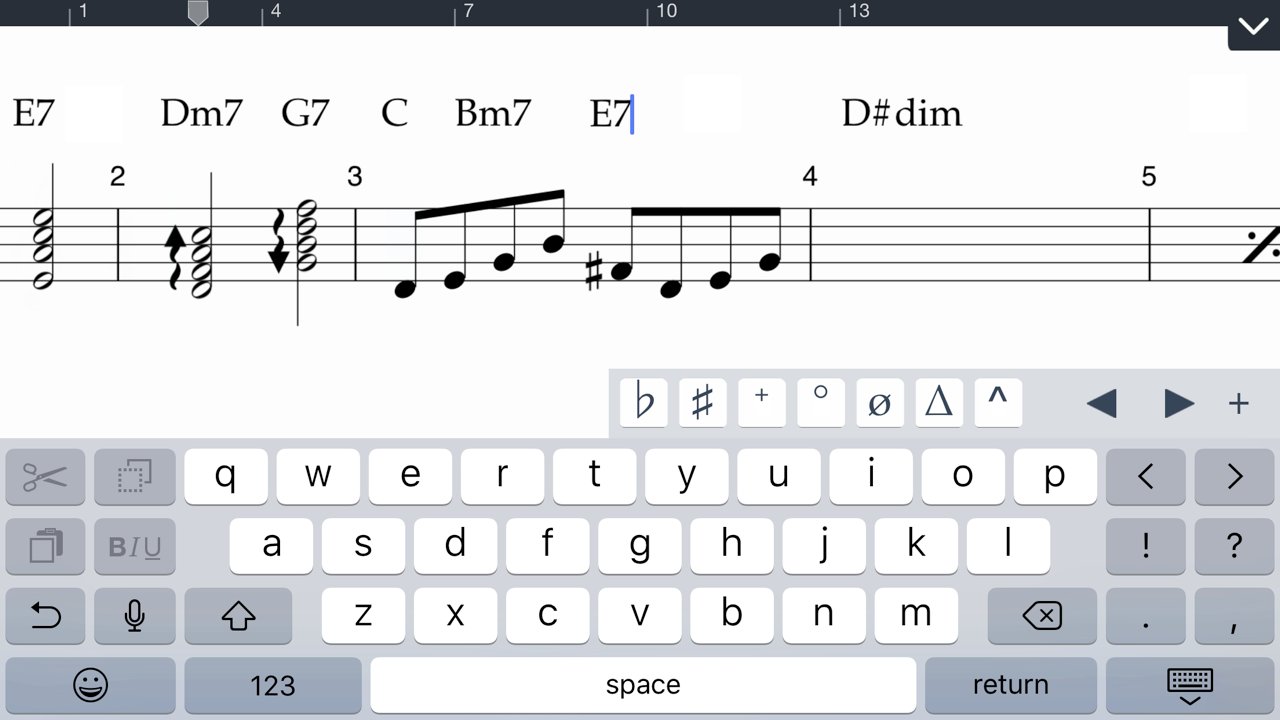
SP supports a wide range of notational elements for your composition. Including dynamics & articulations, time & key signature changes, clef changes, pedals, and repeat conventions. Edit chord symbols, lyrics, and annotations using the iPad’s standard keyboard.
EXPORT & SHARE
When you’re finished, print out your score with AirPrint, or export it as a PDF, MusicXML, AAC, MIDI, or Symphony file. Share files via email or directly to another computer or iPad via Dropbox/iCloud Drive.
KEY FEATURES
• Introducing Handwriting Recognition for Apple Pencil & touch
• Starting Version 5, Handwriting is the only In-App Purchase to enable the complete app
• Now download SP on your iPhone
• 24+ professionally recorded and sound-designed acoustic instruments, free out of the box
Earlier features offered free, to existing & new owners
• 114 built-in instruments for playback, and auditioning the notes you entered
• Create in standard music notation or tablature
• Edit with an on-screen piano, QWERTY keyboard, or a MIDI input device
• Dozens of shortcuts & gestures to edit & navigate
• Reduce your score size, range, or combination of parts for viewing & editing*
• Print directly to AirPrint
• Up to 48 instruments, 100 staves, 4 voices/layers per score
• Record a part in real-time with clicks at the beat with optional emphasis
• Backup & sync your scores with iCloud*
• Import MusicXML, MIDI, MXL, or Symphony files
• Export as a PDF, MusicXML, MIDI, AAC, or Symphony file
• Large selection of articulations & dynamics
• Multi-measure rests, including automatic rests
• Grace notes
• Customizable noteheads & note colors
• Chord symbol, lyric, and annotation tools
• Edit the properties of multiple notes and rests simultaneously by multi-note select
• Copy/Paste function supports partial & multi-bar/staff select
• Unlimited undo/redo
• Customizable stem directions & note beaming
• Transposing & concert pitch score option
• Change tempo or clef anywhere in score or bar
• Stream audio or share your screen wirelessly with AirPlay
• Advanced document management
• Create your own custom project template or use a built-in one
• Customizable part groupings for SATB and instrument families
• Customizable chord symbol, lyric, and annotation font
• Loop playback feature
• Auto-save support
* Previously paid, but now free upgrade in Version 5
For More information, please visit:
• [link removed]
• [link removed]
• Facebook page at www.facebook.com/symphonyapp
• Learn about the iPhone-only app: bit.ly/symphonyiphone
License: Commercial
Starting Version 5, Symphony Pro now offers handwriting recognition as the only in-app purchase: Perfect with Apple Pencil, and works great with touch or capacitive stylus
GETTING STARTED
SP provides all of the key options to begin your work. Import a score via MusicXML, MXL, MIDI, or SP file from your computer, or from apps like Dropbox, Mail, iCloud Drive, or Safari. You can base your project on a template, or start a blank score and add additional parts later.
EDITING
To add notes, choose Pencil mode, and tap anywhere on a bar to begin editing right away. You can quickly specify note properties before or after placing notes. By switching to Select mode with one touch, you can also transpose, erase, cut, and paste multiple notes/tracks.
With an on-screen instrument, a QWERTY keyboard, or Core MIDI compatible keyboard, you can quickly enter notes & chords in step entry mode. Record a part in real-time with on-screen instruments to transcribe into notation.
Versions 4 & 5 take greater advantage of the iPad touchscreen. With shortcuts and contextual menus to edit note & bar properties, many of the commonly used editing commands are right at your fingertips.
SP supports a wide range of notational elements for your composition. Including dynamics & articulations, time & key signature changes, clef changes, pedals, and repeat conventions. Edit chord symbols, lyrics, and annotations using the iPad’s standard keyboard.
EXPORT & SHARE
When you’re finished, print out your score with AirPrint, or export it as a PDF, MusicXML, AAC, MIDI, or Symphony file. Share files via email or directly to another computer or iPad via Dropbox/iCloud Drive.
KEY FEATURES
• Introducing Handwriting Recognition for Apple Pencil & touch
• Starting Version 5, Handwriting is the only In-App Purchase to enable the complete app
• Now download SP on your iPhone
• 24+ professionally recorded and sound-designed acoustic instruments, free out of the box
Earlier features offered free, to existing & new owners
• 114 built-in instruments for playback, and auditioning the notes you entered
• Create in standard music notation or tablature
• Edit with an on-screen piano, QWERTY keyboard, or a MIDI input device
• Dozens of shortcuts & gestures to edit & navigate
• Reduce your score size, range, or combination of parts for viewing & editing*
• Print directly to AirPrint
• Up to 48 instruments, 100 staves, 4 voices/layers per score
• Record a part in real-time with clicks at the beat with optional emphasis
• Backup & sync your scores with iCloud*
• Import MusicXML, MIDI, MXL, or Symphony files
• Export as a PDF, MusicXML, MIDI, AAC, or Symphony file
• Large selection of articulations & dynamics
• Multi-measure rests, including automatic rests
• Grace notes
• Customizable noteheads & note colors
• Chord symbol, lyric, and annotation tools
• Edit the properties of multiple notes and rests simultaneously by multi-note select
• Copy/Paste function supports partial & multi-bar/staff select
• Unlimited undo/redo
• Customizable stem directions & note beaming
• Transposing & concert pitch score option
• Change tempo or clef anywhere in score or bar
• Stream audio or share your screen wirelessly with AirPlay
• Advanced document management
• Create your own custom project template or use a built-in one
• Customizable part groupings for SATB and instrument families
• Customizable chord symbol, lyric, and annotation font
• Loop playback feature
• Auto-save support
* Previously paid, but now free upgrade in Version 5
For More information, please visit:
• [link removed]
• [link removed]
• Facebook page at www.facebook.com/symphonyapp
• Learn about the iPhone-only app: bit.ly/symphonyiphone
License: Commercial
| Release info | New Release on Feb 04, 2026 |
|---|---|
| Release notes | - Fixes blank score issue after zooming and scrolling - Fixes rendering issues while scrolling - More updates for iOS and iPadOS 26 reliability |
| Listing data | App Store |
Reviews
No reviews yet. Be the first to review Symphony Pro.
Used Symphony Pro? Tell other visitors what you thought.
Log in to write a reviewOther products by this publisher
- "No Distractions" for YouTube 4.10 ----
- #Bible 11.6 "Incredible App - My sister shared this app with me a few weeks ago and it is truly incredible.
- #filmphotography 1.4.2 So, you decided to shoot on film?
- $quirrel 1.5.1 $quirrel Budget & Finance helps you plan each paycheck, track spending, manage debt, and see what is safe to spend before the next payday.
- % Percentage Calculator Pro 1.41 This is the Pro version of % Percentage Calculator.
Most viewed iOS Photo & Video
-
1
 ShortDiShow 2.0
Drama Quest Island — An offline interactive short-drama adventure.
-
2
 Infuse 8.5.10
Infuse: Enterprise provides the same great features as the standard version of Infuse and includes permanent access to all Pro features via a traditional paid app.
-
3
 AI Video Generator 2.0.2
Vixel – AI Video Generator
-
4
 OPlayer 4.8
Play all your videos directly without having to convert them!
-
5
 Necrometer II 1.2
Necrometer II is a paranormal investigation companion designed for ghost hunters and researchers.
-
6
 CapCut 20.1.0
CapCut offers easy-to-use video editing functions, in-APP fonts and effects, advanced features such as keyframe animation, smooth slow-motion, chroma key, and stabilization, to help you capture and snip moments.
-
7
 Ai Photo 1.1.2
AI Photo Retouch – BG Eraser
-
8
 Treblo 1.6.0
Make songs with the world's best AI music model.
-
9
 Pop Dot Comics 1.48
Create a comic worthy of the Sunday newspaper or your favorite pulp-fiction cover.
- 10 #filmphotography 1.4.2 So, you decided to shoot on film?
Most downloaded iOS Photo & Video
-
1
Infuse 8.5.10
Infuse: Enterprise provides the same great features as the standard version of Infuse and includes permanent access to all Pro features via a traditional paid app.
-
2
 DJI Fly 1.21.18
DJI Fly is designed to help pilots fly drones with ease.
-
3
 Analog Radio 3.0
The iPhone and iPad devices don't have the FM/AM radio antenna installed.
-
4
 TurboCollage Automatic 1.2.4
#1 Easy automatic photo collage maker for iPhone & iPad.
-
5
Treblo 1.6.0
Make songs with the world's best AI music model.
-
6
 ReelyGo 1.1.42
ReelyGo: Your Daily Drama Escape
-
7
 Rozeta Sequencer Suite 1.3.16
Rozeta is a suite of MIDI sequencers and controllers that lets you explore a new, freeform approach to sequencing and controlling mobile music apps.
-
8
 AGAIN. Rehearsal Notes 2.0.1
AGAIN. is the rehearsal app that remembers why the band stopped — and, new in Version 2, who said what in a writing session or a table read.
-
9
Pop Dot Comics 1.48
Create a comic worthy of the Sunday newspaper or your favorite pulp-fiction cover.
-
10
 SSS IPTV, Simple, Smart Super 1.0.2
An Easiest way to watch TV Online or Movies or Series, Bring your Own list M3u,