
Strip Designer 1.26.2
Create amazing comic books with your photos and share with friends and family.
Download
97.08 MB
1downloads
1this week
FreeCommercial
0reviews
Screenshots
About Strip Designer
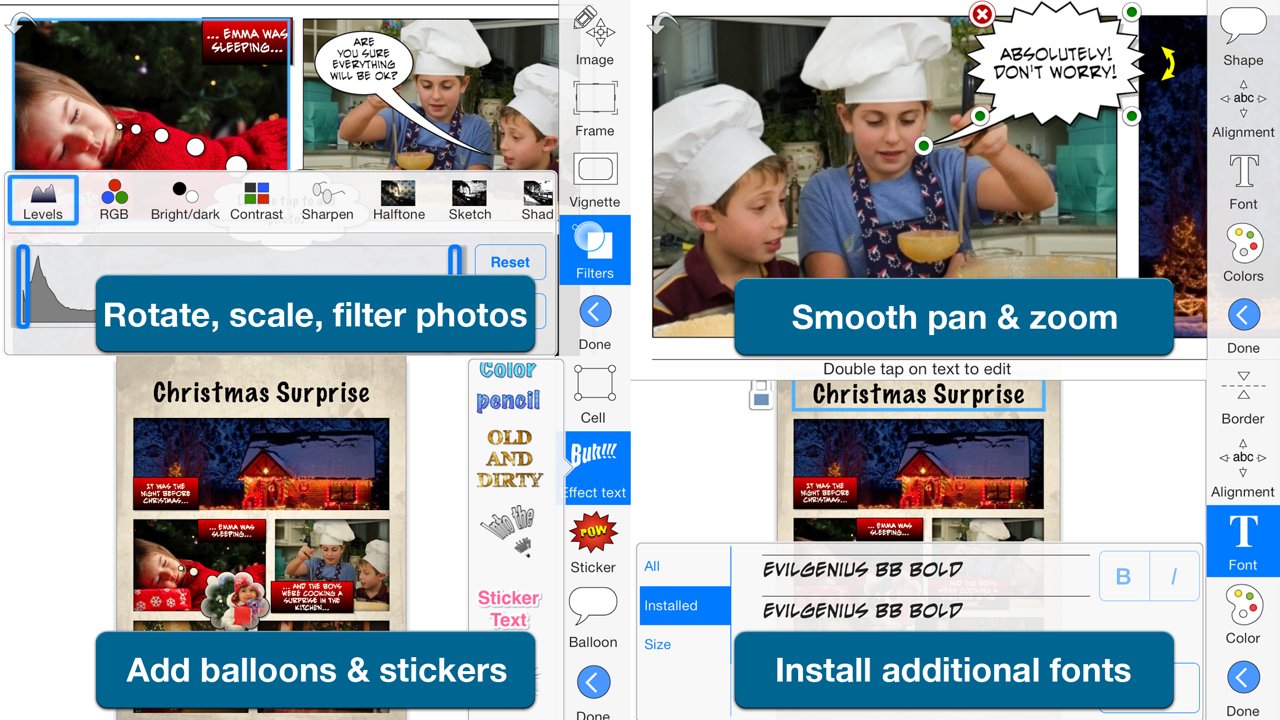
Create amazing comic books with your photos and share with friends and family. Tell exciting stories with balloons, stickers, drawings, and warped 3D lettering. Strip Designer offers the complete comic creation experience on iOS and macOS.
And no in-app purchases -- Everything is included!
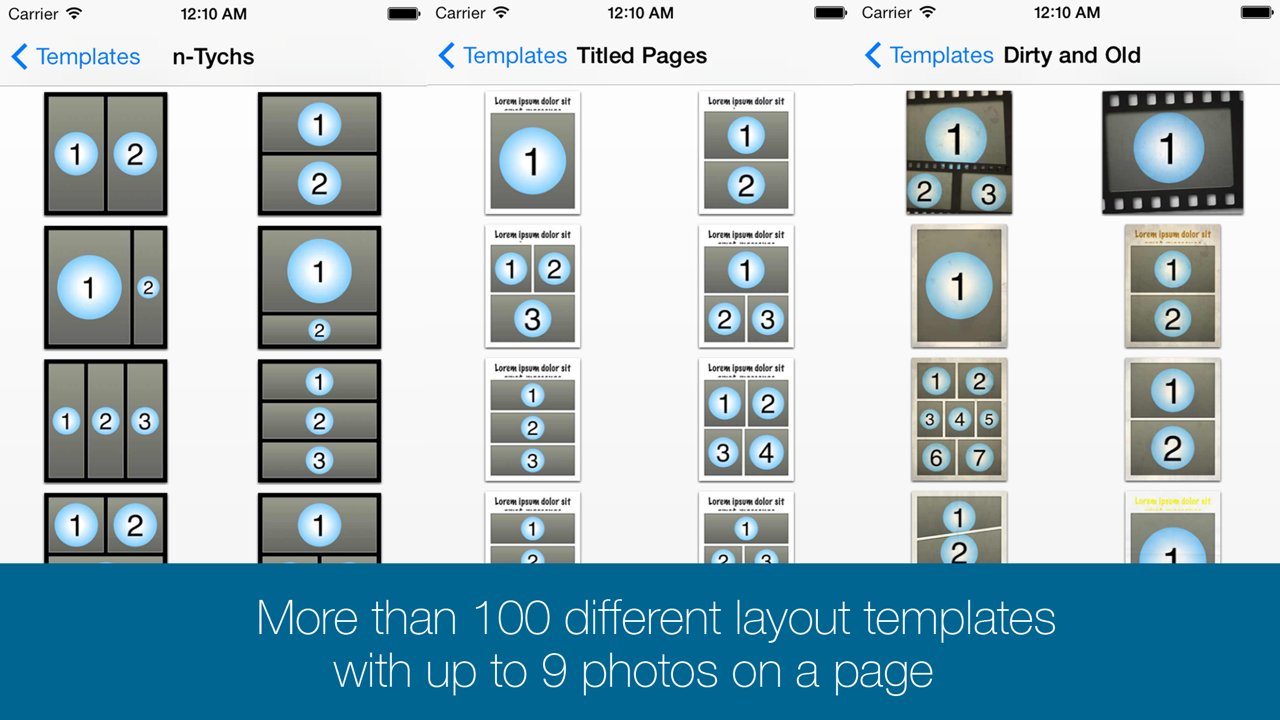
You'll begin by selecting one of the many included comic book page templates or create your own custom layout.
Next, you'll add photos from the camera, your album, or create a drawing. Apply filters, or even paint on and mask your photos for atmosphere, style and retouching.
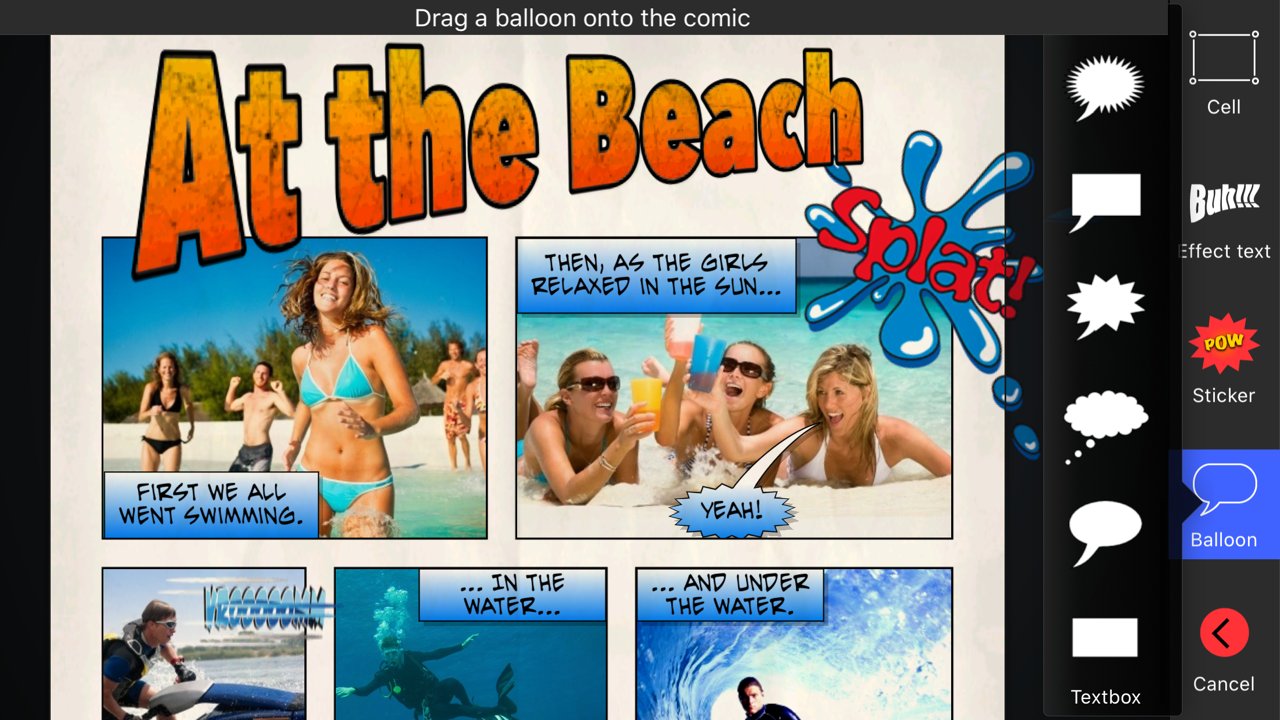
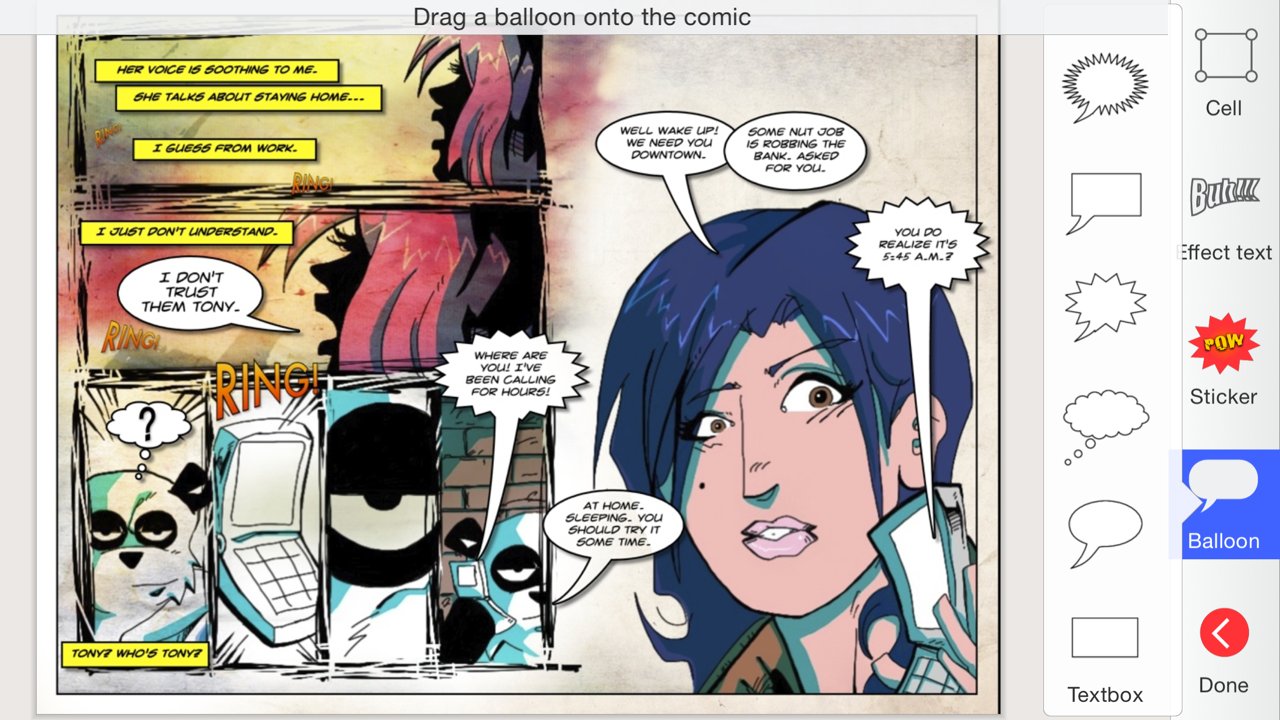
Add balloons and text anywhere you want and in any direction and size. Play with the colors and fonts until you get the perfect look.
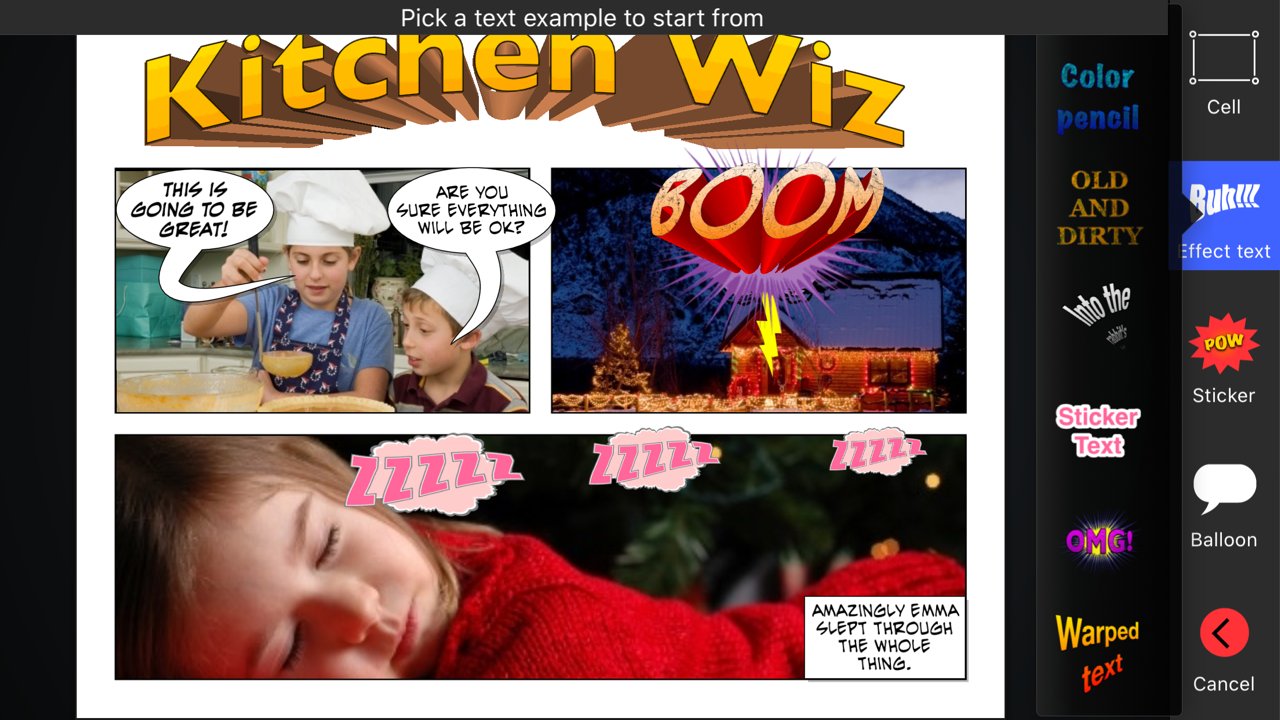
Add stickers like "Boom", "Splash", or "Bang" to spice up the action -- Even create your own library using photos from your photo-album and the built-in masking and drawing tools.
Use 3D warped text with thick borders and gradient color-fill to give your comic the extra super-hero feel. Download and add additional free fonts easily within the app, to give your text a unique look!
While you work, you can freely pan and zoom to control even tiny details.
Once you have finished your masterpiece you can save it to your photo album or share it with your friends. Use PDF to share entire comic books in high-quality.
-- All from within Strip Designer.
Key Features:
• More than a 100 page templates with 1 to 9 photo cells
• Multipage books
• Create your own panel layout with up-to 12 cells or use one of the standard layouts
• Many balloon types with customizable tails and heads
• Balloons can have multiple tails and be combined
• Flexible text options with per-letter colors and fonts
• Adjust ballon size, rotation, color, and transparency
• Add text (3D, warped, and perspective) for a superhero vibe
• Use any iOS font or install additional fonts for unique touch
• More than 150 stickers to insert for additional impact
• Page effects to give your pages old look
• Dropbox and WebDAV download/upload support
• Export to PDF to create real comic books
• Import PDFs (for both cells and custom stickers)
• Control scale, position, and rotation of photos
• Integrated drawing and masking tools to create your own drawings, paint on photos, or make your own stickers
• Auto mask and feather photos (to remove background)
• Many different cell styles
• Photo filters
• Fluidly pan and zoom to manage even the smallest details
• Insert maps for additional context
• iCloud sync across devices
• Support for iOS's third party document providers
• Layers view to lock or reorder layers
• Shared iPad (for education) setup through MDM configuration
No in-app purchases -- Everything is included!
- What the reviewers say -
"Strip Designer is worth every penny it costs, and then some. I would pay a couple more bucks for Lifestrips. It's stable, it's easy, it's fun, and for all that I couldn't come up with anything witty for my comic text, I love the look of my comics. Someone with a better imagination than I apparently have could really do fabulous things with this app. I rate it a solid five stars out of five.", Pamela Flora, iPhoneography
- - - - - - - - - - - - - -
"We were simply blown away by this application and the detail that has gone into the editing options and templates. We enjoyed the fact that a comic can be created very easily with photos and simple text effects, however there is real opportunities to really drill down into the editing options where the user can explore the apps true potential. There are many comic strip applications available on the Appstore but this is by far one of the best and great value for money. This app comes highly recommended by The Educational Appstore.", - See more at: [link removed]"
--------------------------
License: Commercial
And no in-app purchases -- Everything is included!
You'll begin by selecting one of the many included comic book page templates or create your own custom layout.
Next, you'll add photos from the camera, your album, or create a drawing. Apply filters, or even paint on and mask your photos for atmosphere, style and retouching.
Add balloons and text anywhere you want and in any direction and size. Play with the colors and fonts until you get the perfect look.
Add stickers like "Boom", "Splash", or "Bang" to spice up the action -- Even create your own library using photos from your photo-album and the built-in masking and drawing tools.
Use 3D warped text with thick borders and gradient color-fill to give your comic the extra super-hero feel. Download and add additional free fonts easily within the app, to give your text a unique look!
While you work, you can freely pan and zoom to control even tiny details.
Once you have finished your masterpiece you can save it to your photo album or share it with your friends. Use PDF to share entire comic books in high-quality.
-- All from within Strip Designer.
Key Features:
• More than a 100 page templates with 1 to 9 photo cells
• Multipage books
• Create your own panel layout with up-to 12 cells or use one of the standard layouts
• Many balloon types with customizable tails and heads
• Balloons can have multiple tails and be combined
• Flexible text options with per-letter colors and fonts
• Adjust ballon size, rotation, color, and transparency
• Add text (3D, warped, and perspective) for a superhero vibe
• Use any iOS font or install additional fonts for unique touch
• More than 150 stickers to insert for additional impact
• Page effects to give your pages old look
• Dropbox and WebDAV download/upload support
• Export to PDF to create real comic books
• Import PDFs (for both cells and custom stickers)
• Control scale, position, and rotation of photos
• Integrated drawing and masking tools to create your own drawings, paint on photos, or make your own stickers
• Auto mask and feather photos (to remove background)
• Many different cell styles
• Photo filters
• Fluidly pan and zoom to manage even the smallest details
• Insert maps for additional context
• iCloud sync across devices
• Support for iOS's third party document providers
• Layers view to lock or reorder layers
• Shared iPad (for education) setup through MDM configuration
No in-app purchases -- Everything is included!
- What the reviewers say -
"Strip Designer is worth every penny it costs, and then some. I would pay a couple more bucks for Lifestrips. It's stable, it's easy, it's fun, and for all that I couldn't come up with anything witty for my comic text, I love the look of my comics. Someone with a better imagination than I apparently have could really do fabulous things with this app. I rate it a solid five stars out of five.", Pamela Flora, iPhoneography
- - - - - - - - - - - - - -
"We were simply blown away by this application and the detail that has gone into the editing options and templates. We enjoyed the fact that a comic can be created very easily with photos and simple text effects, however there is real opportunities to really drill down into the editing options where the user can explore the apps true potential. There are many comic strip applications available on the Appstore but this is by far one of the best and great value for money. This app comes highly recommended by The Educational Appstore.", - See more at: [link removed]"
--------------------------
License: Commercial
| Release info | New Release on Mar 24, 2026 |
|---|---|
| Release notes | • Fixed an issue with screen sharing • Fixed an issue with page ranges settings when exporting |
| Listing data | App Store |
Reviews
No reviews yet. Be the first to review Strip Designer.
Used Strip Designer? Tell other visitors what you thought.
Log in to write a reviewOther products by this publisher
- "No Distractions" for YouTube 4.10 ----
- #Bible 11.6 "Incredible App - My sister shared this app with me a few weeks ago and it is truly incredible.
- #filmphotography 1.4.2 So, you decided to shoot on film?
- $quirrel 1.5.1 $quirrel Budget & Finance helps you plan each paycheck, track spending, manage debt, and see what is safe to spend before the next payday.
- % Percentage Calculator Pro 1.41 This is the Pro version of % Percentage Calculator.
Most viewed iOS Photo & Video
-
1
 ShortDiShow 2.0
Drama Quest Island — An offline interactive short-drama adventure.
-
2
 Infuse 8.5.10
Infuse: Enterprise provides the same great features as the standard version of Infuse and includes permanent access to all Pro features via a traditional paid app.
-
3
 AI Video Generator 2.0.3
Vixel – AI Video Generator
-
4
 OPlayer 4.8
Play all your videos directly without having to convert them!
-
5
 Necrometer II 1.2
Necrometer II is a paranormal investigation companion designed for ghost hunters and researchers.
-
6
 CapCut 20.1.0
CapCut offers easy-to-use video editing functions, in-APP fonts and effects, advanced features such as keyframe animation, smooth slow-motion, chroma key, and stabilization, to help you capture and snip moments.
- 7 #filmphotography 1.4.2 So, you decided to shoot on film?
-
8
 Ai Photo 1.1.2
AI Photo Retouch – BG Eraser
-
9
 Pop Dot Comics 1.48
Create a comic worthy of the Sunday newspaper or your favorite pulp-fiction cover.
-
10
 Analog Radio 3.0
The iPhone and iPad devices don't have the FM/AM radio antenna installed.
Most downloaded iOS Photo & Video
-
1
 DJI Fly 1.21.18
DJI Fly is designed to help pilots fly drones with ease.
-
2
Infuse 8.5.10
Infuse: Enterprise provides the same great features as the standard version of Infuse and includes permanent access to all Pro features via a traditional paid app.
-
3
Analog Radio 3.0
The iPhone and iPad devices don't have the FM/AM radio antenna installed.
-
4
 TurboCollage Automatic 1.2.4
#1 Easy automatic photo collage maker for iPhone & iPad.
-
5
 ReelyGo 1.1.42
ReelyGo: Your Daily Drama Escape
-
6
 Rozeta Sequencer Suite 1.3.16
Rozeta is a suite of MIDI sequencers and controllers that lets you explore a new, freeform approach to sequencing and controlling mobile music apps.
-
7
 Treblo 1.6.6
Make songs with the world's best AI music model.
-
8
Pop Dot Comics 1.48
Create a comic worthy of the Sunday newspaper or your favorite pulp-fiction cover.
-
9
 AGAIN. Rehearsal Notes 2.0.1
AGAIN. is the rehearsal app that remembers why the band stopped — and, new in Version 2, who said what in a writing session or a table read.
-
10
 Sun Scout 1.5.0
If your work or play requires sunlight, Sun Scout is built for you.