
12downloads
1this week
FreeCommercial
0reviews
Screenshots
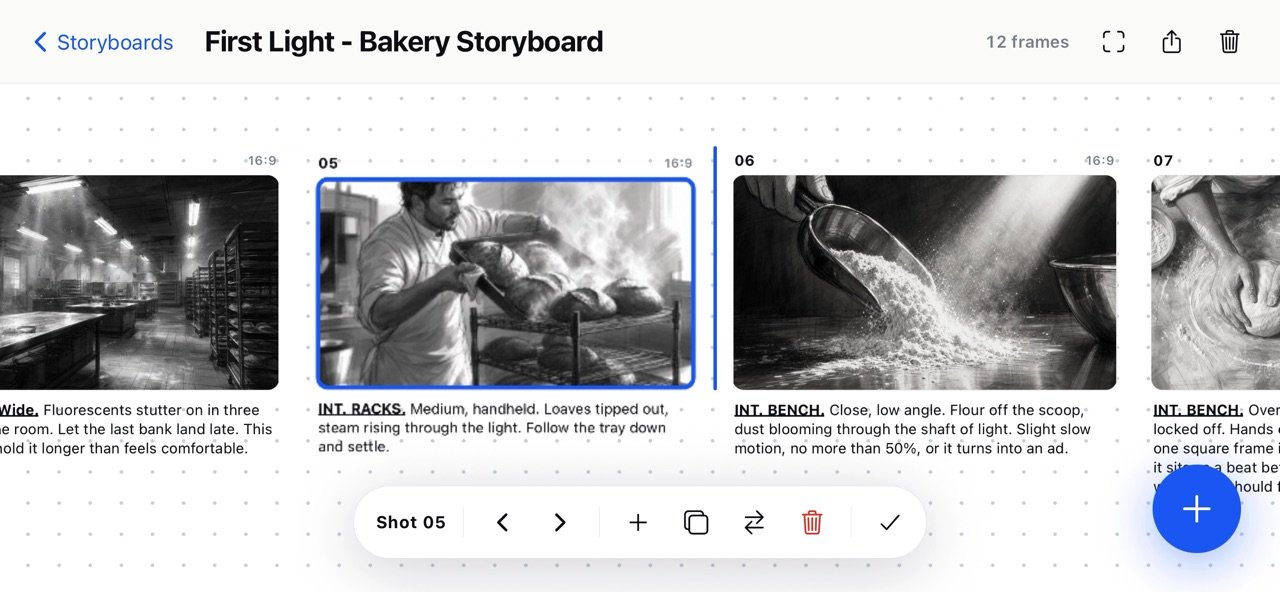
About Storyline Storyboarding
Storyline turns a folder of images into a storyboard.
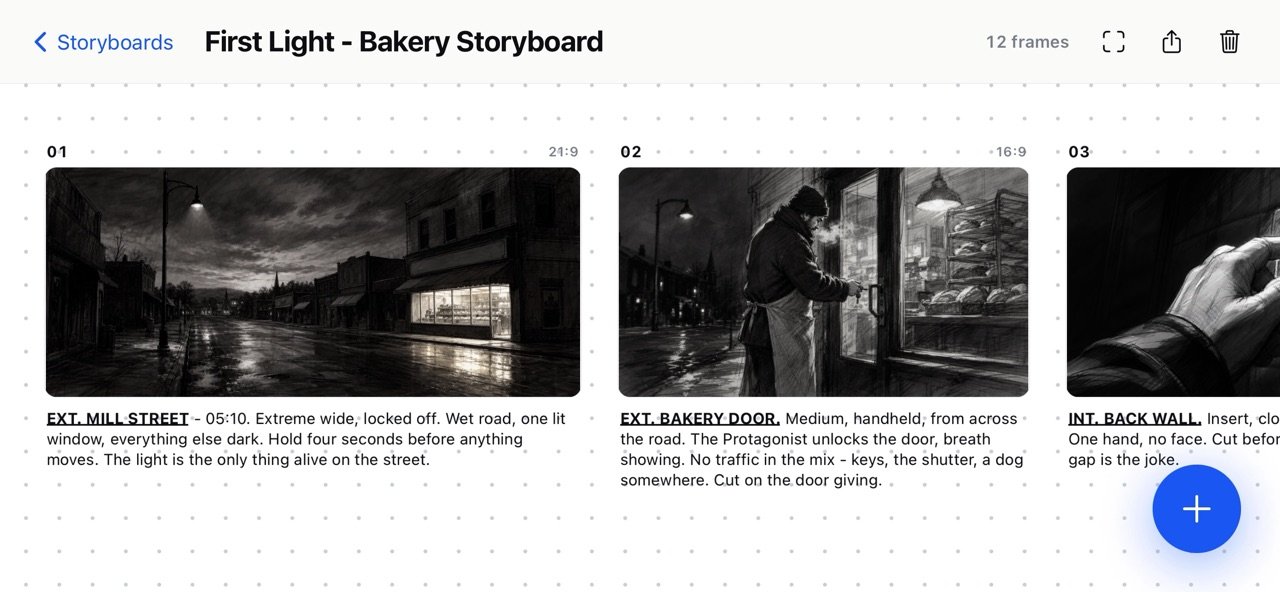
Bring in whatever your frames happen to be — panels drawn in your app of choice, photographs from a recce or a shoot, reference stills, scans of paper thumbnails. Mix them freely on one board. There are no drawing tools to learn and no house style to fight. Storyline arranges what you already have.
THE EXPORT IS THE POINT
One tap gives you a landscape A4 contact sheet, ready to send or print. On it: your frames, your shot numbers, your notes, your board title and a page number.
Nothing else. No watermark, no logo, no "made with" line across the bottom, no cover page you didn't ask for. It's the storyboard you'd have laid out by hand, and it's yours the moment it lands in the share sheet.
Choose 1, 4, 6 or 12 frames per page depending on whether you're pitching, shooting or thumbnailing. The layout gives each note its space first and fits the frame around it, because a storyboard cell that can't carry its note isn't much use on set.
ANY IMAGE, ANY SHAPE
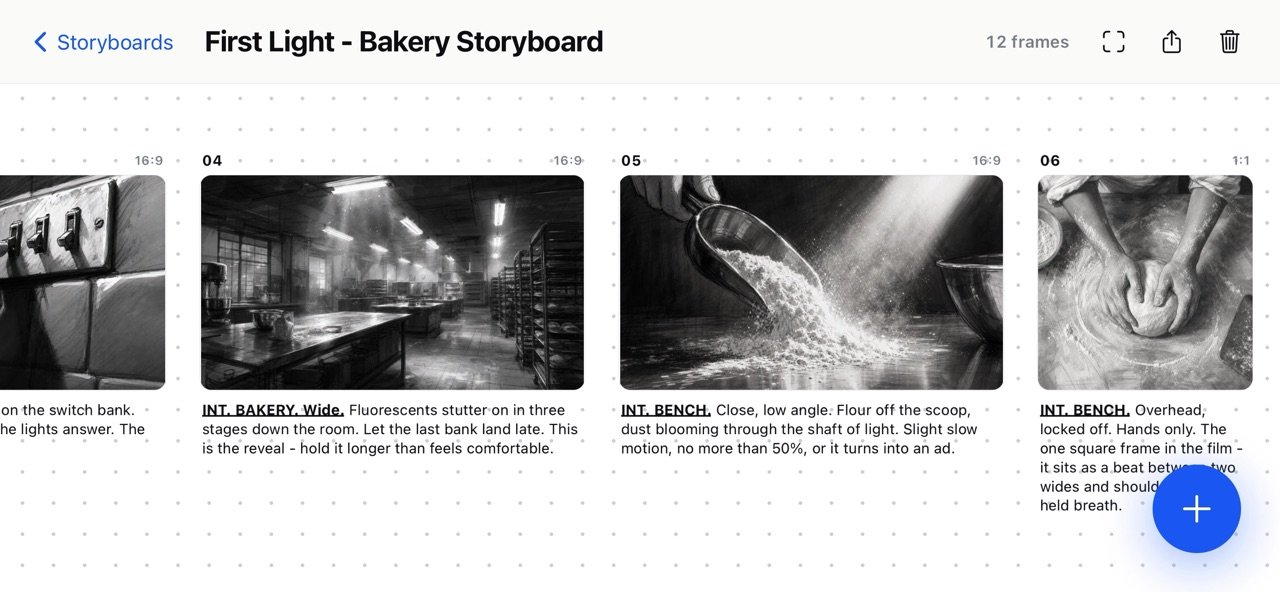
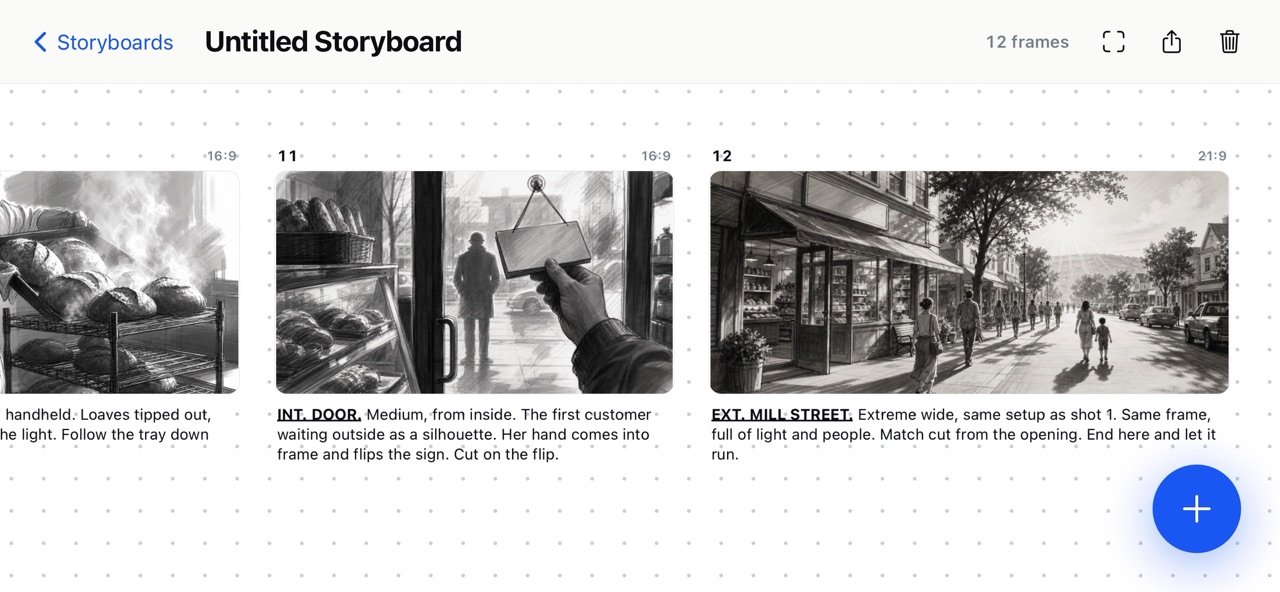
Frames keep the proportions they arrived in. Vertical, square, 16:9, anamorphic, a phone photo sitting next to a widescreen panel — nothing is cropped to fit a template, and mixed ratios on one board are perfectly normal.
THE CANVAS
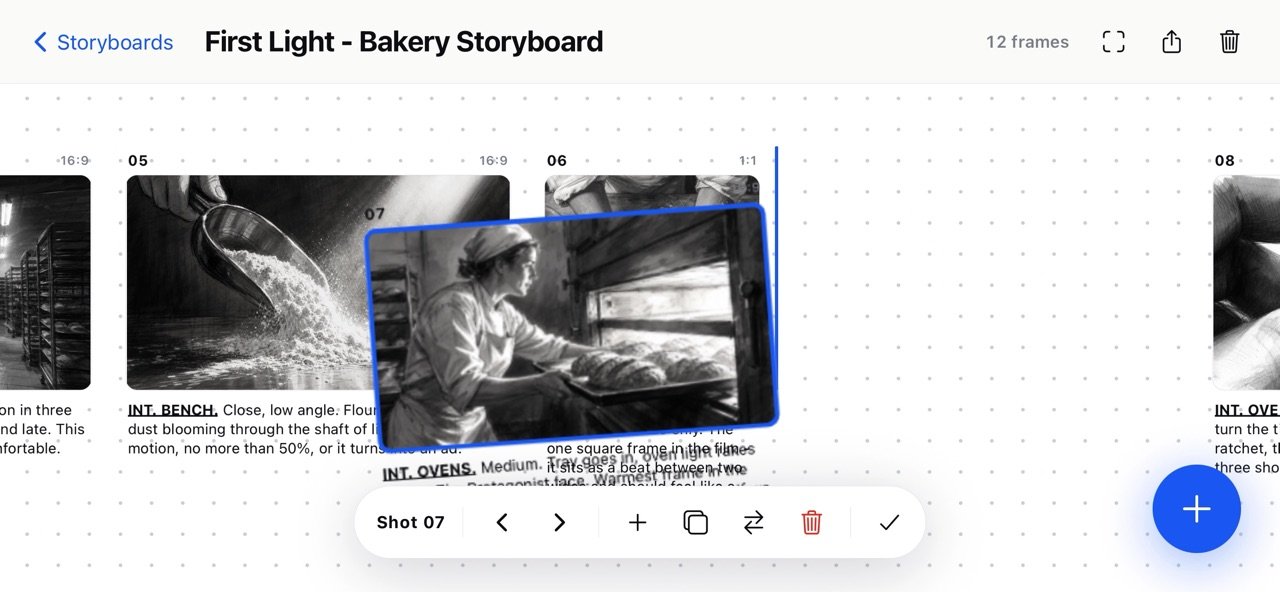
Frames sit on dot-grid paper as a single strip that zooms smoothly from the whole board down to one panel, and Fit snaps you back to the full run in a tap. Drag any frame to change the running order — a guide shows where it will land, and the board reflows around it when you let go.
NOTES
Every frame carries its own note, with bold, italic and underline. Paste in formatted text from Notes, Pages or anywhere else and it keeps its styling. Notes travel with the frame when you reorder, and they print with it.
PROJECTS
Every board lives in a gallery showing its opening frame, title, frame count and when you last touched it. Rename, duplicate or delete from the card.
MOVING BOARDS BETWEEN DEVICES
Export a whole project as a single file — every frame at full resolution, exactly as imported, with its notes and running order intact. Send it however you like, import it on another device, and carry on.
PRIVATE BY DEFAULT
There is no account and no sign-in. Storyline doesn't connect to the internet, collect analytics, or send your work anywhere. Your boards live on your device and go nowhere unless you export them yourself.
License: Commercial
Bring in whatever your frames happen to be — panels drawn in your app of choice, photographs from a recce or a shoot, reference stills, scans of paper thumbnails. Mix them freely on one board. There are no drawing tools to learn and no house style to fight. Storyline arranges what you already have.
THE EXPORT IS THE POINT
One tap gives you a landscape A4 contact sheet, ready to send or print. On it: your frames, your shot numbers, your notes, your board title and a page number.
Nothing else. No watermark, no logo, no "made with" line across the bottom, no cover page you didn't ask for. It's the storyboard you'd have laid out by hand, and it's yours the moment it lands in the share sheet.
Choose 1, 4, 6 or 12 frames per page depending on whether you're pitching, shooting or thumbnailing. The layout gives each note its space first and fits the frame around it, because a storyboard cell that can't carry its note isn't much use on set.
ANY IMAGE, ANY SHAPE
Frames keep the proportions they arrived in. Vertical, square, 16:9, anamorphic, a phone photo sitting next to a widescreen panel — nothing is cropped to fit a template, and mixed ratios on one board are perfectly normal.
THE CANVAS
Frames sit on dot-grid paper as a single strip that zooms smoothly from the whole board down to one panel, and Fit snaps you back to the full run in a tap. Drag any frame to change the running order — a guide shows where it will land, and the board reflows around it when you let go.
NOTES
Every frame carries its own note, with bold, italic and underline. Paste in formatted text from Notes, Pages or anywhere else and it keeps its styling. Notes travel with the frame when you reorder, and they print with it.
PROJECTS
Every board lives in a gallery showing its opening frame, title, frame count and when you last touched it. Rename, duplicate or delete from the card.
MOVING BOARDS BETWEEN DEVICES
Export a whole project as a single file — every frame at full resolution, exactly as imported, with its notes and running order intact. Send it however you like, import it on another device, and carry on.
PRIVATE BY DEFAULT
There is no account and no sign-in. Storyline doesn't connect to the internet, collect analytics, or send your work anywhere. Your boards live on your device and go nowhere unless you export them yourself.
License: Commercial
| Release info | New Release on Oct 07, 2026 |
|---|---|
| Listing data | App Store |
Reviews
No reviews yet. Be the first to review Storyline Storyboarding.
Used Storyline Storyboarding? Tell other visitors what you thought.
Log in to write a reviewOther products by this publisher
- "No Distractions" for YouTube 4.10 ----
- #Bible 11.6.1 "Incredible App - My sister shared this app with me a few weeks ago and it is truly incredible.
- #filmphotography 1.4.2 So, you decided to shoot on film?
- $quirrel 1.5.1 $quirrel Budget & Finance helps you plan each paycheck, track spending, manage debt, and see what is safe to spend before the next payday.
- % Percentage Calculator Pro 1.41 This is the Pro version of % Percentage Calculator.
Most viewed iOS Photo & Video
-
1
 ShortDiShow 2.0
Drama Quest Island — An offline interactive short-drama adventure.
-
2
 Infuse 8.5.10
Infuse: Enterprise provides the same great features as the standard version of Infuse and includes permanent access to all Pro features via a traditional paid app.
-
3
 AI Video Generator 2.0.3
Vixel – AI Video Generator
-
4
 OPlayer 4.8
Play all your videos directly without having to convert them!
-
5
 CapCut 20.2.0
CapCut offers easy-to-use video editing functions, in-APP fonts and effects, advanced features such as keyframe animation, smooth slow-motion, chroma key, and stabilization, to help you capture and snip moments.
-
6
 Necrometer II 1.2
Necrometer II is a paranormal investigation companion designed for ghost hunters and researchers.
-
7
 Ai Photo 1.1.2
AI Photo Retouch – BG Eraser
- 8 #filmphotography 1.4.2 So, you decided to shoot on film?
-
9
 Analog Radio 3.0
The iPhone and iPad devices don't have the FM/AM radio antenna installed.
-
10
 Pop Dot Comics 1.48
Create a comic worthy of the Sunday newspaper or your favorite pulp-fiction cover.
Most downloaded iOS Photo & Video
-
1
 DJI Fly 1.21.18
DJI Fly is designed to help pilots fly drones with ease.
-
2
Infuse 8.5.10
Infuse: Enterprise provides the same great features as the standard version of Infuse and includes permanent access to all Pro features via a traditional paid app.
-
3
Analog Radio 3.0
The iPhone and iPad devices don't have the FM/AM radio antenna installed.
-
4
 TurboCollage Automatic 1.2.4
#1 Easy automatic photo collage maker for iPhone & iPad.
-
5
 ReelyGo 1.1.42
ReelyGo: Your Daily Drama Escape
-
6
 Rozeta Sequencer Suite 1.3.16
Rozeta is a suite of MIDI sequencers and controllers that lets you explore a new, freeform approach to sequencing and controlling mobile music apps.
-
7
 Treblo 1.6.6
Make songs with the world's best AI music model.
-
8
Pop Dot Comics 1.48
Create a comic worthy of the Sunday newspaper or your favorite pulp-fiction cover.
-
9
 AGAIN. Rehearsal Notes 2.0.1
AGAIN. is the rehearsal app that remembers why the band stopped — and, new in Version 2, who said what in a writing session or a table read.
-
10
 Sun Scout 1.5.0
If your work or play requires sunlight, Sun Scout is built for you.