
STEM 1.1
Plug in your audio interface, start the record, and the vocal is on its own fader.
Download
282.56 MB
9downloads
3this week
FreeCommercial
0reviews
Screenshots
About STEM
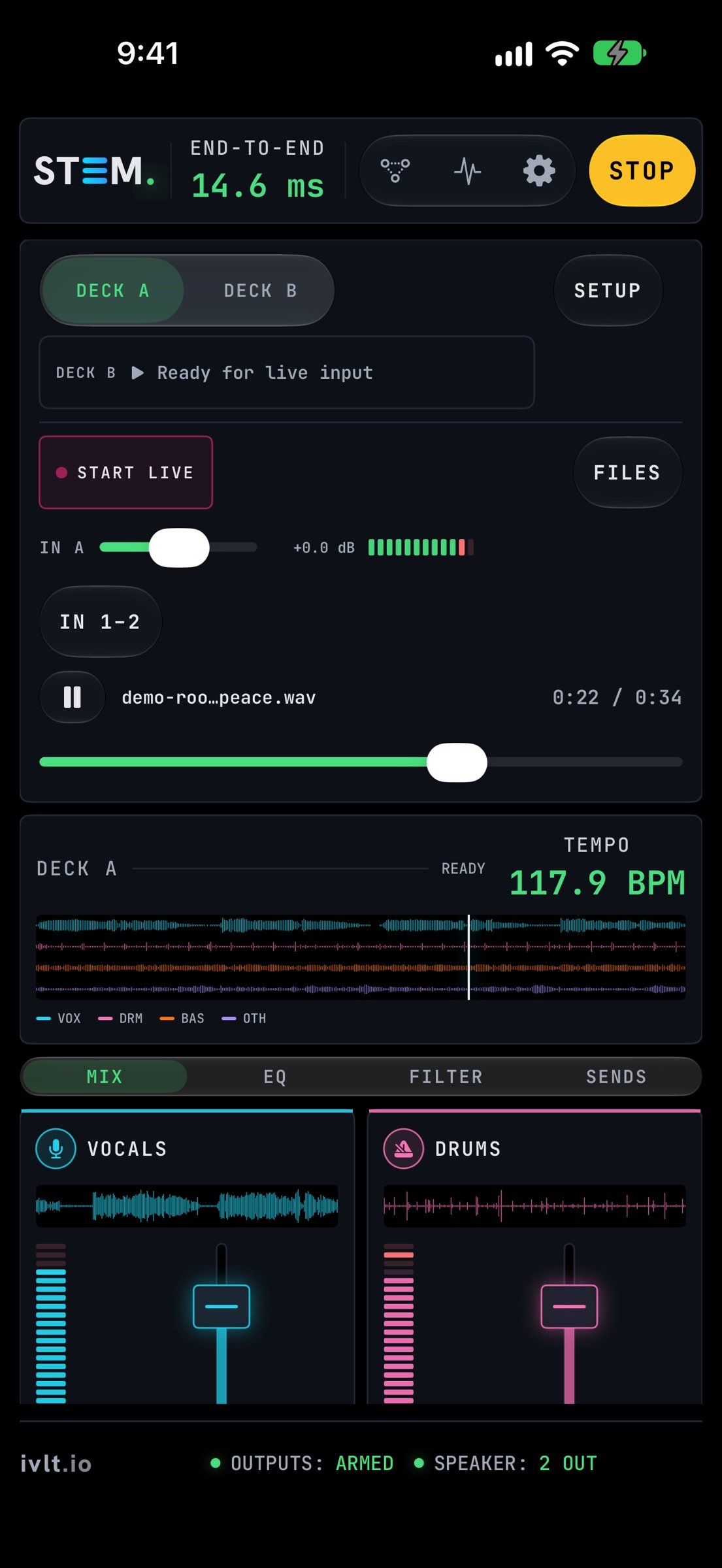
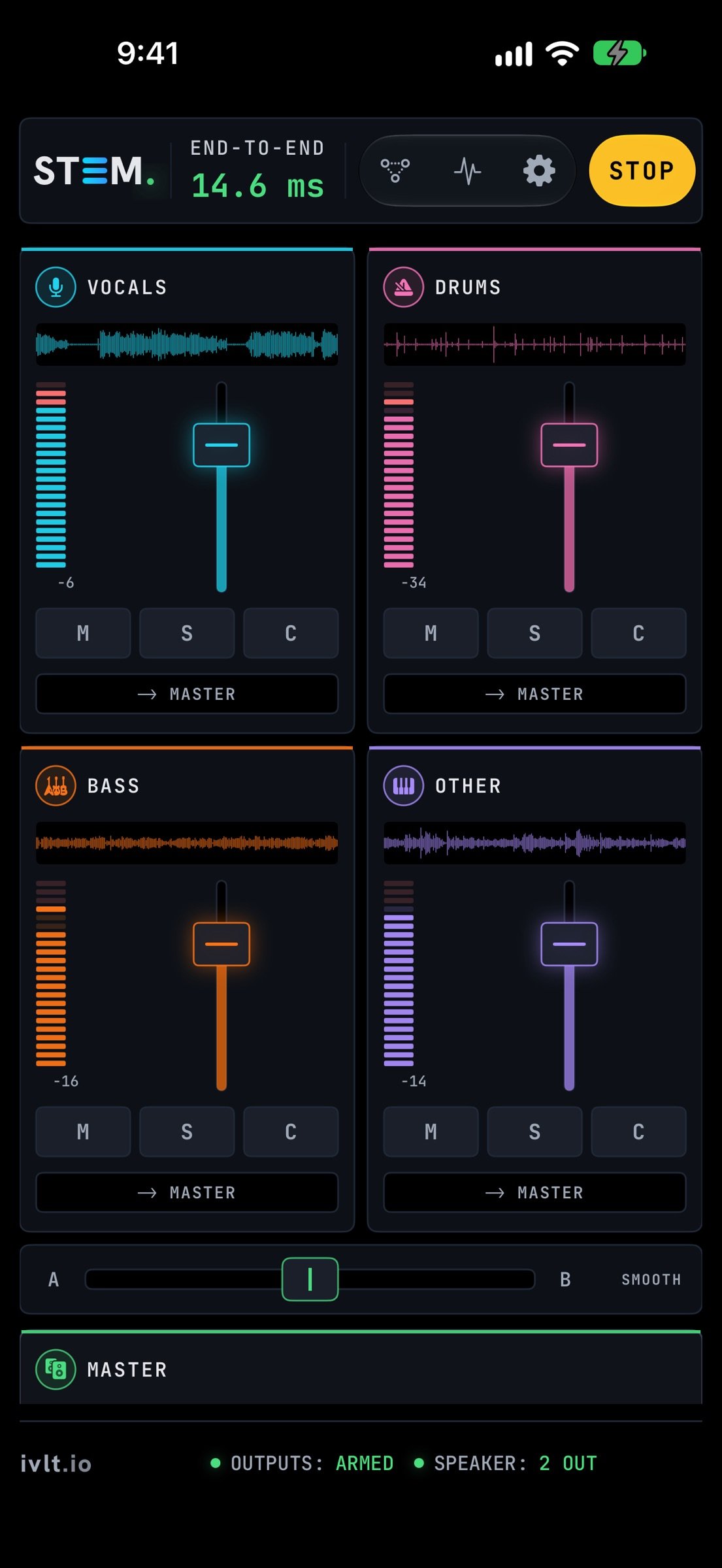
Plug in your audio interface, start the record, and the vocal is on its own fader. STEM splits what is playing — or what is coming in from your mixer — into vocals, drums, bass and everything else, live, on your iPad or iPhone. Each stem lands on its own pair of hardware outputs, so your desk does the mixing.
No upload. No render queue. No waiting for a track to be analysed before you can play it.
LIVE IN, STEMS OUT
Feed STEM from your interface — a turntable through your mixer, a booth output, an instrument — and it separates what is coming in, with the engine aimed at a live source instead of a file. The mix you did not make, taken apart.
EVERY STEM ITS OWN OUTPUTS
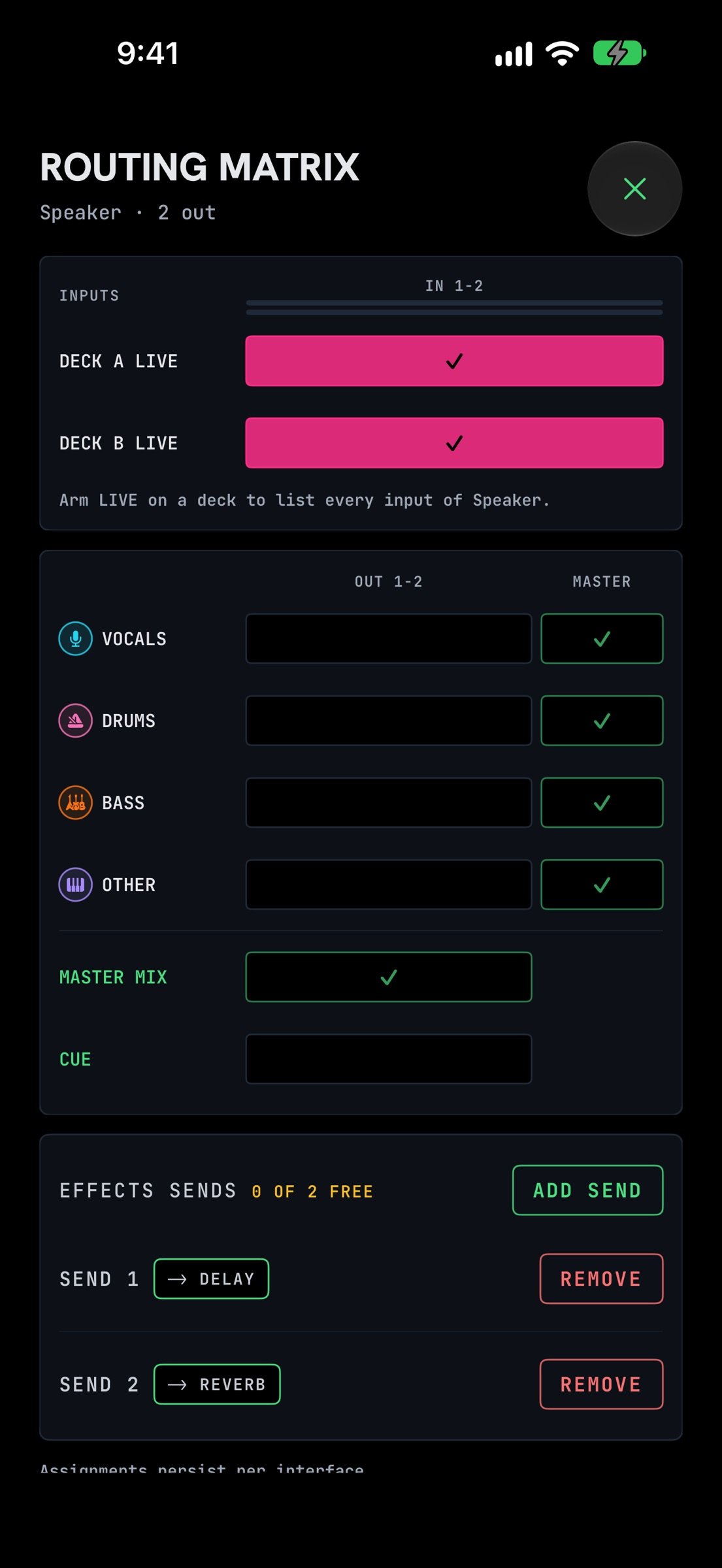
Each stem takes its own pair of hardware channels — vocals to 3-4, drums to 5-6 — up to 16 channels, assigned in a routing matrix that remembers each interface. Outputs start muted until you confirm the routing, because a misrouted stem into a PA is the mistake worth preventing. On a device alone the four stems fold down to stereo, and the console says so.
TWO DECKS, ONE CROSSFADER
One setting runs a second deck: its own separation engine, its own four stems, its own routing. A crossfader between them, constant-power or cut.
HANDS ON THE HARDWARE
Map any MIDI CC by tapping a control and moving the knob. Soft takeover means a hardware fader never makes the mix jump, and positions are sent back, so motorised faders and LED rings follow the console.
A CONSOLE, NOT A DIALOG
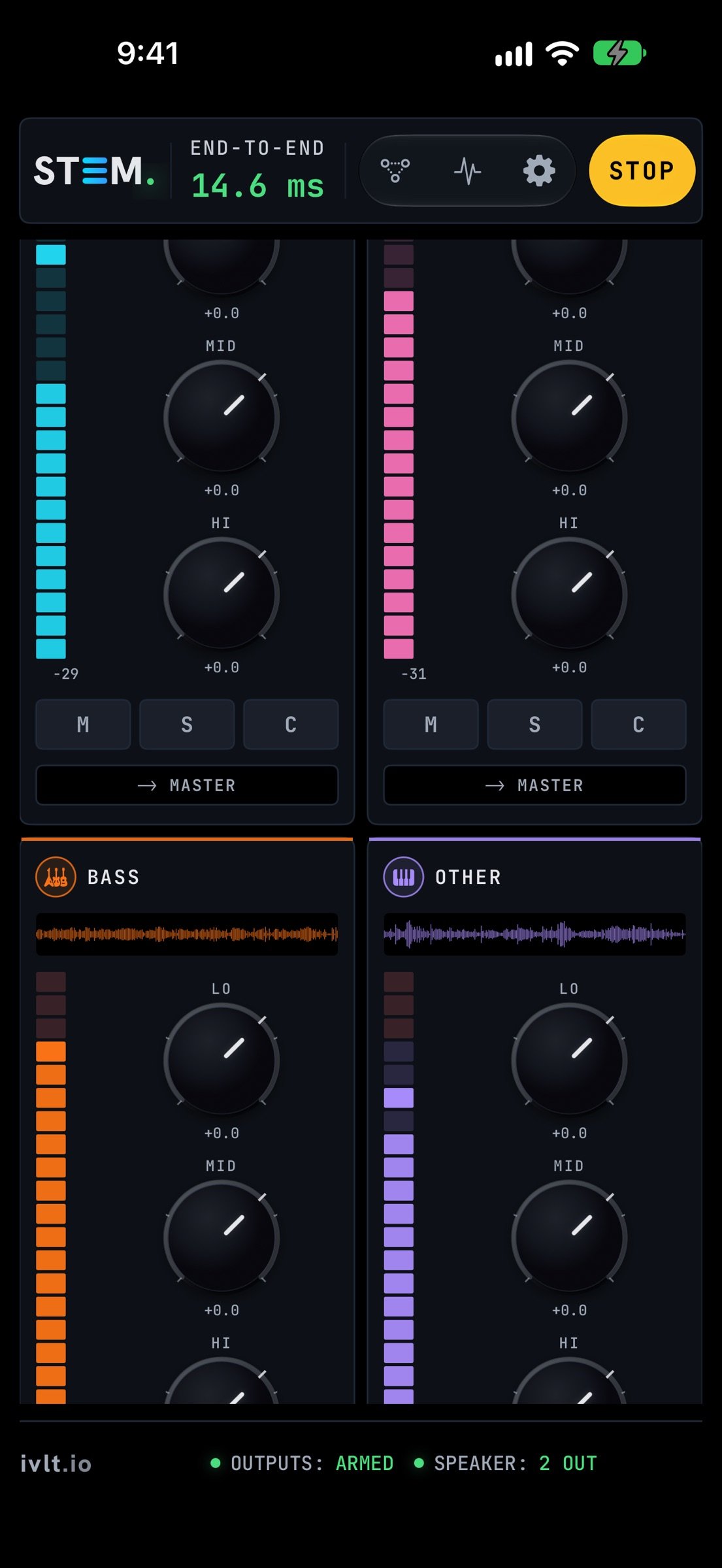
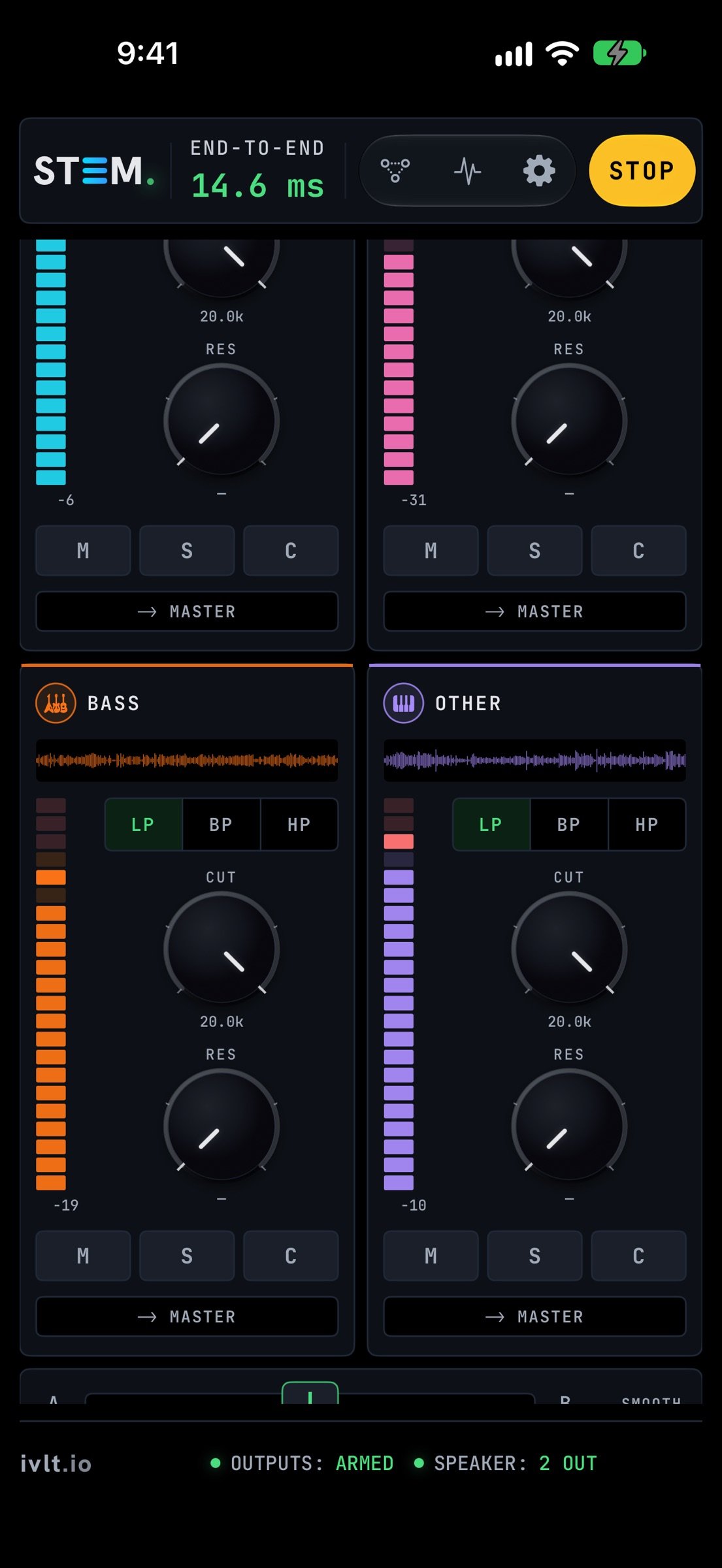
Long-throw faders with a 0 dB detent, mute and solo per stem, LED metering, a master strip with BS.1770 loudness. Per-stem three-band EQ and a resonant filter — ladder or state-variable, your choice. Cue any stem to a headphone pair before you bring it up. Save the whole desk as a scene and recall it.
SENDS, INSIDE OR OUT
Up to four stereo sends, each per stem and post-fader. Send one to a hardware pair for your outboard, or to the built-in tempo-synced delay or plate reverb.
STEMS WHILE IT PLAYS
Load a track and it comes apart as it plays. Seek anywhere and the stems follow, because the separation is happening now rather than being read from a file somebody prepared earlier.
TAKE THE STEMS WITH YOU
Write a loaded track back out as four 24-bit WAV files, latency-compensated so they sit at zero in a DAW, rendered by the larger offline model.
MEASURED, NOT QUOTED
Latency, load and real-time margin are read from the running session and shown while you work. The app never displays a number it has not measured.
iPad, iPhone AND Mac
Use the console in portrait or landscape on iPad and iPhone. The same app also runs on Apple-silicon Macs. Real-time performance depends on your device and session settings.
PRIVACY
No accounts, no analytics, no network. Your music never leaves the device.
AUV3 PLUG-IN — Load STEM as an effect in AUM: audio in, the remix on the first bus and each stem on its own bus. In a host with one output, such as GarageBand, the first bus plays the remix.
PREVIEW AUDIO
“Rooted In Peace” by Admiral Bob (ccMixter), with “In Peace” by snowflake. CC BY 3.0. Excerpted and processed by STEM. ccmixter.org/files/admiralbob77/33646 · creativecommons.org/licenses/by/3.0/
License: Commercial
No upload. No render queue. No waiting for a track to be analysed before you can play it.
LIVE IN, STEMS OUT
Feed STEM from your interface — a turntable through your mixer, a booth output, an instrument — and it separates what is coming in, with the engine aimed at a live source instead of a file. The mix you did not make, taken apart.
EVERY STEM ITS OWN OUTPUTS
Each stem takes its own pair of hardware channels — vocals to 3-4, drums to 5-6 — up to 16 channels, assigned in a routing matrix that remembers each interface. Outputs start muted until you confirm the routing, because a misrouted stem into a PA is the mistake worth preventing. On a device alone the four stems fold down to stereo, and the console says so.
TWO DECKS, ONE CROSSFADER
One setting runs a second deck: its own separation engine, its own four stems, its own routing. A crossfader between them, constant-power or cut.
HANDS ON THE HARDWARE
Map any MIDI CC by tapping a control and moving the knob. Soft takeover means a hardware fader never makes the mix jump, and positions are sent back, so motorised faders and LED rings follow the console.
A CONSOLE, NOT A DIALOG
Long-throw faders with a 0 dB detent, mute and solo per stem, LED metering, a master strip with BS.1770 loudness. Per-stem three-band EQ and a resonant filter — ladder or state-variable, your choice. Cue any stem to a headphone pair before you bring it up. Save the whole desk as a scene and recall it.
SENDS, INSIDE OR OUT
Up to four stereo sends, each per stem and post-fader. Send one to a hardware pair for your outboard, or to the built-in tempo-synced delay or plate reverb.
STEMS WHILE IT PLAYS
Load a track and it comes apart as it plays. Seek anywhere and the stems follow, because the separation is happening now rather than being read from a file somebody prepared earlier.
TAKE THE STEMS WITH YOU
Write a loaded track back out as four 24-bit WAV files, latency-compensated so they sit at zero in a DAW, rendered by the larger offline model.
MEASURED, NOT QUOTED
Latency, load and real-time margin are read from the running session and shown while you work. The app never displays a number it has not measured.
iPad, iPhone AND Mac
Use the console in portrait or landscape on iPad and iPhone. The same app also runs on Apple-silicon Macs. Real-time performance depends on your device and session settings.
PRIVACY
No accounts, no analytics, no network. Your music never leaves the device.
AUV3 PLUG-IN — Load STEM as an effect in AUM: audio in, the remix on the first bus and each stem on its own bus. In a host with one output, such as GarageBand, the first bus plays the remix.
PREVIEW AUDIO
“Rooted In Peace” by Admiral Bob (ccMixter), with “In Peace” by snowflake. CC BY 3.0. Excerpted and processed by STEM. ccmixter.org/files/admiralbob77/33646 · creativecommons.org/licenses/by/3.0/
License: Commercial
| Release info | New Release on Oct 23, 2026 |
|---|---|
| Release notes | STEM 1.1 brings STEM into your host app. • New: the STEM AUv3 plug-in. Add it to a channel in AUM and each stem — vocals, drums, bass, other — arrives on its own output bus, ready for its own channel, effects and fader. The first bus carries your remix, so single-output hosts still get stem mute, solo and level as an effect. • New: on iPhone Duo, STEM keeps the same console as the phone folds and opens. • A new look: Liquid Glass for the controls you press, from START to the page tabs; the console you read stays flat and calm. • Fixed: on iPad, stems routed to outputs 3 and above of a multichannel interface now reach those outputs. • New: an OUTS page — a level, a meter and the limiter light for every output pair in use beside the master — and an IN MASTER switch, so a stem routed to its own outputs can leave the master. • With two decks, a stem's own outputs follow the crossfader, and an empty second deck is silent. • Fixed: the route, RECENTS and scene menus now answer while a track plays, and a stem routed to the master's own outputs is no longer doubled there. • The routing matrix now shows the interface you plugged in before you press START, and tells you how to list its inputs. • A refreshed console: ROUTING and STATUS now sit in the header, and the footer shows whether the outputs are armed and which interface they play to. • STEM now requires iOS / iPadOS 26. |
| Listing data | App Store |
Reviews
No reviews yet. Be the first to review STEM.
Used STEM? Tell other visitors what you thought.
Log in to write a reviewOther products by this publisher
- "No Distractions" for YouTube 4.10 ----
- #Bible 11.5 "Incredible App - My sister shared this app with me a few weeks ago and it is truly incredible.
- #filmphotography 1.4.2 So, you decided to shoot on film?
- $quirrel 1.5.1 $quirrel Budget & Finance helps you plan each paycheck, track spending, manage debt, and see what is safe to spend before the next payday.
- % Percentage Calculator Pro 1.41 This is the Pro version of % Percentage Calculator.
Most viewed iOS Photo & Video
-
1
 Infuse 8.5.9
Infuse: Enterprise provides the same great features as the standard version of Infuse and includes permanent access to all Pro features via a traditional paid app.
-
2
 ShortDiShow 2.0
Drama Quest Island — An offline interactive short-drama adventure.
-
3
 AI Video Generator 2.0.2
Vixel – AI Video Generator
-
4
 OPlayer 4.8
Play all your videos directly without having to convert them!
-
5
 Necrometer II 1.2
Necrometer II is a paranormal investigation companion designed for ghost hunters and researchers.
-
6
 CapCut 20.0.0
CapCut offers easy-to-use video editing functions, in-APP fonts and effects, advanced features such as keyframe animation, smooth slow-motion, chroma key, and stabilization, to help you capture and snip moments.
-
7
 TouchSiren Delta 3.1
--------------------------------------------------------------
-
8
 Ai Photo 1.1.2
AI Photo Retouch – BG Eraser
-
9
 CNU 3.0.12
CNU?????????????????????,???????????????
-
10
 Treblo 1.6.0
Make songs with the world's best AI music model.
Most downloaded iOS Photo & Video
-
1
Infuse 8.5.9
Infuse: Enterprise provides the same great features as the standard version of Infuse and includes permanent access to all Pro features via a traditional paid app.
-
2
 DJI Fly 1.21.18
DJI Fly is designed to help pilots fly drones with ease.
-
3
 ReelyGo 1.1.42
ReelyGo: Your Daily Drama Escape
-
4
 TurboCollage Automatic 1.2.4
#1 Easy automatic photo collage maker for iPhone & iPad.
-
5
 Analog Radio 3.0
The iPhone and iPad devices don't have the FM/AM radio antenna installed.
-
6
 AGAIN. Rehearsal Notes 2.0.1
AGAIN. is the rehearsal app that remembers why the band stopped — and, new in Version 2, who said what in a writing session or a table read.
-
7
Treblo 1.6.0
Make songs with the world's best AI music model.
-
8
 Pop Dot Comics 1.48
Create a comic worthy of the Sunday newspaper or your favorite pulp-fiction cover.
-
9
 Rozeta Sequencer Suite 1.3.16
Rozeta is a suite of MIDI sequencers and controllers that lets you explore a new, freeform approach to sequencing and controlling mobile music apps.
-
10
 SSS IPTV, Simple, Smart Super 1.0.2
An Easiest way to watch TV Online or Movies or Series, Bring your Own list M3u,