Starry sky Camera 7.0
This camera app is able to take pictures of a real starry sky.
Download
15.47 MB
7downloads
0this week
FreeCommercial
0reviews
Screenshots
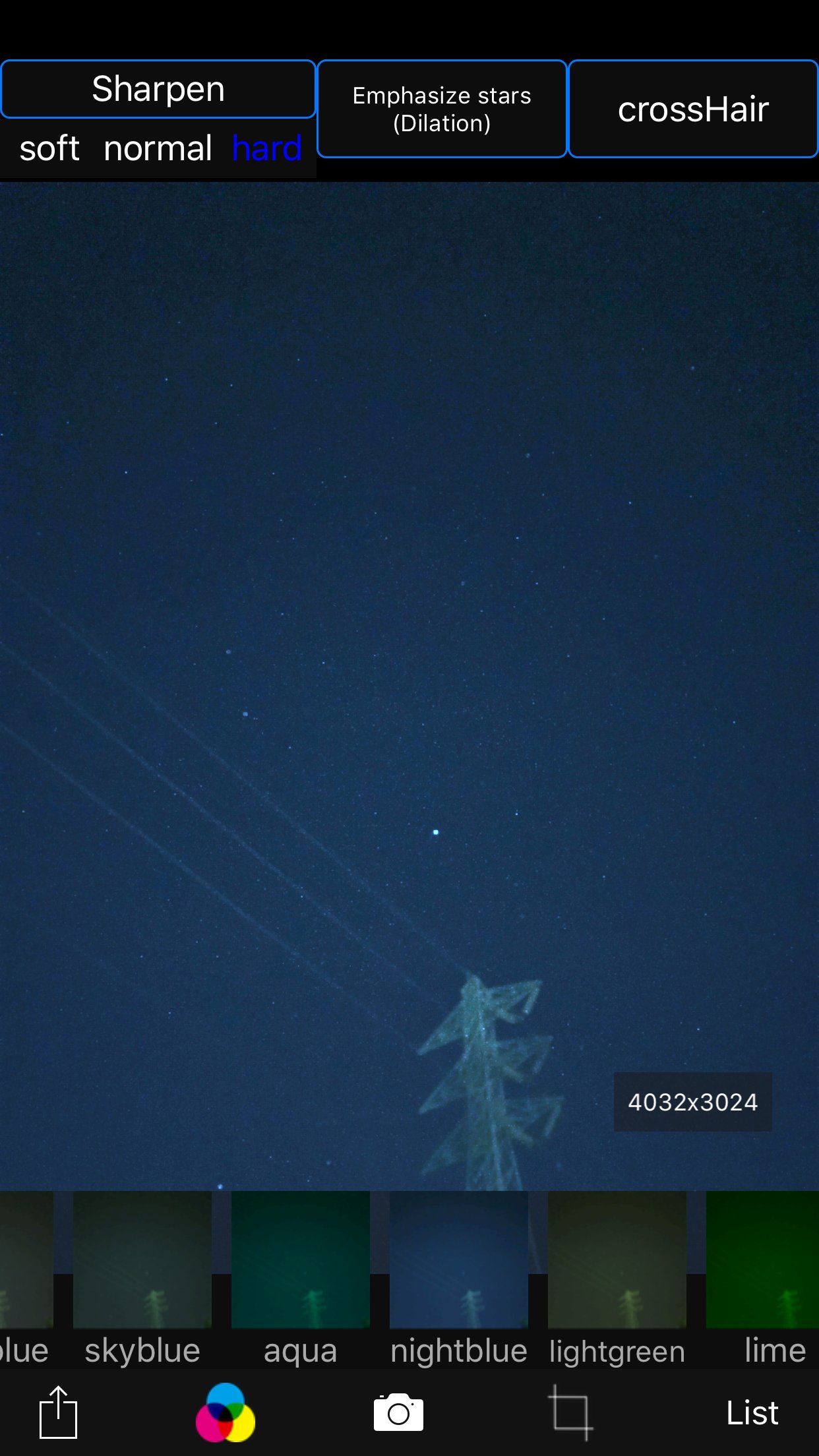
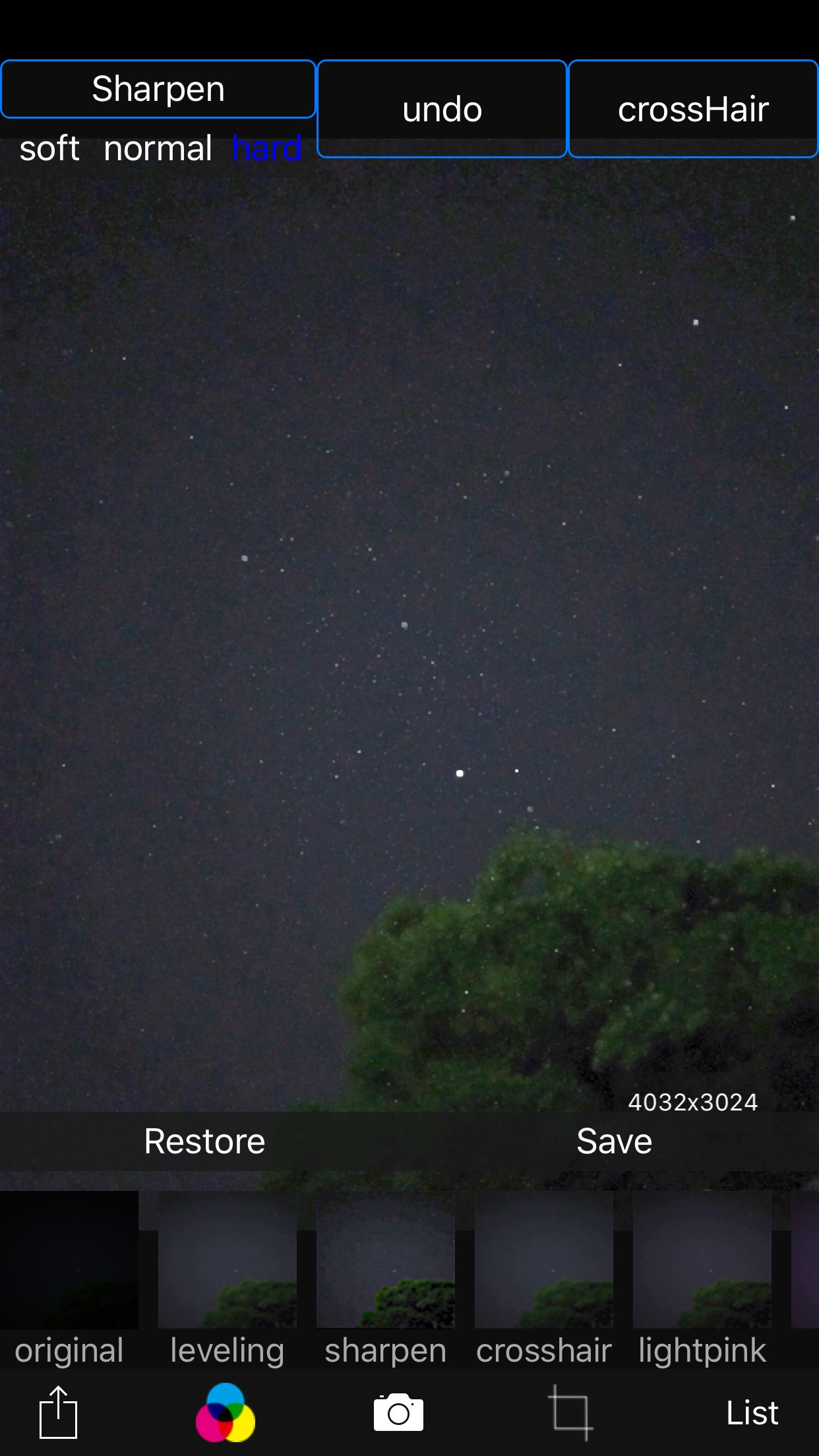
About Starry sky Camera
This camera app is able to take pictures of a real starry sky. You can take stars of the first magnitude and stars of the second magnitude or less in good condition.
If you have a device with a high-performance camera these days, you might even be able to capture the Milky Way, depending on the conditions. (Conditions include long exposure (e.g., 4 seconds or more) x 10 or more continuous shots, and keeping the ISO as low as possible while still achieving sufficient brightness.)
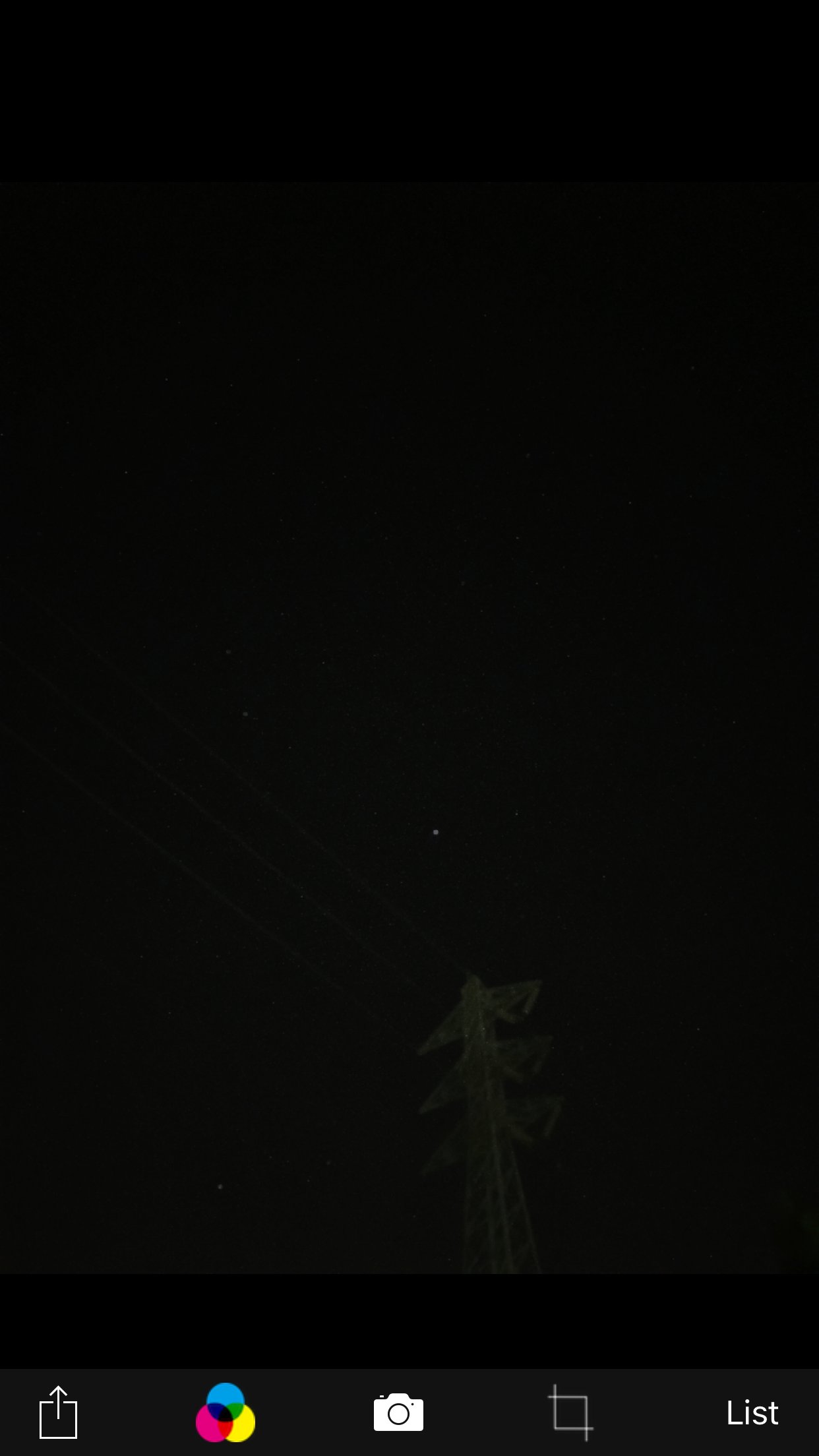
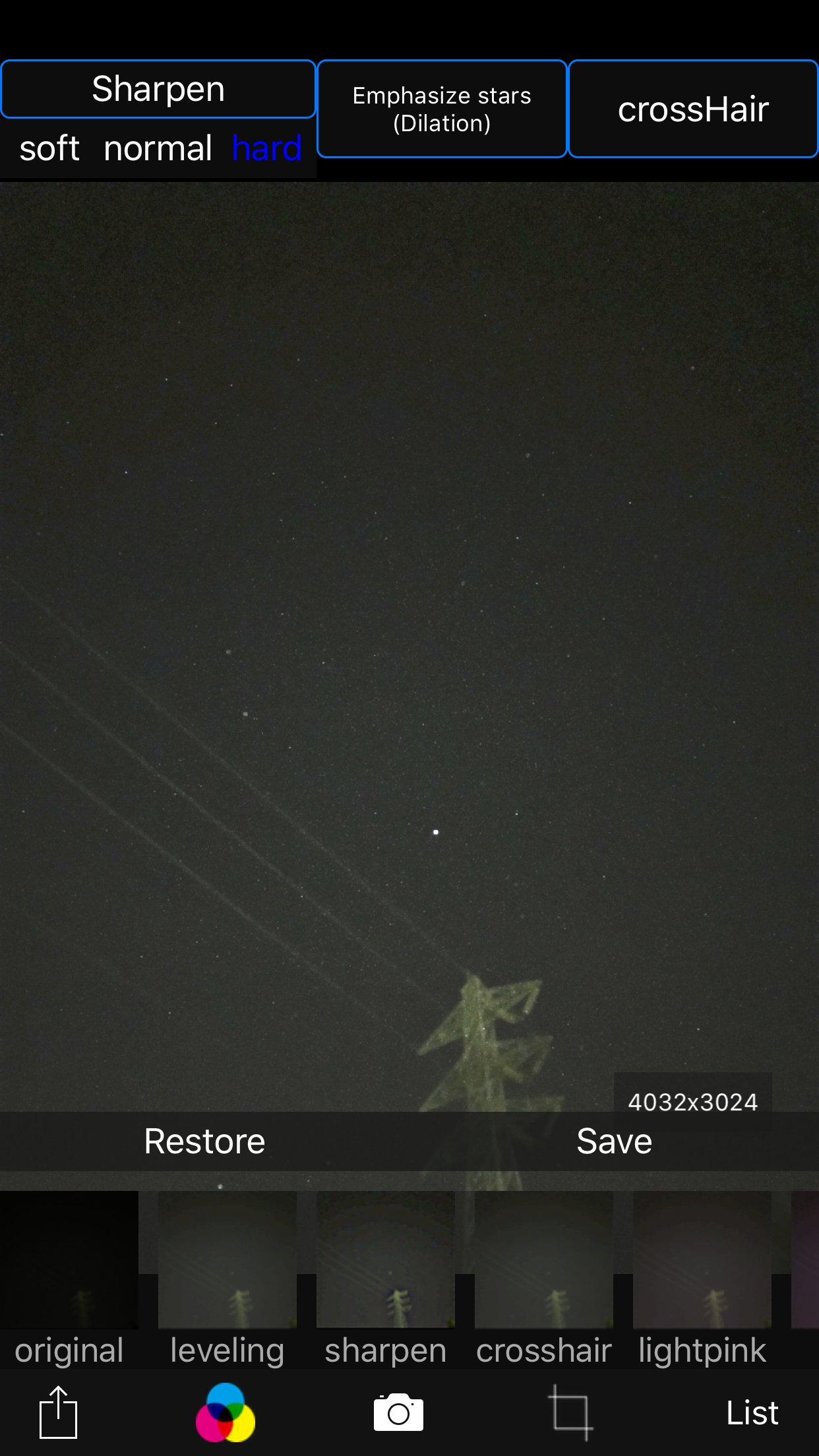
You can also get the pictures processed through dozens or more kinds of image processing filter.
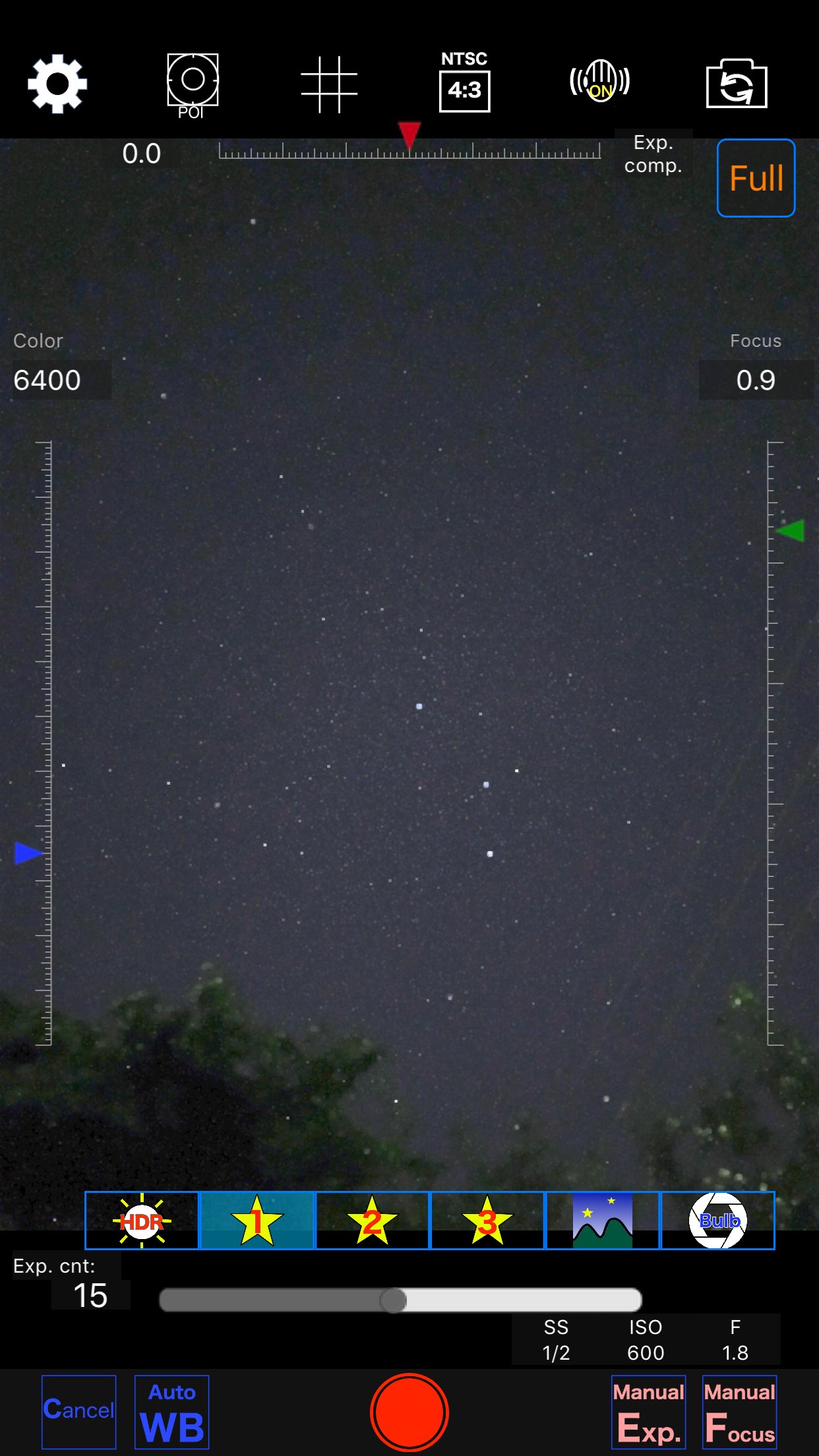
To take pictures of the starry sky, you have only to
(1)set your iPhone camera toward a starry sky on a tripod,
(2)tap the star icon (star1, star2 or star3), (Star1 is recommended.)
(3)release the shutter, and just wait a minute or so.
Adjust the long exposure parameters using manual exposure depending on the results.
For Star 1, select the brightest pixel for each pixel in the continuous shooting image to highlight the brightness of the stars in the dark night sky.
Star 2 raises the tone of brightness according to the number of continuous shots and shoots brightly.
Star 3 adds brightness to each pixel of the continuous shooting image and shoots very brightly.
Even with the same number of exposures, the images are brightly combined in the low to high order of star 1, star 2, star 3. However, please note that the brightness of Star 3 tends to be saturated.
The main features of this app are as follows.
[Initial setting]
(1) Camera position / library selection (setting screen)
You can select the front camera and the rear camera.
Also, if you select the library, you can import photos from the camera roll.
(2) Shooting scene settings
The following scenes (functions) can be set.
Daytime (HDR),
Starry sky 1 (comparative bright composition),
Starry sky 2 (screen composition),
Starry sky 3 (additional composition),
Night view
Valve (superimposed)
(3) Color temperature setting
When white balance is set to manual, 1000 K to 12000 K can be selected as the color temperature.
If it is set to auto, the automatic setting value will be used.
(4) Focus setting
If the focus is set to manual, you can set the focus at any distance within the range of device performance.
If set to auto, it will be the automatic setting value.
(5) Exposure compensation settings
It can be set within the range of device performance.
(6) Camera shake correction function
The camera shake correction function is useful for minute camera shake.
Also, even if the star moves during shooting due to diurnal movement, the deviation is corrected and combined.
(7) HDR (high dynamic range) function
You can take multiple pictures with automatically changed exposure and combine them to take a picture with a pseudo-widened dynamic range.
(8) Manual exposure setting function
The shutter speed and ISO value can be manually set to any value within the range of device performance.
[Camera function]
Camera work is possible according to the contents set in the initial settings. You can also pinch in and out for digital zoom.
The shutter also has a 2-second or 10-second timer to avoid camera shake when tapping. These can be selected by pressing and holding the shutter icon.
[List display function]
Photos taken with this app are stored in this app at the same time as they are stored in the camera roll, and can be displayed in a list with shooting date and time information on the list display screen.
You can delete the tapped image by tapping Select, selecting the image, and tapping the trash can icon.
[Image processing function]
Tap the displayed image to display the filter list for image processing.
There are about 70 types of filters such as brightness adjustment, contrast, blur, sharpening, sepia, monochrome, edge detection, sketch, etc.
License: Commercial
If you have a device with a high-performance camera these days, you might even be able to capture the Milky Way, depending on the conditions. (Conditions include long exposure (e.g., 4 seconds or more) x 10 or more continuous shots, and keeping the ISO as low as possible while still achieving sufficient brightness.)
You can also get the pictures processed through dozens or more kinds of image processing filter.
To take pictures of the starry sky, you have only to
(1)set your iPhone camera toward a starry sky on a tripod,
(2)tap the star icon (star1, star2 or star3), (Star1 is recommended.)
(3)release the shutter, and just wait a minute or so.
Adjust the long exposure parameters using manual exposure depending on the results.
For Star 1, select the brightest pixel for each pixel in the continuous shooting image to highlight the brightness of the stars in the dark night sky.
Star 2 raises the tone of brightness according to the number of continuous shots and shoots brightly.
Star 3 adds brightness to each pixel of the continuous shooting image and shoots very brightly.
Even with the same number of exposures, the images are brightly combined in the low to high order of star 1, star 2, star 3. However, please note that the brightness of Star 3 tends to be saturated.
The main features of this app are as follows.
[Initial setting]
(1) Camera position / library selection (setting screen)
You can select the front camera and the rear camera.
Also, if you select the library, you can import photos from the camera roll.
(2) Shooting scene settings
The following scenes (functions) can be set.
Daytime (HDR),
Starry sky 1 (comparative bright composition),
Starry sky 2 (screen composition),
Starry sky 3 (additional composition),
Night view
Valve (superimposed)
(3) Color temperature setting
When white balance is set to manual, 1000 K to 12000 K can be selected as the color temperature.
If it is set to auto, the automatic setting value will be used.
(4) Focus setting
If the focus is set to manual, you can set the focus at any distance within the range of device performance.
If set to auto, it will be the automatic setting value.
(5) Exposure compensation settings
It can be set within the range of device performance.
(6) Camera shake correction function
The camera shake correction function is useful for minute camera shake.
Also, even if the star moves during shooting due to diurnal movement, the deviation is corrected and combined.
(7) HDR (high dynamic range) function
You can take multiple pictures with automatically changed exposure and combine them to take a picture with a pseudo-widened dynamic range.
(8) Manual exposure setting function
The shutter speed and ISO value can be manually set to any value within the range of device performance.
[Camera function]
Camera work is possible according to the contents set in the initial settings. You can also pinch in and out for digital zoom.
The shutter also has a 2-second or 10-second timer to avoid camera shake when tapping. These can be selected by pressing and holding the shutter icon.
[List display function]
Photos taken with this app are stored in this app at the same time as they are stored in the camera roll, and can be displayed in a list with shooting date and time information on the list display screen.
You can delete the tapped image by tapping Select, selecting the image, and tapping the trash can icon.
[Image processing function]
Tap the displayed image to display the filter list for image processing.
There are about 70 types of filters such as brightness adjustment, contrast, blur, sharpening, sepia, monochrome, edge detection, sketch, etc.
License: Commercial
| Release info | New Release on Feb 20, 2026 |
|---|---|
| Release notes | - Improved photo capture and storage during continuous shooting to a more secure and reliable method. - Improved memory management to a more reliable method. |
| Listing data | App Store |
Reviews
No reviews yet. Be the first to review Starry sky Camera.
Used Starry sky Camera? Tell other visitors what you thought.
Log in to write a reviewOther products by this publisher
- "No Distractions" for YouTube 4.10 ----
- #Bible 11.5 "Incredible App - My sister shared this app with me a few weeks ago and it is truly incredible.
- #filmphotography 1.4.2 So, you decided to shoot on film?
- $quirrel 1.5.1 $quirrel Budget & Finance helps you plan each paycheck, track spending, manage debt, and see what is safe to spend before the next payday.
- % Percentage Calculator Pro 1.41 This is the Pro version of % Percentage Calculator.
Most viewed iOS Photo & Video
-
1
 Infuse 8.5.9
Infuse: Enterprise provides the same great features as the standard version of Infuse and includes permanent access to all Pro features via a traditional paid app.
-
2
 ShortDiShow 2.0
Drama Quest Island — An offline interactive short-drama adventure.
-
3
 AI Video Generator 2.0.2
Vixel – AI Video Generator
-
4
 OPlayer 4.8
Play all your videos directly without having to convert them!
-
5
 Necrometer II 1.2
Necrometer II is a paranormal investigation companion designed for ghost hunters and researchers.
-
6
 CapCut 20.0.0
CapCut offers easy-to-use video editing functions, in-APP fonts and effects, advanced features such as keyframe animation, smooth slow-motion, chroma key, and stabilization, to help you capture and snip moments.
-
7
 TouchSiren Delta 3.1
--------------------------------------------------------------
-
8
 Ai Photo 1.1.2
AI Photo Retouch – BG Eraser
-
9
 CNU 3.0.12
CNU?????????????????????,???????????????
-
10
 JLab 1.4.3
Compatible Models:
Most downloaded iOS Photo & Video
-
1
Infuse 8.5.9
Infuse: Enterprise provides the same great features as the standard version of Infuse and includes permanent access to all Pro features via a traditional paid app.
-
2
 DJI Fly 1.21.18
DJI Fly is designed to help pilots fly drones with ease.
-
3
 Analog Radio 3.0
The iPhone and iPad devices don't have the FM/AM radio antenna installed.
-
4
 TurboCollage Automatic 1.2.4
#1 Easy automatic photo collage maker for iPhone & iPad.
-
5
 ReelyGo 1.1.42
ReelyGo: Your Daily Drama Escape
-
6
 AGAIN. Rehearsal Notes 2.0.1
AGAIN. is the rehearsal app that remembers why the band stopped — and, new in Version 2, who said what in a writing session or a table read.
-
7
 Rozeta Sequencer Suite 1.3.16
Rozeta is a suite of MIDI sequencers and controllers that lets you explore a new, freeform approach to sequencing and controlling mobile music apps.
-
8
 SSS IPTV, Simple, Smart Super 1.0.2
An Easiest way to watch TV Online or Movies or Series, Bring your Own list M3u,
-
9
 Treblo 1.6.0
Make songs with the world's best AI music model.
-
10
 Pop Dot Comics 1.48
Create a comic worthy of the Sunday newspaper or your favorite pulp-fiction cover.