
4downloads
4this week
FreeCommercial
0reviews
Screenshots
About Stage Cards
Keep your next thought in view. Stage Cards turns your iPhone or iPad into large, readable cue cards for talks, toasts, vows, sermons and presentations.
YOUR WORDS, CLEARLY ON STAGE
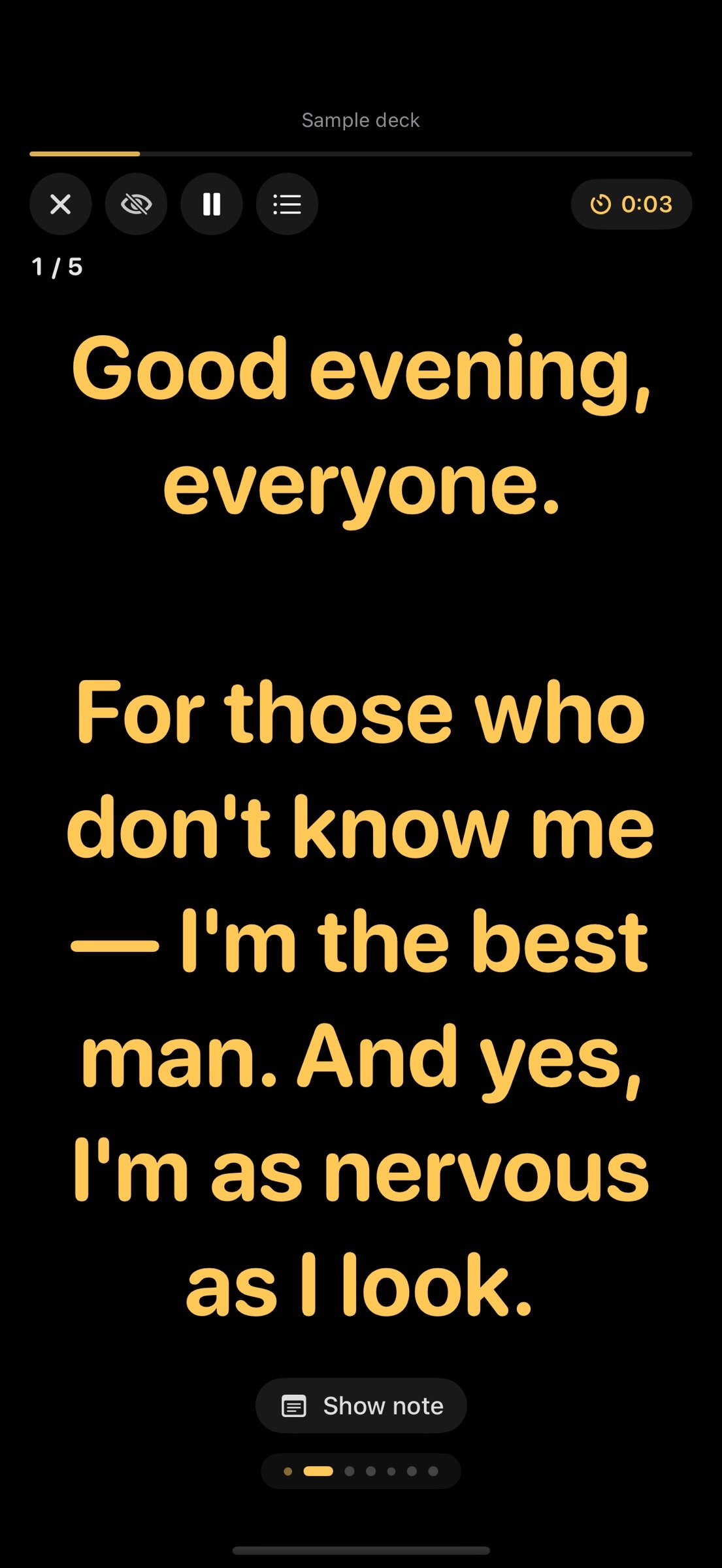
Present one cue at a time with large text that fits the screen. Tap or swipe to move, use compatible keyboard-style presentation controls, and choose your text color, typeface, alignment and spacing. Optional mirror mode supports teleprompter glass. Preview the next cue and use elapsed time or a target countdown.
KEEP YOUR PLACE
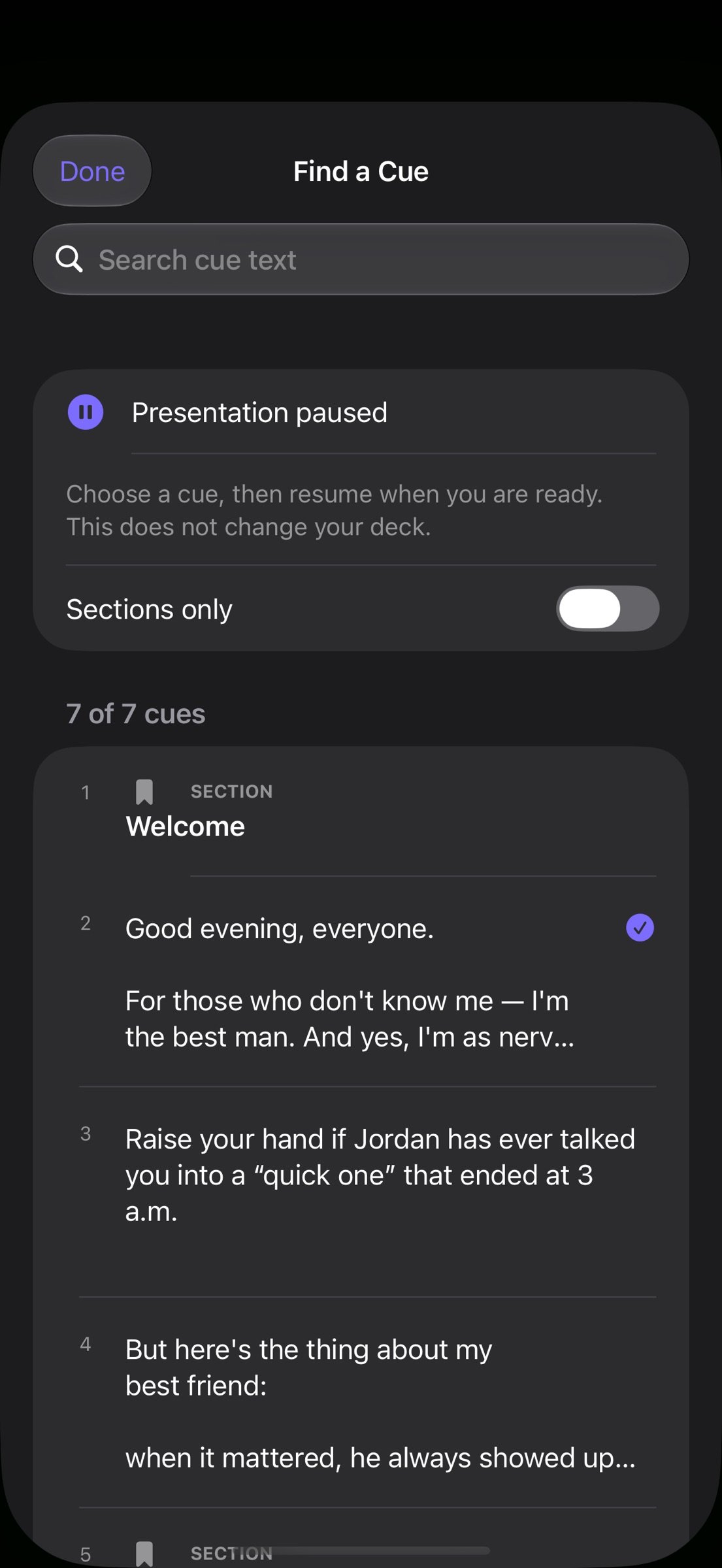
Pause the presentation whenever you need a moment. Leaving the app pauses presentation time and automatic card changes; return to the same cue and resume when ready. Find a Cue opens a searchable outline, with a sections-only filter, so you can jump to the right passage without editing the deck. Choosing a cue keeps the talk paused until you resume.
WRITE AND PREPARE
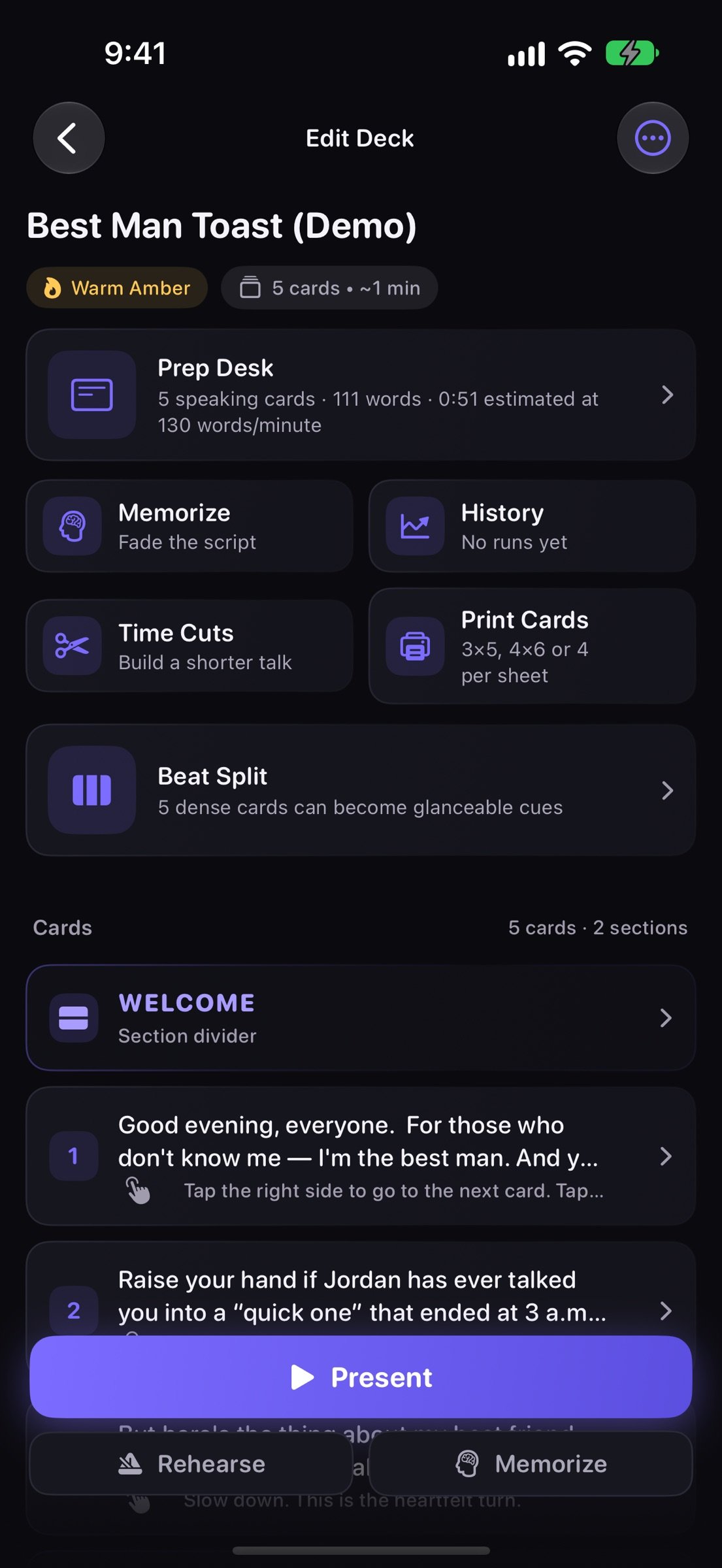
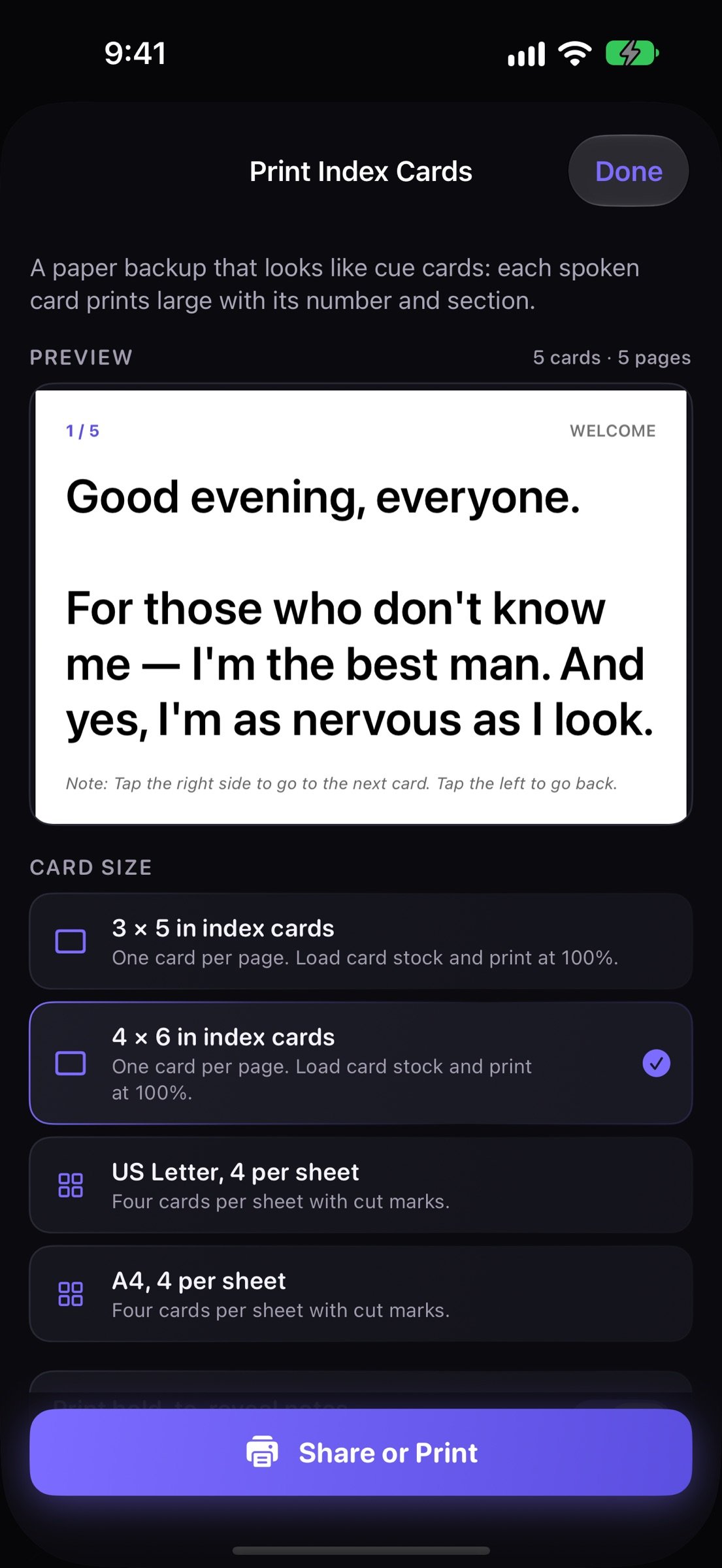
Start with a template, paste a script, or import plain text, Markdown, RTF, a text-based PDF or Word (.docx). Review the split before creating a deck. Add section dividers and private notes. Beat Split makes shorter cues from dense cards. Time Cuts saves a shorter selection as an independent deck. Print index cards or share text, Markdown, PDFs and deck files.
REHEARSE AND REVIEW
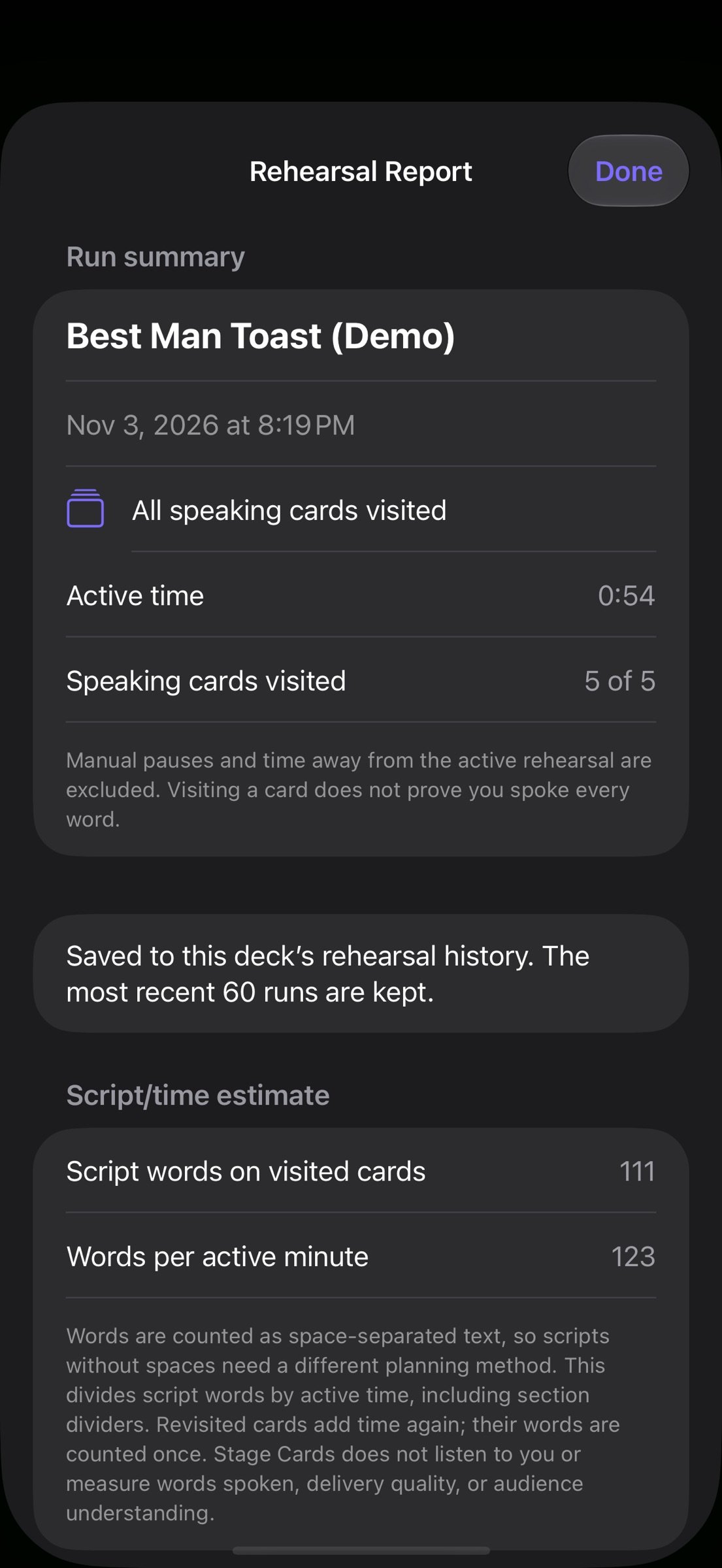
Save active rehearsal time and a text snapshot of every cue. Reopen reports after editing the deck, compare cue times with clearly labelled word-count planning estimates, and share a text report. Manual pauses and time away from the app are excluded. Early finishes are marked as partial rehearsals and excluded from full-run trends. The app does not record audio or measure words actually spoken, delivery quality or audience understanding.
BACK UP YOUR DECKS
Full-library backups contain cue text, private notes, stage settings and saved rehearsal reports. Review the import preview before adding independent copies; existing decks remain unchanged. Limits: 50 MB per file, 500 decks and 2,000 cards per deck. App-wide preferences are excluded, and single-deck sharing omits rehearsal history. Storage & Recovery helps preserve an unreadable history file or restore a valid retained copy.
One purchase. No subscription, in-app purchases, ads or account. Writing, rehearsal and presentation work offline. Files providers, sharing destinations, Siri and external help links may use their own services.
The app interface and screenshots are in English. Word counts use space-separated text; planning estimates are not suitable for scripts without spaces or cue-only outlines.
License: Commercial
YOUR WORDS, CLEARLY ON STAGE
Present one cue at a time with large text that fits the screen. Tap or swipe to move, use compatible keyboard-style presentation controls, and choose your text color, typeface, alignment and spacing. Optional mirror mode supports teleprompter glass. Preview the next cue and use elapsed time or a target countdown.
KEEP YOUR PLACE
Pause the presentation whenever you need a moment. Leaving the app pauses presentation time and automatic card changes; return to the same cue and resume when ready. Find a Cue opens a searchable outline, with a sections-only filter, so you can jump to the right passage without editing the deck. Choosing a cue keeps the talk paused until you resume.
WRITE AND PREPARE
Start with a template, paste a script, or import plain text, Markdown, RTF, a text-based PDF or Word (.docx). Review the split before creating a deck. Add section dividers and private notes. Beat Split makes shorter cues from dense cards. Time Cuts saves a shorter selection as an independent deck. Print index cards or share text, Markdown, PDFs and deck files.
REHEARSE AND REVIEW
Save active rehearsal time and a text snapshot of every cue. Reopen reports after editing the deck, compare cue times with clearly labelled word-count planning estimates, and share a text report. Manual pauses and time away from the app are excluded. Early finishes are marked as partial rehearsals and excluded from full-run trends. The app does not record audio or measure words actually spoken, delivery quality or audience understanding.
BACK UP YOUR DECKS
Full-library backups contain cue text, private notes, stage settings and saved rehearsal reports. Review the import preview before adding independent copies; existing decks remain unchanged. Limits: 50 MB per file, 500 decks and 2,000 cards per deck. App-wide preferences are excluded, and single-deck sharing omits rehearsal history. Storage & Recovery helps preserve an unreadable history file or restore a valid retained copy.
One purchase. No subscription, in-app purchases, ads or account. Writing, rehearsal and presentation work offline. Files providers, sharing destinations, Siri and external help links may use their own services.
The app interface and screenshots are in English. Word counts use space-separated text; planning estimates are not suitable for scripts without spaces or cue-only outlines.
License: Commercial
| Release info | New Release on Nov 04, 2026 |
|---|---|
| Release notes | Pause a presentation and resume from the same cue. Leaving the app now pauses elapsed time and automatic card changes. Find a Cue adds a searchable outline and section filter; choose your next passage and resume when ready. Fixed the text editor expanding beyond the screen while typing. Speaker notes now stay visible while held, and a Show note button makes reminders easier to reach. Releasing a note no longer consumes the next card tap. |
| Listing data | App Store |
Reviews
No reviews yet. Be the first to review Stage Cards.
Used Stage Cards? Tell other visitors what you thought.
Log in to write a reviewOther products by this publisher
- "No Distractions" for YouTube 4.10 ----
- #Bible 11.6 "Incredible App - My sister shared this app with me a few weeks ago and it is truly incredible.
- #filmphotography 1.4.2 So, you decided to shoot on film?
- $quirrel 1.5.1 $quirrel Budget & Finance helps you plan each paycheck, track spending, manage debt, and see what is safe to spend before the next payday.
- % Percentage Calculator Pro 1.41 This is the Pro version of % Percentage Calculator.
Most viewed iOS Productivity
-
1
 WordPress 27.4
Manage or create your WordPress blog or website right from your iOS device: create and edit posts and pages, upload your favorite photos and videos, view stats and reply to comments.
- 2 Voice Translator - Alive 1.6 Translation app that turns your iPhone into an interpreter instantly.
-
3
 Claude by Anthropic 1.261111.19
Meet Claude, your AI problem solver and thinking partner.
-
4
 WristMemo 2.0
WristMemo turns your Apple Watch into an all-day voice recorder.
- 5 "No Distractions" for YouTube 4.10 ----
- 6 (beat) for iOS 0.5.10 An elegant Fountain screenwriting app, created by a screenwriter for screenwriters.
-
7
 Life360 26.43.0
Whether at home, online, or on the move, our comprehensive family safety features bring peace of mind to your loved ones AND help safeguard your personal belongings.
-
8
 Colicine 1.3.0
Have you ever been there—
-
9
 DeepSeek 2.8.0
Experience seamless interaction with DeepSeek's official AI assistant for free!
-
10
 Howbout 16.7.2
The shared calendar for friends, couples, and family
Most downloaded iOS Productivity
- 1 Voice Translator - Alive 1.6 Translation app that turns your iPhone into an interpreter instantly.
-
2
DeepSeek 2.8.0
Experience seamless interaction with DeepSeek's official AI assistant for free!
-
3
 SessionsAI 1.2.1
Sessions AI is a private AI workspace that runs entirely on your iPhone, iPad, or Mac.
-
4
 Voices AI 1.16.15
Discover Voices, the premier voice transformation app designed exclusively for iOS.
-
5
 Block Distracting Websites 1.11
"It's a great way to save time, and stop browsing Reddit when you should be doing coursework."
-
6
 Plot Digitizer 1.4.1
Plot Digitizer is an app to extract numerical data from plot images.
-
7
 Google Docs 1.2026.45104
Create, edit, and collaborate on online documents with the Google Docs app.
-
8
 Pixy Mood Tracker 1.110.0
Track your mood, one pixel at a time.
-
9
 MyHyundai with Bluelink 5.4.5
The MyHyundai app makes getting information about your Hyundai vehicle easier than ever.
-
10
 ScreenRecess 1.0.0
A gentle nudge to put your device down when it’s hard to stop.