20downloads
8this week
FreeCommercial
0reviews
Screenshots
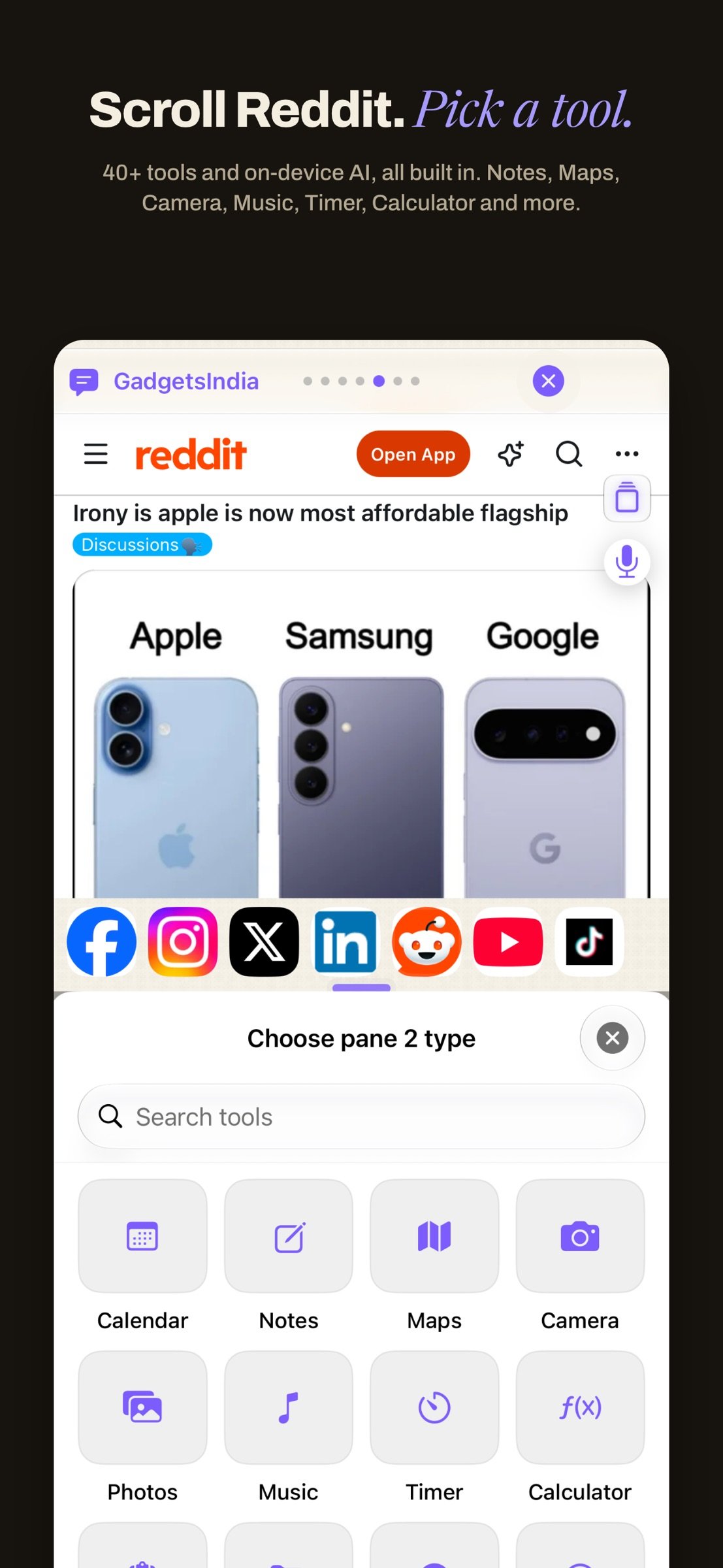
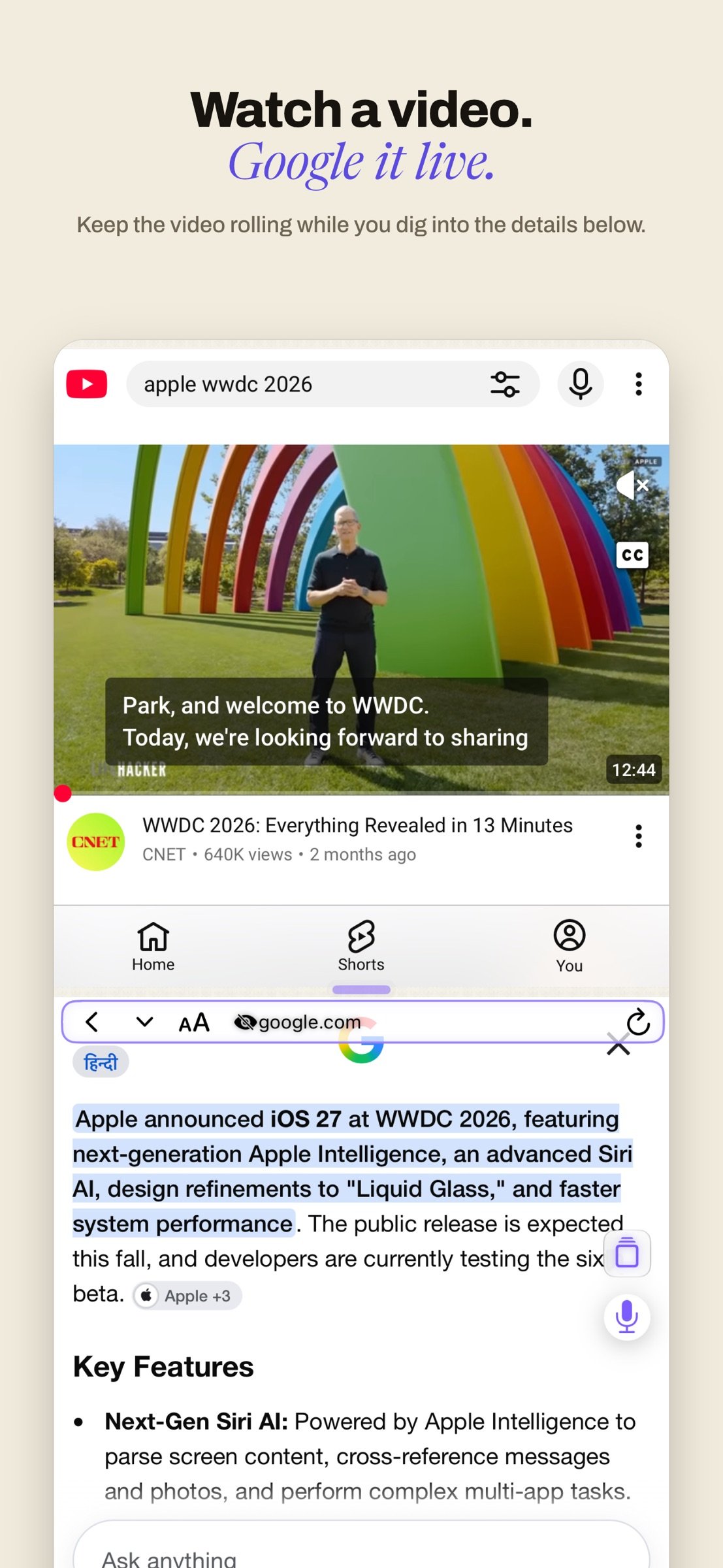
About Split Screen Multitasking View
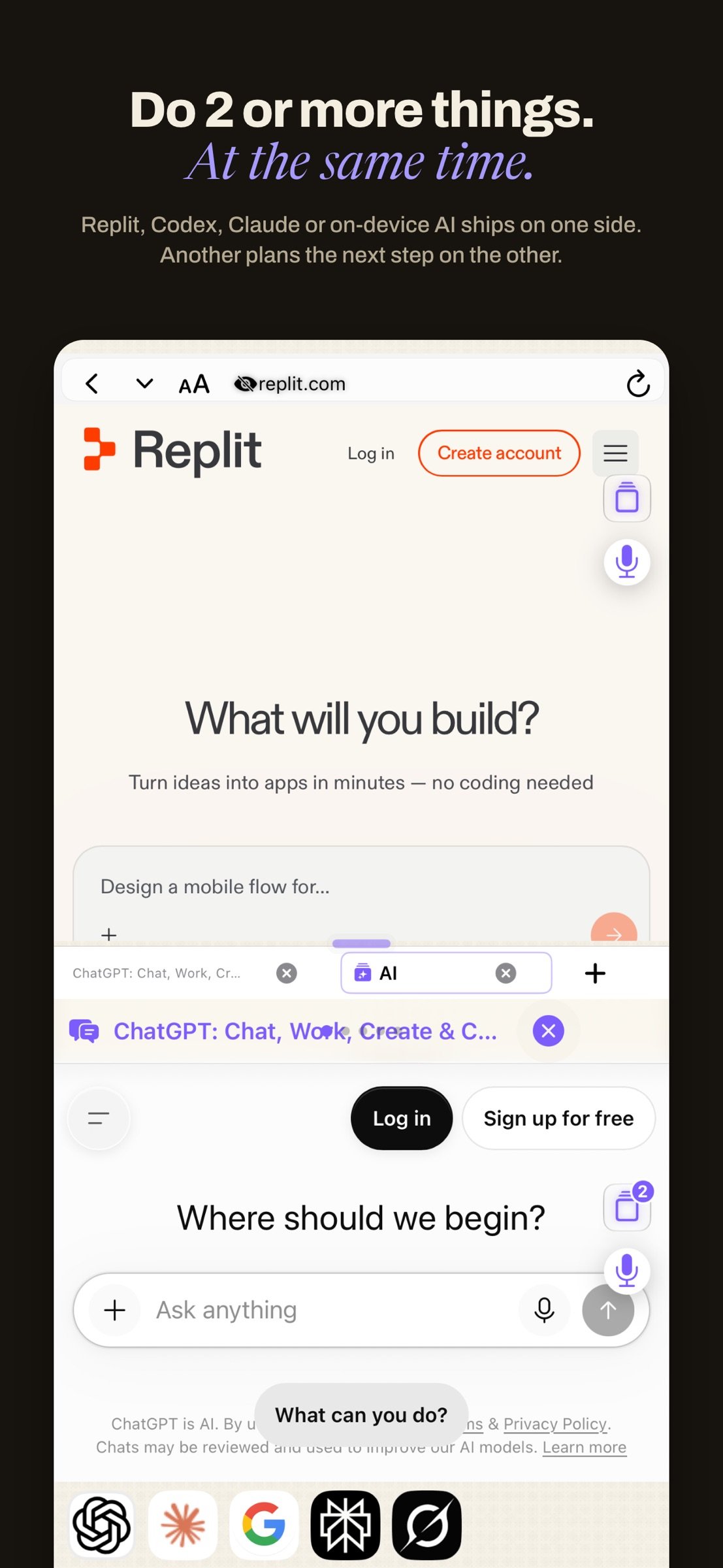
Stop juggling tabs and apps on iPhone. Do 2+ things at once on your iPhone and let private on-device AI take a look at two or more panes and get you answers from across things you're doing in the app. From the original split screen browser, this parallel view app is now the multitasking you have always missed on your iPhone.
Split Screen began in 2015 as the first of its kind, original split-screen browser, it went on to become the #1 utility/productivity app in 50+ countries, it also became the Top 10 in around 100 countries, including the USA, China and Japan. Version 3.0 is the leap the technology finally allows: two live panes, 40+ built-in tools, four home themes and a private, on device AI brain getting better over time.. This is the complete split screen multitasking experience for iPhone that I've always dreamed of building for you and me.
TWO PAGES, ONE SCREEN
o Two independent panes, read, watch, shop and research in both at once
o Drag to resize, tap to swap, long-press for quick actions
o Each pane keeps its own tabs, history and scroll position
ON-DEVICE AI THAT READS BOTH PAGES
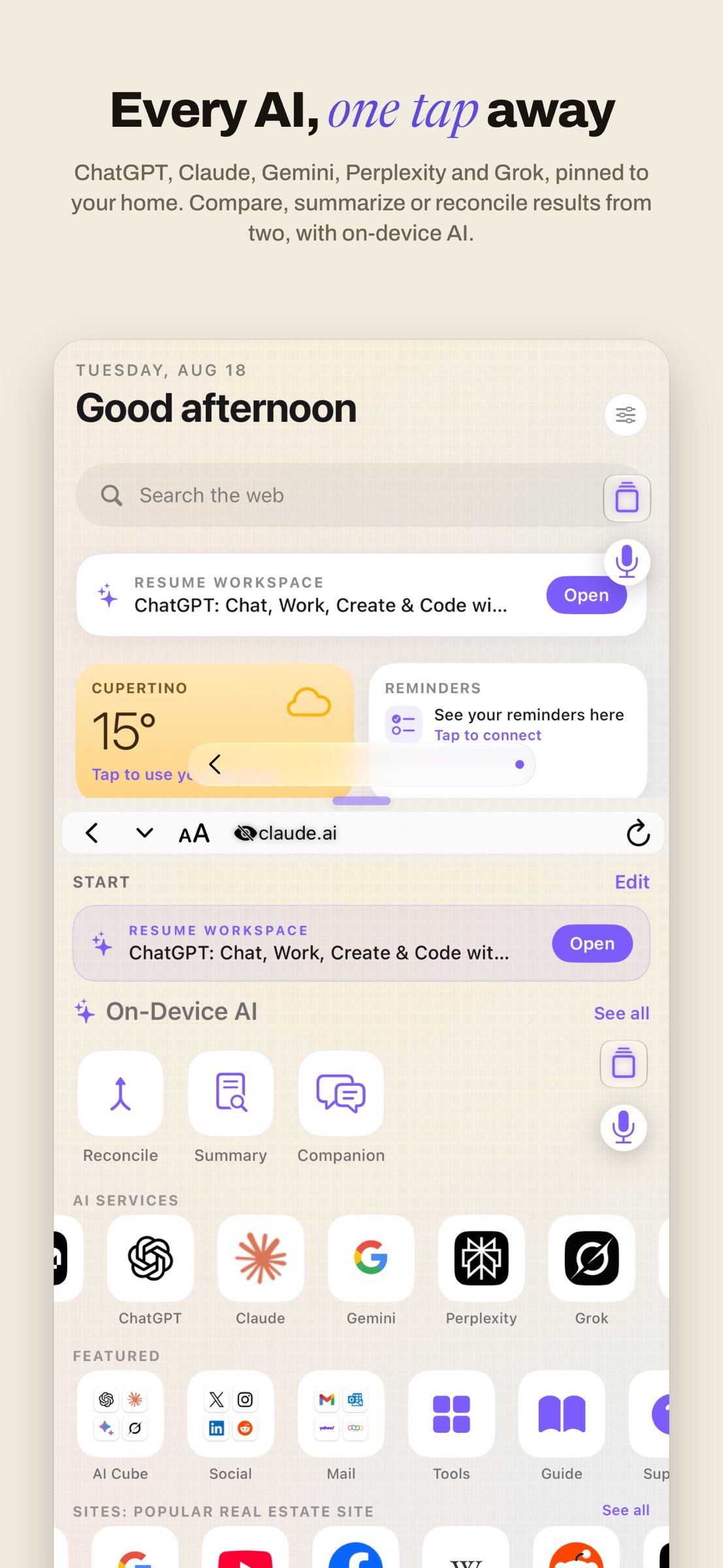
o RECONCILE: One tap and the AI reads BOTH open panes, then reconciles them into a single clear card. Two product pages become one verdict. A claim and its source become one check.
o SUMMARY: distills the page you are reading into a crisp, private summary. Pinch in, done.
o COMPANION: an on-device chat about the page in front of you.
Reconcile, Summary and Companion use Apple's on-device AI and require an Apple Intelligence-capable iPhone. Nothing you read is ever sent to a server. On every other iPhone, both panes, the 40+ tools, everything else works in full.
Prefer to do the reading yourself? Optional Tandem sync-scroll: switch it on in Settings and both panes scroll together as you read.
EVERY AI, SIDE BY SIDE
Open ChatGPT, Claude, Gemini, Perplexity and Grok side by side, each in its own pane, each with its own signed-in session, and compare their answers on one screen. The AI Row puts 20 AI services a tap away, the AI Cube swipes between them, the AI Compare bento sends one question to two at once. Ask them all the same thing. See who is right or gives you the best answers.
40+ TOOLS, BUILT IN
Notes, Calculator, Translate, QR scanner, Read-Aloud, Maps, Weather, Stocks and more, 40+ tools and mini apps that open right in a pane, so nothing pulls you out of your flow. Plus every browser essential: smart address bar, private browsing, bookmarks, reading list, full-page capture, save as PDF and left-handed layout support, rare on iOS.
Three Themes:
o Atelier: clean, calm and editorial
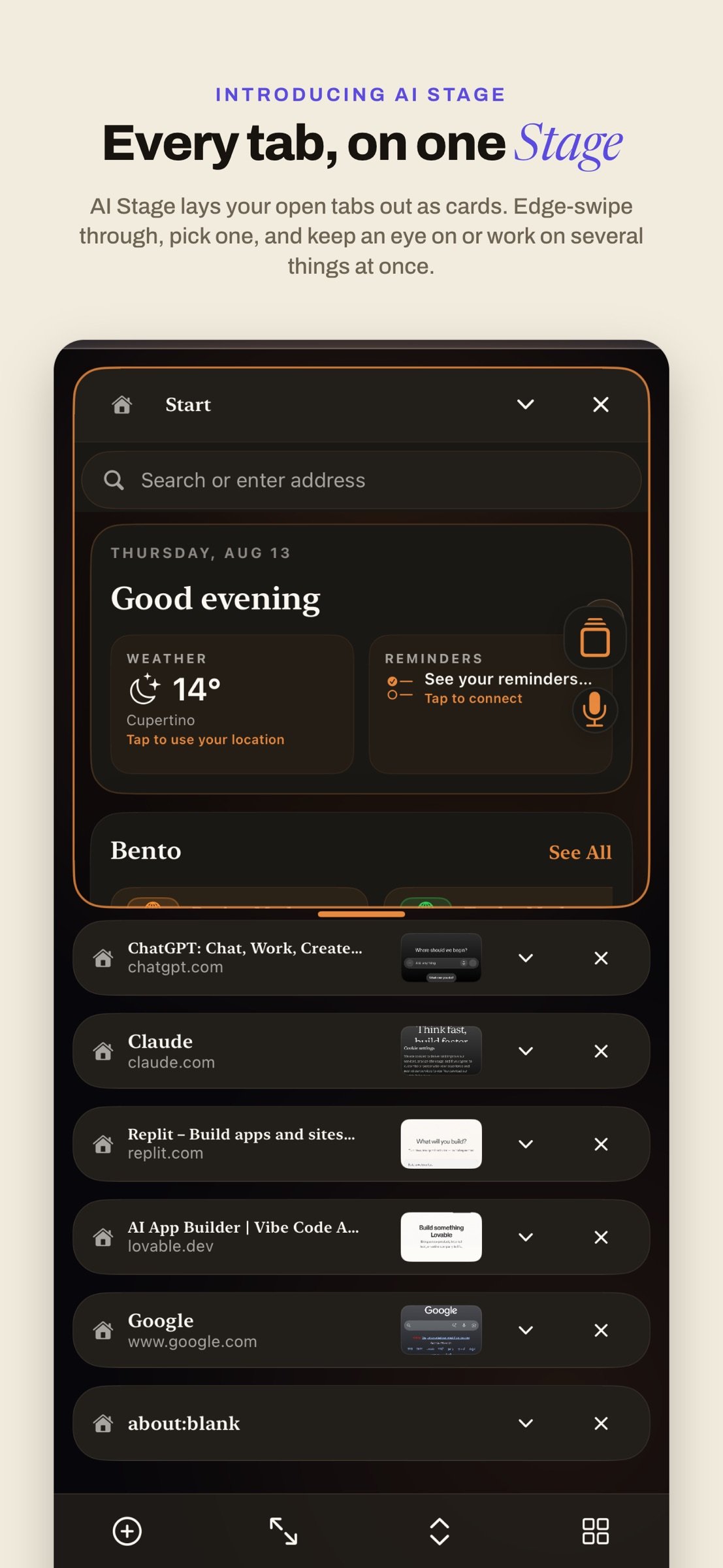
o AI Stage: scroll tabs like cards for easy overview of everything you want to do simultaneously
o Matrix: code-rain for night owls
PRIVATE BY DESIGN
o No account, no sign-in, no tracking
o The app collects no data, there is nothing to leak
o The AI runs on your iPhone, so your reading stays on your iPhone
o Optional family-safety suite: parent PIN, web filtering, approved-sites list and time limits, parent-configured, off by default
MADE TO ADAPT TO HOW YOU MULTITASK
o Students: read the paper with the textbook right under it.
o Shoppers: compare two products before you buy.
o Traders: watch the market while you read the news.
o Parents: cartoons on top, your feed below.
o Developers: run an AI coder beside the docs.
o Fact checkers: put the claim next to its source.
o Whatever two things you do, do them at once, and let Reconcile connect them.
ONE PRICE, EVERYTHING INCLUDED
Split Screen 3.0 is a one-time purchase, every feature, no subscription, no ads, no account. The next chapter moves new downloads to a different pricing model; buy 3.0 now before prices go up.
Since 2015 this app has been built by a one man army. I'm back at full speed, write to me when something is off or you wish it did more: I read everything and build what you need quickly.
? Download Split Screen now, open two pages, ask one question, get one answer. ?
License: Commercial
Split Screen began in 2015 as the first of its kind, original split-screen browser, it went on to become the #1 utility/productivity app in 50+ countries, it also became the Top 10 in around 100 countries, including the USA, China and Japan. Version 3.0 is the leap the technology finally allows: two live panes, 40+ built-in tools, four home themes and a private, on device AI brain getting better over time.. This is the complete split screen multitasking experience for iPhone that I've always dreamed of building for you and me.
TWO PAGES, ONE SCREEN
o Two independent panes, read, watch, shop and research in both at once
o Drag to resize, tap to swap, long-press for quick actions
o Each pane keeps its own tabs, history and scroll position
ON-DEVICE AI THAT READS BOTH PAGES
o RECONCILE: One tap and the AI reads BOTH open panes, then reconciles them into a single clear card. Two product pages become one verdict. A claim and its source become one check.
o SUMMARY: distills the page you are reading into a crisp, private summary. Pinch in, done.
o COMPANION: an on-device chat about the page in front of you.
Reconcile, Summary and Companion use Apple's on-device AI and require an Apple Intelligence-capable iPhone. Nothing you read is ever sent to a server. On every other iPhone, both panes, the 40+ tools, everything else works in full.
Prefer to do the reading yourself? Optional Tandem sync-scroll: switch it on in Settings and both panes scroll together as you read.
EVERY AI, SIDE BY SIDE
Open ChatGPT, Claude, Gemini, Perplexity and Grok side by side, each in its own pane, each with its own signed-in session, and compare their answers on one screen. The AI Row puts 20 AI services a tap away, the AI Cube swipes between them, the AI Compare bento sends one question to two at once. Ask them all the same thing. See who is right or gives you the best answers.
40+ TOOLS, BUILT IN
Notes, Calculator, Translate, QR scanner, Read-Aloud, Maps, Weather, Stocks and more, 40+ tools and mini apps that open right in a pane, so nothing pulls you out of your flow. Plus every browser essential: smart address bar, private browsing, bookmarks, reading list, full-page capture, save as PDF and left-handed layout support, rare on iOS.
Three Themes:
o Atelier: clean, calm and editorial
o AI Stage: scroll tabs like cards for easy overview of everything you want to do simultaneously
o Matrix: code-rain for night owls
PRIVATE BY DESIGN
o No account, no sign-in, no tracking
o The app collects no data, there is nothing to leak
o The AI runs on your iPhone, so your reading stays on your iPhone
o Optional family-safety suite: parent PIN, web filtering, approved-sites list and time limits, parent-configured, off by default
MADE TO ADAPT TO HOW YOU MULTITASK
o Students: read the paper with the textbook right under it.
o Shoppers: compare two products before you buy.
o Traders: watch the market while you read the news.
o Parents: cartoons on top, your feed below.
o Developers: run an AI coder beside the docs.
o Fact checkers: put the claim next to its source.
o Whatever two things you do, do them at once, and let Reconcile connect them.
ONE PRICE, EVERYTHING INCLUDED
Split Screen 3.0 is a one-time purchase, every feature, no subscription, no ads, no account. The next chapter moves new downloads to a different pricing model; buy 3.0 now before prices go up.
Since 2015 this app has been built by a one man army. I'm back at full speed, write to me when something is off or you wish it did more: I read everything and build what you need quickly.
? Download Split Screen now, open two pages, ask one question, get one answer. ?
License: Commercial
| Release info | Update on Oct 26, 2026 |
|---|---|
| Release notes | Medley, your private on-device AI assistant, gets smoother in 27.0.1. Ask any question about the pages you're reading. Medley reads both panes and answers in one box, no account, no cloud. New in 27.0.1: • Polish and stability fixes across both panes, AI Stage and the Medley box, building on everything that arrived in 27.0. • Faster, more reliable pane loading and layout on rotation and resize. • Small fixes to search, Stage focus mode and Medley replies. Still here from 27.0: the unified Medley box, one-tap Reconcile, Compare, Summary, Companion and Synapse, voice-first asking, and long-press Copy, Share or Translate on any reply. Privacy: • All on-device AI runs on Apple's FoundationModels framework, where your device and language support it. • No account, no tracking, no telemetry. Every reply stays on your iPhone. Made in India by your one man army. |
| Listing data | App Store |
Reviews
No reviews yet. Be the first to review Split Screen Multitasking View.
Used Split Screen Multitasking View? Tell other visitors what you thought.
Log in to write a reviewOther products by this publisher
- "No Distractions" for YouTube 4.10 ----
- #Bible 11.6 "Incredible App - My sister shared this app with me a few weeks ago and it is truly incredible.
- #filmphotography 1.4.2 So, you decided to shoot on film?
- $quirrel 1.5.1 $quirrel Budget & Finance helps you plan each paycheck, track spending, manage debt, and see what is safe to spend before the next payday.
- % Percentage Calculator Pro 1.41 This is the Pro version of % Percentage Calculator.
Most viewed iOS Productivity
-
1
 WordPress 27.4
Manage or create your WordPress blog or website right from your iOS device: create and edit posts and pages, upload your favorite photos and videos, view stats and reply to comments.
- 2 Voice Translator - Alive 1.6 Translation app that turns your iPhone into an interpreter instantly.
-
3
 Claude by Anthropic 1.261111.19
Meet Claude, your AI problem solver and thinking partner.
-
4
 WristMemo 2.0
WristMemo turns your Apple Watch into an all-day voice recorder.
- 5 "No Distractions" for YouTube 4.10 ----
- 6 (beat) for iOS 0.5.10 An elegant Fountain screenwriting app, created by a screenwriter for screenwriters.
-
7
 Life360 26.43.0
Whether at home, online, or on the move, our comprehensive family safety features bring peace of mind to your loved ones AND help safeguard your personal belongings.
-
8
 Colicine 1.3.0
Have you ever been there—
-
9
 DeepSeek 2.8.0
Experience seamless interaction with DeepSeek's official AI assistant for free!
-
10
 Howbout 16.7.2
The shared calendar for friends, couples, and family
Most downloaded iOS Productivity
- 1 Voice Translator - Alive 1.6 Translation app that turns your iPhone into an interpreter instantly.
-
2
DeepSeek 2.8.0
Experience seamless interaction with DeepSeek's official AI assistant for free!
-
3
 SessionsAI 1.2.1
Sessions AI is a private AI workspace that runs entirely on your iPhone, iPad, or Mac.
-
4
 Voices AI 1.16.15
Discover Voices, the premier voice transformation app designed exclusively for iOS.
-
5
 Block Distracting Websites 1.11
"It's a great way to save time, and stop browsing Reddit when you should be doing coursework."
-
6
 Plot Digitizer 1.4.1
Plot Digitizer is an app to extract numerical data from plot images.
-
7
 Google Docs 1.2026.45104
Create, edit, and collaborate on online documents with the Google Docs app.
-
8
 Pixy Mood Tracker 1.110.0
Track your mood, one pixel at a time.
-
9
 MyHyundai with Bluelink 5.4.5
The MyHyundai app makes getting information about your Hyundai vehicle easier than ever.
-
10
 ScreenRecess 1.0.0
A gentle nudge to put your device down when it’s hard to stop.