Spectrum Eye RTA 2.3
Spectrum Eye shows the frequency content of what your mic or interface is hearing - smoothly, at high FFT sizes, without freezing the UI.
Download
7.06 MB
11downloads
3this week
FreeCommercial
0reviews
Screenshots
About Spectrum Eye RTA
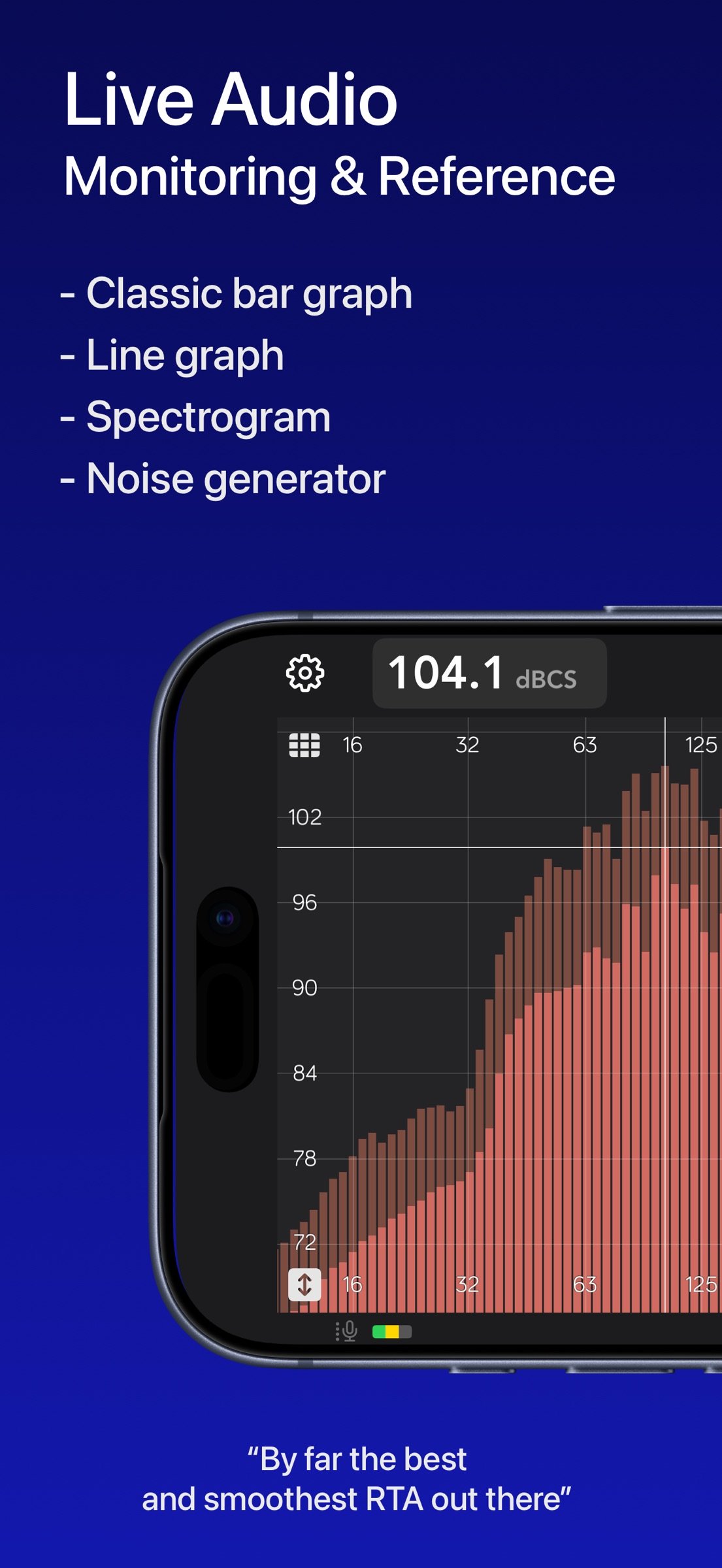
Spectrum Eye shows the frequency content of what your mic or interface is hearing - smoothly, at high FFT sizes, without freezing the UI.
A Lifetime purchase. No Subscriptions.
For music professionals, audio engineers, sound technicians, installers, car audio, and audio students. Equally at home as a quick check or a plot you leave running.
WHAT YOU CAN DO
• Monitor sound quality at concerts and rehearsals
• Ring out feedback in stage monitors
• Find resonances in rooms, boxes, instruments and cars
• Check spectral balance of playback in the studio
• Practice frequency-aware hearing
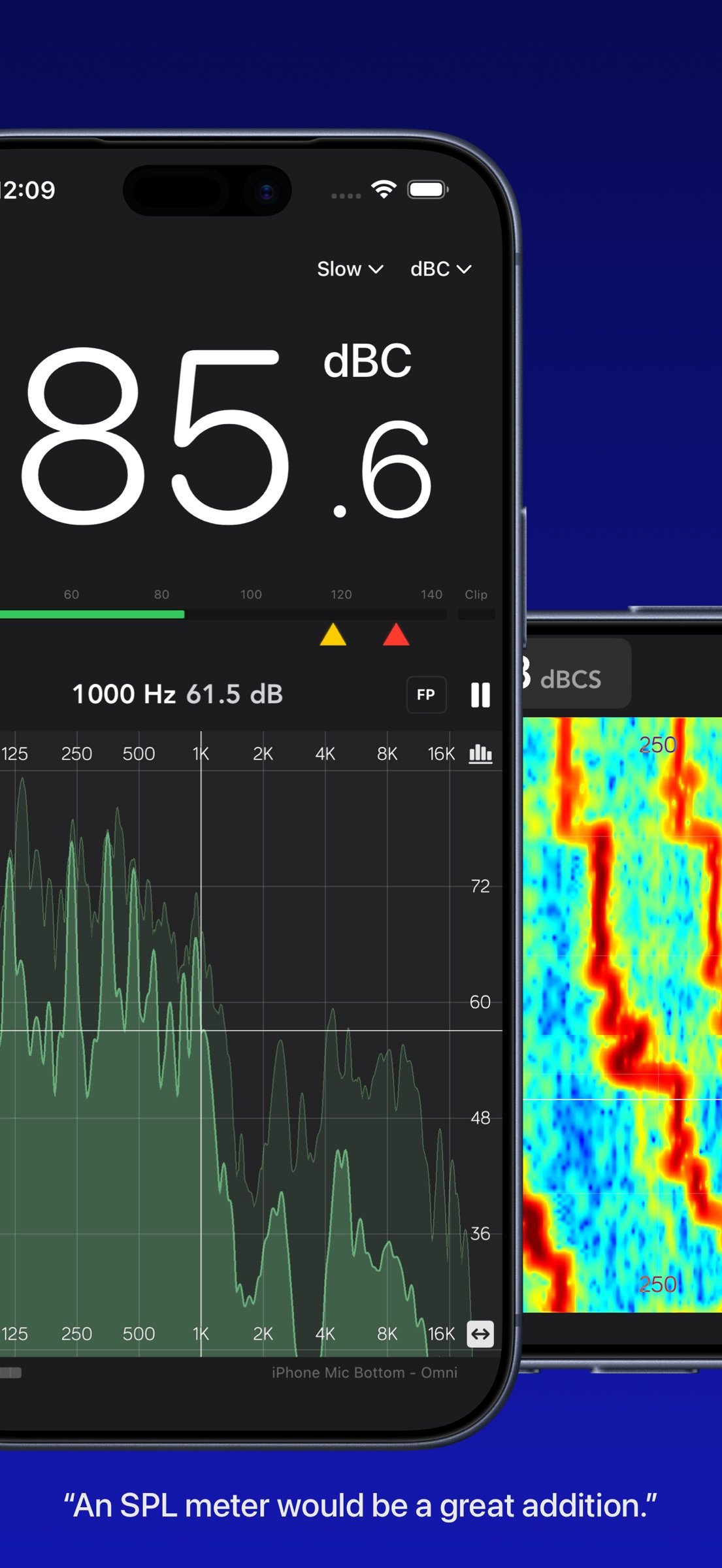
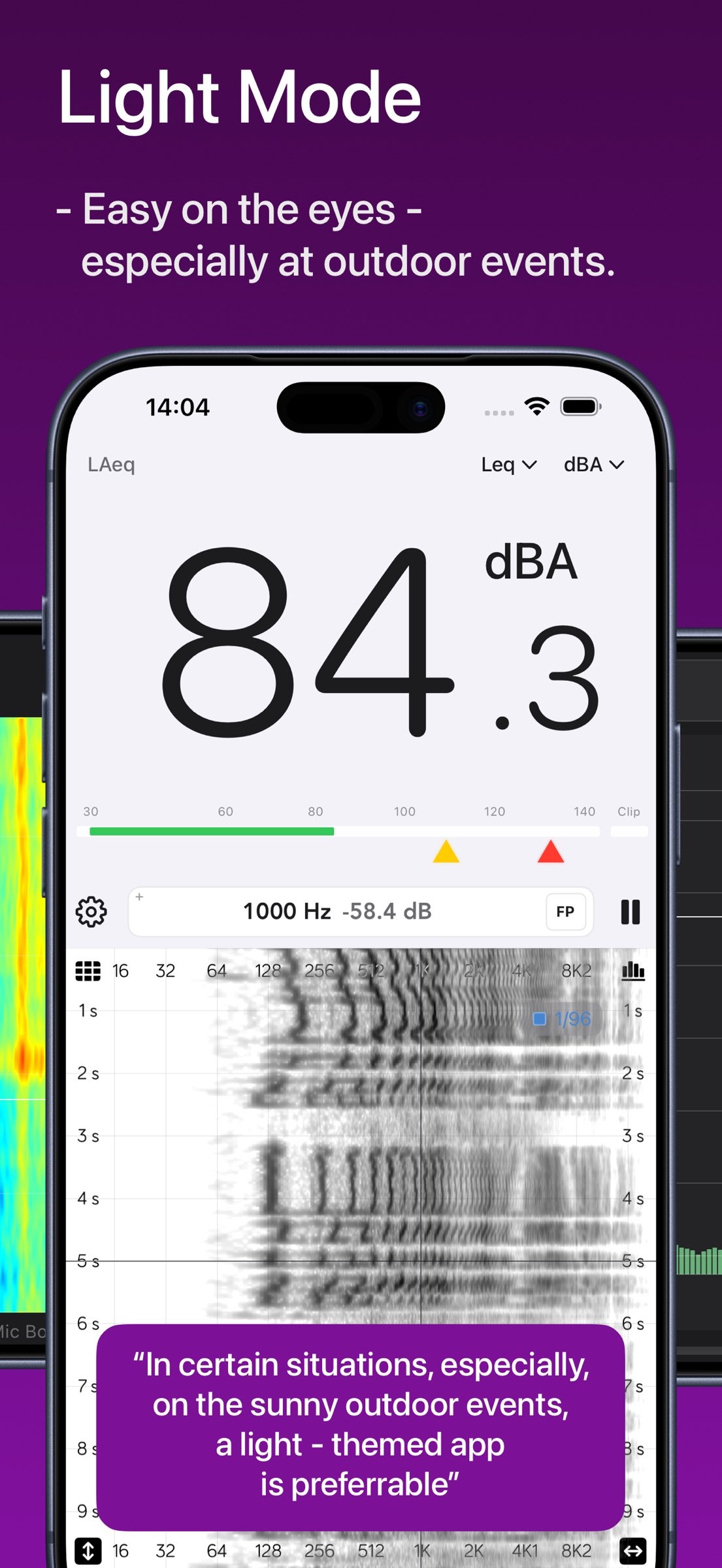
• Measure SPL with A / C / Z weighting and Fast / Slow / Leq
PLOT
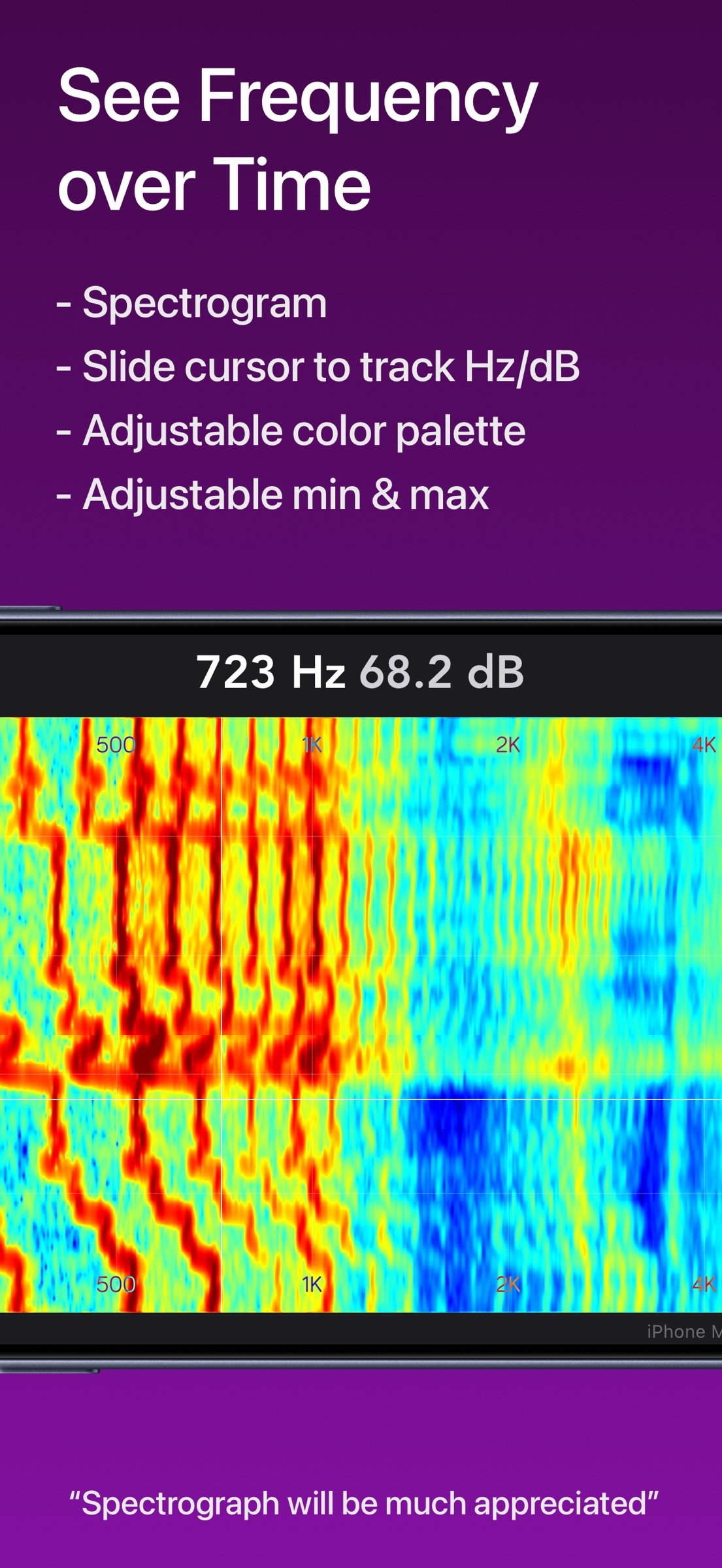
• Bars, line, and spectrogram - the configuration button is in the top right corner
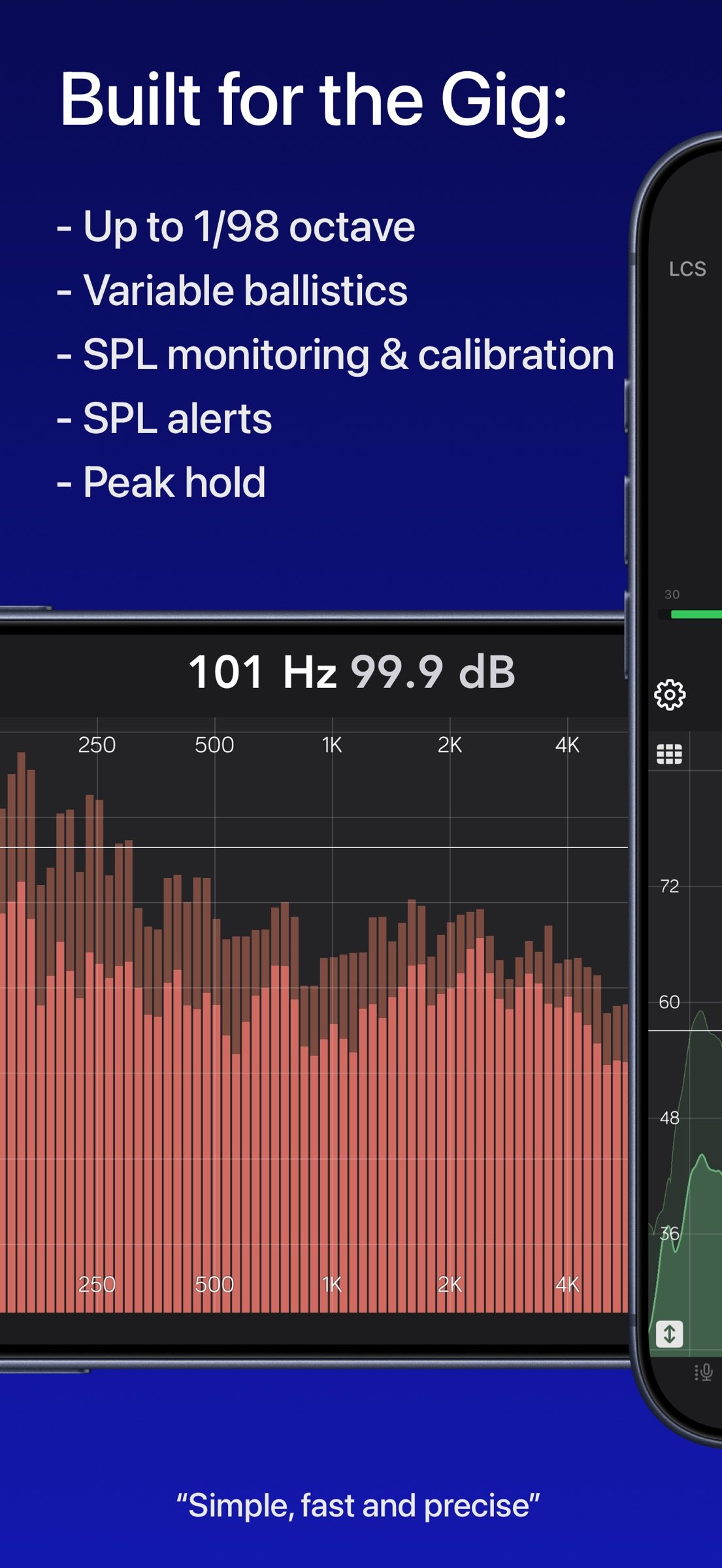
• Fractional-octave resolution from 1/1 through 1/96
• Line smoothing follows the same octave map
• Peak hold with a slow release, optional fill under the line
• Find Peak (FP) tracks the loudest band in the visible range
• Classic or Overlay layout treats plot area vs scales differently; Overlay is the default
• Pan, pinch-zoom, and a live cursor in Hz and dB
• Frequency visible range presets (Full 8 Hz–22 kHz, Audio, Lows, Mids, Highs)
• Magnitude-range presets
• Spectrogram duration, Jet / Viridis / Inferno / Grayscale color palette
• Light, Dark, or System appearance, plus a custom plot color
• Spectrum update rate: 60 fps Smooth, 30 fps Efficient, or Auto (drops under heat or Low Power Mode)
SPL
• IEC-style meter: Fast, Slow, and Leq
• A, C, and Z (flat) frequency weighting
• Per-route SPL offset so you can calibrate against a reference
• Yellow / red SPL alarm thresholds per weighting, with UI tinting
• Clip indicator and a 30–140 dB level meter bar
• iPhone: Large panel in portrait device orientation; in landscape orientation, spectrum is maximized and SPL becomes compact readout in the top bar
• iPad: switchable large and compact SPL mode
INPUT AND CALIBRATION
• Built-in mics (including iPad position / directivity where the device offers them)
• External microphones and class-compliant audio interfaces
• iOS measurement mode to bypass built-in HPF, EQ, and AGC (recommended)
• Import mic correction files (.cal, .txt, .csv)
• Per-route mic correction curve and IEC weighting on the live spectrum
• Pink noise generator, including with the screen off (Lock Screen / Now Playing)
ANALYSIS
• FFT sizes 4K / 8K / 16K / 32K (default 16K)
• Fall-rate presets: 50 ms, 100 ms, 250 ms, 500 ms, 1 s, 5 s per 6 dB
• Nominal capture sample rate - 48 kHz, display ranges from 8 Hz to 22 kHz
Audio is processed on the device. Spectrum Eye does not record, store, or upload your audio.
Suggestions welcome - the app is in active development.
Includes In - app purchases: tips to the developer only. All the functionality is available once you download the app.
License: Commercial
A Lifetime purchase. No Subscriptions.
For music professionals, audio engineers, sound technicians, installers, car audio, and audio students. Equally at home as a quick check or a plot you leave running.
WHAT YOU CAN DO
• Monitor sound quality at concerts and rehearsals
• Ring out feedback in stage monitors
• Find resonances in rooms, boxes, instruments and cars
• Check spectral balance of playback in the studio
• Practice frequency-aware hearing
• Measure SPL with A / C / Z weighting and Fast / Slow / Leq
PLOT
• Bars, line, and spectrogram - the configuration button is in the top right corner
• Fractional-octave resolution from 1/1 through 1/96
• Line smoothing follows the same octave map
• Peak hold with a slow release, optional fill under the line
• Find Peak (FP) tracks the loudest band in the visible range
• Classic or Overlay layout treats plot area vs scales differently; Overlay is the default
• Pan, pinch-zoom, and a live cursor in Hz and dB
• Frequency visible range presets (Full 8 Hz–22 kHz, Audio, Lows, Mids, Highs)
• Magnitude-range presets
• Spectrogram duration, Jet / Viridis / Inferno / Grayscale color palette
• Light, Dark, or System appearance, plus a custom plot color
• Spectrum update rate: 60 fps Smooth, 30 fps Efficient, or Auto (drops under heat or Low Power Mode)
SPL
• IEC-style meter: Fast, Slow, and Leq
• A, C, and Z (flat) frequency weighting
• Per-route SPL offset so you can calibrate against a reference
• Yellow / red SPL alarm thresholds per weighting, with UI tinting
• Clip indicator and a 30–140 dB level meter bar
• iPhone: Large panel in portrait device orientation; in landscape orientation, spectrum is maximized and SPL becomes compact readout in the top bar
• iPad: switchable large and compact SPL mode
INPUT AND CALIBRATION
• Built-in mics (including iPad position / directivity where the device offers them)
• External microphones and class-compliant audio interfaces
• iOS measurement mode to bypass built-in HPF, EQ, and AGC (recommended)
• Import mic correction files (.cal, .txt, .csv)
• Per-route mic correction curve and IEC weighting on the live spectrum
• Pink noise generator, including with the screen off (Lock Screen / Now Playing)
ANALYSIS
• FFT sizes 4K / 8K / 16K / 32K (default 16K)
• Fall-rate presets: 50 ms, 100 ms, 250 ms, 500 ms, 1 s, 5 s per 6 dB
• Nominal capture sample rate - 48 kHz, display ranges from 8 Hz to 22 kHz
Audio is processed on the device. Spectrum Eye does not record, store, or upload your audio.
Suggestions welcome - the app is in active development.
Includes In - app purchases: tips to the developer only. All the functionality is available once you download the app.
License: Commercial
| Release info | Update on Oct 29, 2026 |
|---|---|
| Release notes | • iPad: use two plots (spectrum + spectrogram) in Layout on any iPad window size, including Split View • iPad: slightly smaller large SPL readout so the plot keeps more room on screen • Fixed bug when app continued running in background when not needed, in some circumstances. • Fixed bug when app sometimes didn't start properly when sent to background and then brought back to foreground. • More reliable capture during route changes |
| Listing data | App Store |
Reviews
No reviews yet. Be the first to review Spectrum Eye RTA.
Used Spectrum Eye RTA? Tell other visitors what you thought.
Log in to write a reviewOther products by this publisher
- "No Distractions" for YouTube 4.10 ----
- #Bible 11.6 "Incredible App - My sister shared this app with me a few weeks ago and it is truly incredible.
- #filmphotography 1.4.2 So, you decided to shoot on film?
- $quirrel 1.5.1 $quirrel Budget & Finance helps you plan each paycheck, track spending, manage debt, and see what is safe to spend before the next payday.
- % Percentage Calculator Pro 1.41 This is the Pro version of % Percentage Calculator.
Most viewed iOS Photo & Video
-
1
 ShortDiShow 2.0
Drama Quest Island — An offline interactive short-drama adventure.
-
2
 Infuse 8.5.10
Infuse: Enterprise provides the same great features as the standard version of Infuse and includes permanent access to all Pro features via a traditional paid app.
-
3
 AI Video Generator 2.0.2
Vixel – AI Video Generator
-
4
 OPlayer 4.8
Play all your videos directly without having to convert them!
-
5
 Necrometer II 1.2
Necrometer II is a paranormal investigation companion designed for ghost hunters and researchers.
-
6
 CapCut 20.1.0
CapCut offers easy-to-use video editing functions, in-APP fonts and effects, advanced features such as keyframe animation, smooth slow-motion, chroma key, and stabilization, to help you capture and snip moments.
-
7
 Ai Photo 1.1.2
AI Photo Retouch – BG Eraser
-
8
 Treblo 1.6.0
Make songs with the world's best AI music model.
-
9
 Pop Dot Comics 1.48
Create a comic worthy of the Sunday newspaper or your favorite pulp-fiction cover.
- 10 #filmphotography 1.4.2 So, you decided to shoot on film?
Most downloaded iOS Photo & Video
-
1
Infuse 8.5.10
Infuse: Enterprise provides the same great features as the standard version of Infuse and includes permanent access to all Pro features via a traditional paid app.
-
2
 DJI Fly 1.21.18
DJI Fly is designed to help pilots fly drones with ease.
-
3
 Analog Radio 3.0
The iPhone and iPad devices don't have the FM/AM radio antenna installed.
-
4
 TurboCollage Automatic 1.2.4
#1 Easy automatic photo collage maker for iPhone & iPad.
-
5
 ReelyGo 1.1.42
ReelyGo: Your Daily Drama Escape
-
6
Treblo 1.6.0
Make songs with the world's best AI music model.
-
7
 Rozeta Sequencer Suite 1.3.16
Rozeta is a suite of MIDI sequencers and controllers that lets you explore a new, freeform approach to sequencing and controlling mobile music apps.
-
8
 AGAIN. Rehearsal Notes 2.0.1
AGAIN. is the rehearsal app that remembers why the band stopped — and, new in Version 2, who said what in a writing session or a table read.
-
9
Pop Dot Comics 1.48
Create a comic worthy of the Sunday newspaper or your favorite pulp-fiction cover.
-
10
 SSS IPTV, Simple, Smart Super 1.0.2
An Easiest way to watch TV Online or Movies or Series, Bring your Own list M3u,