15downloads
1this week
FreeCommercial
0reviews
Screenshots
About Speaker Polarity
This app is a speaker polarity tester. Find out if your speakers are wired correctly (in phase or out of phase). Test your surround speakers, stereo speakers, PA speakers, in fact any speaker with wiring terminals on the back.
This speaker polarity tester was designed by the same people who built the Audio Toolbox, and the polarity tester in that unit was known as the most accurate and reliable polarity tester available. Now that technology is available in your iPhone.
Use this app to test your home speakers, recording studio monitors, home theater systems, car audio systems, or as part of your professional contractor work. Speakers wired backwards are the most common error in sound system setup, cause big problems, and are easily corrected. This app will give you the answers, no matter how difficult the wiring may be to trace.
Speaker Pop works by watching for a proprietary "pop" sound from the speaker, and doing DSP analysis of the sound to determine if the speaker cone is moving in the correct direction.
For iOS devices with headset jacks, as long as you use a standard 1/8" stereo plug, you can use any normal 1/8" to RCA adapter to get the signal into your system. You can also to record the "pop" test signal to a CD, DVD, or another iPod, and play this signal through your speakers.
We also support both Bluetooth and AirPlay streaming of the test signal to any device which supports one of these protocols.
If you are working on a home theater system, download our Apple TV app "Surround Generator". This app includes the Speaker Polarity signal, and can route the signal directly to any 5.1 or Atmos 9.6.1 speaker.
Speaker Polarity works with iAudioInterface and iTestMic2.
There is automatic adaptive technology to support any speaker type, Woofer, Midrange, or Tweeter, so you will get reliable readings.
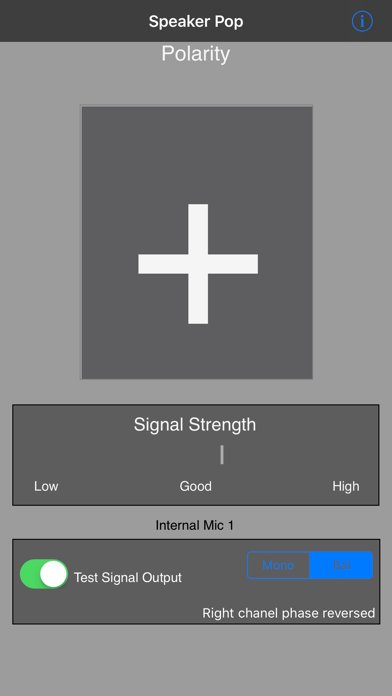
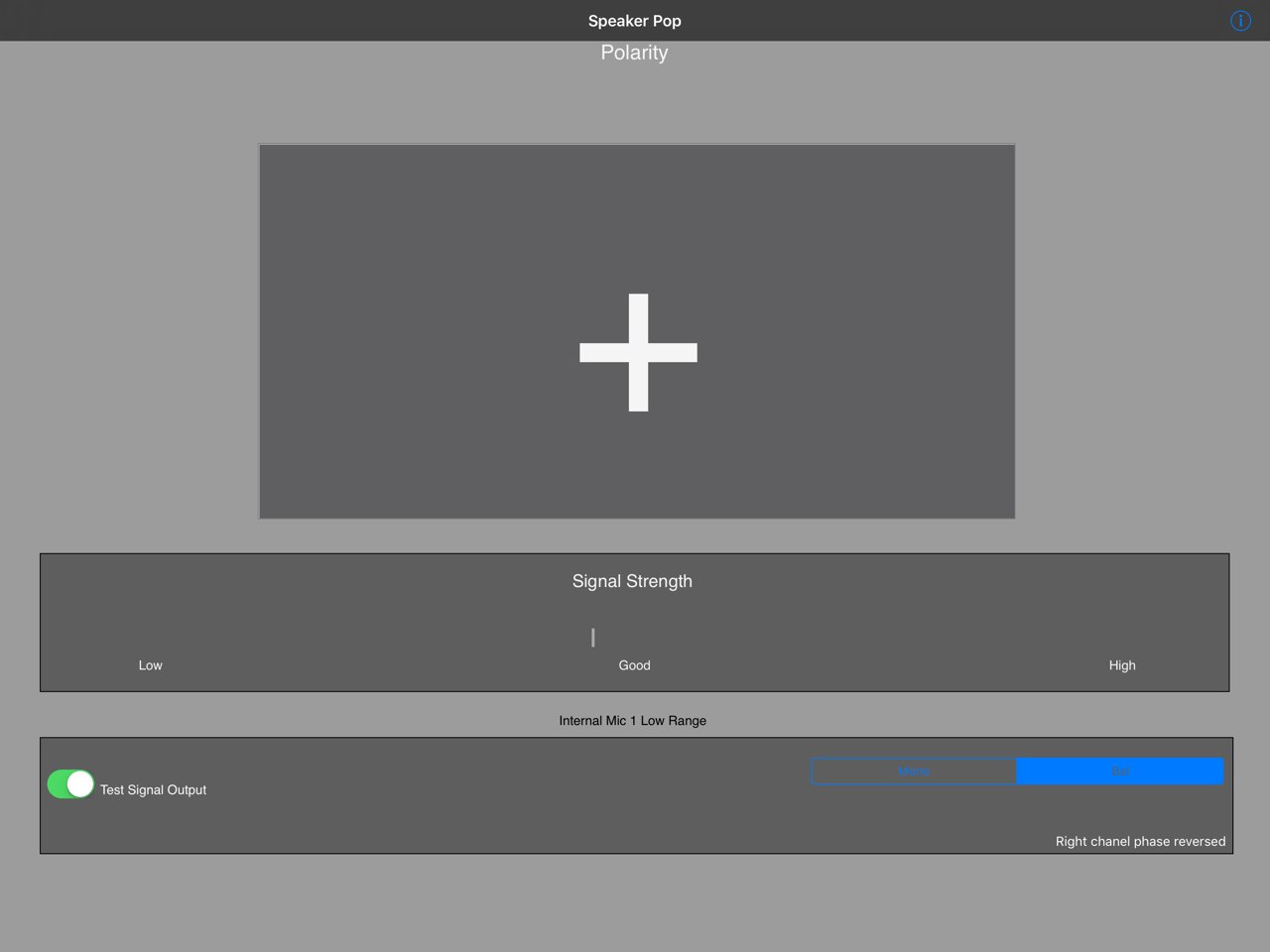
Once you have the test signal coming out of the speaker, position your phone near the speaker (we suggest you flip it over to point the internal mic directly at the speaker -- the display will flip). In a few seconds you will get the reading on the screen, either a Plus or a Minus. Plus indicates correct speaker polarity, Minus means you need to swap the wires coming into the speaker.
We also have stereo and surround test signals available for download from our web site which are ready for burning to USB stick, CD, or DVD. See our web site or for more information.
See our other audio apps: AudioTools, our premier audio and acoustics test and analysis app, SPL, the professional grade sound level meter for the iPhone, SPL Graph, for recording SPL over time, RTA, a 1/3 octave real time analyzer, FFT, for detailed acoustic analysis, ETC, the Energy Time Curve app, RT60, for automated octave-band decay time analysis, and Generator, the iPhone signal generator. Watch for more coming soon.
License: Commercial
| Release info | Update on Oct 20, 2026 |
|---|---|
| Release notes | New in this release: - Ready for iPhone Duo: every screen adapts to closed, open, book and tent, with controls in the side strip. - iOS 26 appearance adopted. - Bug fixes and stability improvements |
| Listing data | App Store |
Reviews
No reviews yet. Be the first to review Speaker Polarity.
Used Speaker Polarity? Tell other visitors what you thought.
Log in to write a reviewOther products by this publisher
- "No Distractions" for YouTube 4.10 ----
- #Bible 11.6.1 "Incredible App - My sister shared this app with me a few weeks ago and it is truly incredible.
- #filmphotography 1.4.2 So, you decided to shoot on film?
- #LookBusy Fake Calendar Events 1.0.6 Look Busy scans your work calendar for open time slots and fills them with realistic-looking (but secretly fake) work events.
- #Small Talk Is Canceled 1.0.2 #Small Talk Is Canceled — Conversations That Matter
Most viewed iOS Photo & Video
-
1
 ShortDiShow 2.0
Drama Quest Island — An offline interactive short-drama adventure.
-
2
 Face Witness 1.0.3
FaceWitness lets you create a face by putting together individual features.
-
3
 Infuse 8.5.10
Infuse: Enterprise provides the same great features as the standard version of Infuse and includes permanent access to all Pro features via a traditional paid app.
-
4
 AI Video Generator 2.0.3
Vixel – AI Video Generator
-
5
 OPlayer 4.8
Play all your videos directly without having to convert them!
- 6 #filmphotography 1.4.2 So, you decided to shoot on film?
-
7
 CapCut 20.2.0
CapCut offers easy-to-use video editing functions, in-APP fonts and effects, advanced features such as keyframe animation, smooth slow-motion, chroma key, and stabilization, to help you capture and snip moments.
-
8
 Necrometer II 1.3
Necrometer II is a paranormal investigation companion designed for ghost hunters and researchers.
-
9
 Ai Photo 1.1.2
AI Photo Retouch – BG Eraser
-
10
 Analog Radio 3.0
The iPhone and iPad devices don't have the FM/AM radio antenna installed.
Most downloaded iOS Photo & Video
-
1
 DJI Fly 1.21.18
DJI Fly is designed to help pilots fly drones with ease.
-
2
Infuse 8.5.10
Infuse: Enterprise provides the same great features as the standard version of Infuse and includes permanent access to all Pro features via a traditional paid app.
-
3
 TurboCollage Automatic 1.2.4
#1 Easy automatic photo collage maker for iPhone & iPad.
-
4
 ReelyGo 1.1.42
ReelyGo: Your Daily Drama Escape
-
5
Analog Radio 3.0
The iPhone and iPad devices don't have the FM/AM radio antenna installed.
-
6
 Rozeta Sequencer Suite 1.3.16
Rozeta is a suite of MIDI sequencers and controllers that lets you explore a new, freeform approach to sequencing and controlling mobile music apps.
-
7
 Pop Dot Comics 1.48
Create a comic worthy of the Sunday newspaper or your favorite pulp-fiction cover.
-
8
 AGAIN. Rehearsal Notes 2.0.1
AGAIN. is the rehearsal app that remembers why the band stopped — and, new in Version 2, who said what in a writing session or a table read.
-
9
 Sun Scout 1.5.0
If your work or play requires sunlight, Sun Scout is built for you.
-
10
 Treblo 1.6.6
Make songs with the world's best AI music model.