
SOS Flashlight: Advanced Morse Code Tool 1.0.3
Turn your phone into a Morse code device, to transmit emergency messages.
Download
9.54 MB
22downloads
1this week
FreeFreeware
0reviews
Screenshots
About SOS Flashlight: Advanced Morse Code Tool
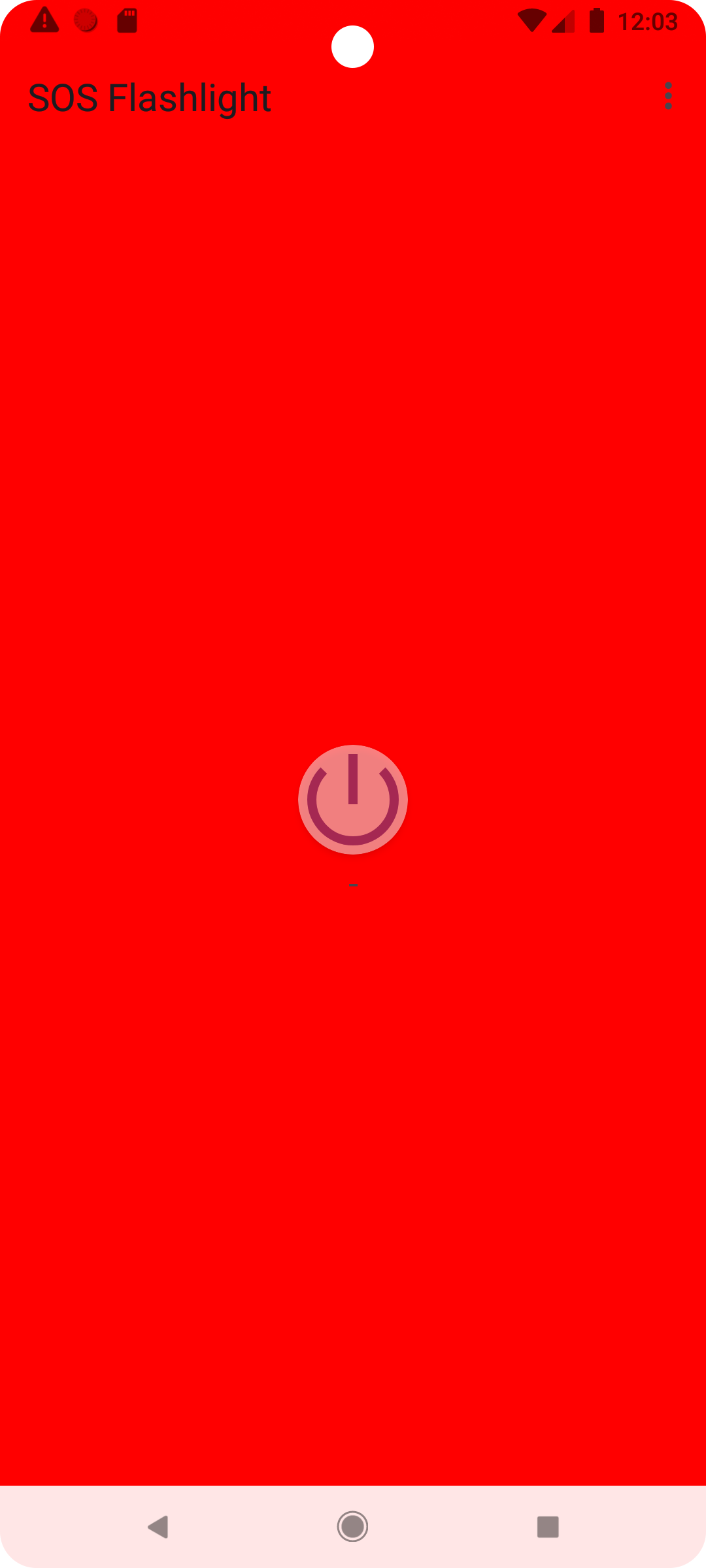
SOS Flashlight App transforms your smartphone into a powerful Morse code signaling device, capable of transmitting emergency messages or custom text through multiple channels simultaneously.
Features
- Signal Transmission Methods
- Flashlight: Utilizes your device's camera led flashlight to transmit visual signals.
- Vibration: Sends tactile signals through device vibration.
- Audio: Generates clear audio tones at 700Hz frequency.
- Screen Light: Maximizes screen brightness to create visual signals in darkness.
- Core Capabilities
- Background Service: Continue signaling even when the app is minimized or screen is locked.
- Message Customization: Send any custom message in Morse code.
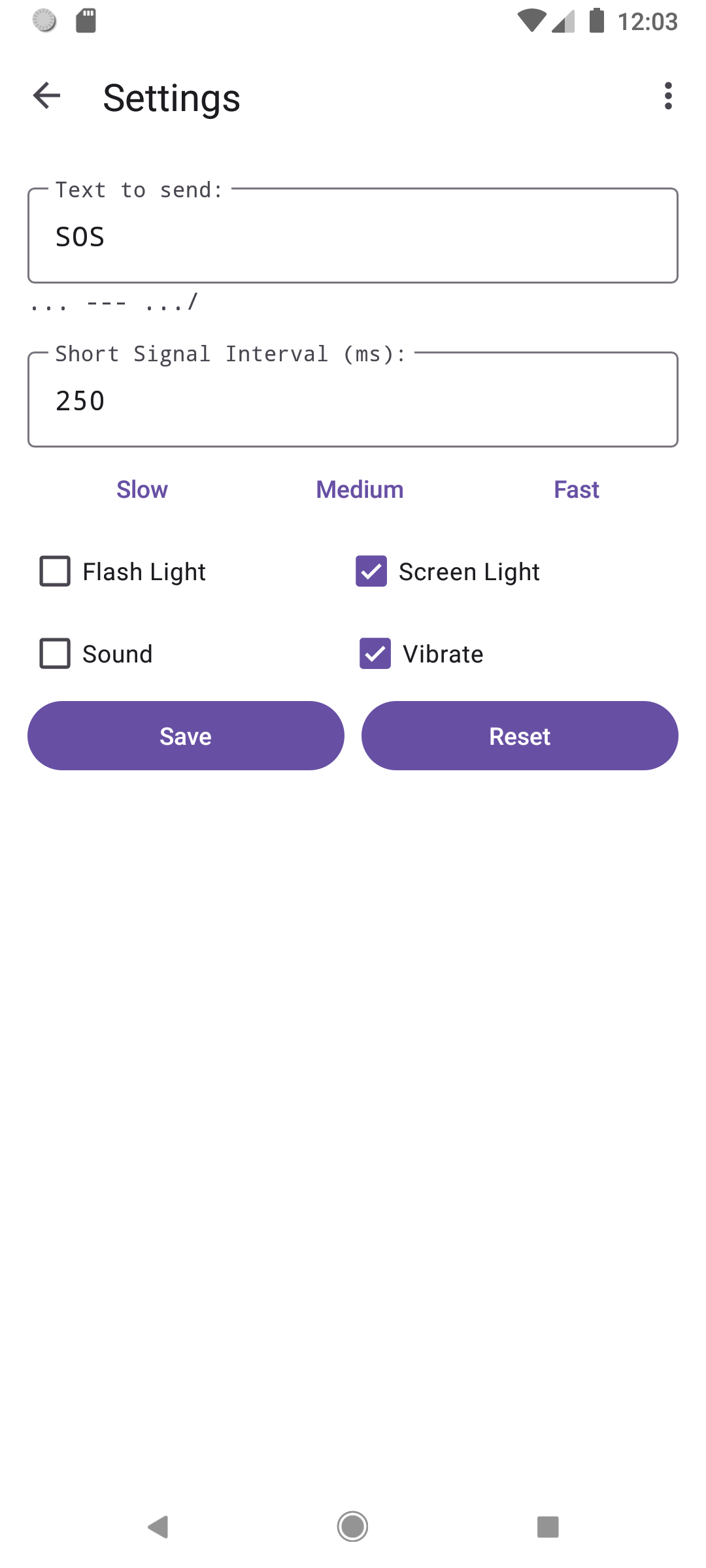
- Adjustable Speed: Choose from slow, medium, fast, or custom transmission speeds.
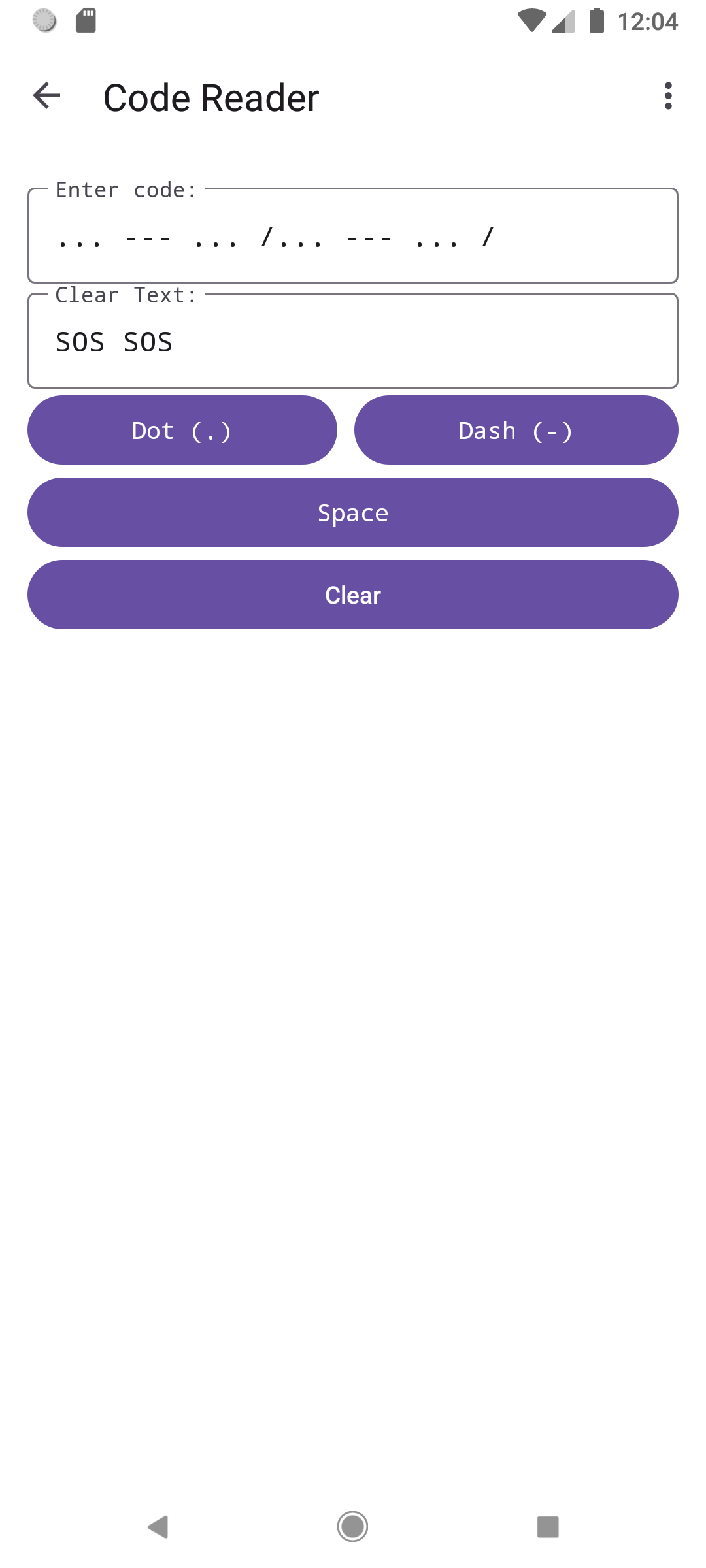
- Morse Code Decoder: Convert received Morse code into readable text.
- User Preferences: Independently toggle each signaling method based on your needs.
Usage
- Emergency SOS: Press the SOS button to immediately begin transmitting the international SOS signal (... --- ...).
- Custom Message: Enter your text in the input field and press "Send" to convert and transmit.
- Decoder: Navigate to the decoder screen to translate incoming Morse code signals.
- Settings: Customize transmission speed and toggle different signaling methods.
Contribute
Contributions are welcome! Feel free to open issues or submit pull requests on our GitHub repo.
License
This project is licensed under the GNU General Public License (GPLv3) - see the LICENSE file for details.
Source
[link removed]
License: GPL-3.0-only
Features
- Signal Transmission Methods
- Flashlight: Utilizes your device's camera led flashlight to transmit visual signals.
- Vibration: Sends tactile signals through device vibration.
- Audio: Generates clear audio tones at 700Hz frequency.
- Screen Light: Maximizes screen brightness to create visual signals in darkness.
- Core Capabilities
- Background Service: Continue signaling even when the app is minimized or screen is locked.
- Message Customization: Send any custom message in Morse code.
- Adjustable Speed: Choose from slow, medium, fast, or custom transmission speeds.
- Morse Code Decoder: Convert received Morse code into readable text.
- User Preferences: Independently toggle each signaling method based on your needs.
Usage
- Emergency SOS: Press the SOS button to immediately begin transmitting the international SOS signal (... --- ...).
- Custom Message: Enter your text in the input field and press "Send" to convert and transmit.
- Decoder: Navigate to the decoder screen to translate incoming Morse code signals.
- Settings: Customize transmission speed and toggle different signaling methods.
Contribute
Contributions are welcome! Feel free to open issues or submit pull requests on our GitHub repo.
License
This project is licensed under the GNU General Public License (GPLv3) - see the LICENSE file for details.
Source
[link removed]
License: GPL-3.0-only
| Release info | New Release on Sep 05, 2025 |
|---|---|
| Release notes | # SOS Flashlight v1.0.3 (10003) - Minor Update - Added: Screen Light color selection feature, now you can change the screen light color through the color palette. - Fixed: Allow the use of longer time intervals to enable normal vibration for devices that cannot vibrate in extremely short periods of time. |
| Listing data | F-Droid |
Reviews
No reviews yet. Be the first to review SOS Flashlight: Advanced Morse Code Tool.
Used SOS Flashlight: Advanced Morse Code Tool? Tell other visitors what you thought.
Log in to write a reviewOther products by this publisher
- "No Distractions" for YouTube 4.10 ----
- #Bible 11.6 "Incredible App - My sister shared this app with me a few weeks ago and it is truly incredible.
- #filmphotography 1.4.2 So, you decided to shoot on film?
- $quirrel 1.5.1 $quirrel Budget & Finance helps you plan each paycheck, track spending, manage debt, and see what is safe to spend before the next payday.
- % Percentage Calculator Pro 1.41 This is the Pro version of % Percentage Calculator.
Most viewed Android Flashlight
-
1
 Touch Torch 1.0.6
Control your device's flashlight with the tip of your finger
-
2
 Night Light 1.19.0
Minimal OLED night light, flash or screen, settings, 26 languages.
- 3 Flashy 3.7 Simple and Privacy-Friendly Flashlight App
-
4
 Torchie 3.2.1
Access LED flashlight from the Volume buttons
- 5 FlashDim - Dim your flashlight 2.5.3 Modern flashlight app with dim functionality on Android 13+
-
6
SOS Flashlight: Advanced Morse Code Tool 1.0.3
Turn your phone into a Morse code device, to transmit emergency messages.
- 7 Latarka 1.0 Toggle flashlight with a shake gesture
-
8
 Simple Flashlight 5.10.1
Led light controller with brightness control and customizable color, stroboscope
- 9 gloomy 1.2 A dim, night-vision-friendly screen light with swipe controls
-
10
 Torchlight (Privacy Friendly) 1.3.5
(SECUSO) Torchlight app with minimal permissions (CAMERA) and no advertisement
Most downloaded Android Flashlight
- 1 gloomy 1.2 A dim, night-vision-friendly screen light with swipe controls
- 2 Flashy 3.7 Simple and Privacy-Friendly Flashlight App
- 3 Flashlight Tiramisu 2.1 An application that allows you to smoothly adjust the brightness of the flashlig
-
4
 MorseLightCrypt 1.1.8
Morse code by flashlight and camera, optionally encrypted. No network.
-
5
Torchlight (Privacy Friendly) 1.3.5
(SECUSO) Torchlight app with minimal permissions (CAMERA) and no advertisement
- 6 Latarka 1.0 Toggle flashlight with a shake gesture
-
7
SOS Flashlight: Advanced Morse Code Tool 1.0.3
Turn your phone into a Morse code device, to transmit emergency messages.
-
8
 Candle 1.7.1
A display flashlight
- 9 FlashDim - Dim your flashlight 2.5.3 Modern flashlight app with dim functionality on Android 13+
-
10
 OnePlus Flash Control 1.6.2
Advanced LED control for OnePlus (root required)