
Sketch Club 3.1.4
SketchClub not only gives you fantastic tools to sketch, draw, doodle, paint, and edit photos but also helps motivate you to keep creating!
Download
28.26 MB
17downloads
2this week
FreeCommercial
0reviews
Screenshots
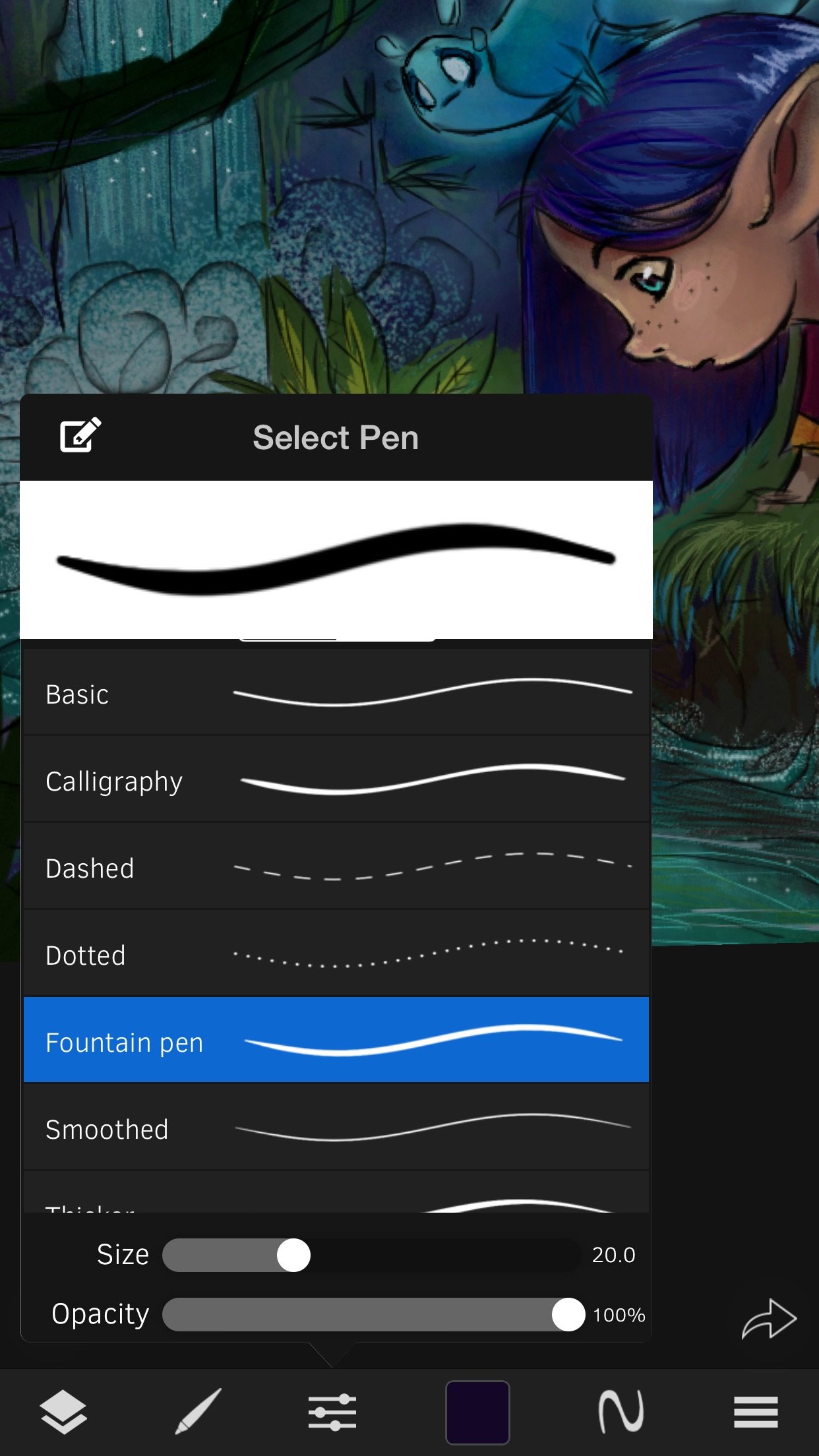
About Sketch Club
SketchClub not only gives you fantastic tools to sketch, draw, doodle, paint, and edit photos but also helps motivate you to keep creating! Check out the community where there’s a new drawing challenge every day, along with regular competitions and even co-ops where you can pick up where another artist left off. Don’t sketch alone, join us today!
CORE FEATURES
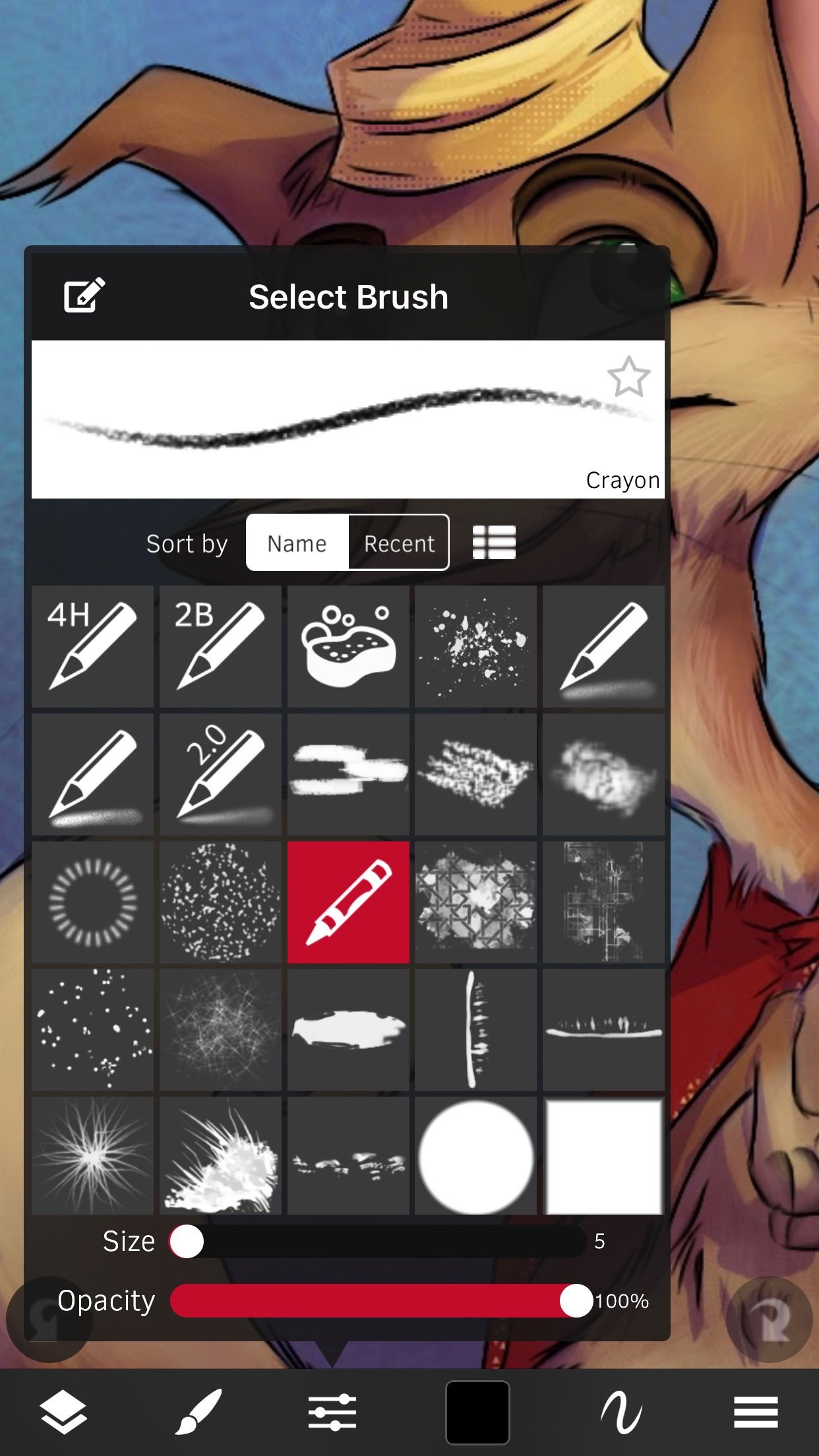
• Brush, Blur, Eraser, Fill, Pen, Pixels, Procedural, Select, Smudge, Text, and Vector tools
• Hundreds of layers with configurable blending, naming, and color tagging
• Create your own comics and manga with the Pen and Text tools
• Layer filters that preview live on the canvas: color adjust, blurs, edges, noise, gradient map, twirl, vignette and more
• Layer transform with skew, shear, perspective, and tiling
• Super fast brush and compositing engine
• Up to 16K canvas size with presets including standard 300 DPI print sizes
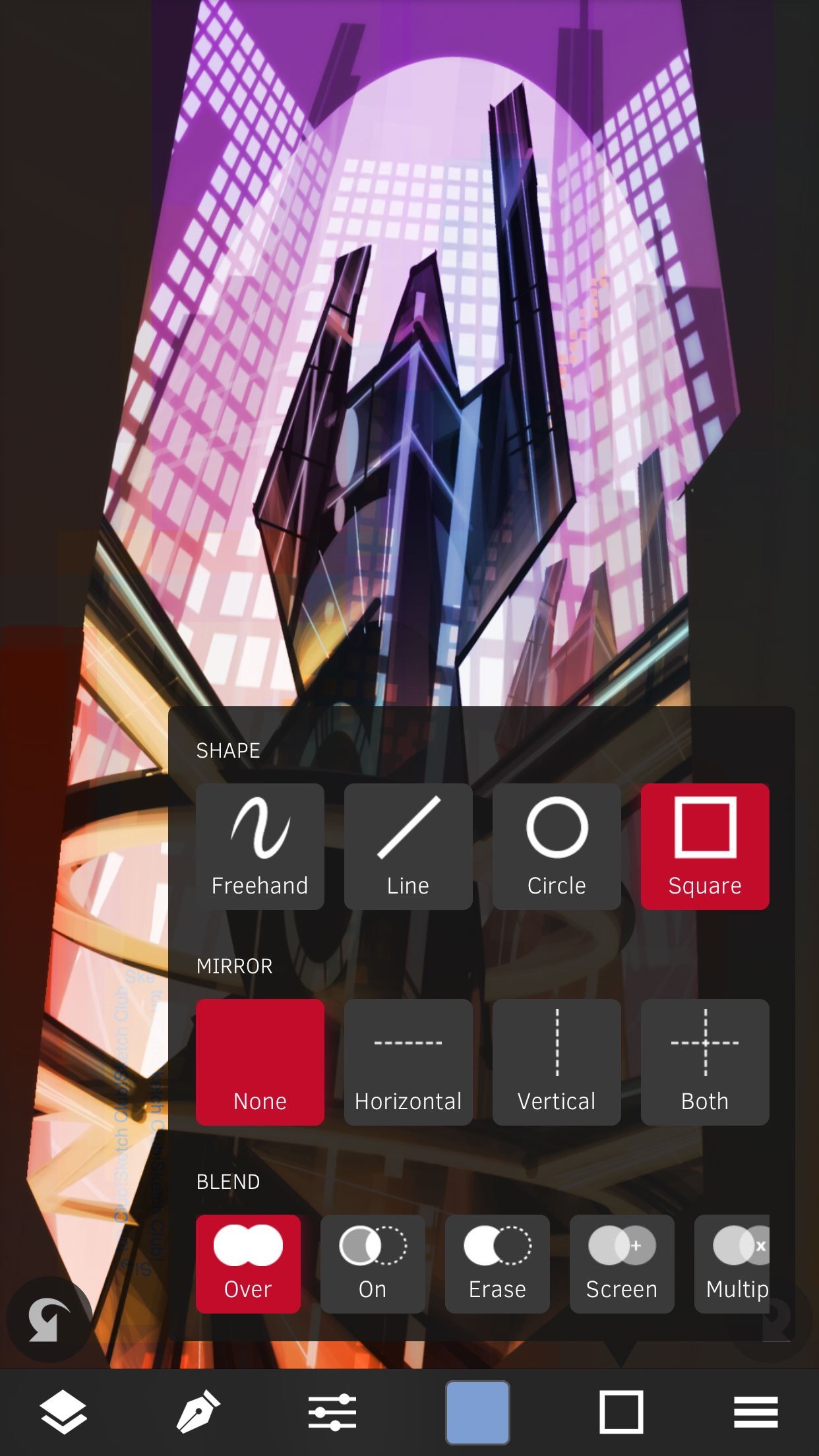
• Line, circle, square, and triangle shapes with automatic aspect ratio snapping
• Horizontal, vertical, and dual mirroring modes
• Canvas recording and export in full 1080 HD
• Background autosave and persistent undo history
• Made for iPhone and iPad, including iPhone Duo, with Apple’s Liquid Glass look on iOS 26
• No ads and no in-app purchases
• 15 years running of continuous updates and improvements!
TOOLS
• Brushes with high resolution shapes, pattern textures, and input curves
• Loads of built in tool presets plus thousands more from the community
• Export sketches and presets to iCloud, Dropbox, Email and more
• Create and share custom brush presets in community library
• Pen tool presets include calligraphy, fountain pen, gel pen, and more
• Pen and Vector tools include simplify for smooth lines even with shaky hands
• Create smooth filled shapes and gradients with Vector
• Procedural Sketchy and Smooth for amazing fast results
• Procedural Bristles for realistic oil paint simulation
• Animated GIF export
CUSTOMIZE
• Configurable color themes to make SketchClub uniquely yours
• Customizable shortcut bar for single tap access to your favorite functionality
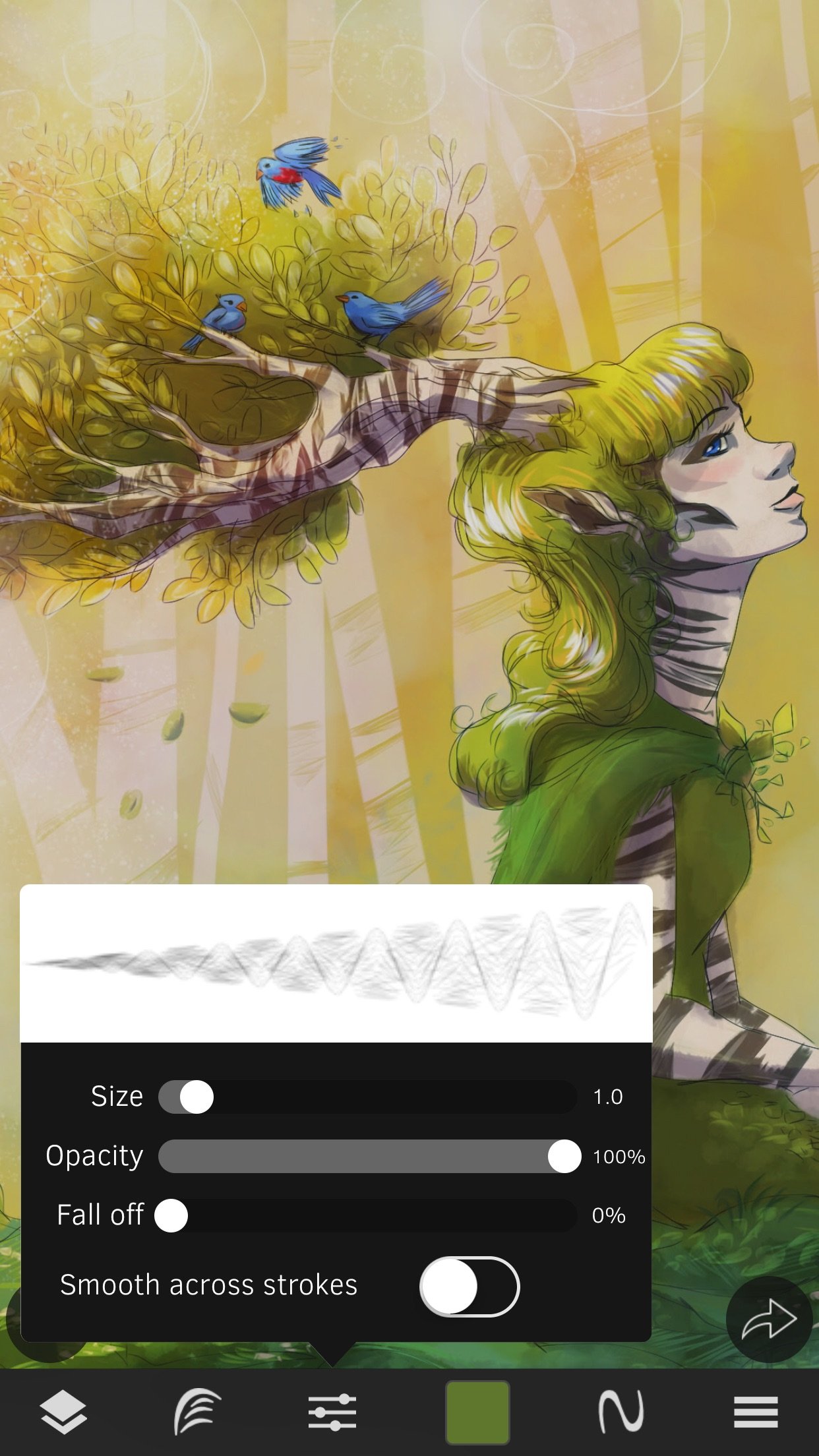
• Popup quick color swatch and size and opacity controls
• Drag a color swatch onto the canvas to fill
• Floating reference image with color sampling
COMMUNITY
• New challenge every day and new competition every week!
• Massive library of shared brushes, templates, and textures
• Live stream and chat for feedback and fun while you draw
• Learn through tutorials and speed painting videos
• Follow other artists and gain fans as you share your creations
• Community whiteboard with realtime collaborative drawing and fun events
• Annual awards honoring the best creations every year
• Sign in with Apple to get back in on a new device with one tap
FOR THE PROS
• Excellent iPad Pro and Apple Pencil support, with pencil hover and an adjustable pressure curve
• SonarPen stylus support
• PSD file format export
• RGB and hexadecimal color inputs
• Screen mirroring modes for presentations and demos
• Draw in Multiply, Normal, Overlay, and Screen brush blend modes
• Input curves with angle, distance, fade, pressure, random, speed, tilt, and time
What are you waiting for, create with us in SketchClub today!
License: Commercial
CORE FEATURES
• Brush, Blur, Eraser, Fill, Pen, Pixels, Procedural, Select, Smudge, Text, and Vector tools
• Hundreds of layers with configurable blending, naming, and color tagging
• Create your own comics and manga with the Pen and Text tools
• Layer filters that preview live on the canvas: color adjust, blurs, edges, noise, gradient map, twirl, vignette and more
• Layer transform with skew, shear, perspective, and tiling
• Super fast brush and compositing engine
• Up to 16K canvas size with presets including standard 300 DPI print sizes
• Line, circle, square, and triangle shapes with automatic aspect ratio snapping
• Horizontal, vertical, and dual mirroring modes
• Canvas recording and export in full 1080 HD
• Background autosave and persistent undo history
• Made for iPhone and iPad, including iPhone Duo, with Apple’s Liquid Glass look on iOS 26
• No ads and no in-app purchases
• 15 years running of continuous updates and improvements!
TOOLS
• Brushes with high resolution shapes, pattern textures, and input curves
• Loads of built in tool presets plus thousands more from the community
• Export sketches and presets to iCloud, Dropbox, Email and more
• Create and share custom brush presets in community library
• Pen tool presets include calligraphy, fountain pen, gel pen, and more
• Pen and Vector tools include simplify for smooth lines even with shaky hands
• Create smooth filled shapes and gradients with Vector
• Procedural Sketchy and Smooth for amazing fast results
• Procedural Bristles for realistic oil paint simulation
• Animated GIF export
CUSTOMIZE
• Configurable color themes to make SketchClub uniquely yours
• Customizable shortcut bar for single tap access to your favorite functionality
• Popup quick color swatch and size and opacity controls
• Drag a color swatch onto the canvas to fill
• Floating reference image with color sampling
COMMUNITY
• New challenge every day and new competition every week!
• Massive library of shared brushes, templates, and textures
• Live stream and chat for feedback and fun while you draw
• Learn through tutorials and speed painting videos
• Follow other artists and gain fans as you share your creations
• Community whiteboard with realtime collaborative drawing and fun events
• Annual awards honoring the best creations every year
• Sign in with Apple to get back in on a new device with one tap
FOR THE PROS
• Excellent iPad Pro and Apple Pencil support, with pencil hover and an adjustable pressure curve
• SonarPen stylus support
• PSD file format export
• RGB and hexadecimal color inputs
• Screen mirroring modes for presentations and demos
• Draw in Multiply, Normal, Overlay, and Screen brush blend modes
• Input curves with angle, distance, fade, pressure, random, speed, tilt, and time
What are you waiting for, create with us in SketchClub today!
License: Commercial
| Release info | Update on Nov 05, 2026 |
|---|---|
| Release notes | Filters update! - Filters now preview right on the canvas as you adjust them - Four new layer filters: Grow/Shrink, Bokeh Blur, Twirl Distortion and Gradient Map - The filters menu is organized into sections so it's easier to find what you want More improvements and fixes - Initial support for the iPhone Duo - Drag the color swatch onto the canvas to fill that spot - Layer transform keeps following your finger when other touches land on the screen - The pencil hover ring follows the Show touch rings setting - Fixed the tools panel's More blend menu on iPad - Fixed a crash when resizing a text box after squashing it flat - Fixed crashes opening some tool settings on iOS 17 and 18 |
| Listing data | App Store |
Reviews
No reviews yet. Be the first to review Sketch Club.
Used Sketch Club? Tell other visitors what you thought.
Log in to write a reviewOther products by this publisher
- "No Distractions" for YouTube 4.10 ----
- #Bible 11.6 "Incredible App - My sister shared this app with me a few weeks ago and it is truly incredible.
- #filmphotography 1.4.2 So, you decided to shoot on film?
- $quirrel 1.5.1 $quirrel Budget & Finance helps you plan each paycheck, track spending, manage debt, and see what is safe to spend before the next payday.
- % Percentage Calculator Pro 1.41 This is the Pro version of % Percentage Calculator.
Most viewed iOS Photo & Video
-
1
 ShortDiShow 2.0
Drama Quest Island — An offline interactive short-drama adventure.
-
2
 Infuse 8.5.10
Infuse: Enterprise provides the same great features as the standard version of Infuse and includes permanent access to all Pro features via a traditional paid app.
-
3
 AI Video Generator 2.0.2
Vixel – AI Video Generator
-
4
 OPlayer 4.8
Play all your videos directly without having to convert them!
-
5
 Necrometer II 1.2
Necrometer II is a paranormal investigation companion designed for ghost hunters and researchers.
-
6
 CapCut 20.1.0
CapCut offers easy-to-use video editing functions, in-APP fonts and effects, advanced features such as keyframe animation, smooth slow-motion, chroma key, and stabilization, to help you capture and snip moments.
-
7
 Ai Photo 1.1.2
AI Photo Retouch – BG Eraser
-
8
 Treblo 1.6.0
Make songs with the world's best AI music model.
-
9
 TouchSiren Delta 3.1
--------------------------------------------------------------
-
10
 CNU 3.0.12
CNU?????????????????????,???????????????
Most downloaded iOS Photo & Video
-
1
Infuse 8.5.10
Infuse: Enterprise provides the same great features as the standard version of Infuse and includes permanent access to all Pro features via a traditional paid app.
-
2
 DJI Fly 1.21.18
DJI Fly is designed to help pilots fly drones with ease.
-
3
 Analog Radio 3.0
The iPhone and iPad devices don't have the FM/AM radio antenna installed.
-
4
 TurboCollage Automatic 1.2.4
#1 Easy automatic photo collage maker for iPhone & iPad.
-
5
 ReelyGo 1.1.42
ReelyGo: Your Daily Drama Escape
-
6
 AGAIN. Rehearsal Notes 2.0.1
AGAIN. is the rehearsal app that remembers why the band stopped — and, new in Version 2, who said what in a writing session or a table read.
-
7
 Rozeta Sequencer Suite 1.3.16
Rozeta is a suite of MIDI sequencers and controllers that lets you explore a new, freeform approach to sequencing and controlling mobile music apps.
-
8
Treblo 1.6.0
Make songs with the world's best AI music model.
-
9
 Pop Dot Comics 1.48
Create a comic worthy of the Sunday newspaper or your favorite pulp-fiction cover.
-
10
 SSS IPTV, Simple, Smart Super 1.0.2
An Easiest way to watch TV Online or Movies or Series, Bring your Own list M3u,