
24downloads
3this week
FreeCommercial
0reviews
Screenshots
About Simple Motion
Draw a frame. Draw the next one. Press play.
Simple Motion is a hand-drawn animation studio for iPad and iPhone, built
around the way animation is actually taught — a stack of drawings, a timeline,
and an onion skin to keep it all moving. Everything a student needs is one tap
away, and everything they don't need stays out of the way.
**Draw with Apple Pencil, the way it should feel**
Ink is pure PencilKit, so it's as fast and as natural as writing on paper, pressure, tilt, double-tap, the lot. Pinch to zoom, twist to rotate the canvas to a comfortable angle, and tap four fingers to hide every tool and see only your drawing.
Shape recognition turns a wobbly circle into a clean one when you hold still at the end of a stroke, and the paint fill tool floods an outline in a single tap.
**See your animation move while you draw it**
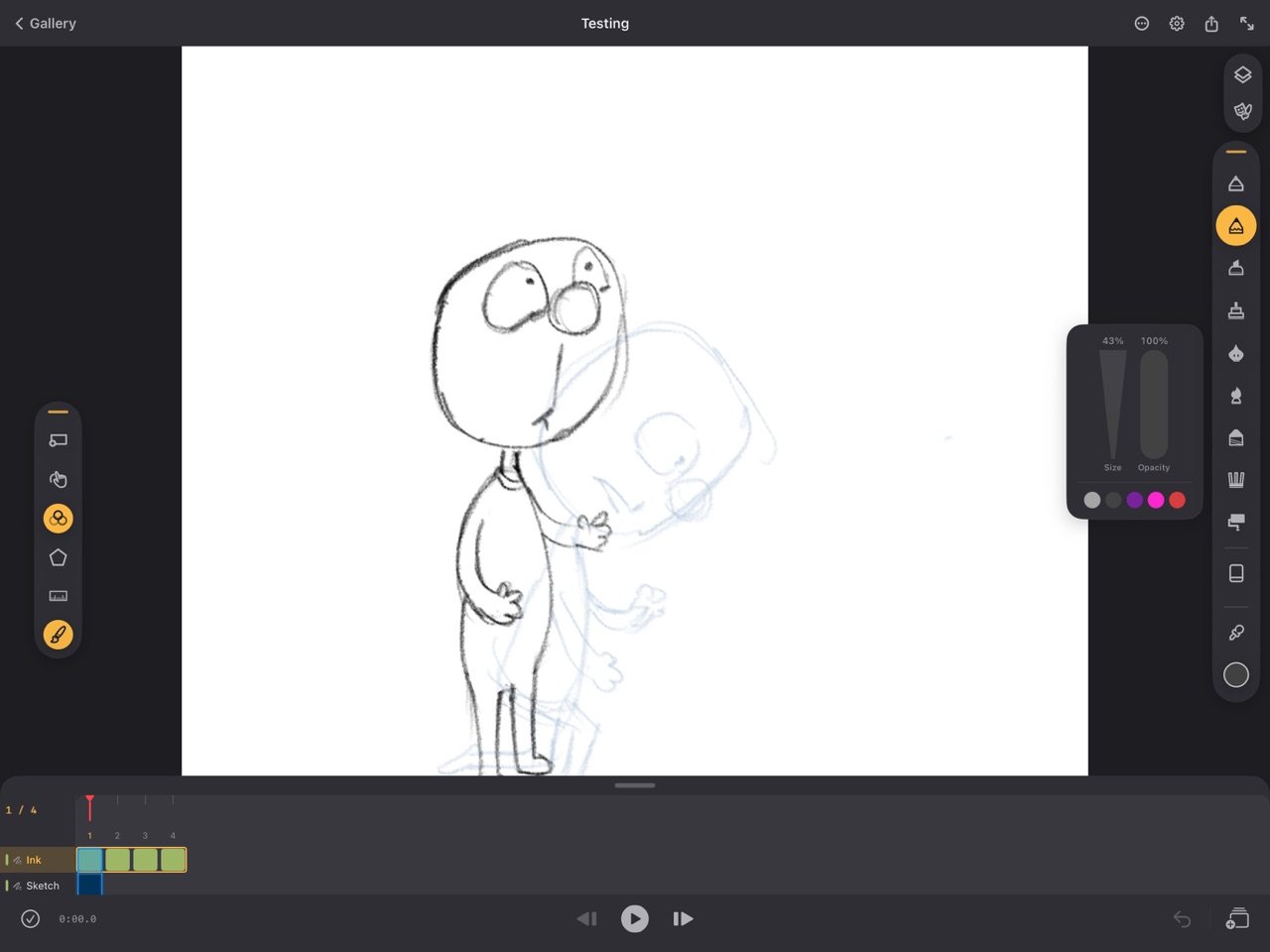
Onion skin ghosts the frames either side in red and blue, with independent counts for before and after. Flip and roll through neighbouring frames to check
your motion — the fundamental animator's flick, now a button. Playback runs at your project's frame rate with a scrubbable playhead, custom in and out points,
and looped ranges.
**A timeline that works like a real dope sheet**
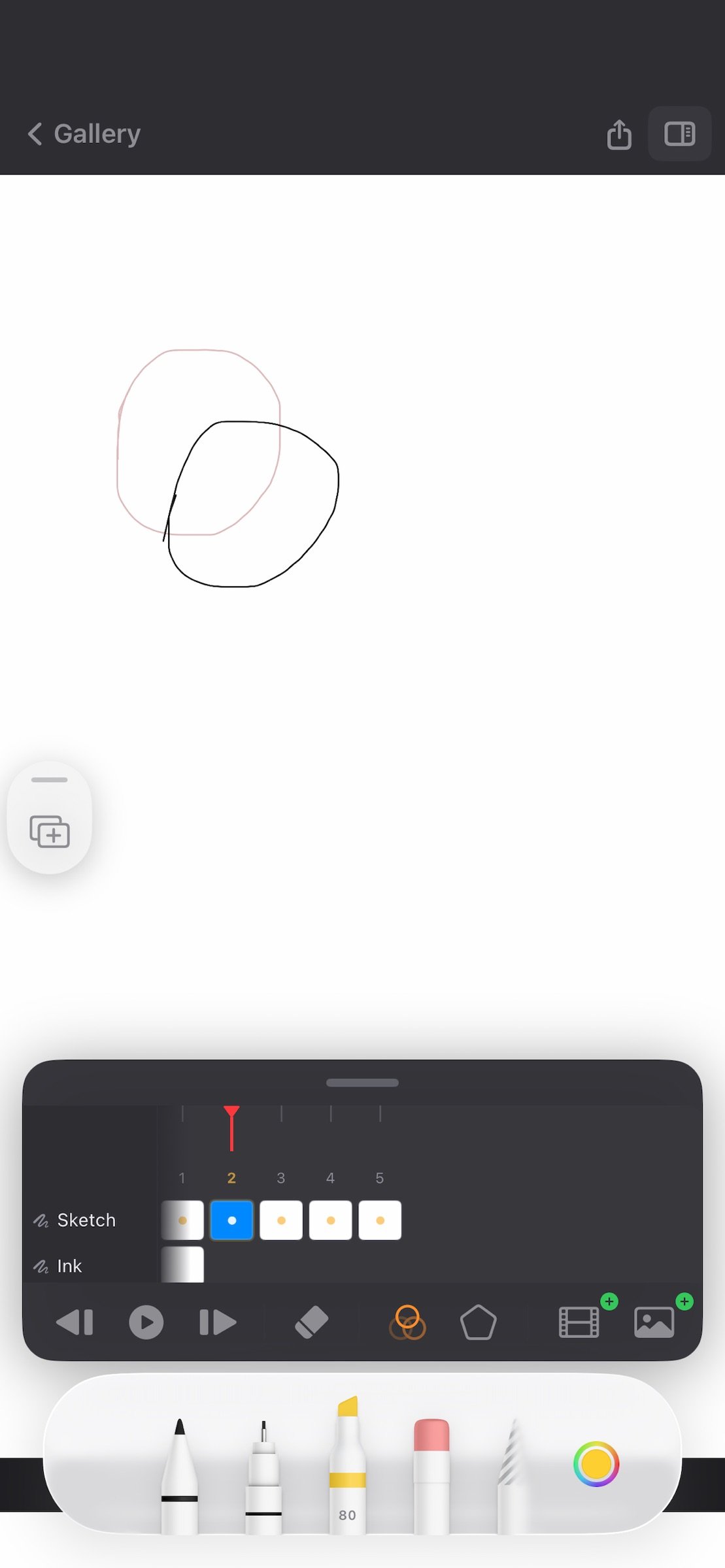
Pinch the timeline to zoom through five sizes; past the middle rung every cell shows a thumbnail of the drawing on it. Hold a drawing across frames, build cycles and ping-pongs from a range, drag frames to reorder them, copy and paste between layers and projects, and use select mode to act on a batch at once.
Named, coloured markers keep track of beats and dialogue.
**Layers for every kind of animation**
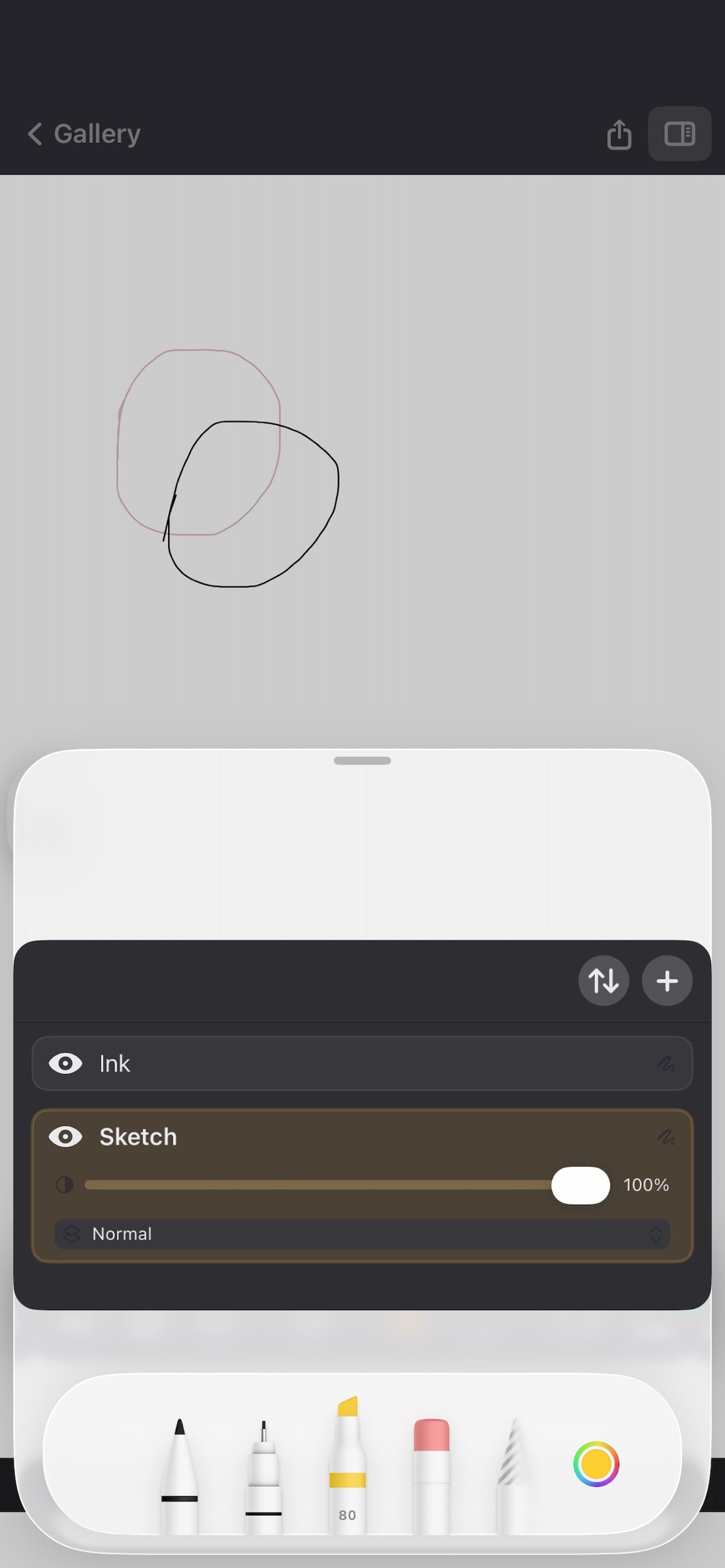
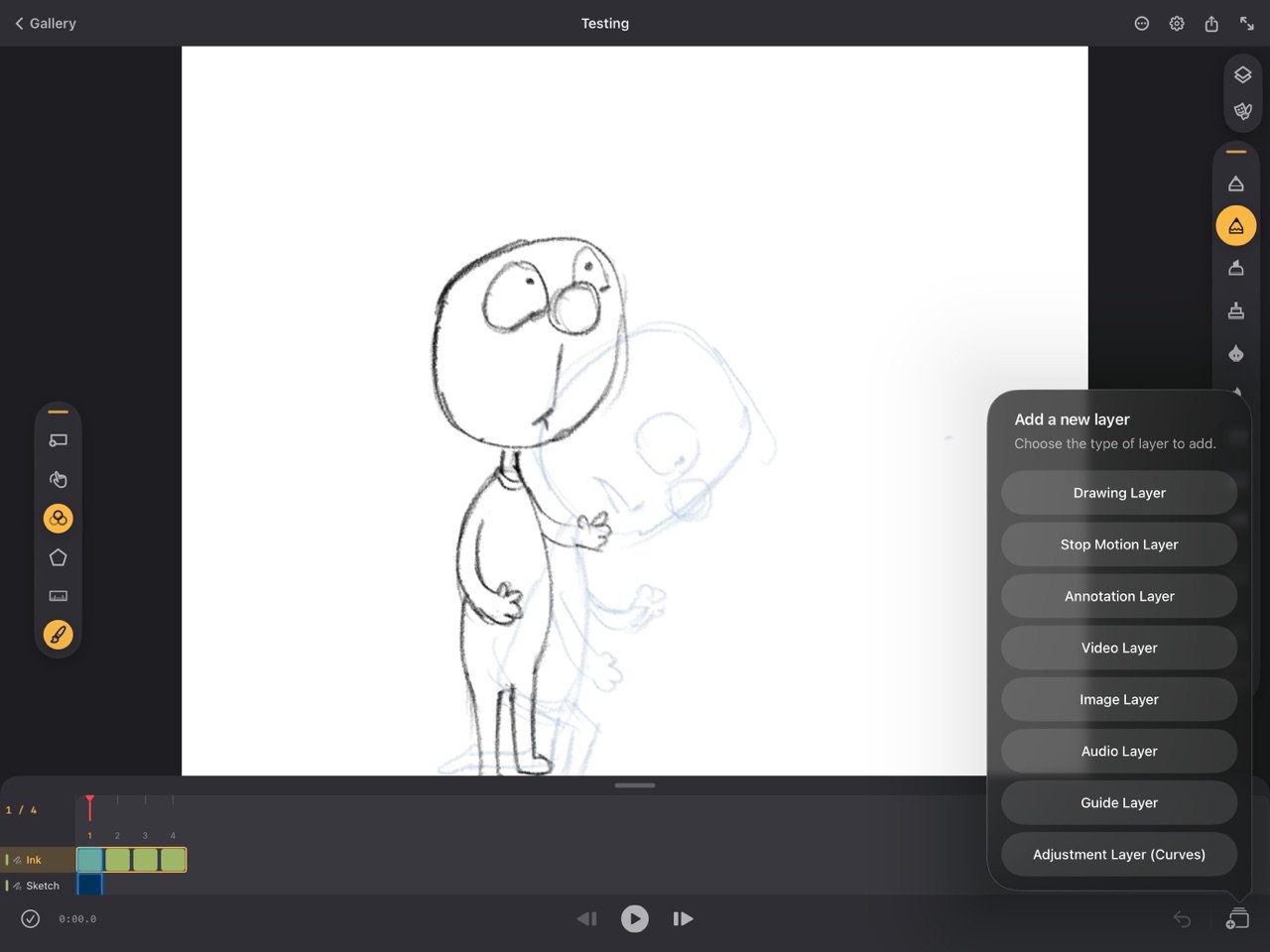
Eight layer types: Drawing, Stop Motion, Image, Video, Audio, Guide, Adjustment and Annotation. Shoot claymation with the built-in stop-motion camera and its ghost alignment overlay. Rotoscope over an imported video, sampled on ones, twos or threes. Add a soundtrack and trim, cut and slide it against the picture. Drop in a Guide layer for motion arcs and timing charts that appear over everything and never export. Reorder, hide, lock, merge, duplicate, and set opacity or blend modes per layer.
**Colour, assets and references, always to hand**
A floating colour palette you can drop anywhere on screen, with a proper picker, an eyedropper with a magnifier, and your five most recent colours one tap away. Build a library of reusable drawings — mouth shapes for lip-sync, a set of hands, a logo — stored with the project and stamped onto the canvas as real, editable ink. Move a whole library between projects as a single file.
Pin a reference photo or video in a floating panel, zoom into a detail, and pick colours straight off it.
**Made for a classroom**
Organise the gallery into folders by class or assignment, search across all of them at once, and sort by name or by what was opened last. Save any project as a template, hand it out, and every student who taps it starts a fresh copy with the canvas size, frame rate and guide layers already set — the original is never drawn on. Back up a project to a single file to collect, archive or move between iPads.
**Share it however you need**
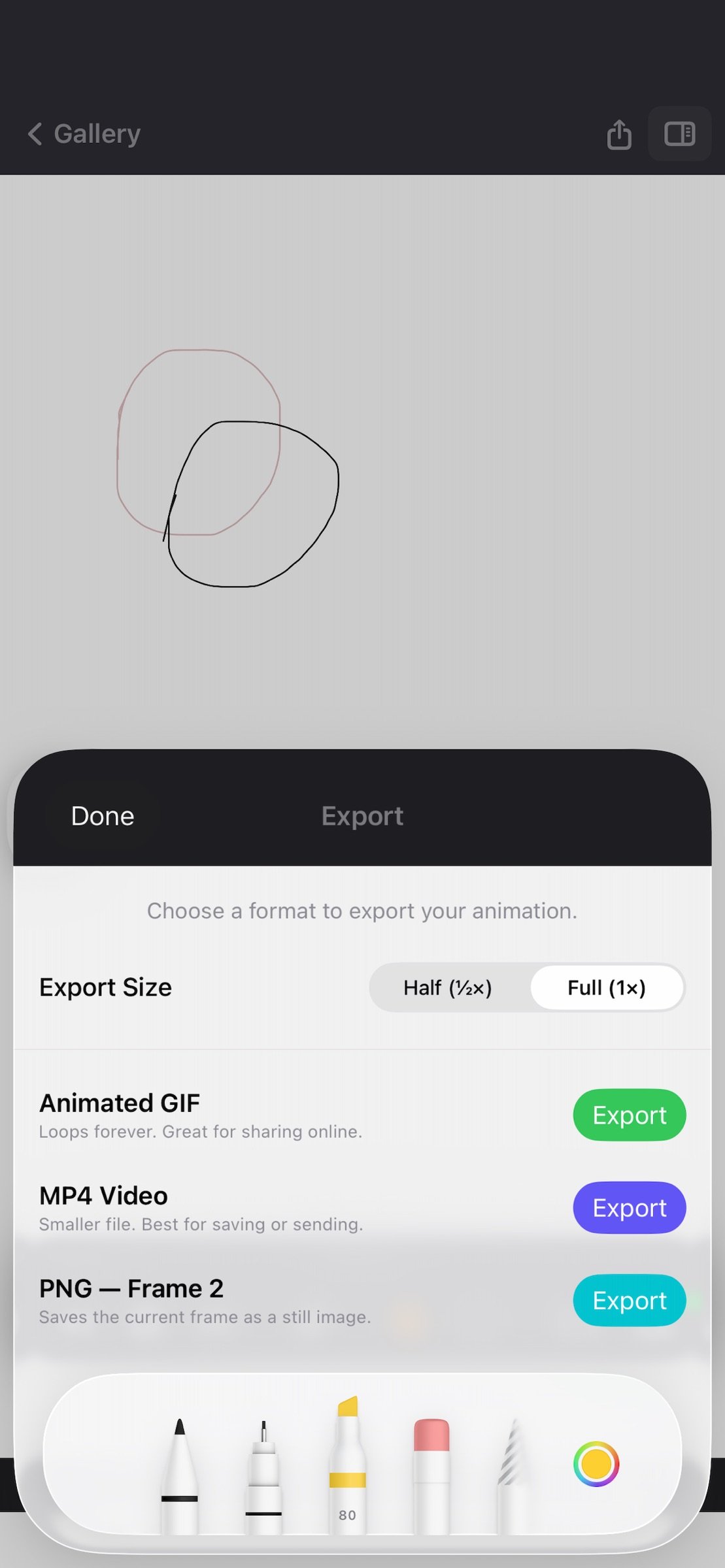
Export an animated GIF, an MP4 with its soundtrack, a sprite sheet, a single PNG frame, or a numbered image sequence with your choice of naming convention.
Stills and sequences can keep a transparent background for use elsewhere. Every export renders at full resolution, whatever quality you preview at.
**Nothing is ever lost**
Every action that changes a drawing can be undone, several steps back, from the toolbar or the snackbar that appears the moment something is deleted. Two
fingers to undo, three to redo, straight on the canvas.
Twelve drawings and an idea is all it takes.
License: Commercial
| Release info | New Release on Oct 28, 2026 |
|---|---|
| Release notes | Fixed a bug when adding a new stop motion layer and choosing "Blank". The timeline would not update with photos as you took them. |
| Listing data | App Store |
Reviews
No reviews yet. Be the first to review Simple Motion.
Used Simple Motion? Tell other visitors what you thought.
Log in to write a reviewOther products by this publisher
- "No Distractions" for YouTube 4.10 ----
- #Bible 11.6.1 "Incredible App - My sister shared this app with me a few weeks ago and it is truly incredible.
- #filmphotography 1.4.2 So, you decided to shoot on film?
- #LookBusy Fake Calendar Events 1.0.6 Look Busy scans your work calendar for open time slots and fills them with realistic-looking (but secretly fake) work events.
- #Small Talk Is Canceled 1.0.2 #Small Talk Is Canceled — Conversations That Matter
Most viewed iOS Photo & Video
-
1
 ShortDiShow 2.0
Drama Quest Island — An offline interactive short-drama adventure.
-
2
 Face Witness 1.0.3
FaceWitness lets you create a face by putting together individual features.
-
3
 Infuse 8.5.10
Infuse: Enterprise provides the same great features as the standard version of Infuse and includes permanent access to all Pro features via a traditional paid app.
-
4
 AI Video Generator 2.0.3
Vixel – AI Video Generator
- 5 #filmphotography 1.4.2 So, you decided to shoot on film?
-
6
 OPlayer 4.8
Play all your videos directly without having to convert them!
-
7
 CapCut 20.2.0
CapCut offers easy-to-use video editing functions, in-APP fonts and effects, advanced features such as keyframe animation, smooth slow-motion, chroma key, and stabilization, to help you capture and snip moments.
-
8
 Necrometer II 1.3
Necrometer II is a paranormal investigation companion designed for ghost hunters and researchers.
-
9
 Ai Photo 1.1.2
AI Photo Retouch – BG Eraser
-
10
 Analog Radio 3.0
The iPhone and iPad devices don't have the FM/AM radio antenna installed.
Most downloaded iOS Photo & Video
-
1
 DJI Fly 1.21.18
DJI Fly is designed to help pilots fly drones with ease.
-
2
Infuse 8.5.10
Infuse: Enterprise provides the same great features as the standard version of Infuse and includes permanent access to all Pro features via a traditional paid app.
-
3
 TurboCollage Automatic 1.2.4
#1 Easy automatic photo collage maker for iPhone & iPad.
-
4
 ReelyGo 1.1.42
ReelyGo: Your Daily Drama Escape
-
5
Analog Radio 3.0
The iPhone and iPad devices don't have the FM/AM radio antenna installed.
-
6
 Rozeta Sequencer Suite 1.3.16
Rozeta is a suite of MIDI sequencers and controllers that lets you explore a new, freeform approach to sequencing and controlling mobile music apps.
-
7
 AGAIN. Rehearsal Notes 2.0.1
AGAIN. is the rehearsal app that remembers why the band stopped — and, new in Version 2, who said what in a writing session or a table read.
-
8
 Treblo 1.6.6
Make songs with the world's best AI music model.
-
9
 Pop Dot Comics 1.48
Create a comic worthy of the Sunday newspaper or your favorite pulp-fiction cover.
-
10
 Sun Scout 1.5.0
If your work or play requires sunlight, Sun Scout is built for you.