
11downloads
3this week
FreeCommercial
0reviews
Screenshots
About ShutterFinder
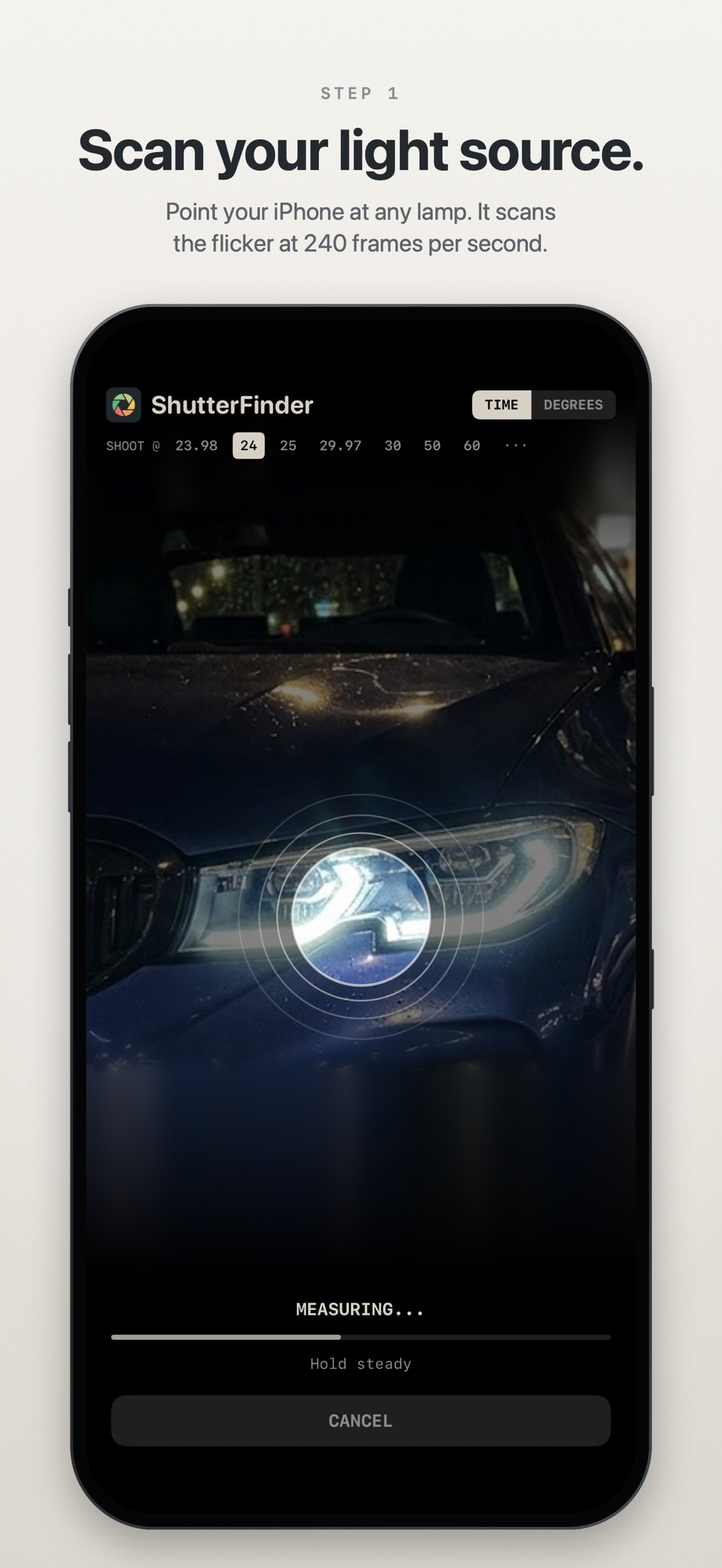
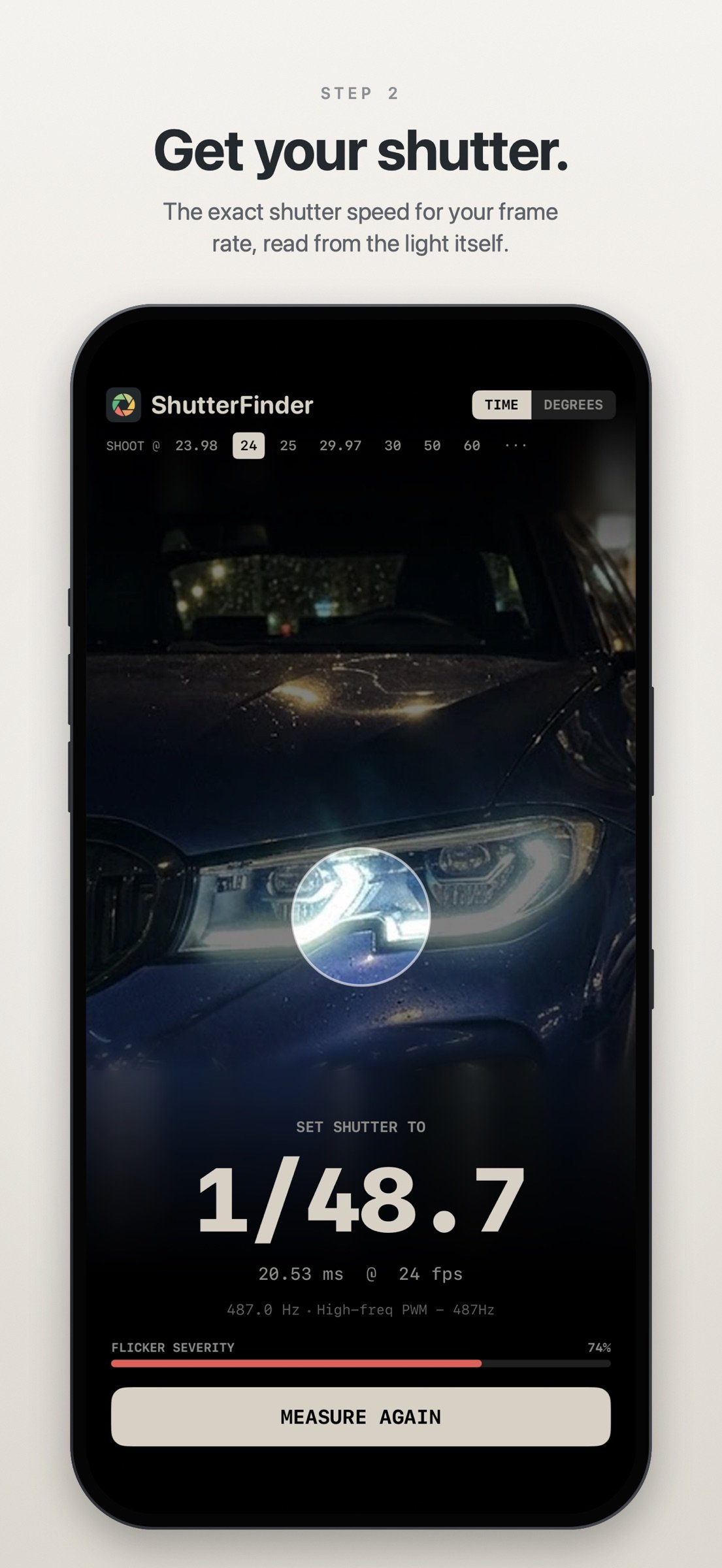
Stop guessing your shutter speed on set. Point your iPhone at a flickering light, tap Measure, and ShutterFinder tells you the exact shutter speed that makes the flicker disappear in your footage.
HOW IT WORKS
ShutterFinder films the light at 240 frames per second, finds the flicker frequency with spectral analysis and turns it into a shutter speed for the frame rate you shoot at. It then checks the result at a second frame rate, which unmasks fast LED dimmers that would otherwise look like ordinary mains flicker. Within seconds you know what to set.
WHAT IT MEASURES
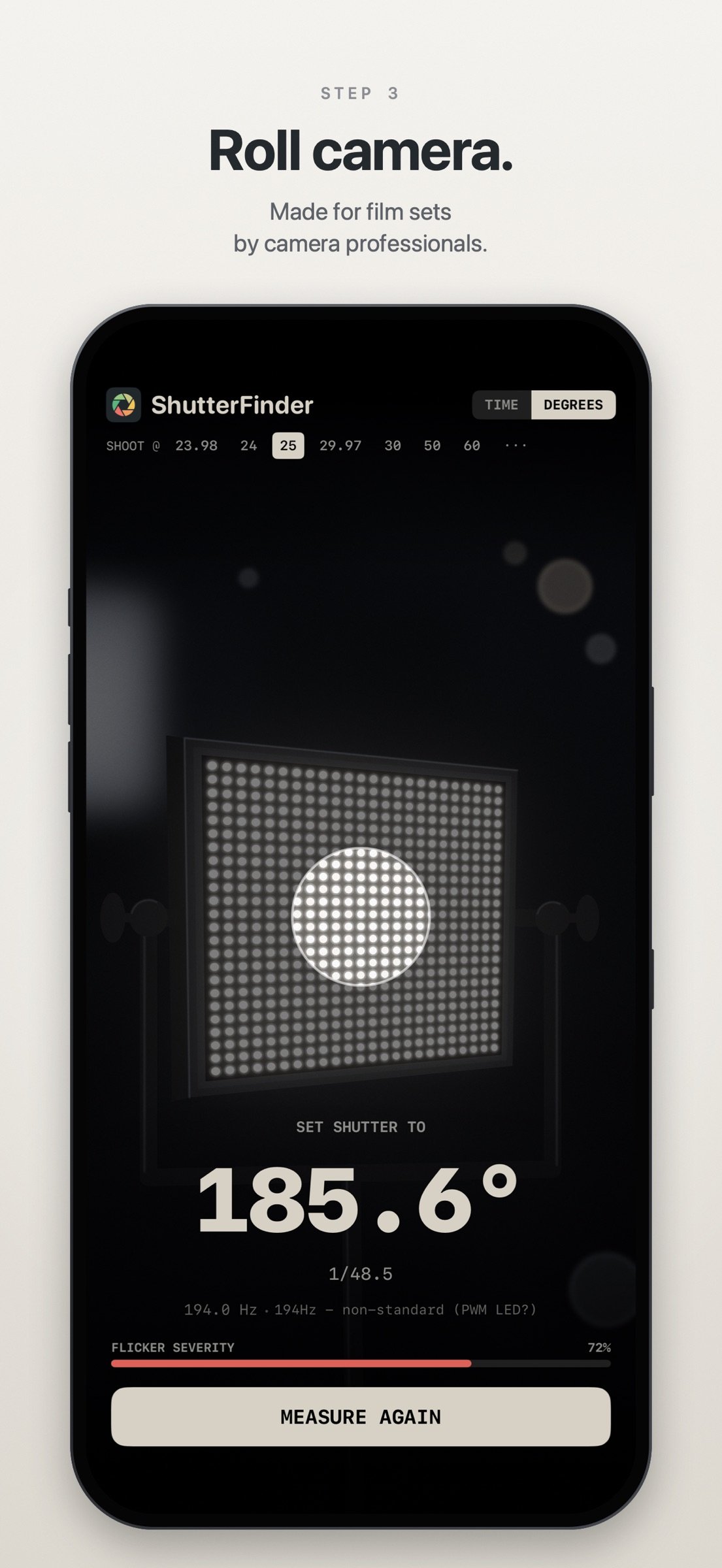
• LED panels and practicals, tube lights, HMIs, neon, monitors and TVs
• LED dimmers (PWM) and OLED screens, including many that flicker too fast for the camera to see directly
• 50 Hz and 60 Hz mains, anywhere in the world
• Mixed lighting: when two lights flicker at different rates, the advice takes both into account and shows the alternative
BUILT FOR THE SET
• Shutter as time (1/50) or angle (180°), one tap to switch
• 23.98, 24, 25, 29.97, 30, 50 and 60 fps, plus any custom frame rate
• Change the frame rate after measuring and the advice updates instantly
• When no flicker-free shutter exists at your frame rate, such as some tube lights at 60 fps, ShutterFinder says so and gives the setting that leaves the least flicker
• Honest results: too dark, too shaky or no flicker at all is reported as exactly that, never as a guess
• The circle marks exactly what is measured; tap anywhere to focus
• Measuring stops by itself as soon as the reading is solid
UNDER THE HOOD
• 240 fps high-speed capture with automatic exposure bracketing for dark scenes
• Verification at a second, and when needed a third, frame rate to resolve frequencies above what the camera sees directly
• FFT analysis with Apple's Accelerate framework and sub-Hz precision
• Mains frequencies locked to their exact values, so 100 Hz gives an exact 1/50
PRIVACY
Everything is measured on your iPhone. No images or video are ever stored or sent. Anonymous usage statistics (no personal data, no tracking) help us improve the measurements.
Requires iPhone XS or later with iOS 17 or later.
License: Commercial
HOW IT WORKS
ShutterFinder films the light at 240 frames per second, finds the flicker frequency with spectral analysis and turns it into a shutter speed for the frame rate you shoot at. It then checks the result at a second frame rate, which unmasks fast LED dimmers that would otherwise look like ordinary mains flicker. Within seconds you know what to set.
WHAT IT MEASURES
• LED panels and practicals, tube lights, HMIs, neon, monitors and TVs
• LED dimmers (PWM) and OLED screens, including many that flicker too fast for the camera to see directly
• 50 Hz and 60 Hz mains, anywhere in the world
• Mixed lighting: when two lights flicker at different rates, the advice takes both into account and shows the alternative
BUILT FOR THE SET
• Shutter as time (1/50) or angle (180°), one tap to switch
• 23.98, 24, 25, 29.97, 30, 50 and 60 fps, plus any custom frame rate
• Change the frame rate after measuring and the advice updates instantly
• When no flicker-free shutter exists at your frame rate, such as some tube lights at 60 fps, ShutterFinder says so and gives the setting that leaves the least flicker
• Honest results: too dark, too shaky or no flicker at all is reported as exactly that, never as a guess
• The circle marks exactly what is measured; tap anywhere to focus
• Measuring stops by itself as soon as the reading is solid
UNDER THE HOOD
• 240 fps high-speed capture with automatic exposure bracketing for dark scenes
• Verification at a second, and when needed a third, frame rate to resolve frequencies above what the camera sees directly
• FFT analysis with Apple's Accelerate framework and sub-Hz precision
• Mains frequencies locked to their exact values, so 100 Hz gives an exact 1/50
PRIVACY
Everything is measured on your iPhone. No images or video are ever stored or sent. Anonymous usage statistics (no personal data, no tracking) help us improve the measurements.
Requires iPhone XS or later with iOS 17 or later.
License: Commercial
| Release info | Update on Nov 15, 2026 |
|---|---|
| Release notes | Minor bug fixes. |
| Listing data | App Store |
Reviews
No reviews yet. Be the first to review ShutterFinder.
Used ShutterFinder? Tell other visitors what you thought.
Log in to write a reviewOther products by this publisher
- "No Distractions" for YouTube 4.10 ----
- #Bible 11.6.1 "Incredible App - My sister shared this app with me a few weeks ago and it is truly incredible.
- #filmphotography 1.4.2 So, you decided to shoot on film?
- $quirrel 1.5.1 $quirrel Budget & Finance helps you plan each paycheck, track spending, manage debt, and see what is safe to spend before the next payday.
- % Percentage Calculator Pro 1.41 This is the Pro version of % Percentage Calculator.
Most viewed iOS Photo & Video
-
1
 ShortDiShow 2.0
Drama Quest Island — An offline interactive short-drama adventure.
-
2
 Infuse 8.5.10
Infuse: Enterprise provides the same great features as the standard version of Infuse and includes permanent access to all Pro features via a traditional paid app.
-
3
 Face Witness 1.0.3
FaceWitness lets you create a face by putting together individual features.
-
4
 AI Video Generator 2.0.3
Vixel – AI Video Generator
-
5
 OPlayer 4.8
Play all your videos directly without having to convert them!
-
6
 CapCut 20.2.0
CapCut offers easy-to-use video editing functions, in-APP fonts and effects, advanced features such as keyframe animation, smooth slow-motion, chroma key, and stabilization, to help you capture and snip moments.
-
7
 Necrometer II 1.3
Necrometer II is a paranormal investigation companion designed for ghost hunters and researchers.
- 8 #filmphotography 1.4.2 So, you decided to shoot on film?
-
9
 Ai Photo 1.1.2
AI Photo Retouch – BG Eraser
-
10
 Analog Radio 3.0
The iPhone and iPad devices don't have the FM/AM radio antenna installed.
Most downloaded iOS Photo & Video
-
1
Infuse 8.5.10
Infuse: Enterprise provides the same great features as the standard version of Infuse and includes permanent access to all Pro features via a traditional paid app.
-
2
 DJI Fly 1.21.18
DJI Fly is designed to help pilots fly drones with ease.
-
3
 ReelyGo 1.1.42
ReelyGo: Your Daily Drama Escape
-
4
 TurboCollage Automatic 1.2.4
#1 Easy automatic photo collage maker for iPhone & iPad.
-
5
Analog Radio 3.0
The iPhone and iPad devices don't have the FM/AM radio antenna installed.
-
6
 Rozeta Sequencer Suite 1.3.16
Rozeta is a suite of MIDI sequencers and controllers that lets you explore a new, freeform approach to sequencing and controlling mobile music apps.
-
7
 AGAIN. Rehearsal Notes 2.0.1
AGAIN. is the rehearsal app that remembers why the band stopped — and, new in Version 2, who said what in a writing session or a table read.
-
8
 Pop Dot Comics 1.48
Create a comic worthy of the Sunday newspaper or your favorite pulp-fiction cover.
-
9
 Sun Scout 1.5.0
If your work or play requires sunlight, Sun Scout is built for you.
-
10
 Treblo 1.6.6
Make songs with the world's best AI music model.