
Shortcut Manager Pro 2.7.39
Practical App Shortcut Tool — Your Exclusive App Box (Paid Professional Version: Pro)
Download
35.97 MB
0downloads
0this week
FreeCommercial
0reviews
Screenshots
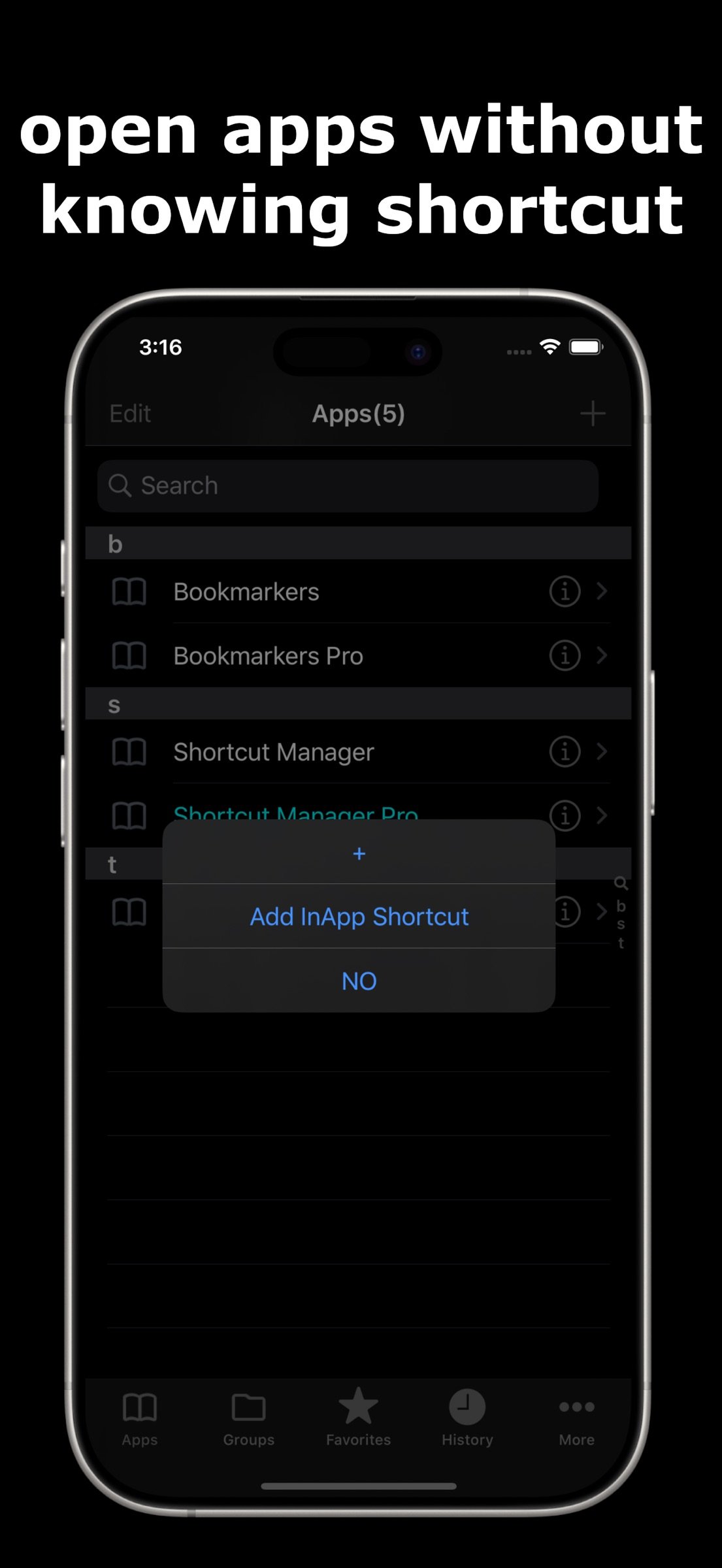
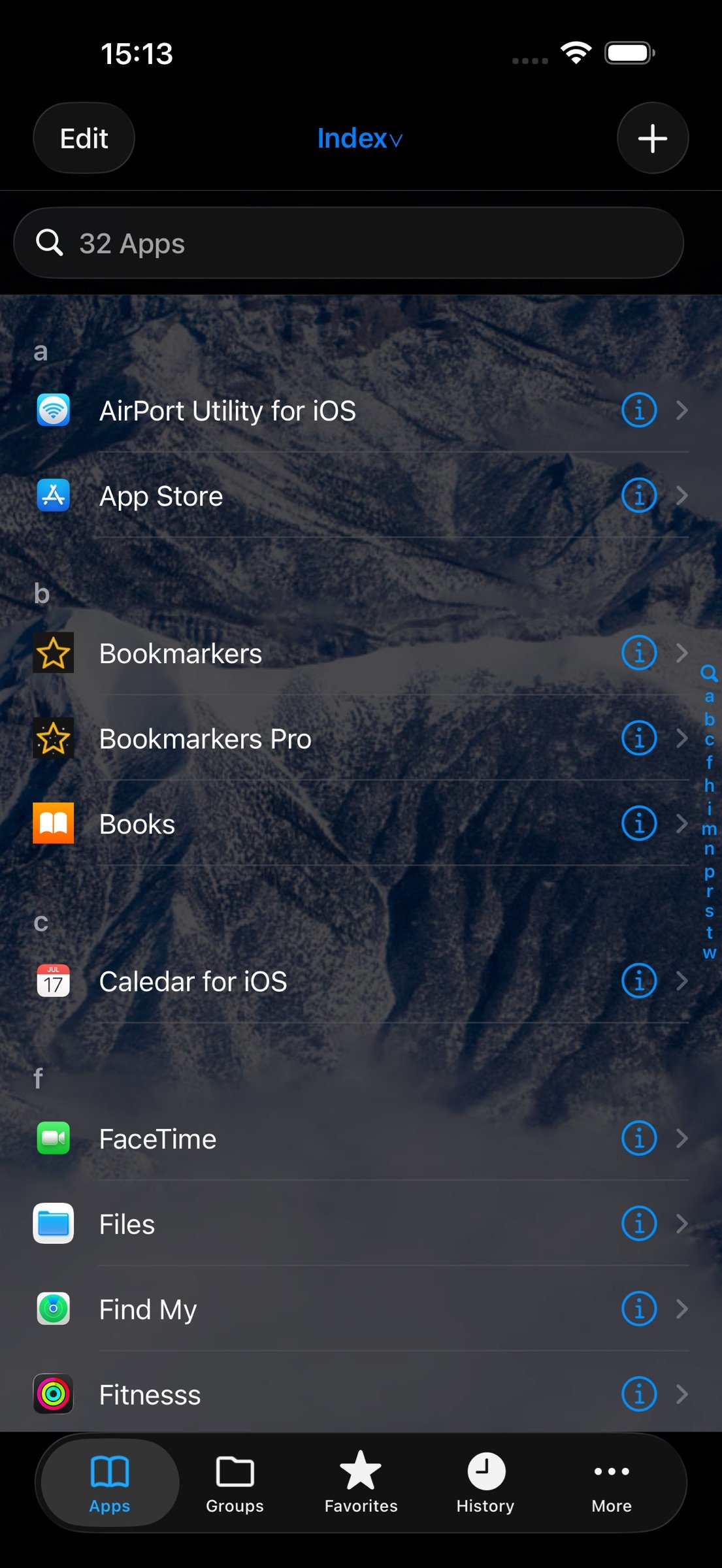
About Shortcut Manager Pro
Practical App Shortcut Tool -- Your Exclusive App Box (Paid Professional Version: Pro)
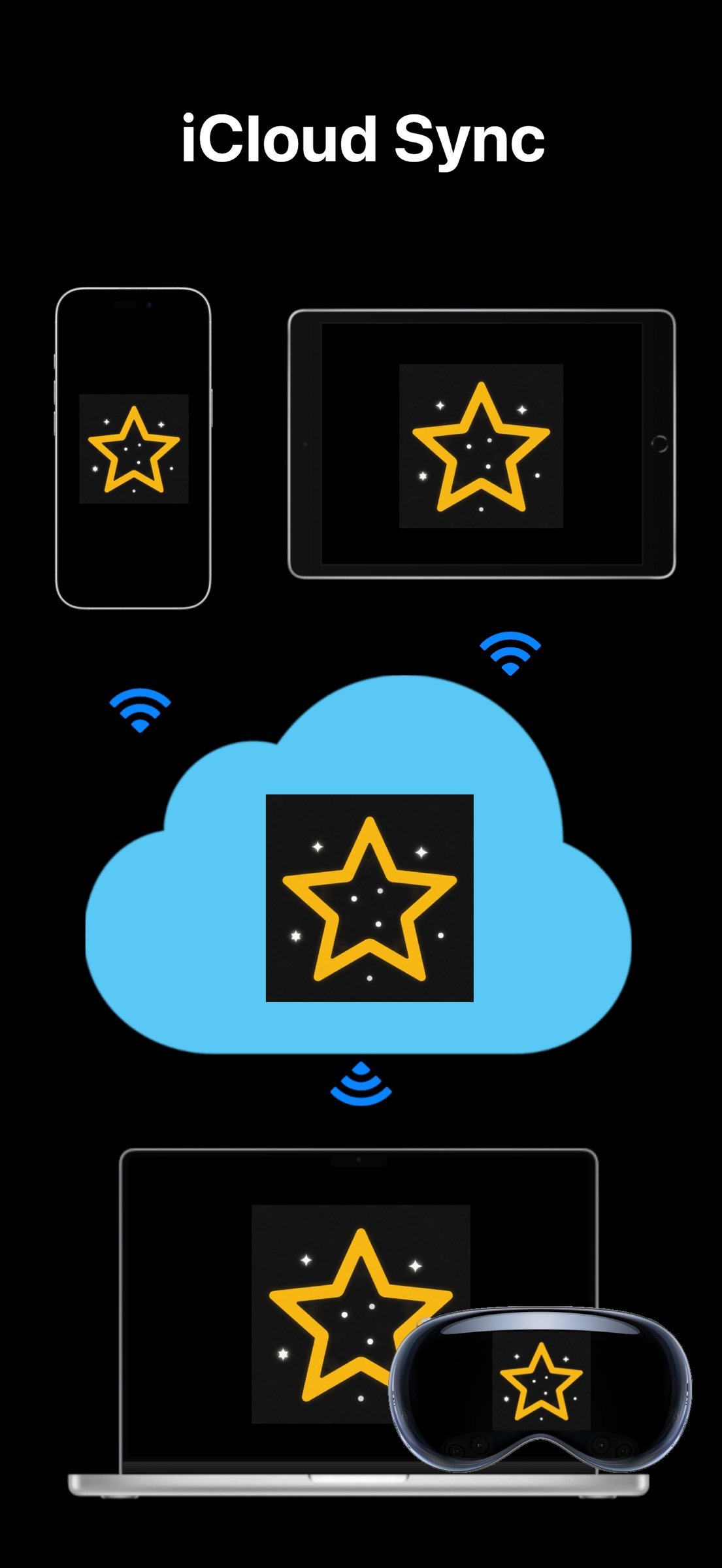
Cross-platform universal version. Purchase once and sync data via iCloud across iPhone, iPad, Mac and Vision Pro for unified shortcut management and one-tap launch. Note: For the more powerful native macOS version, search for rIghtcLickhUb on the App Store. No need to switch windows or desktops. It lets you quickly open auto-scanned local apps as well as custom-configured files and folders from within the app, right-click menu, system menu bar, keyboard shortcuts and Dock. This native version does not yet support cross-device iCloud sync.
? One-tap app launch: Save shortcuts to instantly open target programs
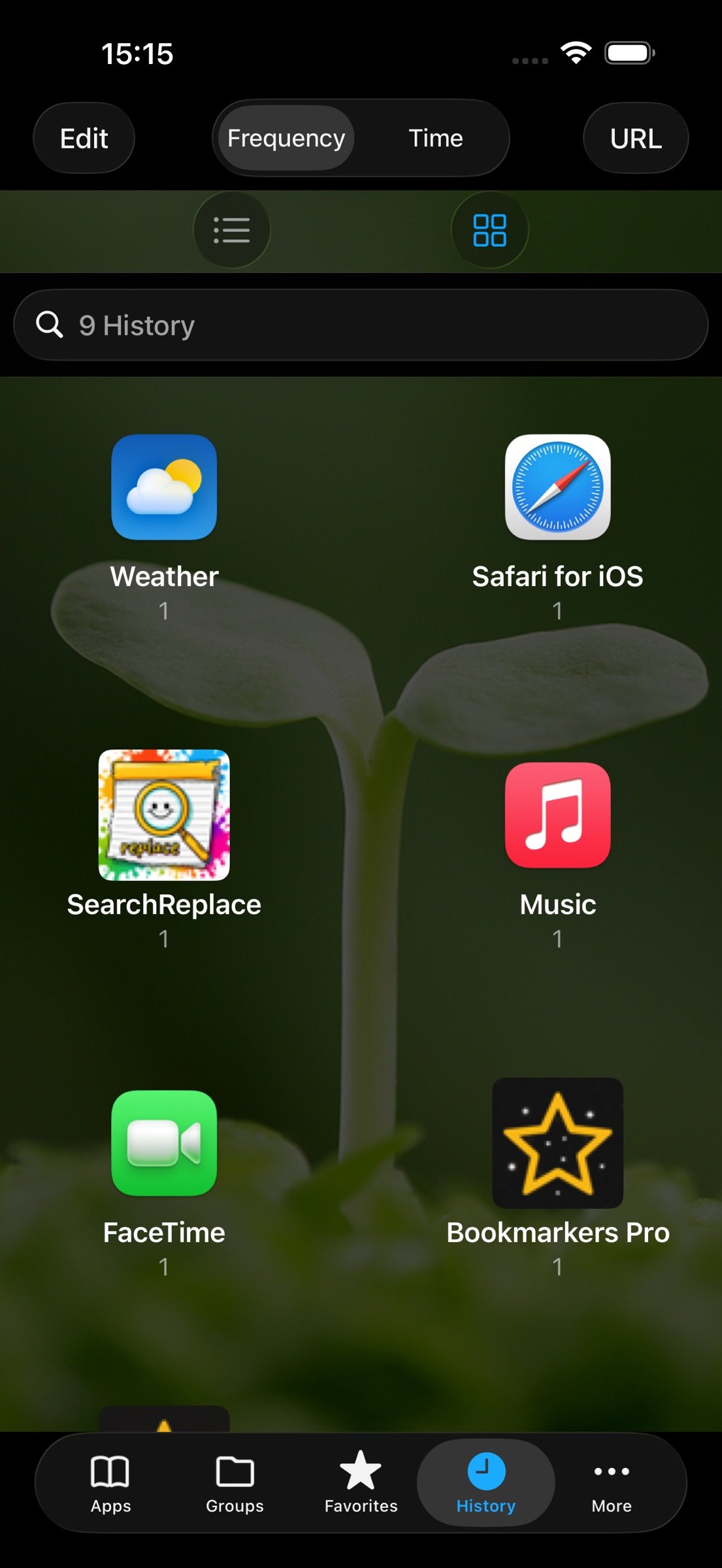
? Smart sorting: Automatically sorted by usage duration and frequency for fast access
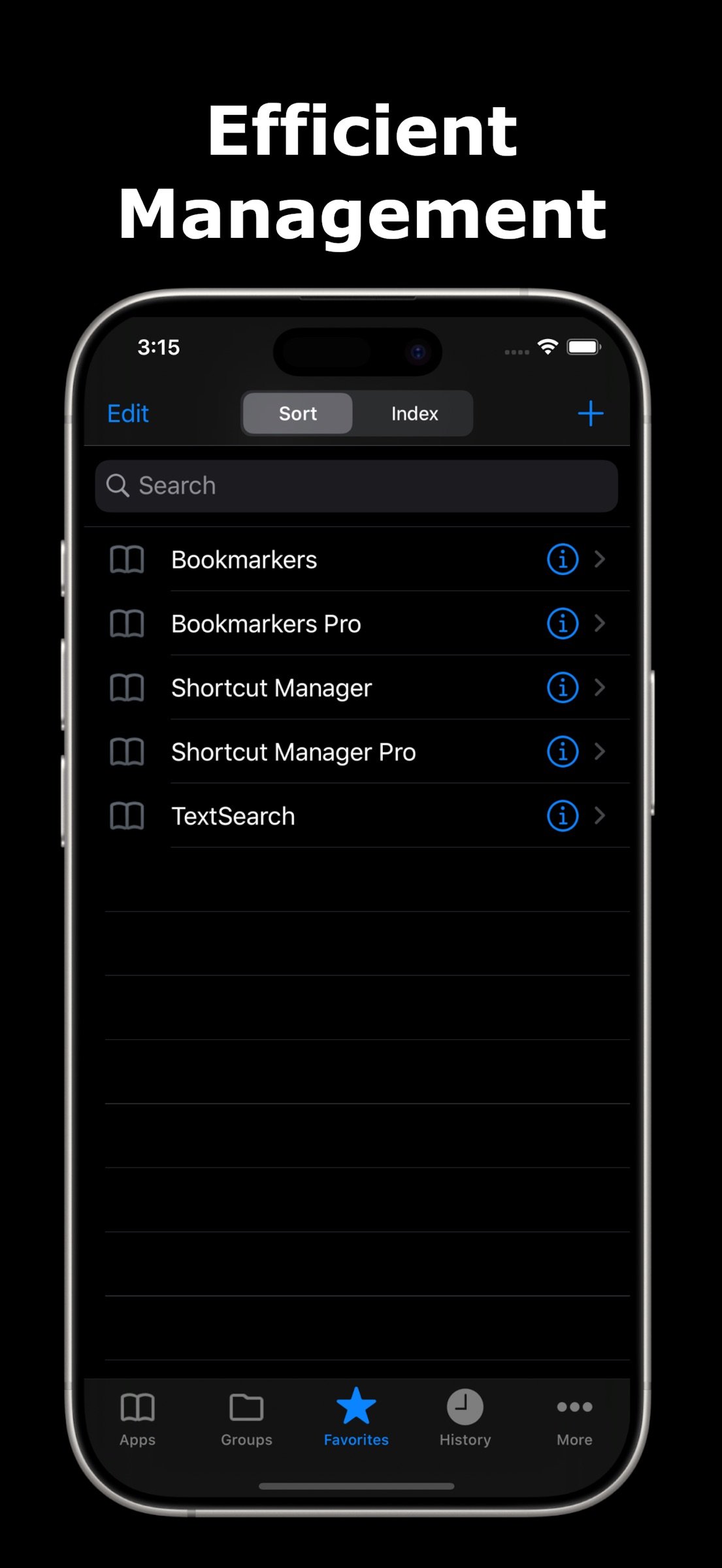
? Efficient management: Search, edit, add and delete shortcuts with simple operations
? Data backup: Export shortcuts for backup (Pro additionally supports import and cross-device sharing)
? Full-platform compatibility: Works with iPhone, iPad, Mac, Vision Pro. Supports native system Shortcuts and Mac auto-launch on startup
? Built-in calendar: View holidays, lunar calendar and 24 Solar Terms, quickly check calendar and weather
Pro Exclusive Features
- 100+ functions in Mac right-click menu: Launch apps, add launch apps, directories and files, screenshot, system junk cleanup (including Xcode cache, logs, temporary files and DS_Store cleanup), mouse tracking speed adjustment, scheduled shutdown/restart/screen lock/logout, one-tap toggle for auto-hide of Dock and menu bar, create new files, permanently delete files (skip Trash), create hidden directories, show/hide hidden directories, copy and cut, calculate file size, clipboard word count, color picker, launch Activity Monitor, copy file name/full path, copy file hash, jump to clipboard path, Simplified/Traditional Chinese conversion, case switching, JSON formatting and compression, URL/Base64/HTML/numeric base encoding and decoding, encryption/decryption tools, encrypted ZIP compression, remove com.apple.quarantine quarantine attribute, batch image/audio/video conversion and other handy utilities. Note: The native RightClickHub supports keyboard shortcuts, menu bar, and file & app center to open files, folders, apps and built-in tools
- Custom desktop wallpapers, massive icon assets available for free selection
- Ad-free, iCloud sync, one-tap call / send SMS / send email
User Reviews
- bda*: Open multiple frequently used apps in one click
- Ari*: Managing all apps in one place is really convenient
- ???*: Simple and easy to use
License: Commercial
Cross-platform universal version. Purchase once and sync data via iCloud across iPhone, iPad, Mac and Vision Pro for unified shortcut management and one-tap launch. Note: For the more powerful native macOS version, search for rIghtcLickhUb on the App Store. No need to switch windows or desktops. It lets you quickly open auto-scanned local apps as well as custom-configured files and folders from within the app, right-click menu, system menu bar, keyboard shortcuts and Dock. This native version does not yet support cross-device iCloud sync.
? One-tap app launch: Save shortcuts to instantly open target programs
? Smart sorting: Automatically sorted by usage duration and frequency for fast access
? Efficient management: Search, edit, add and delete shortcuts with simple operations
? Data backup: Export shortcuts for backup (Pro additionally supports import and cross-device sharing)
? Full-platform compatibility: Works with iPhone, iPad, Mac, Vision Pro. Supports native system Shortcuts and Mac auto-launch on startup
? Built-in calendar: View holidays, lunar calendar and 24 Solar Terms, quickly check calendar and weather
Pro Exclusive Features
- 100+ functions in Mac right-click menu: Launch apps, add launch apps, directories and files, screenshot, system junk cleanup (including Xcode cache, logs, temporary files and DS_Store cleanup), mouse tracking speed adjustment, scheduled shutdown/restart/screen lock/logout, one-tap toggle for auto-hide of Dock and menu bar, create new files, permanently delete files (skip Trash), create hidden directories, show/hide hidden directories, copy and cut, calculate file size, clipboard word count, color picker, launch Activity Monitor, copy file name/full path, copy file hash, jump to clipboard path, Simplified/Traditional Chinese conversion, case switching, JSON formatting and compression, URL/Base64/HTML/numeric base encoding and decoding, encryption/decryption tools, encrypted ZIP compression, remove com.apple.quarantine quarantine attribute, batch image/audio/video conversion and other handy utilities. Note: The native RightClickHub supports keyboard shortcuts, menu bar, and file & app center to open files, folders, apps and built-in tools
- Custom desktop wallpapers, massive icon assets available for free selection
- Ad-free, iCloud sync, one-tap call / send SMS / send email
User Reviews
- bda*: Open multiple frequently used apps in one click
- Ari*: Managing all apps in one place is really convenient
- ???*: Simple and easy to use
License: Commercial
| Release info | New Release on Nov 11, 2026 |
|---|---|
| Release notes | New [Set Modified Date to Now] entry added to the macOS right-click menu. You may configure it in the right-click menu settings, accessible from the app's More tab or sidebar. After configuration, select files or folders and right-click to update their modified attributes. In Finder, sort by Modified Date to show on top. |
| Listing data | App Store |
Reviews
No reviews yet. Be the first to review Shortcut Manager Pro.
Used Shortcut Manager Pro? Tell other visitors what you thought.
Log in to write a reviewOther products by this publisher
- "No Distractions" for YouTube 4.10 ----
- #Bible 11.6 "Incredible App - My sister shared this app with me a few weeks ago and it is truly incredible.
- #filmphotography 1.4.2 So, you decided to shoot on film?
- $quirrel 1.5.1 $quirrel Budget & Finance helps you plan each paycheck, track spending, manage debt, and see what is safe to spend before the next payday.
- % Percentage Calculator Pro 1.41 This is the Pro version of % Percentage Calculator.
Most viewed iOS Productivity
-
1
 WordPress 27.4
Manage or create your WordPress blog or website right from your iOS device: create and edit posts and pages, upload your favorite photos and videos, view stats and reply to comments.
- 2 Voice Translator - Alive 1.6 Translation app that turns your iPhone into an interpreter instantly.
-
3
 Claude by Anthropic 1.261111.19
Meet Claude, your AI problem solver and thinking partner.
-
4
 WristMemo 2.0
WristMemo turns your Apple Watch into an all-day voice recorder.
- 5 "No Distractions" for YouTube 4.10 ----
- 6 (beat) for iOS 0.5.10 An elegant Fountain screenwriting app, created by a screenwriter for screenwriters.
-
7
 Life360 26.43.0
Whether at home, online, or on the move, our comprehensive family safety features bring peace of mind to your loved ones AND help safeguard your personal belongings.
-
8
 Colicine 1.3.0
Have you ever been there—
-
9
 DeepSeek 2.8.0
Experience seamless interaction with DeepSeek's official AI assistant for free!
-
10
 Howbout 16.7.2
The shared calendar for friends, couples, and family
Most downloaded iOS Productivity
- 1 Voice Translator - Alive 1.6 Translation app that turns your iPhone into an interpreter instantly.
-
2
DeepSeek 2.8.0
Experience seamless interaction with DeepSeek's official AI assistant for free!
-
3
 SessionsAI 1.2.1
Sessions AI is a private AI workspace that runs entirely on your iPhone, iPad, or Mac.
-
4
 Voices AI 1.16.15
Discover Voices, the premier voice transformation app designed exclusively for iOS.
-
5
 Block Distracting Websites 1.11
"It's a great way to save time, and stop browsing Reddit when you should be doing coursework."
-
6
 Plot Digitizer 1.4.1
Plot Digitizer is an app to extract numerical data from plot images.
-
7
 Google Docs 1.2026.45104
Create, edit, and collaborate on online documents with the Google Docs app.
-
8
 Pixy Mood Tracker 1.110.0
Track your mood, one pixel at a time.
-
9
 MyHyundai with Bluelink 5.4.5
The MyHyundai app makes getting information about your Hyundai vehicle easier than ever.
-
10
 ScreenRecess 1.0.0
A gentle nudge to put your device down when it’s hard to stop.