Scrivener 1.2.4
“The biggest software advance for writers since the word processor.” —Michael Marshall Smith, bestselling author
Download
26.53 MB
11downloads
3this week
FreeCommercial
0reviews
Screenshots
About Scrivener
“The biggest software advance for writers since the word processor.” —Michael Marshall Smith, bestselling author
Typewriter. Ring-binder. Scrapbook. Scrivener combines all the writing tools you need to craft your first draft, from nascent notion to final full stop.
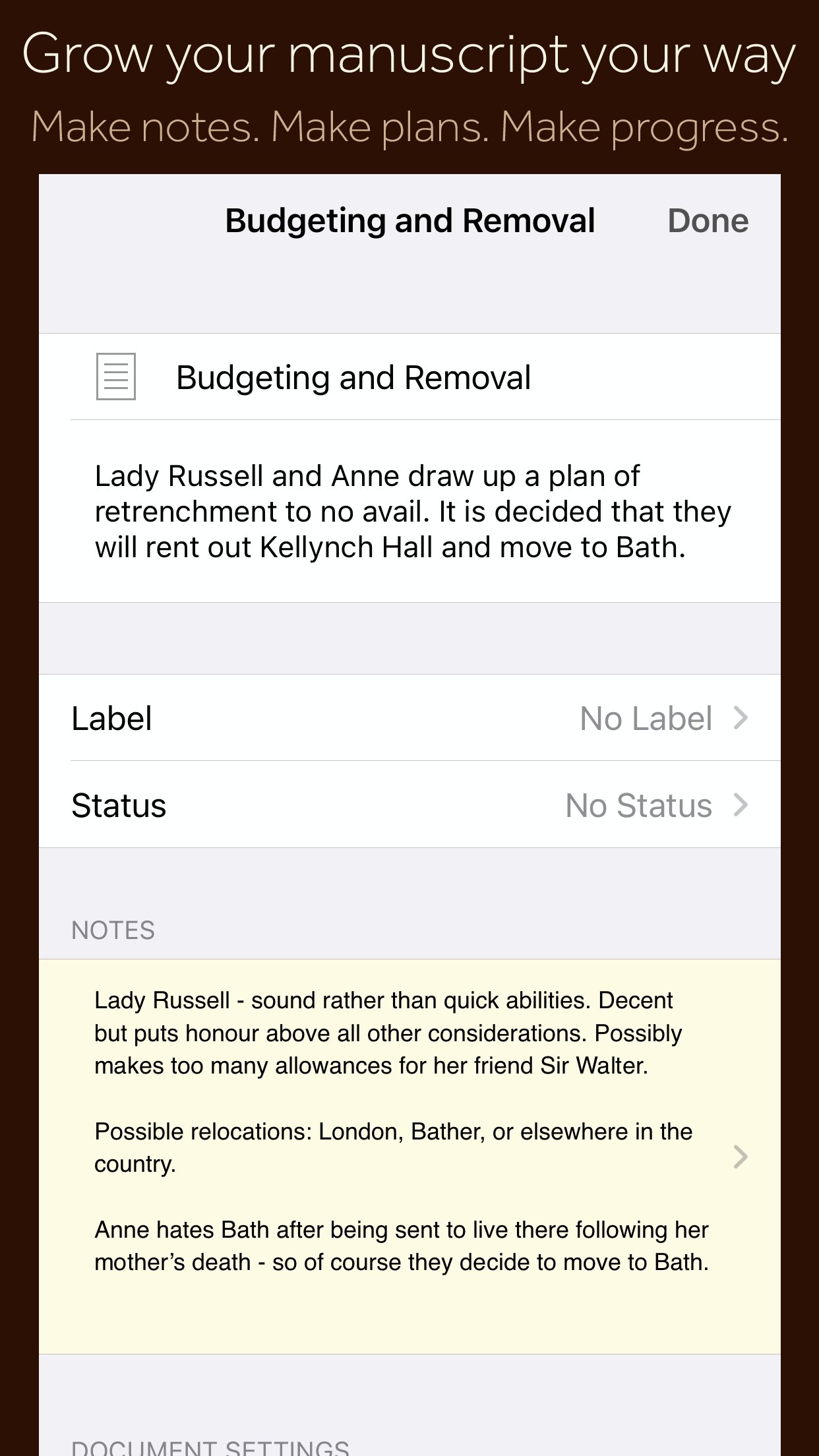
Tailor-made for creating long manuscripts, Scrivener banishes page fright by allowing you to compose your text in any order, in sections as large or small as you like. Got a great idea but don’t know where it fits? Write when inspiration strikes and find its place later. Grow your manuscript organically, idea by idea.
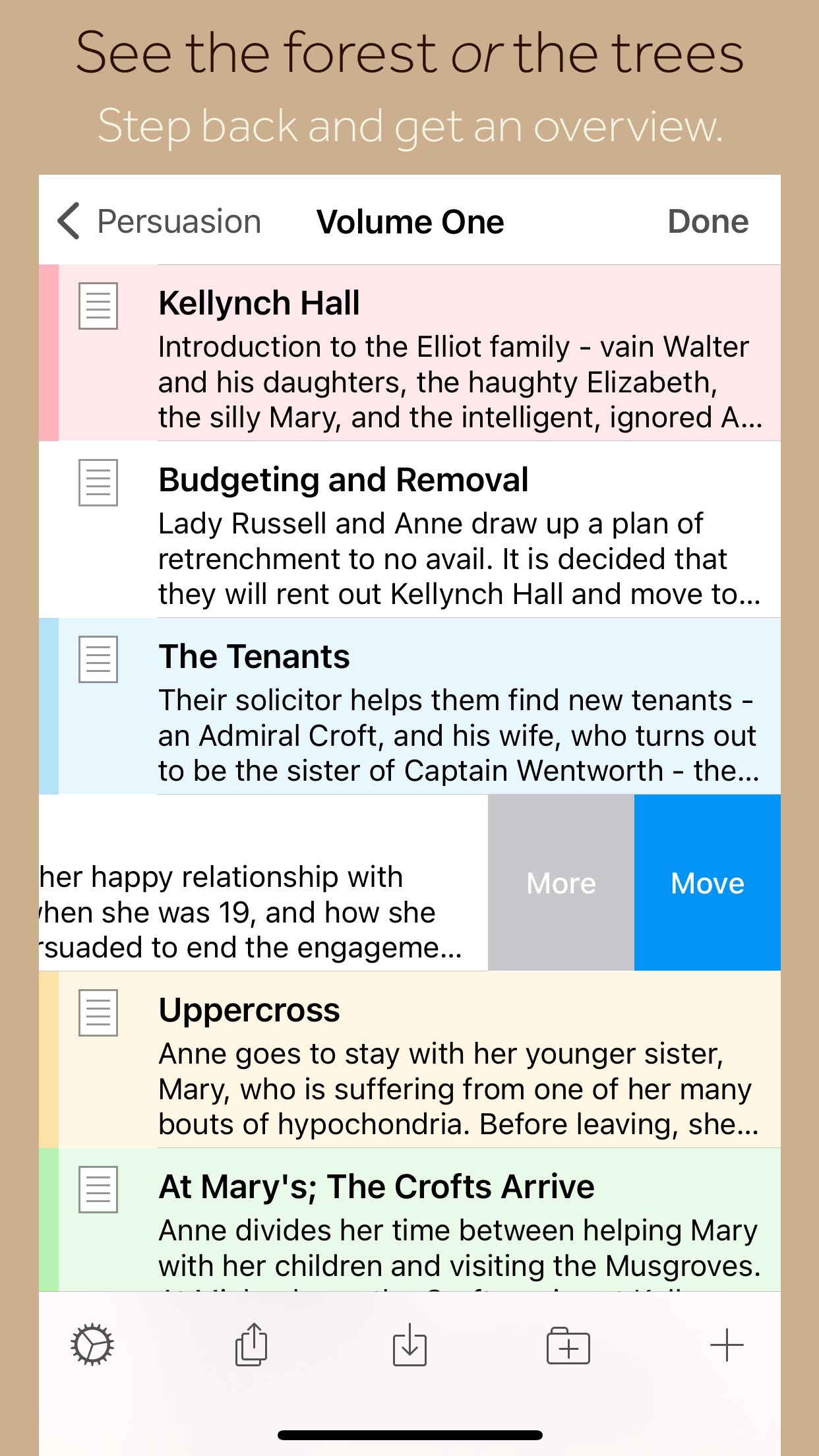
Whether you plan or plunge, Scrivener works your way: meticulously outline every last detail first, or hammer out a complete draft and restructure later. Or do a bit of both. All text sections in Scrivener are fully integrated with its outlining tools, so working with an overview of your manuscript is only ever a tap away, and turning Chapter Four into Chapter One is as simple as drag and drop.
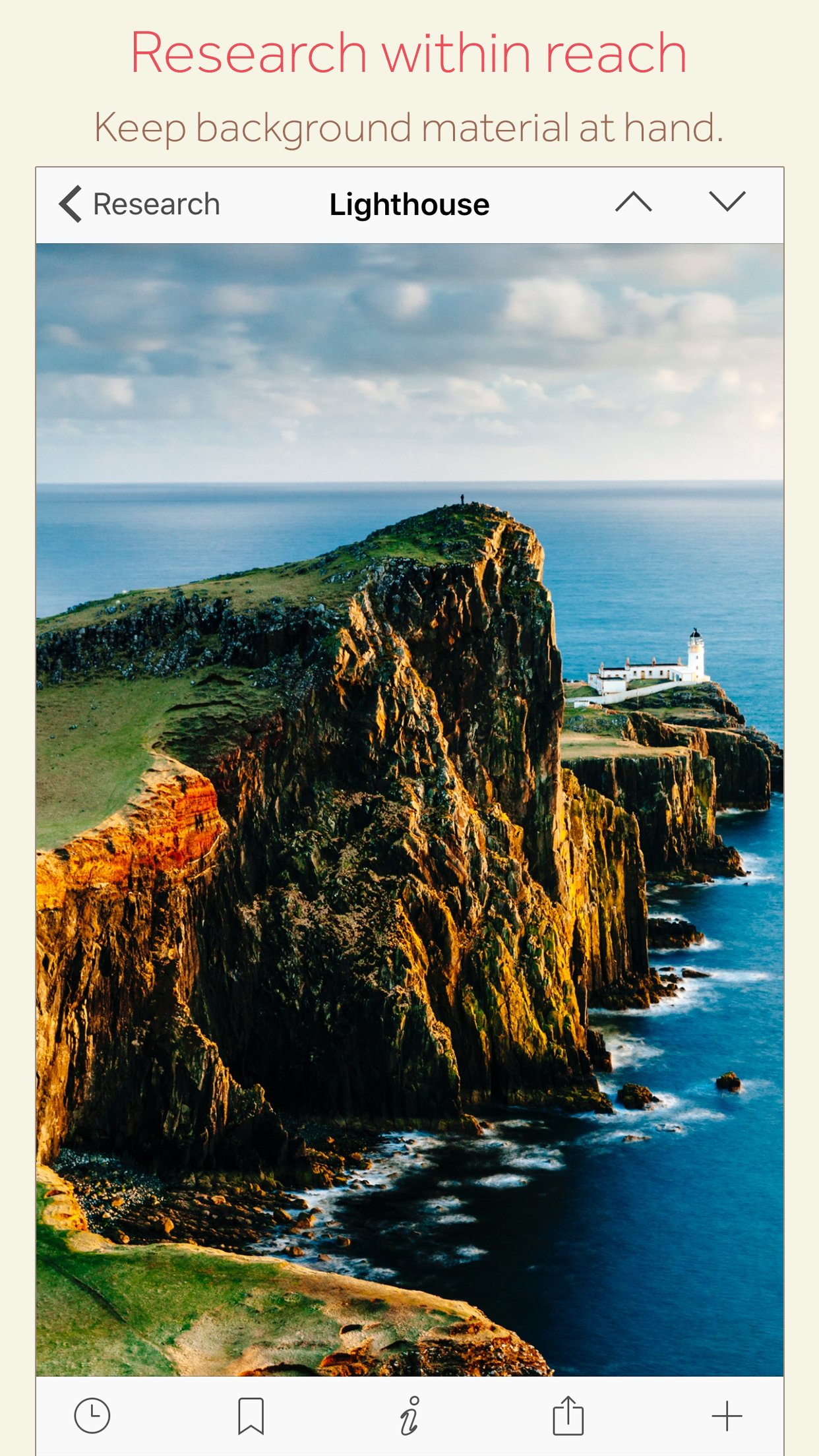
Need to refer to research? In Scrivener, your background material is always at hand. Write a description based on a photograph. Reference a video or PDF. Check for consistency with an earlier chapter. On the iPad, open two documents side-by-side; on the iPhone, flip between research and writing with just two taps.
Once you’re ready to share your work with the world, simply compile everything into a single document for printing, or export to popular formats such as Word, PDF, Final Draft or plain text. You can even share using different formatting, so that you can write in your favorite font and still keep your editor happy.
FEATURES
Get Started
• Interactive tutorial project
• Keep each manuscript and supporting materials in a self-contained project
• Import Word, RTF, Final Draft and plain text files
• Easily split imported text into separate sections
Get Writing
• Write your manuscript in sections of any size
• View all sections as a single text using the “Draft Navigator” (iPad only)
• Quickly navigate sections using the “binder” sidebar
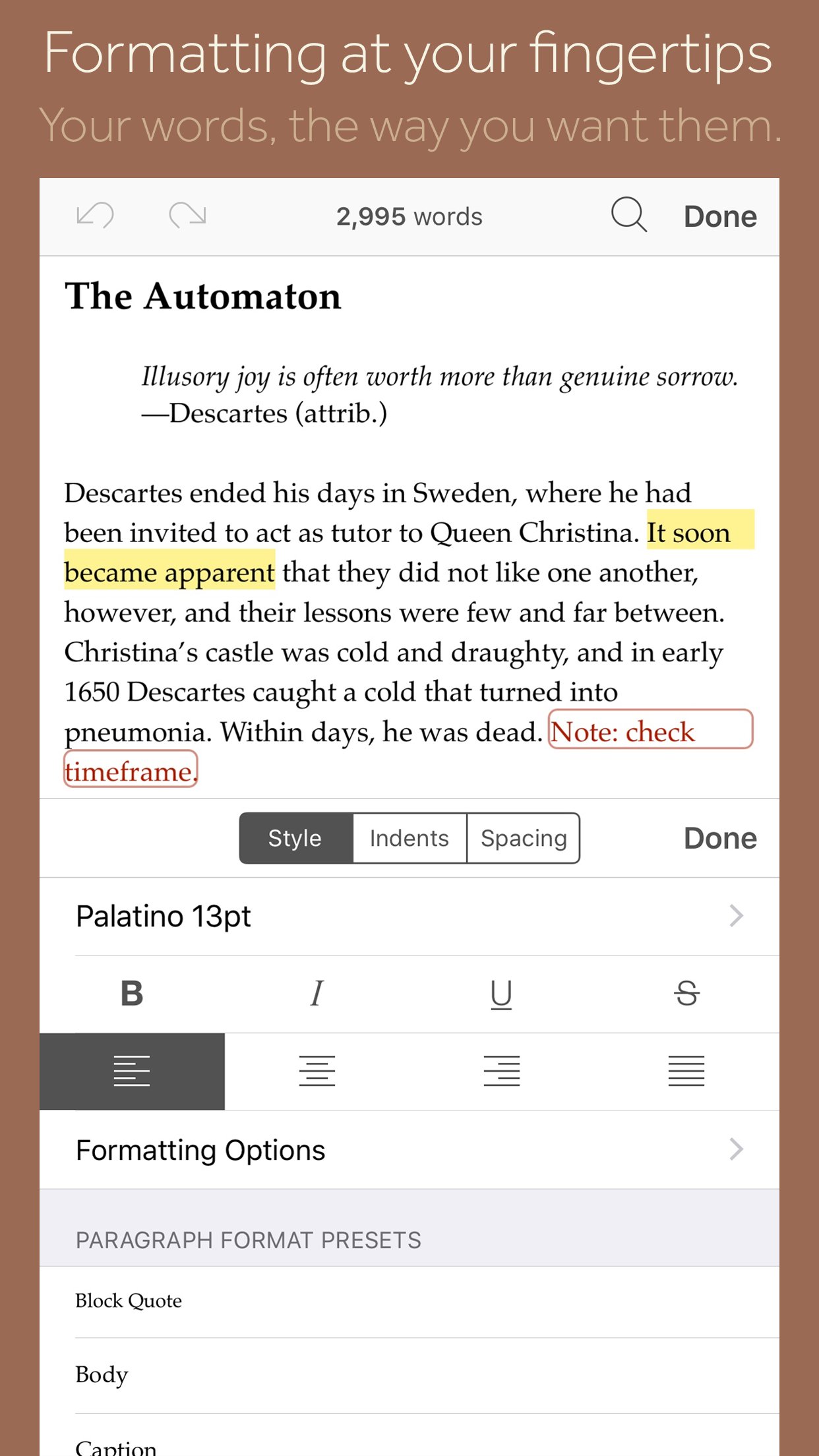
• Format with fonts and presets
• Comments, footnotes, links and highlights
• Simple bullets and lists
• Insert images
• Pinch-zoom to resize text
• Full-screen mode (iPad only)
• Typewriter scrolling mode keeps typed text center-screen (iPad only)
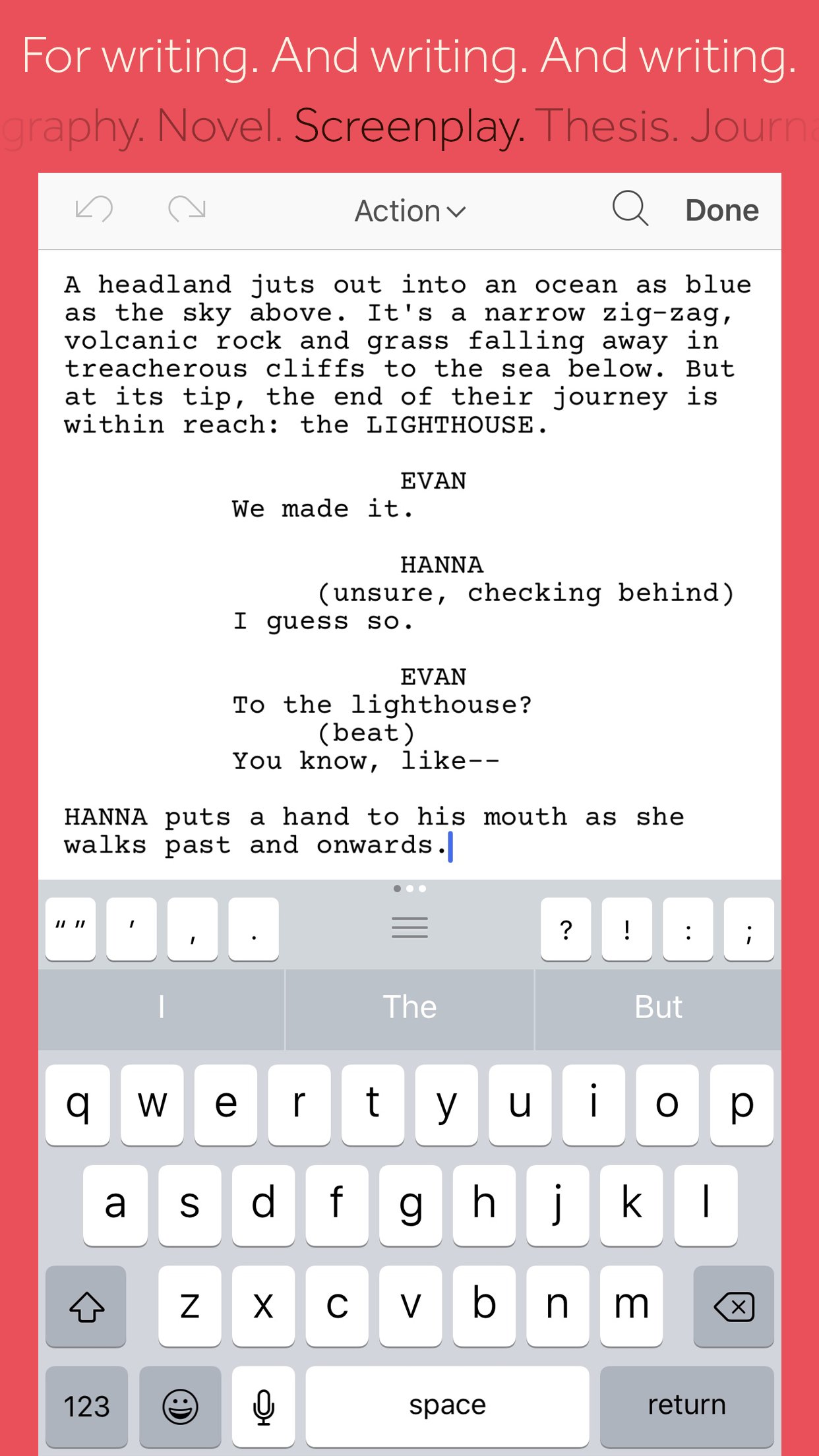
• Write a screenplay using scriptwriting mode
• Live word and character counts
• Set word and character count targets
• Find and replace
• Customizable keyboard row provides quick-access buttons for formatting, navigation and punctuation
• Comprehensive keyboard shortcuts for external keyboard users
• Dark mode
Find Your Structure
• Write in any order and reorganize later
• Write a synopsis for any text section and see it in the outline
• Expand, collapse and drill down into sections of your project
• Rearrange sections as index cards on the corkboard (iPad only)
• Project-wide search
• Track ideas using labels and status
• Apply custom icons to your sections
Refer to Research
• Import research material such as image, PDF and media files
• View research files or other sections right alongside your writing (iPad only)
• Every section has its own notes area for jotting down ideas
• Supports multitasking split screen mode (supported devices only)
Share Your Work
• Compile to a single document for sharing or printing
• Use different formatting in your exported or printed document
• Export to Word, RTF, Final Draft, PDF or plain text
• Convert rich text to Markdown for sharing with Markdown apps
• Create and email zipped backups of your projects
Work Anywhere
• Use Dropbox to sync between devices and with the macOS and Windows versions of Scrivener*
• Copy projects between devices via iTunes
* Requires a Dropbox account (not compatible with iCloud).
SUPPORT
You can contact us at ios.support@literatureandlatte.com, visit our forums at [link removed], or find us @scrivenerapp on Twitter.
License: Commercial
Typewriter. Ring-binder. Scrapbook. Scrivener combines all the writing tools you need to craft your first draft, from nascent notion to final full stop.
Tailor-made for creating long manuscripts, Scrivener banishes page fright by allowing you to compose your text in any order, in sections as large or small as you like. Got a great idea but don’t know where it fits? Write when inspiration strikes and find its place later. Grow your manuscript organically, idea by idea.
Whether you plan or plunge, Scrivener works your way: meticulously outline every last detail first, or hammer out a complete draft and restructure later. Or do a bit of both. All text sections in Scrivener are fully integrated with its outlining tools, so working with an overview of your manuscript is only ever a tap away, and turning Chapter Four into Chapter One is as simple as drag and drop.
Need to refer to research? In Scrivener, your background material is always at hand. Write a description based on a photograph. Reference a video or PDF. Check for consistency with an earlier chapter. On the iPad, open two documents side-by-side; on the iPhone, flip between research and writing with just two taps.
Once you’re ready to share your work with the world, simply compile everything into a single document for printing, or export to popular formats such as Word, PDF, Final Draft or plain text. You can even share using different formatting, so that you can write in your favorite font and still keep your editor happy.
FEATURES
Get Started
• Interactive tutorial project
• Keep each manuscript and supporting materials in a self-contained project
• Import Word, RTF, Final Draft and plain text files
• Easily split imported text into separate sections
Get Writing
• Write your manuscript in sections of any size
• View all sections as a single text using the “Draft Navigator” (iPad only)
• Quickly navigate sections using the “binder” sidebar
• Format with fonts and presets
• Comments, footnotes, links and highlights
• Simple bullets and lists
• Insert images
• Pinch-zoom to resize text
• Full-screen mode (iPad only)
• Typewriter scrolling mode keeps typed text center-screen (iPad only)
• Write a screenplay using scriptwriting mode
• Live word and character counts
• Set word and character count targets
• Find and replace
• Customizable keyboard row provides quick-access buttons for formatting, navigation and punctuation
• Comprehensive keyboard shortcuts for external keyboard users
• Dark mode
Find Your Structure
• Write in any order and reorganize later
• Write a synopsis for any text section and see it in the outline
• Expand, collapse and drill down into sections of your project
• Rearrange sections as index cards on the corkboard (iPad only)
• Project-wide search
• Track ideas using labels and status
• Apply custom icons to your sections
Refer to Research
• Import research material such as image, PDF and media files
• View research files or other sections right alongside your writing (iPad only)
• Every section has its own notes area for jotting down ideas
• Supports multitasking split screen mode (supported devices only)
Share Your Work
• Compile to a single document for sharing or printing
• Use different formatting in your exported or printed document
• Export to Word, RTF, Final Draft, PDF or plain text
• Convert rich text to Markdown for sharing with Markdown apps
• Create and email zipped backups of your projects
Work Anywhere
• Use Dropbox to sync between devices and with the macOS and Windows versions of Scrivener*
• Copy projects between devices via iTunes
* Requires a Dropbox account (not compatible with iCloud).
SUPPORT
You can contact us at ios.support@literatureandlatte.com, visit our forums at [link removed], or find us @scrivenerapp on Twitter.
License: Commercial
| Release info | New Release on Sep 29, 2023 |
|---|---|
| Release notes | Scrivener 1.2.4 fixes a bug in 1.2.3 whereby creating a new card on the corkboard would cause a crash. 1.2.3 release notes: • Updated for iOS 17. • Fixed issue whereby you could tap outside of the new text/folder sheet to dismiss it, and thus accidentally lose a synopsis you were adding. • Fixed bug whereby “Split” didn’t work in the text when the selection was at the end. • Fixed bug whereby the “Style to” scriptwriting setting did not work. • Fixed bug whereby the “Style to” scriptwriting setting could cause a crash in some circumstances. • Fixed crash that could occur when setting certain fonts as the default, and in other circumstances related to font changes. • Fixed bug whereby the keyboard accessory bar on the iPhone might be cut off by phone features such as the home bar. • Fixed bug whereby the “Look Up” popover in the main text and notes would disappear immediately. • Fixed bug whereby if you tried to search for a font, the fonts popover would disappear. • Fixed bug whereby the share sheet would disappear when trying to share text from the main editor or notes. • Fixed bug whereby, in full screen mode, the top of the navigation bar could collapse after multitasking, resulting in controls being too close to the top of the screen. • Fixed bug whereby typing on an iPhone could disappear beneath the on-screen keyboard. • Fixed bug whereby typewriter scrolling on an iPad when using the on-screen keyboard could create too much empty space and result in the typing disappearing off the top of the view. • Fixed bug whereby the buttons in the keyboard accessory row may use light mode colours in dark mode. • Fixed bug whereby “Allow Negatives” in session targets would always be reset to off. • Fixed bug whereby temporarily setting the session target to 0 while changing the target could reset the current session count. • Fixed clipping of numbers in the target settings picker. • Fixed bug whereby, in dark mode, text in Compile’s Appearance editor would turn black and |
| Listing data | App Store |
Reviews
No reviews yet. Be the first to review Scrivener.
Used Scrivener? Tell other visitors what you thought.
Log in to write a reviewOther products by this publisher
- "No Distractions" for YouTube 4.10 ----
- #Bible 11.6 "Incredible App - My sister shared this app with me a few weeks ago and it is truly incredible.
- #filmphotography 1.4.2 So, you decided to shoot on film?
- $quirrel 1.5.1 $quirrel Budget & Finance helps you plan each paycheck, track spending, manage debt, and see what is safe to spend before the next payday.
- % Percentage Calculator Pro 1.41 This is the Pro version of % Percentage Calculator.
Most viewed iOS Productivity
-
1
 WordPress 27.4
Manage or create your WordPress blog or website right from your iOS device: create and edit posts and pages, upload your favorite photos and videos, view stats and reply to comments.
- 2 Voice Translator - Alive 1.6 Translation app that turns your iPhone into an interpreter instantly.
-
3
 Claude by Anthropic 1.261111.19
Meet Claude, your AI problem solver and thinking partner.
-
4
 WristMemo 2.0
WristMemo turns your Apple Watch into an all-day voice recorder.
- 5 "No Distractions" for YouTube 4.10 ----
- 6 (beat) for iOS 0.5.10 An elegant Fountain screenwriting app, created by a screenwriter for screenwriters.
-
7
 Life360 26.43.0
Whether at home, online, or on the move, our comprehensive family safety features bring peace of mind to your loved ones AND help safeguard your personal belongings.
-
8
 Colicine 1.3.0
Have you ever been there—
-
9
 DeepSeek 2.8.0
Experience seamless interaction with DeepSeek's official AI assistant for free!
-
10
 Howbout 16.7.2
The shared calendar for friends, couples, and family
Most downloaded iOS Productivity
- 1 Voice Translator - Alive 1.6 Translation app that turns your iPhone into an interpreter instantly.
-
2
DeepSeek 2.8.0
Experience seamless interaction with DeepSeek's official AI assistant for free!
-
3
 SessionsAI 1.2.1
Sessions AI is a private AI workspace that runs entirely on your iPhone, iPad, or Mac.
-
4
 Voices AI 1.16.15
Discover Voices, the premier voice transformation app designed exclusively for iOS.
-
5
 Block Distracting Websites 1.11
"It's a great way to save time, and stop browsing Reddit when you should be doing coursework."
-
6
 Plot Digitizer 1.4.1
Plot Digitizer is an app to extract numerical data from plot images.
-
7
 Google Docs 1.2026.45104
Create, edit, and collaborate on online documents with the Google Docs app.
-
8
 Pixy Mood Tracker 1.110.0
Track your mood, one pixel at a time.
-
9
 MyHyundai with Bluelink 5.4.5
The MyHyundai app makes getting information about your Hyundai vehicle easier than ever.
-
10
 ScreenRecess 1.0.0
A gentle nudge to put your device down when it’s hard to stop.