
SampleScape 1.04
SampleScape is an AUv3 plugin for use in your favourite DAW such as AUM, Cubasis, GarageBand, Logic or Loopy Pro.
Download
806.09 MB
2downloads
0this week
FreeCommercial
0reviews
Screenshots
About SampleScape
SampleScape is an AUv3 plugin for use in your favourite DAW such as AUM, Cubasis, GarageBand, Logic or Loopy Pro.
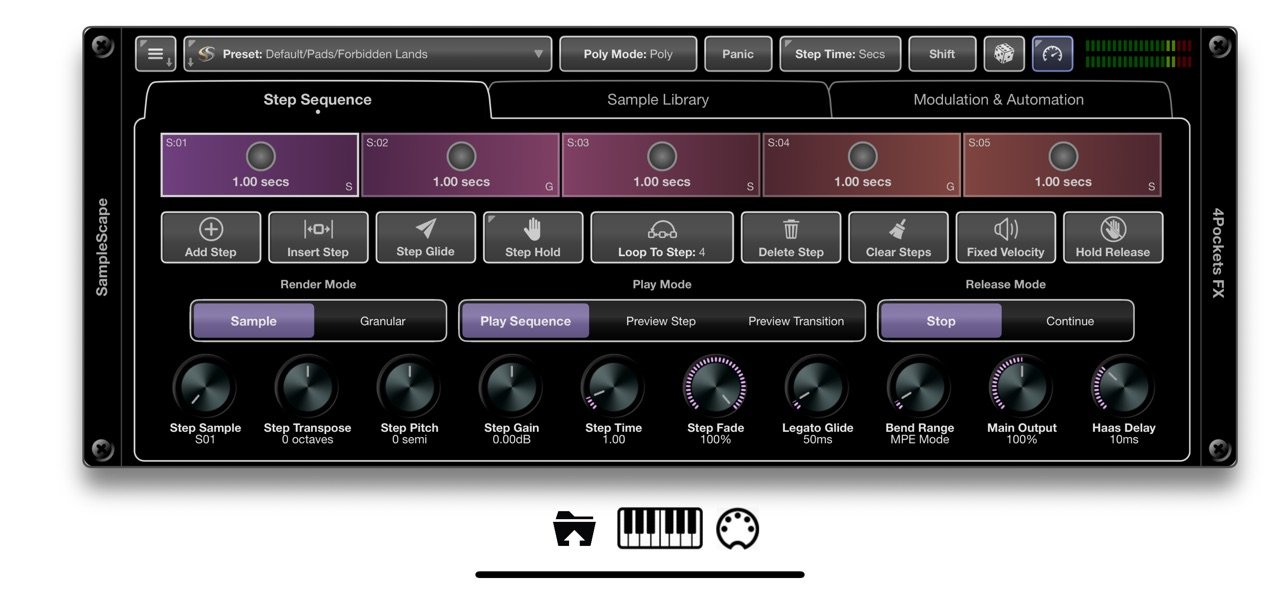
SampleScape is an innovative sample-based instrument for building complex evolving soundscapes. You can create a sequence of steps, each step being either an individual sample or a collection of tuned samples which we refer to as an instrument.
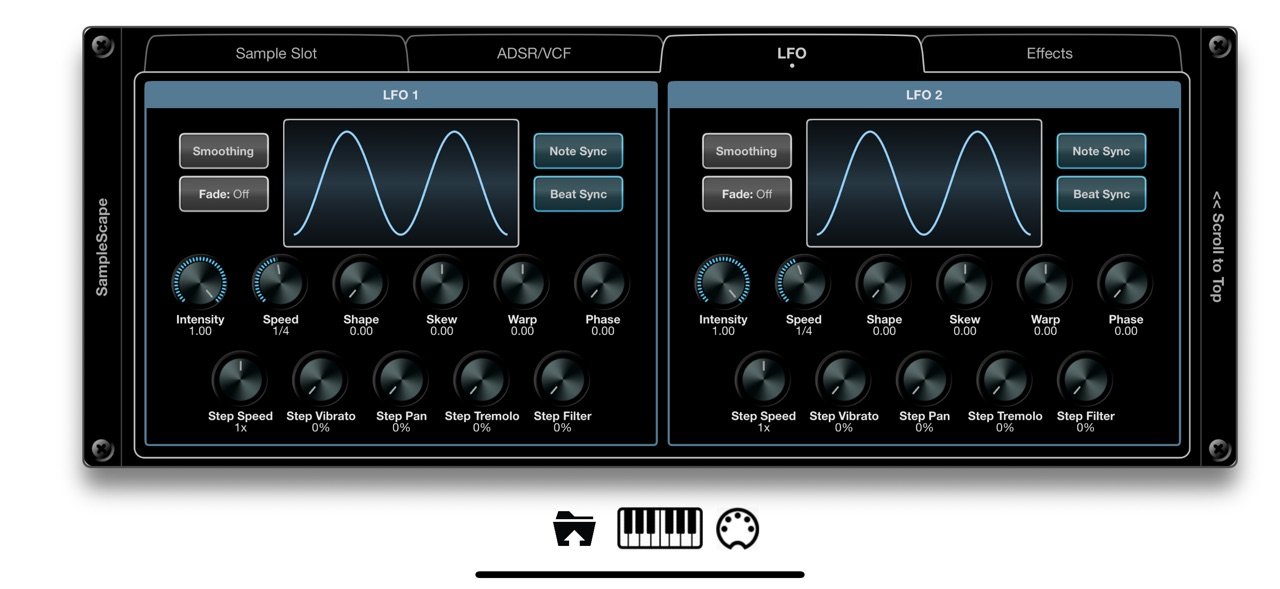
Each step allows you has controls how it is played back, either as a traditional sample or via granular synthesis. You can control transition times, fade times, transpose, pitch, glide, level, pan, vibrato, tremolo at each step, and together with a 3 mode morphing filter and integrated effects you can create a constantly evolving and complex soundscape.
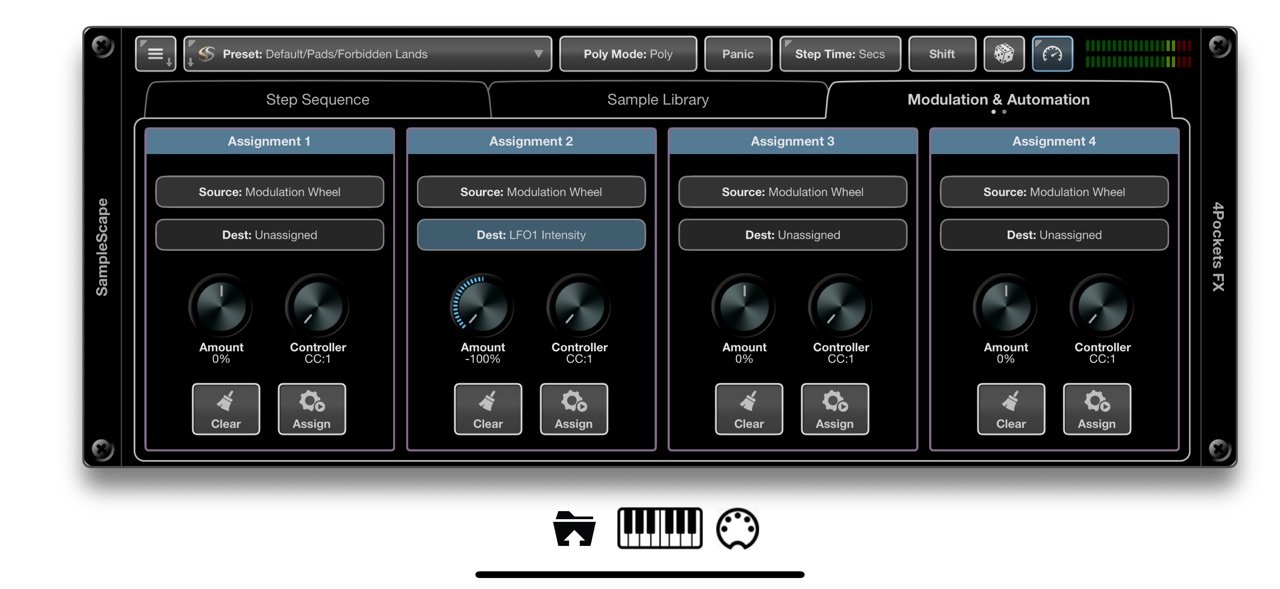
SampleScape also has the ability to map any incoming CC controllers to a large number of internal knobs, sliders, switches etc. for fantastic automation possibilities.
Our build in Auto Sampler makes recording samples from other instruments so simple. You can use this to expand the library of more than 114 pre-build instruments.
SampleScape also has a configurable randomisation feature which can piece sequences of instruments together to create new sequences at the press of a button.
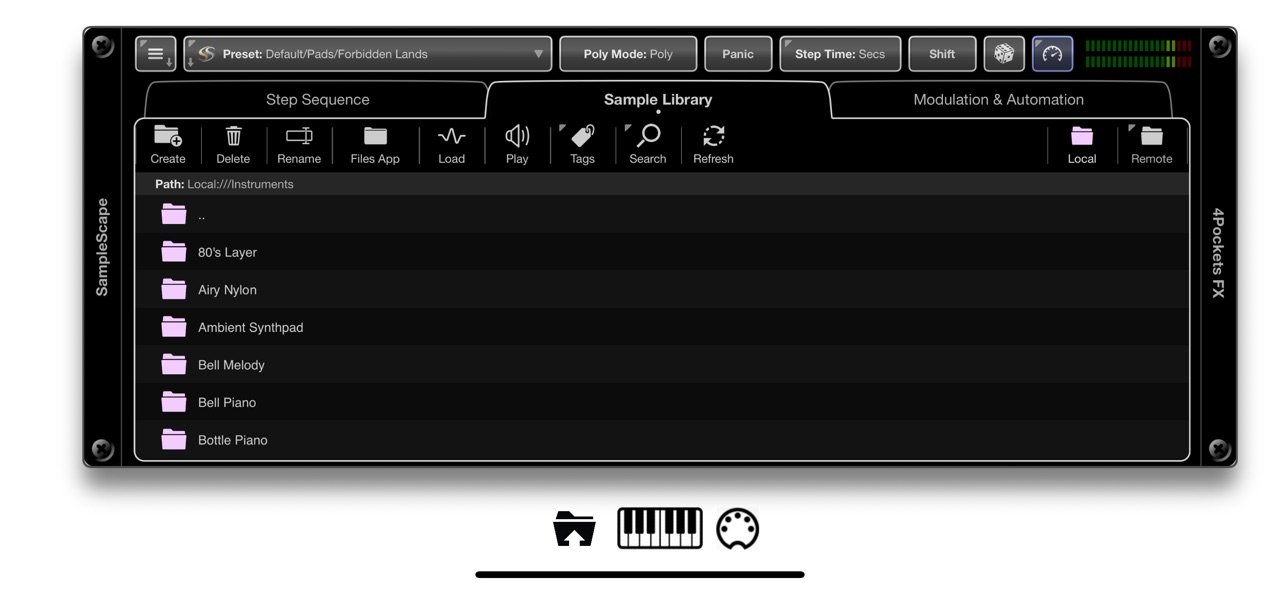
Need more samples, simply drag and drop SF2 files into the Sample Library to extract all the samples. The Sample Library also lets you configure and reference a remote folder on your iPad. This is useful if you already have a sample library located on your iPad.
SampleScape features:
• Morph Sequencer: create morphing sequences up to 12 steps in length.
• Sample or Granular Rendering: Choose to render samples using sample or granular modes.
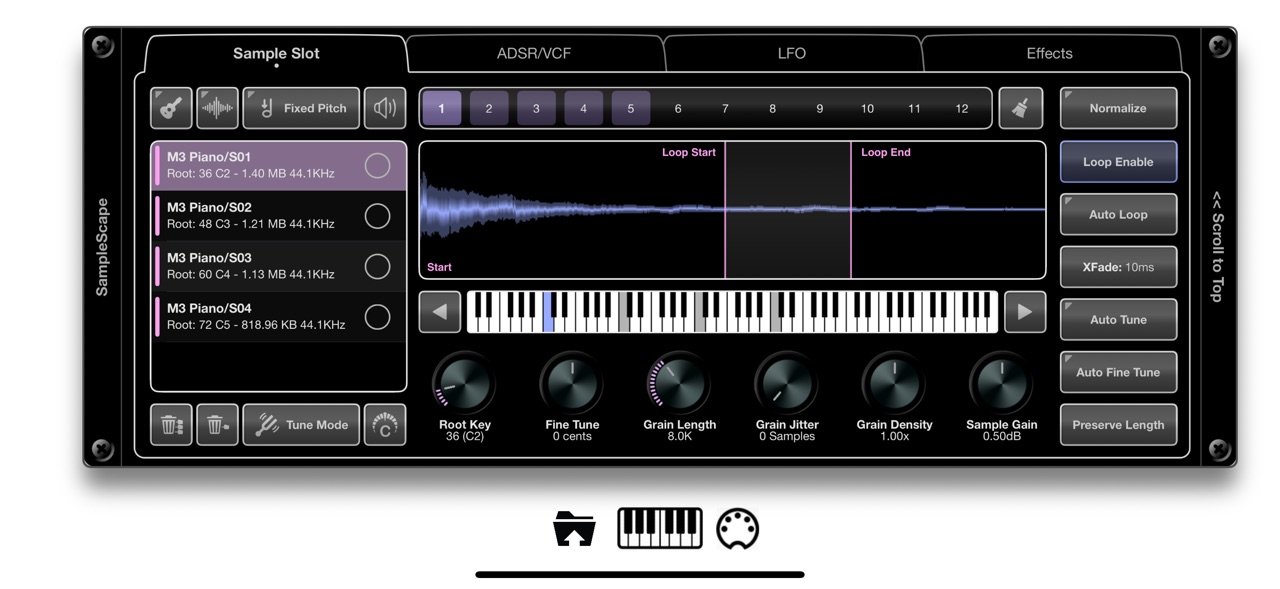
• 12 Sample Slots: Reference up to 12 individual samples or instruments in your sequence.
• 24 Samples Per Slot: Add up to 24 individual samples in any of the 12 sample slots.
• Ready-made Instruments: 114 built-in, ready-made instruments to use as a basis for your sequences.
• 2x Fluid LFOs: Control panning, vibrato, tremolo, and filter modulation using the LFO's.
• VCF: offers Ladder (Moog), SEM (Oberheim), Formant, and CS-20 (Korg) modes with 12/24-bit slopes and morphable LP/BP/HP.
• 2x ADSR: Includes two traditional ADSRs to control both AMP and FILTER envelopes.
• Beat Sync: Sync sample sequences to your host DAW.
• MPE Mode: Use MPE controllers with SampleScape with per-note pitch bends and CC47 control.
• Effects: Add reverb, delay, chorus, Haas, 8 Band EQ, Leslie Simulator, and Phaser effects to your presets.
• Drag and Drop: Import and export presets, samples, and complete instrument folders.
• Modulation: Map MIDI CC to a huge range of interface functions.
• Sample Library: Maintain local and remote sample and instrument libraries.
• Auto Sampler: Quickly and intelligently record entire instruments directly into SampleScape.
• Auto Tune: Built-in auto-tune and tuner options to automatically place your samples on the correct root note.
• Auto Looping: An automatic loop finder is available to make finding loop points easy.
• Randomisation: Built-in intelligent randomization features to auto-generate sequences.
• Sample Extractor: Built-in sample extraction from SF2 soundfont files.
License: Commercial
SampleScape is an innovative sample-based instrument for building complex evolving soundscapes. You can create a sequence of steps, each step being either an individual sample or a collection of tuned samples which we refer to as an instrument.
Each step allows you has controls how it is played back, either as a traditional sample or via granular synthesis. You can control transition times, fade times, transpose, pitch, glide, level, pan, vibrato, tremolo at each step, and together with a 3 mode morphing filter and integrated effects you can create a constantly evolving and complex soundscape.
SampleScape also has the ability to map any incoming CC controllers to a large number of internal knobs, sliders, switches etc. for fantastic automation possibilities.
Our build in Auto Sampler makes recording samples from other instruments so simple. You can use this to expand the library of more than 114 pre-build instruments.
SampleScape also has a configurable randomisation feature which can piece sequences of instruments together to create new sequences at the press of a button.
Need more samples, simply drag and drop SF2 files into the Sample Library to extract all the samples. The Sample Library also lets you configure and reference a remote folder on your iPad. This is useful if you already have a sample library located on your iPad.
SampleScape features:
• Morph Sequencer: create morphing sequences up to 12 steps in length.
• Sample or Granular Rendering: Choose to render samples using sample or granular modes.
• 12 Sample Slots: Reference up to 12 individual samples or instruments in your sequence.
• 24 Samples Per Slot: Add up to 24 individual samples in any of the 12 sample slots.
• Ready-made Instruments: 114 built-in, ready-made instruments to use as a basis for your sequences.
• 2x Fluid LFOs: Control panning, vibrato, tremolo, and filter modulation using the LFO's.
• VCF: offers Ladder (Moog), SEM (Oberheim), Formant, and CS-20 (Korg) modes with 12/24-bit slopes and morphable LP/BP/HP.
• 2x ADSR: Includes two traditional ADSRs to control both AMP and FILTER envelopes.
• Beat Sync: Sync sample sequences to your host DAW.
• MPE Mode: Use MPE controllers with SampleScape with per-note pitch bends and CC47 control.
• Effects: Add reverb, delay, chorus, Haas, 8 Band EQ, Leslie Simulator, and Phaser effects to your presets.
• Drag and Drop: Import and export presets, samples, and complete instrument folders.
• Modulation: Map MIDI CC to a huge range of interface functions.
• Sample Library: Maintain local and remote sample and instrument libraries.
• Auto Sampler: Quickly and intelligently record entire instruments directly into SampleScape.
• Auto Tune: Built-in auto-tune and tuner options to automatically place your samples on the correct root note.
• Auto Looping: An automatic loop finder is available to make finding loop points easy.
• Randomisation: Built-in intelligent randomization features to auto-generate sequences.
• Sample Extractor: Built-in sample extraction from SF2 soundfont files.
License: Commercial
| Release info | New Release on Mar 31, 2026 |
|---|---|
| Release notes | v1.04 B26 Fixed an issue with the popup keyboard in standalone mode when the keyboard is locked. |
| Listing data | App Store |
Reviews
No reviews yet. Be the first to review SampleScape.
Used SampleScape? Tell other visitors what you thought.
Log in to write a reviewOther products by this publisher
- "No Distractions" for YouTube 4.10 ----
- #Bible 11.6 "Incredible App - My sister shared this app with me a few weeks ago and it is truly incredible.
- #filmphotography 1.4.2 So, you decided to shoot on film?
- $quirrel 1.5.1 $quirrel Budget & Finance helps you plan each paycheck, track spending, manage debt, and see what is safe to spend before the next payday.
- % Percentage Calculator Pro 1.41 This is the Pro version of % Percentage Calculator.
Most viewed iOS Photo & Video
-
1
 ShortDiShow 2.0
Drama Quest Island — An offline interactive short-drama adventure.
-
2
 Infuse 8.5.10
Infuse: Enterprise provides the same great features as the standard version of Infuse and includes permanent access to all Pro features via a traditional paid app.
-
3
 AI Video Generator 2.0.3
Vixel – AI Video Generator
-
4
 OPlayer 4.8
Play all your videos directly without having to convert them!
-
5
 Necrometer II 1.2
Necrometer II is a paranormal investigation companion designed for ghost hunters and researchers.
-
6
 CapCut 20.1.0
CapCut offers easy-to-use video editing functions, in-APP fonts and effects, advanced features such as keyframe animation, smooth slow-motion, chroma key, and stabilization, to help you capture and snip moments.
-
7
 Ai Photo 1.1.2
AI Photo Retouch – BG Eraser
- 8 #filmphotography 1.4.2 So, you decided to shoot on film?
-
9
 Treblo 1.6.5
Make songs with the world's best AI music model.
-
10
 Pop Dot Comics 1.48
Create a comic worthy of the Sunday newspaper or your favorite pulp-fiction cover.
Most downloaded iOS Photo & Video
-
1
Infuse 8.5.10
Infuse: Enterprise provides the same great features as the standard version of Infuse and includes permanent access to all Pro features via a traditional paid app.
-
2
 DJI Fly 1.21.18
DJI Fly is designed to help pilots fly drones with ease.
-
3
 Analog Radio 3.0
The iPhone and iPad devices don't have the FM/AM radio antenna installed.
-
4
 TurboCollage Automatic 1.2.4
#1 Easy automatic photo collage maker for iPhone & iPad.
-
5
 Rozeta Sequencer Suite 1.3.16
Rozeta is a suite of MIDI sequencers and controllers that lets you explore a new, freeform approach to sequencing and controlling mobile music apps.
-
6
 ReelyGo 1.1.42
ReelyGo: Your Daily Drama Escape
-
7
Treblo 1.6.5
Make songs with the world's best AI music model.
-
8
Pop Dot Comics 1.48
Create a comic worthy of the Sunday newspaper or your favorite pulp-fiction cover.
-
9
 AGAIN. Rehearsal Notes 2.0.1
AGAIN. is the rehearsal app that remembers why the band stopped — and, new in Version 2, who said what in a writing session or a table read.
-
10
 Sun Scout 1.5.0
If your work or play requires sunlight, Sun Scout is built for you.