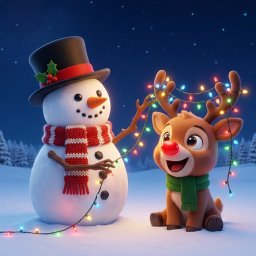
Rudolph, Snowman and Santa 1.0
Bring a little Christmas magic to your Apple Watch.
Download
18.05 MB
3downloads
3this week
FreeCommercial
0reviews
Screenshots
About Rudolph, Snowman and Santa
Bring a little Christmas magic to your Apple Watch.
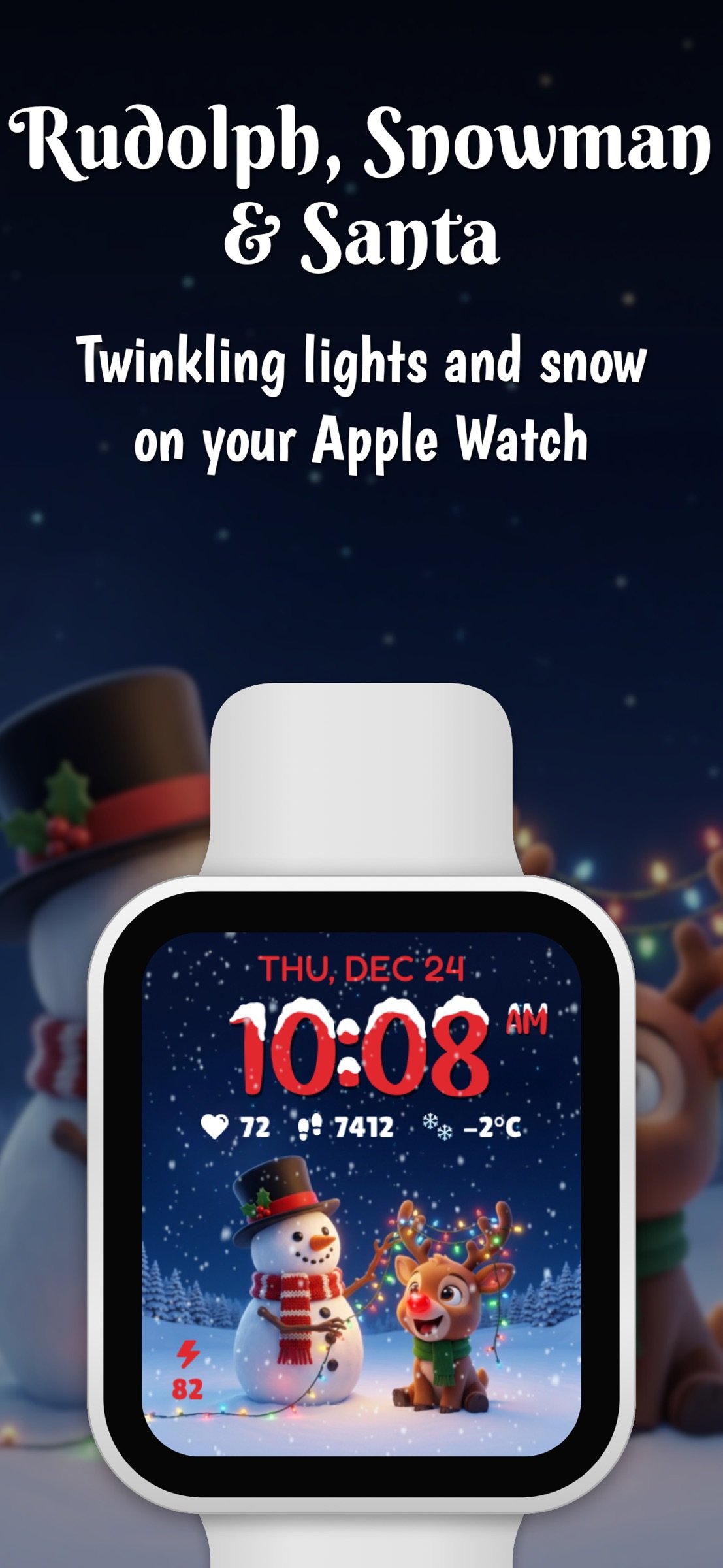
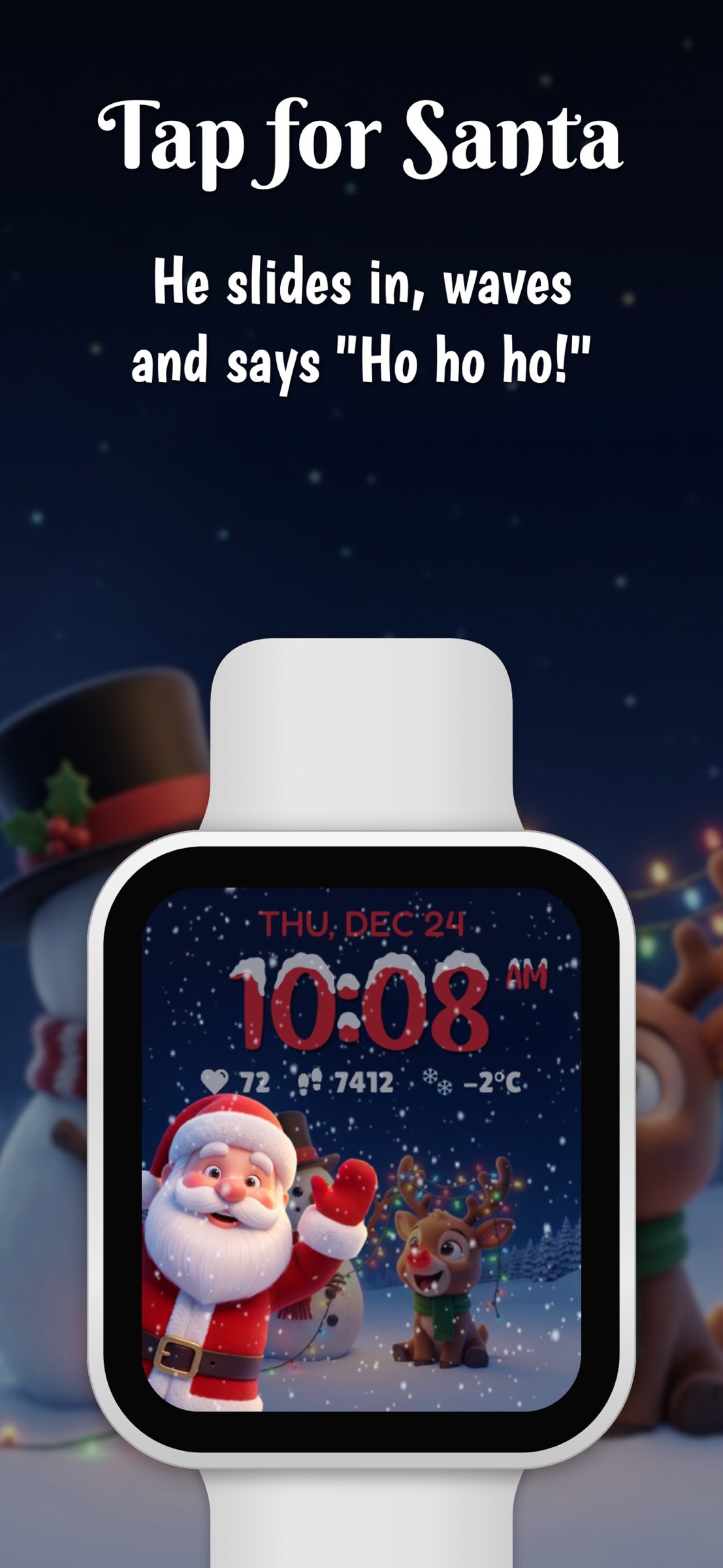
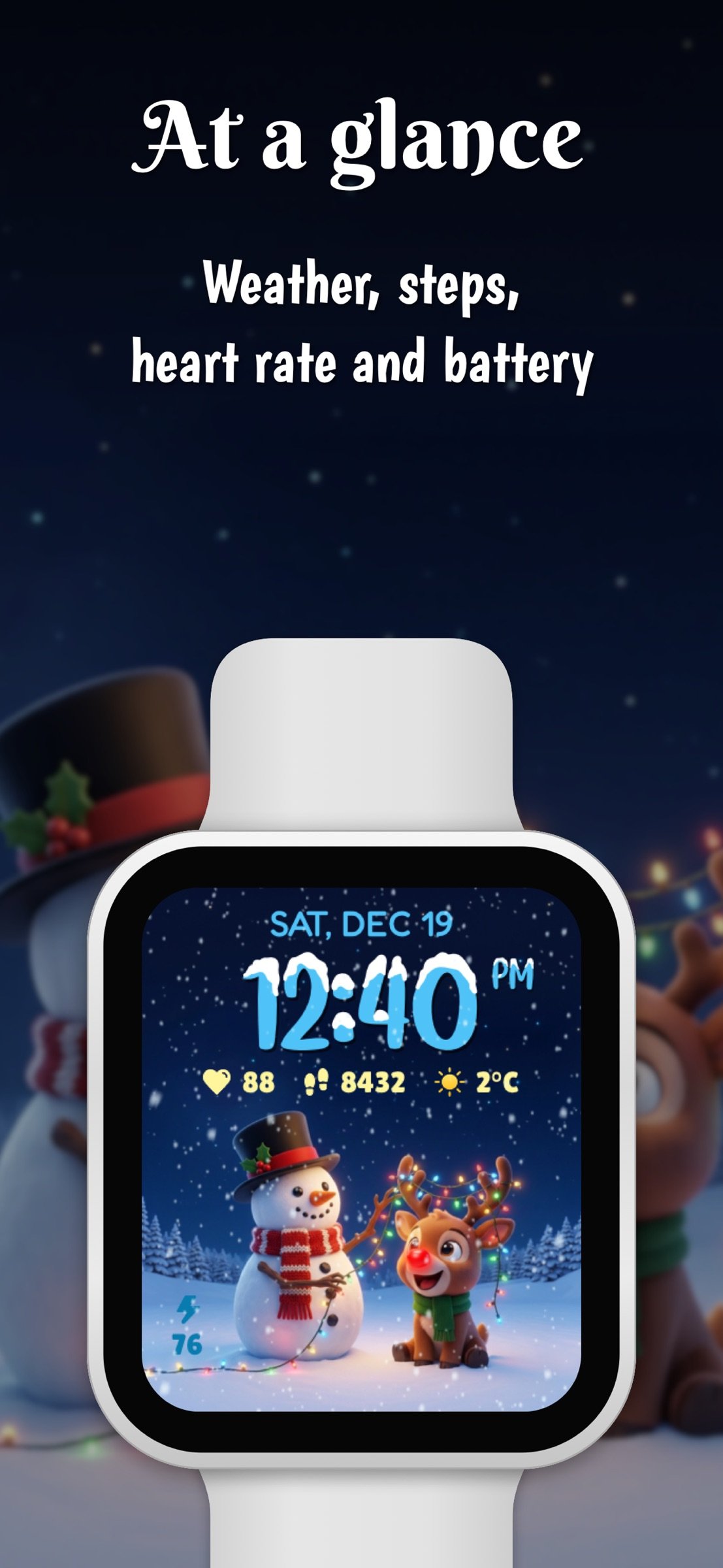
Rudolph, Snowman & Santa is an Apple Watch app with a cozy Christmas night scene: a cheerful snowman winds a string of fairy lights around Rudolph's antlers while the snow falls. The lights twinkle, Rudolph's red nose glows, and when you tap the screen, Santa slides in, waves at you and says "Ho ho ho!". A big snowy-capped clock, the date, the weather and your daily stats are always at hand.
FEATURES
• Animated Christmas scene with Rudolph and a snowman
• Twinkling fairy lights and Rudolph's glowing red nose
• Falling snow over the whole scene
• Tap the screen and Santa slides in to wave, with a "Ho ho ho" (the sound can be turned off)
• Big festive clock with snow on the digits
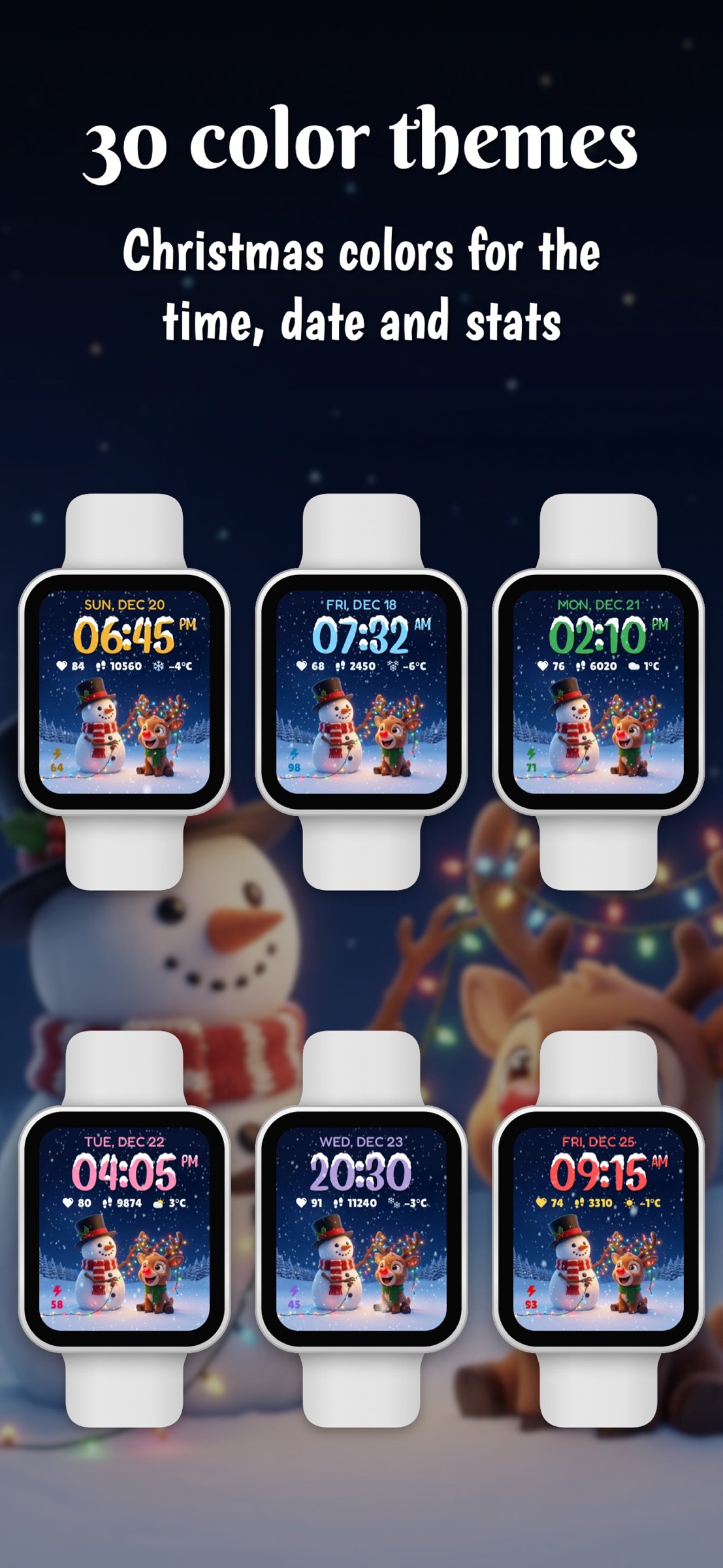
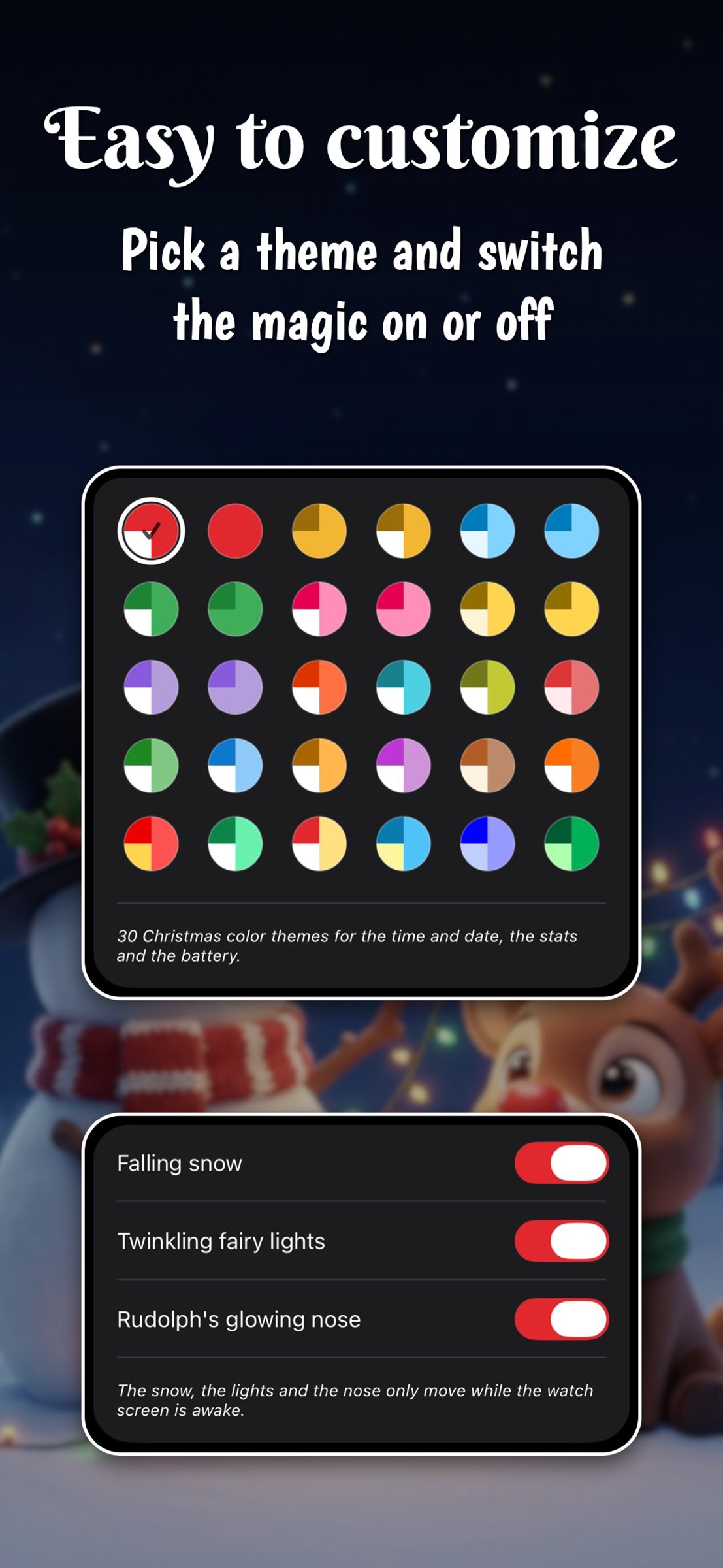
• 30 Christmas color themes for the time, date and stats
• Current weather with day and night icons
• Heart rate, steps and battery at a glance
• 12-hour or 24-hour time
• Dimmed always-on look that keeps the time and date easy to read
CUSTOMIZE FROM YOUR IPHONE
Open the app on your watch, then use the companion iPhone app to pick one of 30 color themes. A live preview shows the look before you send it to the watch. You can also turn the falling snow, the twinkling lights, Rudolph's glowing nose, Santa's sound and the weather on or off, and choose 12-hour or 24-hour time.
WATCH APP AND WATCH FACE
Rudolph, Snowman & Santa is a watch app: the animated scene shows while the app is open on your Apple Watch. From the iPhone app you can also install a matching Apple photo watch face with two pictures of the snowy scene, one of them with Santa waving. It includes a complication that opens the app with a single tap. You can also add the complication to your favorite watch face or to the Smart Stack.
Tip: to keep the app on screen longer, open Settings on your watch, go to General, then Return to Clock, and choose After 1 hour.
WEATHER AND HEALTH DATA
The weather comes from Apple Weather and uses your watch's location while the app is open. Rudolph, Snowman & Santa reads your steps and heart rate from Apple Health to show them on your watch. Your data stays on your devices.
HELP AND SUPPORT
The iPhone app includes a FAQ section with answers to common questions and a contact page if you need us. The More tab shows our other animated watch faces.
REQUIREMENTS
Apple Watch with watchOS 10 or newer, paired with an iPhone running iOS 17 or newer.
Merry Christmas!
License: Commercial
| Release info | New Release on Nov 18, 2026 |
|---|---|
| Listing data | App Store |
Reviews
No reviews yet. Be the first to review Rudolph, Snowman and Santa.
Used Rudolph, Snowman and Santa? Tell other visitors what you thought.
Log in to write a reviewOther products by this publisher
- "No Distractions" for YouTube 4.10 ----
- #Bible 11.6.1 "Incredible App - My sister shared this app with me a few weeks ago and it is truly incredible.
- #filmphotography 1.4.2 So, you decided to shoot on film?
- #LookBusy Fake Calendar Events 1.0.6 Look Busy scans your work calendar for open time slots and fills them with realistic-looking (but secretly fake) work events.
- #Small Talk Is Canceled 1.0.2 #Small Talk Is Canceled — Conversations That Matter
Most viewed iOS Photo & Video
-
1
 Restore Old Photos 1.1.0
Bring old family photos back to life, privately on your iPhone or iPad.
-
2
 Infrared Developer 1.2
Infrared Developer is a photo editor built for infrared photography.
-
3
 ShortDiShow 2.0
Drama Quest Island — An offline interactive short-drama adventure.
-
4
 Face Witness 1.0.4
FaceWitness lets you create a face by putting together individual features.
-
5
 Infuse 8.5.11
Infuse: Enterprise provides the same great features as the standard version of Infuse and includes permanent access to all Pro features via a traditional paid app.
-
6
 makeART Coloring Book 1.0
Color something beautiful.
-
7
 AI Video Generator 2.0.3
Vixel – AI Video Generator
- 8 #filmphotography 1.4.2 So, you decided to shoot on film?
-
9
 OPlayer 4.8
Play all your videos directly without having to convert them!
-
10
 CapCut 20.3.0
CapCut is an all-in-one video editing solution that offers essential editing features, creative effects, AI tools, filters, stickers, and fonts, and a wide range of video templates to empower users to easily create incredible videos regardless of th…
Most downloaded iOS Photo & Video
-
1
 DJI Fly 1.21.18
DJI Fly is designed to help pilots fly drones with ease.
-
2
Infuse 8.5.11
Infuse: Enterprise provides the same great features as the standard version of Infuse and includes permanent access to all Pro features via a traditional paid app.
-
3
 ReelyGo 1.1.60
ReelyGo: Your Daily Drama Escape
-
4
 Analog Radio 3.0
The iPhone and iPad devices don't have the FM/AM radio antenna installed.
-
5
 TurboCollage Automatic 1.2.4
#1 Easy automatic photo collage maker for iPhone & iPad.
-
6
 Rozeta Sequencer Suite 1.3.16
Rozeta is a suite of MIDI sequencers and controllers that lets you explore a new, freeform approach to sequencing and controlling mobile music apps.
-
7
 Treblo 1.6.7
Make songs with the world's best AI music model.
-
8
 Pop Dot Comics 1.48
Create a comic worthy of the Sunday newspaper or your favorite pulp-fiction cover.
-
9
 Sun Scout 1.5.0
If your work or play requires sunlight, Sun Scout is built for you.
-
10
 AGAIN. Rehearsal Notes 2.0.1
AGAIN. is the rehearsal app that remembers why the band stopped — and, new in Version 2, who said what in a writing session or a table read.