13downloads
0this week
FreeCommercial
0reviews
Screenshots
About RTA
A Real Time Analyzer for the iPhone, iPad and iPod Touch. Test your speakers, tune your room, do acoustical analysis work or just have a better understanding of audio frequencies. RTA is a professional-grade acoustical analysis tool. All filters meet or exceed ANSI and IEC Class 1 specifications.
Includes Octave and 1/3 Octave modes, with selectable decay times, as well as Peak Hold and true linear Average mode.
*** iOS Microphones
We have analyzied every iOS device, including all of the iPads, all iPhones, and iPod touches, and have created microphone compensation files that are applied automatically. You can trust the results you are getting, often within just a few dB of a far more expensive analyzer. Calibration is updated regularly, automatically, from our cloud-based calibration database.
Upgrade to our iTestMic or iAudioInterface2 to bring your system up to full professional specs.
*** Save and Recall Graphs
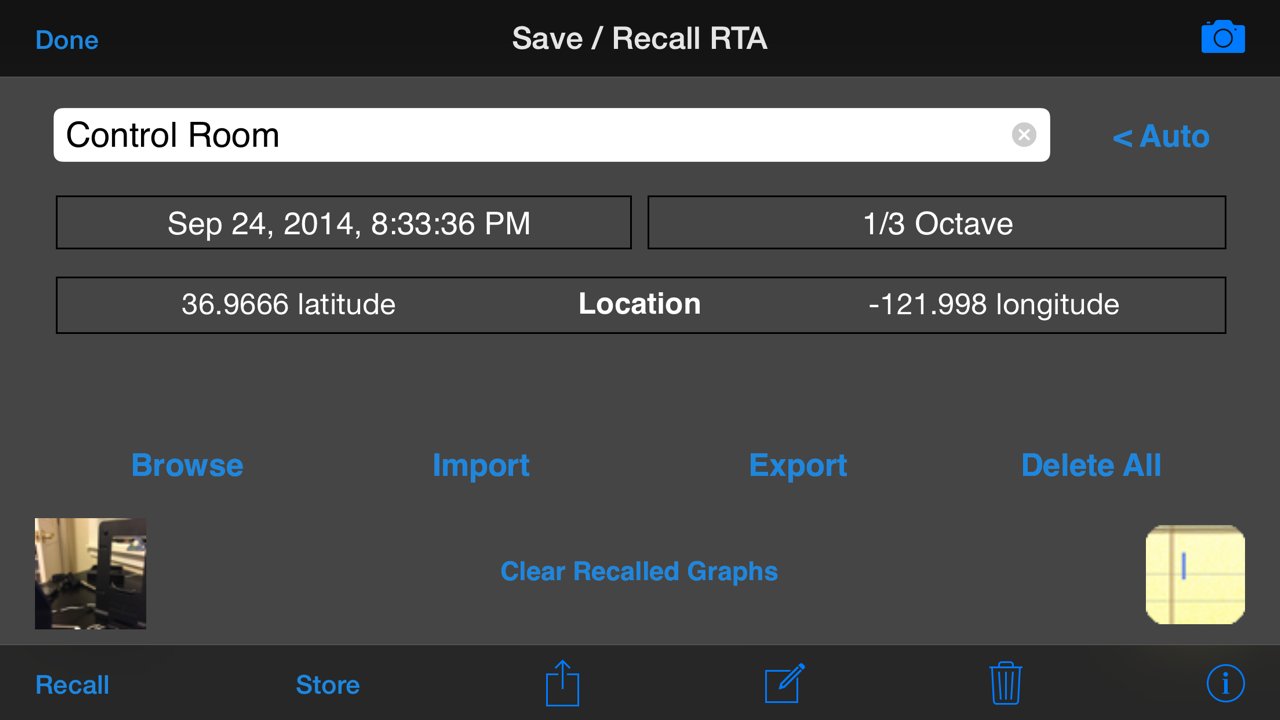
You can save and recall graphs, marked with the GPS location, date & time, and your comment, as well as store the image to your photo roll.
Export the data as an XLS formatted file to your computer for inclusion in reports or further analysis.
*** Max and Min Bars
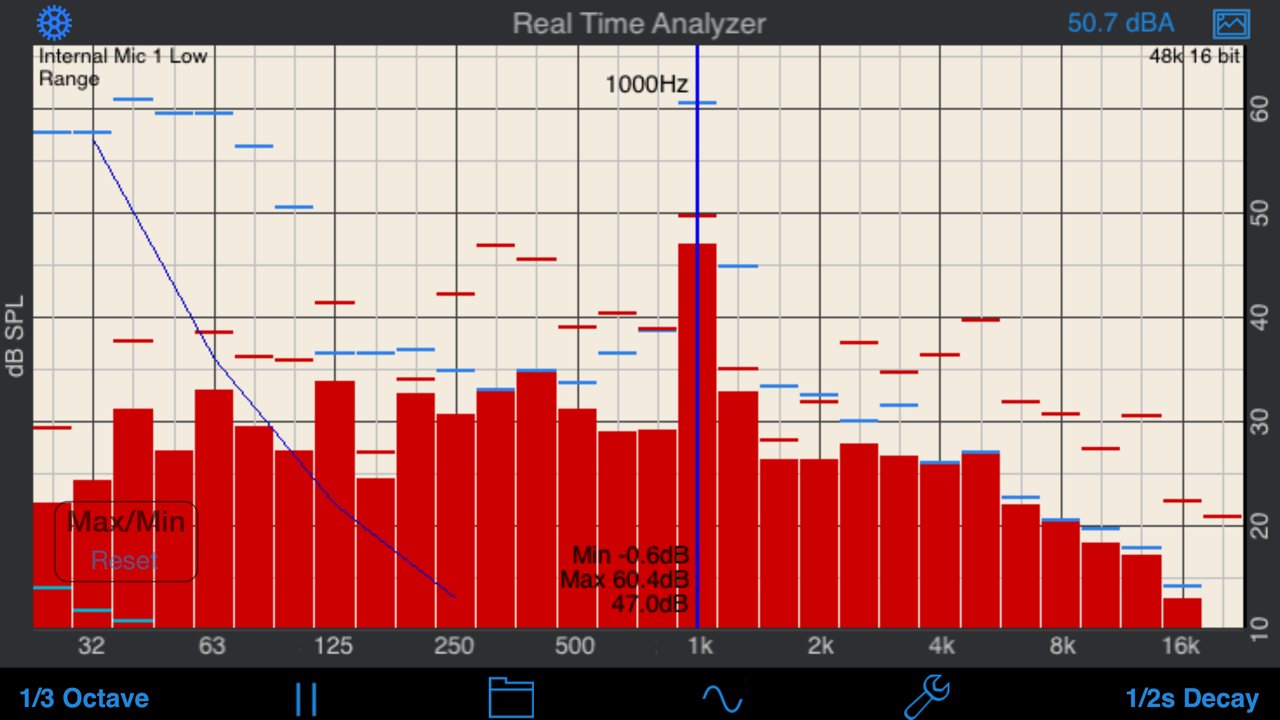
You can also turn on resettable Max/Min bars (see image #4) to capture peaks. Double-tap to reset the bars.
*** Specifications and Devices
The internal iPhone mic has a noise floor near 30 dB, and if your are running iOS 6, clips around 120 dB.
*** Touch GUI
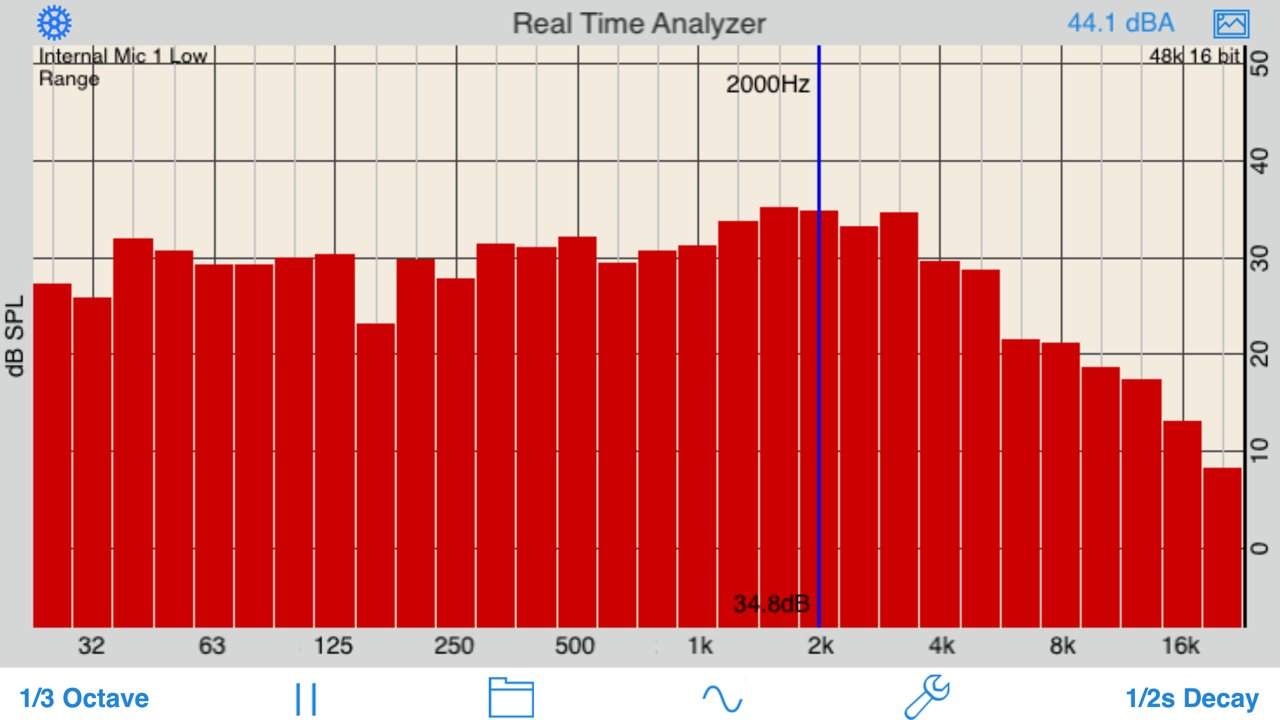
Fully interactive touch GUI features includes scroll up/down, pinch to zoom or compress the vertical dB scale, or swipe horizontally to get a cursor that reads out the exact dB level and frequency across the screen. To make the cursor disappear, swipe it off the graph to the left.
The landscape-mode display flips 180 degrees so that you can face the internal mic in either direction.
*** Overlay Curves
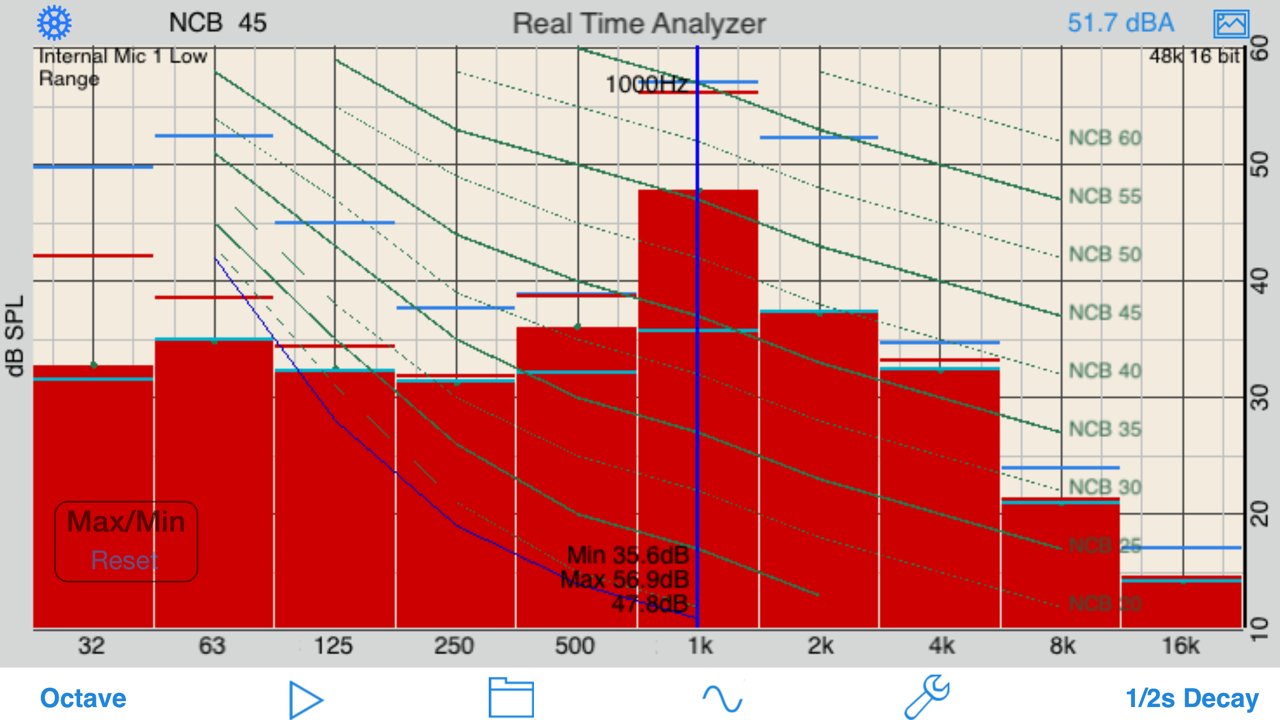
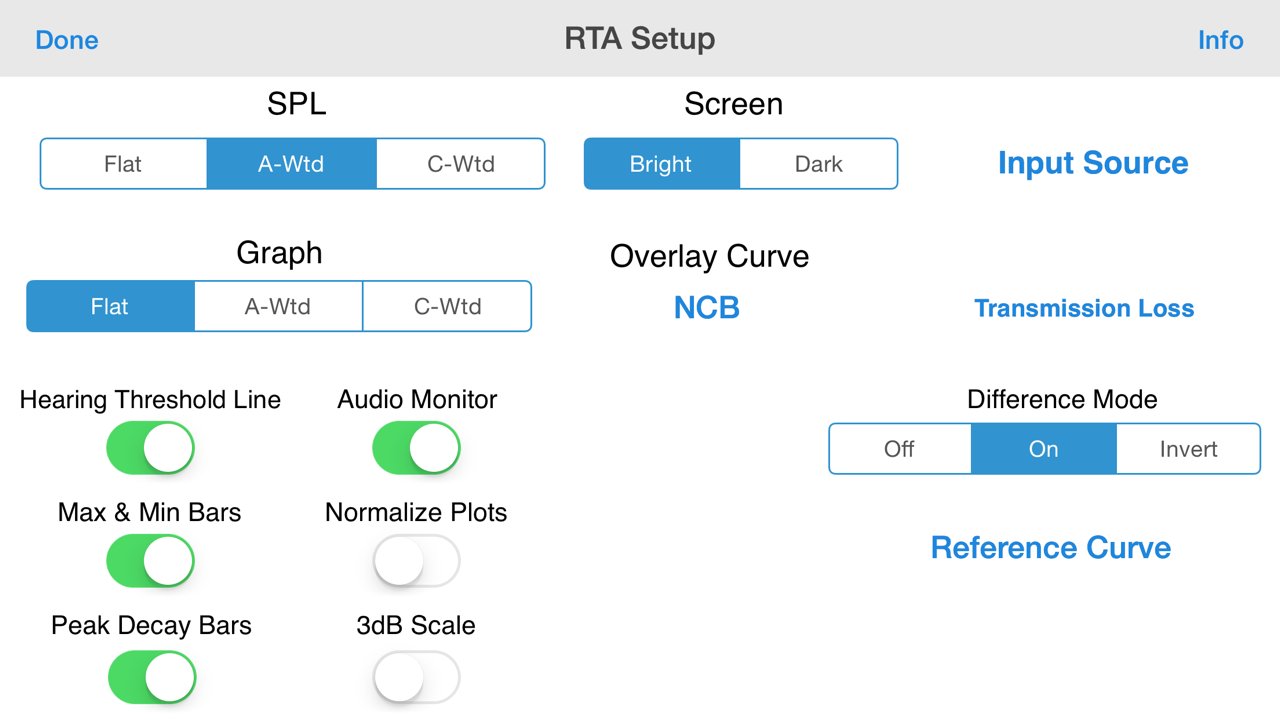
Also included are optional noise curve overlays, in NCB, RC, PNC, NC, X-Curve and NR mode. See picture #2 for an example. Use this feature to get a quick reading on the noise levels in a room. Also includes the cinema large-room X-curve overlay.
*** Calibration
RTA can be fully calibrated, whether you are using it with the internal iOS microphone, or one of our professional test & measurement mic solutions. And, if you are using iTestMic, the mic calibration is transmitted directly to the app, so you are always calibrated.
*** RTA or FFT?
If you are wondering if you should download this app or our FFT app, check out our website, we have a page devoted to this topic.
See our other acoustics and audio apps, including AudioTools.
License: Commercial
Includes Octave and 1/3 Octave modes, with selectable decay times, as well as Peak Hold and true linear Average mode.
*** iOS Microphones
We have analyzied every iOS device, including all of the iPads, all iPhones, and iPod touches, and have created microphone compensation files that are applied automatically. You can trust the results you are getting, often within just a few dB of a far more expensive analyzer. Calibration is updated regularly, automatically, from our cloud-based calibration database.
Upgrade to our iTestMic or iAudioInterface2 to bring your system up to full professional specs.
*** Save and Recall Graphs
You can save and recall graphs, marked with the GPS location, date & time, and your comment, as well as store the image to your photo roll.
Export the data as an XLS formatted file to your computer for inclusion in reports or further analysis.
*** Max and Min Bars
You can also turn on resettable Max/Min bars (see image #4) to capture peaks. Double-tap to reset the bars.
*** Specifications and Devices
The internal iPhone mic has a noise floor near 30 dB, and if your are running iOS 6, clips around 120 dB.
*** Touch GUI
Fully interactive touch GUI features includes scroll up/down, pinch to zoom or compress the vertical dB scale, or swipe horizontally to get a cursor that reads out the exact dB level and frequency across the screen. To make the cursor disappear, swipe it off the graph to the left.
The landscape-mode display flips 180 degrees so that you can face the internal mic in either direction.
*** Overlay Curves
Also included are optional noise curve overlays, in NCB, RC, PNC, NC, X-Curve and NR mode. See picture #2 for an example. Use this feature to get a quick reading on the noise levels in a room. Also includes the cinema large-room X-curve overlay.
*** Calibration
RTA can be fully calibrated, whether you are using it with the internal iOS microphone, or one of our professional test & measurement mic solutions. And, if you are using iTestMic, the mic calibration is transmitted directly to the app, so you are always calibrated.
*** RTA or FFT?
If you are wondering if you should download this app or our FFT app, check out our website, we have a page devoted to this topic.
See our other acoustics and audio apps, including AudioTools.
License: Commercial
| Release info | Update on Oct 20, 2026 |
|---|---|
| Release notes | New in this release: - Ready for iPhone Duo: every screen adapts to closed, open, book and tent, with controls in the side strip. - iOS 26 appearance adopted. - Bug fixes and stability improvements |
| Listing data | App Store |
Reviews
No reviews yet. Be the first to review RTA.
Used RTA? Tell other visitors what you thought.
Log in to write a reviewOther products by this publisher
- "No Distractions" for YouTube 4.10 ----
- #Bible 11.6 "Incredible App - My sister shared this app with me a few weeks ago and it is truly incredible.
- #filmphotography 1.4.2 So, you decided to shoot on film?
- $quirrel 1.5.1 $quirrel Budget & Finance helps you plan each paycheck, track spending, manage debt, and see what is safe to spend before the next payday.
- % Percentage Calculator Pro 1.41 This is the Pro version of % Percentage Calculator.
Most viewed iOS Photo & Video
-
1
 ShortDiShow 2.0
Drama Quest Island — An offline interactive short-drama adventure.
-
2
 Infuse 8.5.10
Infuse: Enterprise provides the same great features as the standard version of Infuse and includes permanent access to all Pro features via a traditional paid app.
-
3
 AI Video Generator 2.0.3
Vixel – AI Video Generator
-
4
 OPlayer 4.8
Play all your videos directly without having to convert them!
-
5
 Necrometer II 1.2
Necrometer II is a paranormal investigation companion designed for ghost hunters and researchers.
-
6
 CapCut 20.1.0
CapCut offers easy-to-use video editing functions, in-APP fonts and effects, advanced features such as keyframe animation, smooth slow-motion, chroma key, and stabilization, to help you capture and snip moments.
-
7
 Ai Photo 1.1.2
AI Photo Retouch – BG Eraser
- 8 #filmphotography 1.4.2 So, you decided to shoot on film?
-
9
 Treblo 1.6.5
Make songs with the world's best AI music model.
-
10
 Pop Dot Comics 1.48
Create a comic worthy of the Sunday newspaper or your favorite pulp-fiction cover.
Most downloaded iOS Photo & Video
-
1
Infuse 8.5.10
Infuse: Enterprise provides the same great features as the standard version of Infuse and includes permanent access to all Pro features via a traditional paid app.
-
2
 DJI Fly 1.21.18
DJI Fly is designed to help pilots fly drones with ease.
-
3
 Analog Radio 3.0
The iPhone and iPad devices don't have the FM/AM radio antenna installed.
-
4
 TurboCollage Automatic 1.2.4
#1 Easy automatic photo collage maker for iPhone & iPad.
-
5
 Rozeta Sequencer Suite 1.3.16
Rozeta is a suite of MIDI sequencers and controllers that lets you explore a new, freeform approach to sequencing and controlling mobile music apps.
-
6
 ReelyGo 1.1.42
ReelyGo: Your Daily Drama Escape
-
7
Treblo 1.6.5
Make songs with the world's best AI music model.
-
8
Pop Dot Comics 1.48
Create a comic worthy of the Sunday newspaper or your favorite pulp-fiction cover.
-
9
 AGAIN. Rehearsal Notes 2.0.1
AGAIN. is the rehearsal app that remembers why the band stopped — and, new in Version 2, who said what in a writing session or a table read.
-
10
 Sun Scout 1.5.0
If your work or play requires sunlight, Sun Scout is built for you.