106downloads
16this week
FreeFreeware
0reviews
Screenshots
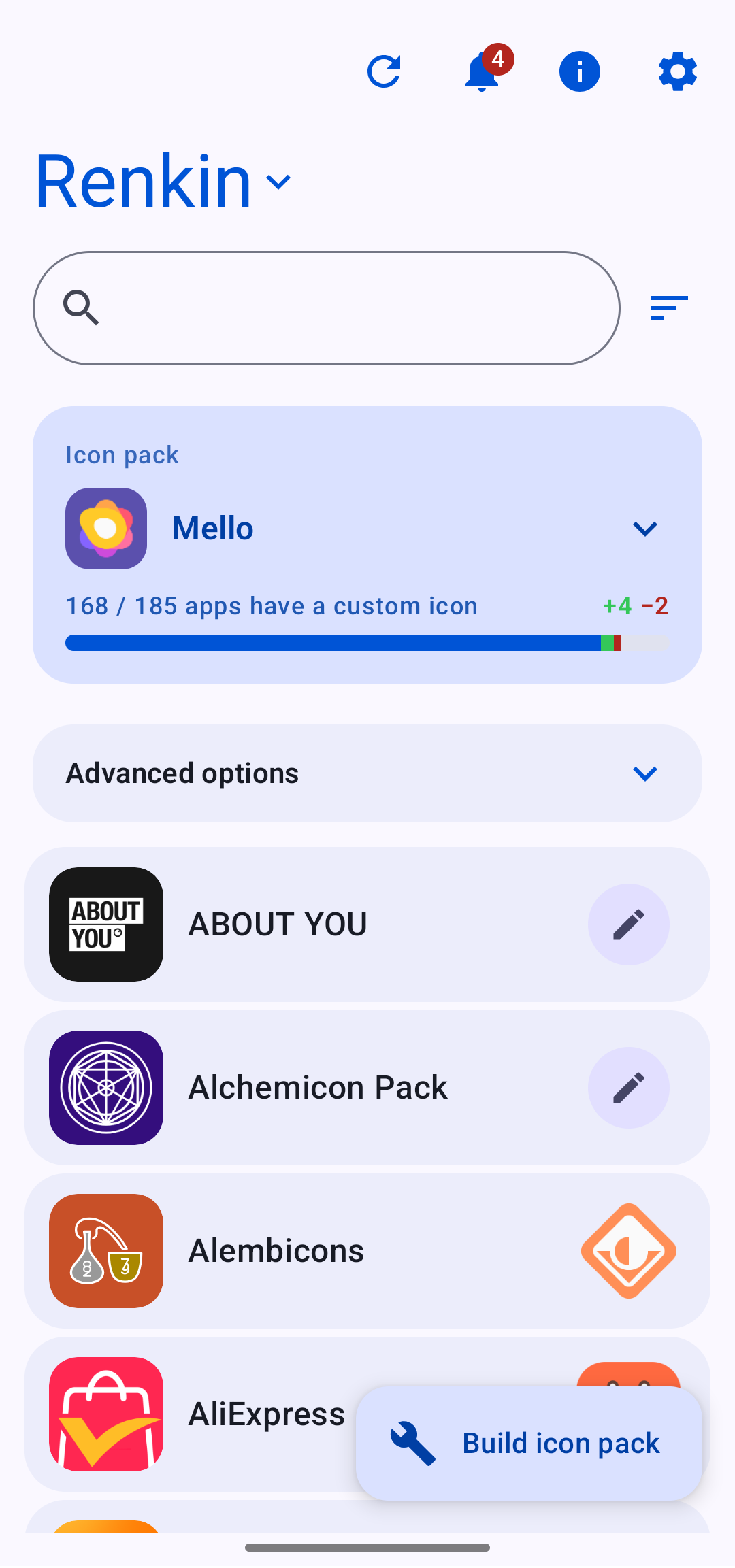
About Renkin
Renkin builds a real, installable icon pack from your own choices — no PC, no account, offline. Pick icons from packs you already have, redraw or recolour them, then compile and sign the pack on-device and select it in your launcher.
Fork of Alembicons by kaanelloed (formerly Iconeration), with its own direction on top.
Features
• Source an icon from any installed icon pack, the app's own icon, or its name as text
• Modify icons: path tracing, edge detection, colorize, background removal, vector editing
• Icon shapes — crop any icon into Material You shapes (circle, squircle, pebble, …) or put it on a coloured shape plate
• Text icons with custom text, letter case and any system font (or the bundled Arcticons Sans)
• Import your own image per app — SVG included, rendered sharp or imported as editable vector paths
• Themed (Material You) icon export
• Profiles — several named icon sets, each with its own built pack, side by side
• Profile sharing — export a profile as a file anyone can import as a new profile; icons from paid packs stay locked until that pack is installed on the importing device
• Backup and restore — one file with every profile, setting, watch rule and upload
• Icon watch — get notified when a followed pack adds an icon for one of your apps
• Calendar day icons that rotate with the date
Optional online icons
Browsing online icons contacts api.iconify.design and its official backup servers api.simplesvg.com and api.unisvg.com to load collections, search results and SVG images. Search terms and requested icon names are sent to the selected server. Local editing and icon-pack building work offline.
License: GPL-3.0-only
| Release info | Update on Nov 02, 2026 |
|---|---|
| Release notes | New • More Global Style tools: Customize shadows directly in the bottom panel while keeping icons visible, return to earlier looks through Apply history, and keep the global style while editing an individual icon. Bake a look into the icons to build further effects on top, with an option to undo the bake. Includes #22. • Edit recovery: Recover supported unfinished editor sessions and unsaved custom icons after Android closes Renkin. Supported saved modifier settings can also be restored for further editing. • Custom pack identity: Choose each profile’s pack icon and package name. #26 • Add more apps: Include disabled, hidden or not-yet-installed apps in a profile. #24 • Match app color: Recolour a neutral logo using the original app icon’s background colour. #18 • App icons for the whole pack: Use Default, Material You or Monochrome app icons as the source for every app. #12 • Reuse Renkin packs: A Settings option makes packs from other profiles available as icon sources. #25 • Native Shevery support: Silent installs and updates work through the Shizuku installer option without a compatibility stub. #27 Improved • Choose Primary and Secondary icon sources together, with counts showing how many missing icons a secondary pack adds. • Edit icons directly from Pack preview and try launcher masks in the enlarged editor preview. Preview masks do not change the exported artwork. • Quickly reuse recent modifier presets from the icon editor. • Refreshed startup and editor transitions, sticky Global Style section headings, clearer TalkBack feedback, and a screen that stays awake while building a pack. • Choose English, Spanish or Simplified Chinese in Settings. Contributed translations come from #13 and #20; missing translations fall back to English. • Reduced memory use when loading installed app icons, large saved icons and backups. Fixed • More reliable pack updates, signature-conflict handling and installer fallbacks, with clearer failure details and an option to save… |
| Listing data | F-Droid |
Reviews
No reviews yet. Be the first to review Renkin.
Used Renkin? Tell other visitors what you thought.
Log in to write a reviewOther products by this publisher
- "No Distractions" for YouTube 4.10 ----
- #Bible 11.6.1 "Incredible App - My sister shared this app with me a few weeks ago and it is truly incredible.
- #filmphotography 1.4.2 So, you decided to shoot on film?
- #LookBusy Fake Calendar Events 1.0.6 Look Busy scans your work calendar for open time slots and fills them with realistic-looking (but secretly fake) work events.
- #Small Talk Is Canceled 1.0.2 #Small Talk Is Canceled — Conversations That Matter
Most viewed Android Icon Pack
- 1 Arcticons 15.4.7 A monotone line-based icon pack for dark themed setups.
-
2
 Renkin 2026.11.01
Make your own icon pack, on your phone
- 3 Delta Icon Pack 2.21.0 Minimalistic pastel icon pack for Android
- 4 Ameixa Monochrome 4.11.1 Icon pack
-
5
 Paper 1.2.1.1
Icon theme
- 6 Circo 1.4.7 Simple colorful icon pack
- 7 Arcticons Day & Night 15.4.7 A monotone line-based icon pack for dark & light themed setups.
-
8
 Mondstern Acrylic Icons 21.0
Mondstern's acrylic art as an Android icon pack
- 9 Arcticons Black 15.4.7 A monotone line-based icon pack for light themed setups.
-
10
 Turtl 2.1
Request missing icons in your icon pack
Most downloaded Android Icon Pack
-
1
Renkin 2026.11.01
Make your own icon pack, on your phone
- 2 Delta Icon Pack 2.21.0 Minimalistic pastel icon pack for Android
- 3 Cuscon 4.1.2.5 This icon pack adds variety and dynamism to your Home screen
- 4 Arcticons 15.4.7 A monotone line-based icon pack for dark themed setups.
-
5
 Snow 1.4.8
A monotone icon pack.
- 6 Arcticons Day & Night 15.4.7 A monotone line-based icon pack for dark & light themed setups.
- 7 Arcticons Material You 15.4.7 A line-based icon pack with a Material You color palette.
-
8
Paper 1.2.1.1
Icon theme
-
9
 MaterialOS 2.1
Material Design icons for your homescreen
- 10 Circo 1.4.7 Simple colorful icon pack