
Remo Zip for MAC 1.0.0.10
Remo ZIP for MAC is the most recommended file compressor for MAC. The tool simplifies the process of sending large files over internet by compressing them into zip files with excellent precision.
Download
5.05 MB · remo-zip-free-demo.zip
433downloads
21this week
$29.97Demo
0reviews
Screenshots
About Remo Zip for MAC
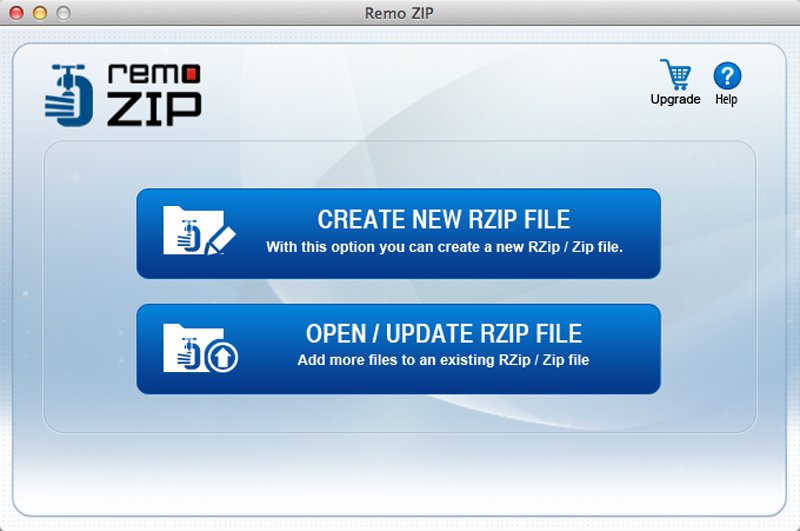
File compression offers a lot of advantages that makes it a very compelling. Some of the advantages you get using Remo ZIP to compress files on Mac include: - Storage space conservation: Remo ZIP for Mac uses a compression mechanism in which the redundant information is ignored and only the essential information is saved. This way the compressed file only occupies anywhere from 20% to 90% of the original file size. - Increased convenience of file transfer: Most of the messaging services or email services have a predefined limit for the attachment size. Hence when you compress and create ZIP file on Mac using Remo file compressor, file transfer across all these services is made easy. - Reduced upload and download time: The compressed files on Mac using Remo ZIP application take considerably less time time to upload or download. This makes it very beneficial when dealing with large amount of files or huge files that count in GBs. - Secure large files from corruption: Corruptions are prone to happen when dealing with large files that you regularly transfer. The corruption some times can be very severe and disable you from any kind of repair. Use Remo ZIP compressor and compress large files to avoid corruptions and data loss. - Update created ZIP files with latest content: This tool allows you to update an already existing old version of ZIP file with new information without the need for creating a new file. This way all your versions are intact and in one place and file duplication is eradicated. - Customize and split ZIP files: Using Remo Zip for Mac you can also split the ZIP file into two by predefining the files size. This makes it flexible and easy to use the files according to your application. Creating ZIP file on Mac is now easier than ever. Remo ZIP for Mac is an excellent file compression tool that avails 10 different levels of compression according to the users need and also gives you a choice of the file extension i.e .rzip and .zip respectively.
| Requirements | Min 1 GB RAM and 50 MB free space (for installation) |
|---|---|
| Release info | Major Update on Aug 01, 2019 |
| Related tags | file compressor for mac file compression tool compress files mac zip file mac zip compressor for mac |
Reviews
No reviews yet. Be the first to review Remo Zip for MAC.
Used Remo Zip for MAC? Tell other visitors what you thought.
Log in to write a reviewOther products by this publisher
-
 Remo Convert OST to PST 1.0.0.4
Remo Convert OST to PST is the most preferred tool to securely convert OST file in MS Outlook. This tool is built with an unique algorithm to convert Outlook offline folder and regain access Outlook attributes such as emails, calendar, settings, etc
-
 Remo Drive Defrag 1.0.0.24
Remo Drive Defrag software is an advanced defragmentation tool to defrag hard drives / partitions or even selected files.
-
 Remo Drive Wipe 2.0.0.25
Remo Drive Wipe can perform hard drive wipe and erase data permanently
-
 Remo Driver Discover 4.0.0.0
Remo Driver Discover is an excellent tool that can easily solve all your driver related problems within few minutes. It scans and locates all the outdated drivers, and provides a single interface for downloading, backing and updating all the drivers
-
 Remo Duplicate Photos Remover 1.0.0.7
Downloaded a million times Remo Duplicate Photos Remover is the most trusted software to find and delete duplicate photos from Windows computer. This tool is empowered with a unique algorithm to scan and remove duplicates photos from your computer.
Most viewed Mac Compression
-
1
Remo Zip for MAC 1.0.0.10
Remo ZIP for MAC is the most recommended file compressor for MAC. The tool simplifies the process of sending large files over internet by compressing them into zip files with excellent precision.
- 2 Blender Open Data Benchmark 3.3.0 3D performance benchmarking tool
- 3 Heaven Benchmark 4.0 Performance and stability test for PC hardware
- 4 Arq Cloud Backup 1.5.1 Backup software
- 5 Memory Cleaner 5.5.4 Free up RAM manually and automatically
- 6 Archiver 5.1.0 Open archives, compress files, as well as split and combine files
- 7 Adobe Creative Cloud Cleaner Tool 4.3.0.1437 Utility to clean up corrupted installations of Adobe software
- 8 MangoDisk 1.2.2 Disk cleaner and storage analyser
- 9 Battery 1.4.0 App for managing battery charging. (Also installs a CLI on first use.)
- 10 iZip 26.10 App to manage ZIP, ZIPX, RAR, TAR, 7ZIP and other compressed files
Most downloaded Mac Compression
-
1
Remo Zip for MAC 1.0.0.10
Remo ZIP for MAC is the most recommended file compressor for MAC. The tool simplifies the process of sending large files over internet by compressing them into zip files with excellent precision.
- 2 Archiver 5.1.0 Open archives, compress files, as well as split and combine files
- 3 Blender Open Data Benchmark 3.3.0 3D performance benchmarking tool
- 4 Heaven Benchmark 4.0 Performance and stability test for PC hardware
- 5 Battery 1.4.0 App for managing battery charging. (Also installs a CLI on first use.)
- 6 Space Capsule 1.26 Spaces management tool
- 7 Arq Cloud Backup 1.5.1 Backup software
- 8 iZip 26.10 App to manage ZIP, ZIPX, RAR, TAR, 7ZIP and other compressed files
- 9 Memory Cleaner 5.5.4 Free up RAM manually and automatically
- 10 Adobe Creative Cloud Cleaner Tool 4.3.0.1437 Utility to clean up corrupted installations of Adobe software