
11downloads
4this week
FreeFreeware
0reviews
Screenshots
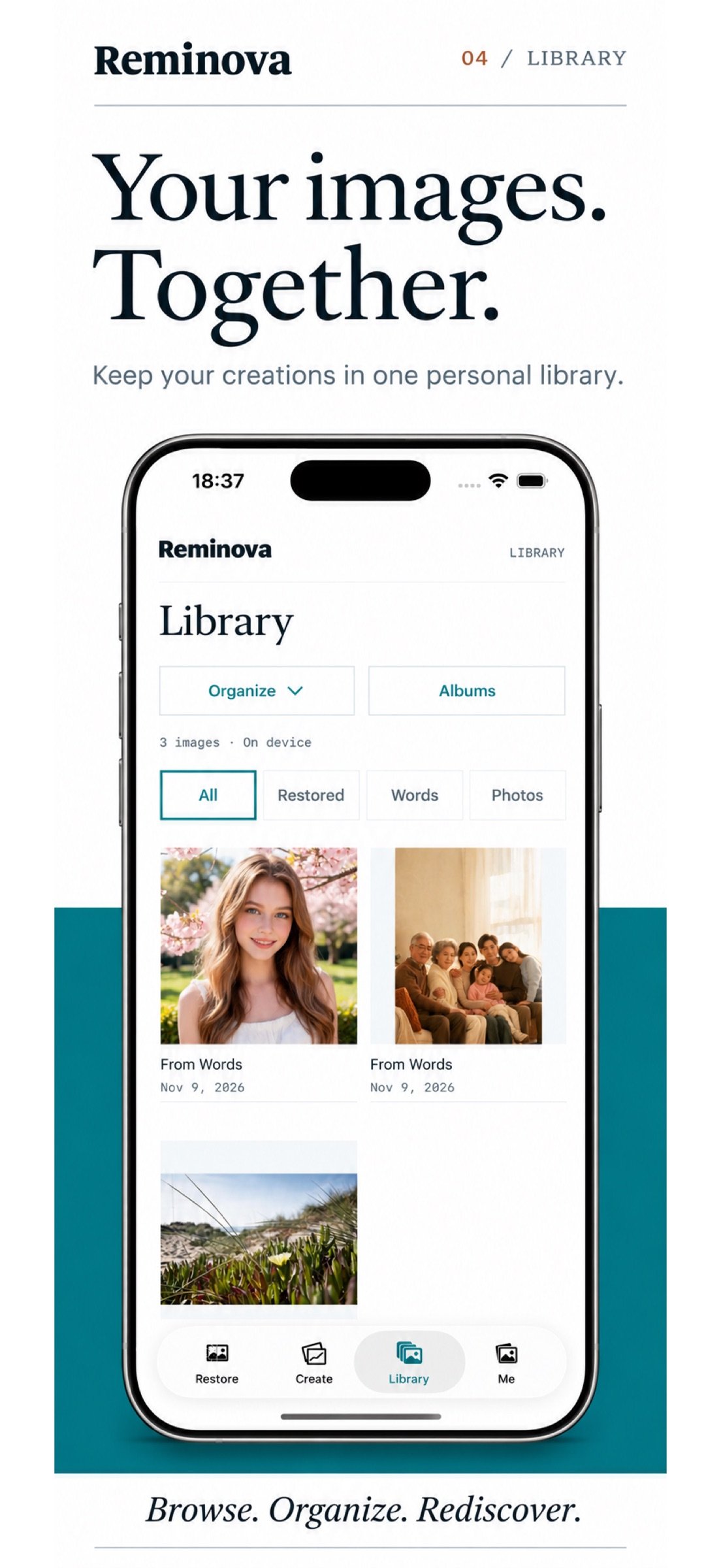
About Reminova
A photograph holds a face, a place, a moment. Reminova helps you revisit that image—and keep its story close.
Start with an old photograph you want to restore, a black-and-white picture you want to explore in color, or an idea you want to turn into something new.
RESTORE A FAMILIAR MOMENT
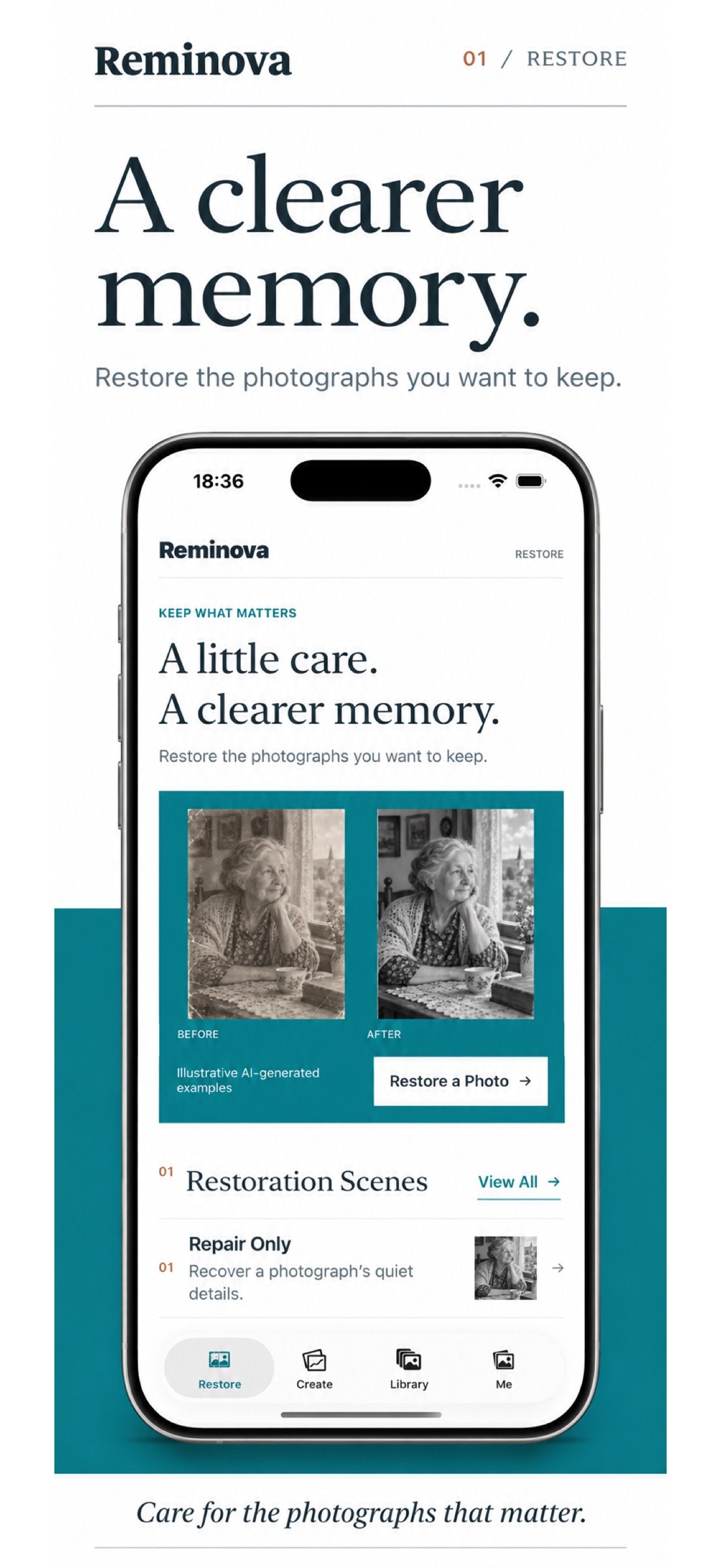
Use AI to address fading, dust, light scratches and blur. Choose Natural for a restrained approach or Enhanced to request stronger clarity. Adjust the restoration instructions to suit your photograph.
EXPLORE THE POSSIBILITIES OF COLOR
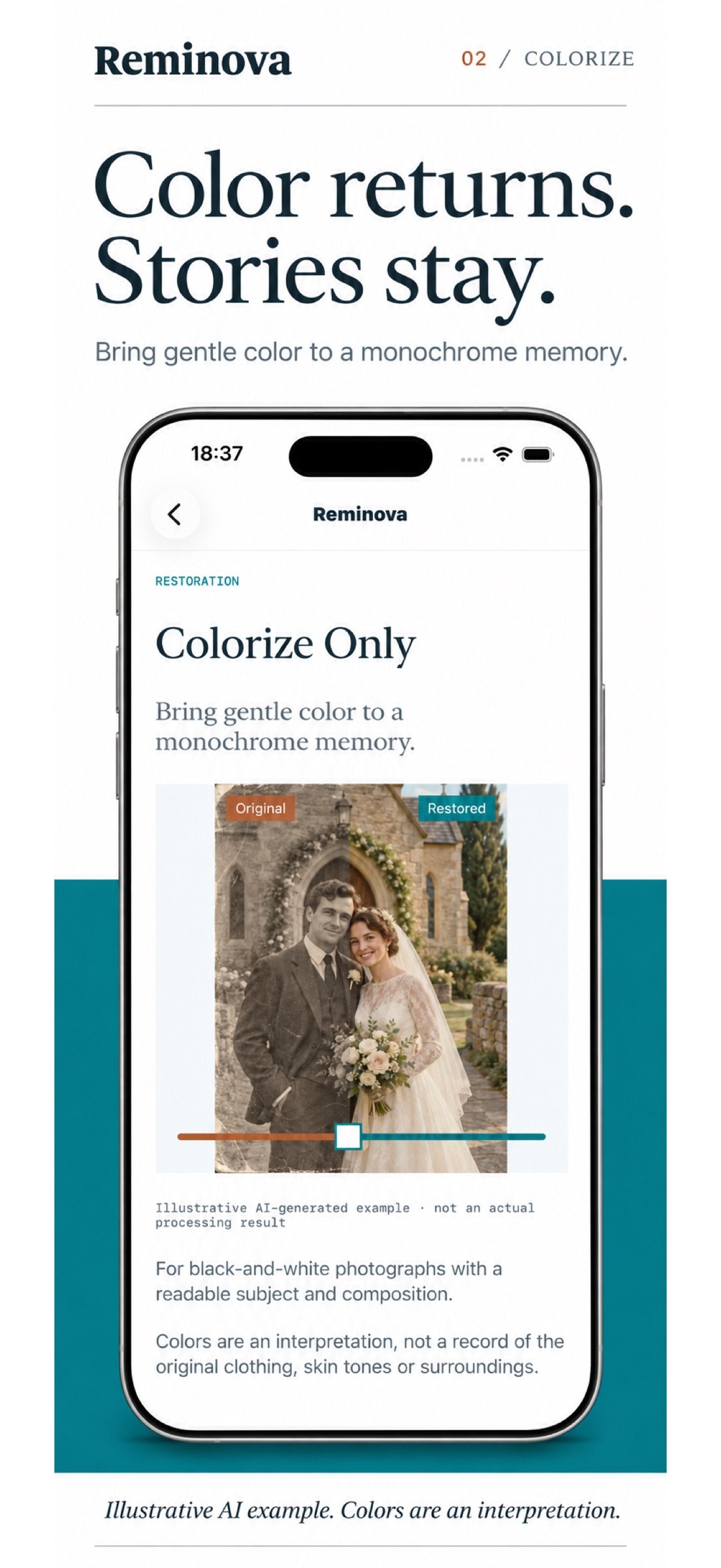
Add color to a black-and-white photograph, or combine colorization with restoration. Keep the original alongside the result and compare the details before choosing what to save.
TAKE A PICTURE IN A NEW DIRECTION
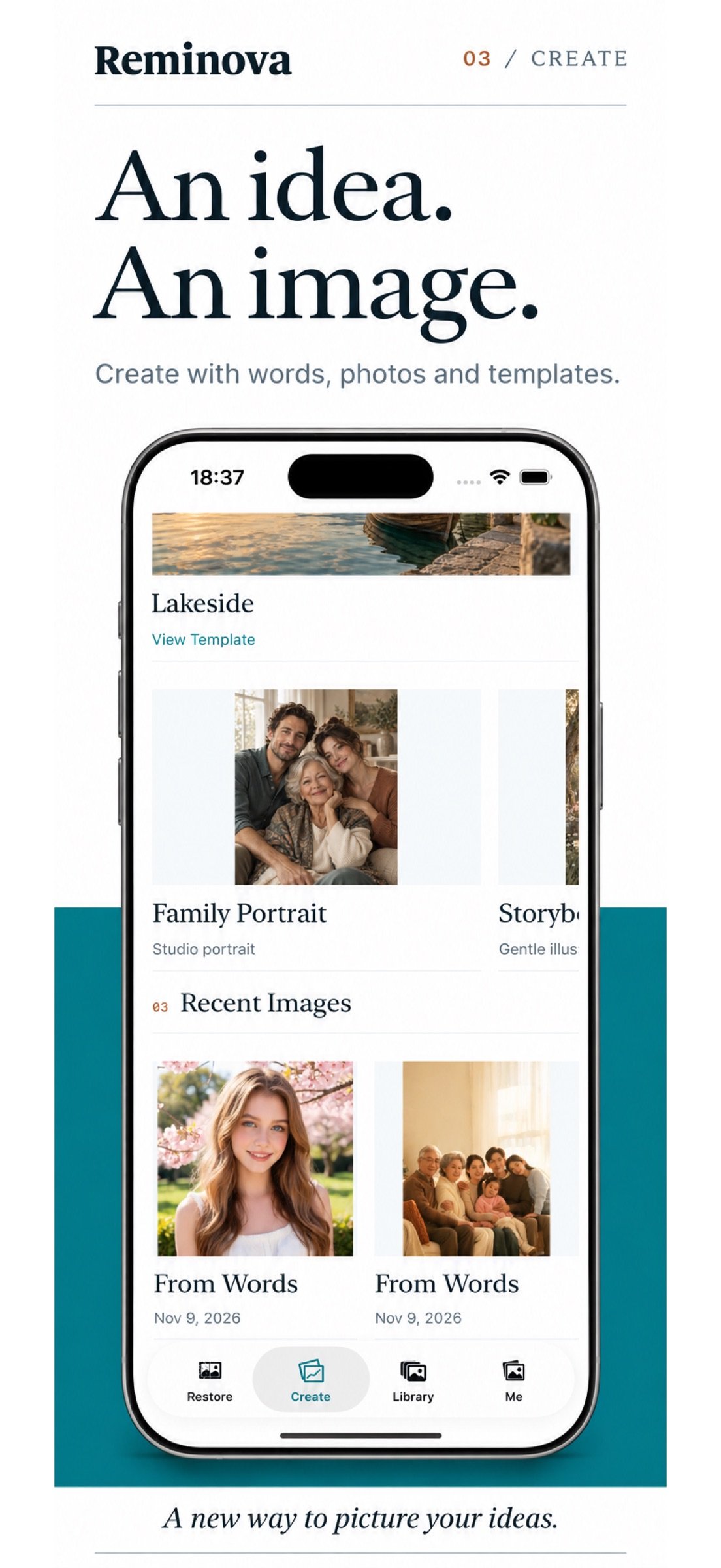
Use a photograph as the starting point for watercolor, pencil sketch, oil painting, storybook illustration or paper collage. Begin with a template and edit its description to shape the result.
You can also create an image from words. Describe a subject, setting and style, then choose a square, portrait or landscape format.
GIVE YOUR PHOTOGRAPHS CONTEXT
Organize saved works into albums, mark favorites and add the details a picture cannot tell on its own: names, dates, places and personal memories.
MAKE SOMETHING TO SHARE
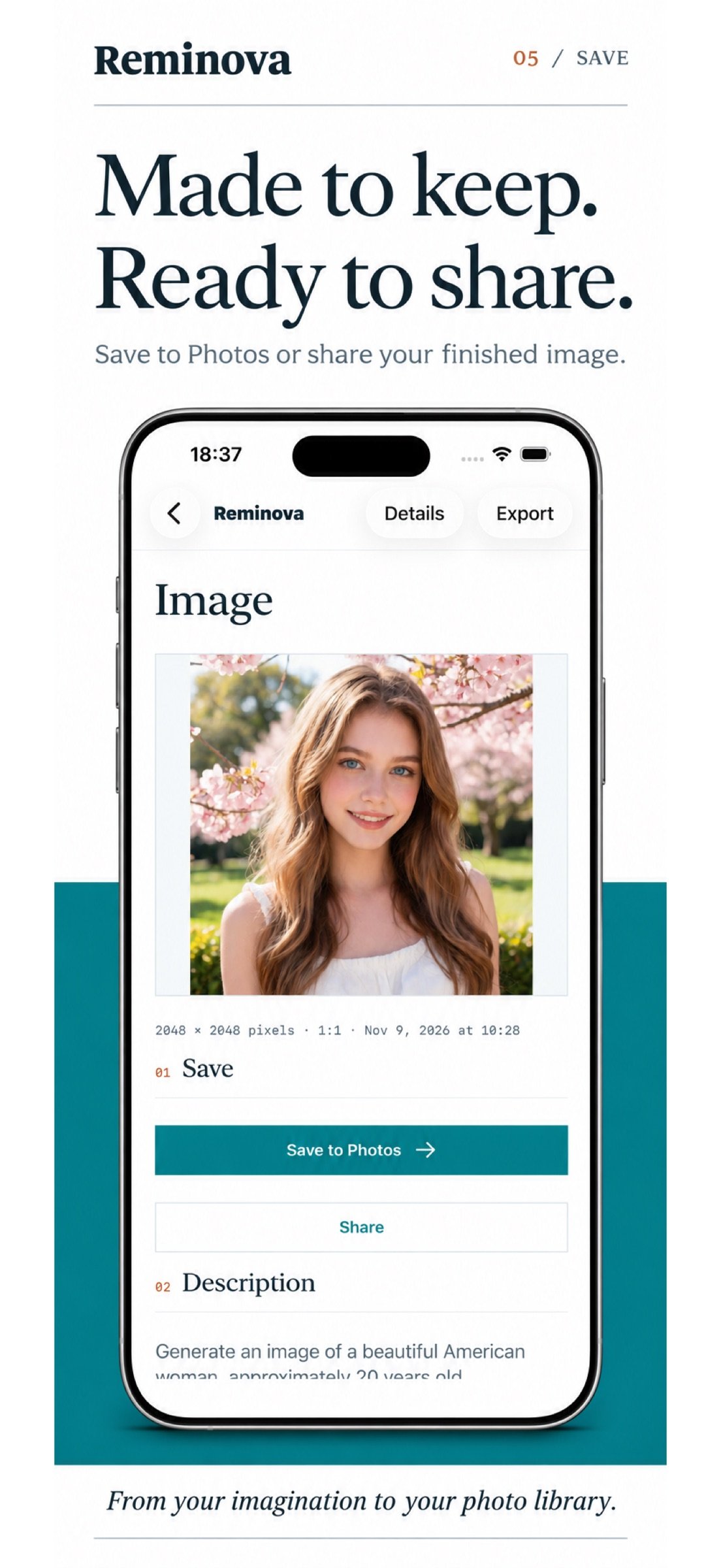
Save images to Photos or prepare a before-and-after comparison, keepsake card or photo story image. Share a restored portrait with family, or pair a photograph with the story you want others to remember.
Before you begin:
• AI restoration and generation require an internet connection. Your selected image, prompt and generation settings are sent to a third-party AI service for processing.
• AI can change faces, text and other details. Review each result against the original.
• Colorization interprets possible colors; it cannot verify historical colors.
• Works and albums are stored on your device without cloud sync. Export important images for safekeeping.
• Only submit content you have permission to use.
License: Free
| Release info | New Release on Nov 13, 2026 |
|---|---|
| Release notes | Optimize user experience and fix existing bugs. |
| Listing data | App Store |
Reviews
No reviews yet. Be the first to review Reminova.
Used Reminova? Tell other visitors what you thought.
Log in to write a reviewOther products by this publisher
- "No Distractions" for YouTube 4.10 ----
- #Bible 11.6.1 "Incredible App - My sister shared this app with me a few weeks ago and it is truly incredible.
- #filmphotography 1.4.2 So, you decided to shoot on film?
- #LookBusy Fake Calendar Events 1.0.6 Look Busy scans your work calendar for open time slots and fills them with realistic-looking (but secretly fake) work events.
- #Small Talk Is Canceled 1.0.2 #Small Talk Is Canceled — Conversations That Matter
Most viewed iOS Photo & Video
-
1
 Restore Old Photos 1.1.0
Bring old family photos back to life, privately on your iPhone or iPad.
-
2
 ShortDiShow 2.0
Drama Quest Island — An offline interactive short-drama adventure.
-
3
 Face Witness 1.0.4
FaceWitness lets you create a face by putting together individual features.
-
4
 Infuse 8.5.11
Infuse: Enterprise provides the same great features as the standard version of Infuse and includes permanent access to all Pro features via a traditional paid app.
-
5
 Infrared Developer 1.2
Infrared Developer is a photo editor built for infrared photography.
-
6
 AI Video Generator 2.0.3
Vixel – AI Video Generator
- 7 #filmphotography 1.4.2 So, you decided to shoot on film?
-
8
 CapCut 20.3.0
CapCut is an all-in-one video editing solution that offers essential editing features, creative effects, AI tools, filters, stickers, and fonts, and a wide range of video templates to empower users to easily create incredible videos regardless of th…
-
9
 OPlayer 4.8
Play all your videos directly without having to convert them!
-
10
 Ai Photo 1.2.0
AI Photo Retouch – BG Eraser
Most downloaded iOS Photo & Video
-
1
 DJI Fly 1.21.18
DJI Fly is designed to help pilots fly drones with ease.
-
2
Infuse 8.5.11
Infuse: Enterprise provides the same great features as the standard version of Infuse and includes permanent access to all Pro features via a traditional paid app.
-
3
 ReelyGo 1.1.60
ReelyGo: Your Daily Drama Escape
-
4
 Analog Radio 3.0
The iPhone and iPad devices don't have the FM/AM radio antenna installed.
-
5
 TurboCollage Automatic 1.2.4
#1 Easy automatic photo collage maker for iPhone & iPad.
-
6
 Rozeta Sequencer Suite 1.3.16
Rozeta is a suite of MIDI sequencers and controllers that lets you explore a new, freeform approach to sequencing and controlling mobile music apps.
-
7
 AGAIN. Rehearsal Notes 2.0.1
AGAIN. is the rehearsal app that remembers why the band stopped — and, new in Version 2, who said what in a writing session or a table read.
-
8
 Pop Dot Comics 1.48
Create a comic worthy of the Sunday newspaper or your favorite pulp-fiction cover.
-
9
 Local AI Art Private Diffusion 1.6
If you are the kind of person who values privacy and wants to keep your generated images private, our software is the perfect solution for you.
-
10
 Treblo 1.6.6
Make songs with the world's best AI music model.