15downloads
0this week
FreeFreeware
0reviews
Screenshots
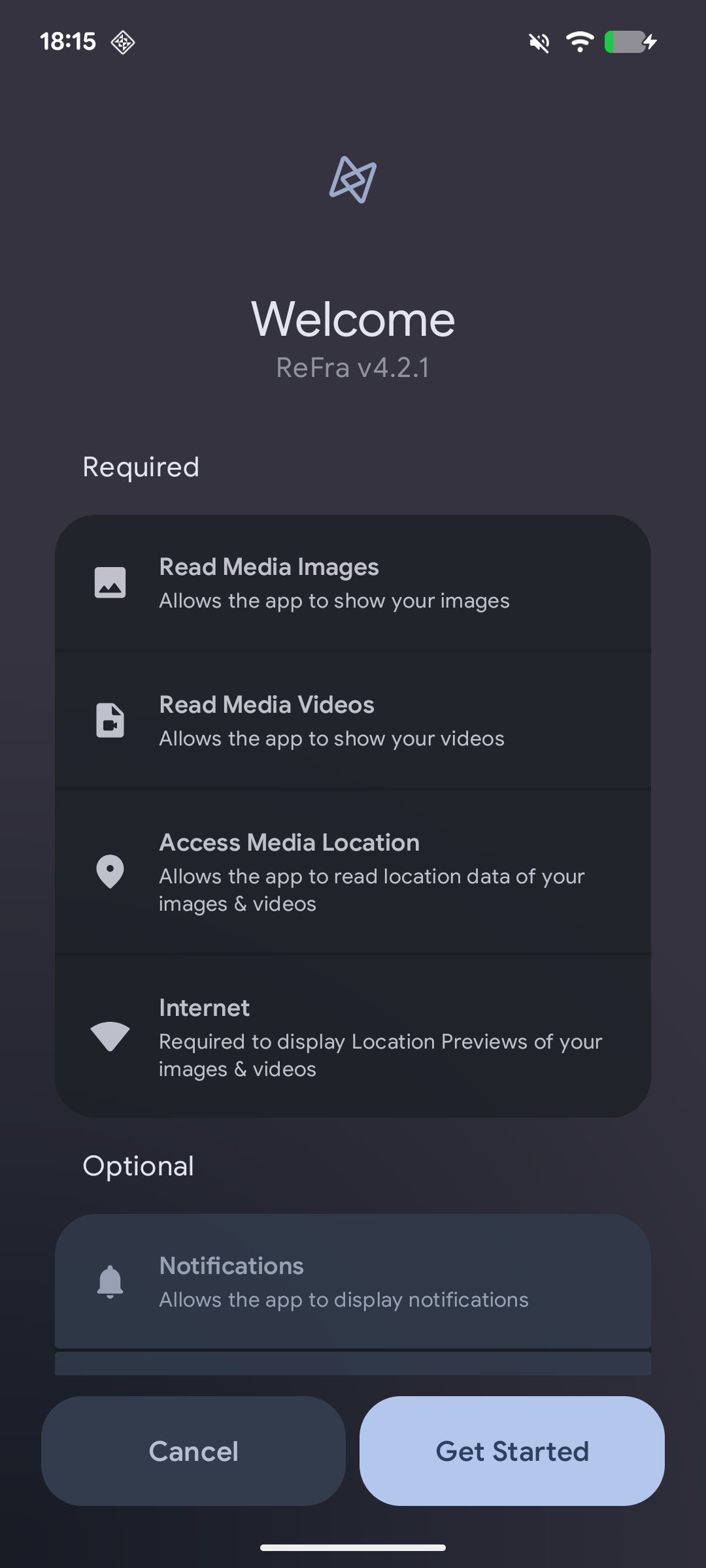
About ReFra
ReFra is a modern, open-source media gallery for Android built with Jetpack Compose. It refracts how you browse, organize, and experience your photos and videos — with AI-powered categories, panorama viewing, motion photo playback, video casting, and a fully customizable Material 3 interface.
Features
• Media Timeline with date-grouped photos and videos
• Grid and mosaic layout modes
• Smooth scrolling with optimized thumbnail loading
• Smart grouping for RAW+JPG pairs, burst shots, and edited copies
• 360° Panorama & Photosphere Viewer
• OpenGL-powered spherical and cylindrical projections
• Touch and gyroscope navigation with compass overlay
• Motion Photo Playback
• Detects Google Motion Photos, Samsung Live Photos, and Micro Videos
• Interactive filmstrip scrubber with haptic feedback
• FCast Video Casting
• Cast videos and images to devices on your local network
• mDNS device discovery with remote playback controls
• AI-Powered Categories & Search
• On-device CLIP-based image classification with customizable categories
• Natural language search and image-to-image similarity search
• Optional AI model downloads — not bundled, installed on demand
• Location Map Viewer
• Interactive MapLibre map with clustered photo markers
• Browse geotagged media by location
• Smart Search with Discovery
• Carousels for categories, locations, media types, camera models
• Special mode filters: night shots, long exposures, panoramas
• Custom Color Palettes
• Pick from wallpaper-derived or preset color schemes
• Live preview with full Material 3 theme generation
• Albums with Groups, Collections, and Merge by Name
• Multi-Select with configurable action sheet and right-align option
• Sortable and pinnable albums
• Encrypted Vault with gate authentication, custom passwords, and biometric unlock
• Built-in Photo Editor with markup, crop, filters, and edit backups
• Custom Video Player powered by Media3 ExoPlayer with frame-accurate seeking
• Auto-contrast viewer enhancement (Beta)
• Full EXIF and metadata viewer
• Google Sans typography and modern Material 3 design
• Open Source (Apache-2.0) with active development
Features
• Media Timeline with date-grouped photos and videos
• Grid and mosaic layout modes
• Smooth scrolling with optimized thumbnail loading
• Smart grouping for RAW+JPG pairs, burst shots, and edited copies
• 360° Panorama & Photosphere Viewer
• OpenGL-powered spherical and cylindrical projections
• Touch and gyroscope navigation with compass overlay
• Motion Photo Playback
• Detects Google Motion Photos, Samsung Live Photos, and Micro Videos
• Interactive filmstrip scrubber with haptic feedback
• FCast Video Casting
• Cast videos and images to devices on your local network
• mDNS device discovery with remote playback controls
• AI-Powered Categories & Search
• On-device CLIP-based image classification with customizable categories
• Natural language search and image-to-image similarity search
• Optional AI model downloads — not bundled, installed on demand
• Location Map Viewer
• Interactive MapLibre map with clustered photo markers
• Browse geotagged media by location
• Smart Search with Discovery
• Carousels for categories, locations, media types, camera models
• Special mode filters: night shots, long exposures, panoramas
• Custom Color Palettes
• Pick from wallpaper-derived or preset color schemes
• Live preview with full Material 3 theme generation
• Albums with Groups, Collections, and Merge by Name
• Multi-Select with configurable action sheet and right-align option
• Sortable and pinnable albums
• Encrypted Vault with gate authentication, custom passwords, and biometric unlock
• Built-in Photo Editor with markup, crop, filters, and edit backups
• Custom Video Player powered by Media3 ExoPlayer with frame-accurate seeking
• Auto-contrast viewer enhancement (Beta)
• Full EXIF and metadata viewer
• Google Sans typography and modern Material 3 design
• Open Source (Apache-2.0) with active development
| Release info | Update on Oct 04, 2026 |
|---|---|
| Release notes | What's new in 5.2.2 ReFra 5.2.2 makes the Library fully yours with editable sections and proper people management, dresses up home-screen photo widgets with black & white and icon styles, plays HDR video for real on compatible displays, and lets you choose whether deletes hit the device, the cloud, or both -- plus a hidden developer menu with anonymized session logs and a large round of fixes across vault, cloud providers, widgets and the editor. New Features o Editable Library sections -- Long-press any Library section header or item to enter edit mode and toggle the sections you want; empty sections hide themselves, and matching switches live under Settings -> Timeline & Albums (#1262) o Reachable hidden people & person deletion -- The People section keeps an "N hidden" entry so hidden people stay openable, and a person can now be unhidden or deleted for good -- their faces are suppressed so re-scanning never brings them back (#1262) o Widget display styles -- Photo widgets get a second configuration step with three looks: colour, black & white, or an icon/emoji stand-in with suggestions and a live home-screen preview (#1269) o Widgets open the tapped photo -- Tapping a media widget now opens that exact photo in the media viewer instead of just launching the app (#1268) o HDR video playback -- Dolby Vision, HDR10 and HLG tracks are detected and played in HDR on compatible displays, gated by a new "HDR video playback" setting; unsupported Dolby Vision profiles are reported honestly in the details sheet (#1274) o Delete from device, cloud, or both -- When a selection has cloud copies, the delete dialog lets you choose where it applies, with a "set as my default" option and a "Deleting backed-up items" setting in General (#1241) o Sync when app opens -- An optional one-time sync/download pass on every cold start, throttled and wired to your per-account sync policies (#1241) o Immich album management -- Albums open fully populated (including shared albums and Immich v3... |
| Listing data | F-Droid |
Reviews
No reviews yet. Be the first to review ReFra.
Used ReFra? Tell other visitors what you thought.
Log in to write a reviewOther products by this publisher
- "No Distractions" for YouTube 4.10 ----
- #Bible 11.5 "Incredible App - My sister shared this app with me a few weeks ago and it is truly incredible.
- #filmphotography 1.4.2 So, you decided to shoot on film?
- $quirrel 1.5.1 $quirrel Budget & Finance helps you plan each paycheck, track spending, manage debt, and see what is safe to spend before the next payday.
- % Percentage Calculator Pro 1.41 This is the Pro version of % Percentage Calculator.
Most viewed Android Cast
-
1
 ReFra 5.2.2
ReFra — A modern, open-source media gallery
-
2
 NekoVideo 1.9.1
Open-source local video player with folders, private content and DLNA cast
- 3 DroidUPnP 2.4.1 Play files off the network
- 4 SecondScreen 186 Better screen mirroring
- 5 Haven SSH Client 5.93.1 SSH terminal, Wayland desktop, VNC/RDP, cloud storage & SFTP for Android
-
6
 ScreenStream 4.4.2
Screen streaming over HTTP
-
7
 YAACC 5.4.0
UPNP/DLNA client and server
-
8
 PlainApp: Phone Web Portal 3.3.25
Manage your phone on the web! Access files, contacts, videos, music & more.
- 9 Cool Mic 1.3.0 Icecast source client
-
10
 PicoStreamingApp 1.0
Minimal RTMP streaming app.
Most downloaded Android Cast
- 1 DroidUPnP 2.4.1 Play files off the network
- 2 Cool Mic 1.3.0 Icecast source client
- 3 Haven SSH Client 5.93.1 SSH terminal, Wayland desktop, VNC/RDP, cloud storage & SFTP for Android
- 4 World Scribe 1.9.0 Help story writers with fictional world-building
-
5
YAACC 5.4.0
UPNP/DLNA client and server
- 6 Amaze File Utilities 1.94 Analyse, transfer and open files all in one app.
-
7
 Miracast Shortcut 3.1
Miracast widget
-
8
 NOVA Video Player 6.6.3
Video player for local/network content with subtitle/metadata download support
- 9 PlayOnDlna 1.16 Play your media ad-free on DLNA players in your local network!
-
10
 VLC 3.7.2
The best video and music player. Fast and “just works”, plays any file