
Recrop 2.1.0
Recrop gives you a second chance to reframe your photos for a compositionally balanced look.
Download
19.03 MB
0downloads
0this week
FreeCommercial
0reviews
Screenshots
About Recrop
Recrop gives you a second chance to reframe your photos for a compositionally balanced look.
Here are the main features of the app:
• Unique uncropping function
• Aspect ratios and grids to help you reframe photos
• Straightening without losing the resolution of a photo
ACHIEVING AN ACCURATE COMPOSITION
• Recomposing a photo by moving its frame
Recrop allows reframing images even after they have already been taken.
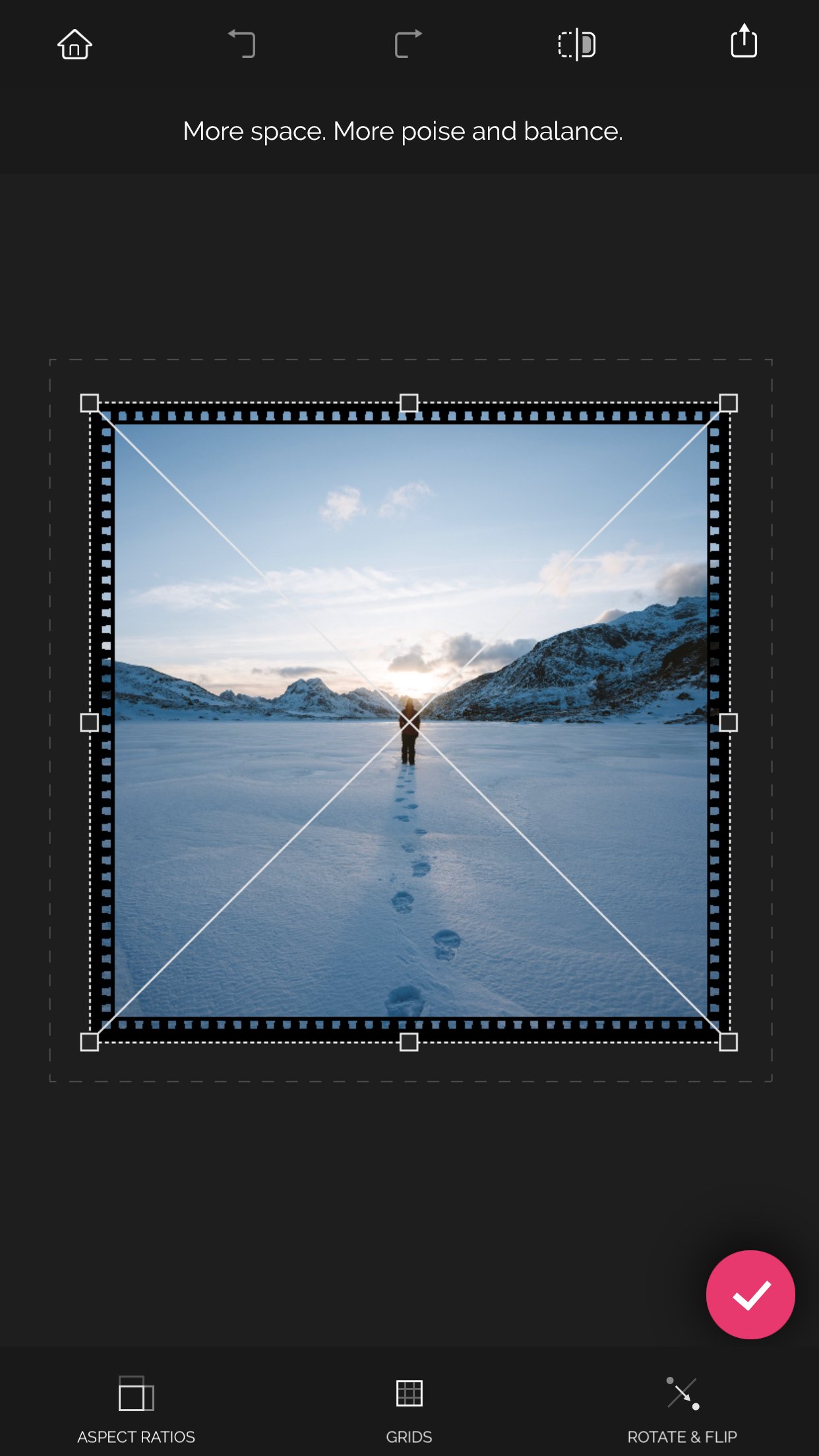
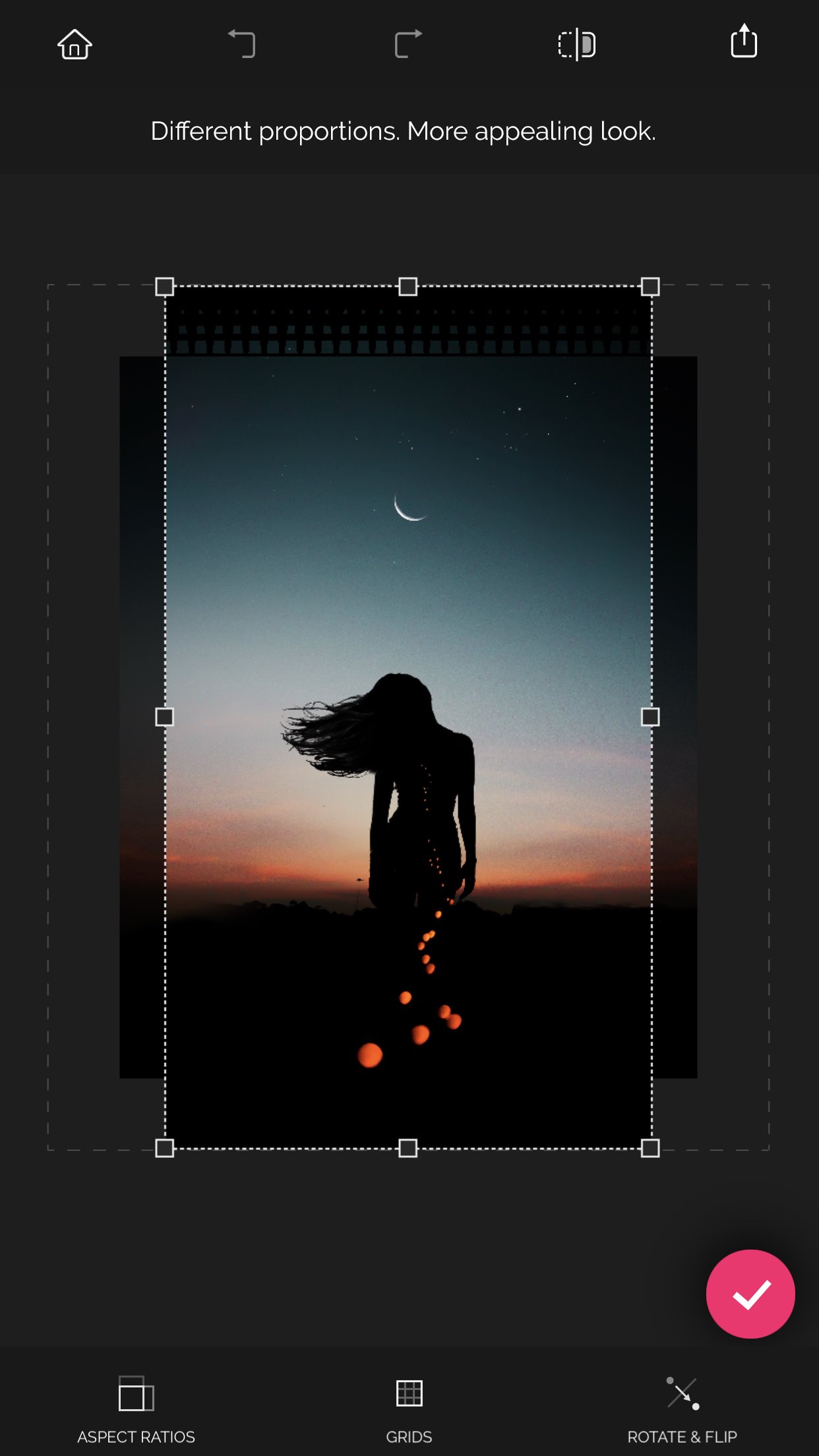
Move a photo frame or drag its handles toward the inside or outside a photo to recompose the shot. The clever app will automatically fill in the expanded areas based on the content surrounding it.
• Reframing a photo by using aspect ratios
With the list of the most common aspect ratios the app has to offer, you can obtain a photo of the needed proportions fast and with no effort. As soon as a specific ratio is selected, tap the Apply button — and the app will crop or uncrop your shot to those specific dimensions.
• Reframing a photo by using grids
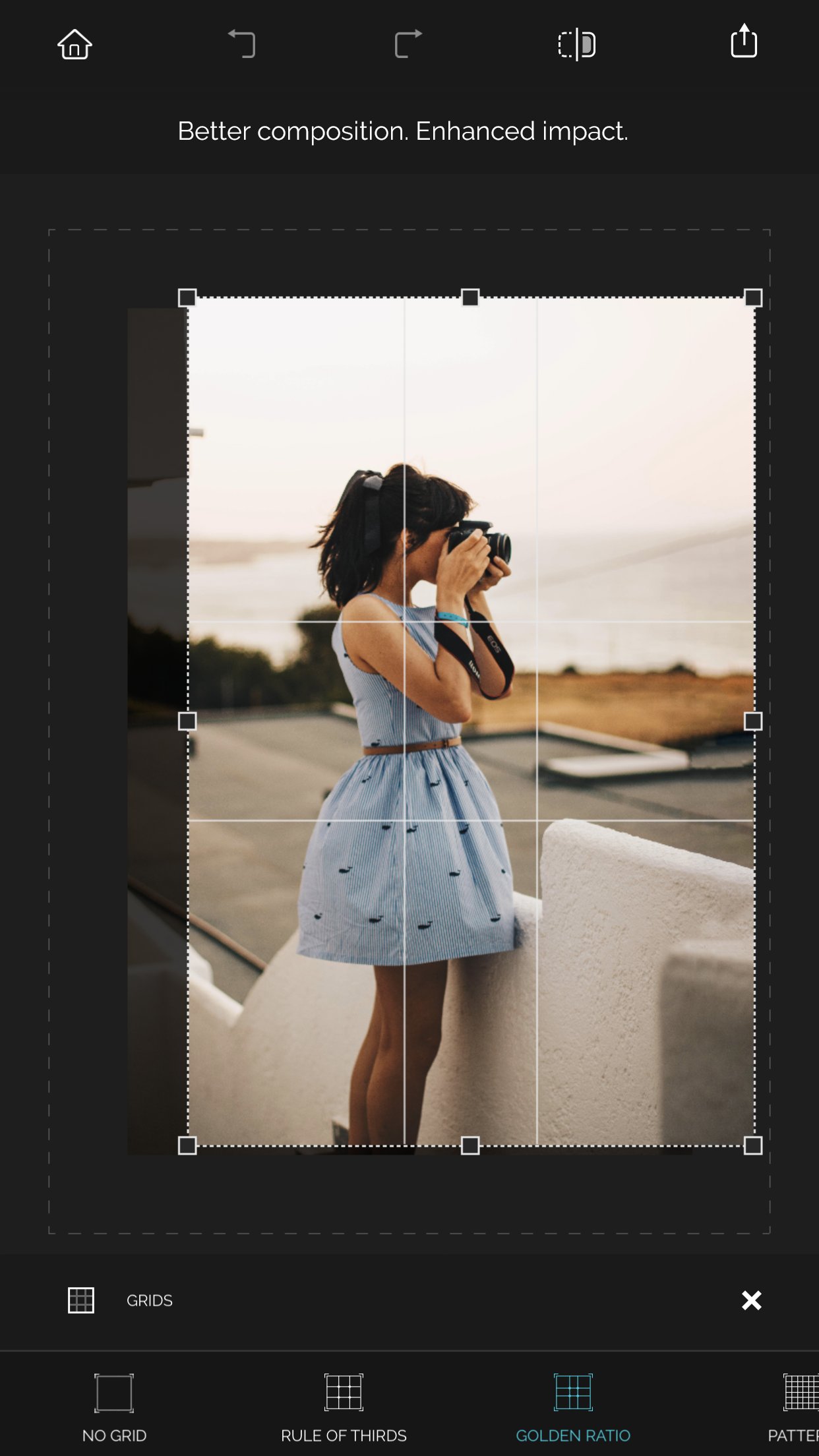
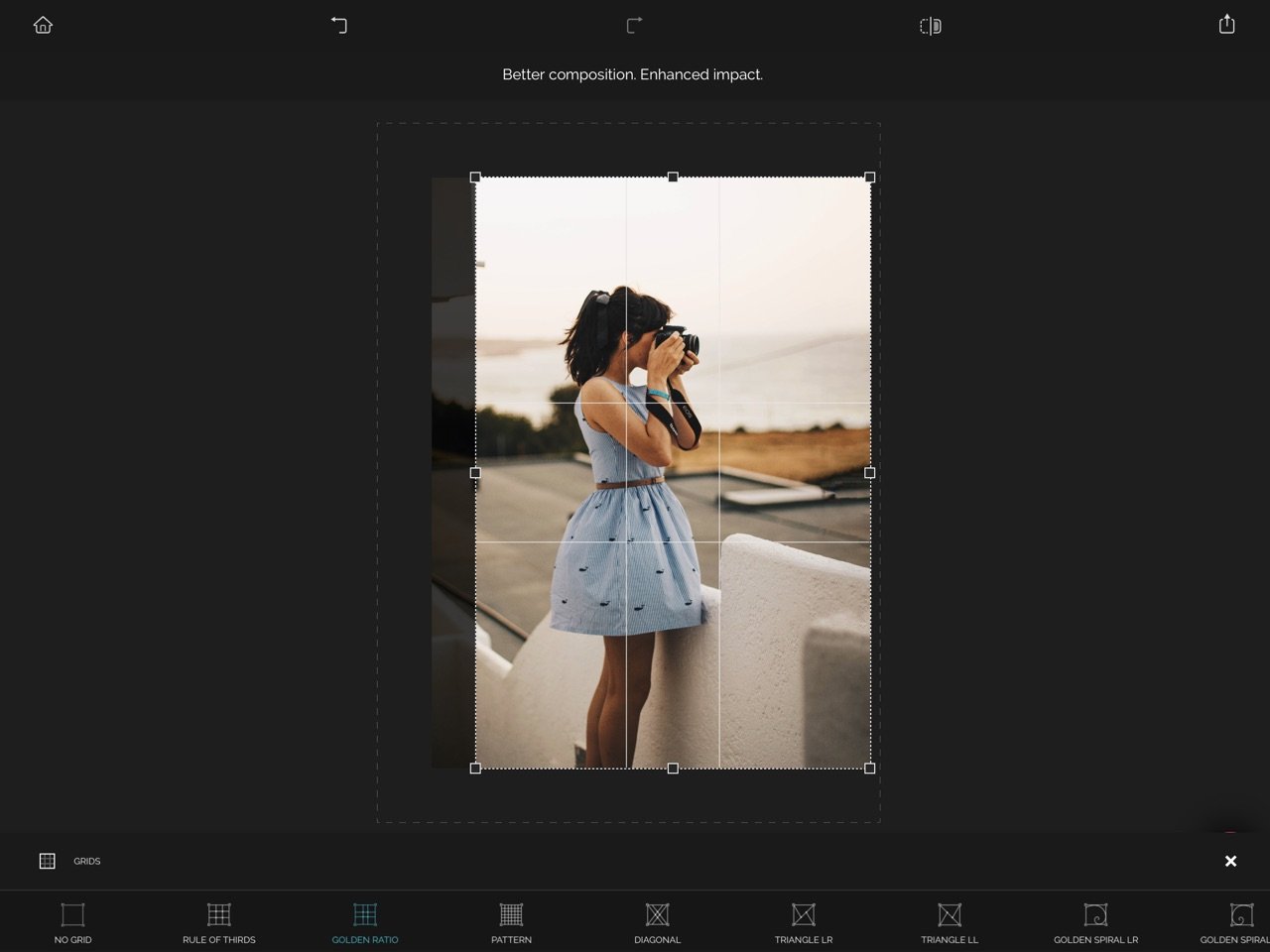
Recrop provides you with a set of the classical composition grids to help you be accurate when recomposing your images. After selecting a grid, just move a photo frame as needed to balance the photo.
STRAIGHTENING PHOTOS
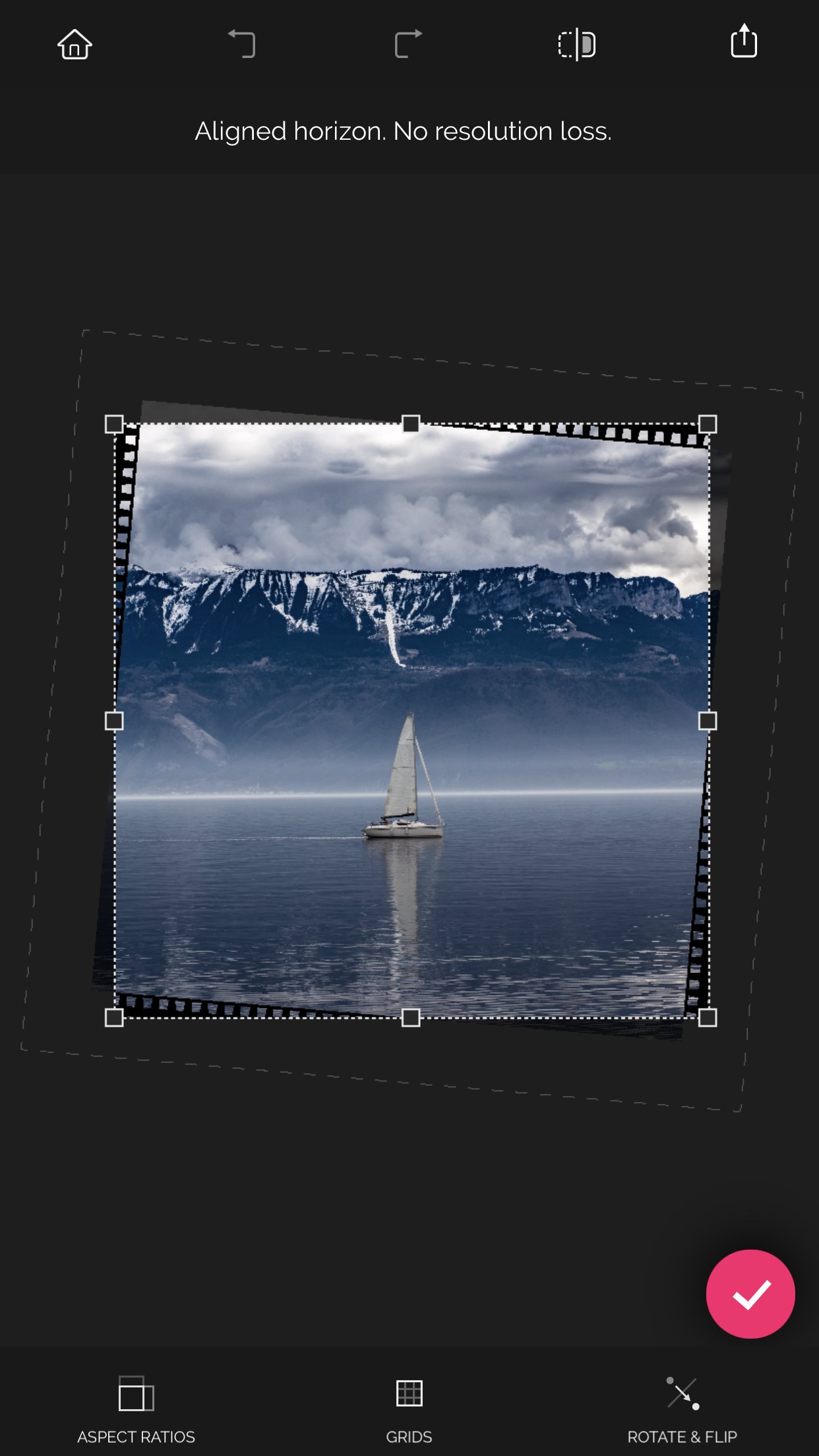
Straighten a crooked horizon line in a photo by swiping left or right or up or down anywhere outside the photo frame. The resolution of the photo won't be lost — the nearby pixels will be copied and added to the areas created.
PRAISES ABOUT RECROP
“Recrop does one thing insanely well and is the only smartphone app dedicated to this task: like content-aware fill for Photoshop, it can extend elements of an image to give more of what you missed, allowing you to crop, rotate, and even enlarge without sacrificing parts of the original image.” — Dan Rubin, Photographer, Designer
Download Recrop right now and give it a try!
If you have any questions or complaints about Recrop or need assistance with the app, please email us at support at adva-soft.com.
License: Commercial
Here are the main features of the app:
• Unique uncropping function
• Aspect ratios and grids to help you reframe photos
• Straightening without losing the resolution of a photo
ACHIEVING AN ACCURATE COMPOSITION
• Recomposing a photo by moving its frame
Recrop allows reframing images even after they have already been taken.
Move a photo frame or drag its handles toward the inside or outside a photo to recompose the shot. The clever app will automatically fill in the expanded areas based on the content surrounding it.
• Reframing a photo by using aspect ratios
With the list of the most common aspect ratios the app has to offer, you can obtain a photo of the needed proportions fast and with no effort. As soon as a specific ratio is selected, tap the Apply button — and the app will crop or uncrop your shot to those specific dimensions.
• Reframing a photo by using grids
Recrop provides you with a set of the classical composition grids to help you be accurate when recomposing your images. After selecting a grid, just move a photo frame as needed to balance the photo.
STRAIGHTENING PHOTOS
Straighten a crooked horizon line in a photo by swiping left or right or up or down anywhere outside the photo frame. The resolution of the photo won't be lost — the nearby pixels will be copied and added to the areas created.
PRAISES ABOUT RECROP
“Recrop does one thing insanely well and is the only smartphone app dedicated to this task: like content-aware fill for Photoshop, it can extend elements of an image to give more of what you missed, allowing you to crop, rotate, and even enlarge without sacrificing parts of the original image.” — Dan Rubin, Photographer, Designer
Download Recrop right now and give it a try!
If you have any questions or complaints about Recrop or need assistance with the app, please email us at support at adva-soft.com.
License: Commercial
| Release info | New Release on Jul 07, 2020 |
|---|---|
| Release notes | • Changed the look of the Continue button and renamed it to "Latest Edits" • Added support for the Peek and Pop function in Latest Edits • Added the possibility to discard the most recent edits and start from scratch by selecting another photo for editing • Fixed the bug causing the app to produce distortions on some photos after un-cropping and saving them • Fixed the bug causing the app not to show the boundaries to which to un-crop photos • Made the Golden Spiral grid more flexible to use • Made stability improvements • Improved the app performance on older devices |
| Listing data | App Store |
Reviews
No reviews yet. Be the first to review Recrop.
Used Recrop? Tell other visitors what you thought.
Log in to write a reviewOther products by this publisher
- "No Distractions" for YouTube 4.10 ----
- #Bible 11.6 "Incredible App - My sister shared this app with me a few weeks ago and it is truly incredible.
- #filmphotography 1.4.2 So, you decided to shoot on film?
- $quirrel 1.5.1 $quirrel Budget & Finance helps you plan each paycheck, track spending, manage debt, and see what is safe to spend before the next payday.
- % Percentage Calculator Pro 1.41 This is the Pro version of % Percentage Calculator.
Most viewed iOS Photo & Video
-
1
 ShortDiShow 2.0
Drama Quest Island — An offline interactive short-drama adventure.
-
2
 Infuse 8.5.10
Infuse: Enterprise provides the same great features as the standard version of Infuse and includes permanent access to all Pro features via a traditional paid app.
-
3
 AI Video Generator 2.0.3
Vixel – AI Video Generator
-
4
 OPlayer 4.8
Play all your videos directly without having to convert them!
-
5
 Necrometer II 1.2
Necrometer II is a paranormal investigation companion designed for ghost hunters and researchers.
-
6
 CapCut 20.1.0
CapCut offers easy-to-use video editing functions, in-APP fonts and effects, advanced features such as keyframe animation, smooth slow-motion, chroma key, and stabilization, to help you capture and snip moments.
-
7
 Ai Photo 1.1.2
AI Photo Retouch – BG Eraser
- 8 #filmphotography 1.4.2 So, you decided to shoot on film?
-
9
 Analog Radio 3.0
The iPhone and iPad devices don't have the FM/AM radio antenna installed.
-
10
 Pop Dot Comics 1.48
Create a comic worthy of the Sunday newspaper or your favorite pulp-fiction cover.
Most downloaded iOS Photo & Video
-
1
 DJI Fly 1.21.18
DJI Fly is designed to help pilots fly drones with ease.
-
2
Infuse 8.5.10
Infuse: Enterprise provides the same great features as the standard version of Infuse and includes permanent access to all Pro features via a traditional paid app.
-
3
Analog Radio 3.0
The iPhone and iPad devices don't have the FM/AM radio antenna installed.
-
4
 TurboCollage Automatic 1.2.4
#1 Easy automatic photo collage maker for iPhone & iPad.
-
5
 ReelyGo 1.1.42
ReelyGo: Your Daily Drama Escape
-
6
 Rozeta Sequencer Suite 1.3.16
Rozeta is a suite of MIDI sequencers and controllers that lets you explore a new, freeform approach to sequencing and controlling mobile music apps.
-
7
 Treblo 1.6.6
Make songs with the world's best AI music model.
-
8
Pop Dot Comics 1.48
Create a comic worthy of the Sunday newspaper or your favorite pulp-fiction cover.
-
9
 Sun Scout 1.5.0
If your work or play requires sunlight, Sun Scout is built for you.
-
10
 AGAIN. Rehearsal Notes 2.0.1
AGAIN. is the rehearsal app that remembers why the band stopped — and, new in Version 2, who said what in a writing session or a table read.