0downloads
0this week
FreeCommercial
0reviews
Screenshots
About radioBee Pro
radioBee Pro — Internet radio, made simple.
As a SHOUTcast partner, radioBee Pro brings live internet radio stations from around the world to your iPhone and iPad. No account. No ads we put there. No setup wall.
Open the app, search, hit play. That's it.
What you get with radioBee Pro:
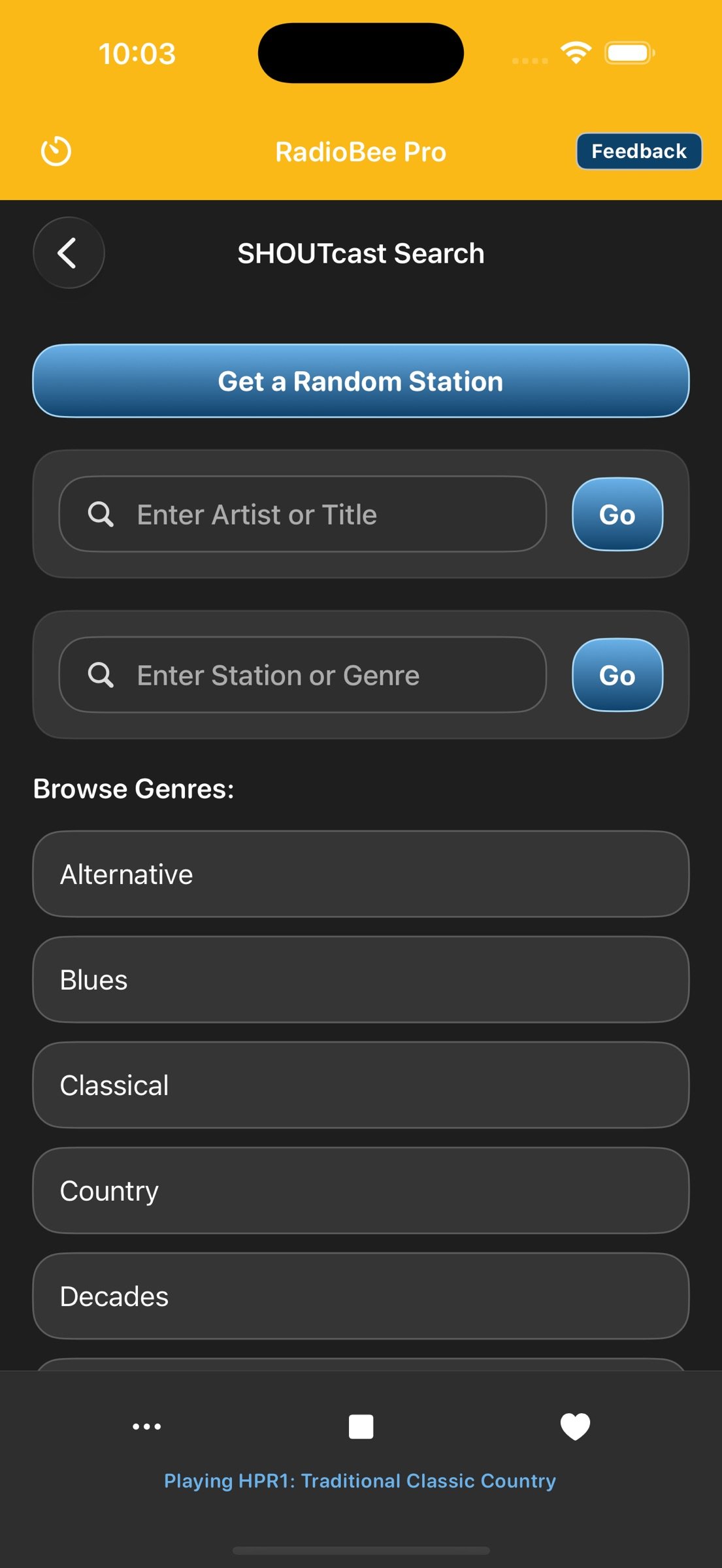
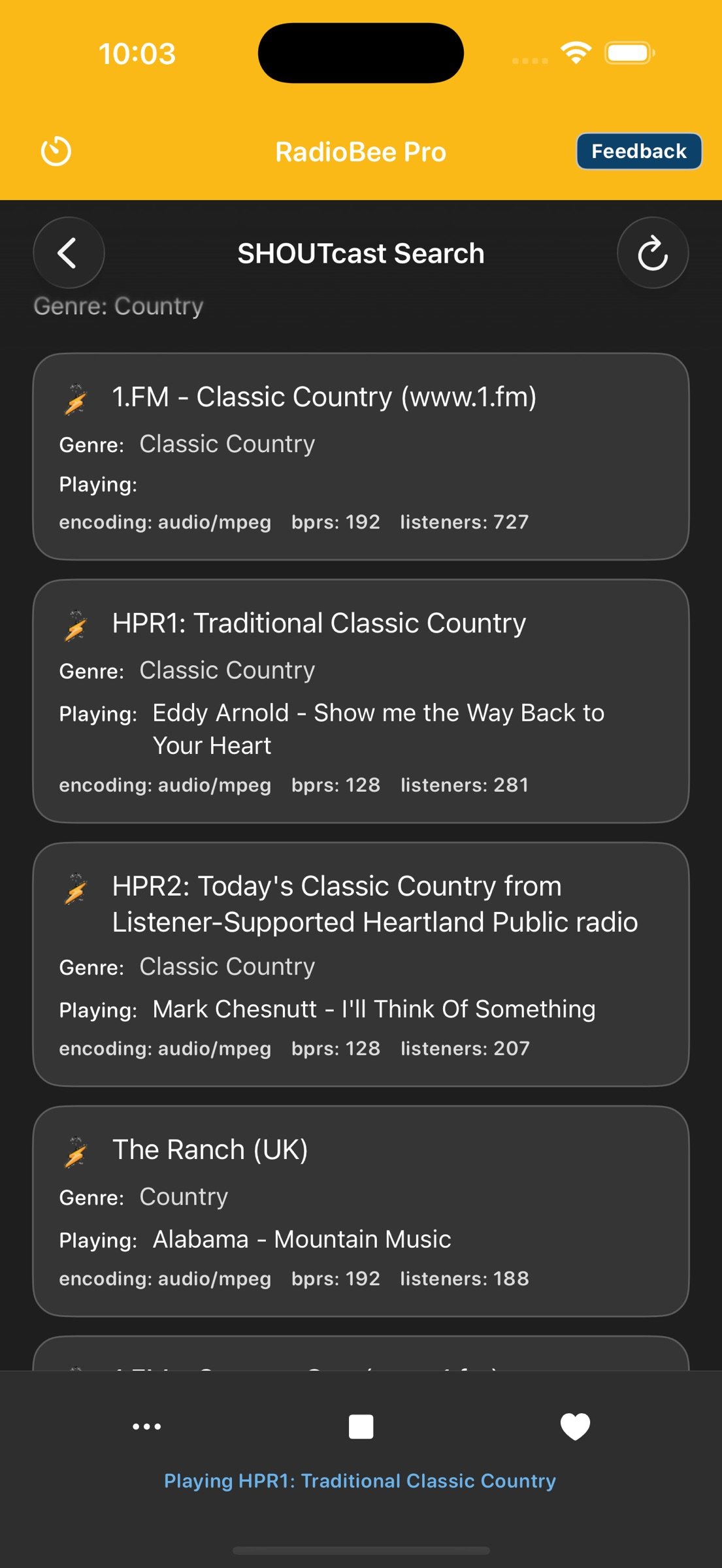
• Search the Shoutcast directory by genre, country, station name, near me, or what's currently playing
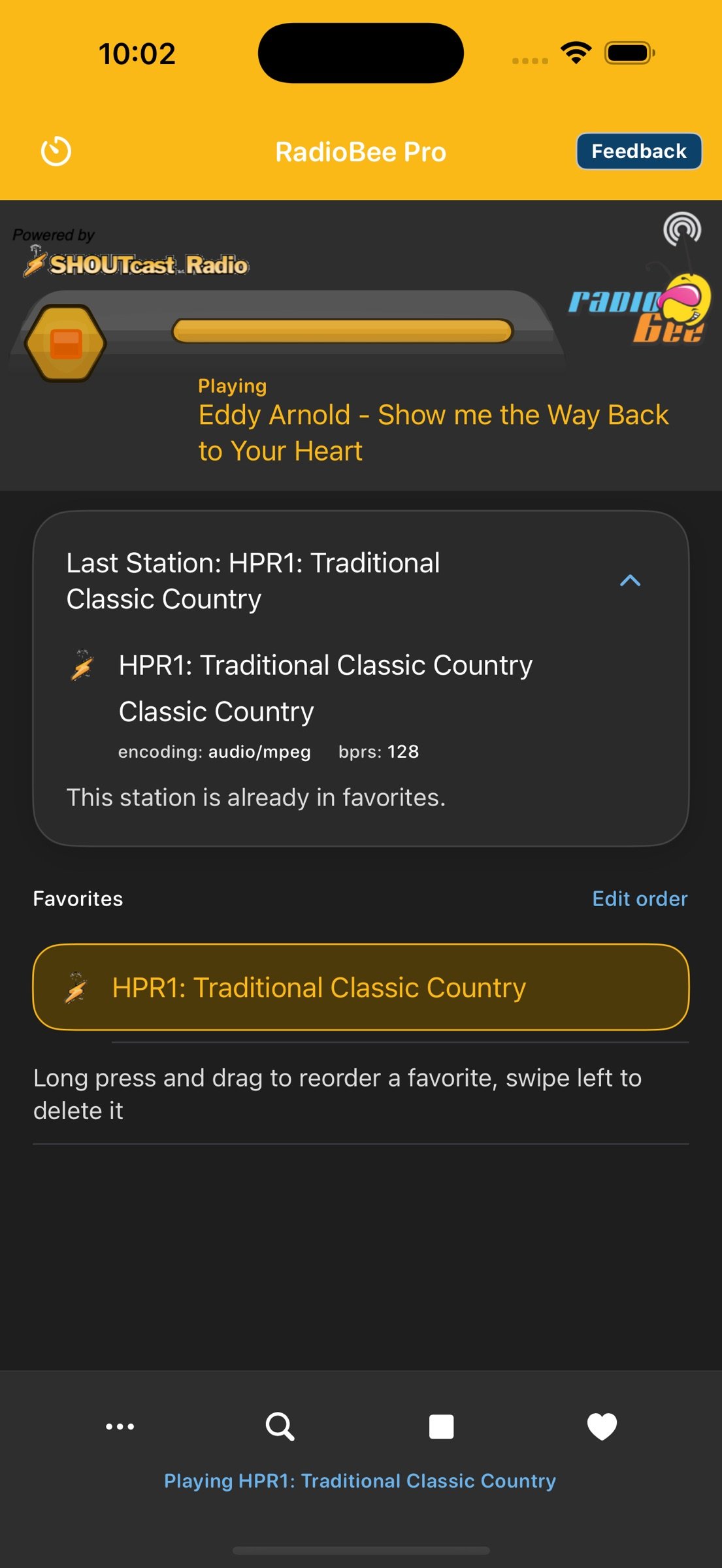
• Live "now playing" — see track and artist when stations provide it
• Dock Mode — a big clock with your station and favorites that stays on and dims at night, made for an iPhone or iPad on the kitchen counter or nightstand
• Aurora — start a station, then tap the glowing logo: the whole screen becomes a light display that moves with the sound. Tap Mode to switch between four visuals: Aurora, Spectrum, Pulse and Wave
• CarPlay — browse your favorites and control playback from your car's display
• Live Activity — station and playback controls on the Lock Screen and in the Dynamic Island
• Built for iPhone and iPad, in portrait and landscape
• Save up to 30 favorite stations
• Drag to reorder favorites — keep your stations in your order
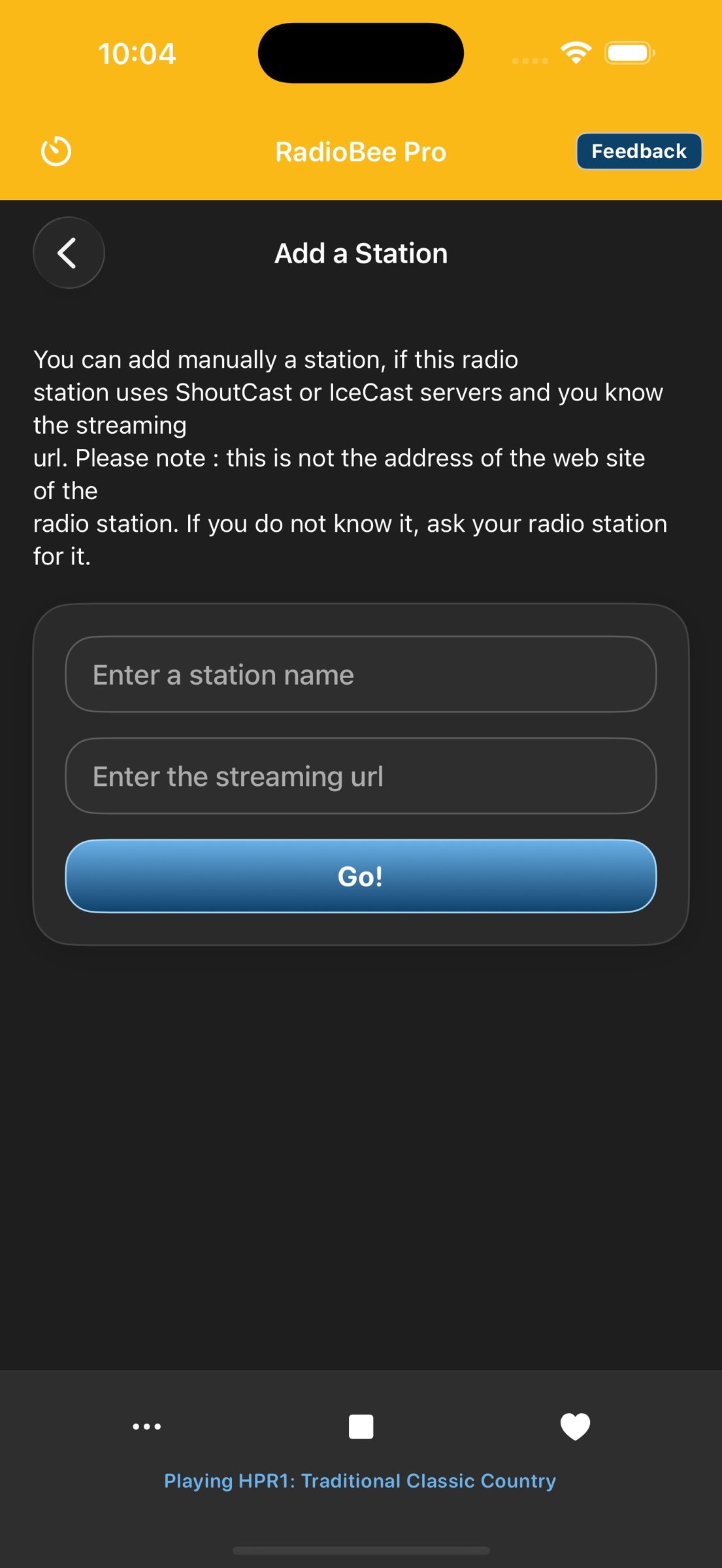
• Add custom stations manually by stream URL
• Autoplay on start — optionally pick up your last station the moment the app opens
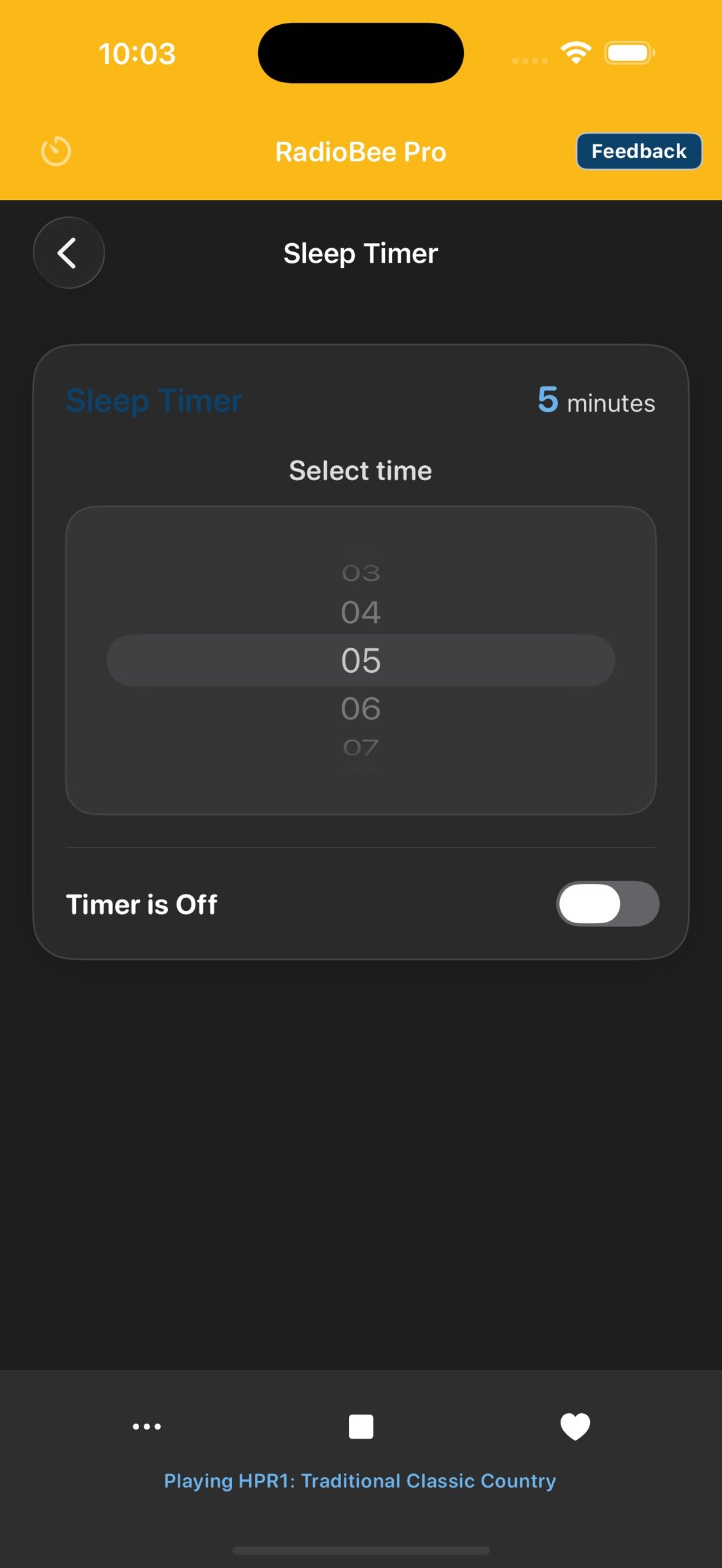
• Built-in sleep timer — pick your minutes, stop when you say
• Share any station with friends via a direct link
• Remembers your last station, so you pick up where you left off
What you won't find:
• No ads we put in front of you
• No account or sign-up required to listen
• No paywall on basic features like sleep timer
A note on Lite vs. Pro:
radioBee Pro is the paid tier. Pro adds two things over the free radioBee Lite: a higher favorites cap — 30 stations instead of 5 — and the full set of Aurora visual modes, Spectrum, Pulse and Wave alongside Aurora itself (Lite has the Aurora display). Everything else (SHOUTcast search, now-playing, Dock Mode, CarPlay, Live Activity, custom URLs, sleep timer, share, no ads, no account) is the same on both. If you just want to try radioBee, get Lite first — it's free.
We don't run audio ads. Live broadcasts may carry the station's own commercials — those are part of the broadcast, not something we insert.
More features are planned for upcoming updates. Tell us what you'd find useful — we read every message.
Questions or feedback? support@radiobee.com
Learn more: [link removed]
As a SHOUTcast partner, radioBee Pro brings live internet radio stations from around the world to your iPhone and iPad. No account. No ads we put there. No setup wall.
Open the app, search, hit play. That's it.
What you get with radioBee Pro:
• Search the Shoutcast directory by genre, country, station name, near me, or what's currently playing
• Live "now playing" — see track and artist when stations provide it
• Dock Mode — a big clock with your station and favorites that stays on and dims at night, made for an iPhone or iPad on the kitchen counter or nightstand
• Aurora — start a station, then tap the glowing logo: the whole screen becomes a light display that moves with the sound. Tap Mode to switch between four visuals: Aurora, Spectrum, Pulse and Wave
• CarPlay — browse your favorites and control playback from your car's display
• Live Activity — station and playback controls on the Lock Screen and in the Dynamic Island
• Built for iPhone and iPad, in portrait and landscape
• Save up to 30 favorite stations
• Drag to reorder favorites — keep your stations in your order
• Add custom stations manually by stream URL
• Autoplay on start — optionally pick up your last station the moment the app opens
• Built-in sleep timer — pick your minutes, stop when you say
• Share any station with friends via a direct link
• Remembers your last station, so you pick up where you left off
What you won't find:
• No ads we put in front of you
• No account or sign-up required to listen
• No paywall on basic features like sleep timer
A note on Lite vs. Pro:
radioBee Pro is the paid tier. Pro adds two things over the free radioBee Lite: a higher favorites cap — 30 stations instead of 5 — and the full set of Aurora visual modes, Spectrum, Pulse and Wave alongside Aurora itself (Lite has the Aurora display). Everything else (SHOUTcast search, now-playing, Dock Mode, CarPlay, Live Activity, custom URLs, sleep timer, share, no ads, no account) is the same on both. If you just want to try radioBee, get Lite first — it's free.
We don't run audio ads. Live broadcasts may carry the station's own commercials — those are part of the broadcast, not something we insert.
More features are planned for upcoming updates. Tell us what you'd find useful — we read every message.
Questions or feedback? support@radiobee.com
Learn more: [link removed]
| Release info | New Release on Oct 02, 2026 |
|---|---|
| Release notes | Improved auto docking feature |
| Listing data | App Store |
Reviews
No reviews yet. Be the first to review radioBee Pro.
Used radioBee Pro? Tell other visitors what you thought.
Log in to write a reviewOther products by this publisher
- #Bible 11.5 "Incredible App - My sister shared this app with me a few weeks ago and it is truly incredible.
- % Percentage Calculator Pro 1.41 This is the Pro version of % Percentage Calculator.
- (beat) for iOS 0.5.8 An elegant Fountain screenwriting app, created by a screenwriter for screenwriters.
- (Deep) HIARCS Chess Explorer 1.14 Chess database, analysis and game playing program
- (How to) Pronounce PRO 1.5.6 This is a PRO version of (How to) Pronounce.
Most viewed iOS Photo & Video
-
1
 AI Video Generator 1.8.2
Vixel – AI Video Generator
AI Video Generator 1.8.2
Vixel – AI Video Generator
-
2
 Sci-Fi Keyboard 3.0
Make your keyboard a Sci-Fi input panel.
Sci-Fi Keyboard 3.0
Make your keyboard a Sci-Fi input panel.
-
3
 Ai Photo 1.1.0
AI Photo Retouch – BG Eraser
Ai Photo 1.1.0
AI Photo Retouch – BG Eraser
-
4
 Locket Widget 2.69.0
Locket is a widget that shows live photos from your best friends, right to your Home Screen.
Locket Widget 2.69.0
Locket is a widget that shows live photos from your best friends, right to your Home Screen.
-
5
 TouchSiren Delta 3.1
--------------------------------------------------------------
TouchSiren Delta 3.1
--------------------------------------------------------------
-
6
 CapCut 19.7.0
CapCut offers easy-to-use video editing functions, in-APP fonts and effects, advanced features such as keyframe animation, smooth slow-motion, chroma key, and stabilization, to help you capture and snip moments.
CapCut 19.7.0
CapCut offers easy-to-use video editing functions, in-APP fonts and effects, advanced features such as keyframe animation, smooth slow-motion, chroma key, and stabilization, to help you capture and snip moments.
-
7
 Dance AI 1.1.0
CREATE YOUR AI DANCE VIDEOS
Dance AI 1.1.0
CREATE YOUR AI DANCE VIDEOS
-
8
 CNU 3.0.12
CNU?????????????????????,???????????????
CNU 3.0.12
CNU?????????????????????,???????????????
-
9
 Forum, a Facebook app 29.0
Facebook is great for keeping up with friends, watching videos, and staying connected.
Forum, a Facebook app 29.0
Facebook is great for keeping up with friends, watching videos, and staying connected.
-
10
 BeReal 4.96.1
BeReal is the simplest photo-sharing app where you and your friends post once a day to show what you’re really up to.
BeReal 4.96.1
BeReal is the simplest photo-sharing app where you and your friends post once a day to show what you’re really up to.
Most downloaded iOS Photo & Video
-
1
 Infuse 8.5.6
Infuse: Enterprise provides the same great features as the standard version of Infuse and includes permanent access to all Pro features via a traditional paid app.
Infuse 8.5.6
Infuse: Enterprise provides the same great features as the standard version of Infuse and includes permanent access to all Pro features via a traditional paid app.
-
2
 JLab 1.4.2
Compatible Models:
JLab 1.4.2
Compatible Models:
-
3
 Emoji Maker 3.11.2
Emoji Up is an emoji maker that lets you create your own custom emojis.
Emoji Maker 3.11.2
Emoji Up is an emoji maker that lets you create your own custom emojis.
-
4
 Open Source Selfie Stick 1.0
This app acts as a "virtual selfie stick." It lets one iOS device act as a remote control for the camera of another iOS device (two iOS devices are required).
Open Source Selfie Stick 1.0
This app acts as a "virtual selfie stick." It lets one iOS device act as a remote control for the camera of another iOS device (two iOS devices are required).
-
5
BeReal 4.96.1
BeReal is the simplest photo-sharing app where you and your friends post once a day to show what you’re really up to.
-
6
AI Video Generator 1.8.2
Vixel – AI Video Generator
-
7
 Letterboxd 4.12.6
Letterboxd for iOS puts the popular social network for film lovers on your iPhone or iPad, so you can log films and catch up on your friends’ activity with ease.
Letterboxd 4.12.6
Letterboxd for iOS puts the popular social network for film lovers on your iPhone or iPad, so you can log films and catch up on your friends’ activity with ease.
-
8
 Giggles 2.9
YOU'VE BEEN INVITED
Giggles 2.9
YOU'VE BEEN INVITED
-
9
 PixGallery for Google Photos 1.12
Watch all Google Photos with albums on Apple TV & Watch with simple connectivity.
PixGallery for Google Photos 1.12
Watch all Google Photos with albums on Apple TV & Watch with simple connectivity.
-
10
CapCut 19.7.0
CapCut offers easy-to-use video editing functions, in-APP fonts and effects, advanced features such as keyframe animation, smooth slow-motion, chroma key, and stabilization, to help you capture and snip moments.