Prismturn Lenticular Prints 1.1
Prismturn prepares image files for small physical lenticular flip prints.
Download
8.88 MB
7downloads
2this week
FreeCommercial
0reviews
Screenshots
About Prismturn Lenticular Prints
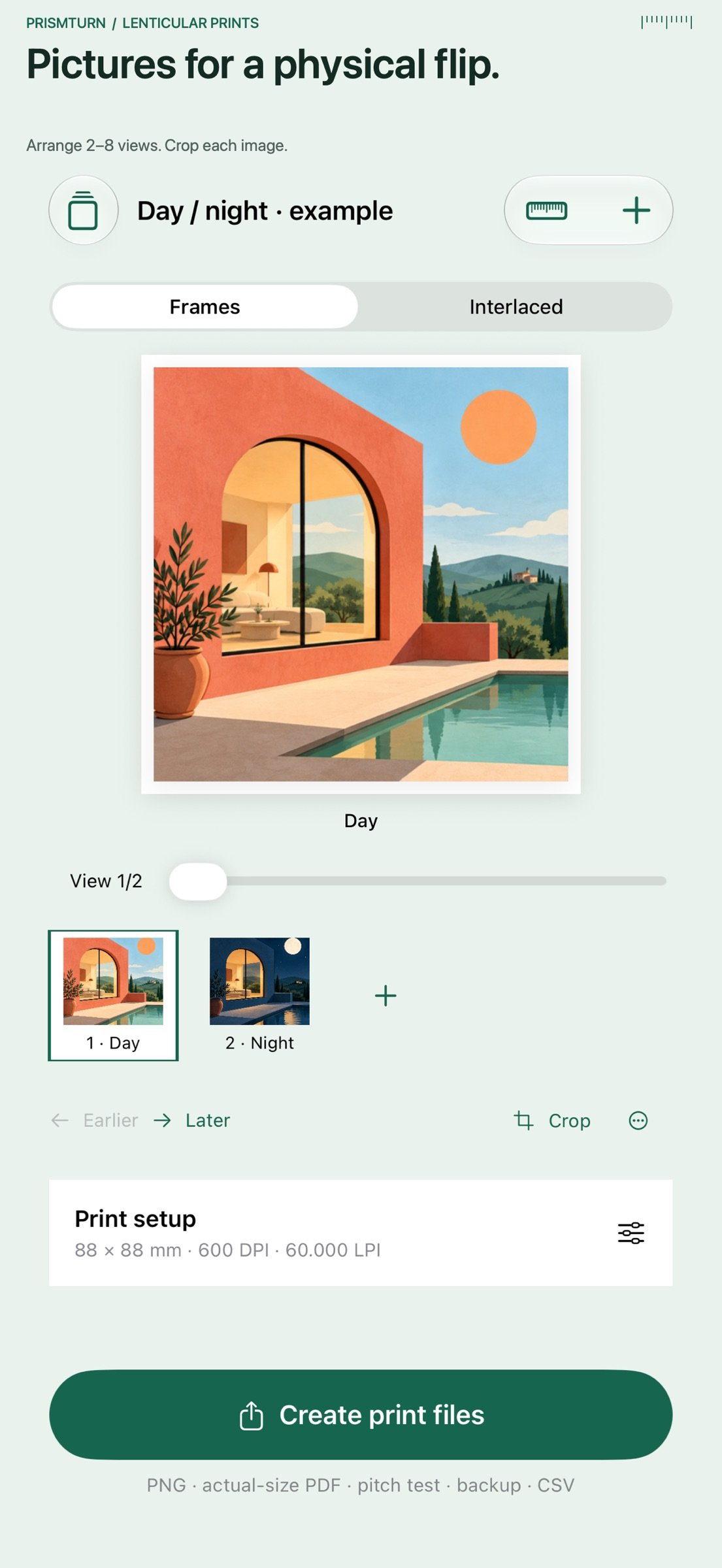
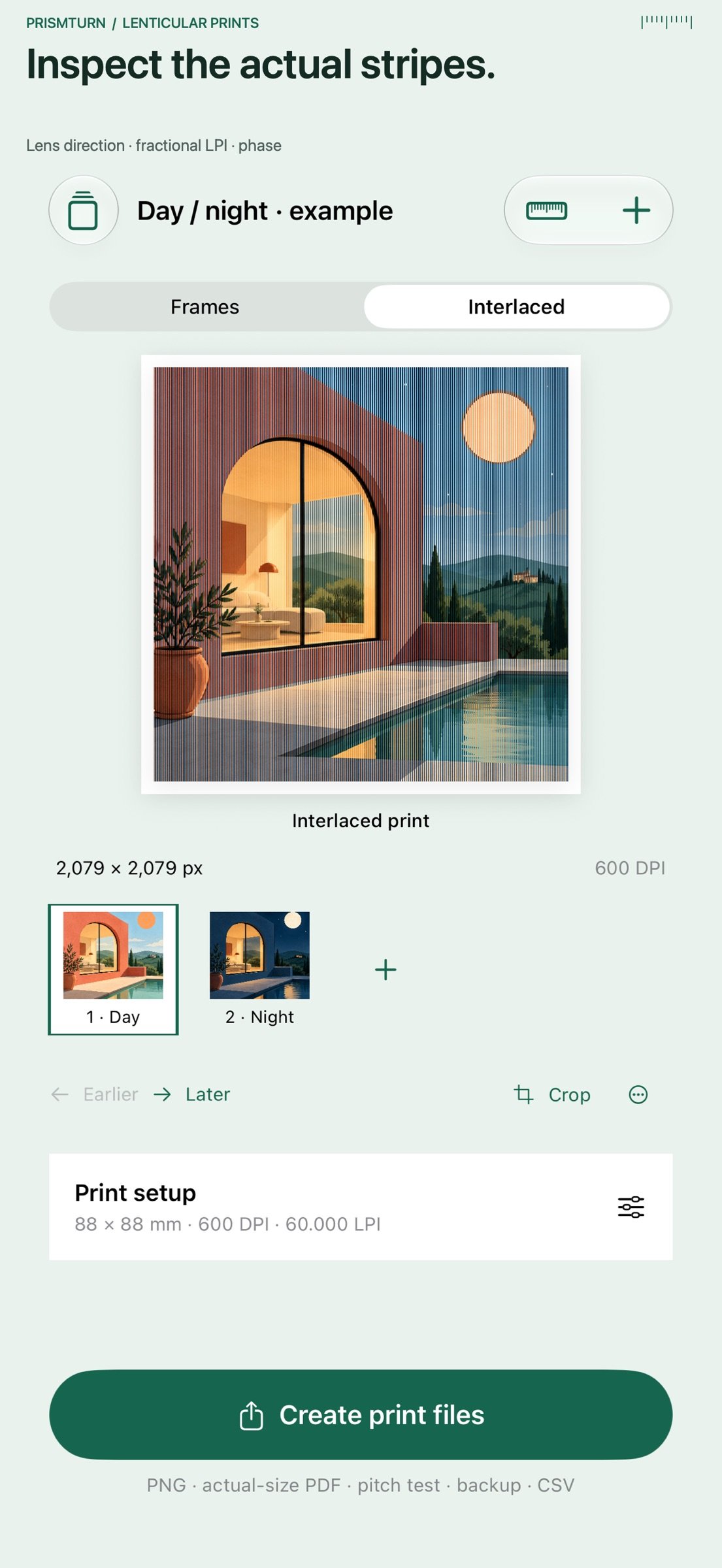
Prismturn prepares image files for small physical lenticular flip prints. Bring 2–8 pictures, arrange their order, adjust each crop and save a reusable project on your device.
TEST THE LENS FIRST
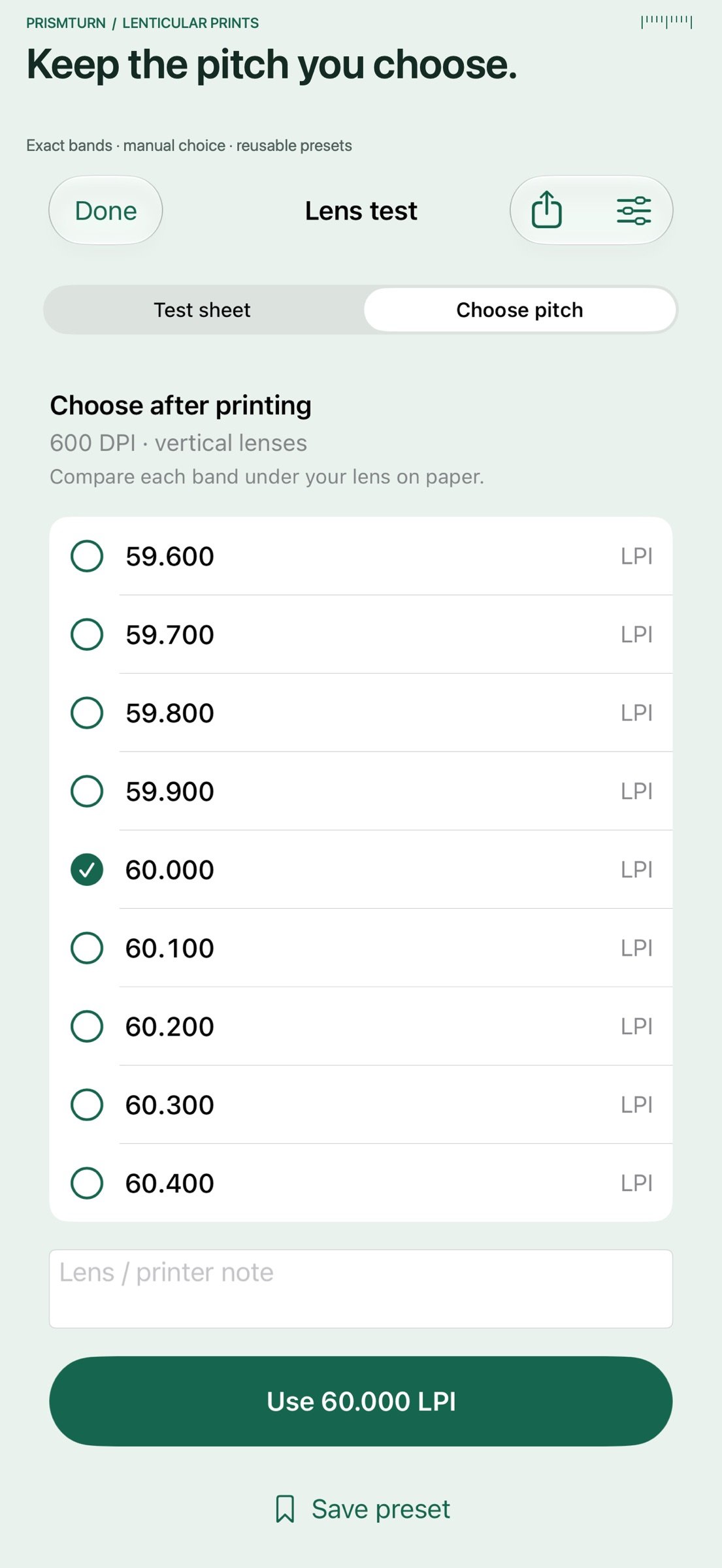
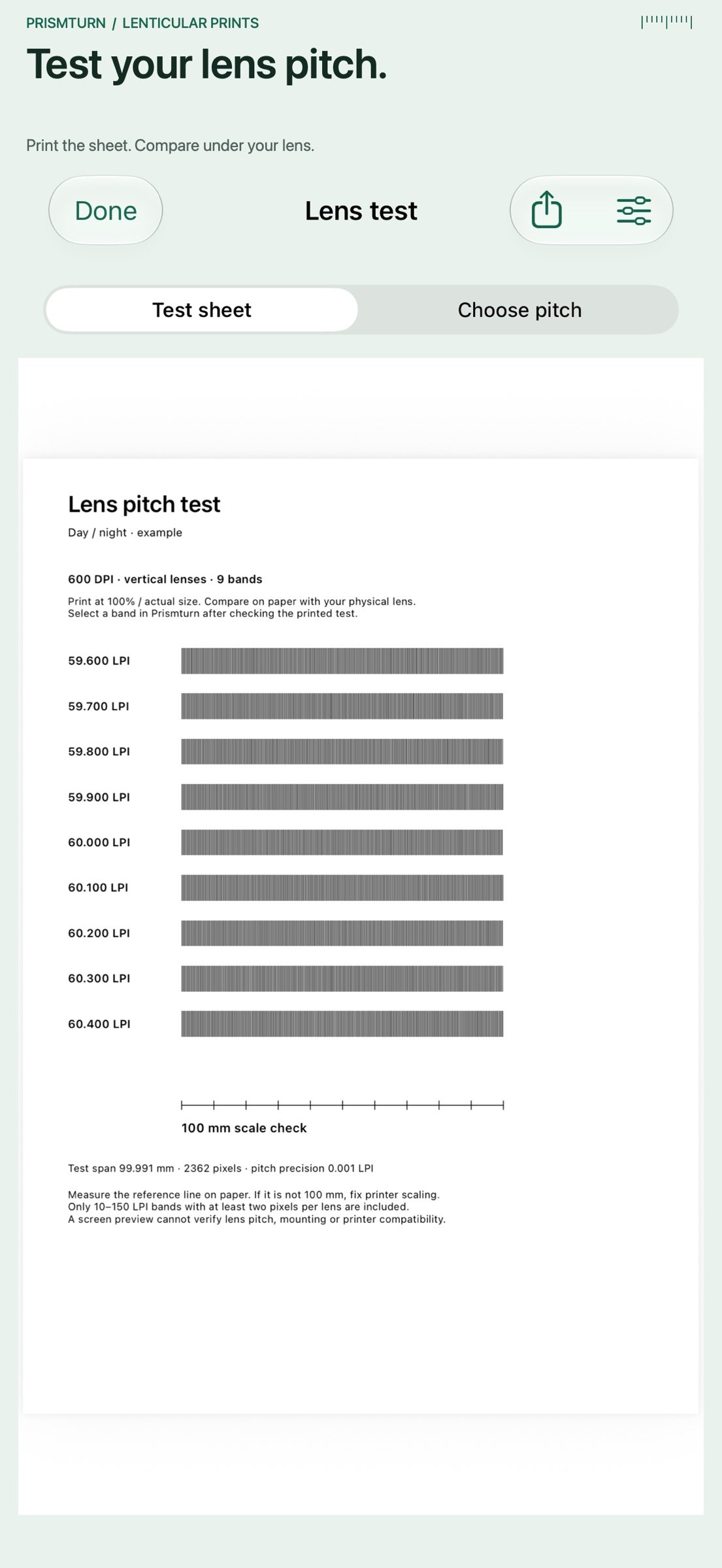
Generate a pitch-test PDF and band CSV before adding photos. Choose base pitch, step, DPI, direction and paper. Vertical and horizontal tests both use a roughly 100 mm raster span, with a separate exact 100 mm reference ruler. Print at 100% / actual size, compare the bands under your own physical lens, and explicitly choose a pitch to apply to your project or save as a named preset. Pitch values retain three decimals. This is a manual paper test, not automatic lens measurement.
PREPARE THE IMAGE
Set print size in millimeters, raster DPI and effective lens pitch in LPI. Choose vertical or horizontal lenses, reverse view order or adjust phase. Each output pixel selects a source view, including fractional lens pitches. Inspect the source sequence manually or view the actual interlaced raster. iPad adapts its source preview and print inspector to the available space.
SHARE FIVE REAL FILES
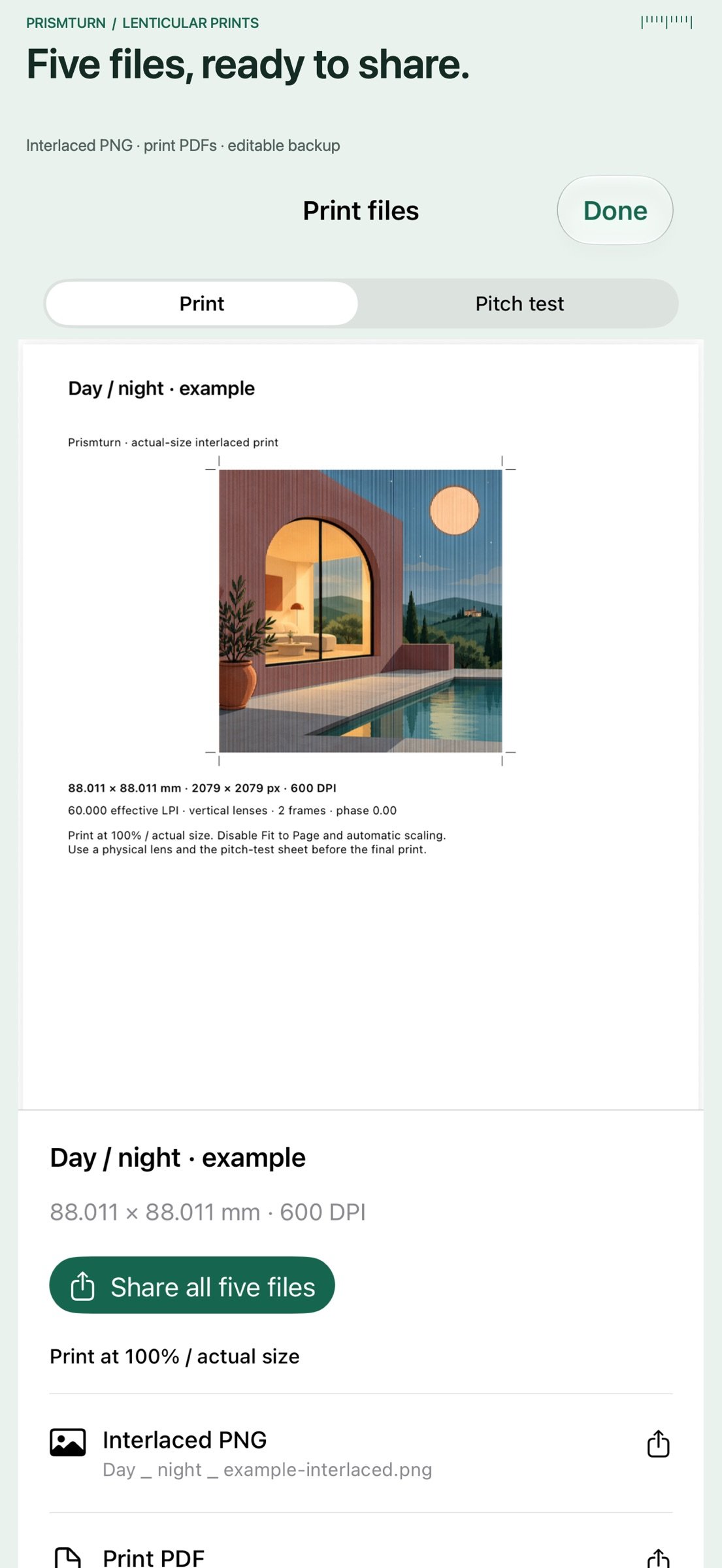
Export an interlaced PNG with print-resolution metadata, an actual-size A4 or US Letter PDF with crop marks, a pitch-test PDF, a settings CSV and an editable JSON backup containing source images. Share together or individually. The CSV and backup retain your manually chosen lens-test settings and note. Import a backup to restore a separate project copy. Save, apply and delete print presets.
One upfront purchase includes every tool. No subscriptions, advertisements, accounts, analytics or developer data collection. Projects and pictures stay on your device unless you choose to share them.
A separately obtained physical lenticular lens and suitable printer are required for the finished effect. Frames is a manual sequence preview, not a simulation or calibration of your lens. Lens pitch, viewing distance, printer precision, scaling and mounting affect results. Prismturn does not infer 3D depth, control printers, produce video or guarantee lens compatibility.
Import images up to 20 MB and 100 megapixels; retained sources are resized to at most 1600 pixels per edge. Print sizes are 20–150 mm per edge at 300, 600, 720 or 1200 DPI; each output edge must remain at or below 4096 pixels. Each frame needs at least one output pixel per lens, so some DPI/pitch/frame-count combinations require adjustment. Pixel rounding is shown as actual print dimensions. Backups are imported up to 128 MB.
License: Commercial
TEST THE LENS FIRST
Generate a pitch-test PDF and band CSV before adding photos. Choose base pitch, step, DPI, direction and paper. Vertical and horizontal tests both use a roughly 100 mm raster span, with a separate exact 100 mm reference ruler. Print at 100% / actual size, compare the bands under your own physical lens, and explicitly choose a pitch to apply to your project or save as a named preset. Pitch values retain three decimals. This is a manual paper test, not automatic lens measurement.
PREPARE THE IMAGE
Set print size in millimeters, raster DPI and effective lens pitch in LPI. Choose vertical or horizontal lenses, reverse view order or adjust phase. Each output pixel selects a source view, including fractional lens pitches. Inspect the source sequence manually or view the actual interlaced raster. iPad adapts its source preview and print inspector to the available space.
SHARE FIVE REAL FILES
Export an interlaced PNG with print-resolution metadata, an actual-size A4 or US Letter PDF with crop marks, a pitch-test PDF, a settings CSV and an editable JSON backup containing source images. Share together or individually. The CSV and backup retain your manually chosen lens-test settings and note. Import a backup to restore a separate project copy. Save, apply and delete print presets.
One upfront purchase includes every tool. No subscriptions, advertisements, accounts, analytics or developer data collection. Projects and pictures stay on your device unless you choose to share them.
A separately obtained physical lenticular lens and suitable printer are required for the finished effect. Frames is a manual sequence preview, not a simulation or calibration of your lens. Lens pitch, viewing distance, printer precision, scaling and mounting affect results. Prismturn does not infer 3D depth, control printers, produce video or guarantee lens compatibility.
Import images up to 20 MB and 100 megapixels; retained sources are resized to at most 1600 pixels per edge. Print sizes are 20–150 mm per edge at 300, 600, 720 or 1200 DPI; each output edge must remain at or below 4096 pixels. Each frame needs at least one output pixel per lens, so some DPI/pitch/frame-count combinations require adjustment. Pixel rounding is shown as actual print dimensions. Backups are imported up to 128 MB.
License: Commercial
| Release info | Update on Nov 02, 2026 |
|---|---|
| Release notes | Test your lens before adding pictures. Generate a printable pitch test and band CSV, compare the sheet with your physical lens, then apply an exact band or save it as a print preset. Horizontal-lens tests now use a full 100 mm test span; pitch values retain three decimals. This update also improves iPad previews, PDF sharing, project selection and preservation of unchanged projects. |
| Listing data | App Store |
Reviews
No reviews yet. Be the first to review Prismturn Lenticular Prints.
Used Prismturn Lenticular Prints? Tell other visitors what you thought.
Log in to write a reviewOther products by this publisher
- "No Distractions" for YouTube 4.10 ----
- #Bible 11.5 "Incredible App - My sister shared this app with me a few weeks ago and it is truly incredible.
- #filmphotography 1.4.2 So, you decided to shoot on film?
- $quirrel 1.5.1 $quirrel Budget & Finance helps you plan each paycheck, track spending, manage debt, and see what is safe to spend before the next payday.
- % Percentage Calculator Pro 1.41 This is the Pro version of % Percentage Calculator.
Most viewed iOS Photo & Video
-
1
 Infuse 8.5.9
Infuse: Enterprise provides the same great features as the standard version of Infuse and includes permanent access to all Pro features via a traditional paid app.
-
2
 ShortDiShow 2.0
Drama Quest Island — An offline interactive short-drama adventure.
-
3
 AI Video Generator 2.0.2
Vixel – AI Video Generator
-
4
 OPlayer 4.8
Play all your videos directly without having to convert them!
-
5
 Necrometer II 1.2
Necrometer II is a paranormal investigation companion designed for ghost hunters and researchers.
-
6
 CapCut 20.0.0
CapCut offers easy-to-use video editing functions, in-APP fonts and effects, advanced features such as keyframe animation, smooth slow-motion, chroma key, and stabilization, to help you capture and snip moments.
-
7
 TouchSiren Delta 3.1
--------------------------------------------------------------
-
8
 Ai Photo 1.1.2
AI Photo Retouch – BG Eraser
-
9
 CNU 3.0.12
CNU?????????????????????,???????????????
-
10
 Treblo 1.6.0
Make songs with the world's best AI music model.
Most downloaded iOS Photo & Video
-
1
Infuse 8.5.9
Infuse: Enterprise provides the same great features as the standard version of Infuse and includes permanent access to all Pro features via a traditional paid app.
-
2
 DJI Fly 1.21.18
DJI Fly is designed to help pilots fly drones with ease.
-
3
 ReelyGo 1.1.42
ReelyGo: Your Daily Drama Escape
-
4
 TurboCollage Automatic 1.2.4
#1 Easy automatic photo collage maker for iPhone & iPad.
-
5
 Analog Radio 3.0
The iPhone and iPad devices don't have the FM/AM radio antenna installed.
-
6
 AGAIN. Rehearsal Notes 2.0.1
AGAIN. is the rehearsal app that remembers why the band stopped — and, new in Version 2, who said what in a writing session or a table read.
-
7
Treblo 1.6.0
Make songs with the world's best AI music model.
-
8
 Pop Dot Comics 1.48
Create a comic worthy of the Sunday newspaper or your favorite pulp-fiction cover.
-
9
 Rozeta Sequencer Suite 1.3.16
Rozeta is a suite of MIDI sequencers and controllers that lets you explore a new, freeform approach to sequencing and controlling mobile music apps.
-
10
 SSS IPTV, Simple, Smart Super 1.0.2
An Easiest way to watch TV Online or Movies or Series, Bring your Own list M3u,