
Preview3D 1.5.3
Preview3D is a fast, native iPhone and iPad viewer for the 3D formats you actually use — from CAD to mesh to 3D printing — in one clean window.
Download
14.39 MB
30downloads
3this week
FreeCommercial
0reviews
Screenshots
About Preview3D
Preview3D is a fast, native iPhone and iPad viewer for the 3D formats you actually use — from CAD to mesh to 3D printing — in one clean window.
Open a STEP file from a vendor, a painted 3MF from your slicer, or an STL someone sent you, and see it instantly — in the app, or right in the Files app with Quick Look and 3D thumbnails. No web uploads, no account, no clutter.
SUPPORTED FORMATS
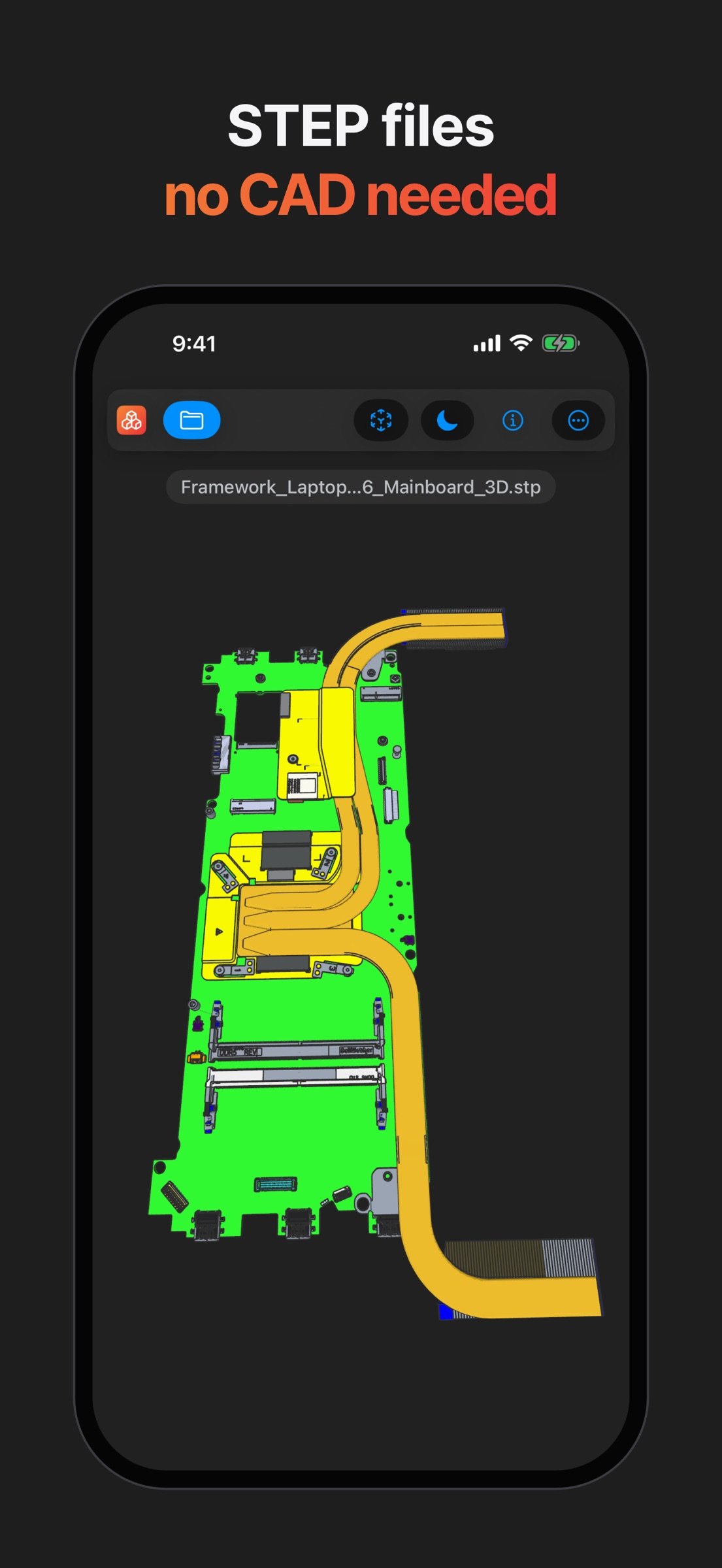
• STEP / STP, STL, OBJ, PLY
• glTF / GLB, USDZ / USD, COLLADA (DAE)
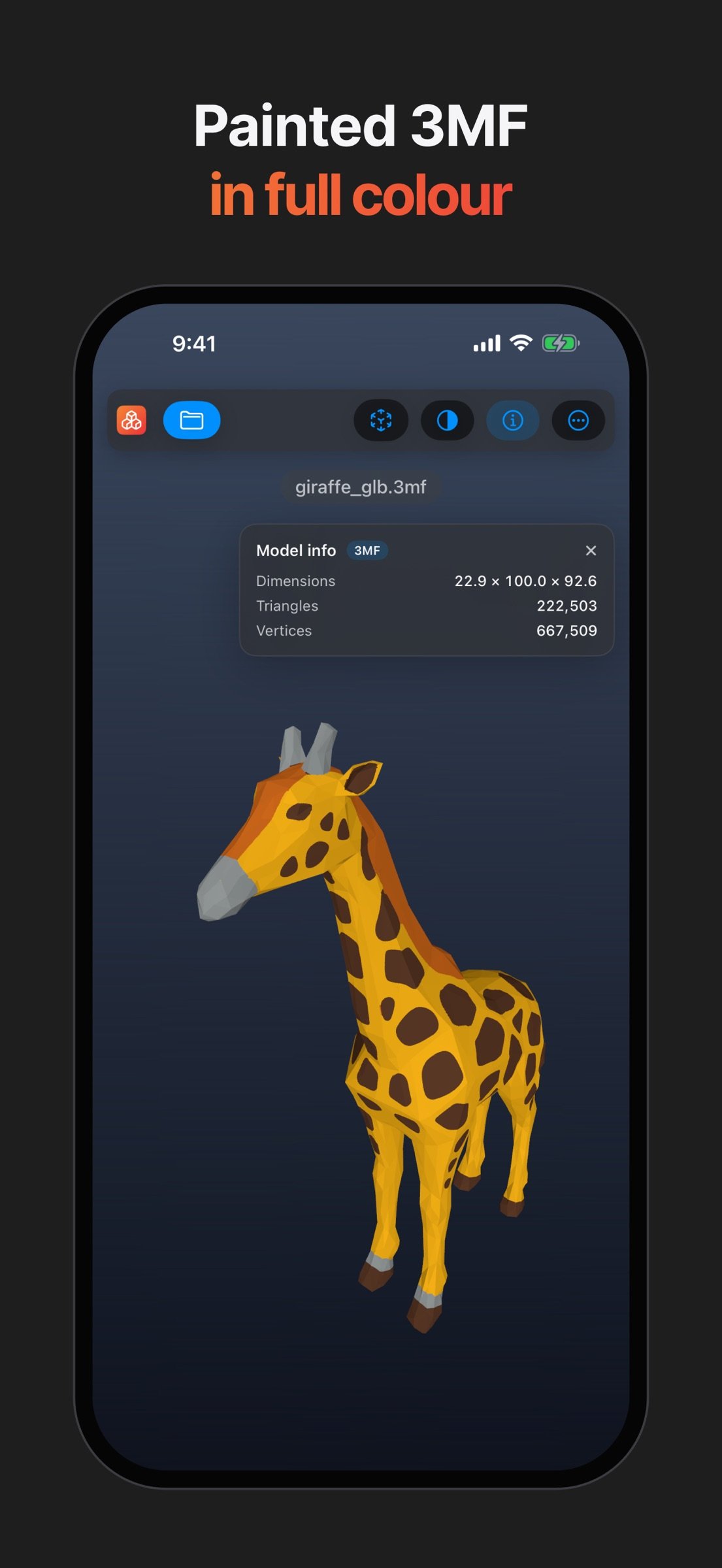
• 3MF — including painted multi-material prints
• FBX, 3DS, X3D, LWO, MS3D, AC, AMF, OFF and more (via Assimp)
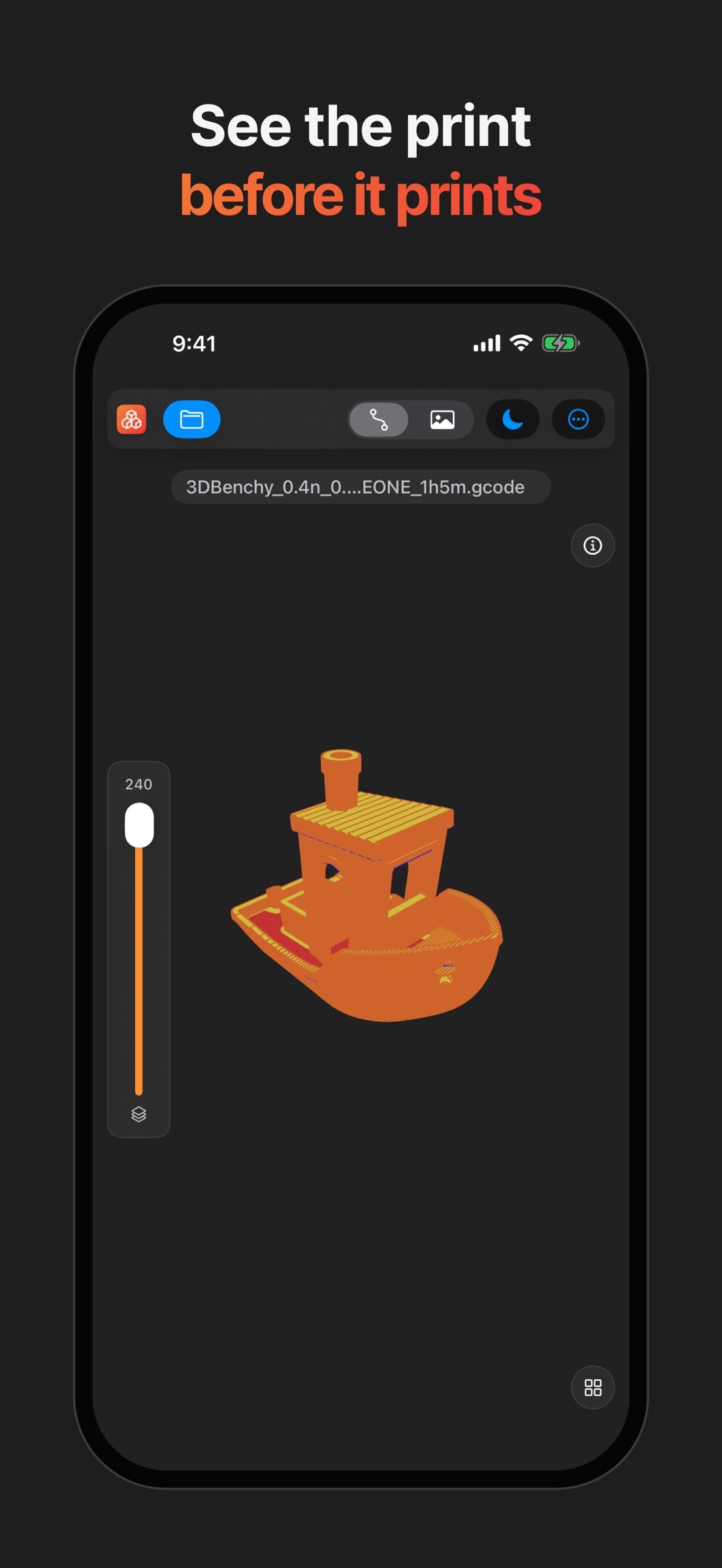
• G-code and PrusaSlicer binary G-code (.bgcode)
REAL STEP SUPPORT
Preview3D reads STEP with a pure-Swift B-rep kernel: watertight tessellation and crease-aware normals straight from the exact geometry, so cylinders stay smooth and edges stay crisp. Files that carry colors (STYLED_ITEM) render each part in its assigned color.
INSPECT
Open the info panel for bounding-box dimensions, volume, surface area, watertightness and structure — solids, faces, edges, triangles and vertices.
3D-PRINTING FILES
Open your slicer's G-code or PrusaSlicer .bgcode, orbit the print toolpath in 3D, flip to the embedded preview image, and read the print stats — time, filament, weight, layer height and material.
3MF, IN FULL COLOR
Multi-material painting from PrusaSlicer and Bambu Studio is decoded and rendered in its filament colors — including fine sub-facet brush detail — so you can preview a finished multi-color print before it leaves the slicer. Colors written into a 3MF by CAD tools and converters show too.
SEE IT IN YOUR ROOM
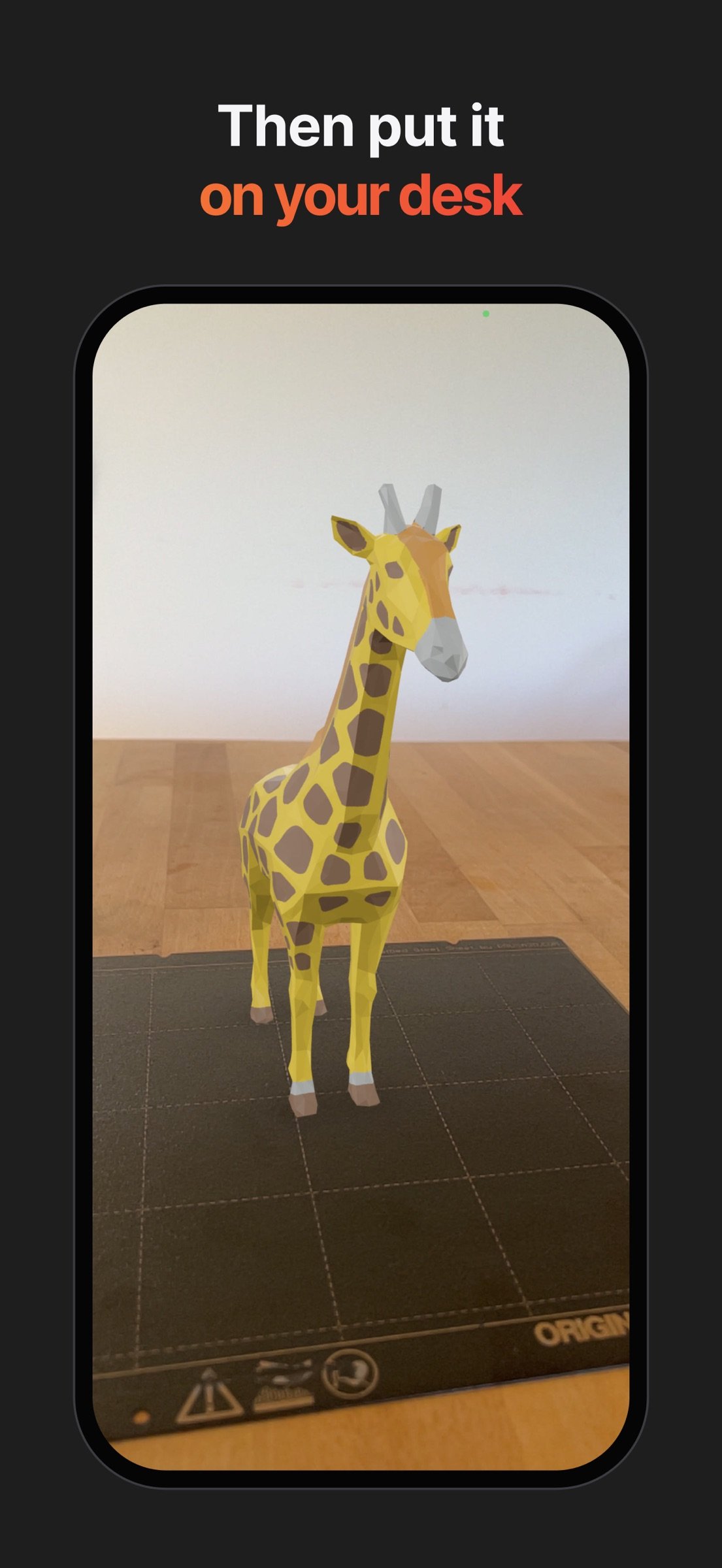
View your model in AR with AR Quick Look — place it on your desk or the floor and walk around it.
QUICK LOOK & THUMBNAILS
Preview supported files right in the Files app, and get real 3D thumbnails — including STEP, painted 3MF, COLLADA (DAE), FBX and 3DS that iOS can't render on its own. Keep your models in the Preview3D folder in Files and reopen them anytime.
SHARE
Send a PNG snapshot of the current view to any app. Placing a model in AR? Share it as USDZ right from there.
BUILT FOR IPHONE AND IPAD
A real native app built on SceneKit and Metal — quick to launch, quick to orbit. Fully offline: everything runs on your device, no account, no network. iOS and iPadOS 17 or later.
BUY ONCE, USE EVERYWHERE
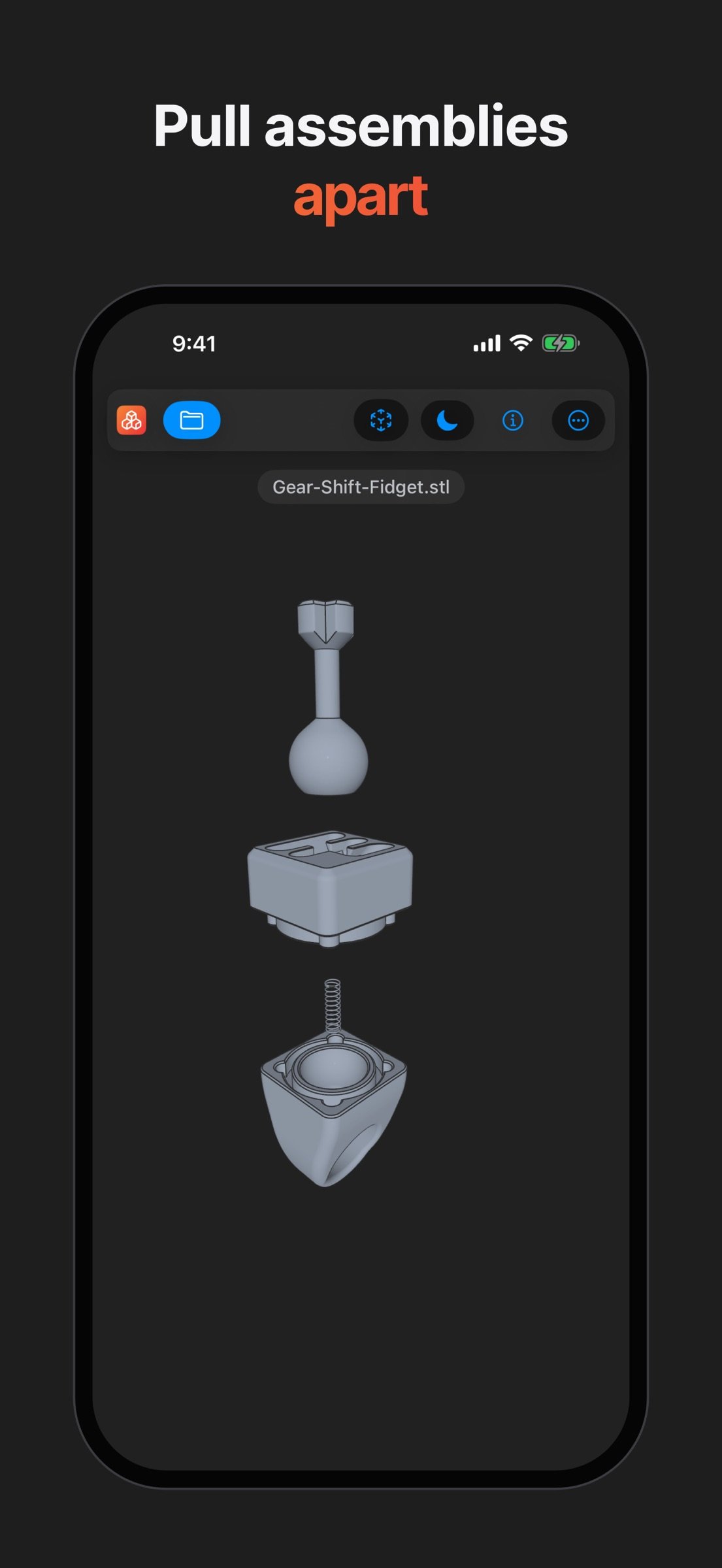
Preview3D is a universal purchase: one purchase covers the iPhone, iPad and Mac apps. The Mac version adds PMI / GD&T (AP242) reading, assembly trees with per-part isolation, and one-click conversion to STL, OBJ, GLB and USDZ.
Note: measurements are produced by automated tessellation and are provided for convenience — always verify against your authoritative CAD source for manufacturing-critical work.
License: Commercial
| Release info | Update on Nov 14, 2026 |
|---|---|
| Release notes | Modifiers in 3MF files • A modifier from PrusaSlicer, Bambu Studio or OrcaSlicer is no longer drawn as a solid block over the model. One that changes the filament now colours the part inside it, the way the slicer prints it. • Negative parts, support blockers and support enforcers are no longer drawn either. • A PrusaSlicer colour change made for a single-extruder print no longer shows when the file prints on a multi-tool printer, which skips it too. • A flat top just below a colour change shows the colour it is printed in. • A newer STEP kernel: where more than two faces meet at one edge, none of them shows up inside out as a dark patch any more. • Links in the app now open the new website, preview3d.app. |
| Listing data | App Store |
Reviews
No reviews yet. Be the first to review Preview3D.
Used Preview3D? Tell other visitors what you thought.
Log in to write a reviewOther products by this publisher
- "No Distractions" for YouTube 4.10 ----
- #Bible 11.6.1 "Incredible App - My sister shared this app with me a few weeks ago and it is truly incredible.
- #filmphotography 1.4.2 So, you decided to shoot on film?
- #LookBusy Fake Calendar Events 1.0.6 Look Busy scans your work calendar for open time slots and fills them with realistic-looking (but secretly fake) work events.
- #Small Talk Is Canceled 1.0.2 #Small Talk Is Canceled — Conversations That Matter
Most viewed iOS Photo & Video
-
1
 Restore Old Photos 1.1.0
Bring old family photos back to life, privately on your iPhone or iPad.
-
2
 ShortDiShow 2.0
Drama Quest Island — An offline interactive short-drama adventure.
-
3
 Face Witness 1.0.4
FaceWitness lets you create a face by putting together individual features.
-
4
 Infuse 8.5.11
Infuse: Enterprise provides the same great features as the standard version of Infuse and includes permanent access to all Pro features via a traditional paid app.
-
5
 AI Video Generator 2.0.3
Vixel – AI Video Generator
- 6 #filmphotography 1.4.2 So, you decided to shoot on film?
-
7
 CapCut 20.3.0
CapCut is an all-in-one video editing solution that offers essential editing features, creative effects, AI tools, filters, stickers, and fonts, and a wide range of video templates to empower users to easily create incredible videos regardless of th…
-
8
 OPlayer 4.8
Play all your videos directly without having to convert them!
-
9
 Necrometer II 1.3
Necrometer II is a paranormal investigation companion designed for ghost hunters and researchers.
-
10
 Ai Photo 1.2.0
AI Photo Retouch – BG Eraser
Most downloaded iOS Photo & Video
-
1
 DJI Fly 1.21.18
DJI Fly is designed to help pilots fly drones with ease.
-
2
Infuse 8.5.11
Infuse: Enterprise provides the same great features as the standard version of Infuse and includes permanent access to all Pro features via a traditional paid app.
-
3
 ReelyGo 1.1.60
ReelyGo: Your Daily Drama Escape
-
4
 TurboCollage Automatic 1.2.4
#1 Easy automatic photo collage maker for iPhone & iPad.
-
5
 Analog Radio 3.0
The iPhone and iPad devices don't have the FM/AM radio antenna installed.
-
6
 Rozeta Sequencer Suite 1.3.16
Rozeta is a suite of MIDI sequencers and controllers that lets you explore a new, freeform approach to sequencing and controlling mobile music apps.
-
7
 AGAIN. Rehearsal Notes 2.0.1
AGAIN. is the rehearsal app that remembers why the band stopped — and, new in Version 2, who said what in a writing session or a table read.
-
8
 Pop Dot Comics 1.48
Create a comic worthy of the Sunday newspaper or your favorite pulp-fiction cover.
-
9
 Local AI Art Private Diffusion 1.6
If you are the kind of person who values privacy and wants to keep your generated images private, our software is the perfect solution for you.
-
10
 Treblo 1.6.6
Make songs with the world's best AI music model.