Pragmatic Audio PEQ 1.0.3
Pragmatic EQ is a parametric equaliser for iPhone and iPad.
Download
30.80 MB
15downloads
4this week
FreeCommercial
0reviews
Screenshots
About Pragmatic Audio PEQ
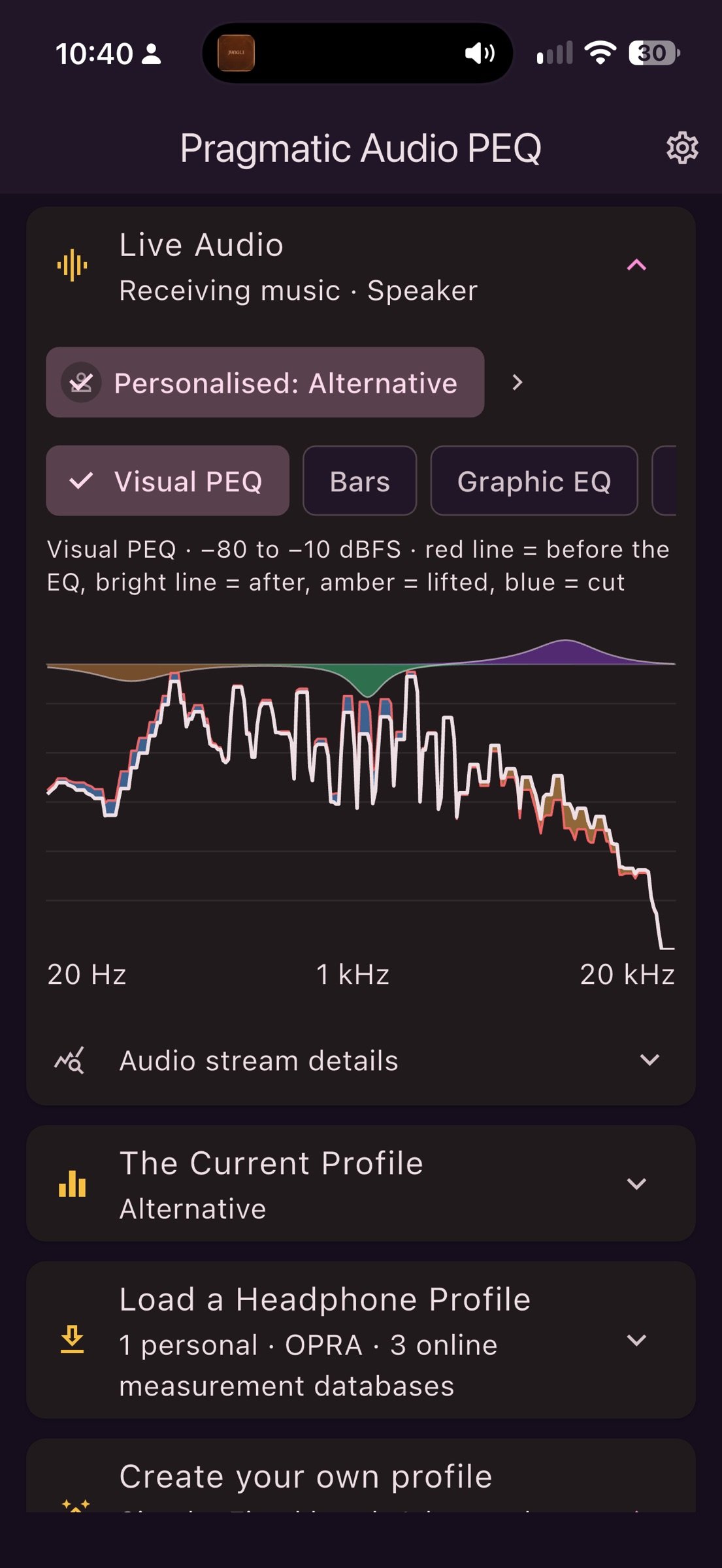
Pragmatic EQ is a parametric equaliser for iPhone and iPad. On iOS 27 or later, select its virtual audio output in Control Center to stream audio from compatible music players through your EQ.
CORRECT YOUR HEADPHONES
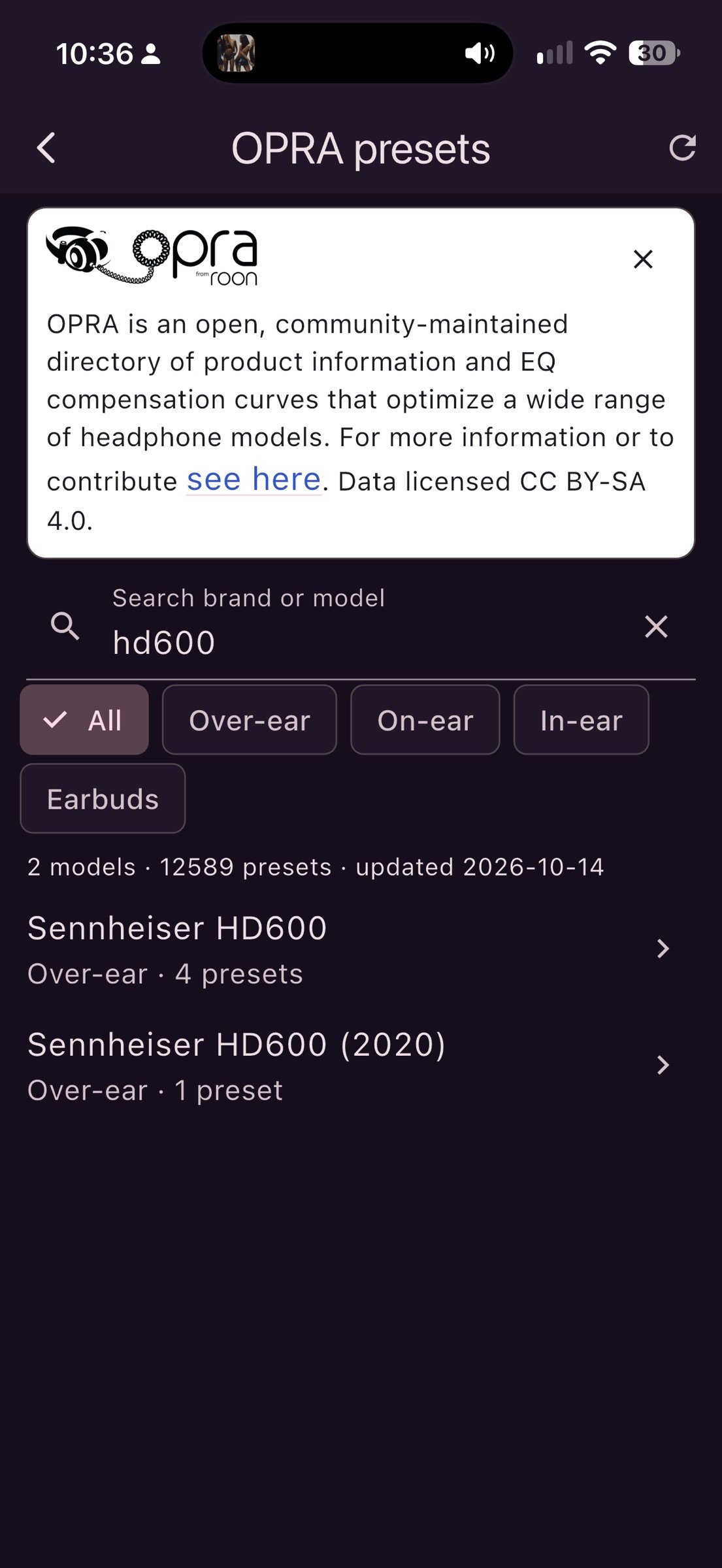
• Browse measurement databases and OPRA community presets to find EQ profiles for your headphones or in-ear monitors.
• Import Filters.txt profiles, including separate left and right filter files.
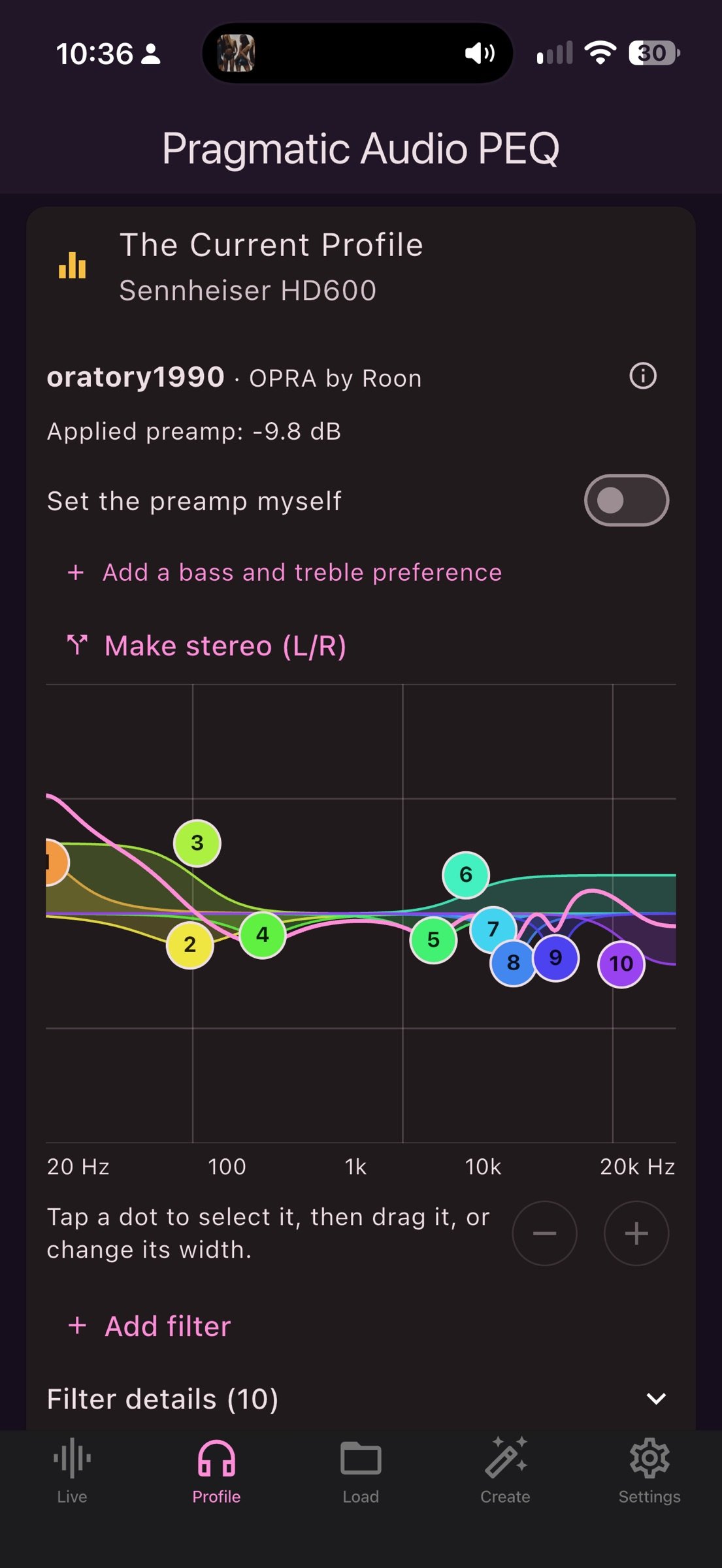
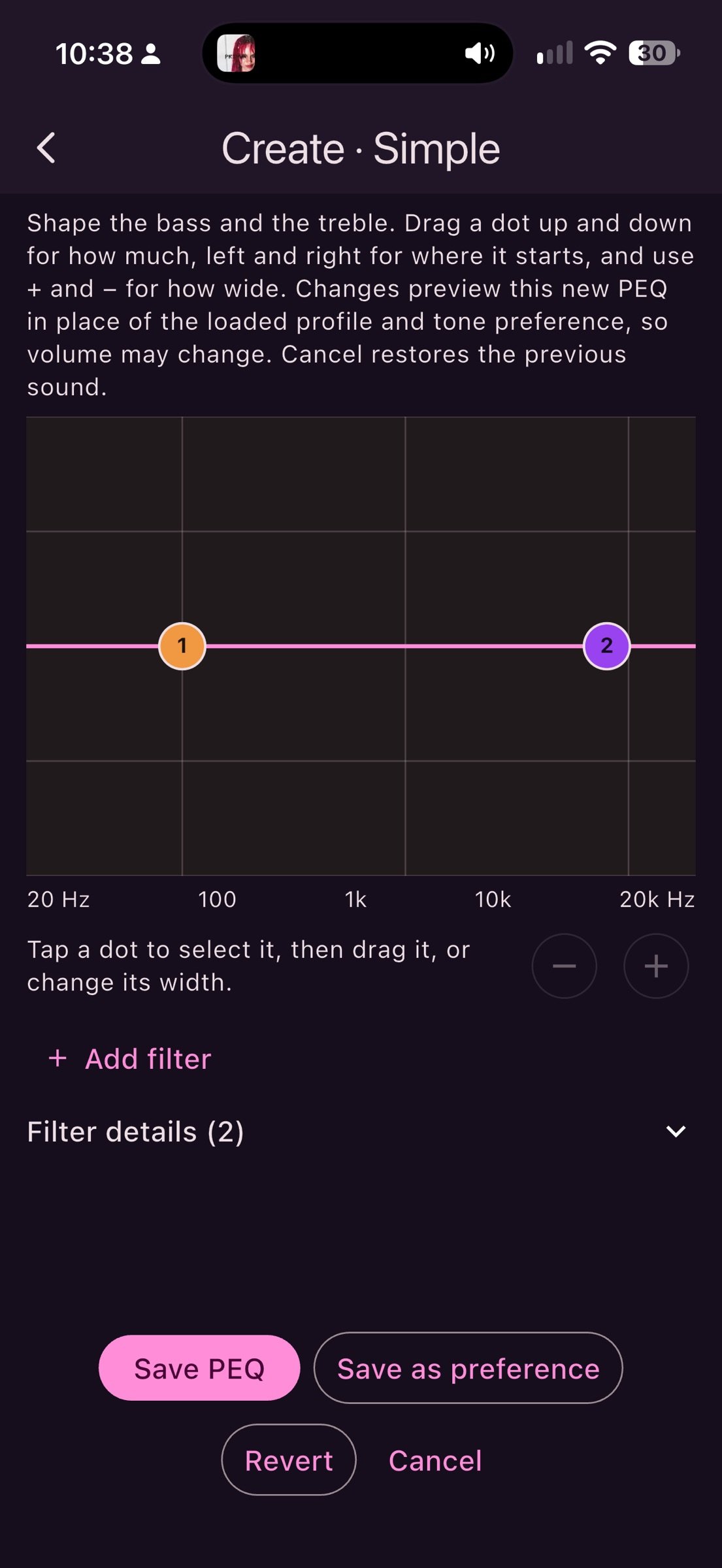
• Edit individual parametric bands, shape bass and treble, or use a fixed-band editor.
• Save personalised profiles and adjust headroom or set the preamp manually.
HEAR THE DIFFERENCE
• Compare No PEQ and PEQ while music plays, with optional volume matching and blind A/B comparisons.
• Experiment with crossfeed, tube, vinyl and other effects.
SEE WHAT YOU HEAR
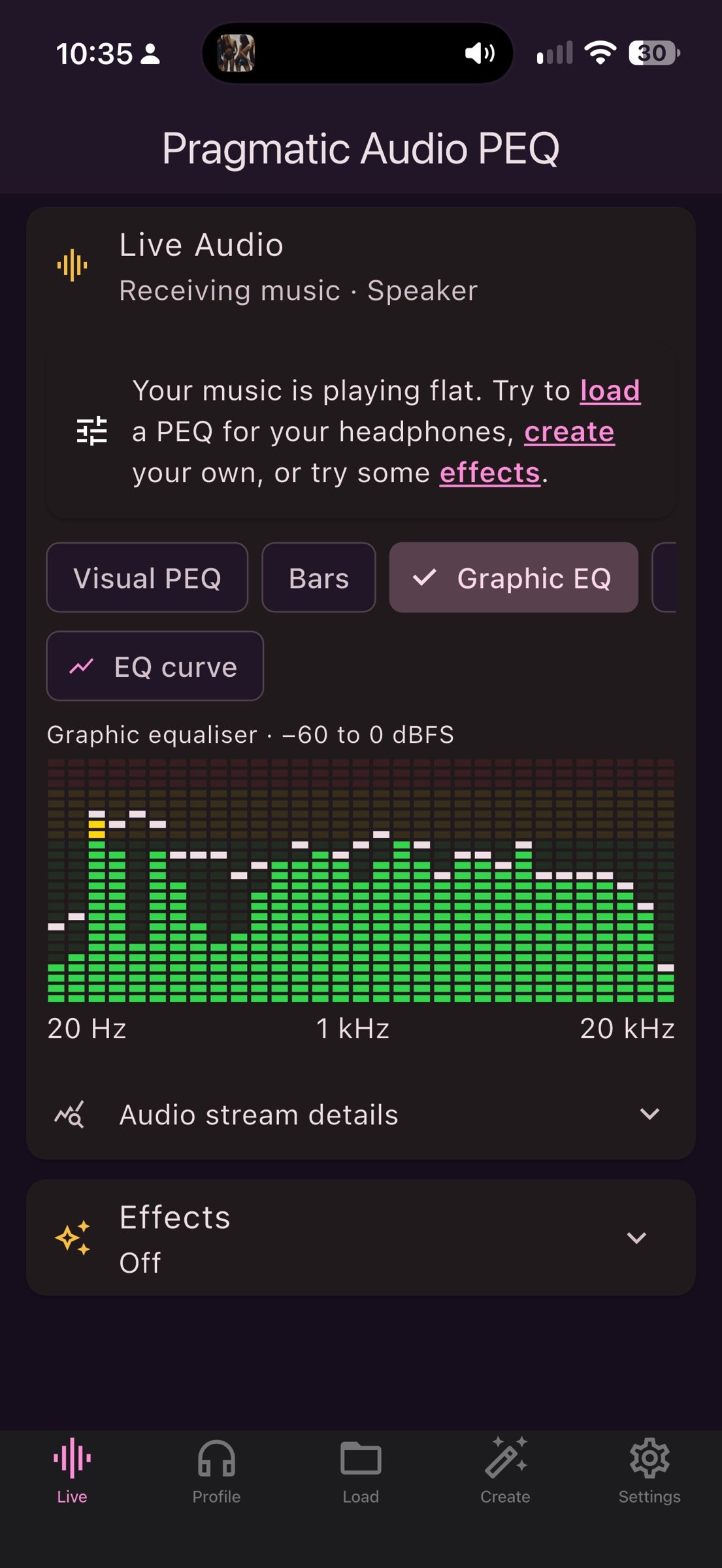
• Live visualisations include spectrum bars, EQ graphs, a spectrogram, level meters, VU meters and a colour spiral.
• Visualisations run while their view is active.
CHOOSE YOUR LAYOUT
• Keep the scrollable one-page layout or switch to tabs in Settings.
• A Welcome guide explains how to connect music, load a profile and create your own.
• Choose light, dark or system appearance and your interface language.
• Optional audio recovery reminders help you reopen the app when needed.
PRIVATE BY DESIGN
No account, ads or tracking. Audio is processed locally and is not recorded, stored or transmitted. The microphone is never used.
REQUIREMENTS AND PLAYBACK LIMITATIONS
iOS/iPadOS 27 or later is required for the virtual audio output. Open the app, start music in a compatible player, then select Pragmatic EQ in Control Center. Some players and video modes do not support this route. If iOS returns to your previous output, reopen the app and select Pragmatic EQ again.
Pragmatic EQ builds on open source work, including EffectDeck and EffeTune (MIT licence) and the OPRA preset database (CC BY-SA). See About in the app for credits and licences.
License: Commercial
CORRECT YOUR HEADPHONES
• Browse measurement databases and OPRA community presets to find EQ profiles for your headphones or in-ear monitors.
• Import Filters.txt profiles, including separate left and right filter files.
• Edit individual parametric bands, shape bass and treble, or use a fixed-band editor.
• Save personalised profiles and adjust headroom or set the preamp manually.
HEAR THE DIFFERENCE
• Compare No PEQ and PEQ while music plays, with optional volume matching and blind A/B comparisons.
• Experiment with crossfeed, tube, vinyl and other effects.
SEE WHAT YOU HEAR
• Live visualisations include spectrum bars, EQ graphs, a spectrogram, level meters, VU meters and a colour spiral.
• Visualisations run while their view is active.
CHOOSE YOUR LAYOUT
• Keep the scrollable one-page layout or switch to tabs in Settings.
• A Welcome guide explains how to connect music, load a profile and create your own.
• Choose light, dark or system appearance and your interface language.
• Optional audio recovery reminders help you reopen the app when needed.
PRIVATE BY DESIGN
No account, ads or tracking. Audio is processed locally and is not recorded, stored or transmitted. The microphone is never used.
REQUIREMENTS AND PLAYBACK LIMITATIONS
iOS/iPadOS 27 or later is required for the virtual audio output. Open the app, start music in a compatible player, then select Pragmatic EQ in Control Center. Some players and video modes do not support this route. If iOS returns to your previous output, reopen the app and select Pragmatic EQ again.
Pragmatic EQ builds on open source work, including EffectDeck and EffeTune (MIT licence) and the OPRA preset database (CC BY-SA). See About in the app for credits and licences.
License: Commercial
| Release info | Update on Nov 03, 2026 |
|---|---|
| Release notes | Make your own EQ - Create a PEQ from a measurement of your headphones. Pick one, a picture of a graph, or a .txt file, then choose a target. Smart EQ, Auto EQ or Your own (an empty EQ you build yourself) does the rest. - See the measurement as measured or tilted against the diffuse field, with preference ranges for every measurement, and listen to the result before you save it. - The Pragmatic preference range is built from published Harman listener research. Choose Conservative (the default) or Research based, or set the four regions yourself. A Background research screen lists the sources. Finding and using measurements - Browse measurement sites, and add your own sites to search them together. - Zoom the EQ graph by pinching. Everyday improvements (1.0.2) - A new layout with bottom tabs on iPhone and a sidebar on iPad. - Separate left and right filter imports, a welcome guide, and Dutch added as a language. - Audio recovery on iPhone and iPad. - Uplifted PEQs now save the loaded PEQ whole, with your found filters added. |
| Listing data | App Store |
Reviews
No reviews yet. Be the first to review Pragmatic Audio PEQ.
Used Pragmatic Audio PEQ? Tell other visitors what you thought.
Log in to write a reviewOther products by this publisher
- "No Distractions" for YouTube 4.10 ----
- #Bible 11.6 "Incredible App - My sister shared this app with me a few weeks ago and it is truly incredible.
- #filmphotography 1.4.2 So, you decided to shoot on film?
- $quirrel 1.5.1 $quirrel Budget & Finance helps you plan each paycheck, track spending, manage debt, and see what is safe to spend before the next payday.
- % Percentage Calculator Pro 1.41 This is the Pro version of % Percentage Calculator.
Most viewed iOS Photo & Video
-
1
 ShortDiShow 2.0
Drama Quest Island — An offline interactive short-drama adventure.
-
2
 Infuse 8.5.10
Infuse: Enterprise provides the same great features as the standard version of Infuse and includes permanent access to all Pro features via a traditional paid app.
-
3
 AI Video Generator 2.0.2
Vixel – AI Video Generator
-
4
 OPlayer 4.8
Play all your videos directly without having to convert them!
-
5
 Necrometer II 1.2
Necrometer II is a paranormal investigation companion designed for ghost hunters and researchers.
-
6
 CapCut 20.1.0
CapCut offers easy-to-use video editing functions, in-APP fonts and effects, advanced features such as keyframe animation, smooth slow-motion, chroma key, and stabilization, to help you capture and snip moments.
-
7
 Ai Photo 1.1.2
AI Photo Retouch – BG Eraser
-
8
 Treblo 1.6.0
Make songs with the world's best AI music model.
-
9
 Pop Dot Comics 1.48
Create a comic worthy of the Sunday newspaper or your favorite pulp-fiction cover.
- 10 #filmphotography 1.4.2 So, you decided to shoot on film?
Most downloaded iOS Photo & Video
-
1
Infuse 8.5.10
Infuse: Enterprise provides the same great features as the standard version of Infuse and includes permanent access to all Pro features via a traditional paid app.
-
2
 DJI Fly 1.21.18
DJI Fly is designed to help pilots fly drones with ease.
-
3
 Analog Radio 3.0
The iPhone and iPad devices don't have the FM/AM radio antenna installed.
-
4
 TurboCollage Automatic 1.2.4
#1 Easy automatic photo collage maker for iPhone & iPad.
-
5
 ReelyGo 1.1.42
ReelyGo: Your Daily Drama Escape
-
6
Treblo 1.6.0
Make songs with the world's best AI music model.
-
7
 Rozeta Sequencer Suite 1.3.16
Rozeta is a suite of MIDI sequencers and controllers that lets you explore a new, freeform approach to sequencing and controlling mobile music apps.
-
8
 AGAIN. Rehearsal Notes 2.0.1
AGAIN. is the rehearsal app that remembers why the band stopped — and, new in Version 2, who said what in a writing session or a table read.
-
9
Pop Dot Comics 1.48
Create a comic worthy of the Sunday newspaper or your favorite pulp-fiction cover.
-
10
 SSS IPTV, Simple, Smart Super 1.0.2
An Easiest way to watch TV Online or Movies or Series, Bring your Own list M3u,