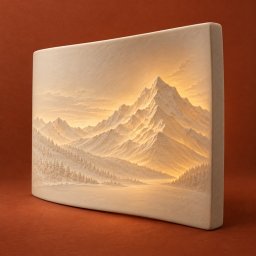
Porcela Lithophane Maker 1.0
Turn a photo into a flat or curved lithophane STL, with an editable project you can keep on your iPhone or iPad.
Download
8.11 MB
6downloads
1this week
FreeCommercial
0reviews
Screenshots
About Porcela Lithophane Maker
Turn a photo into a flat or curved lithophane STL, with an editable project you can keep on your iPhone or iPad. Porcela prepares the geometry and real print files locally, without uploading your photo.
SHAPE YOUR PHOTO
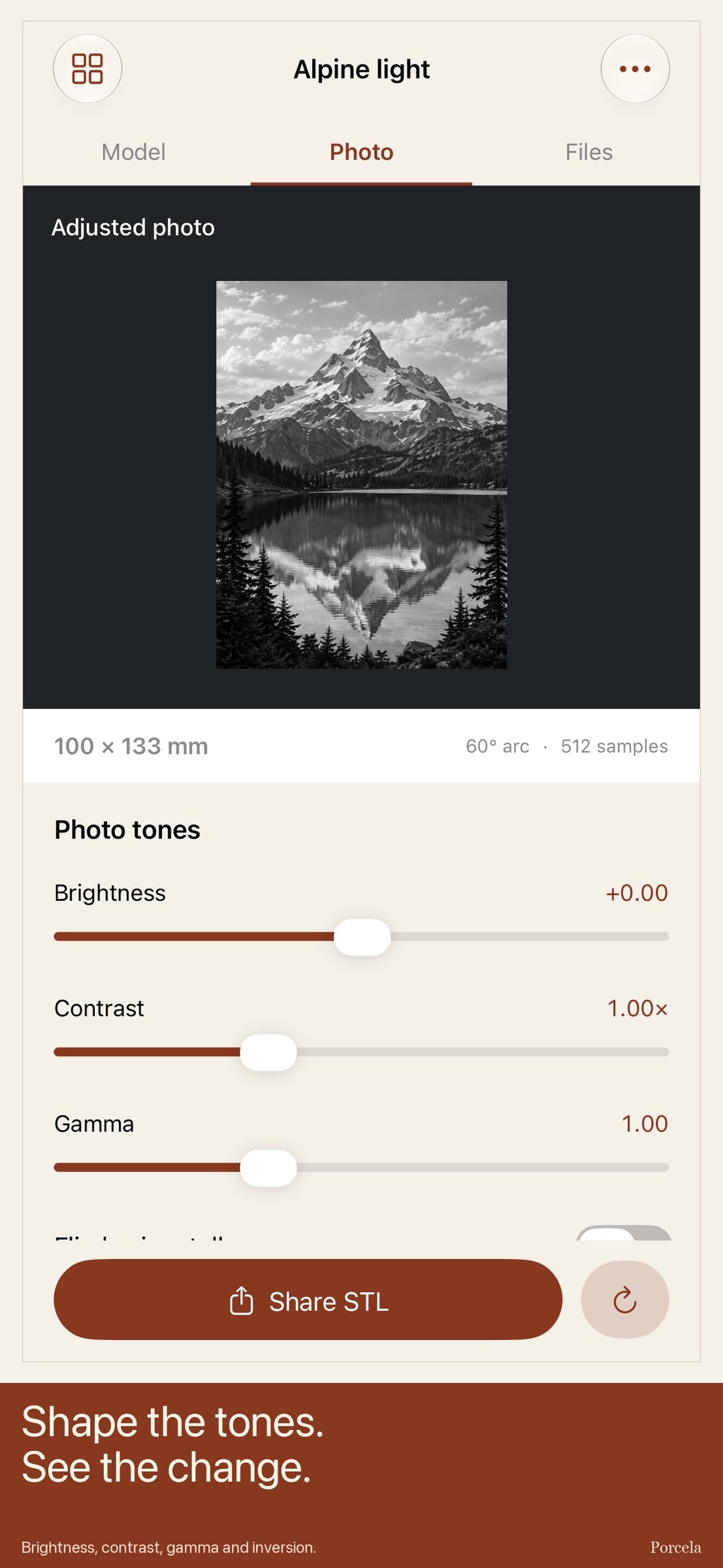
Import a single still image from Files or Photos. Set developed width, choose Flat or a 30°, 60° or 90° arc, and control the light and dark thickness range. Height follows the photo's aspect ratio. An optional 2 mm border uses maximum thickness. Adjust brightness, contrast and gamma; flip horizontally or invert tones.
INSPECT THE MODEL
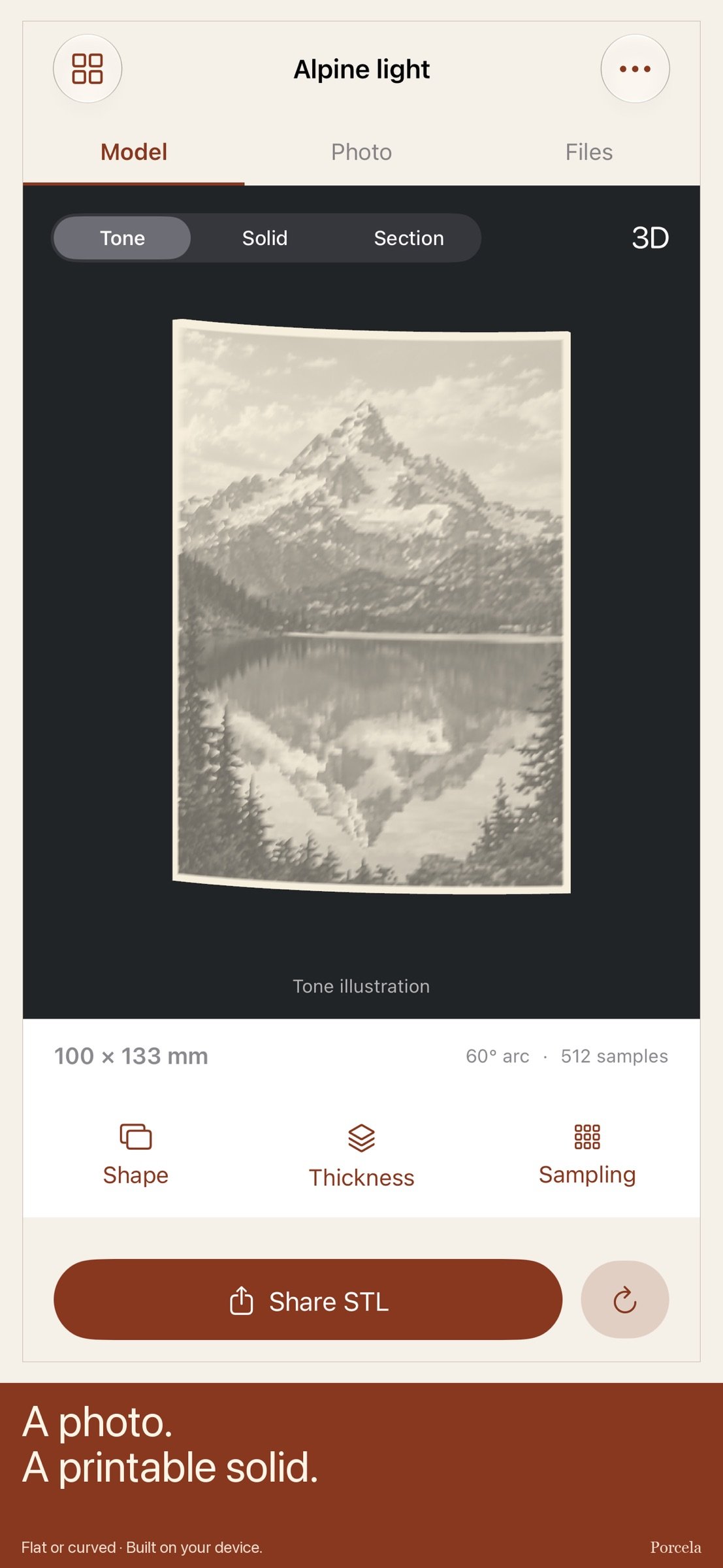
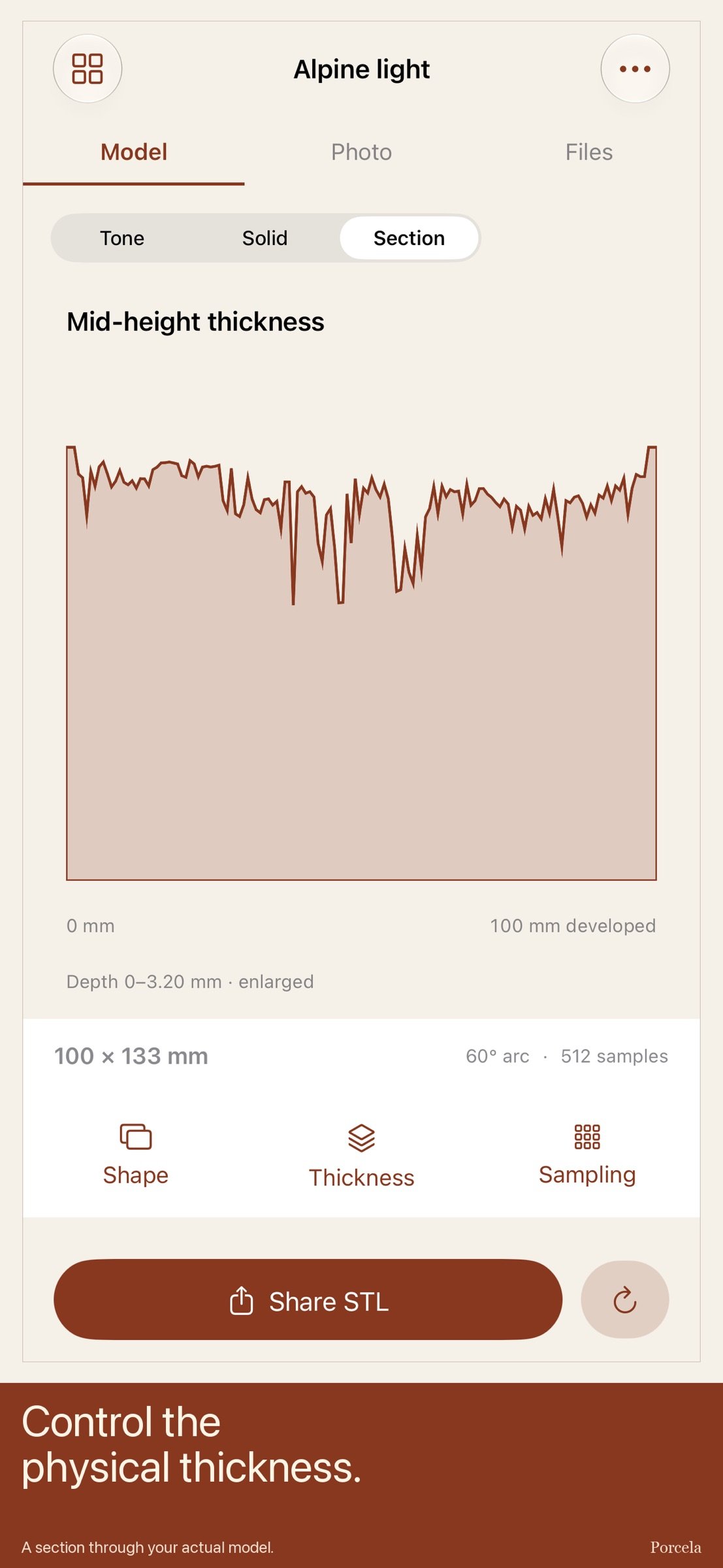
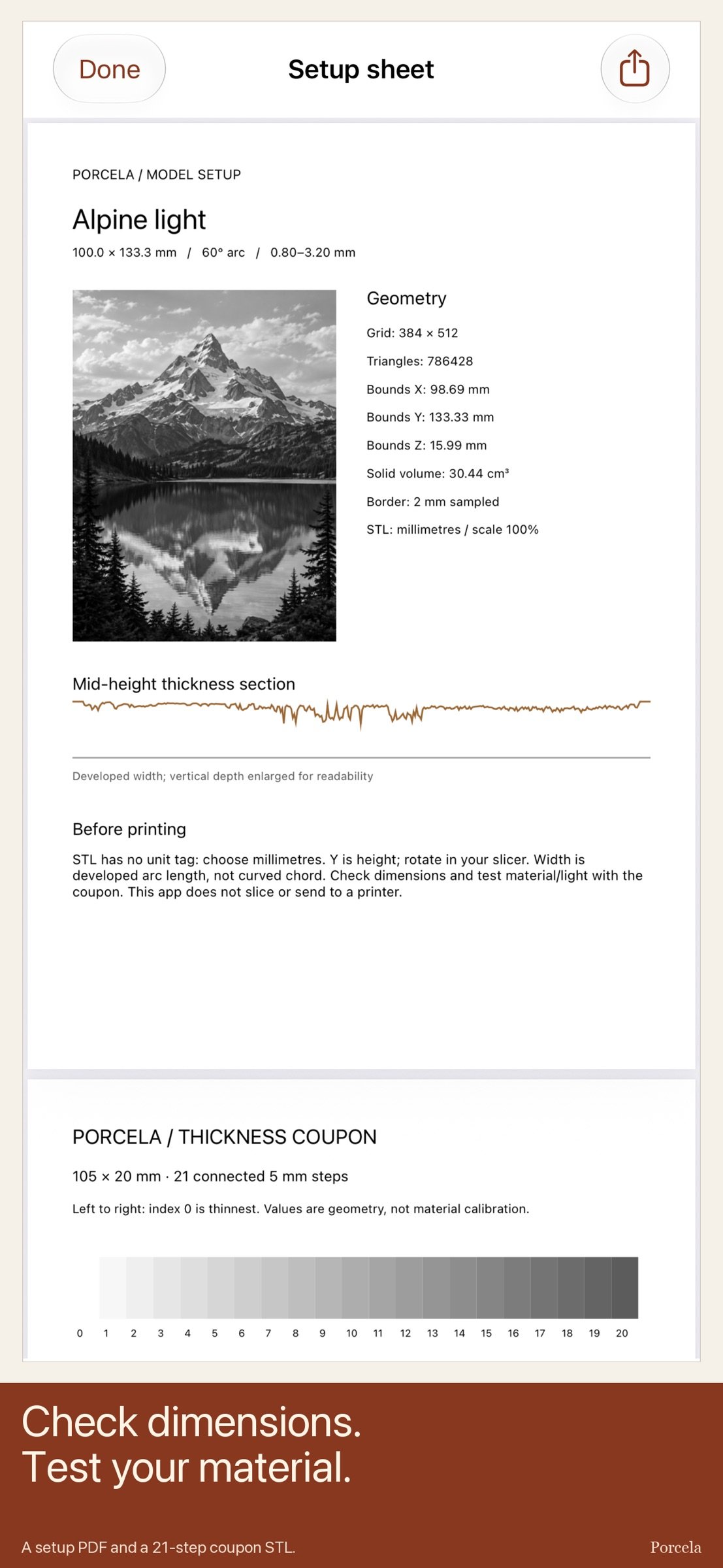
Rotate the actual mesh or select Front, Oblique or Edge. Switch between a digital Tone illustration, the shaded Solid and a mid-height thickness section. iPad places the large model and section beside a dedicated inspector. The preview is capped at 192 samples; the exported STL uses your selected 128, 256 or 512 samples on the longest edge, with at least 16 per axis. The displayed sample spacing helps you choose detail.
HAND OFF REAL FILES
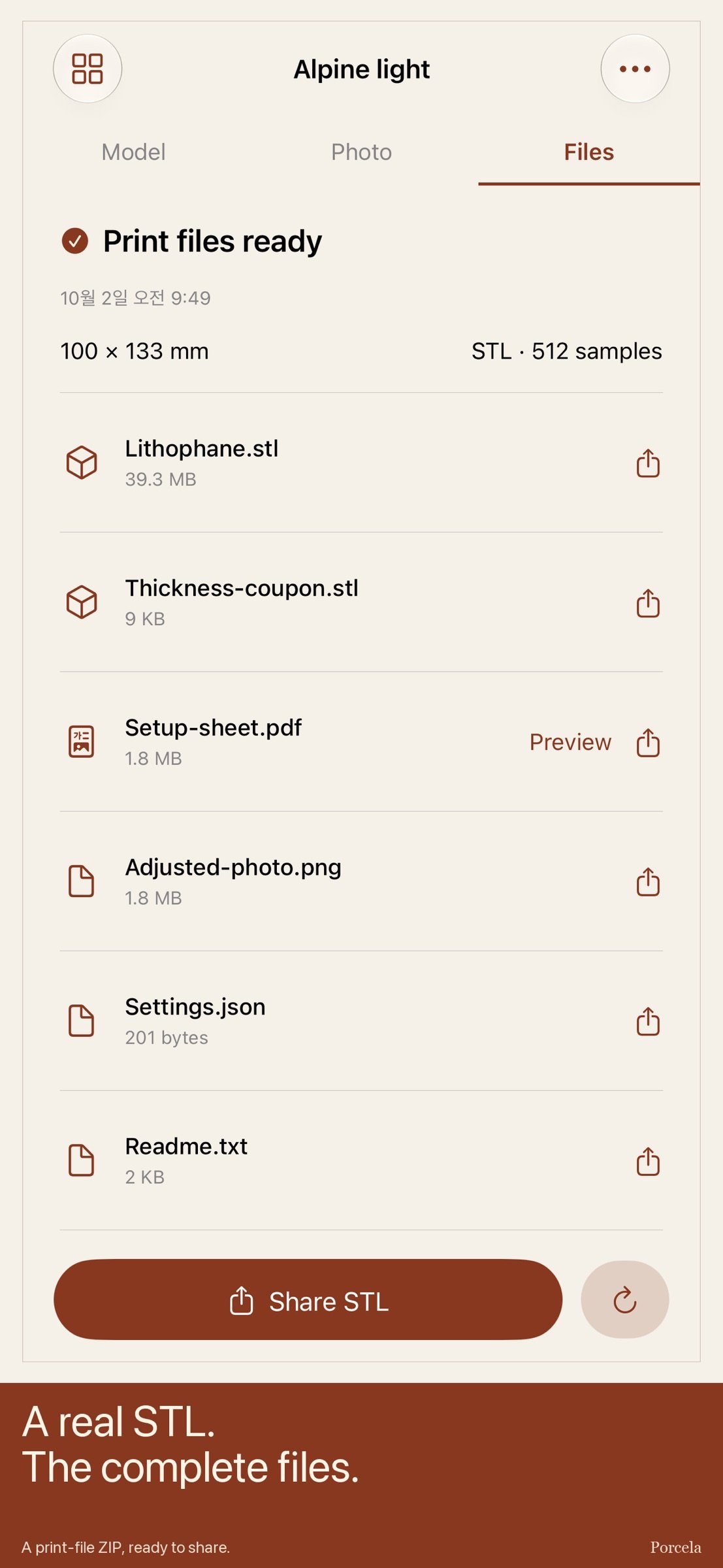
Build a closed binary STL and share it into Files or a slicer. The complete ZIP also contains a connected 21-step thickness coupon STL, a two-page PDF with model dimensions, bounding size, section and coupon values, an adjusted photo PNG, settings JSON and print notes. Preview the actual PDF and share individual files from the Files page.
The coupon is a 105 × 20 mm solid with adjacent 5 mm steps from your minimum to maximum thickness. Use it to test your own filament, slicing settings and lighting before printing the final photo. Values describe geometry, not measured material transmission.
KEEP YOUR WORK
Save up to 12 projects, each with a photo and editable parameters. Reopen, rename, add notes, duplicate, replace the photo or delete a project. Editing clears the previous output so shared files match the current project. Production starts empty; one original generated landscape is available as an optional example through the same processing and export engine.
PRINTING REALITY
STL does not store a unit tag. Import with millimetres at 100% scale, check the dimensions and select the printer orientation in your slicer. Y is image height and Z is depth. Curved width is developed arc length, not the shorter chord.
Width 50–180 mm; aspect-derived height 20–240 mm. Minimum thickness 0.6–1.6 mm and maximum 2–5 mm. Single still images iOS can decode, up to 40 MB and 40 megapixels. Working copies are oriented, flattened onto white, converted to 8-bit sRGB grayscale and capped at 2048 pixels on the longest edge. Original EXIF is not retained. Settings JSON is a parameter record, not an importable project backup; keep originals and important exports separately.
Grayscale uses weighted encoded-sRGB luma followed by brightness, contrast and gamma, then maps dark tones to greater thickness. Tone view is a digital illustration, not calibrated illumination. No physical print was performed by the app. No automatic cropping, RAW editor, material profile, slicing, G-code, printer connection, print-quality guarantee or cloud sync.
One upfront purchase. No subscription, in-app purchases, account, advertising, analytics, tracking or developer-server upload. Photos and work stay on your device until you choose to share them.
License: Commercial
SHAPE YOUR PHOTO
Import a single still image from Files or Photos. Set developed width, choose Flat or a 30°, 60° or 90° arc, and control the light and dark thickness range. Height follows the photo's aspect ratio. An optional 2 mm border uses maximum thickness. Adjust brightness, contrast and gamma; flip horizontally or invert tones.
INSPECT THE MODEL
Rotate the actual mesh or select Front, Oblique or Edge. Switch between a digital Tone illustration, the shaded Solid and a mid-height thickness section. iPad places the large model and section beside a dedicated inspector. The preview is capped at 192 samples; the exported STL uses your selected 128, 256 or 512 samples on the longest edge, with at least 16 per axis. The displayed sample spacing helps you choose detail.
HAND OFF REAL FILES
Build a closed binary STL and share it into Files or a slicer. The complete ZIP also contains a connected 21-step thickness coupon STL, a two-page PDF with model dimensions, bounding size, section and coupon values, an adjusted photo PNG, settings JSON and print notes. Preview the actual PDF and share individual files from the Files page.
The coupon is a 105 × 20 mm solid with adjacent 5 mm steps from your minimum to maximum thickness. Use it to test your own filament, slicing settings and lighting before printing the final photo. Values describe geometry, not measured material transmission.
KEEP YOUR WORK
Save up to 12 projects, each with a photo and editable parameters. Reopen, rename, add notes, duplicate, replace the photo or delete a project. Editing clears the previous output so shared files match the current project. Production starts empty; one original generated landscape is available as an optional example through the same processing and export engine.
PRINTING REALITY
STL does not store a unit tag. Import with millimetres at 100% scale, check the dimensions and select the printer orientation in your slicer. Y is image height and Z is depth. Curved width is developed arc length, not the shorter chord.
Width 50–180 mm; aspect-derived height 20–240 mm. Minimum thickness 0.6–1.6 mm and maximum 2–5 mm. Single still images iOS can decode, up to 40 MB and 40 megapixels. Working copies are oriented, flattened onto white, converted to 8-bit sRGB grayscale and capped at 2048 pixels on the longest edge. Original EXIF is not retained. Settings JSON is a parameter record, not an importable project backup; keep originals and important exports separately.
Grayscale uses weighted encoded-sRGB luma followed by brightness, contrast and gamma, then maps dark tones to greater thickness. Tone view is a digital illustration, not calibrated illumination. No physical print was performed by the app. No automatic cropping, RAW editor, material profile, slicing, G-code, printer connection, print-quality guarantee or cloud sync.
One upfront purchase. No subscription, in-app purchases, account, advertising, analytics, tracking or developer-server upload. Photos and work stay on your device until you choose to share them.
License: Commercial
| Release info | New Release on Oct 02, 2026 |
|---|---|
| Listing data | App Store |
Reviews
No reviews yet. Be the first to review Porcela Lithophane Maker.
Used Porcela Lithophane Maker? Tell other visitors what you thought.
Log in to write a reviewOther products by this publisher
- "No Distractions" for YouTube 4.10 ----
- #Bible 11.6.1 "Incredible App - My sister shared this app with me a few weeks ago and it is truly incredible.
- #filmphotography 1.4.2 So, you decided to shoot on film?
- #LookBusy Fake Calendar Events 1.0.6 Look Busy scans your work calendar for open time slots and fills them with realistic-looking (but secretly fake) work events.
- #Small Talk Is Canceled 1.0.2 #Small Talk Is Canceled — Conversations That Matter
Most viewed iOS Photo & Video
-
1
 ShortDiShow 2.0
Drama Quest Island — An offline interactive short-drama adventure.
-
2
 Face Witness 1.0.3
FaceWitness lets you create a face by putting together individual features.
-
3
 Infuse 8.5.10
Infuse: Enterprise provides the same great features as the standard version of Infuse and includes permanent access to all Pro features via a traditional paid app.
-
4
 AI Video Generator 2.0.3
Vixel – AI Video Generator
-
5
 OPlayer 4.8
Play all your videos directly without having to convert them!
- 6 #filmphotography 1.4.2 So, you decided to shoot on film?
-
7
 CapCut 20.2.0
CapCut offers easy-to-use video editing functions, in-APP fonts and effects, advanced features such as keyframe animation, smooth slow-motion, chroma key, and stabilization, to help you capture and snip moments.
-
8
 Necrometer II 1.3
Necrometer II is a paranormal investigation companion designed for ghost hunters and researchers.
-
9
 Ai Photo 1.1.2
AI Photo Retouch – BG Eraser
-
10
 Analog Radio 3.0
The iPhone and iPad devices don't have the FM/AM radio antenna installed.
Most downloaded iOS Photo & Video
-
1
 DJI Fly 1.21.18
DJI Fly is designed to help pilots fly drones with ease.
-
2
Infuse 8.5.10
Infuse: Enterprise provides the same great features as the standard version of Infuse and includes permanent access to all Pro features via a traditional paid app.
-
3
 TurboCollage Automatic 1.2.4
#1 Easy automatic photo collage maker for iPhone & iPad.
-
4
Analog Radio 3.0
The iPhone and iPad devices don't have the FM/AM radio antenna installed.
-
5
 ReelyGo 1.1.42
ReelyGo: Your Daily Drama Escape
-
6
 Rozeta Sequencer Suite 1.3.16
Rozeta is a suite of MIDI sequencers and controllers that lets you explore a new, freeform approach to sequencing and controlling mobile music apps.
-
7
 AGAIN. Rehearsal Notes 2.0.1
AGAIN. is the rehearsal app that remembers why the band stopped — and, new in Version 2, who said what in a writing session or a table read.
-
8
 Pop Dot Comics 1.48
Create a comic worthy of the Sunday newspaper or your favorite pulp-fiction cover.
-
9
 Sun Scout 1.5.0
If your work or play requires sunlight, Sun Scout is built for you.
-
10
 Treblo 1.6.6
Make songs with the world's best AI music model.