
6downloads
2this week
FreeCommercial
0reviews
Screenshots
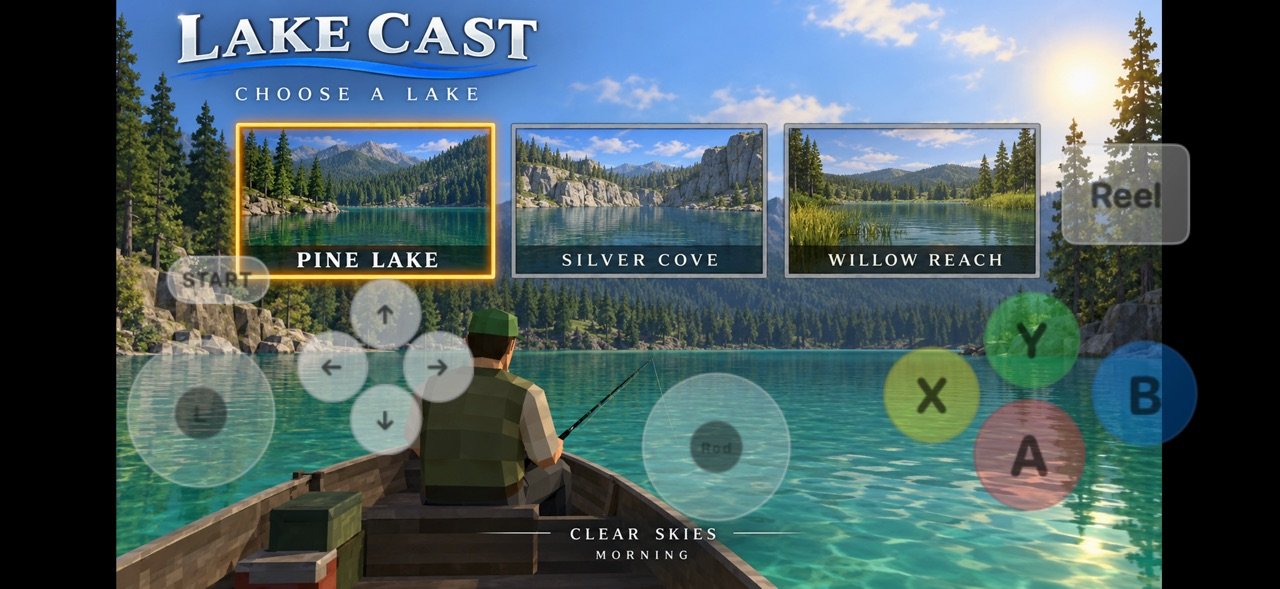
About Plume!
Plume is a Dreamcast emulator for iPhone, iPad, and Mac. A polished library, deep graphics options, and controls for handheld play and couch co-op.
Add games through the Files app, AirDrop, or the Share sheet. Supported formats include GDI, CDI, CHD, CUE, ISO, M3U, ELF, ZIP, and 7Z. Retail BIOS files are optional. Turn on Fast Boot to skip the splash, or add dc_boot.bin and dc_flash.bin from hardware you own for the full boot sequence.
LIBRARY
Your collection lives in one place with cover art, metadata, favorites, and play time. Every menu can show as Tiles or a List. After you run a game, Plume grades how it performs on your device (Excellent, Good, Playable, and more) so you know what to expect before you boot. Add any game to your Home Screen.
CONTROLS
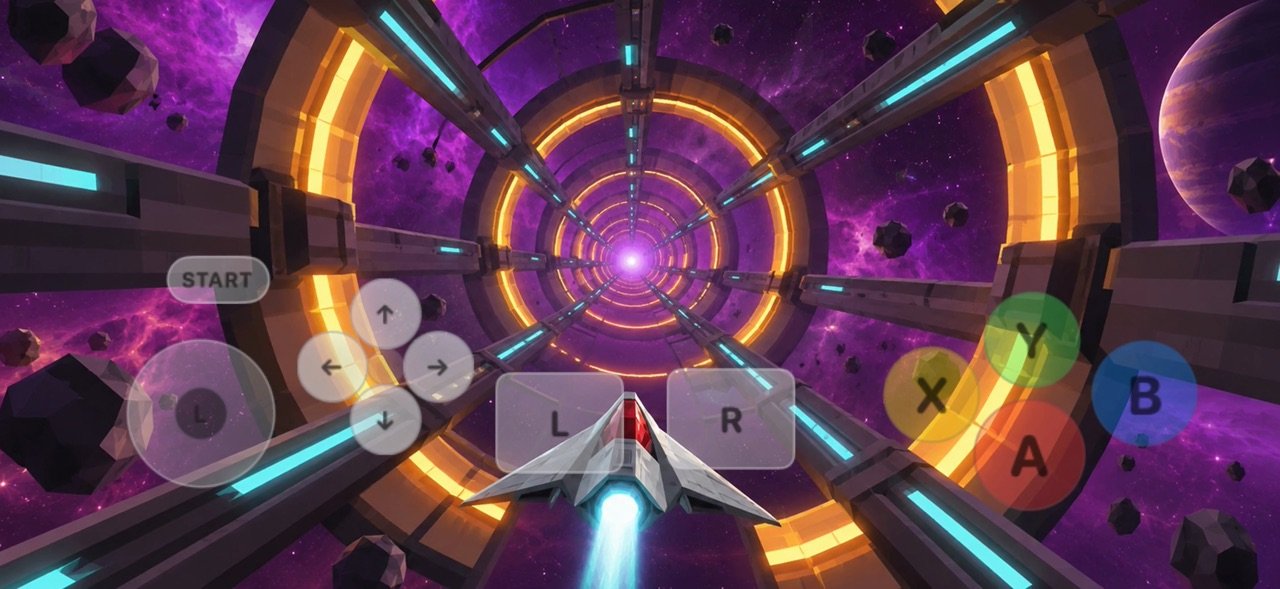
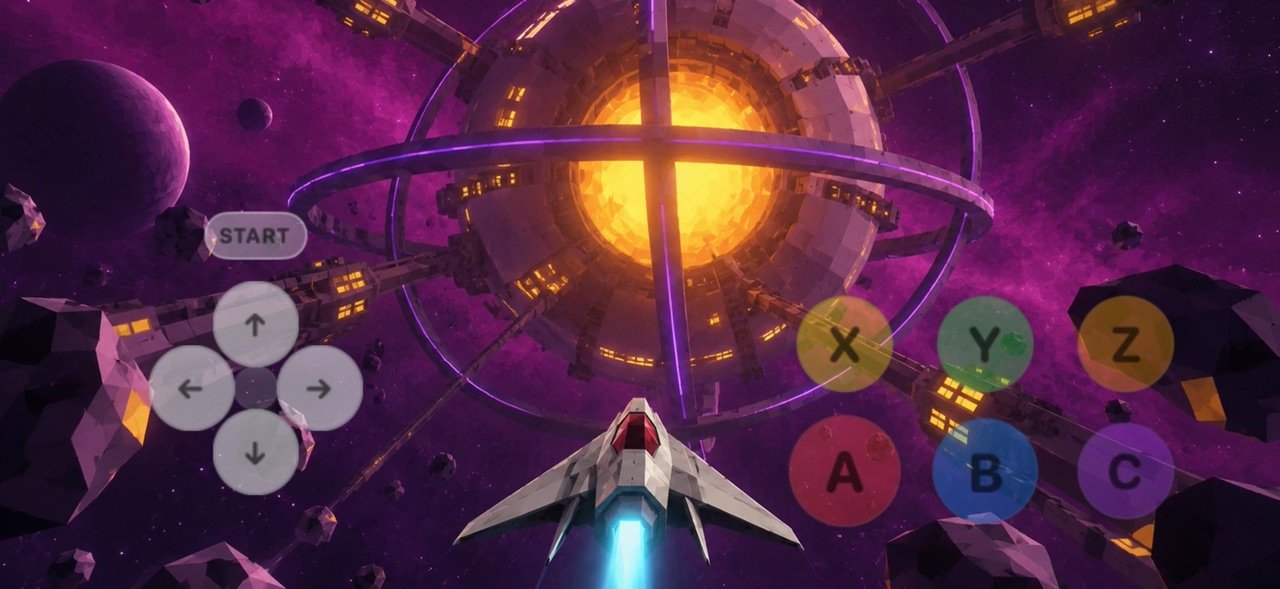
Use fully customizable on-screen controls, or pair a Bluetooth gamepad in iOS Settings and remap every button in Plume. Dreamcast has four controller ports, and each port can hold a standard controller, arcade stick, twin stick, racing controller, fishing controller, light gun, maracas, train, rhythm or dance controller, keyboard, or mouse, each with its own touch layout. Touch controls fill port 1 when nothing else is connected. Rumble and haptics are built in.
CONSOLE MODE
Mirror your screen to a TV over AirPlay or HDMI. In Console mode the game renders on the big screen while your iPhone stays the controller.
GRAPHICS AND PERFORMANCE
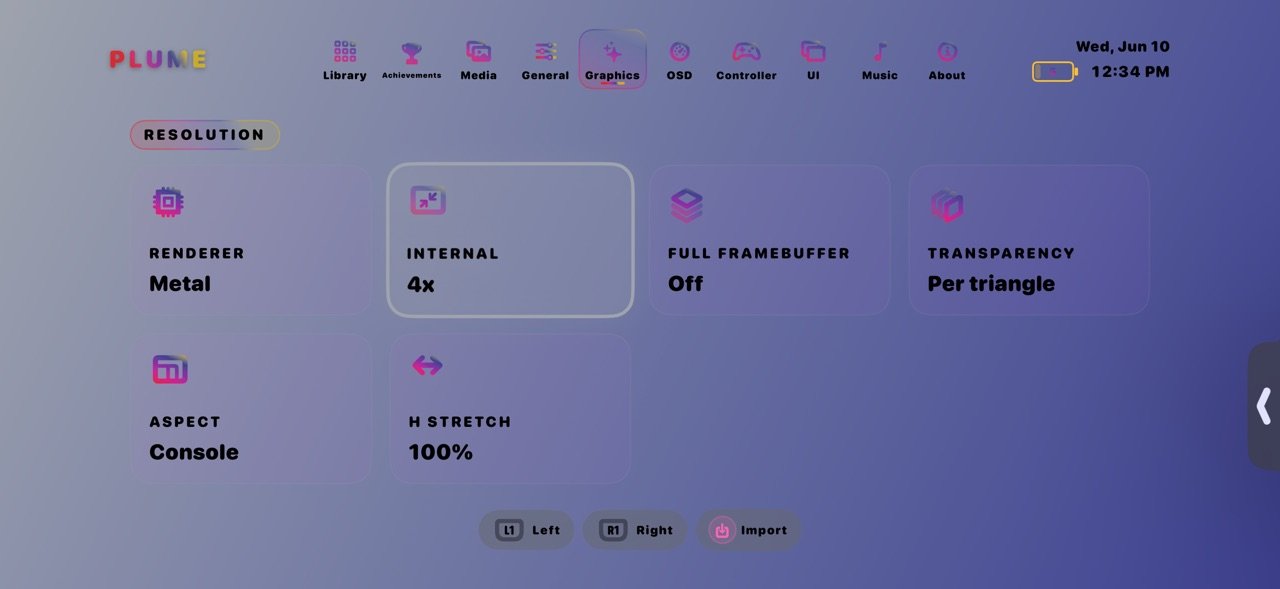
Tune internal resolution, aspect ratio, CRT shaders, texture filtering, HDR, and upscaling. MetalFX upscaling and FSR 3 frame generation are available on supported devices. HD texture packs, neural upscale models, and Upscale Studio help older games look sharper. A live HUD shows FPS, frame time, CPU, RAM, and more.
SAVE STATES AND VMU
Save and load states from the in-game menu. Slots appear on library covers for quick resume. Per-game VMU files keep memory cards where they belong.
CHEATS
Add cheat codes by hand or import them for each game.
RETROACHIEVEMENTS
Sign in to RetroAchievements and earn badges while you play. Hardcore mode disables save states for a classic challenge.
EXTRACT
Hold a game in the library to extract its music, videos, and pictures from your own disc.
CAPTURE AND SHARE
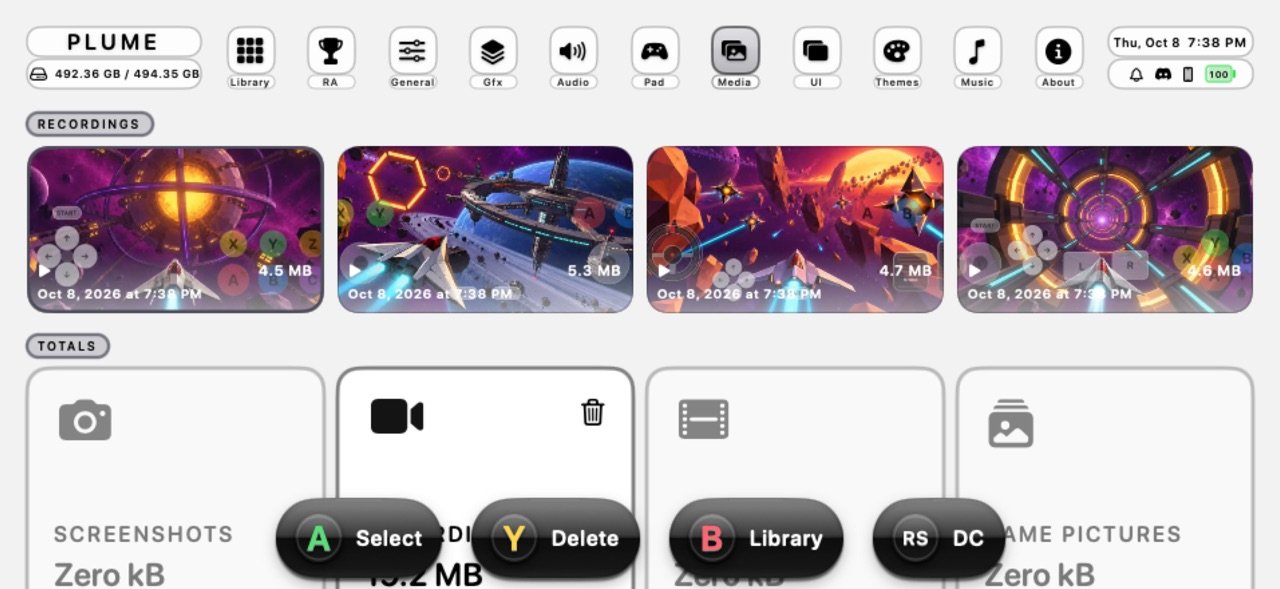
Take screenshots and record gameplay in-game. Save them to Documents or Photos, or attach a capture to a save-state slot as a visual bookmark.
SOUND AND STYLE
Menu music from downloadable tracks, your own imports, or songs from your Apple Music library. Themes give you control over colors, fonts, corners, and accessibility, including Bold Text and Button Shapes when iOS has them on.
REQUIREMENTS
Plume runs on iPhone and iPad with iOS 17 or later, and on Mac computers with Apple silicon running macOS 14 or later. Your device may warm up during play, and heavy 3D games may not reach full speed on older devices.
LEGAL
Plume does not include commercial games or a retail BIOS. You are responsible for content you import. Only use game files and firmware you legally own. Dreamcast is a trademark of SEGA. Plume is not affiliated with or endorsed by SEGA.
Add games through the Files app, AirDrop, or the Share sheet. Supported formats include GDI, CDI, CHD, CUE, ISO, M3U, ELF, ZIP, and 7Z. Retail BIOS files are optional. Turn on Fast Boot to skip the splash, or add dc_boot.bin and dc_flash.bin from hardware you own for the full boot sequence.
LIBRARY
Your collection lives in one place with cover art, metadata, favorites, and play time. Every menu can show as Tiles or a List. After you run a game, Plume grades how it performs on your device (Excellent, Good, Playable, and more) so you know what to expect before you boot. Add any game to your Home Screen.
CONTROLS
Use fully customizable on-screen controls, or pair a Bluetooth gamepad in iOS Settings and remap every button in Plume. Dreamcast has four controller ports, and each port can hold a standard controller, arcade stick, twin stick, racing controller, fishing controller, light gun, maracas, train, rhythm or dance controller, keyboard, or mouse, each with its own touch layout. Touch controls fill port 1 when nothing else is connected. Rumble and haptics are built in.
CONSOLE MODE
Mirror your screen to a TV over AirPlay or HDMI. In Console mode the game renders on the big screen while your iPhone stays the controller.
GRAPHICS AND PERFORMANCE
Tune internal resolution, aspect ratio, CRT shaders, texture filtering, HDR, and upscaling. MetalFX upscaling and FSR 3 frame generation are available on supported devices. HD texture packs, neural upscale models, and Upscale Studio help older games look sharper. A live HUD shows FPS, frame time, CPU, RAM, and more.
SAVE STATES AND VMU
Save and load states from the in-game menu. Slots appear on library covers for quick resume. Per-game VMU files keep memory cards where they belong.
CHEATS
Add cheat codes by hand or import them for each game.
RETROACHIEVEMENTS
Sign in to RetroAchievements and earn badges while you play. Hardcore mode disables save states for a classic challenge.
EXTRACT
Hold a game in the library to extract its music, videos, and pictures from your own disc.
CAPTURE AND SHARE
Take screenshots and record gameplay in-game. Save them to Documents or Photos, or attach a capture to a save-state slot as a visual bookmark.
SOUND AND STYLE
Menu music from downloadable tracks, your own imports, or songs from your Apple Music library. Themes give you control over colors, fonts, corners, and accessibility, including Bold Text and Button Shapes when iOS has them on.
REQUIREMENTS
Plume runs on iPhone and iPad with iOS 17 or later, and on Mac computers with Apple silicon running macOS 14 or later. Your device may warm up during play, and heavy 3D games may not reach full speed on older devices.
LEGAL
Plume does not include commercial games or a retail BIOS. You are responsible for content you import. Only use game files and firmware you legally own. Dreamcast is a trademark of SEGA. Plume is not affiliated with or endorsed by SEGA.
| Release info | Update on Oct 19, 2026 |
|---|---|
| Release notes | Plume 2.0.1 fixes and polish. • Game controllers drive every game again, and Button Mapping keeps your changes. • Layout editor: Undo covers the top bar and the game screen, and the top bar stays on screen in portrait. • Frame rate modes, including 120 fps, reach the screen. • Filters are back: HDR Output, CRT presets, and libretro shader presets with search. • Scrolling the filter list no longer freezes the app. • Every menu, including Controllers and Change Disc, follows your Tiles or List choice. • Stability fixes. • Welcome shows the supported game formats and keeps language greetings still. • iPad Library keeps four Media slots above the bottom bar, including games without captures. iPhone Library gives that space to game art. Swipe save slots to reach all twenty. • Onboarding closes with Done. One app icon and theme accents keep setup simpler. • Settings has a defaults editor for every touch-controller type, with separate portrait and landscape layouts. • Blizzard uses black text. • Manage JSON mods and patches from game options or the in-game menu, with live enable/disable controls. • Open saved external drives or network folders, browse their contents, and import games with disc tracks kept together. • Smaller phone popups. Library puts the title, save slots, and game details in order, with compact phone buttons and equal cover heights. • Home settings use one sideways-scrolling tile row per section. Switch between Tiles and List from the bottom bar. • Library animations follow Reduce Motion and Reduce Transparency. Menus respond to system text size, and About uses wider, readable rows. |
| Listing data | App Store |
Reviews
No reviews yet. Be the first to review Plume!.
Used Plume!? Tell other visitors what you thought.
Log in to write a reviewOther products by this publisher
- "No Distractions" for YouTube 4.10 ----
- #Bible 11.5 "Incredible App - My sister shared this app with me a few weeks ago and it is truly incredible.
- #filmphotography 1.4.2 So, you decided to shoot on film?
- $quirrel 1.5.1 $quirrel Budget & Finance helps you plan each paycheck, track spending, manage debt, and see what is safe to spend before the next payday.
- % Percentage Calculator Pro 1.41 This is the Pro version of % Percentage Calculator.
Most viewed iOS Photo & Video
-
1
 Infuse 8.5.9
Infuse: Enterprise provides the same great features as the standard version of Infuse and includes permanent access to all Pro features via a traditional paid app.
Infuse 8.5.9
Infuse: Enterprise provides the same great features as the standard version of Infuse and includes permanent access to all Pro features via a traditional paid app.
-
2
 ShortDiShow 2.0
Drama Quest Island — An offline interactive short-drama adventure.
ShortDiShow 2.0
Drama Quest Island — An offline interactive short-drama adventure.
-
3
 AI Video Generator 2.0.2
Vixel – AI Video Generator
AI Video Generator 2.0.2
Vixel – AI Video Generator
-
4
 OPlayer 4.8
Play all your videos directly without having to convert them!
OPlayer 4.8
Play all your videos directly without having to convert them!
-
5
 Necrometer II 1.2
Necrometer II is a paranormal investigation companion designed for ghost hunters and researchers.
Necrometer II 1.2
Necrometer II is a paranormal investigation companion designed for ghost hunters and researchers.
-
6
 CapCut 20.0.0
CapCut offers easy-to-use video editing functions, in-APP fonts and effects, advanced features such as keyframe animation, smooth slow-motion, chroma key, and stabilization, to help you capture and snip moments.
CapCut 20.0.0
CapCut offers easy-to-use video editing functions, in-APP fonts and effects, advanced features such as keyframe animation, smooth slow-motion, chroma key, and stabilization, to help you capture and snip moments.
-
7
 TouchSiren Delta 3.1
--------------------------------------------------------------
TouchSiren Delta 3.1
--------------------------------------------------------------
-
8
 Ai Photo 1.1.2
AI Photo Retouch – BG Eraser
Ai Photo 1.1.2
AI Photo Retouch – BG Eraser
-
9
 CNU 3.0.12
CNU?????????????????????,???????????????
CNU 3.0.12
CNU?????????????????????,???????????????
-
10
 Treblo 1.6.0
Make songs with the world's best AI music model.
Treblo 1.6.0
Make songs with the world's best AI music model.
Most downloaded iOS Photo & Video
-
1
Infuse 8.5.9
Infuse: Enterprise provides the same great features as the standard version of Infuse and includes permanent access to all Pro features via a traditional paid app.
-
2
 DJI Fly 1.21.18
DJI Fly is designed to help pilots fly drones with ease.
DJI Fly 1.21.18
DJI Fly is designed to help pilots fly drones with ease.
-
3
 ReelyGo 1.1.42
ReelyGo: Your Daily Drama Escape
ReelyGo 1.1.42
ReelyGo: Your Daily Drama Escape
-
4
 TurboCollage Automatic 1.2.4
#1 Easy automatic photo collage maker for iPhone & iPad.
TurboCollage Automatic 1.2.4
#1 Easy automatic photo collage maker for iPhone & iPad.
-
5
 Analog Radio 3.0
The iPhone and iPad devices don't have the FM/AM radio antenna installed.
Analog Radio 3.0
The iPhone and iPad devices don't have the FM/AM radio antenna installed.
-
6
 AGAIN. Rehearsal Notes 2.0.1
AGAIN. is the rehearsal app that remembers why the band stopped — and, new in Version 2, who said what in a writing session or a table read.
AGAIN. Rehearsal Notes 2.0.1
AGAIN. is the rehearsal app that remembers why the band stopped — and, new in Version 2, who said what in a writing session or a table read.
-
7
Treblo 1.6.0
Make songs with the world's best AI music model.
-
8
 Pop Dot Comics 1.48
Create a comic worthy of the Sunday newspaper or your favorite pulp-fiction cover.
Pop Dot Comics 1.48
Create a comic worthy of the Sunday newspaper or your favorite pulp-fiction cover.
-
9
 SSS IPTV, Simple, Smart Super 1.0.2
An Easiest way to watch TV Online or Movies or Series, Bring your Own list M3u,
SSS IPTV, Simple, Smart Super 1.0.2
An Easiest way to watch TV Online or Movies or Series, Bring your Own list M3u,
-
10
 Rozeta Sequencer Suite 1.3.16
Rozeta is a suite of MIDI sequencers and controllers that lets you explore a new, freeform approach to sequencing and controlling mobile music apps.
Rozeta Sequencer Suite 1.3.16
Rozeta is a suite of MIDI sequencers and controllers that lets you explore a new, freeform approach to sequencing and controlling mobile music apps.