
11downloads
1this week
FreeCommercial
0reviews
Screenshots
About Pipefitter_Pro
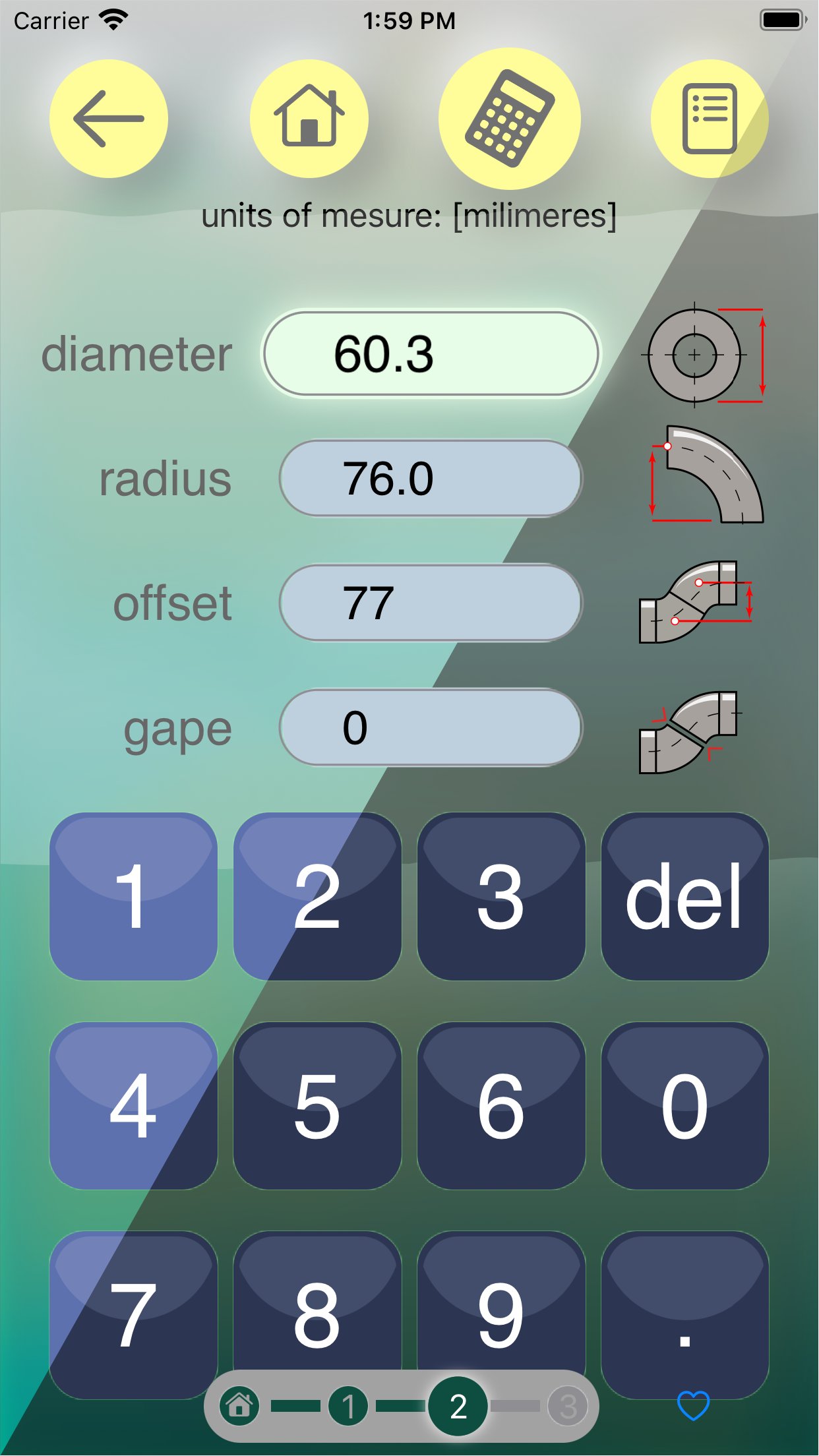
Pipefitter Pro is a calculator for pipefitters. It calculates offsets, elbow angles and spool lengths, and draws what it works out.
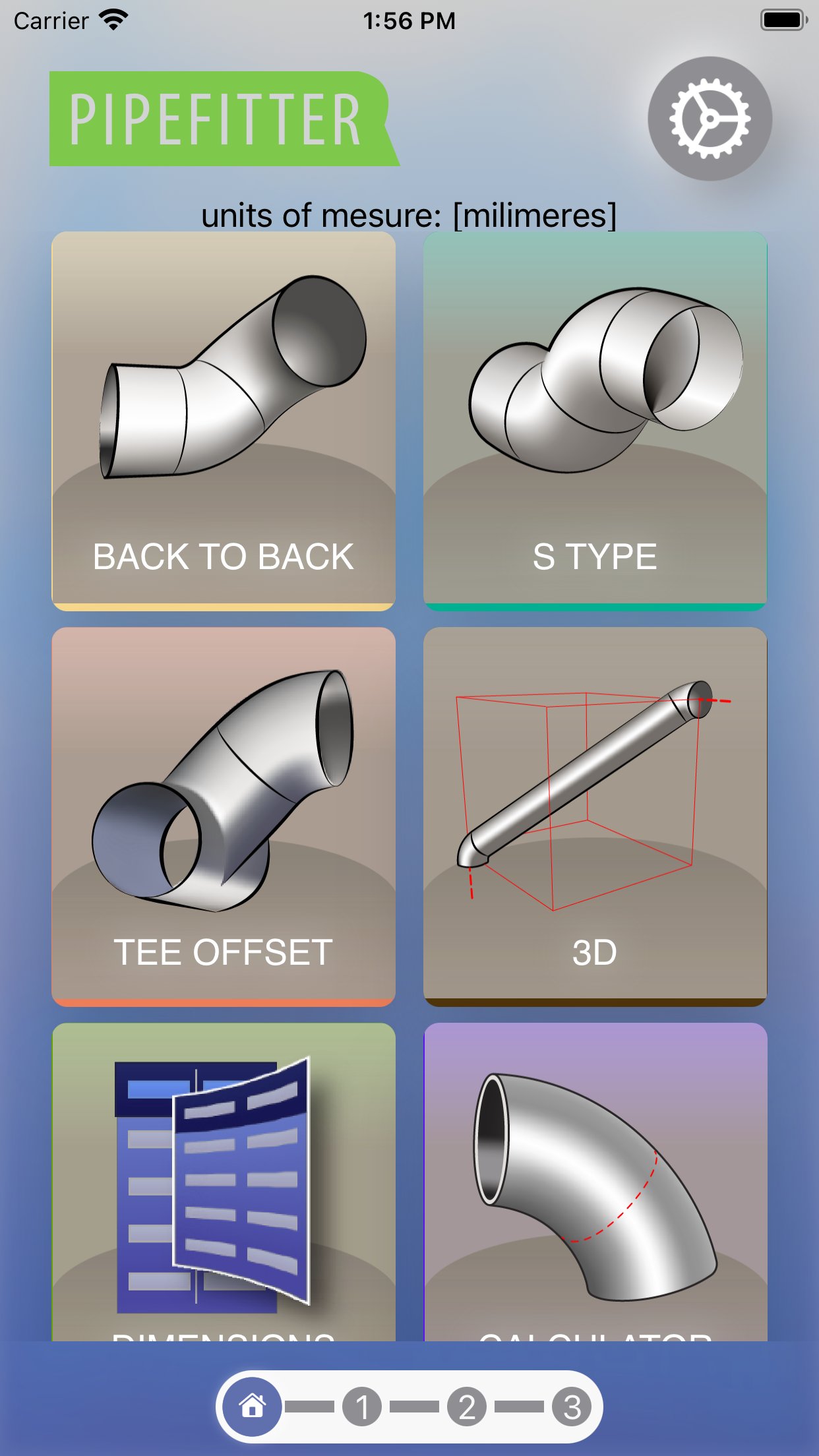
Choose a case from the menu, enter the pipe diameter and elbow radius on the workshop keypad, then read the available results: angles, the spool between elbows, elbow takeout, arc lengths and caliper dimensions.
CASES AND VIEWS
• BACK TO BACK — two elbows, with either the angle or the offset unknown.
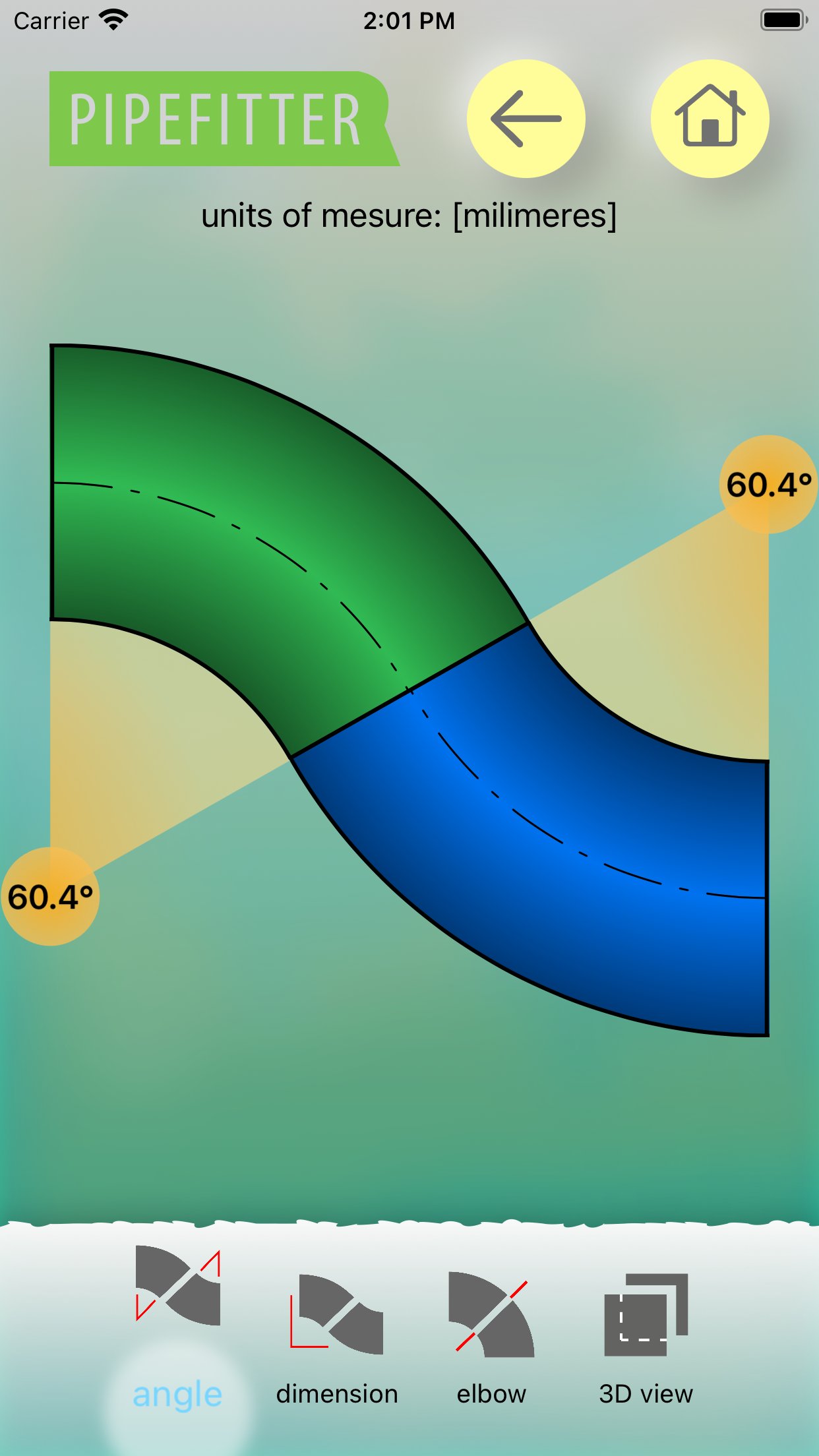
• S TYPE — offset, travel or a fixed 45° option.
• TEE OFFSET — calculations that include the branch diameter.
• CALCULATOR — one elbow cut out of a 90°.
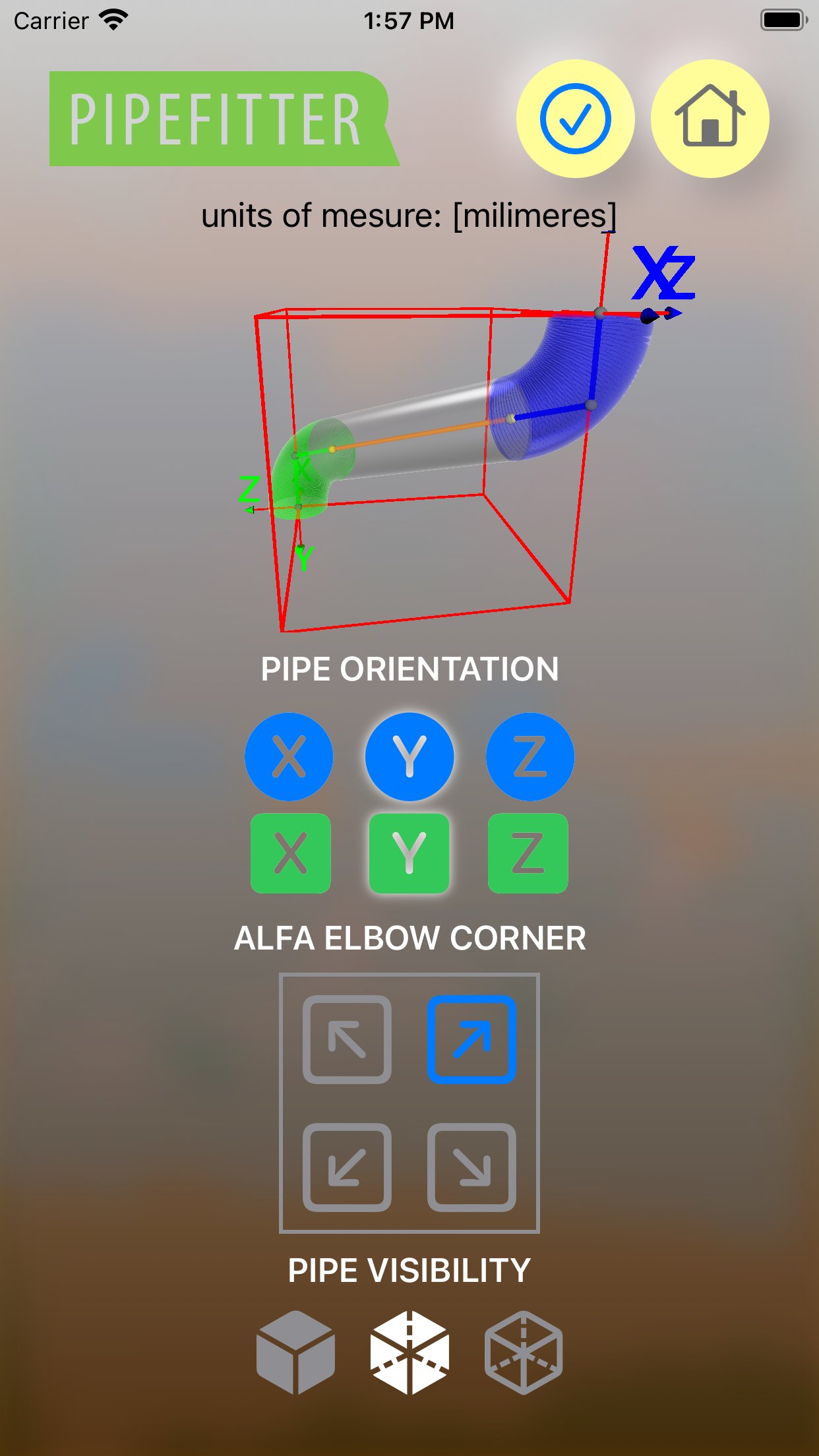
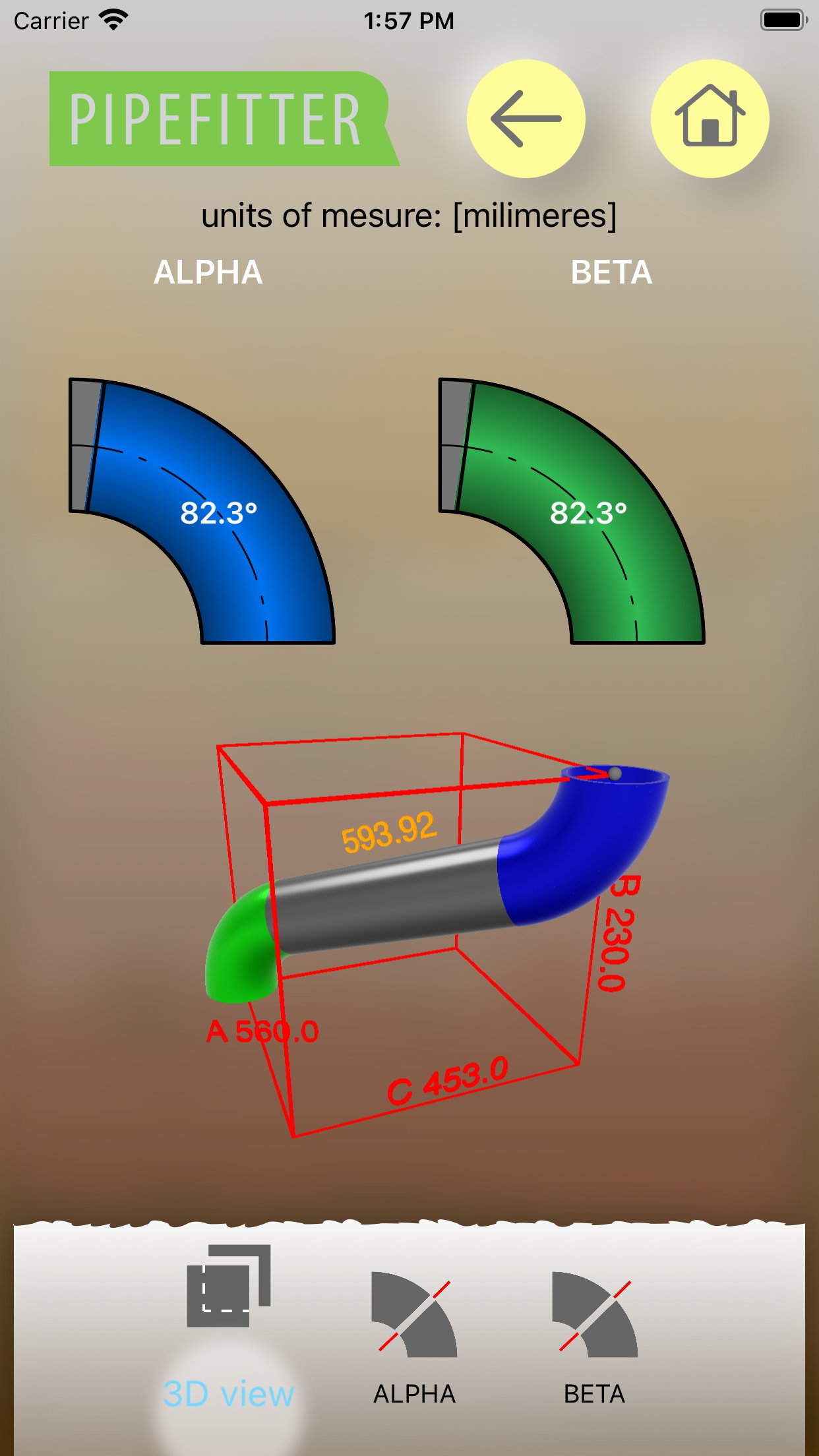
• 3D — two elbows in space, set using the A, B and C dimensions of a box.
• SLIDER / SLIDER S TYPE / SLIDER TEE — change the angle and watch the offset change.
• 3D SLIDER — set the elbow orientation in a spatial model and read the angles, the insert and the live box dimensions. The box is a visual reference, not a cut length.
Depending on the case, results appear on the Angle, Dimensions and Elbow tabs; selected cases add a 3D view you can rotate and zoom.
UNITS AND INPUT
Lengths in millimeters, centimeters and inches. Feet-and-inches notation and decimal or fractional inches are also supported. Choose 1/16 or 1/32 precision for inch fractions. Angles are given in decimal degrees. The workshop keypad and fraction picker help you enter dimensions; add frequently used cases to favorites.
PIPE AND ELBOW DIMENSIONS
The DIMENSIONS tile opens the built-in NPS/DN table. It contains outside diameters and centerline radii for long-radius and short-radius elbows. Add and edit dimensions, then use them in calculations. Save a list backup to a file and restore the list from a backup.
BEFORE YOU CUT
Pipefitter Pro supports the preparation of workshop work. Check the dimensions against your technical documentation and your shop procedures before cutting and welding.
License: Commercial
Choose a case from the menu, enter the pipe diameter and elbow radius on the workshop keypad, then read the available results: angles, the spool between elbows, elbow takeout, arc lengths and caliper dimensions.
CASES AND VIEWS
• BACK TO BACK — two elbows, with either the angle or the offset unknown.
• S TYPE — offset, travel or a fixed 45° option.
• TEE OFFSET — calculations that include the branch diameter.
• CALCULATOR — one elbow cut out of a 90°.
• 3D — two elbows in space, set using the A, B and C dimensions of a box.
• SLIDER / SLIDER S TYPE / SLIDER TEE — change the angle and watch the offset change.
• 3D SLIDER — set the elbow orientation in a spatial model and read the angles, the insert and the live box dimensions. The box is a visual reference, not a cut length.
Depending on the case, results appear on the Angle, Dimensions and Elbow tabs; selected cases add a 3D view you can rotate and zoom.
UNITS AND INPUT
Lengths in millimeters, centimeters and inches. Feet-and-inches notation and decimal or fractional inches are also supported. Choose 1/16 or 1/32 precision for inch fractions. Angles are given in decimal degrees. The workshop keypad and fraction picker help you enter dimensions; add frequently used cases to favorites.
PIPE AND ELBOW DIMENSIONS
The DIMENSIONS tile opens the built-in NPS/DN table. It contains outside diameters and centerline radii for long-radius and short-radius elbows. Add and edit dimensions, then use them in calculations. Save a list backup to a file and restore the list from a backup.
BEFORE YOU CUT
Pipefitter Pro supports the preparation of workshop work. Check the dimensions against your technical documentation and your shop procedures before cutting and welding.
License: Commercial
| Release info | Update on Oct 24, 2026 |
|---|---|
| Release notes | Fixed the horizontal dimension in SLIDER S TYPE. Corrected selected pipe and elbow catalog values, including the 12-inch size. Short-radius values that have not been verified are marked as unavailable. Swipe a catalog row left to edit or delete an entry. |
| Listing data | App Store |
Reviews
No reviews yet. Be the first to review Pipefitter_Pro.
Used Pipefitter_Pro? Tell other visitors what you thought.
Log in to write a reviewOther products by this publisher
- "No Distractions" for YouTube 4.10 ----
- #Bible 11.6.1 "Incredible App - My sister shared this app with me a few weeks ago and it is truly incredible.
- #filmphotography 1.4.2 So, you decided to shoot on film?
- $quirrel 1.5.1 $quirrel Budget & Finance helps you plan each paycheck, track spending, manage debt, and see what is safe to spend before the next payday.
- % Percentage Calculator Pro 1.41 This is the Pro version of % Percentage Calculator.
Most viewed iOS Productivity
-
1
 WordPress 27.4
Manage or create your WordPress blog or website right from your iOS device: create and edit posts and pages, upload your favorite photos and videos, view stats and reply to comments.
- 2 Voice Translator - Alive 1.6 Translation app that turns your iPhone into an interpreter instantly.
-
3
 Claude by Anthropic 1.261113.19
Meet Claude, your AI problem solver and thinking partner.
-
4
 Life360 26.44.0
Whether at home, online, or on the move, our comprehensive family safety features bring peace of mind to your loved ones AND help safeguard your personal belongings.
-
5
 WristMemo 2.0
WristMemo turns your Apple Watch into an all-day voice recorder.
- 6 "No Distractions" for YouTube 4.10 ----
-
7
 Colicine 1.3.0
Have you ever been there—
- 8 (beat) for iOS 0.5.10 An elegant Fountain screenwriting app, created by a screenwriter for screenwriters.
-
9
 DeepSeek 2.8.0
Experience seamless interaction with DeepSeek's official AI assistant for free!
-
10
 Howbout 16.7.2
The shared calendar for friends, couples, and family
Most downloaded iOS Productivity
- 1 Voice Translator - Alive 1.6 Translation app that turns your iPhone into an interpreter instantly.
-
2
DeepSeek 2.8.0
Experience seamless interaction with DeepSeek's official AI assistant for free!
-
3
 SessionsAI 1.2.1
Sessions AI is a private AI workspace that runs entirely on your iPhone, iPad, or Mac.
-
4
 Voices AI 1.16.15
Discover Voices, the premier voice transformation app designed exclusively for iOS.
-
5
 Block Distracting Websites 1.11
"It's a great way to save time, and stop browsing Reddit when you should be doing coursework."
-
6
 Plot Digitizer 1.4.1
Plot Digitizer is an app to extract numerical data from plot images.
-
7
 Google Docs 1.2026.46102
Create, edit, and collaborate on online documents with the Google Docs app.
-
8
 MyHyundai with Bluelink 5.4.5
The MyHyundai app makes getting information about your Hyundai vehicle easier than ever.
-
9
 Pixy Mood Tracker 1.110.0
Track your mood, one pixel at a time.
-
10
 Chatbot App 9.2.8
Chatbot App brings advanced AI models together in one intuitive app for writing, learning, coding, creativity, and productivity.