
1downloads
1this week
FreeCommercial
0reviews
Screenshots
About PinwePhoto
Great value: pay once, no subscription
One purchase and every feature is yours for good. No monthly fees, no in-app purchases.
No ads, no sign-up
Open the app and start editing: no ads in the way, no account to create.
Your photos are never uploaded
Every edit happens right on your phone. Your photos and data are never sent to any server, and the app collects no data at all. It goes online only if you choose to download an extra font.
Looks and Auto
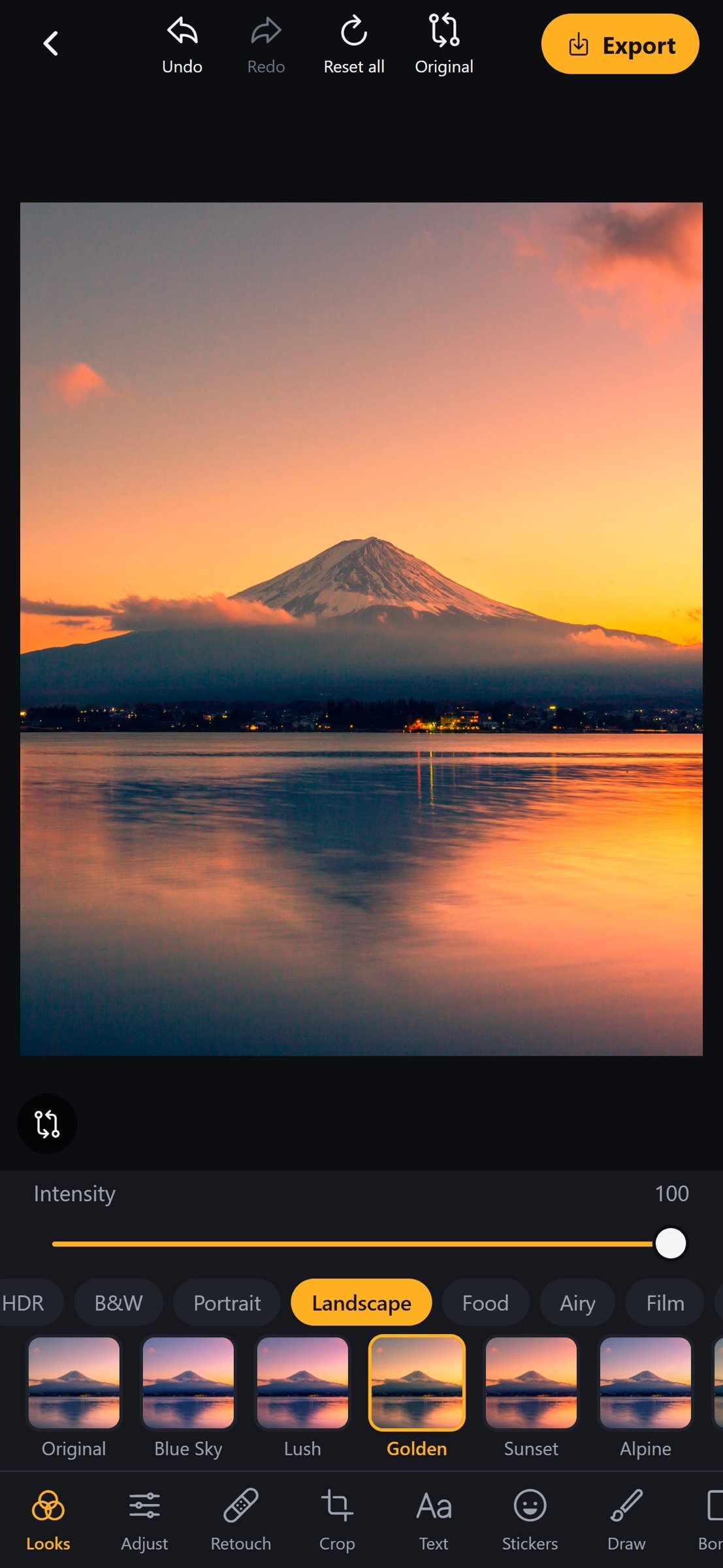
• 125 looks in 13 categories: Basic, HDR, B&W, Portrait, Landscape, Food, Airy, Film, Vintage, Cinema, Night, Seasons and Duotone, each with adjustable strength
• 10 HDR looks that lift shadows and keep highlight detail; 12 black-and-white looks with red, yellow and green filter effects
• Auto: one tap sets exposure, contrast, highlights, shadows, white balance and vibrance, and every slider stays editable
Adjustments and color
• Exposure, brightness, contrast, highlights, shadows, temperature, tint, saturation, vibrance, hue, clarity, sharpen, fade, vignette, grain and blur
• Noise reduction, with a separate slider for color noise
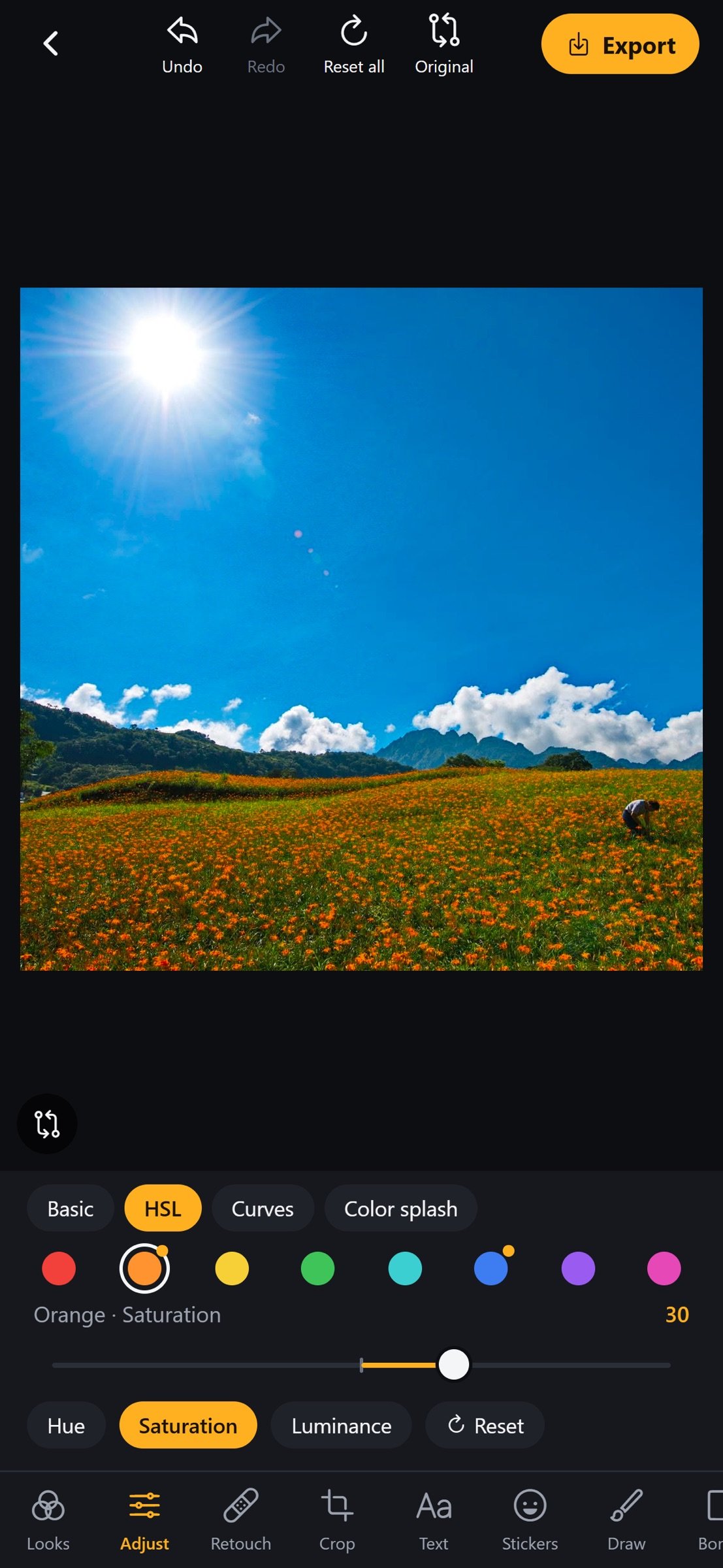
• HSL mixer for eight color ranges; tone curves for RGB and each color channel
• Color splash: tap the color to keep, and the rest turns black and white
Retouch
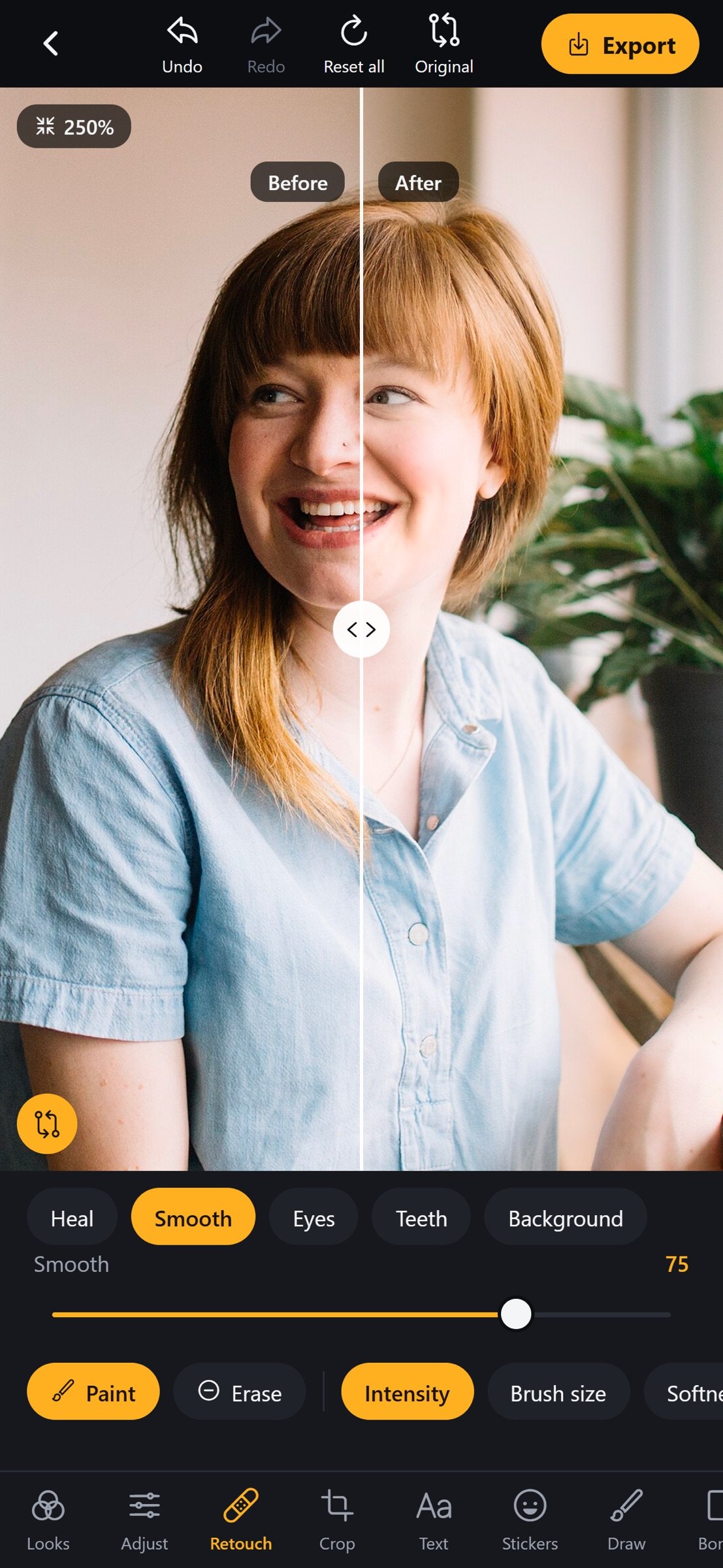
• Spot healing: tap a blemish or brush over a longer mark, and it is patched from a matching area nearby
• Skin smoothing, brighter eyes and whiter teeth
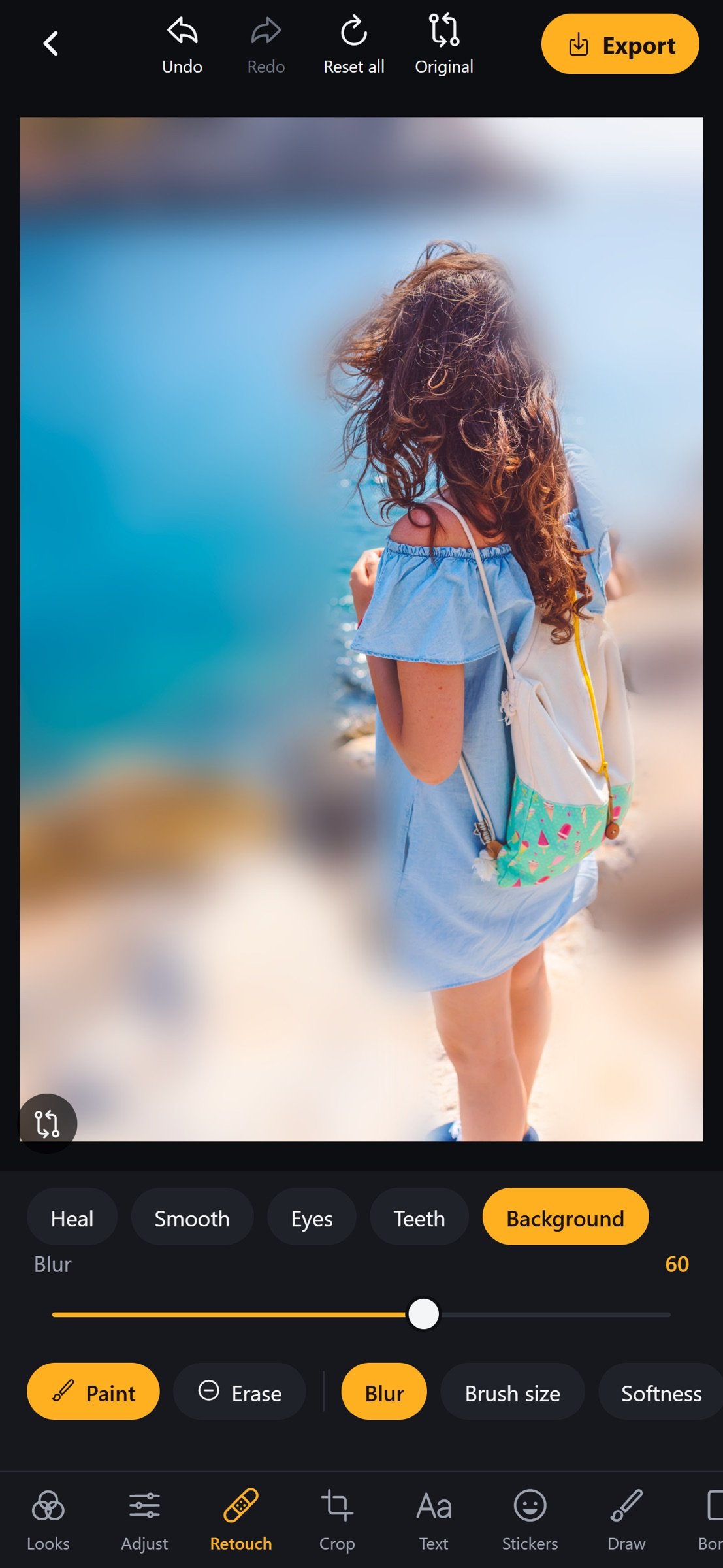
• Background blur, or cut out the subject as a PNG with a transparent background
• On iPhone, people and faces are found automatically (and any object you tap, on iOS 17 or later), right on the device; brushes paint or erase every area by hand
Crop, perspective and liquify
• Freeform or fixed-ratio crop with the output size on screen; rotate, flip and straighten
• Vertical and horizontal perspective correction to straighten buildings shot from below
• Liquify: push, bloat, pinch and twirl, with a brush that gets finer as you zoom in
Text, stickers, drawing and borders
• 18 built-in fonts plus 29 Chinese, Japanese and Korean fonts to download; shadow, outline and background
• Emoji and recolorable vector shapes; pen, highlighter and eraser
• Borders with adjustable width, rounded corners and color, or an instant-photo style
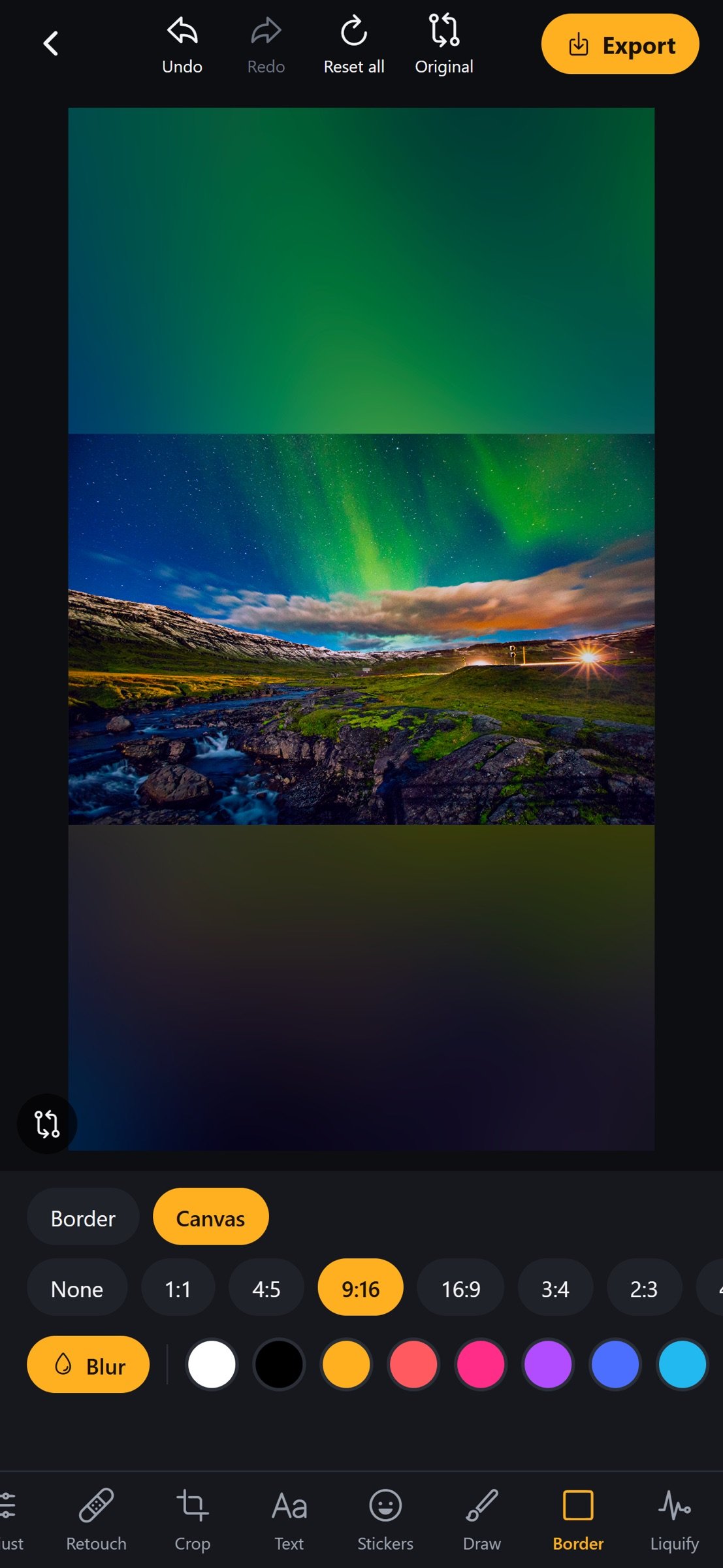
• Social sizes (1:1, 4:5, 9:16, 16:9 and more) filled with a blurred copy of the photo or a color
Watermark, date stamp and export
• Text or logo watermark (transparent PNG / SVG, recolorable) and a date stamp, each with its own position, size, angle and opacity; drag, pinch and turn them right on the photo
• Use the date the photo was taken, or today
• Export as JPEG or PNG at the quality and resolution you choose
Batch edit
• Apply a look or preset, a watermark and a date stamp to many photos at once; each photo gets its own capture date
And more
• Drag a before / after divider, or hold Original to compare
• Pinch to zoom; undo, redo and one-tap reset to the original
• Save looks, adjustments, color settings and canvas sizes as presets for one-tap use
• Collage: 2 to 6 photos in many layouts
• In 11 languages: English, Chinese (Traditional and Simplified), Japanese, Korean, Spanish, Portuguese, French, German, Italian and Russian; follows your phone, or pick one in the app
License: Commercial
| Release info | New Release on Oct 27, 2026 |
|---|---|
| Release notes | • Fixed on iPhone: the Retouch brushes now add to and remove from the mask for Cutout, Background, skin, Eyes and Teeth • Fixed on iPhone: Heal now removes spots • With Cutout on, the removed part shows faintly, so the Keep and Remove brushes can refine the edge Still no subscription, no ads and no sign-up. Every edit stays on your phone, and your photos are never uploaded. |
| Listing data | App Store |
Reviews
No reviews yet. Be the first to review PinwePhoto.
Used PinwePhoto? Tell other visitors what you thought.
Log in to write a reviewOther products by this publisher
- "No Distractions" for YouTube 4.10 ----
- #Bible 11.6.1 "Incredible App - My sister shared this app with me a few weeks ago and it is truly incredible.
- #filmphotography 1.4.2 So, you decided to shoot on film?
- #LookBusy Fake Calendar Events 1.0.6 Look Busy scans your work calendar for open time slots and fills them with realistic-looking (but secretly fake) work events.
- #Small Talk Is Canceled 1.0.2 #Small Talk Is Canceled — Conversations That Matter
Most viewed iOS Photo & Video
-
1
 Restore Old Photos 1.1.0
Bring old family photos back to life, privately on your iPhone or iPad.
-
2
 ShortDiShow 2.0
Drama Quest Island — An offline interactive short-drama adventure.
-
3
 Face Witness 1.0.4
FaceWitness lets you create a face by putting together individual features.
-
4
 Infrared Developer 1.2
Infrared Developer is a photo editor built for infrared photography.
-
5
 Infuse 8.5.11
Infuse: Enterprise provides the same great features as the standard version of Infuse and includes permanent access to all Pro features via a traditional paid app.
-
6
 AI Video Generator 2.0.3
Vixel – AI Video Generator
- 7 #filmphotography 1.4.2 So, you decided to shoot on film?
-
8
 CapCut 20.3.0
CapCut is an all-in-one video editing solution that offers essential editing features, creative effects, AI tools, filters, stickers, and fonts, and a wide range of video templates to empower users to easily create incredible videos regardless of th…
-
9
 OPlayer 4.8
Play all your videos directly without having to convert them!
-
10
 Ai Photo 1.2.0
AI Photo Retouch – BG Eraser
Most downloaded iOS Photo & Video
-
1
 DJI Fly 1.21.18
DJI Fly is designed to help pilots fly drones with ease.
-
2
Infuse 8.5.11
Infuse: Enterprise provides the same great features as the standard version of Infuse and includes permanent access to all Pro features via a traditional paid app.
-
3
 ReelyGo 1.1.60
ReelyGo: Your Daily Drama Escape
-
4
 Analog Radio 3.0
The iPhone and iPad devices don't have the FM/AM radio antenna installed.
-
5
 TurboCollage Automatic 1.2.4
#1 Easy automatic photo collage maker for iPhone & iPad.
-
6
 Rozeta Sequencer Suite 1.3.16
Rozeta is a suite of MIDI sequencers and controllers that lets you explore a new, freeform approach to sequencing and controlling mobile music apps.
-
7
 AGAIN. Rehearsal Notes 2.0.1
AGAIN. is the rehearsal app that remembers why the band stopped — and, new in Version 2, who said what in a writing session or a table read.
-
8
 Pop Dot Comics 1.48
Create a comic worthy of the Sunday newspaper or your favorite pulp-fiction cover.
-
9
 Local AI Art Private Diffusion 1.6
If you are the kind of person who values privacy and wants to keep your generated images private, our software is the perfect solution for you.
-
10
 Treblo 1.6.6
Make songs with the world's best AI music model.