
17downloads
0this week
FreeCommercial
0reviews
Screenshots



About PhotoPanel
Photo Panel – Your Favorite Memories in a Slideshow
**No ads. No in-app purchases. No subscription. Just enjoy your photos.**
Turn your iPhone or iPad into a digital photo frame! Select an album from your photos library or a shared album, and the app will display your favorite photos in a beautiful slideshow – fully automatic, with no ads or in-app purchases.
Features at a glance:
• Automatic album update: New photos in your albums are automatically detected and immediately included in the slideshow
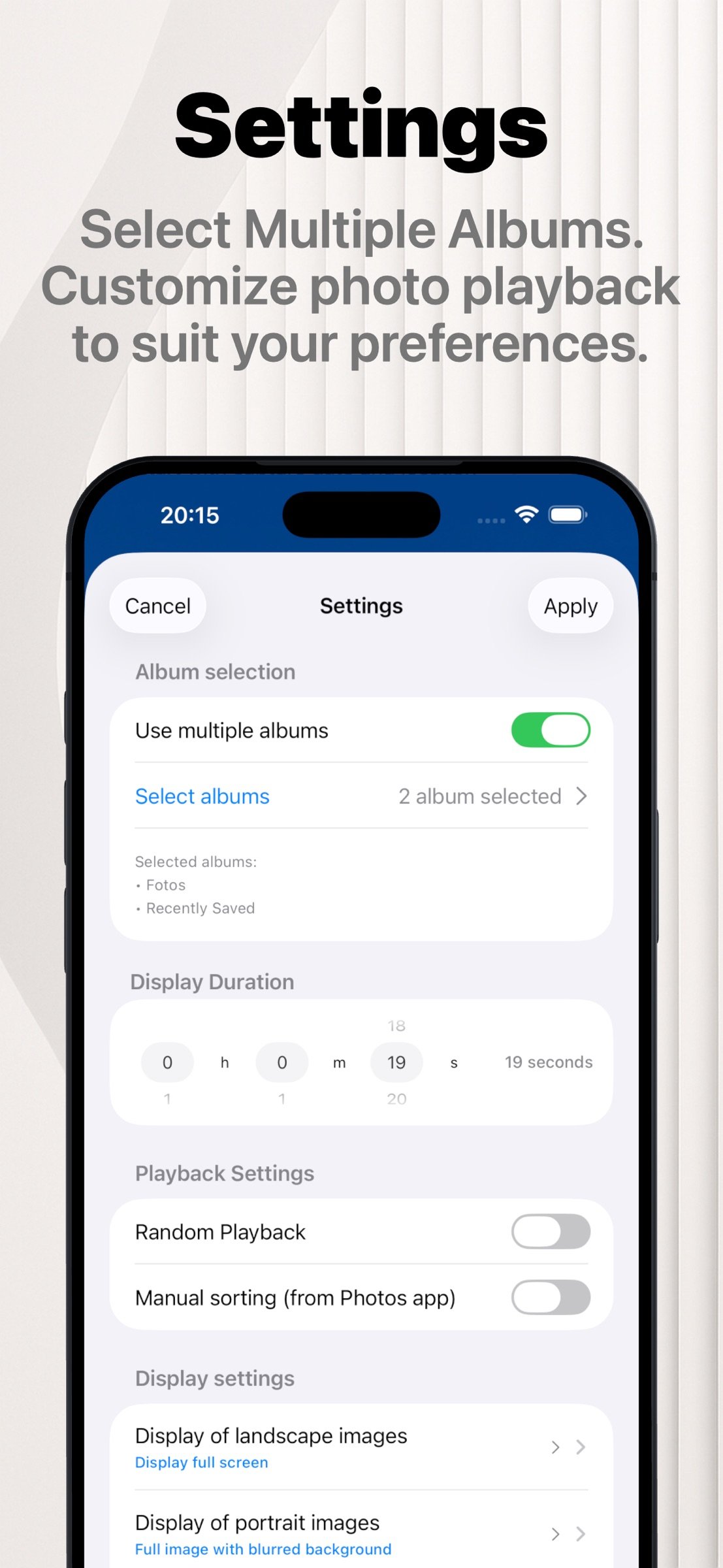
• Select one or more albums: Images can be displayed sequentially or in random order
• Supports shared albums – perfect for family or vacation photos
• Flexible display duration: Choose how long each photo is shown – from 5 seconds to 12 hours
• Individual settings for portrait and landscape images
• Fullscreen display: Choose between original size or borderless display
• Blurred background: Display photos with a softly blurred backdrop
• Immersive display: Hide the status bar and home indicator
• Various transition effects: Instant switch, smooth fade, or slide animation
• Clock display: Add a subtle clock to the slideshow
• Screensaver mode: Turns the screen black after a set time
• Manual navigation: Swipe left to view the next image
• Manual navigation: Swipe right to view the previous image
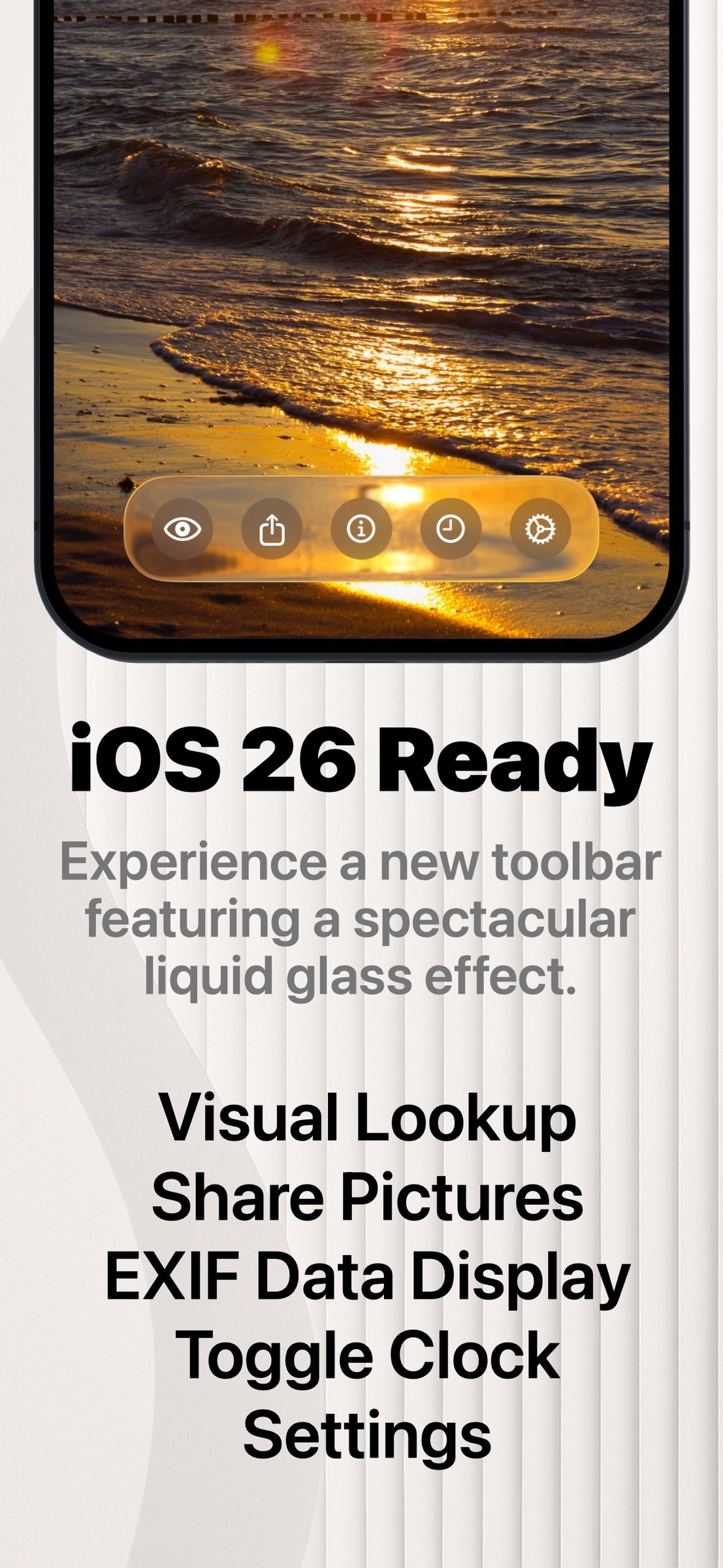
• EXIF data: Shows date, time, and location of the photo
• Tap the GPS data to view the location in Apple Maps
• Live Photos: Animated display of Live Photos
• Visual Lookup: Identify plants, animals, landmarks, and dishes
• Weather display
• Share Photos: Send via Mail, AirDrop, Messages, and more
• Photo sources: Apple Photos (iCloud Photos), WebDAV (e.g. NAS or Nextcloud), Immich (open-source photo library), iOS Files app (locally stored photos, iCloud Drive, SMB server, external devices such as USB drives or SSDs)
You can find a comprehensive manual at [link removed]
Download the app now and turn your device into an elegant digital photo frame!
License: Commercial
**No ads. No in-app purchases. No subscription. Just enjoy your photos.**
Turn your iPhone or iPad into a digital photo frame! Select an album from your photos library or a shared album, and the app will display your favorite photos in a beautiful slideshow – fully automatic, with no ads or in-app purchases.
Features at a glance:
• Automatic album update: New photos in your albums are automatically detected and immediately included in the slideshow
• Select one or more albums: Images can be displayed sequentially or in random order
• Supports shared albums – perfect for family or vacation photos
• Flexible display duration: Choose how long each photo is shown – from 5 seconds to 12 hours
• Individual settings for portrait and landscape images
• Fullscreen display: Choose between original size or borderless display
• Blurred background: Display photos with a softly blurred backdrop
• Immersive display: Hide the status bar and home indicator
• Various transition effects: Instant switch, smooth fade, or slide animation
• Clock display: Add a subtle clock to the slideshow
• Screensaver mode: Turns the screen black after a set time
• Manual navigation: Swipe left to view the next image
• Manual navigation: Swipe right to view the previous image
• EXIF data: Shows date, time, and location of the photo
• Tap the GPS data to view the location in Apple Maps
• Live Photos: Animated display of Live Photos
• Visual Lookup: Identify plants, animals, landmarks, and dishes
• Weather display
• Share Photos: Send via Mail, AirDrop, Messages, and more
• Photo sources: Apple Photos (iCloud Photos), WebDAV (e.g. NAS or Nextcloud), Immich (open-source photo library), iOS Files app (locally stored photos, iCloud Drive, SMB server, external devices such as USB drives or SSDs)
You can find a comprehensive manual at [link removed]
Download the app now and turn your device into an elegant digital photo frame!
License: Commercial
| Release info | Update on Nov 14, 2026 |
|---|---|
| Release notes | New in 3.5 • Playback controls: Back, Pause and Forward buttons in the button bar. A small pause sign shows when the slideshow is paused. You can turn the buttons off in Settings. • File name: Optionally show the file name of the current photo at the top of the screen. • Screensaver hint: When the screensaver is running, PhotoPanel briefly shows until when it runs and how to wake the frame. • Faster album list: The album picker appears immediately, even with several hundred albums. Photo counts follow in the background, and an empty list now explains why it is empty. • Immich and WebDAV: Albums and folders that were deleted on the server are removed from your selection automatically, and Settings tells you which ones were removed. Fixes and improvements • Fixed a crash when swiping back with only a few photos. • Fixed cases where the slideshow could stop and not continue. • Photo info, Visual Look Up and sharing now always refer to the photo on screen. • Screen brightness is restored reliably after the screensaver. • WebDAV: one unreadable subfolder no longer hides the whole folder, and capture times are shown in the correct time zone. • Many smaller stability and performance improvements. |
| Listing data | App Store |
Reviews
No reviews yet. Be the first to review PhotoPanel.
Used PhotoPanel? Tell other visitors what you thought.
Log in to write a reviewOther products by this publisher
- "No Distractions" for YouTube 4.10 ----
- #Bible 11.6 "Incredible App - My sister shared this app with me a few weeks ago and it is truly incredible.
- #filmphotography 1.4.2 So, you decided to shoot on film?
- $quirrel 1.5.1 $quirrel Budget & Finance helps you plan each paycheck, track spending, manage debt, and see what is safe to spend before the next payday.
- % Percentage Calculator Pro 1.41 This is the Pro version of % Percentage Calculator.
Most viewed iOS Photo & Video
-
1
 ShortDiShow 2.0
Drama Quest Island — An offline interactive short-drama adventure.
-
2
 Infuse 8.5.10
Infuse: Enterprise provides the same great features as the standard version of Infuse and includes permanent access to all Pro features via a traditional paid app.
-
3
 AI Video Generator 2.0.3
Vixel – AI Video Generator
-
4
 OPlayer 4.8
Play all your videos directly without having to convert them!
-
5
 Necrometer II 1.2
Necrometer II is a paranormal investigation companion designed for ghost hunters and researchers.
-
6
 CapCut 20.1.0
CapCut offers easy-to-use video editing functions, in-APP fonts and effects, advanced features such as keyframe animation, smooth slow-motion, chroma key, and stabilization, to help you capture and snip moments.
-
7
 Ai Photo 1.1.2
AI Photo Retouch – BG Eraser
- 8 #filmphotography 1.4.2 So, you decided to shoot on film?
-
9
 Treblo 1.6.5
Make songs with the world's best AI music model.
-
10
 Pop Dot Comics 1.48
Create a comic worthy of the Sunday newspaper or your favorite pulp-fiction cover.
Most downloaded iOS Photo & Video
-
1
Infuse 8.5.10
Infuse: Enterprise provides the same great features as the standard version of Infuse and includes permanent access to all Pro features via a traditional paid app.
-
2
 DJI Fly 1.21.18
DJI Fly is designed to help pilots fly drones with ease.
-
3
 Analog Radio 3.0
The iPhone and iPad devices don't have the FM/AM radio antenna installed.
-
4
 TurboCollage Automatic 1.2.4
#1 Easy automatic photo collage maker for iPhone & iPad.
-
5
 ReelyGo 1.1.42
ReelyGo: Your Daily Drama Escape
-
6
Treblo 1.6.5
Make songs with the world's best AI music model.
-
7
 Rozeta Sequencer Suite 1.3.16
Rozeta is a suite of MIDI sequencers and controllers that lets you explore a new, freeform approach to sequencing and controlling mobile music apps.
-
8
Pop Dot Comics 1.48
Create a comic worthy of the Sunday newspaper or your favorite pulp-fiction cover.
-
9
 AGAIN. Rehearsal Notes 2.0.1
AGAIN. is the rehearsal app that remembers why the band stopped — and, new in Version 2, who said what in a writing session or a table read.
-
10
 SSS IPTV, Simple, Smart Super 1.0.2
An Easiest way to watch TV Online or Movies or Series, Bring your Own list M3u,