
Photo Perspective Editor&Maker 1.6.0
Photo Perspective Editor straighten and adjust distorted pictures; correct non-rectangular distorted pictures into rectangular images; it can also distort photos or graphics.
Download
7.22 MB
10downloads
1this week
FreeCommercial
0reviews
Screenshots
About Photo Perspective Editor&Maker
Photo Perspective Editor straighten and adjust distorted pictures; correct non-rectangular distorted pictures into rectangular images; it can also distort photos or graphics. The Photo Perspective Pro has two alternatives in correcting perspective distortion: the automatic mode and the manual mode. The software allows you to manually adjust and correct the all types of perspective distortions (perspective distortion, tilt distortion and so on).
The following issues can be easily and perfectly solved:
- Perspecitve, tilt, imbalance and other distortion issues in the photos;
- Oblique objects in the photos;
- The horizon is tilted in the photos;
- Oblique, perspective street photos;
- The vertical lines of the building appear skewed;
- Crop the distorted image of the quadrangular area and correct it;
- Enhance perspective effect: enhance the perspective distortion effect in the vertical direction;
- Enhance perspective effect: enhance the perspective distortion effect in the horizontal direction.
Support over 70 common image formats.
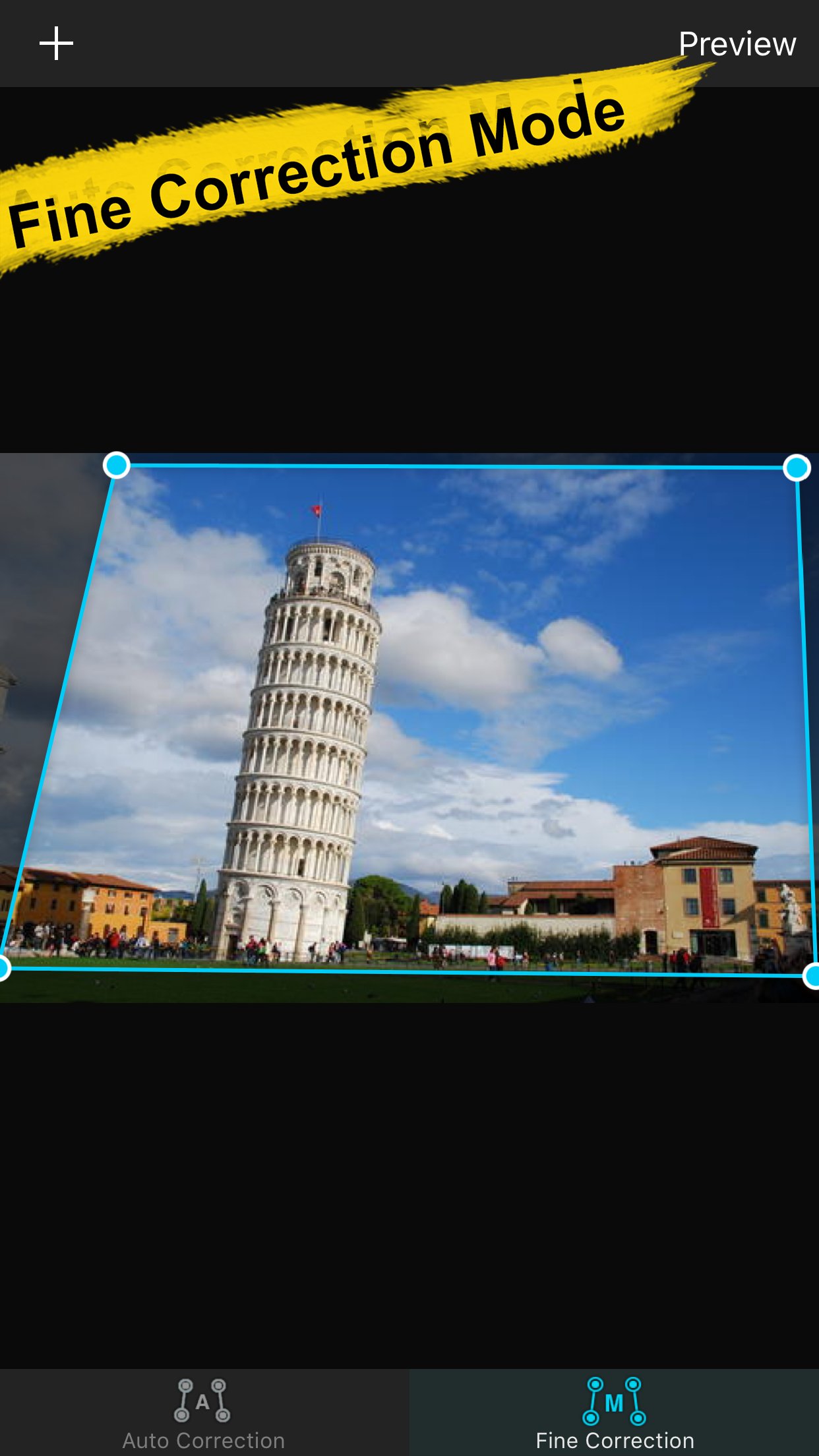
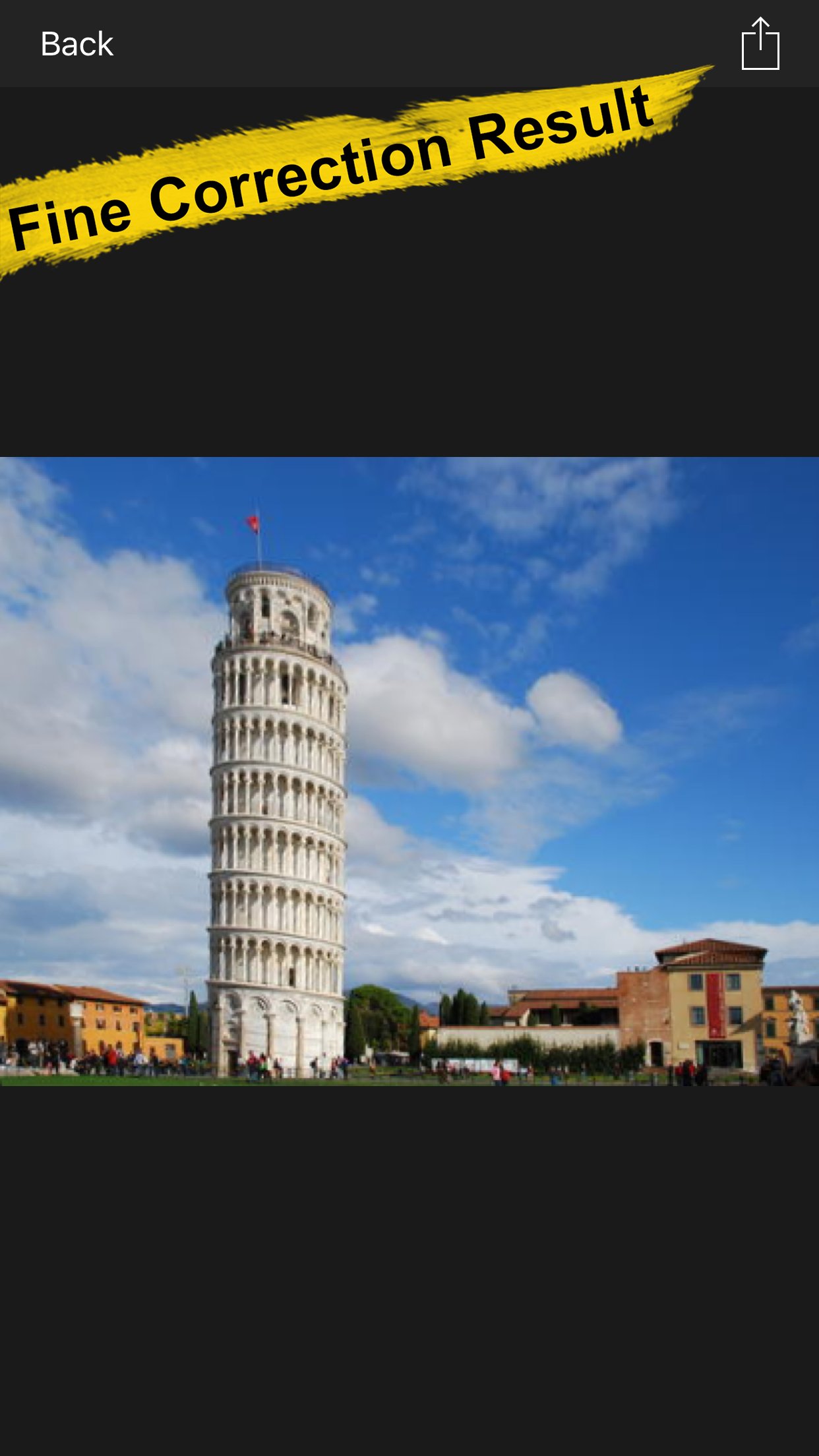
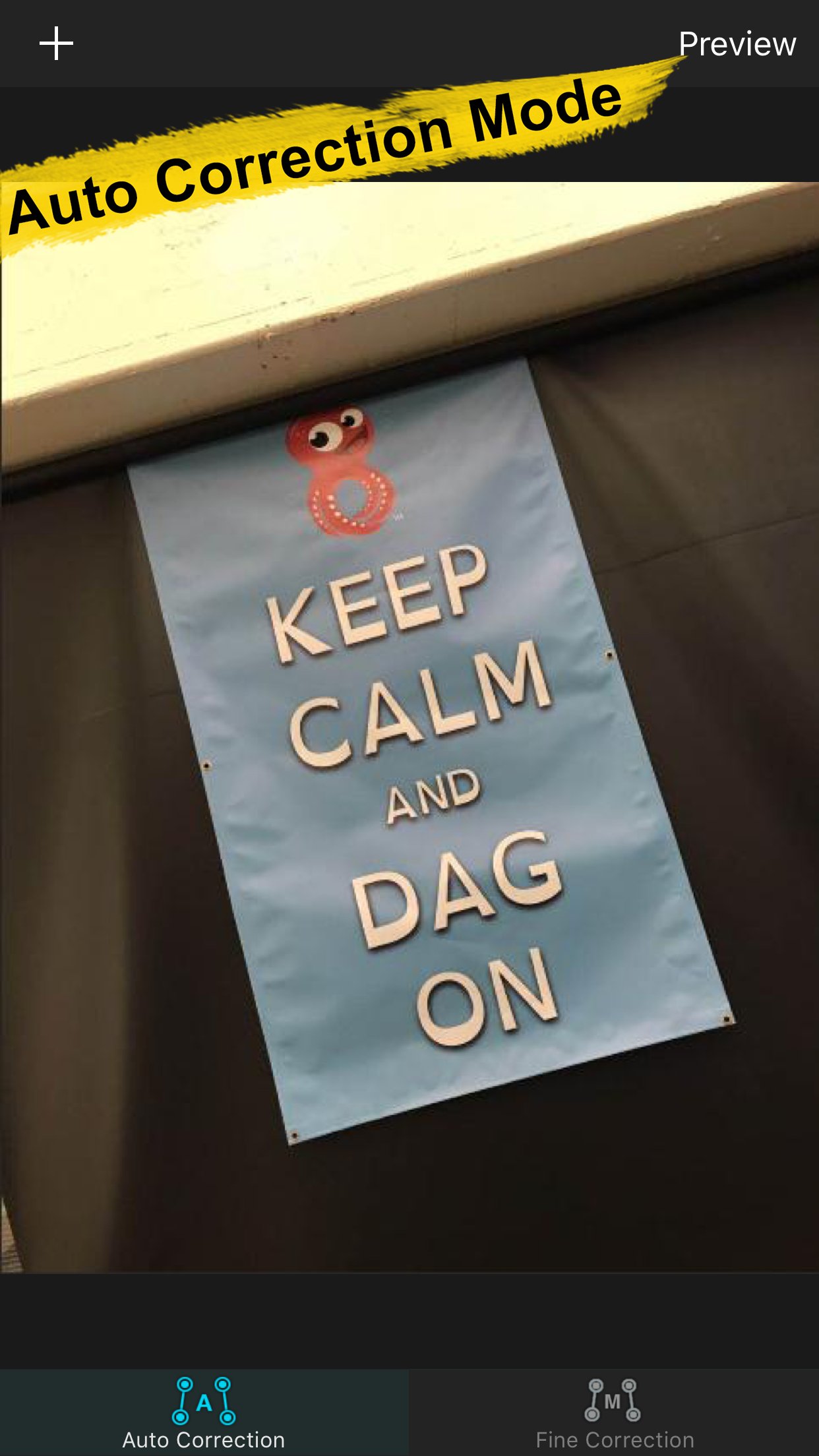
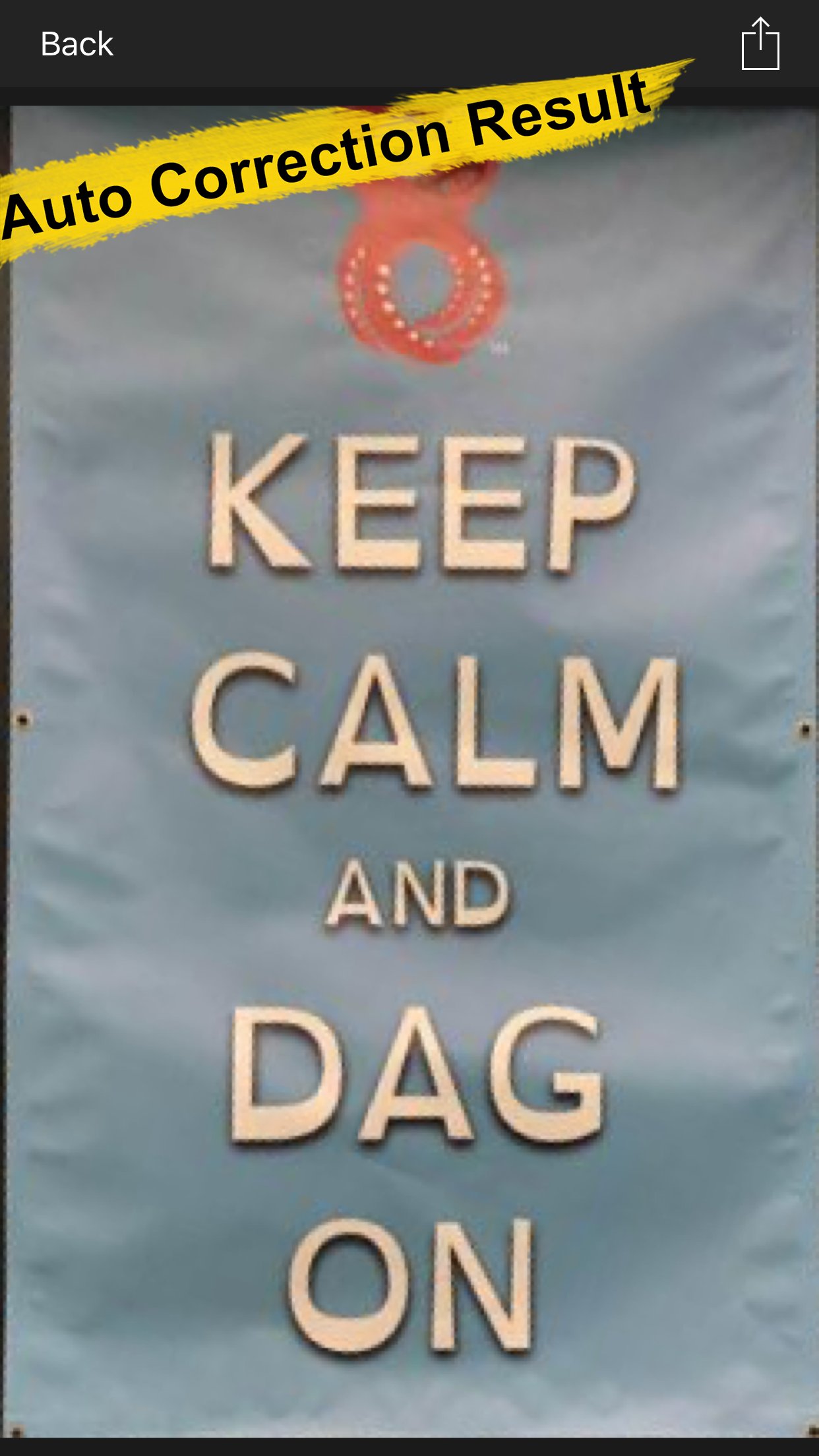
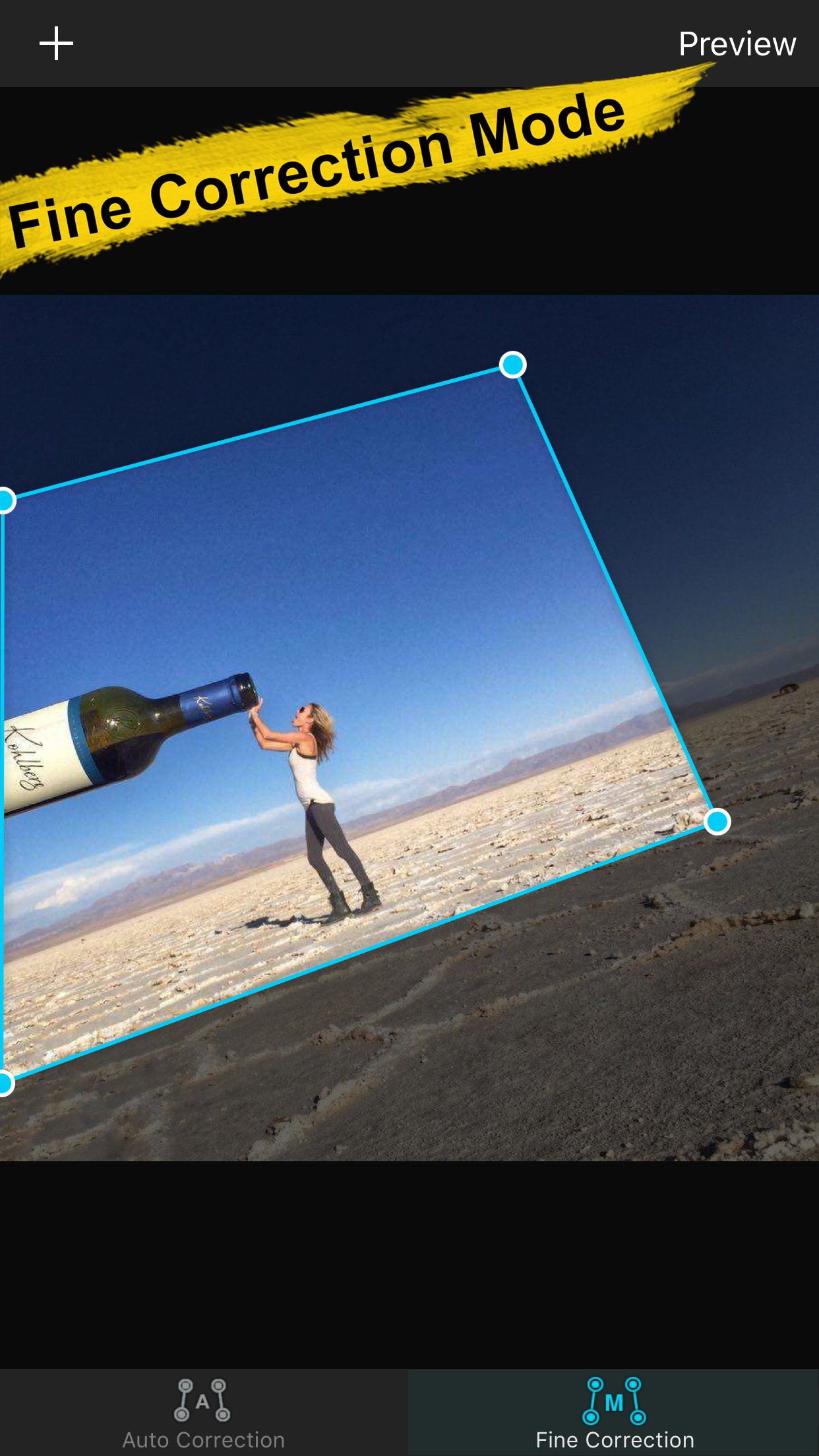
Photo Perspective Editor has two operating modes: Auto Correction mode and Fine Correction mode. In Fine Correction mode, four advanced tools are also provided for you to further choose to adjust for the best effect !
1.Auto Correction mode
The system automatically recognizes distorted pictures, automatically identifies and corrects the edges of pictures, and automatically corrects pictures. As long as you import the original picture, you can get professional repair results.
- Drag the picture directly into the software or onto the icon;
- Automatically identify and correct complex perspective problems;
- Automatic recognition and optimization to the maximum visible area;
- Save the corrected pictures.
2. Fine Correction mode
In Fine Correction mode, Photo Perspective Pro provides four advanced tools you can choose to adjust and repair the photos according to your needs and preferences.
- Quadrilateral correction, the optimal control selects the desired area, and repairs the distortion effect;
- Single-line correction, can correct horizontal tilt distortion in the photos, which is very suitable for straightening the horizon;
- Vertical double-line correction, which can repair oblique perspective distortion in the vertical direction, and can also be used to enhance the perspective deformation effect in the vertical direction;
- Horizontal double-line correction, which can adjust the horizontal perspective distortion, and can also be used to enhance the perspective deformation effect in the horizontal direction;
- Display correction results in real time;
- Save corrected pictures.
Please send an email to ColorLemonStudio@yeah.net, if you have any problems.
License: Commercial
| Release info | New Release on Oct 24, 2020 |
|---|---|
| Release notes | 1 Add more advanced correction tools. |
| Listing data | App Store |
Reviews
No reviews yet. Be the first to review Photo Perspective Editor&Maker.
Used Photo Perspective Editor&Maker? Tell other visitors what you thought.
Log in to write a reviewOther products by this publisher
- "No Distractions" for YouTube 4.10 ----
- #Bible 11.6.1 "Incredible App - My sister shared this app with me a few weeks ago and it is truly incredible.
- #filmphotography 1.4.2 So, you decided to shoot on film?
- #LookBusy Fake Calendar Events 1.0.6 Look Busy scans your work calendar for open time slots and fills them with realistic-looking (but secretly fake) work events.
- #Small Talk Is Canceled 1.0.2 #Small Talk Is Canceled — Conversations That Matter
Most viewed iOS Photo & Video
-
1
 ShortDiShow 2.0
Drama Quest Island — An offline interactive short-drama adventure.
-
2
 Face Witness 1.0.3
FaceWitness lets you create a face by putting together individual features.
-
3
 Infuse 8.5.10
Infuse: Enterprise provides the same great features as the standard version of Infuse and includes permanent access to all Pro features via a traditional paid app.
-
4
 AI Video Generator 2.0.3
Vixel – AI Video Generator
-
5
 OPlayer 4.8
Play all your videos directly without having to convert them!
- 6 #filmphotography 1.4.2 So, you decided to shoot on film?
-
7
 CapCut 20.2.0
CapCut offers easy-to-use video editing functions, in-APP fonts and effects, advanced features such as keyframe animation, smooth slow-motion, chroma key, and stabilization, to help you capture and snip moments.
-
8
 Ai Photo 1.1.2
AI Photo Retouch – BG Eraser
-
9
 Necrometer II 1.3
Necrometer II is a paranormal investigation companion designed for ghost hunters and researchers.
-
10
 Analog Radio 3.0
The iPhone and iPad devices don't have the FM/AM radio antenna installed.
Most downloaded iOS Photo & Video
-
1
 DJI Fly 1.21.18
DJI Fly is designed to help pilots fly drones with ease.
-
2
Infuse 8.5.10
Infuse: Enterprise provides the same great features as the standard version of Infuse and includes permanent access to all Pro features via a traditional paid app.
-
3
 TurboCollage Automatic 1.2.4
#1 Easy automatic photo collage maker for iPhone & iPad.
-
4
 ReelyGo 1.1.42
ReelyGo: Your Daily Drama Escape
-
5
Analog Radio 3.0
The iPhone and iPad devices don't have the FM/AM radio antenna installed.
-
6
 Rozeta Sequencer Suite 1.3.16
Rozeta is a suite of MIDI sequencers and controllers that lets you explore a new, freeform approach to sequencing and controlling mobile music apps.
-
7
 Pop Dot Comics 1.48
Create a comic worthy of the Sunday newspaper or your favorite pulp-fiction cover.
-
8
 AGAIN. Rehearsal Notes 2.0.1
AGAIN. is the rehearsal app that remembers why the band stopped — and, new in Version 2, who said what in a writing session or a table read.
-
9
 Sun Scout 1.5.0
If your work or play requires sunlight, Sun Scout is built for you.
-
10
 Treblo 1.6.6
Make songs with the world's best AI music model.