
Peak Media App 1.0.27
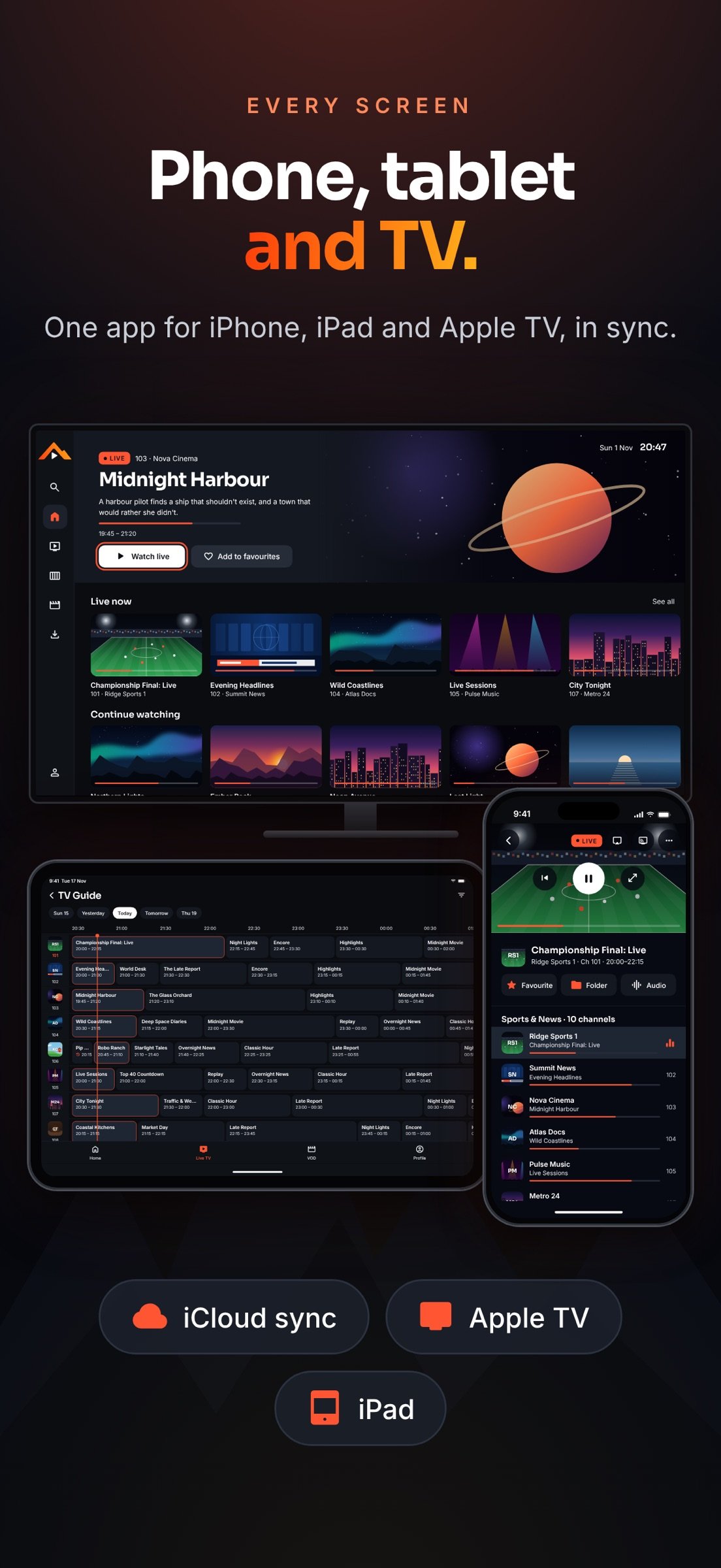
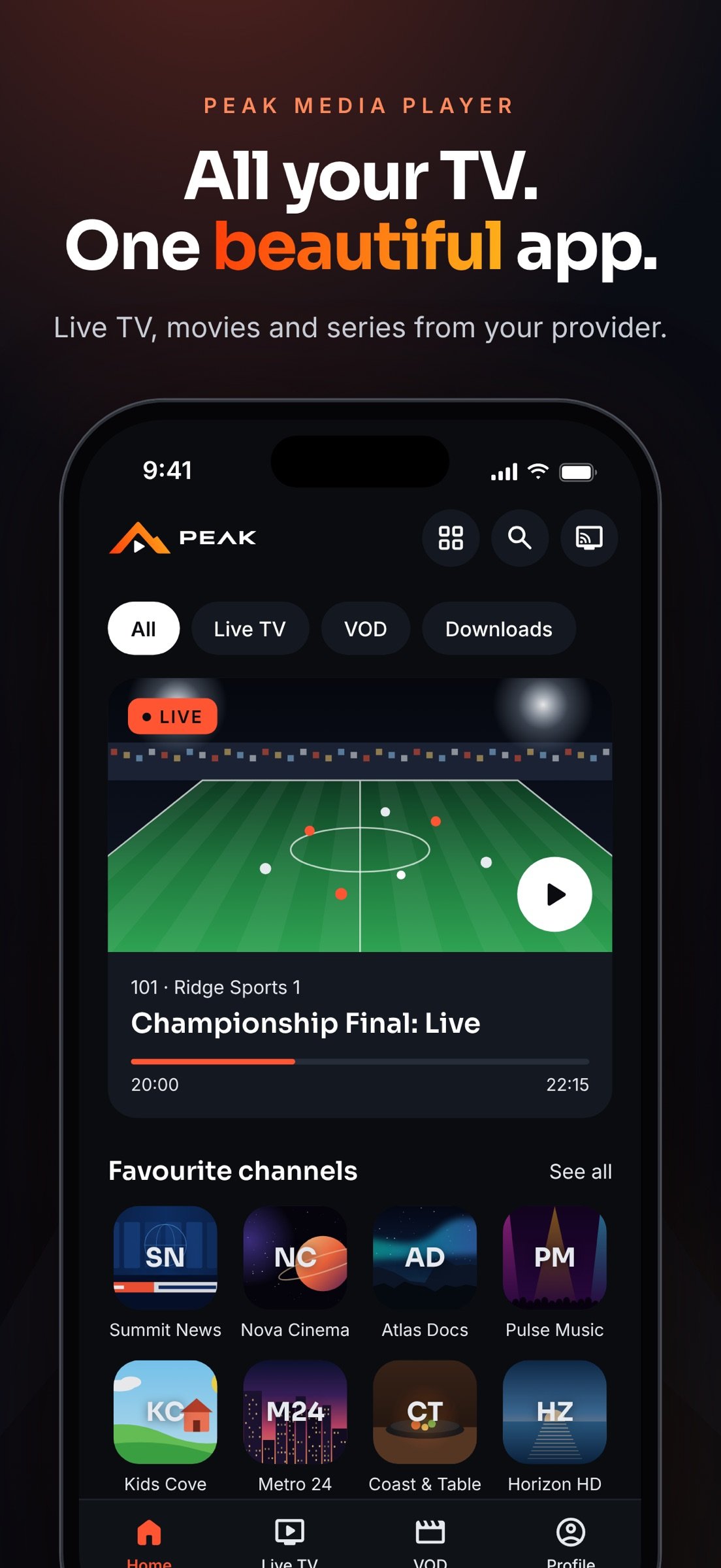
Peak Media Player brings your IPTV provider's live TV, TV guide, catch-up, movies and series together in one fast, beautiful app for iPhone, iPad and Apple TV.
Download
4.61 MB
1downloads
1this week
FreeCommercial
0reviews
Screenshots
About Peak Media App
Peak Media Player brings your IPTV provider's live TV, TV guide, catch-up, movies and series together in one fast, beautiful app for iPhone, iPad and Apple TV. Sign in with your MAC address, Xtream Codes or an M3U playlist and start watching in seconds.
SIGN IN YOUR WAY
• MAC portal (Stalker / MAG): enter your portal URL and your device's MAC address. Peak handles the handshake and keeps your session alive.
• Xtream Codes: live channels, movies, series, seasons and guide data from your provider.
• M3U playlists: add one by URL or from a file, with XMLTV guide support (gzip included).
• Add several providers, then reorder or duplicate them. Your logins are stored only in the Apple Keychain.
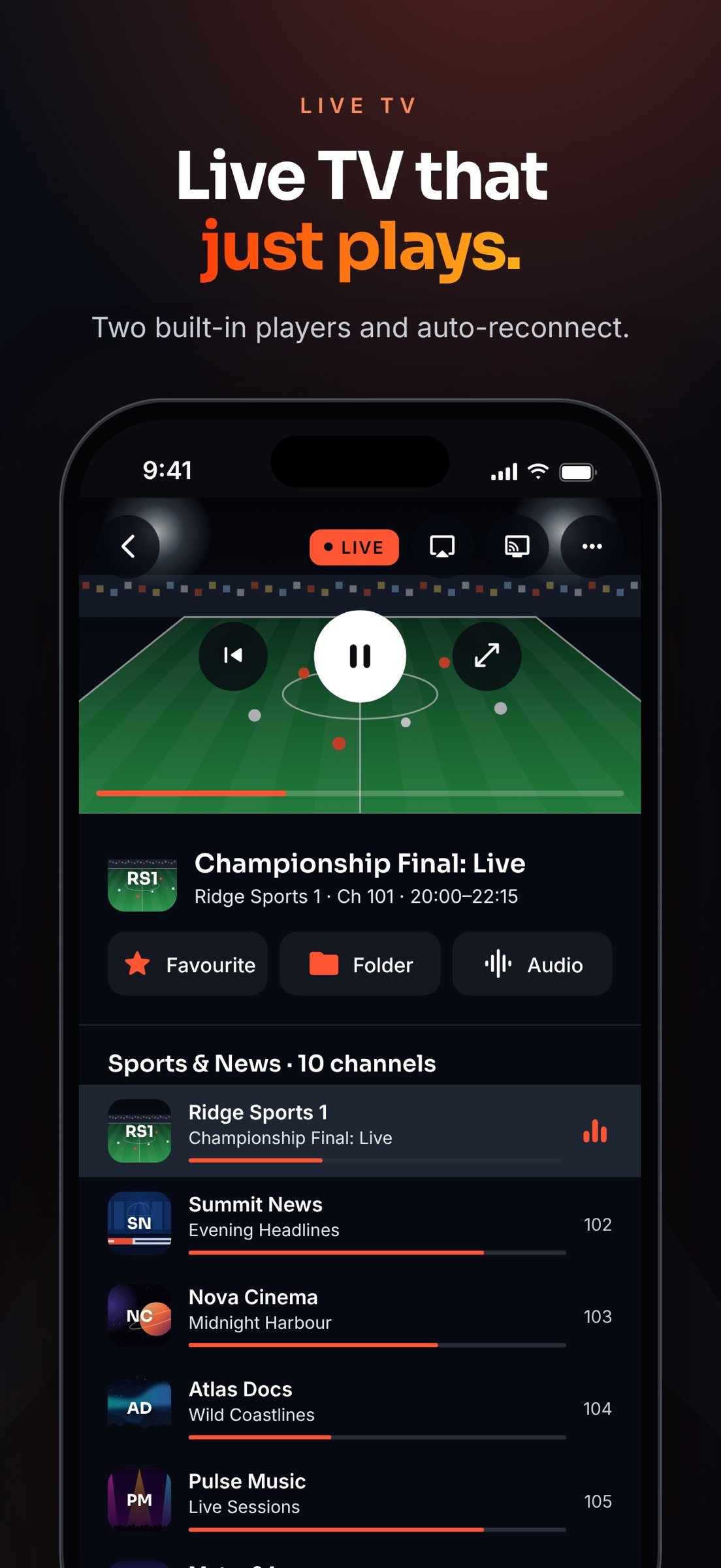
LIVE TV THAT JUST PLAYS
• Browse channels by category, in a list or a grid.
• See what's on now and next, then swipe to change channel (up and down on the Siri Remote).
• Two built-in players. Auto mode switches to the second player when a stream won't play.
• Choose audio and subtitle tracks and hardware or software decoding.
• Live streams reconnect to the live point after a drop or a phone call.
TV GUIDE
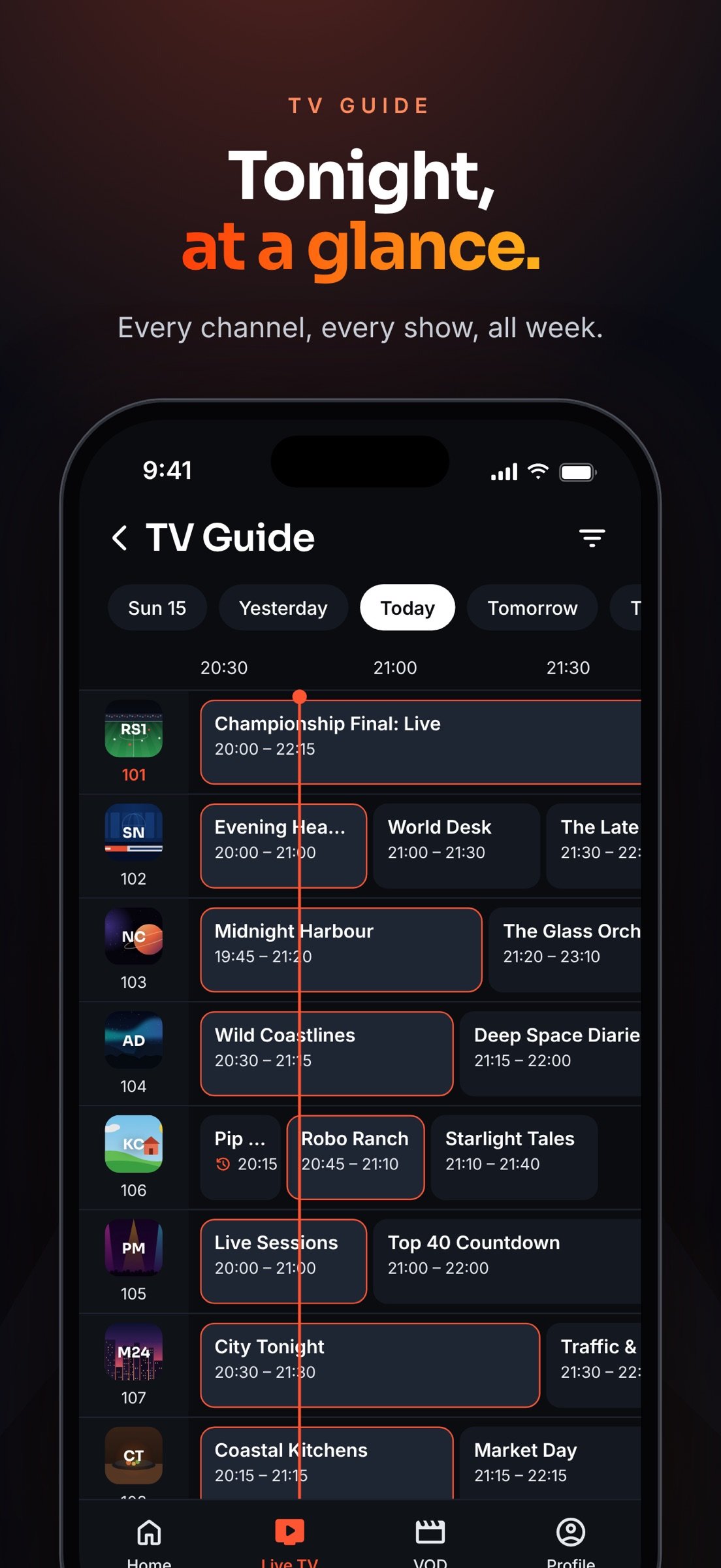
• A full grid with a half-hour timeline, a day strip and a "now" line.
• Go back through past days as far as your provider's archive allows.
• Add your own XMLTV guide link to replace your provider's guide.
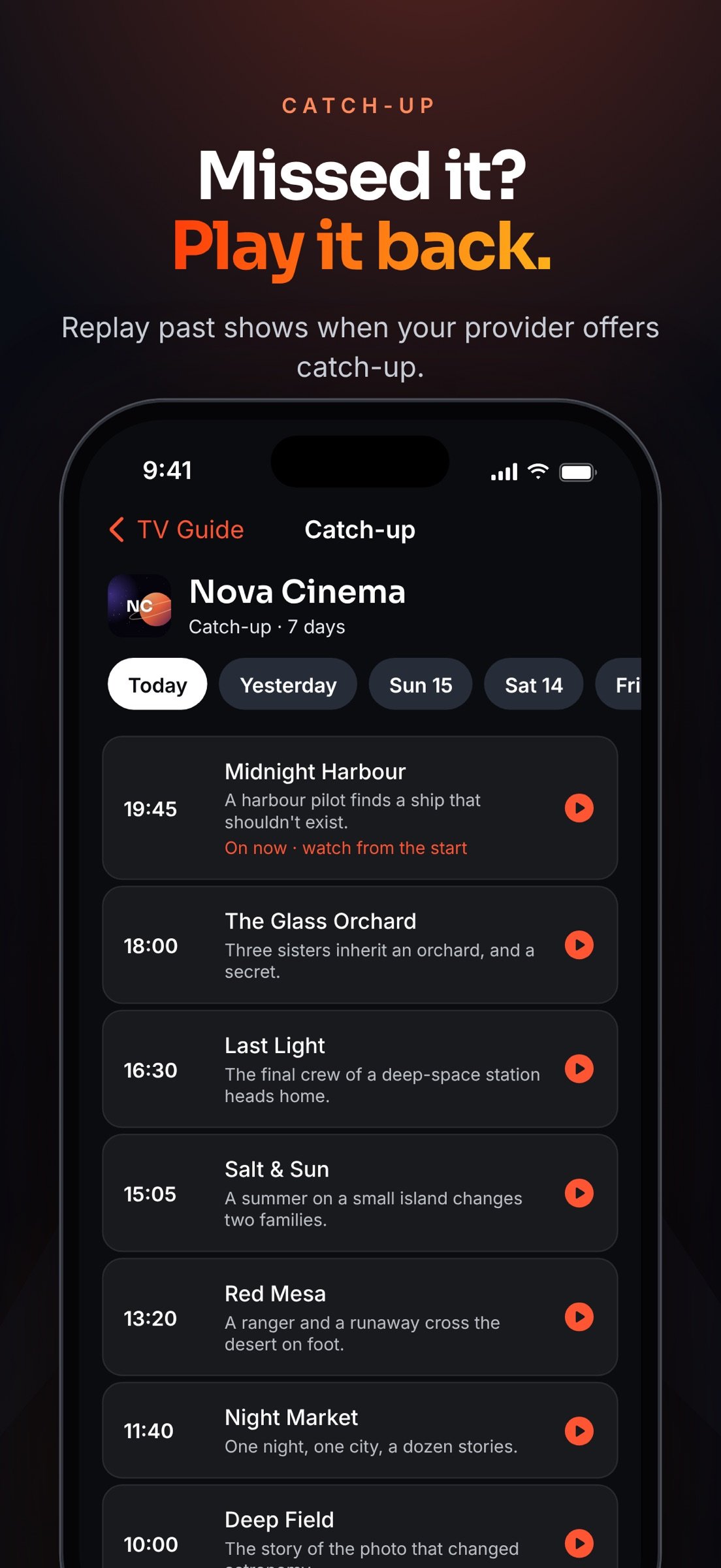
CATCH-UP AND WATCH FROM THE START
• Missed it? If your provider offers catch-up, replay shows from its archive (up to 7 days) on the channels it records.
• Start any show from the guide, from a channel's Catch-up page, or with "Watch from the start" on what's airing now.
MOVIES & SERIES
• Your provider's movies and series in one place, by category.
• Movie pages, and series broken down into seasons and episodes.
• Continue watching, and resume where you left off on any of your devices.
• The next episode plays by itself, with a 10-second countdown you can cancel.
• Playback speed from 0.5x to 2x.
DOWNLOADS
• Download movies and episodes on iPhone and iPad and watch them offline, on a plane or anywhere without a connection.
MULTIVIEW
• Watch two live channels at once. Tap a screen to hear it, and touch and hold to change the channel or go full screen.
WATCH ANYWHERE
• Picture in Picture, plus a pop-out mini player on iPhone and iPad.
• AirPlay to Apple TV and AirPlay-compatible TVs.
• Cast to Chromecast and to Samsung, LG and other DLNA smart TVs.
• SharePlay: watch together over FaceTime with play, pause and seek in sync.
• Control playback from the Lock Screen and Control Center.
ORGANIZE AND FIND
• Favourites and your own named folders.
• Global search across live TV, movies, series, favourites and folders from all your providers at once.
• Recently watched and Continue watching on Home.
FAMILY FRIENDLY
• Parental controls with a 4-digit PIN. Adult categories lock automatically, and you can lock any other category. Locked content stays hidden from Home, search and lists until you enter the PIN.
YOUR APPLE DEVICES, IN SYNC
• Favourites, folders, recently watched, resume points and player settings sync through iCloud across your iPhone, iPad and Apple TV.
• You can also sync your providers through iCloud Keychain.
ONE PURCHASE, EVERY SCREEN
Peak is a single app for iPhone, iPad and Apple TV, designed for each one: a touch-friendly home and player on iPhone and iPad, and a sidebar, rails and a full TV guide built for the Siri Remote on Apple TV.
PRIVATE BY DESIGN
Peak has no ads, no tracking and no analytics. Your provider details stay on your devices and in your own iCloud.
PLEASE NOTE
Peak Media Player is a media player only. It does not include, sell or provide any channels, playlists or content. To use it, you need a subscription with your own IPTV provider, and you are responsible for making sure you have the right to watch the content you add. Peak is not affiliated with any provider.
License: Commercial
| Release info | Update on Nov 23, 2026 |
|---|---|
| Release notes | our whole library, faster • Large movie libraries now load in full. There's no longer a cap on how many titles you can see. • Titles load several pages at a time, and Peak remembers your library, so it opens almost instantly next time. • Every category now shows its full count of titles. Series and TV shows, done right • Web series and TV shows kept in the movie section are now recognized and open on their seasons and episodes. • Peak reads how each provider organizes its content, so shows, seasons and episodes appear correctly whatever the layout. • Episodes load when you open a season, so even shows with thousands of episodes open quickly. • Sort a season's episodes newest first or oldest first. • Fixed episodes that wouldn't play on some providers. • M3U playlists: episodes are now grouped into shows and seasons instead of showing up as separate movies. Search inside any category • Tap the magnifier at the top right of a category to search just that category. Matches appear as you type, and titles that haven't finished loading are found too. A cleaner look • Channels, shows and movies in a category are now shown as easy-to-scan rows. • Fixed episode pictures that were too large and overlapped the season picker. Reliability • More stable connections when many requests run at once, with longer timeouts on slow providers. |
| Listing data | App Store |
Reviews
No reviews yet. Be the first to review Peak Media App.
Used Peak Media App? Tell other visitors what you thought.
Log in to write a reviewOther products by this publisher
- "No Distractions" for YouTube 4.10 ----
- #Bible 11.6.1 "Incredible App - My sister shared this app with me a few weeks ago and it is truly incredible.
- #filmphotography 1.4.2 So, you decided to shoot on film?
- #LookBusy Fake Calendar Events 1.0.6 Look Busy scans your work calendar for open time slots and fills them with realistic-looking (but secretly fake) work events.
- #Small Talk Is Canceled 1.0.2 #Small Talk Is Canceled — Conversations That Matter
Most viewed iOS Photo & Video
-
1
 ShortDiShow 2.0
Drama Quest Island — An offline interactive short-drama adventure.
-
2
 Face Witness 1.0.3
FaceWitness lets you create a face by putting together individual features.
-
3
 Infuse 8.5.10
Infuse: Enterprise provides the same great features as the standard version of Infuse and includes permanent access to all Pro features via a traditional paid app.
-
4
 AI Video Generator 2.0.3
Vixel – AI Video Generator
-
5
 OPlayer 4.8
Play all your videos directly without having to convert them!
- 6 #filmphotography 1.4.2 So, you decided to shoot on film?
-
7
 CapCut 20.2.0
CapCut offers easy-to-use video editing functions, in-APP fonts and effects, advanced features such as keyframe animation, smooth slow-motion, chroma key, and stabilization, to help you capture and snip moments.
-
8
 Necrometer II 1.3
Necrometer II is a paranormal investigation companion designed for ghost hunters and researchers.
-
9
 Ai Photo 1.1.2
AI Photo Retouch – BG Eraser
-
10
 Analog Radio 3.0
The iPhone and iPad devices don't have the FM/AM radio antenna installed.
Most downloaded iOS Photo & Video
-
1
 DJI Fly 1.21.18
DJI Fly is designed to help pilots fly drones with ease.
-
2
Infuse 8.5.10
Infuse: Enterprise provides the same great features as the standard version of Infuse and includes permanent access to all Pro features via a traditional paid app.
-
3
 TurboCollage Automatic 1.2.4
#1 Easy automatic photo collage maker for iPhone & iPad.
-
4
 ReelyGo 1.1.42
ReelyGo: Your Daily Drama Escape
-
5
Analog Radio 3.0
The iPhone and iPad devices don't have the FM/AM radio antenna installed.
-
6
 Rozeta Sequencer Suite 1.3.16
Rozeta is a suite of MIDI sequencers and controllers that lets you explore a new, freeform approach to sequencing and controlling mobile music apps.
-
7
 AGAIN. Rehearsal Notes 2.0.1
AGAIN. is the rehearsal app that remembers why the band stopped — and, new in Version 2, who said what in a writing session or a table read.
-
8
 Pop Dot Comics 1.48
Create a comic worthy of the Sunday newspaper or your favorite pulp-fiction cover.
-
9
 Treblo 1.6.6
Make songs with the world's best AI music model.
-
10
 Sun Scout 1.5.0
If your work or play requires sunlight, Sun Scout is built for you.