PDF to Numbers by PDF2Office 1.7.5
PDF to Numbers by PDF2Office converts your PDF to editable Numbers files on your iPhone.
Download
53.80 MB
8downloads
0this week
FreeCommercial
0reviews
Screenshots
About PDF to Numbers by PDF2Office
PDF to Numbers by PDF2Office converts your PDF to editable Numbers files on your iPhone.
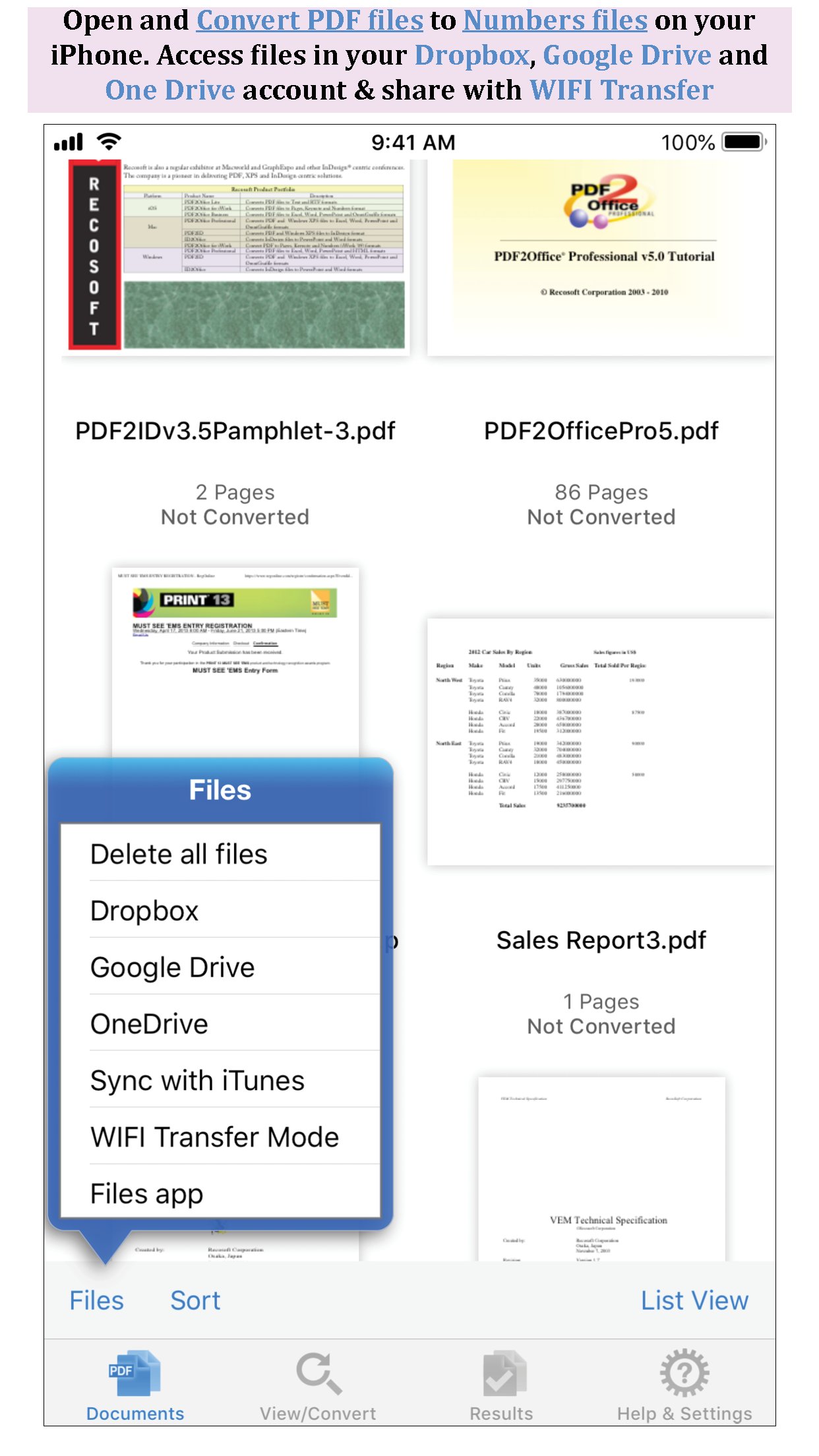
Convert PDF to Numbers spreadsheet instantly with a simple tap.
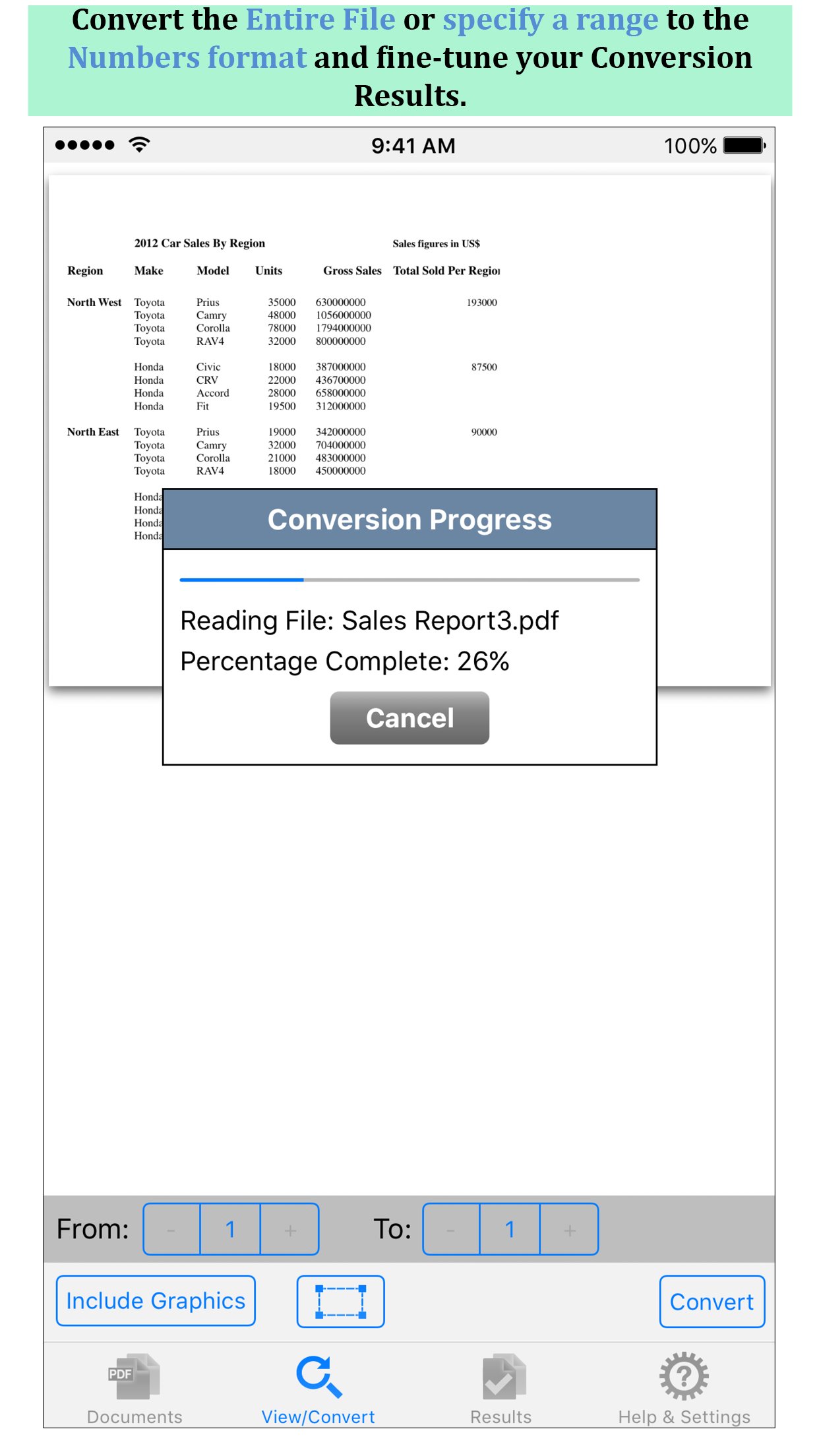
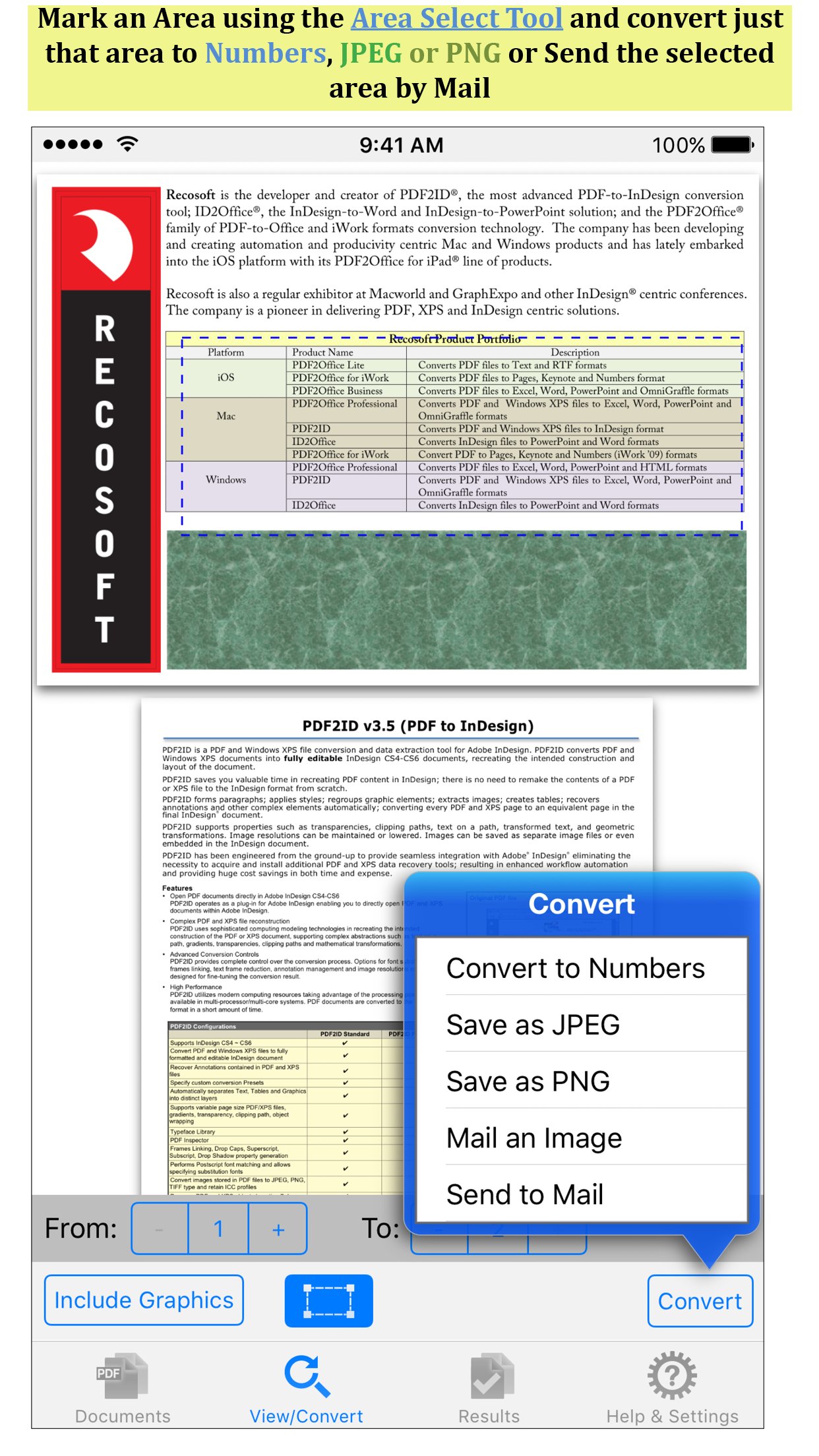
Convert the entire document, range of pages or select and mark specific areas in a page to convert using the Area Select tool and have it editable on your iPhone!
PDF to Numbers converts PDF files into editable Numbers documents converting the PDF into a spreadsheet that contains data in tabulated rows and columns. Every page in a PDF is converted into an equivalent sheet in the resulting Numbers file.
PDF to Numbers also provides detailed options for fine-tuning the conversion process. You can convert the entire PDF file or specify a range of pages to convert to the Numbers format. PDF to Numbers has an integrated PDF viewer allowing you to view the file you want to convert.
Features
* Convert PDFs to editable Numbers files
* Read PDF Files using the integrated PDF viewer.
* Mark just the area within a page to convert. You can convert just the selected area to Numbers, JPEG or PNG image even
* Select an area of interest and have the contents embedded into a new Mail automatically.
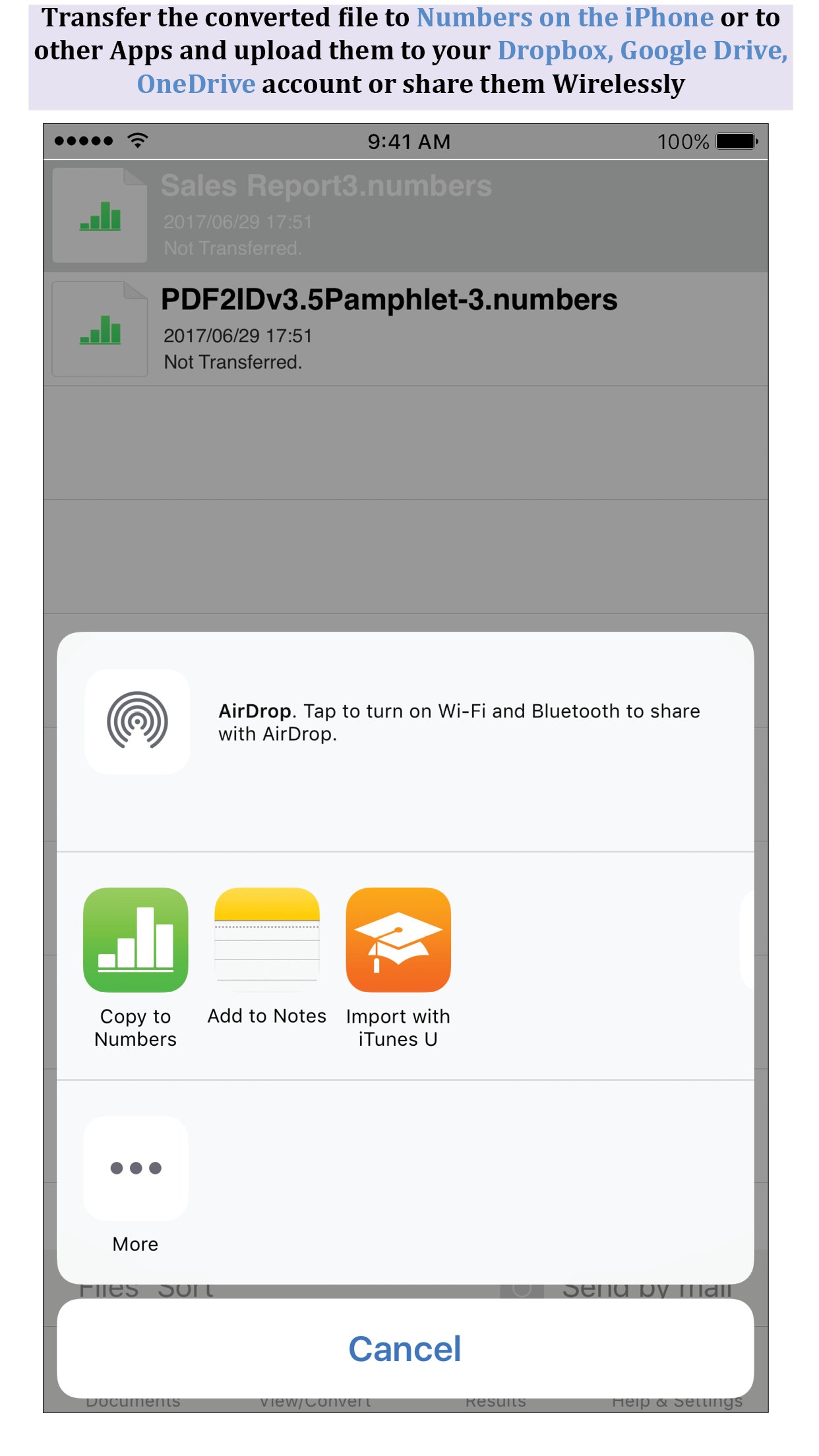
* Cloud services integration allows you to transfer files between your Dropbox/OneDrive/GoogleDrive account
* Use WIFI transfer mode to upload and download files between your computer and iPhone
* Use standard Pinch in/Pinch Out to change the viewing magnification
* Use the all in 1 interface to Convert and View PDF files.
* The converted result is easily editable in Numbers and other spreadsheet software
* Transfer your converted files to any other software on the iPhone that can accept Numbers files.
* Convert the entire file or a range of pages only
Recosoft is the developer of PDF2Office the de-facto PDF conversion software for the Mac and iPad; PDF2ID the PDF-to-InDesign converter and ID2Office, the InDesign to Word/PowerPoint tool. Refer to our web site to view the entire desktop line of products that we are now bringing to the iOS.
Note: PDF to Numbers by PDF2Office does not perform Optical Character Recognition. An image in a PDF file is treated as an image.
License: Commercial
Convert PDF to Numbers spreadsheet instantly with a simple tap.
Convert the entire document, range of pages or select and mark specific areas in a page to convert using the Area Select tool and have it editable on your iPhone!
PDF to Numbers converts PDF files into editable Numbers documents converting the PDF into a spreadsheet that contains data in tabulated rows and columns. Every page in a PDF is converted into an equivalent sheet in the resulting Numbers file.
PDF to Numbers also provides detailed options for fine-tuning the conversion process. You can convert the entire PDF file or specify a range of pages to convert to the Numbers format. PDF to Numbers has an integrated PDF viewer allowing you to view the file you want to convert.
Features
* Convert PDFs to editable Numbers files
* Read PDF Files using the integrated PDF viewer.
* Mark just the area within a page to convert. You can convert just the selected area to Numbers, JPEG or PNG image even
* Select an area of interest and have the contents embedded into a new Mail automatically.
* Cloud services integration allows you to transfer files between your Dropbox/OneDrive/GoogleDrive account
* Use WIFI transfer mode to upload and download files between your computer and iPhone
* Use standard Pinch in/Pinch Out to change the viewing magnification
* Use the all in 1 interface to Convert and View PDF files.
* The converted result is easily editable in Numbers and other spreadsheet software
* Transfer your converted files to any other software on the iPhone that can accept Numbers files.
* Convert the entire file or a range of pages only
Recosoft is the developer of PDF2Office the de-facto PDF conversion software for the Mac and iPad; PDF2ID the PDF-to-InDesign converter and ID2Office, the InDesign to Word/PowerPoint tool. Refer to our web site to view the entire desktop line of products that we are now bringing to the iOS.
Note: PDF to Numbers by PDF2Office does not perform Optical Character Recognition. An image in a PDF file is treated as an image.
License: Commercial
| Release info | New Release on Sep 11, 2019 |
|---|---|
| Release notes | - Minor update for GoogleDrive |
| Listing data | App Store |
Reviews
No reviews yet. Be the first to review PDF to Numbers by PDF2Office.
Used PDF to Numbers by PDF2Office? Tell other visitors what you thought.
Log in to write a reviewOther products by this publisher
- "No Distractions" for YouTube 4.10 ----
- #Bible 11.6.1 "Incredible App - My sister shared this app with me a few weeks ago and it is truly incredible.
- #filmphotography 1.4.2 So, you decided to shoot on film?
- $quirrel 1.5.1 $quirrel Budget & Finance helps you plan each paycheck, track spending, manage debt, and see what is safe to spend before the next payday.
- % Percentage Calculator Pro 1.41 This is the Pro version of % Percentage Calculator.
Most viewed iOS Productivity
-
1
 WordPress 27.4
Manage or create your WordPress blog or website right from your iOS device: create and edit posts and pages, upload your favorite photos and videos, view stats and reply to comments.
- 2 Voice Translator - Alive 1.6 Translation app that turns your iPhone into an interpreter instantly.
-
3
 Claude by Anthropic 1.261116.19
Meet Claude, your AI problem solver and thinking partner.
-
4
 Life360 26.44.0
Whether at home, online, or on the move, our comprehensive family safety features bring peace of mind to your loved ones AND help safeguard your personal belongings.
-
5
 WristMemo 2.0
WristMemo turns your Apple Watch into an all-day voice recorder.
- 6 "No Distractions" for YouTube 4.10 ----
-
7
 Colicine 1.3.0
Have you ever been there—
- 8 (beat) for iOS 0.5.10 An elegant Fountain screenwriting app, created by a screenwriter for screenwriters.
-
9
 DeepSeek 2.8.0
Experience seamless interaction with DeepSeek's official AI assistant for free!
-
10
 Howbout 16.7.2
The shared calendar for friends, couples, and family
Most downloaded iOS Productivity
- 1 Voice Translator - Alive 1.6 Translation app that turns your iPhone into an interpreter instantly.
-
2
DeepSeek 2.8.0
Experience seamless interaction with DeepSeek's official AI assistant for free!
-
3
 SessionsAI 1.2.1
Sessions AI is a private AI workspace that runs entirely on your iPhone, iPad, or Mac.
-
4
 Voices AI 1.16.15
Discover Voices, the premier voice transformation app designed exclusively for iOS.
-
5
 Block Distracting Websites 1.11
"It's a great way to save time, and stop browsing Reddit when you should be doing coursework."
-
6
 Plot Digitizer 1.4.1
Plot Digitizer is an app to extract numerical data from plot images.
-
7
 Google Docs 1.2026.46102
Create, edit, and collaborate on online documents with the Google Docs app.
-
8
 MyHyundai with Bluelink 5.4.5
The MyHyundai app makes getting information about your Hyundai vehicle easier than ever.
-
9
 Pixy Mood Tracker 1.110.0
Track your mood, one pixel at a time.
-
10
 Minder 1.4
Minder turns your phone into a pair of eyes that watch you work.