
Pappus Travel Planner 1.15.0
From the plan to the settle-up — everything your trips involve
Download
29.06 MB
17downloads
17this week
FreeFreeware
0reviews
Screenshots
About Pappus Travel Planner
Plan a trip day by day -- where you go, how you get there, and what it costs, broken down by category and by person -- and keep the whole database in one portable SQLite file that belongs to you. No account, no server, nothing uploaded. The app works with the network switched off; the exceptions are an optional connection search that looks up real timetables and writes the answer into your local plan, and the map, whose background tiles are fetched while you look at them.
You can plan all kinds of trips: an afternoon out, the daily commute, and two weeks abroad are planned the same way, and differ only in their dates.
Features
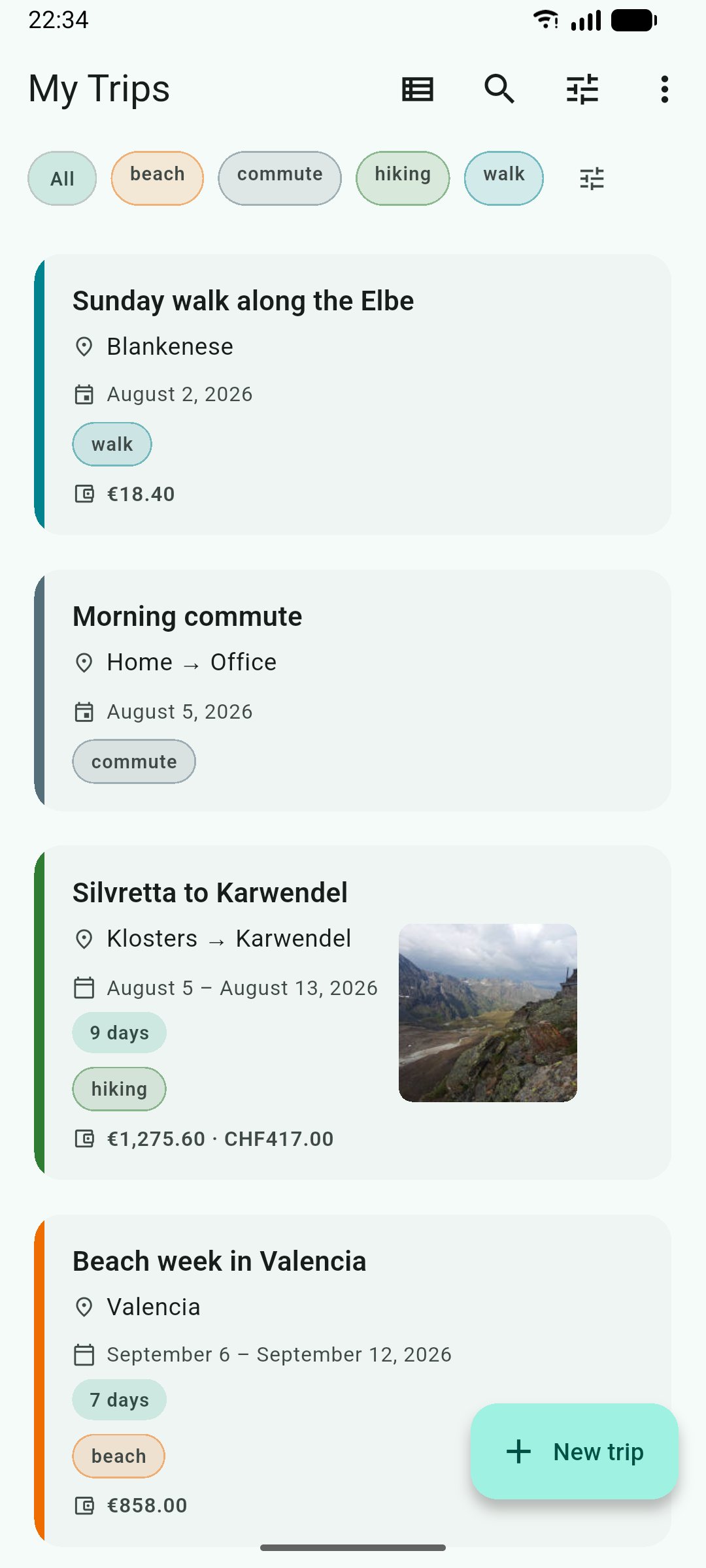
o Trips, organized the way you file them -- dates, notes, participants, an accent color, and tags you invent yourself. Search, filter, and sort the overview, or switch it to a month calendar.
o Routines -- keep a commute or a weekly ride as a dateless template and stamp it out onto any day, before or after the fact.
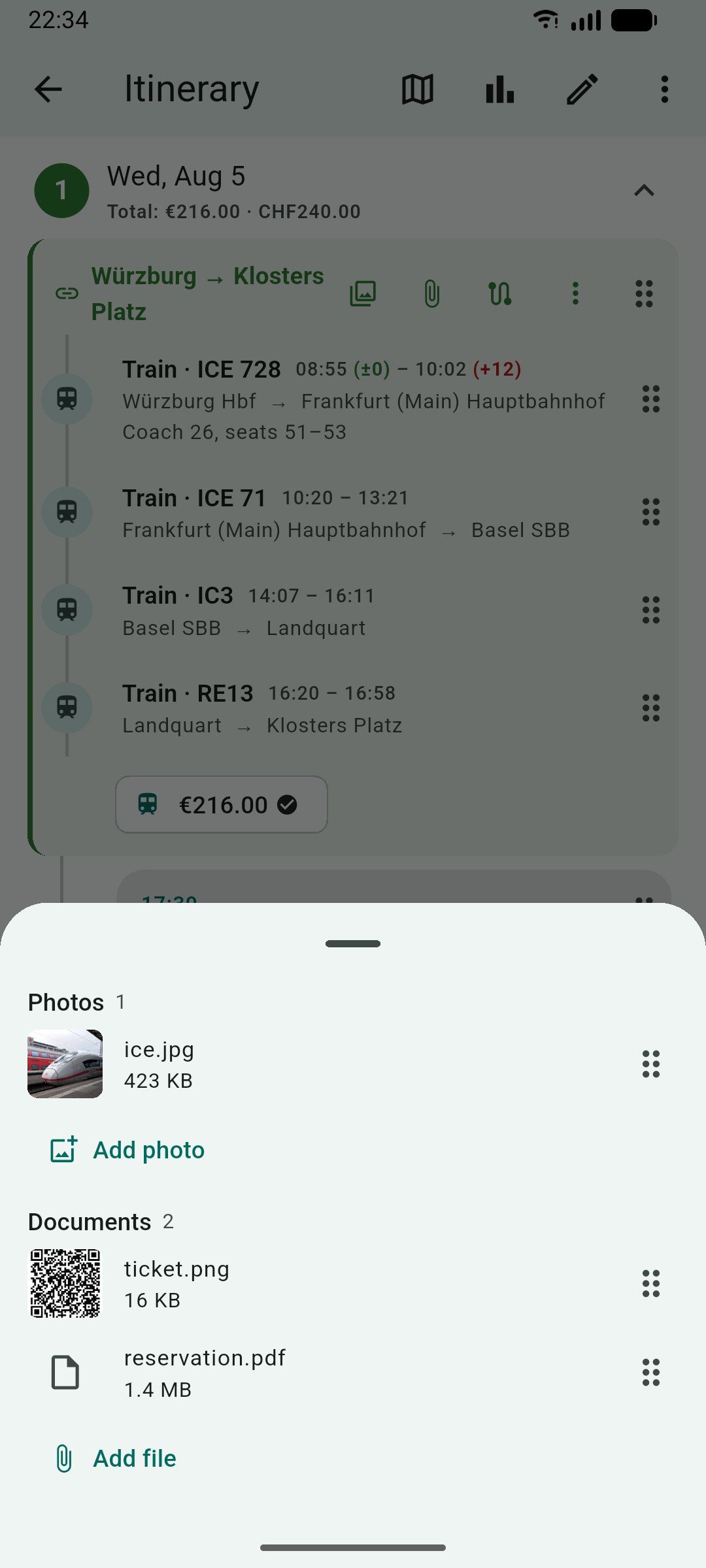
o A day-by-day itinerary of places and transport legs, with optional times, grouping for a shared ticket, and drag-to-reorder.
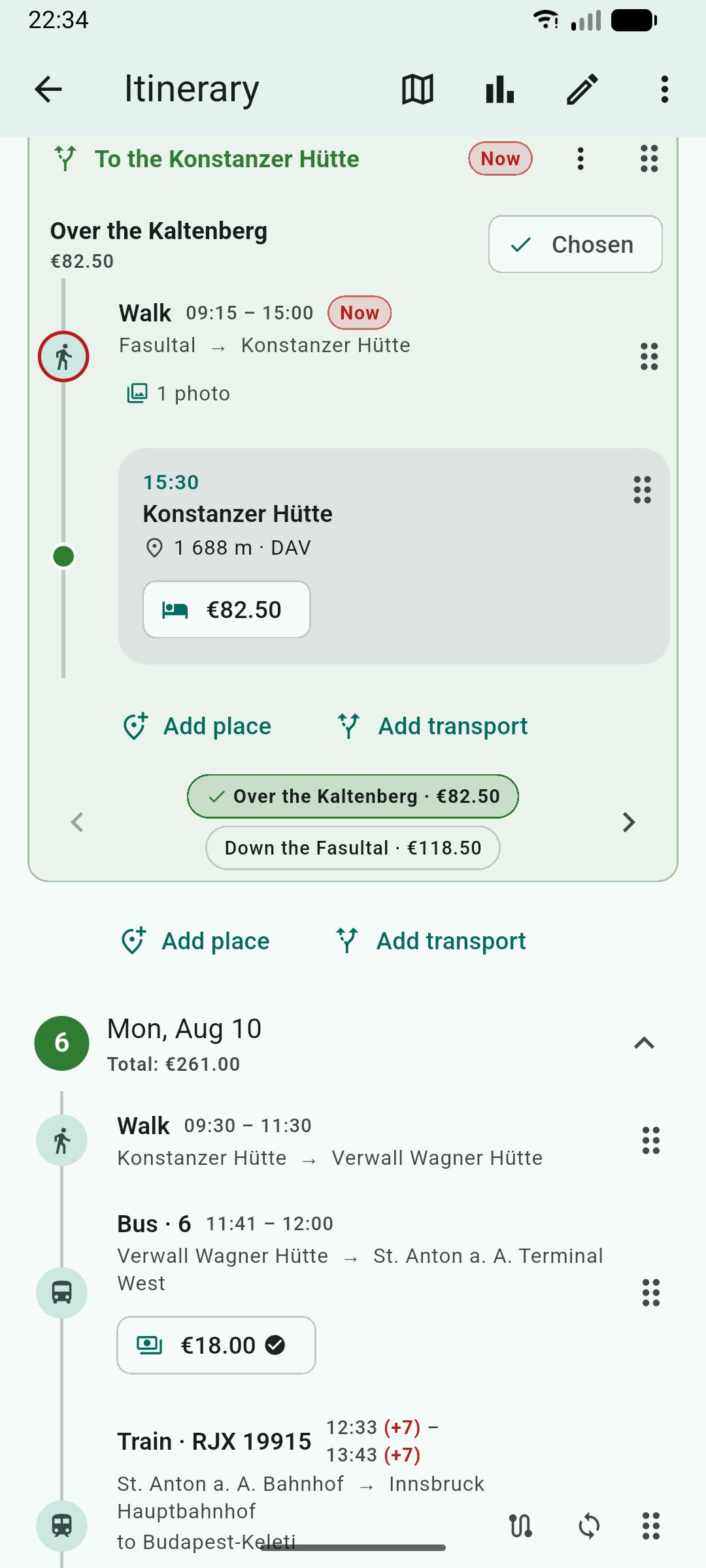
o Alternatives -- plan different ways a day could go and pick one later; only the chosen option counts toward the trip's money.
o Planned versus actual times, with a green or red +/- on each end, and a "you are here" mark on today's plan.
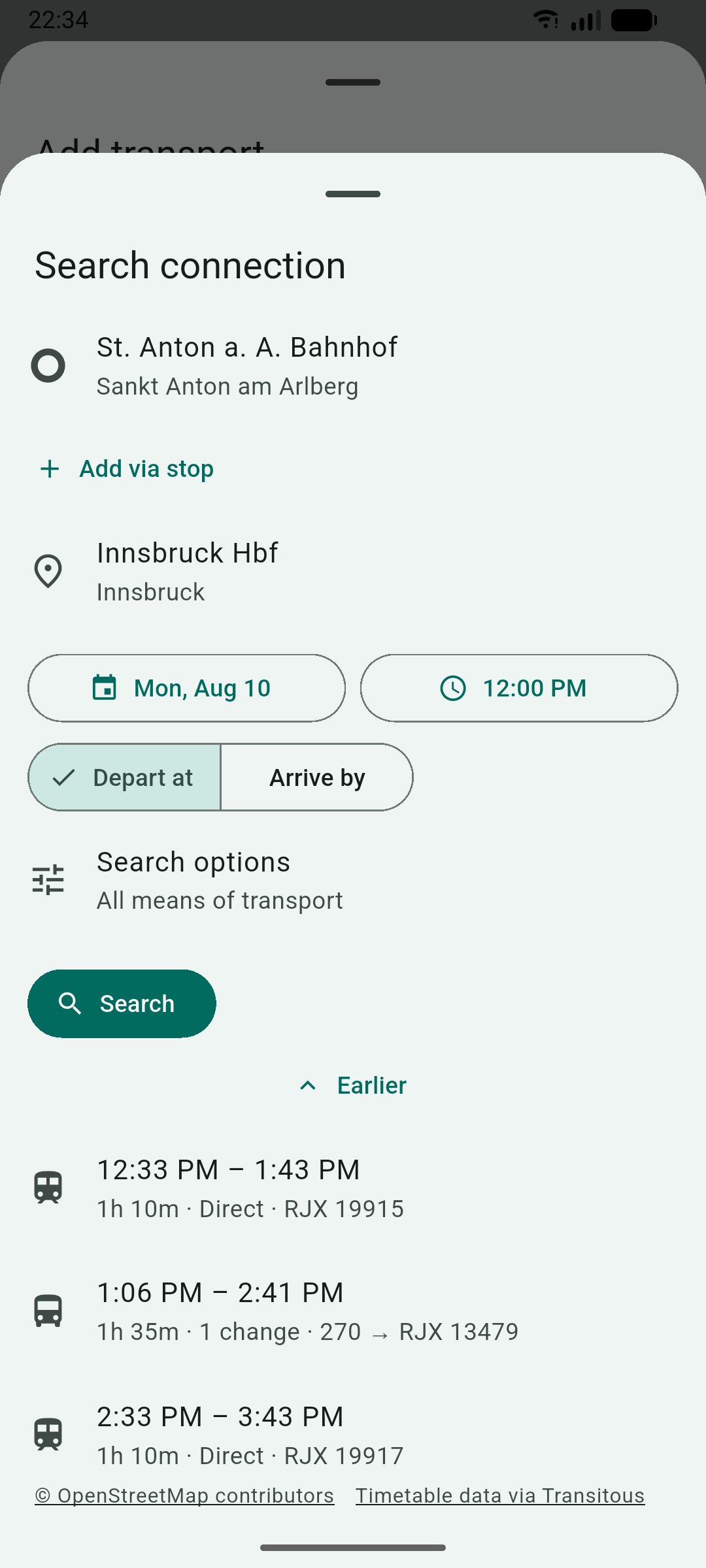
o Real connections -- search an open routing service (Transitous) covering public transport, long-distance trains, buses, and more from operators around the world, compare the results, import one as that day's legs, and refresh its live times later.
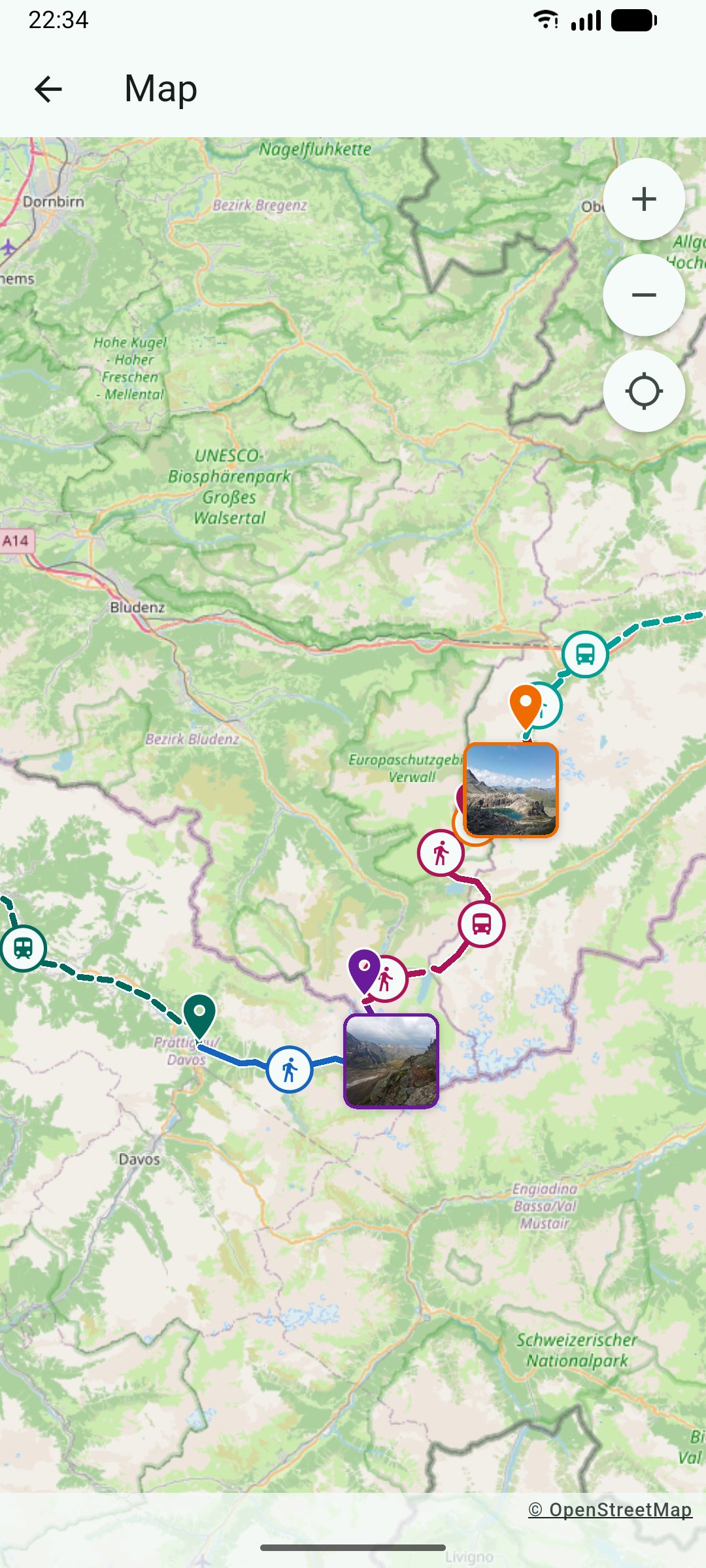
o A map -- a trip's places and legs on an OpenStreetMap background, with the entry that is under way marked as the timeline marks it. Import a GPX track onto a leg and the map draws the line you actually followed instead of the straight one.
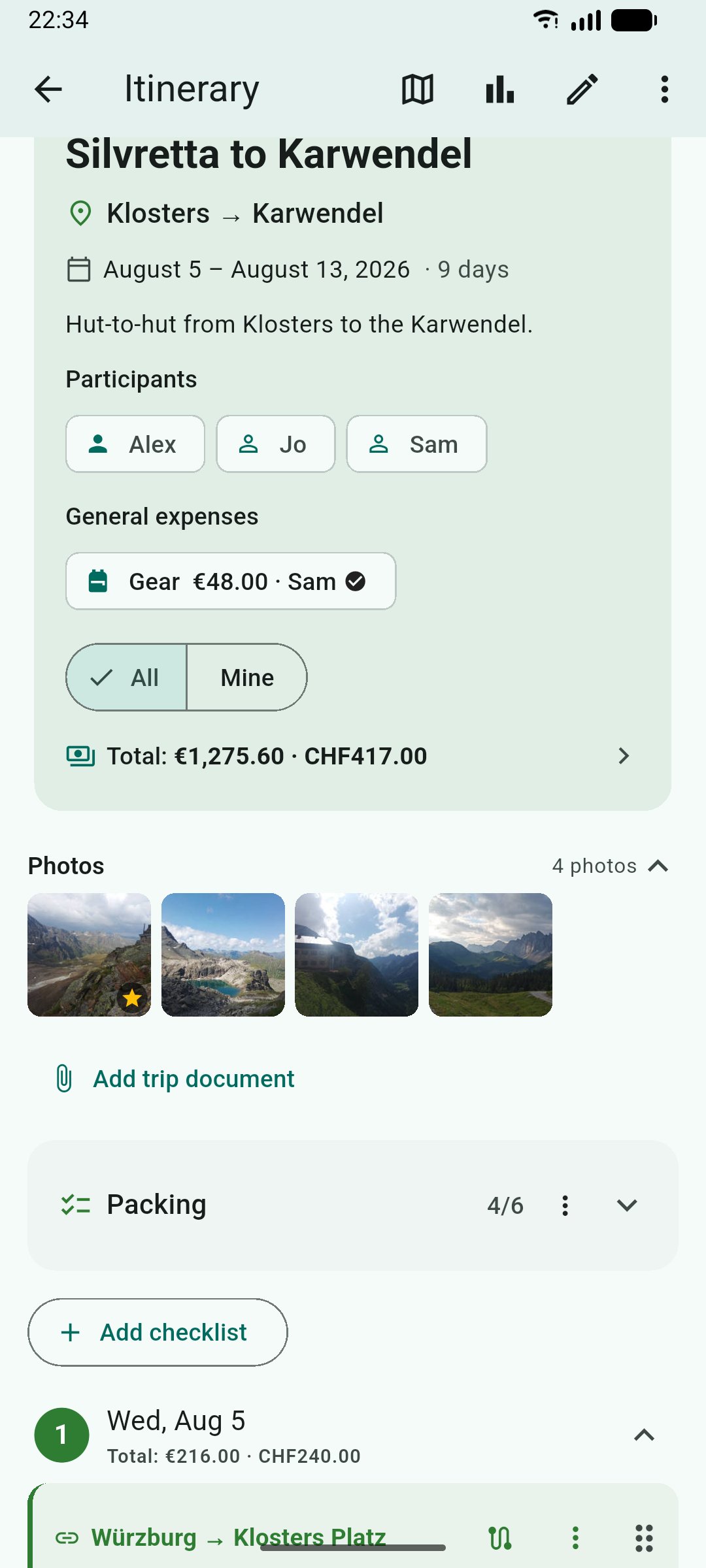
o Photos and files on the plan -- attach a photograph or a document to an entry, to a group, or to the trip itself. They live inside the database, so a copy of that one file is a copy of everything. A photo carrying a position shows up on the map, and one of them can be the cover on the trip's overview card.
o Costs in as many currencies as you like -- attached to a place, a leg, a whole shared ticket, or the trip, with your own categories and your own exchange rates.
o Countries you have been to -- the world drawn from bundled outlines, counted from your trips or entered manually.
o Statistics -- spending by category and by person, and how you actually traveled: legs and time per transport mode, planned against what really happened.
o Settle-up -- paid versus fair share, a minimal set of payments to square up, and settlements you can book back once they are paid.
o Checklists per trip, movable and copyable to the next one.
o Share and export -- a lossless .tpt bundle for another user of the app (attachments included), a printable PDF with the sections you tick, or an .ics file for whatever calendar you already use.
o An Android home-screen widget -- your current or next trip, a countdown, and today's plan with the same delay marks the timeline uses; tapping a row opens that entry.
o English, German, and Chinese, and a light / dark / system theme.
Free and open software under the GPL-3.0-or-later. The same code base also runs on Linux, Windows, macOS, the web, and iOS.
You can plan all kinds of trips: an afternoon out, the daily commute, and two weeks abroad are planned the same way, and differ only in their dates.
Features
o Trips, organized the way you file them -- dates, notes, participants, an accent color, and tags you invent yourself. Search, filter, and sort the overview, or switch it to a month calendar.
o Routines -- keep a commute or a weekly ride as a dateless template and stamp it out onto any day, before or after the fact.
o A day-by-day itinerary of places and transport legs, with optional times, grouping for a shared ticket, and drag-to-reorder.
o Alternatives -- plan different ways a day could go and pick one later; only the chosen option counts toward the trip's money.
o Planned versus actual times, with a green or red +/- on each end, and a "you are here" mark on today's plan.
o Real connections -- search an open routing service (Transitous) covering public transport, long-distance trains, buses, and more from operators around the world, compare the results, import one as that day's legs, and refresh its live times later.
o A map -- a trip's places and legs on an OpenStreetMap background, with the entry that is under way marked as the timeline marks it. Import a GPX track onto a leg and the map draws the line you actually followed instead of the straight one.
o Photos and files on the plan -- attach a photograph or a document to an entry, to a group, or to the trip itself. They live inside the database, so a copy of that one file is a copy of everything. A photo carrying a position shows up on the map, and one of them can be the cover on the trip's overview card.
o Costs in as many currencies as you like -- attached to a place, a leg, a whole shared ticket, or the trip, with your own categories and your own exchange rates.
o Countries you have been to -- the world drawn from bundled outlines, counted from your trips or entered manually.
o Statistics -- spending by category and by person, and how you actually traveled: legs and time per transport mode, planned against what really happened.
o Settle-up -- paid versus fair share, a minimal set of payments to square up, and settlements you can book back once they are paid.
o Checklists per trip, movable and copyable to the next one.
o Share and export -- a lossless .tpt bundle for another user of the app (attachments included), a printable PDF with the sections you tick, or an .ics file for whatever calendar you already use.
o An Android home-screen widget -- your current or next trip, a countdown, and today's plan with the same delay marks the timeline uses; tapping a row opens that entry.
o English, German, and Chinese, and a light / dark / system theme.
Free and open software under the GPL-3.0-or-later. The same code base also runs on Linux, Windows, macOS, the web, and iOS.
| Release info | Update on Oct 31, 2026 |
|---|---|
| Release notes | See the changelog for more details. What's Changed • Read a result's delay from the instants, as the preview does by @aquasolterra in https://github.com/Calyptra-Software/PappusTravelPlanner/pull/132 • android: bump gradle-wrapper from 9.8.1 to 9.8.2 in /android by @dependabot[bot] in https://github.com/Calyptra-Software/PappusTravelPlanner/pull/133 • deps: bump the pub-minor-and-patch group with 2 updates by @dependabot[bot] in https://github.com/Calyptra-Software/PappusTravelPlanner/pull/134 • List everything the app contains on the license page; bundle Roboto as a family by @aquasolterra in https://github.com/Calyptra-Software/PappusTravelPlanner/pull/135 • Count the calendar's days in calendar days, not Durations by @aquasolterra in https://github.com/Calyptra-Software/PappusTravelPlanner/pull/136 • Offer the actual time when an empty planned time is set by @aquasolterra in https://github.com/Calyptra-Software/PappusTravelPlanner/pull/137 • Record a GPS track in the app by @aquasolterra in https://github.com/Calyptra-Software/PappusTravelPlanner/pull/138 • Open the connection search on what the entry form holds by @aquasolterra in https://github.com/Calyptra-Software/PappusTravelPlanner/pull/139 Full Changelog: https://github.com/Calyptra-Software/PappusTravelPlanner/compare/v1.14.0...v1.15.0 |
| Listing data | F-Droid |
Reviews
No reviews yet. Be the first to review Pappus Travel Planner.
Used Pappus Travel Planner? Tell other visitors what you thought.
Log in to write a reviewOther products by this publisher
- "No Distractions" for YouTube 4.10 ----
- #Bible 11.5 "Incredible App - My sister shared this app with me a few weeks ago and it is truly incredible.
- #filmphotography 1.4.2 So, you decided to shoot on film?
- $quirrel 1.5.1 $quirrel Budget & Finance helps you plan each paycheck, track spending, manage debt, and see what is safe to spend before the next payday.
- % Percentage Calculator Pro 1.41 This is the Pro version of % Percentage Calculator.
Most viewed Android Navigation & Maps
-
1
 osm2gmaps 0.11.0
Convert coordinates and map links between formats, services and apps
-
2
 CairnGPS 1.3.0
Hike tracking, live GNSS satellite view, achievements. Works fully offline
-
3
 XCSoar 7.46.1
Tactical glide computer and maps
-
4
 RailTrip 1.6.5
Travel through the train stations to stamp your visa!
-
5
 Wind Bubble 1.0.3
See where the wind hits you, on top of your navigation app.
- 6 Helsinki Timetables 1.6 Show timetables for public transport in Helsinki city and region
- 7 Bahn-Vorhersage 0.8.2 Ranking for train journeys according to their reliability. (German only)
-
8
 LavSeeker 2.8
LavSeeker shows toilets listed in OpenStreetMap
- 9 CountryCount 1.0.1 Track countries, visualize your progress, and explore where you’re going next.
- 10 GPS Locker 0.1.1 Keep the GPS locked at all times on an Android device.
Most downloaded Android Navigation & Maps
-
1
RailTrip 1.6.5
Travel through the train stations to stamp your visa!
-
2
 ParkenDD 1.2.8
Show available parking slots in major cities
-
3
 Qz 2.2.0
Receive live traffic news via Traffic Message Channel (TMC)
-
4
 Transito 0.10.0.9
Public transit app to download GTFS data & calculate routes offline
- 5 Bimba 3.99 FLOSS public transport passenger companion; a timetable in your pocket.
- 6 GPS Locker 0.1.1 Keep the GPS locked at all times on an Android device.
- 7 CycleStreets 3.12.0 UK cycling navigation
- 8 GraphHopper Maps 3.1.1 Online route planner and experimental GPS navigation
-
9
 Mushroom Compass 1.0.2
A compass that show you the way to your stored mushroom spots
-
10
osm2gmaps 0.11.0
Convert coordinates and map links between formats, services and apps