2downloads
0this week
FreeCommercial
0reviews
Screenshots
About Outerline
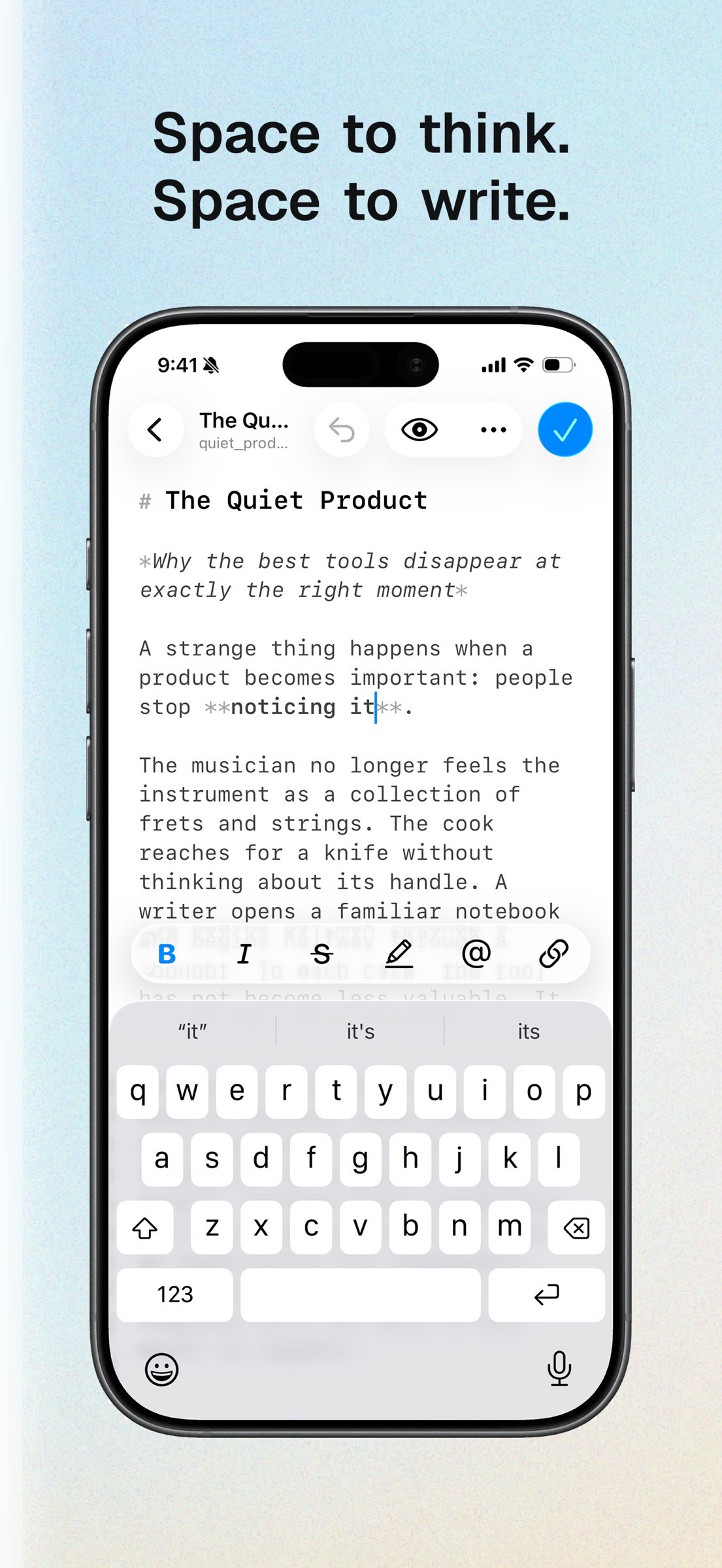
Outerline gives you space to think and space to write. A fast, fluid Markdown editor with no server, no database, and no clutter. Truly native on macOS and iOS. It works offline, opens instantly, and stays out of your way so you can just write.
YOUR FILES STAY YOURS
Every note is an ordinary .md file in a folder you choose, on your iPhone, in iCloud Drive, or anywhere in Files. No proprietary format and no account required to write. Open the same folder in any other Markdown app whenever you like, and take your work with you if you ever leave.
A WRITING SURFACE, NOT A DASHBOARD
• Live syntax highlighting, with each heading level at its own size
• A keyboard toolbar with the formatting you actually reach for
• Smart lists that continue, indent, and break out the way you expect
• Auto-pairing brackets, quotes, and backticks
• In-document search, word count, and reading time
• Editor and preview, a tap apart
• Choose your typeface, size, line height, and preview theme
• Autosave, so a draft is never waiting on you to remember
FIND ANYTHING FAST
Full-text search across your whole library. Nested folders, Starred and All Documents views, and colored #tags you write inline and filter by later. Swipe to star, move, or delete.
CONNECT YOUR IDEAS
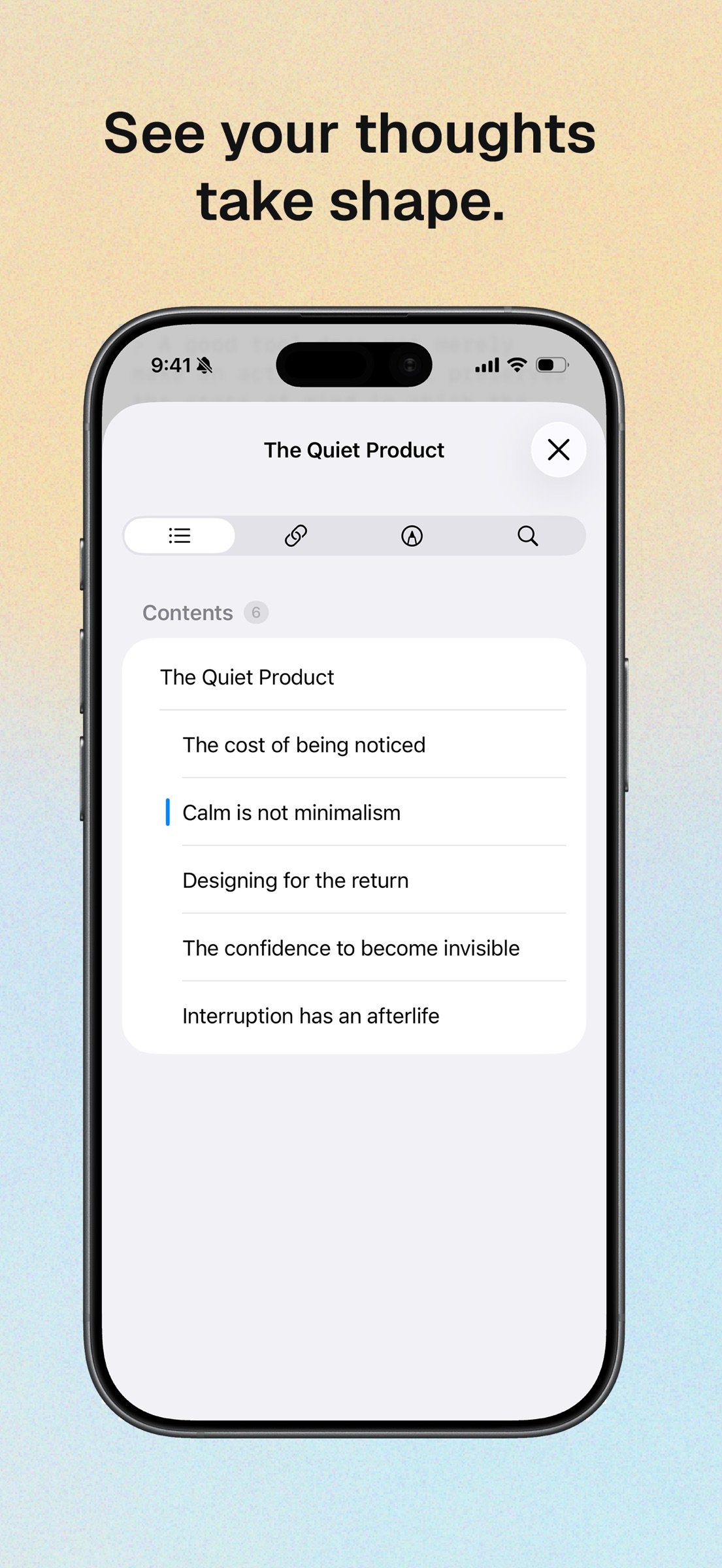
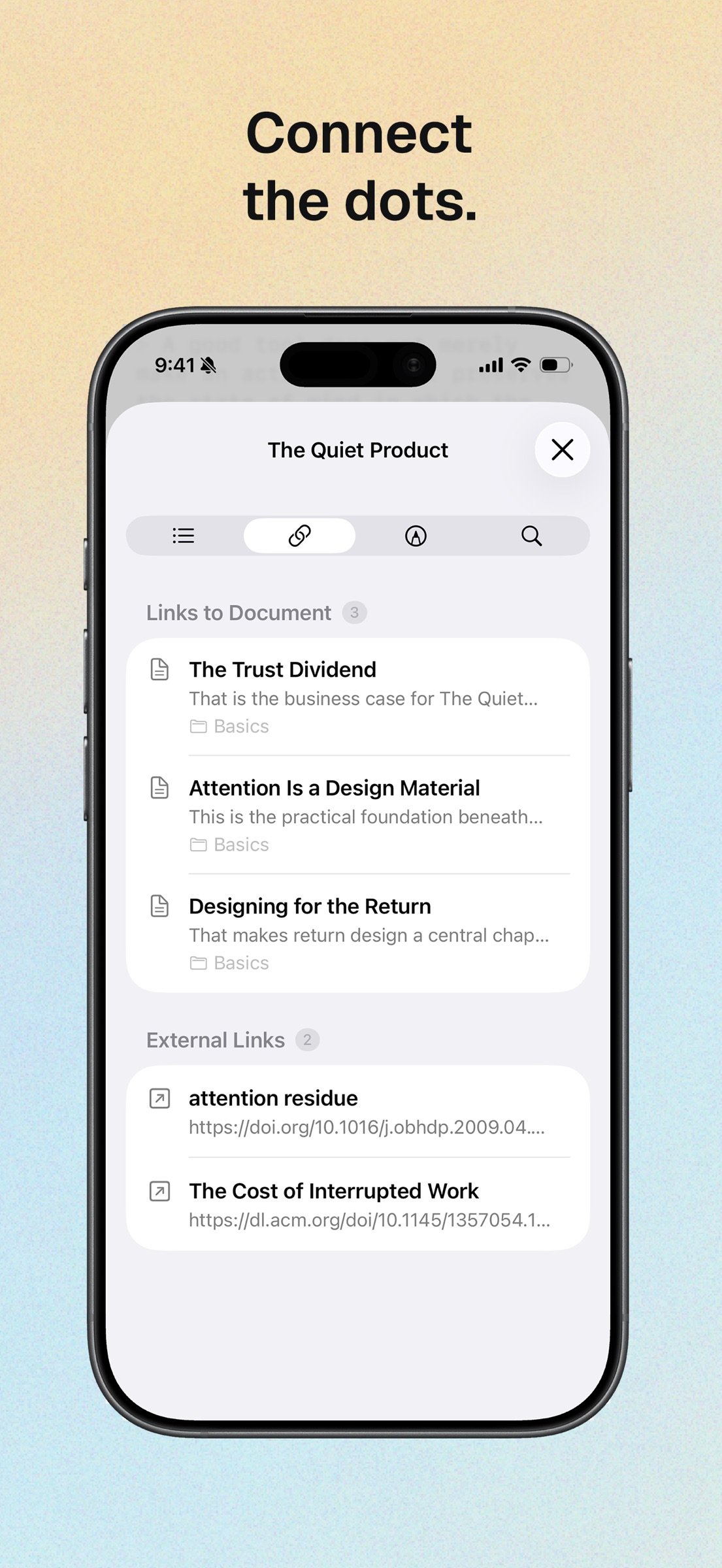
Link notes with [[wiki links]] and an autocomplete palette. The inspector shows what points here, each with a line of context and the folder it came from, keeps every external link in one place, and jumps you to any heading in the document.
ANNOTATE WITHOUT TOUCHING THE MARKDOWN
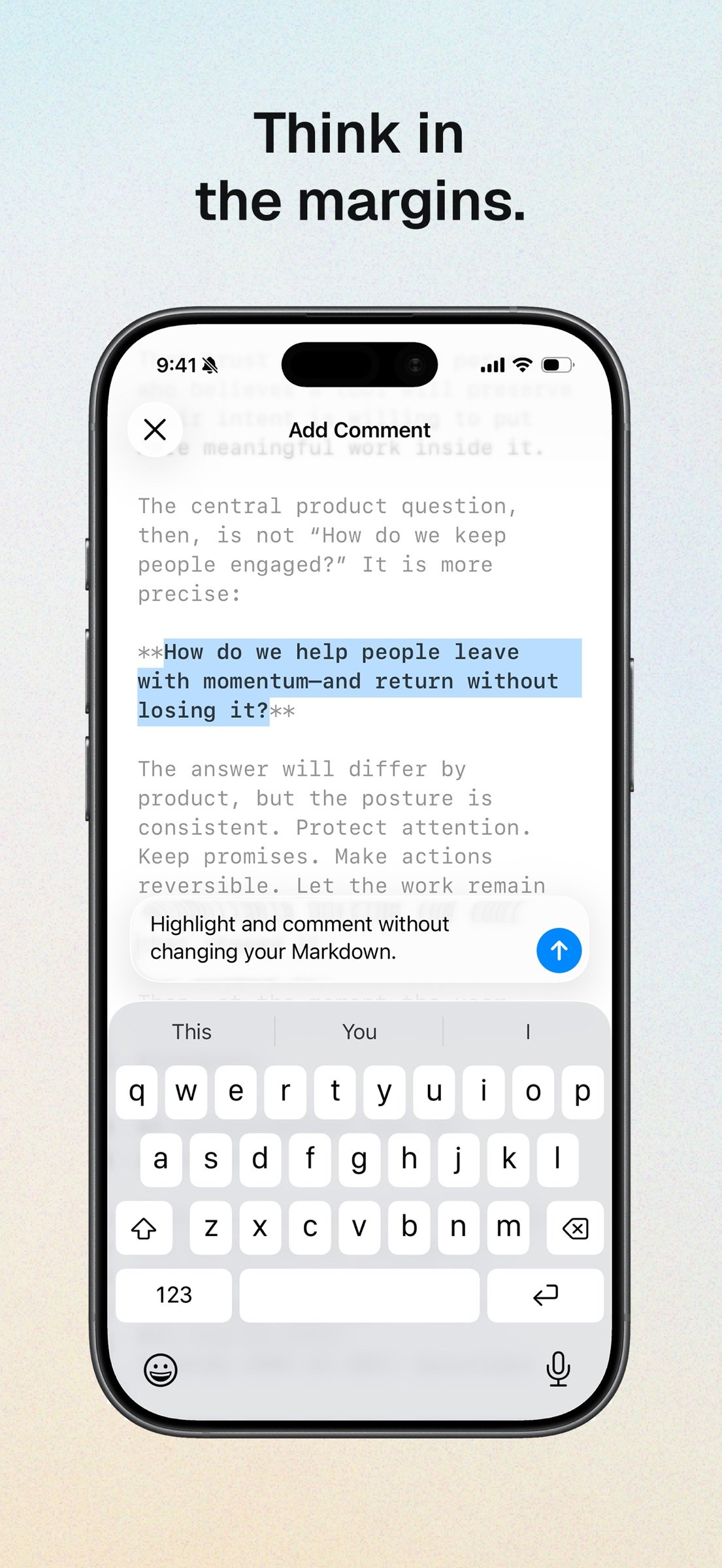
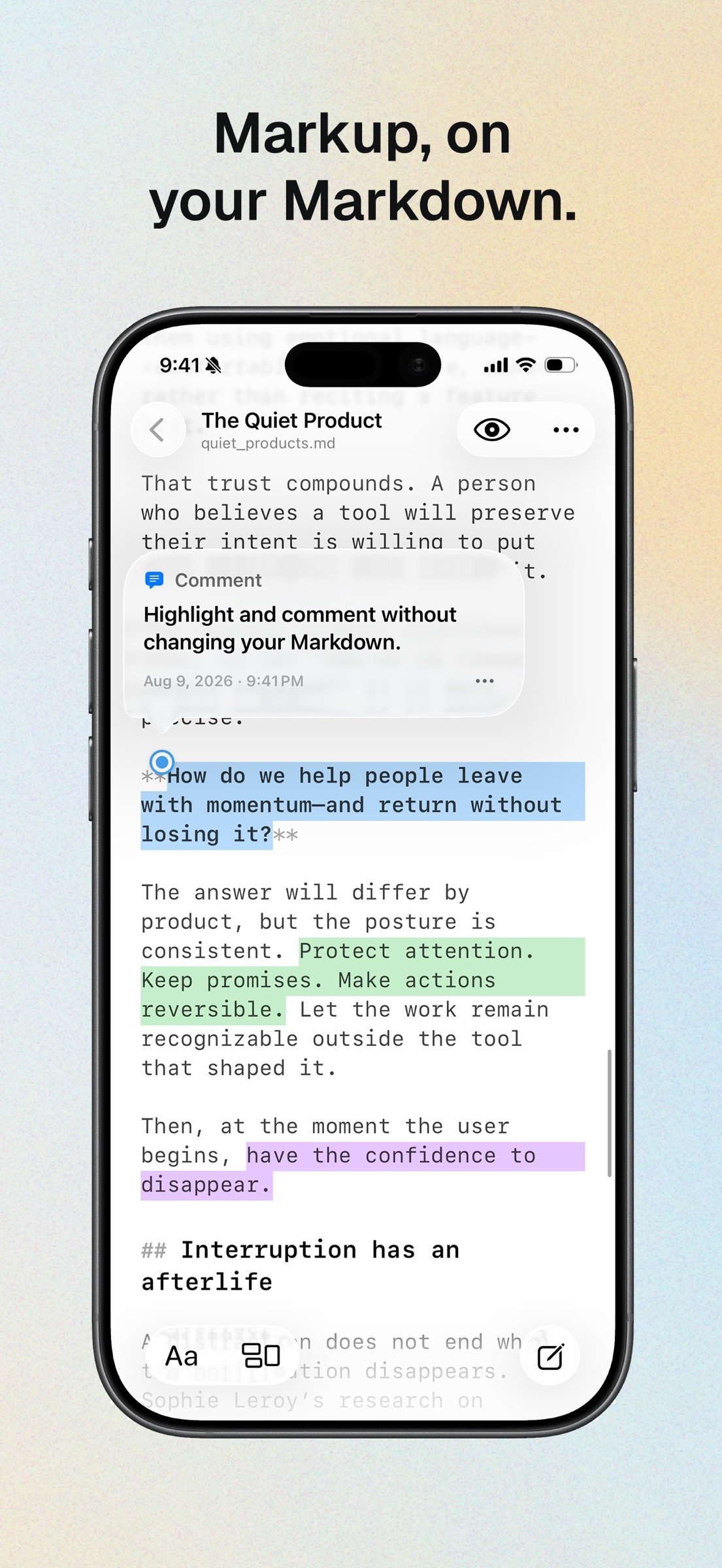
Highlight passages in five colors, attach notes to them, and leave anchored comments on any selection. Annotations live beside your files, so your Markdown stays clean and portable.
NEVER LOSE A DRAFT
Automatic timestamped snapshots, a diff viewer, and one-tap restore. Deleted notes move to Recently Deleted, where you can bring them back.
WORK WITH SIRI AND SHORTCUTS
Ask Siri to create or find a note, and use Shortcuts to open or append to one. On iOS 27, Siri and Apple Intelligence can use the open document as context on supported devices. Availability depends on language, region, and system settings. No Outerline account or subscription required.
EXPORT, DIAGRAM, AND BACK UP
Export any note as Markdown, HTML, or PDF. Write Mermaid diagrams in fenced code blocks and see them render in preview and in exports, entirely offline. Zip your whole library, metadata included, whenever you want a backup.
THE SAME NOTES ON YOUR MAC
This is the whole app, not a companion. Outerline for macOS syncs the same library as iOS, while adding split view, Quick Look, and an optional local Model Context Protocol server for AI assistants. Buy Outerline once on either platform and use it on both. Your Outerline account and Publish subscription carry across seamlessly.
OUTERLINE PUBLISH (OPTIONAL)
Publish a note to a link anyone can open, then keep it current as you save. Publishing needs a free Outerline account and an Outerline Publish subscription. Everything else in Outerline works without either.
Outerline Publish is an auto-renewing monthly subscription. Payment is charged to your Apple Account at confirmation of purchase, and renews automatically unless you turn it off at least 24 hours before the end of the current period. Manage or cancel in your Apple Account settings.
Terms of Use: [link removed]
Privacy Policy: [link removed]
License: Commercial
YOUR FILES STAY YOURS
Every note is an ordinary .md file in a folder you choose, on your iPhone, in iCloud Drive, or anywhere in Files. No proprietary format and no account required to write. Open the same folder in any other Markdown app whenever you like, and take your work with you if you ever leave.
A WRITING SURFACE, NOT A DASHBOARD
• Live syntax highlighting, with each heading level at its own size
• A keyboard toolbar with the formatting you actually reach for
• Smart lists that continue, indent, and break out the way you expect
• Auto-pairing brackets, quotes, and backticks
• In-document search, word count, and reading time
• Editor and preview, a tap apart
• Choose your typeface, size, line height, and preview theme
• Autosave, so a draft is never waiting on you to remember
FIND ANYTHING FAST
Full-text search across your whole library. Nested folders, Starred and All Documents views, and colored #tags you write inline and filter by later. Swipe to star, move, or delete.
CONNECT YOUR IDEAS
Link notes with [[wiki links]] and an autocomplete palette. The inspector shows what points here, each with a line of context and the folder it came from, keeps every external link in one place, and jumps you to any heading in the document.
ANNOTATE WITHOUT TOUCHING THE MARKDOWN
Highlight passages in five colors, attach notes to them, and leave anchored comments on any selection. Annotations live beside your files, so your Markdown stays clean and portable.
NEVER LOSE A DRAFT
Automatic timestamped snapshots, a diff viewer, and one-tap restore. Deleted notes move to Recently Deleted, where you can bring them back.
WORK WITH SIRI AND SHORTCUTS
Ask Siri to create or find a note, and use Shortcuts to open or append to one. On iOS 27, Siri and Apple Intelligence can use the open document as context on supported devices. Availability depends on language, region, and system settings. No Outerline account or subscription required.
EXPORT, DIAGRAM, AND BACK UP
Export any note as Markdown, HTML, or PDF. Write Mermaid diagrams in fenced code blocks and see them render in preview and in exports, entirely offline. Zip your whole library, metadata included, whenever you want a backup.
THE SAME NOTES ON YOUR MAC
This is the whole app, not a companion. Outerline for macOS syncs the same library as iOS, while adding split view, Quick Look, and an optional local Model Context Protocol server for AI assistants. Buy Outerline once on either platform and use it on both. Your Outerline account and Publish subscription carry across seamlessly.
OUTERLINE PUBLISH (OPTIONAL)
Publish a note to a link anyone can open, then keep it current as you save. Publishing needs a free Outerline account and an Outerline Publish subscription. Everything else in Outerline works without either.
Outerline Publish is an auto-renewing monthly subscription. Payment is charged to your Apple Account at confirmation of purchase, and renews automatically unless you turn it off at least 24 hours before the end of the current period. Manage or cancel in your Apple Account settings.
Terms of Use: [link removed]
Privacy Policy: [link removed]
License: Commercial
| Release info | Update on Nov 11, 2026 |
|---|---|
| Release notes | 1.2.14 - Keep writing smoothly as new notes receive their filenames, with more reliable saving through renames, moves, and temporary library interruptions. - Temporary filenames stay hidden until your note's name is ready. Typing, selection, and undo history remain intact as naming finishes. - Cloud-only notes now download automatically when you reopen your library, updating titles, previews, and tags without a tap. - Deleted published notes now stop sharing, with automatic retry for unfinished cleanup. Restoring a note no longer republishes it automatically. - Publish settings now show all your live shares, including deleted notes and notes outside the current library, with Copy Link and Stop Sharing available even without an active Publish subscription. - Fixed copy and publishing actions in notes opened from library lists, delayed publishing dialogs, and text insertion from system actions. Improved Starred reliability and protection for your latest sharing choices. |
| Listing data | App Store |
Reviews
No reviews yet. Be the first to review Outerline.
Used Outerline? Tell other visitors what you thought.
Log in to write a reviewOther products by this publisher
- "No Distractions" for YouTube 4.10 ----
- #Bible 11.6 "Incredible App - My sister shared this app with me a few weeks ago and it is truly incredible.
- #filmphotography 1.4.2 So, you decided to shoot on film?
- $quirrel 1.5.1 $quirrel Budget & Finance helps you plan each paycheck, track spending, manage debt, and see what is safe to spend before the next payday.
- % Percentage Calculator Pro 1.41 This is the Pro version of % Percentage Calculator.
Most viewed iOS Productivity
-
1
 WordPress 27.4
Manage or create your WordPress blog or website right from your iOS device: create and edit posts and pages, upload your favorite photos and videos, view stats and reply to comments.
- 2 Voice Translator - Alive 1.6 Translation app that turns your iPhone into an interpreter instantly.
-
3
 Claude by Anthropic 1.261113.19
Meet Claude, your AI problem solver and thinking partner.
-
4
 Life360 26.43.5
Whether at home, online, or on the move, our comprehensive family safety features bring peace of mind to your loved ones AND help safeguard your personal belongings.
-
5
 WristMemo 2.0
WristMemo turns your Apple Watch into an all-day voice recorder.
- 6 "No Distractions" for YouTube 4.10 ----
-
7
 Colicine 1.3.0
Have you ever been there—
- 8 (beat) for iOS 0.5.10 An elegant Fountain screenwriting app, created by a screenwriter for screenwriters.
-
9
 DeepSeek 2.8.0
Experience seamless interaction with DeepSeek's official AI assistant for free!
-
10
 Howbout 16.7.2
The shared calendar for friends, couples, and family
Most downloaded iOS Productivity
- 1 Voice Translator - Alive 1.6 Translation app that turns your iPhone into an interpreter instantly.
-
2
DeepSeek 2.8.0
Experience seamless interaction with DeepSeek's official AI assistant for free!
-
3
 SessionsAI 1.2.1
Sessions AI is a private AI workspace that runs entirely on your iPhone, iPad, or Mac.
-
4
 Voices AI 1.16.15
Discover Voices, the premier voice transformation app designed exclusively for iOS.
-
5
 Block Distracting Websites 1.11
"It's a great way to save time, and stop browsing Reddit when you should be doing coursework."
-
6
 Plot Digitizer 1.4.1
Plot Digitizer is an app to extract numerical data from plot images.
-
7
 Google Docs 1.2026.45104
Create, edit, and collaborate on online documents with the Google Docs app.
-
8
 MyHyundai with Bluelink 5.4.5
The MyHyundai app makes getting information about your Hyundai vehicle easier than ever.
-
9
 Pixy Mood Tracker 1.110.0
Track your mood, one pixel at a time.
-
10
 ScreenRecess 1.0.0
A gentle nudge to put your device down when it’s hard to stop.