15downloads
2this week
FreeFreeware
0reviews
Screenshots
About Otter Transcribe Voice Notes
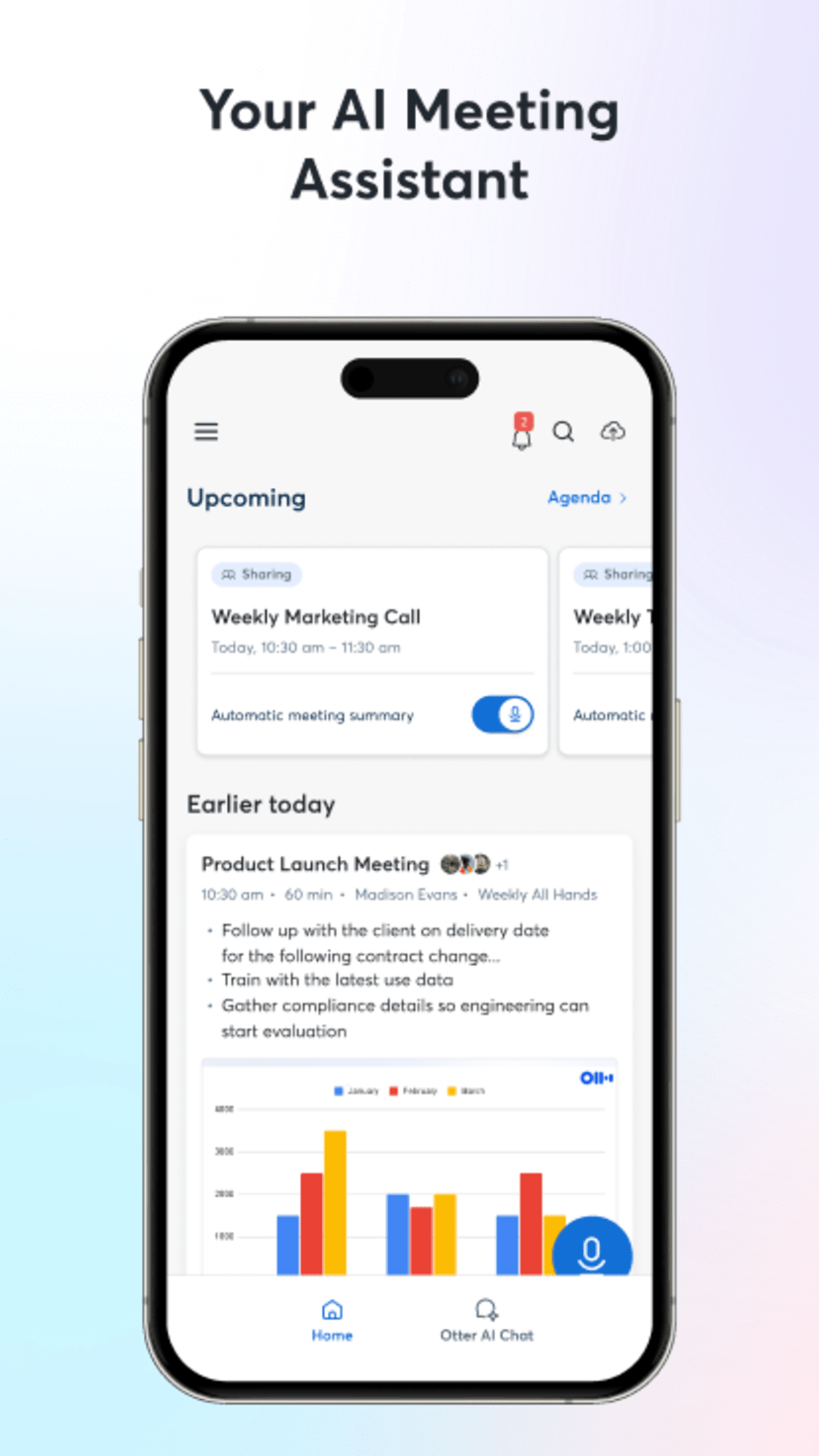
Never take meeting notes again. Otter AI is the fastest way to transcribe voice in real time. Get a meeting assistant that records audio, writes notes, automatically captures slides, and generates summaries.
Available in English, Spanish, French and Japanese. Otter AI is also available on the web. Start for free.
Trusted by over 10 million people and featured by Apple as "App of the Day" and "Editors' Choice."
Automated meeting notes for Zoom, Google Meet, Microsoft Teams, and more. Stay connected and collaborative when you work from home.
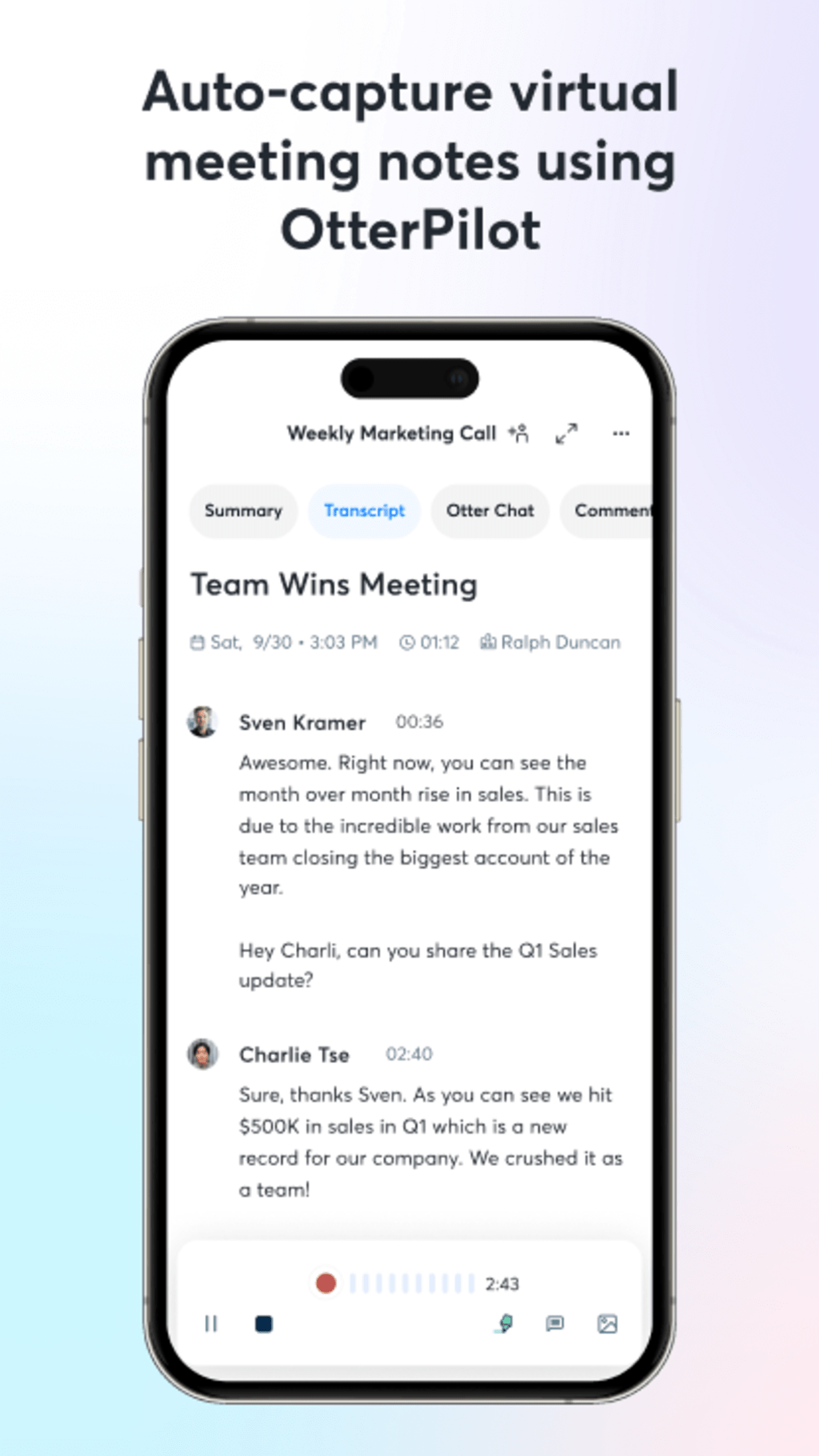
Otter transcribes all your meetings, interviews, lectures, and everyday voice conversations in real time, so you can focus on the discussion.
KEY FEATURES
• AI Meeting Assistant: get automated meeting notes & summaries
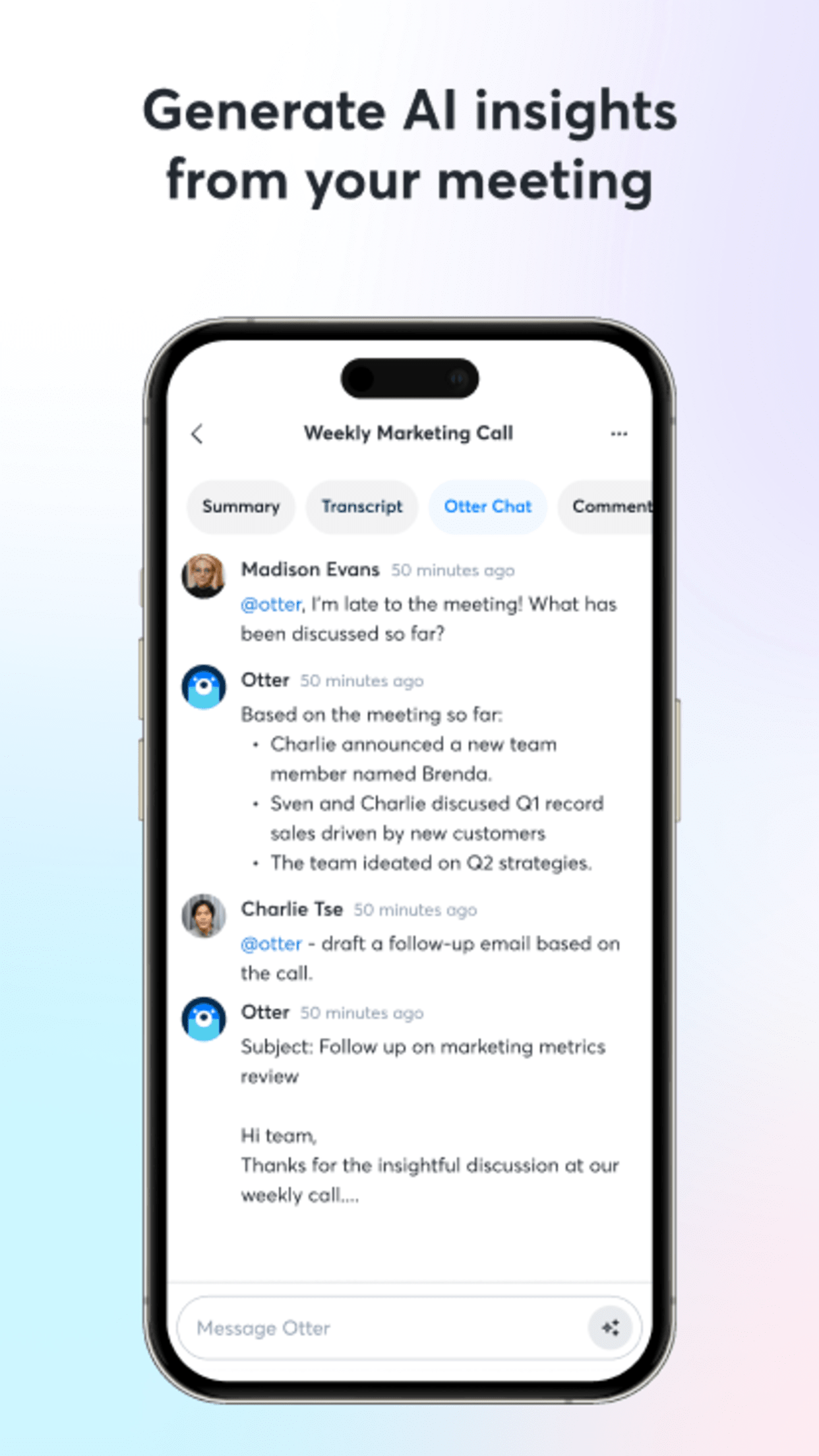
• AI Chat: get answers and generate content
• AI Channels: combine live conversations with async updates. Chat with teammates.
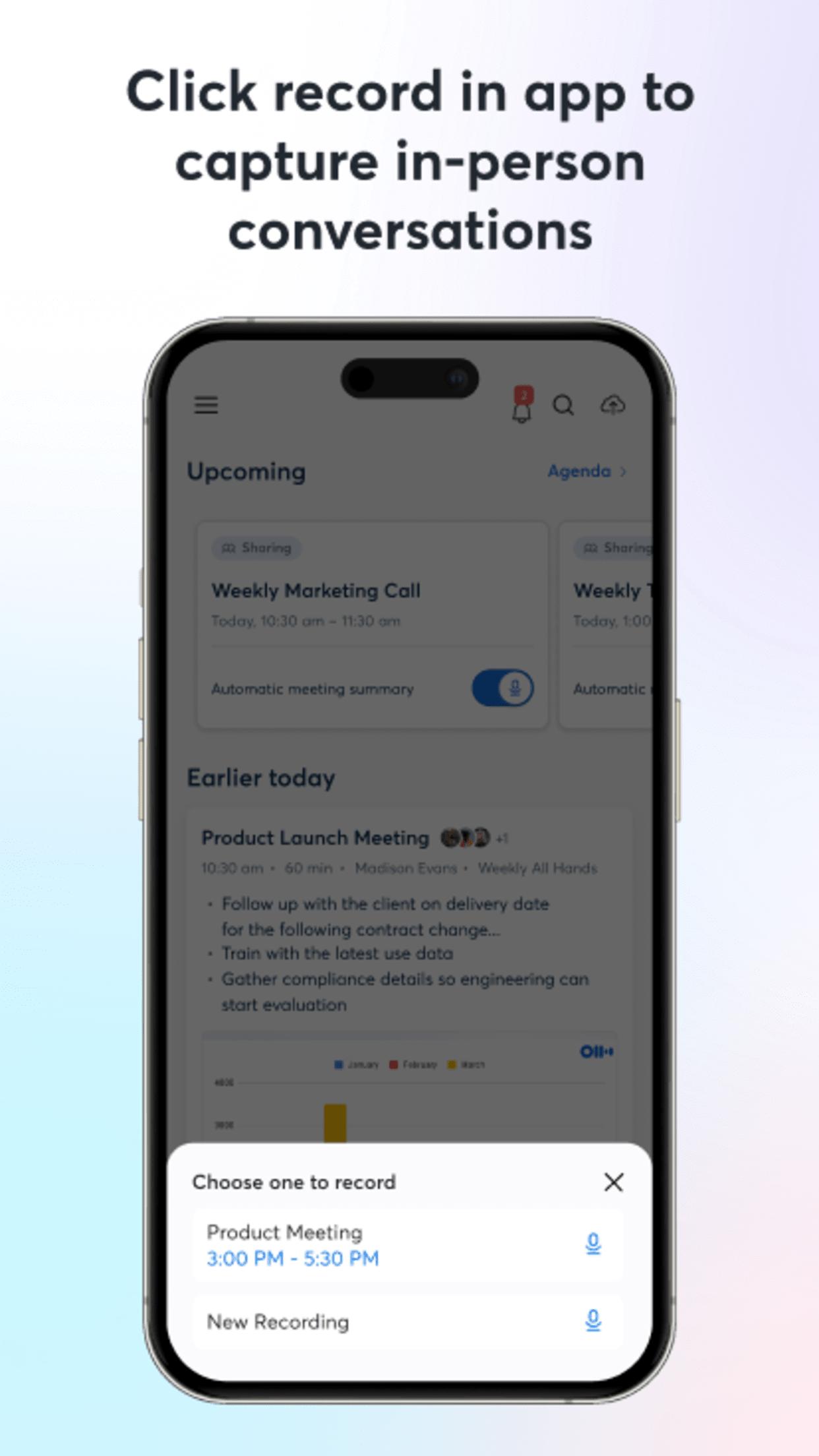
• Record & transcribe live
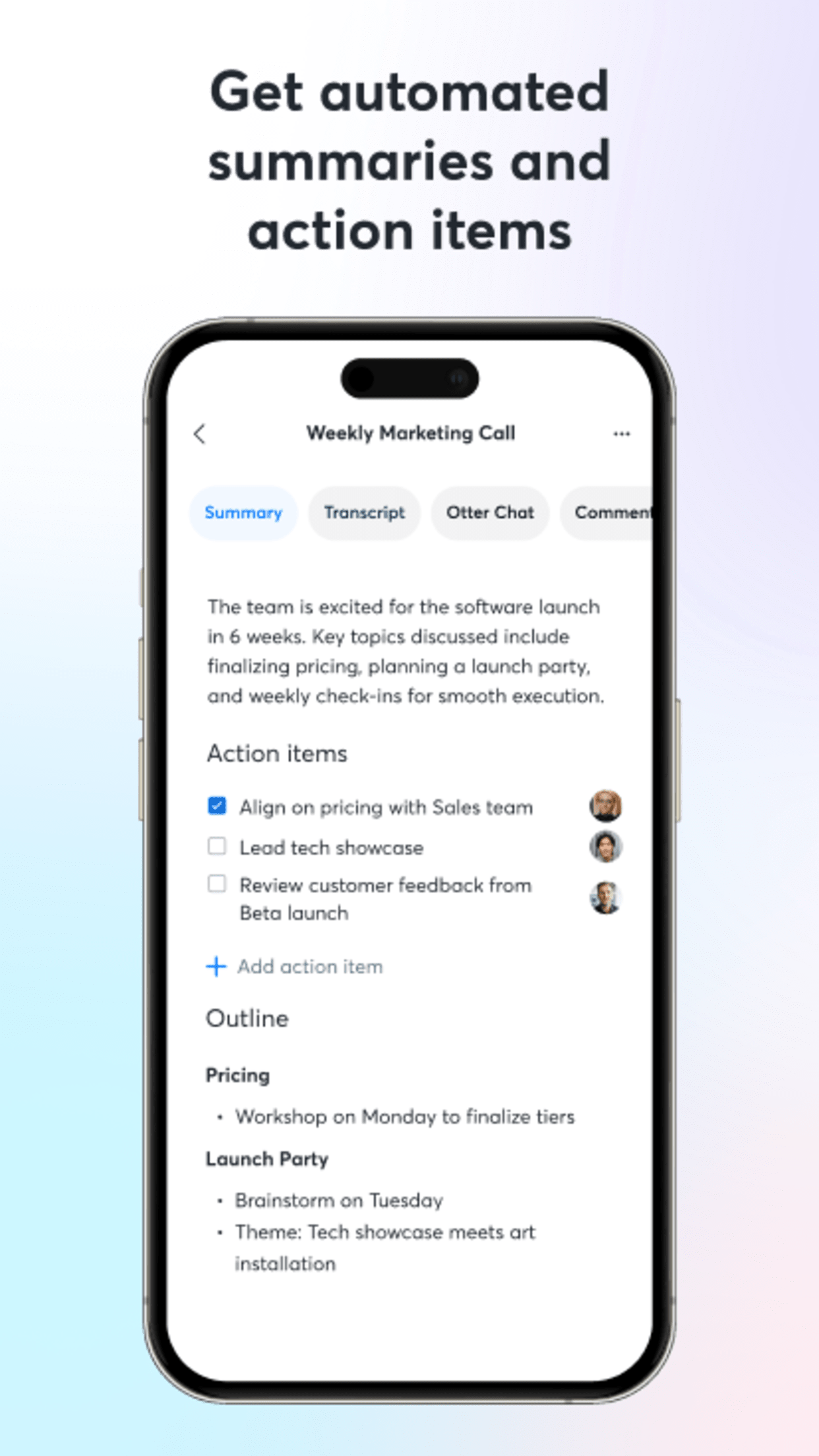
• Automated meeting notes & summaries
• Share & collaborate
• All notes are searchable & shareable
• Edit & highlight
• Organize & export
• Import & sync
Looking for a specific feature? Here are the details:
RECORD & TRANSCRIBE LIVE
• Instantly record in one tap
• Transcribe in real time
• Highlight key points to review later
• Insert photos of whiteboard discussions, slides, etc.
• Input audio via built-in mic or Bluetooth device
ENRICH NOTES WITH AI
• Gather information across all your conversations
• Ask questions about a specific meeting
• Generate follow- up emails
• Automated Slide Capture during virtual meetings
• Generate summary, outline and keywords after all meetings
• Punctuate, capitalize, and break paragraphs automatically
SHARE & COLLABORATE
• Invite group members to view, edit, and highlight collaboratively
• Add comments and assign action items
• Share links externally
SEARCH & PLAYBACK
• Search the text so you don't have to scrub through the whole audio
• Playback at adjustable speeds
• Follow along the highlighted word as the audio is playing
• Tap on any word to jump the audio to that spot
EDIT & HIGHLIGHT
• Edit the text to correct any errors
• Tag the speakers to label the paragraphs and train Otter to identify speakers too
• Highlight sentences in one tap
IMPORT & SYNC
• Import audio and video files
• Upload from other call recording apps
• Sync your calendars to be reminded to record your meetings and auto-title your notes
• Import your contacts for easy sharing
OPTIMIZED FOR iOS
• Start/Stop recording with Siri Shortcut & home widget
• Record via AirPods
• Sync with iOS Calendar, Contacts & Camera
Otter Pro
Get more playback speeds, skip silence, and bulk export. Payment will be charged to your iTunes Account at confirmation of purchase. Subscription automatically renews unless auto-renew is turned off at least 24-hours before the end of the current period. Account will be charged for renewal within 24-hours prior to the end of the current period. You can manage your subscriptions in Settings and auto-renewal may be turned off by going to your Account Settings after purchase. Any unused portion of a free trial period, if offered, will be forfeited when you purchase a subscription.
Need help? Check out our Help Center: [link removed]
Terms of Service: [link removed]
Privacy Policy: [link removed]
Available in English, Spanish, French and Japanese. Otter AI is also available on the web. Start for free.
Trusted by over 10 million people and featured by Apple as "App of the Day" and "Editors' Choice."
Automated meeting notes for Zoom, Google Meet, Microsoft Teams, and more. Stay connected and collaborative when you work from home.
Otter transcribes all your meetings, interviews, lectures, and everyday voice conversations in real time, so you can focus on the discussion.
KEY FEATURES
• AI Meeting Assistant: get automated meeting notes & summaries
• AI Chat: get answers and generate content
• AI Channels: combine live conversations with async updates. Chat with teammates.
• Record & transcribe live
• Automated meeting notes & summaries
• Share & collaborate
• All notes are searchable & shareable
• Edit & highlight
• Organize & export
• Import & sync
Looking for a specific feature? Here are the details:
RECORD & TRANSCRIBE LIVE
• Instantly record in one tap
• Transcribe in real time
• Highlight key points to review later
• Insert photos of whiteboard discussions, slides, etc.
• Input audio via built-in mic or Bluetooth device
ENRICH NOTES WITH AI
• Gather information across all your conversations
• Ask questions about a specific meeting
• Generate follow- up emails
• Automated Slide Capture during virtual meetings
• Generate summary, outline and keywords after all meetings
• Punctuate, capitalize, and break paragraphs automatically
SHARE & COLLABORATE
• Invite group members to view, edit, and highlight collaboratively
• Add comments and assign action items
• Share links externally
SEARCH & PLAYBACK
• Search the text so you don't have to scrub through the whole audio
• Playback at adjustable speeds
• Follow along the highlighted word as the audio is playing
• Tap on any word to jump the audio to that spot
EDIT & HIGHLIGHT
• Edit the text to correct any errors
• Tag the speakers to label the paragraphs and train Otter to identify speakers too
• Highlight sentences in one tap
IMPORT & SYNC
• Import audio and video files
• Upload from other call recording apps
• Sync your calendars to be reminded to record your meetings and auto-title your notes
• Import your contacts for easy sharing
OPTIMIZED FOR iOS
• Start/Stop recording with Siri Shortcut & home widget
• Record via AirPods
• Sync with iOS Calendar, Contacts & Camera
Otter Pro
Get more playback speeds, skip silence, and bulk export. Payment will be charged to your iTunes Account at confirmation of purchase. Subscription automatically renews unless auto-renew is turned off at least 24-hours before the end of the current period. Account will be charged for renewal within 24-hours prior to the end of the current period. You can manage your subscriptions in Settings and auto-renewal may be turned off by going to your Account Settings after purchase. Any unused portion of a free trial period, if offered, will be forfeited when you purchase a subscription.
Need help? Check out our Help Center: [link removed]
Terms of Service: [link removed]
Privacy Policy: [link removed]
| Release info | Update on Oct 30, 2026 |
|---|---|
| Release notes | Working hard to provide the most accurate transcription. Enhanced recording for online meetings and multi-language. |
| Listing data | App Store |
Reviews
No reviews yet. Be the first to review Otter Transcribe Voice Notes.
Used Otter Transcribe Voice Notes? Tell other visitors what you thought.
Log in to write a reviewOther products by this publisher
- "No Distractions" for YouTube 4.10 ----
- #Bible 11.6 "Incredible App - My sister shared this app with me a few weeks ago and it is truly incredible.
- #filmphotography 1.4.2 So, you decided to shoot on film?
- $quirrel 1.5.1 $quirrel Budget & Finance helps you plan each paycheck, track spending, manage debt, and see what is safe to spend before the next payday.
- % Percentage Calculator Pro 1.41 This is the Pro version of % Percentage Calculator.
Most viewed iOS Productivity
-
1
 WordPress 27.4
Manage or create your WordPress blog or website right from your iOS device: create and edit posts and pages, upload your favorite photos and videos, view stats and reply to comments.
- 2 Voice Translator - Alive 1.6 Translation app that turns your iPhone into an interpreter instantly.
-
3
 Claude by Anthropic 1.261111.19
Meet Claude, your AI problem solver and thinking partner.
-
4
 WristMemo 2.0
WristMemo turns your Apple Watch into an all-day voice recorder.
- 5 "No Distractions" for YouTube 4.10 ----
- 6 (beat) for iOS 0.5.10 An elegant Fountain screenwriting app, created by a screenwriter for screenwriters.
-
7
 Life360 26.43.0
Whether at home, online, or on the move, our comprehensive family safety features bring peace of mind to your loved ones AND help safeguard your personal belongings.
-
8
 Colicine 1.3.0
Have you ever been there—
-
9
 DeepSeek 2.8.0
Experience seamless interaction with DeepSeek's official AI assistant for free!
-
10
 Howbout 16.7.2
The shared calendar for friends, couples, and family
Most downloaded iOS Productivity
- 1 Voice Translator - Alive 1.6 Translation app that turns your iPhone into an interpreter instantly.
-
2
DeepSeek 2.8.0
Experience seamless interaction with DeepSeek's official AI assistant for free!
-
3
 SessionsAI 1.2.1
Sessions AI is a private AI workspace that runs entirely on your iPhone, iPad, or Mac.
-
4
 Voices AI 1.16.15
Discover Voices, the premier voice transformation app designed exclusively for iOS.
-
5
 Block Distracting Websites 1.11
"It's a great way to save time, and stop browsing Reddit when you should be doing coursework."
-
6
 Plot Digitizer 1.4.1
Plot Digitizer is an app to extract numerical data from plot images.
-
7
 Google Docs 1.2026.45104
Create, edit, and collaborate on online documents with the Google Docs app.
-
8
 Pixy Mood Tracker 1.110.0
Track your mood, one pixel at a time.
-
9
 MyHyundai with Bluelink 5.4.5
The MyHyundai app makes getting information about your Hyundai vehicle easier than ever.
-
10
 ScreenRecess 1.0.0
A gentle nudge to put your device down when it’s hard to stop.