
Now Then Time Tracking Pro 2.3.1
Are you spending lots of your time on low value tasks?
Download
14.49 MB
14downloads
1this week
FreeCommercial
0reviews
Screenshots
About Now Then Time Tracking Pro
Are you spending lots of your time on low value tasks? You might find your time doesn't get spent where you think it does.
First, measure where your time goes, then reduce, or eliminate your biggest time wasting tasks. Use the knowledge acquired to improve your habits, and then see this feed through in terms of actual results.
Recording this information also makes completing work time sheets a breeze, and over time lets you see what can be done to improve your productivity.
RAPID, EASY TIME TRACKING
• Simple and focused time keeper. Focused on tracking time, and nothing else.
• We do not complicate the interface by trying to do too many things in one place.
• Record the hours worked on your important tasks, clocking in and out with ease.
• Accurately track how your time is spent.
• Quickly change the current task you're recording.
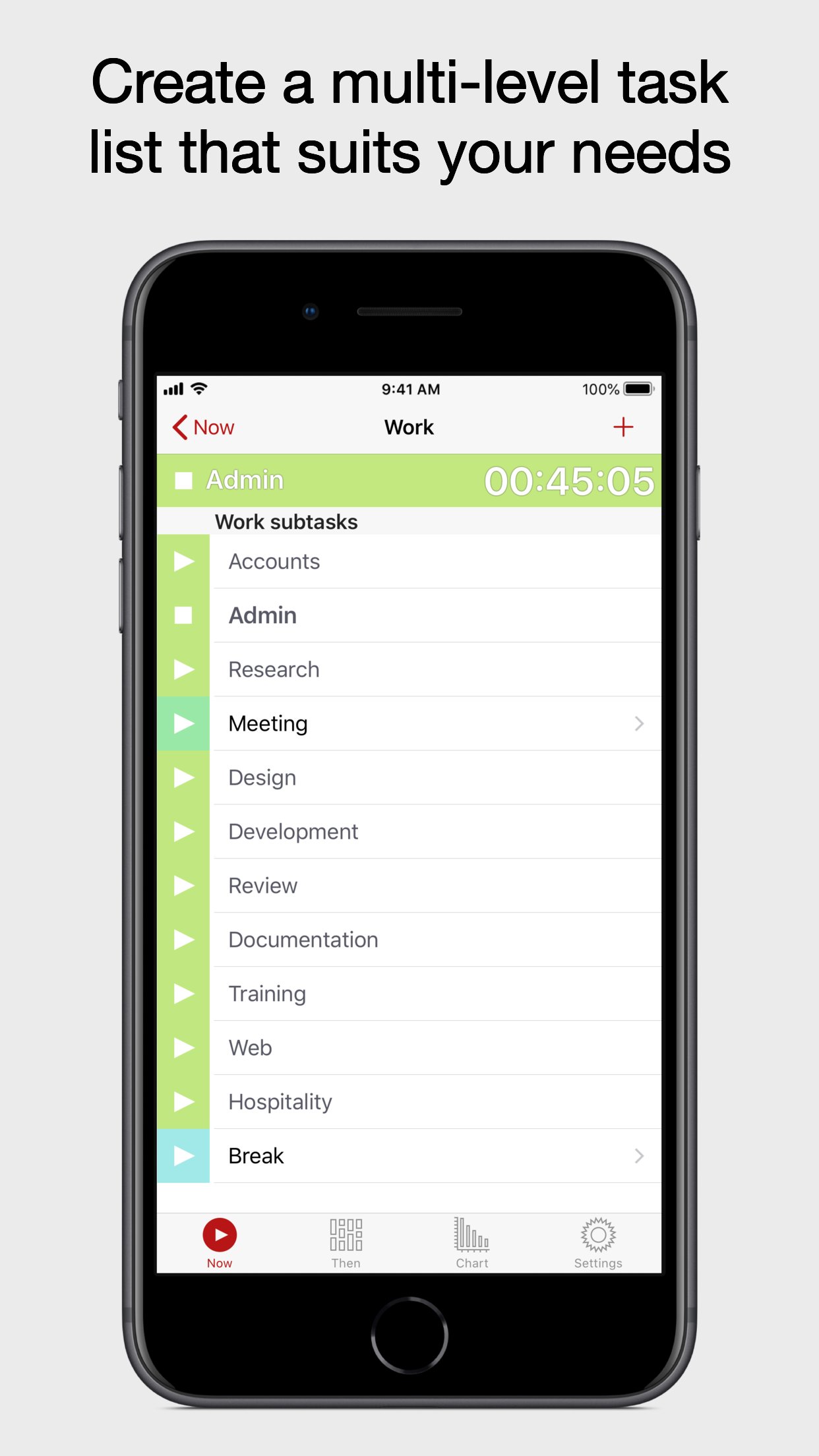
• Use a task list that suits you. We do not prescribe the structure of your task list.
• The task list is hierarchical and can be as flat and simple, or as deep and complex as you wish.
• Stays out of your way. You are in and out quickly, with the minimum number of taps.
• Use of the keyboard is kept to a minimum.
IMPROVED PRODUCTIVITY
• Use the crisp, colourful charts to quickly identify misused time.
• Use the knowledge gained to make the changes required to boost your productivity.
• Find out where your time actually goes, rather than scheduling what you expect to do.
FEATURES
• Now View
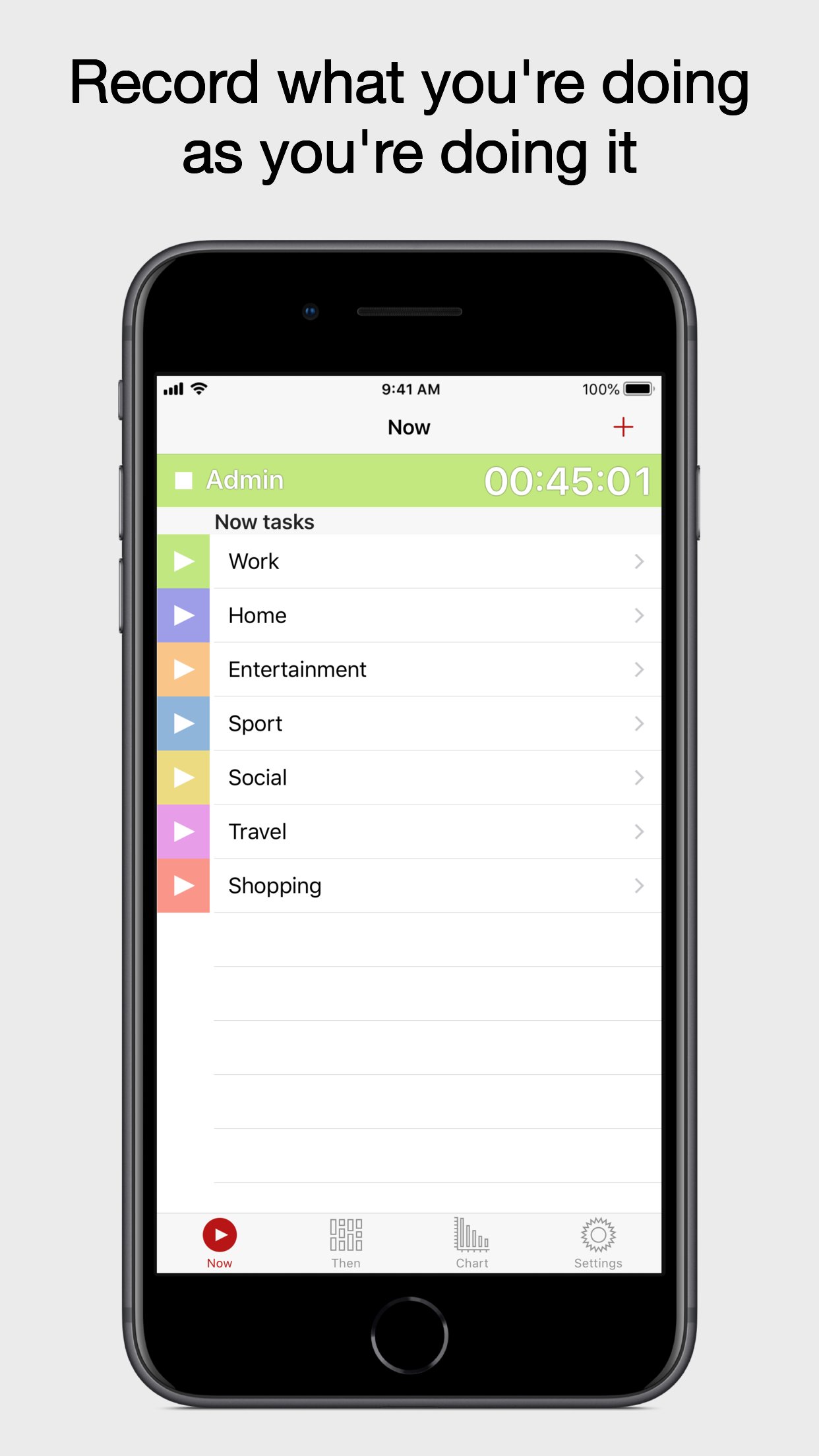
- A simple, rapid task selector for recording what you are doing now.
- Simply tap to start and stop tasks, or tap on another to switch to it immediately.
- Edit the task list as you go using Now.
- Order tasks how you want.
- Move entire branches from one part of the list to another by changing the parent task.
• Then View
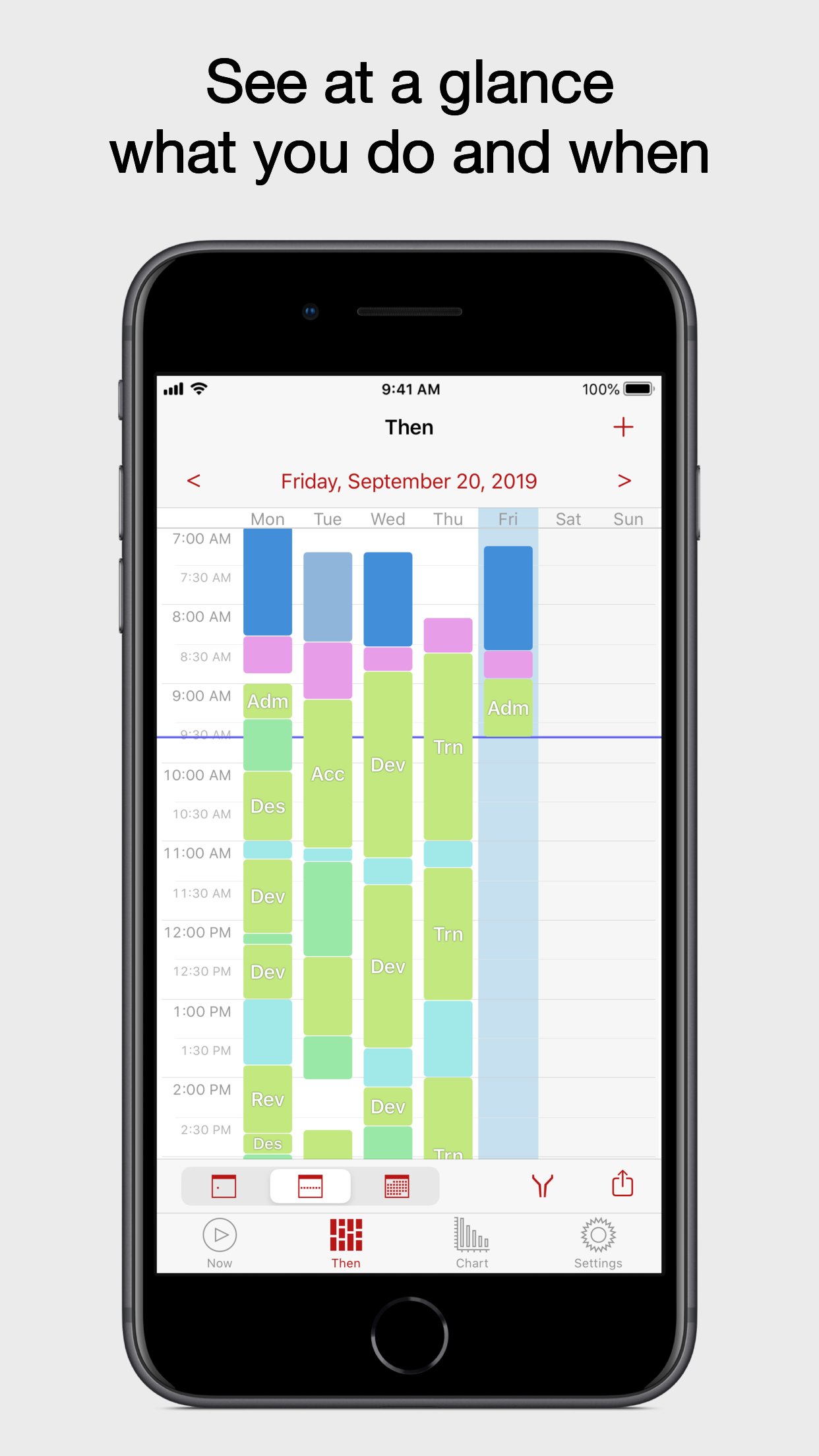
- What you were doing, and when.
- View by day, week or month.
- A visual log of how your time was spent.
- Edit recorded events.
- Or add forgotten events afterwards.
• Chart View
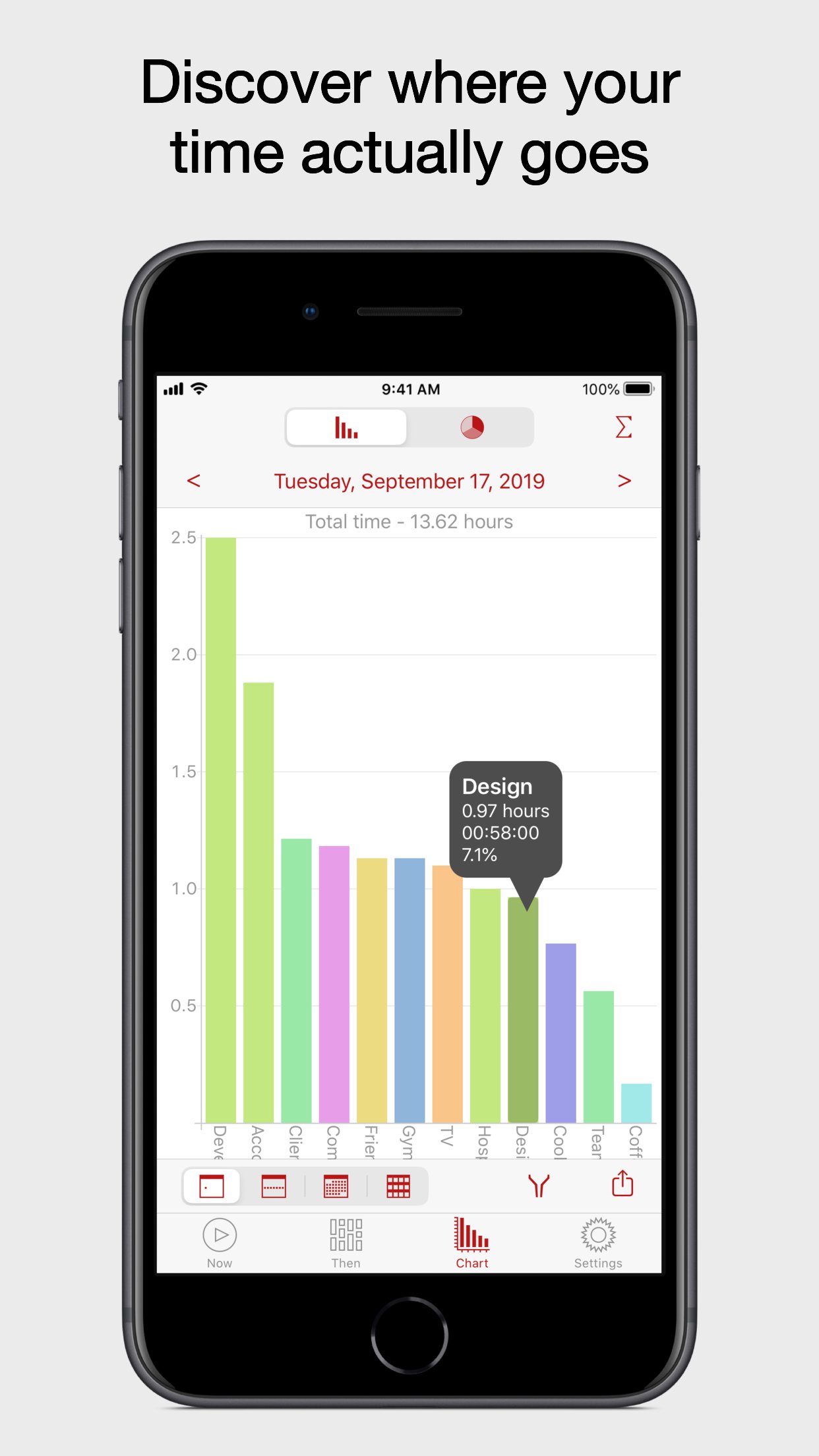
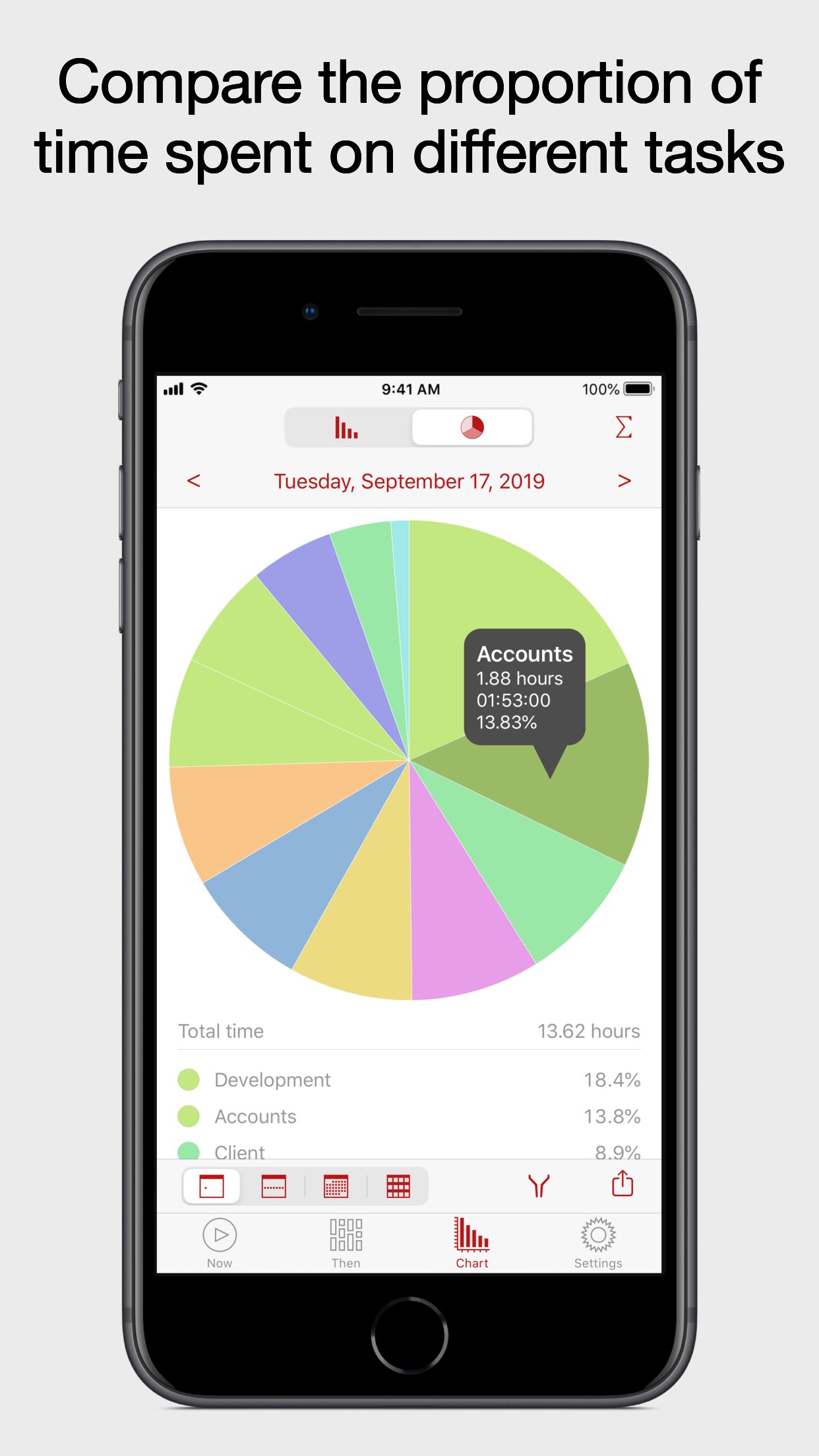
- See the proportion of time spent on each task, or group of tasks.
- View bar charts and pie charts by day, week, month, or year.
• Filter both Then and Chart by task, date, or by time.
• Remind Me
- It can be tricky remembering to record what you're doing, especially when you're busy.
- Use Remind Me to be notified on a regular interval that a task is still recording.
- You can also be reminded when you’re not recording anything.
• Share Images
- Share via Mail, Messages, and social services such as Facebook or Twitter.
- Save to Photos, copy and paste into another app, or print directly.
• Share Data
- Use Open in… to open images and data in other apps.
- Open in apps like Dropbox for cloud storage, or open a data file directly in Excel.
- Open in… works with any apps that open CSV files, or PNG images.
• iCloud Sync
- Keeps your data in sync across all your iOS devices.
• Backup and Restore
- Make your own backups and store them externally.
- This is in addition to the backups you get by using iCloud sync.
• Designed for iPhone, iPod touch and iPad.
USES
• Low-value task identification
• Project Time Tracker
• Timesheet Assistant
• Study Tracker
• Work Log Book
• Activity Timer
Get Now Then Pro today and find out where your time really goes.
To try it out first for free, tap on Related above and get basic version.
License: Commercial
| Release info | New Release on Oct 04, 2019 |
|---|---|
| Release notes | Bug Fixes • Fix for 12/24 hour clock issue. • If you are still having problems, please let us know what language you use. |
| Listing data | App Store |
Reviews
No reviews yet. Be the first to review Now Then Time Tracking Pro.
Used Now Then Time Tracking Pro? Tell other visitors what you thought.
Log in to write a reviewOther products by this publisher
- "No Distractions" for YouTube 4.10 ----
- #Bible 11.6.1 "Incredible App - My sister shared this app with me a few weeks ago and it is truly incredible.
- #filmphotography 1.4.2 So, you decided to shoot on film?
- #LookBusy Fake Calendar Events 1.0.6 Look Busy scans your work calendar for open time slots and fills them with realistic-looking (but secretly fake) work events.
- #Small Talk Is Canceled 1.0.2 #Small Talk Is Canceled — Conversations That Matter
Most viewed iOS Productivity
-
1
 WordPress 27.4
Manage or create your WordPress blog or website right from your iOS device: create and edit posts and pages, upload your favorite photos and videos, view stats and reply to comments.
- 2 Voice Translator - Alive 1.6 Translation app that turns your iPhone into an interpreter instantly.
-
3
 Life360 26.45.0
Whether at home, online, or on the move, our comprehensive family safety features bring peace of mind to your loved ones AND help safeguard your personal belongings.
-
4
 Claude by Anthropic 1.261119.19
Meet Claude, your AI problem solver and thinking partner.
-
5
 WristMemo 2.0
WristMemo turns your Apple Watch into an all-day voice recorder.
- 6 "No Distractions" for YouTube 4.10 ----
-
7
 Colicine 1.3.0
Have you ever been there—
- 8 (beat) for iOS 0.5.10 An elegant Fountain screenwriting app, created by a screenwriter for screenwriters.
-
9
 DeepSeek 2.9.0
Experience seamless interaction with DeepSeek's official AI assistant for free!
-
10
 Howbout 16.8.0
The shared calendar for friends, couples, and family
Most downloaded iOS Productivity
- 1 Voice Translator - Alive 1.6 Translation app that turns your iPhone into an interpreter instantly.
-
2
 SessionsAI 1.2.1
Sessions AI is a private AI workspace that runs entirely on your iPhone, iPad, or Mac.
-
3
DeepSeek 2.9.0
Experience seamless interaction with DeepSeek's official AI assistant for free!
-
4
 Voices AI 1.16.17
Discover Voices, the premier voice transformation app designed exclusively for iOS.
-
5
 Block Distracting Websites 1.11
"It's a great way to save time, and stop browsing Reddit when you should be doing coursework."
-
6
 Plot Digitizer 1.4.1
Plot Digitizer is an app to extract numerical data from plot images.
-
7
 Google Docs 1.2026.47103
Create, edit, and collaborate on online documents with the Google Docs app.
-
8
 MyHyundai with Bluelink 5.4.6
The MyHyundai app makes getting information about your Hyundai vehicle easier than ever.
-
9
 Pixy Mood Tracker 1.110.0
Track your mood, one pixel at a time.
-
10
 Minder 1.4
Minder turns your phone into a pair of eyes that watch you work.