Northern Lights Photo Taker 2.0
A camera dedicated to photographing the northern lights.
Download
2.02 MB
20downloads
2this week
FreeCommercial
0reviews
Screenshots
About Northern Lights Photo Taker
A camera dedicated to photographing the northern lights. Start with a preset, steady your phone, and adjust as the aurora changes.
MATCH THE LIGHTS
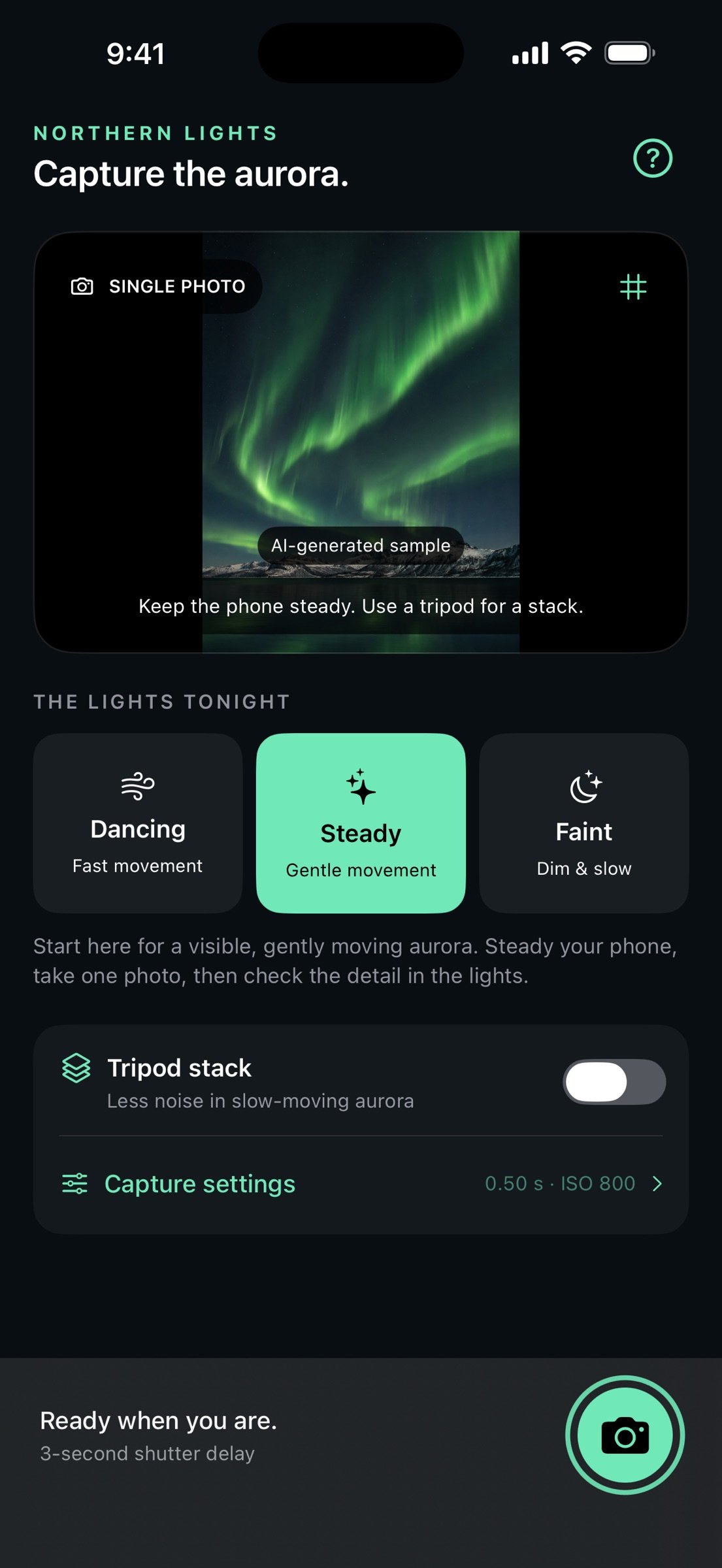
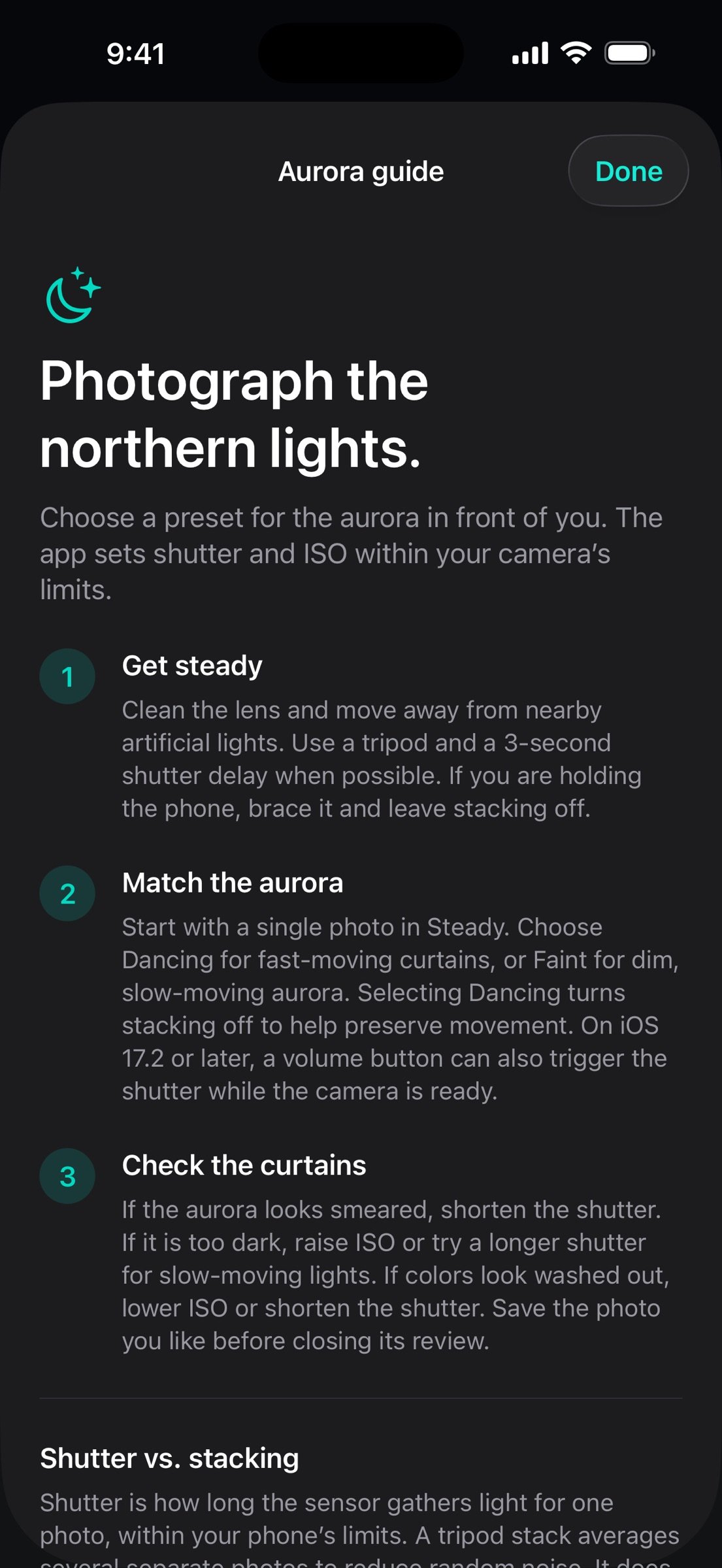
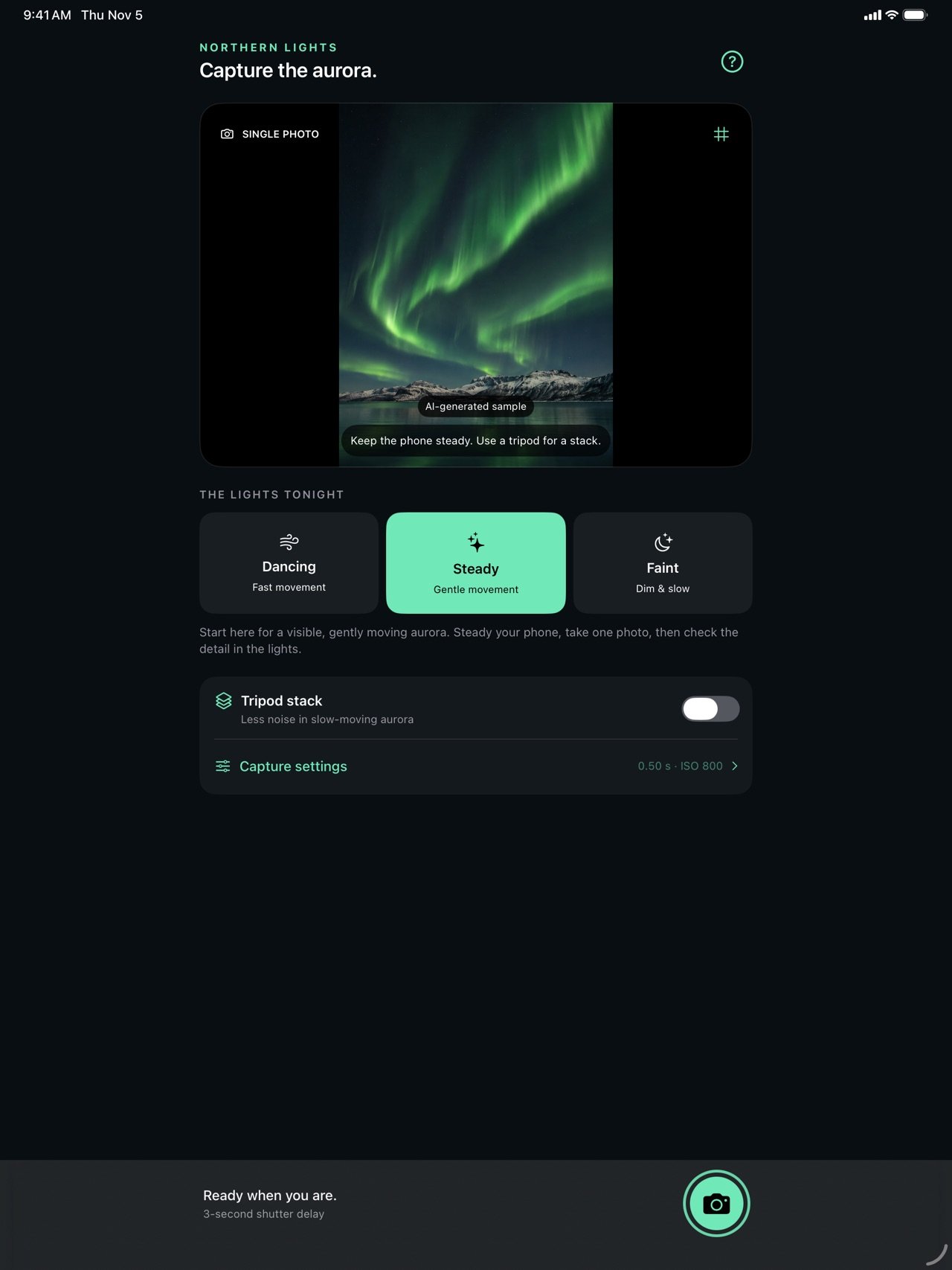
Choose Dancing for fast-moving curtains, Steady for gently moving aurora, or Faint for dim, slow-moving lights. Each preset gives you a starting shutter time and ISO within your camera's limits.
TAKE CONTROL
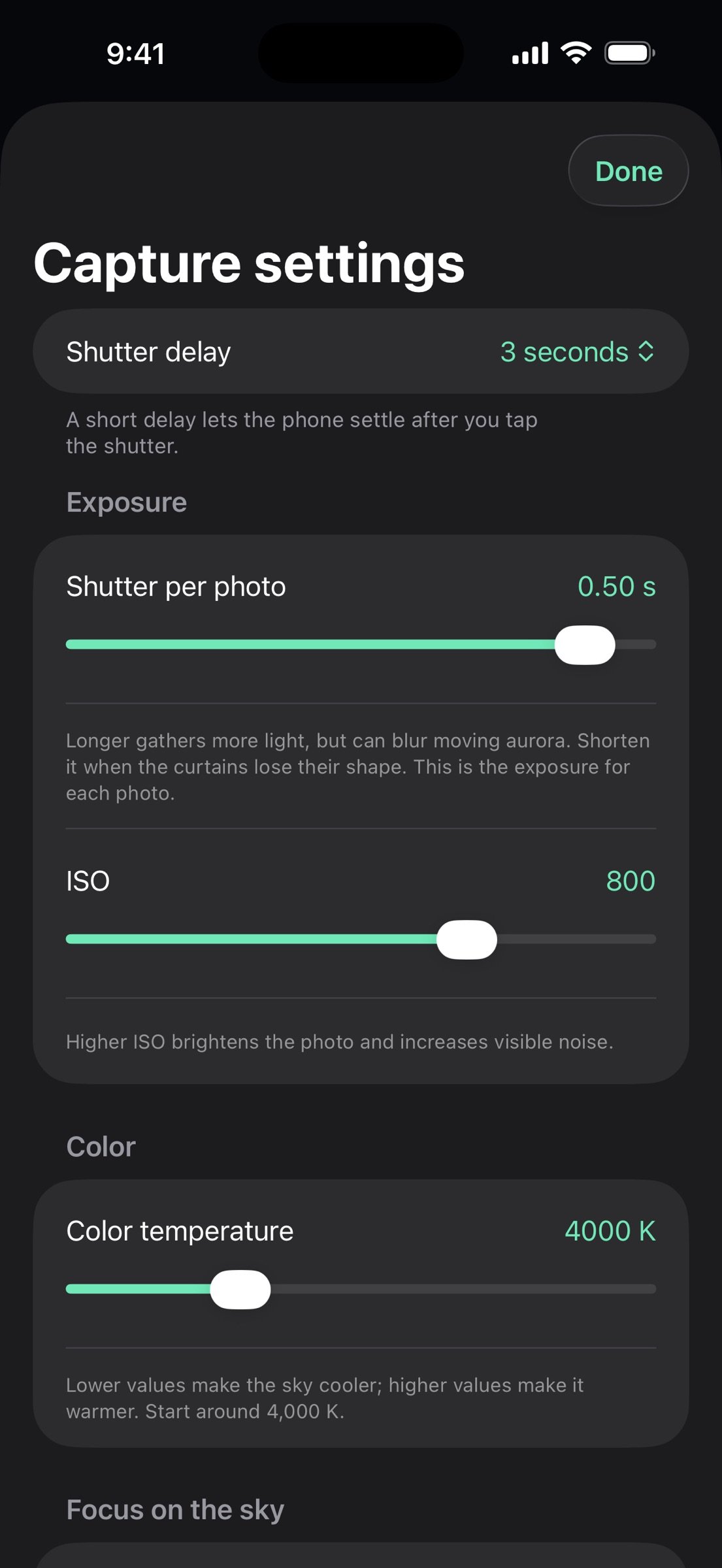
Fine-tune shutter time, ISO, focus, and color temperature with clearly labeled controls. An optional framing grid and 3- or 10-second shutter delay help you compose the scene and let the phone settle.
TRY A TRIPOD STACK
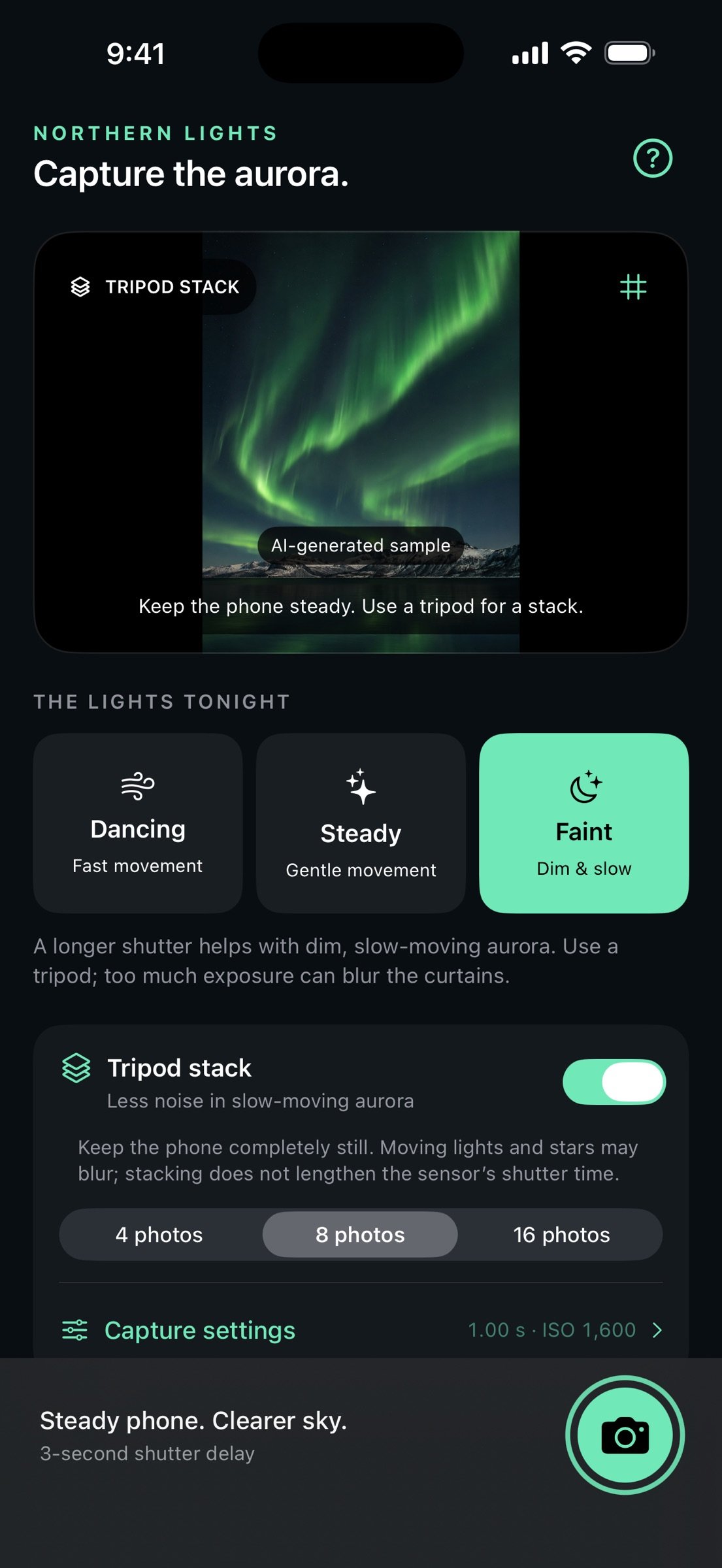
Combine 4, 8, or 16 photos to reduce random noise in slow-moving aurora. Keep the phone completely still: frames are not aligned, and moving lights can blur. Stacking averages separate photos; it does not lengthen the sensor's shutter time or automatically brighten the scene.
LEARN AS YOU SHOOT
The built-in aurora guide explains how to balance brightness and movement, when to use a tripod, and what to adjust if your first photo looks dark, washed out, or smeared.
REVIEW, SAVE, SHARE
Review each photo before saving it to Photos or sharing a JPEG. Camera access is requested when you enable the camera. Photos permission is requested only when you save, and only to add your photo. Image processing happens on your device.
Made for iPhone and iPad with iOS 17 or later. Uses the main rear camera in portrait orientation. Available shutter times, ISO, resolution, and manual controls depend on your device. Results depend on aurora brightness, movement, focus, and camera stability. A tripod is recommended for longer shutter times and required for stacking.
License: Commercial
MATCH THE LIGHTS
Choose Dancing for fast-moving curtains, Steady for gently moving aurora, or Faint for dim, slow-moving lights. Each preset gives you a starting shutter time and ISO within your camera's limits.
TAKE CONTROL
Fine-tune shutter time, ISO, focus, and color temperature with clearly labeled controls. An optional framing grid and 3- or 10-second shutter delay help you compose the scene and let the phone settle.
TRY A TRIPOD STACK
Combine 4, 8, or 16 photos to reduce random noise in slow-moving aurora. Keep the phone completely still: frames are not aligned, and moving lights can blur. Stacking averages separate photos; it does not lengthen the sensor's shutter time or automatically brighten the scene.
LEARN AS YOU SHOOT
The built-in aurora guide explains how to balance brightness and movement, when to use a tripod, and what to adjust if your first photo looks dark, washed out, or smeared.
REVIEW, SAVE, SHARE
Review each photo before saving it to Photos or sharing a JPEG. Camera access is requested when you enable the camera. Photos permission is requested only when you save, and only to add your photo. Image processing happens on your device.
Made for iPhone and iPad with iOS 17 or later. Uses the main rear camera in portrait orientation. Available shutter times, ISO, resolution, and manual controls depend on your device. Results depend on aurora brightness, movement, focus, and camera stability. A tripod is recommended for longer shutter times and required for stacking.
License: Commercial
| Release info | Update on Nov 06, 2026 |
|---|---|
| Release notes | Northern Lights is back, rebuilt for your next night under the aurora. • Cleaner tripod stacks. Combine 4, 8, or 16 photos to reduce grain in slow-moving lights. Rebuilt processing blends the frames evenly while preserving the scene's brightness. A tripod is required. • Find your settings faster. Choose Dancing, Steady, or Faint, then fine-tune shutter time, ISO, focus, and color. • A fresh look on iPhone and iPad. Clearer controls, capture progress, and an optional shutter delay make shooting easier in the dark. • Guidance when you need it. The new aurora guide helps you balance light and movement and troubleshoot dark or blurry photos. • Easier saving and sharing. Review your photo first, get clearer Camera and Photos permission guidance, and retry a failed save while your photo stays available in the review. • Reliability fixes. Improved handling of interrupted captures, cancellation, and repeated Save taps. Version 2.0 requires iOS 17 or later. |
| Listing data | App Store |
Reviews
No reviews yet. Be the first to review Northern Lights Photo Taker.
Used Northern Lights Photo Taker? Tell other visitors what you thought.
Log in to write a reviewOther products by this publisher
- "No Distractions" for YouTube 4.10 ----
- #Bible 11.6.1 "Incredible App - My sister shared this app with me a few weeks ago and it is truly incredible.
- #filmphotography 1.4.2 So, you decided to shoot on film?
- $quirrel 1.5.1 $quirrel Budget & Finance helps you plan each paycheck, track spending, manage debt, and see what is safe to spend before the next payday.
- % Percentage Calculator Pro 1.41 This is the Pro version of % Percentage Calculator.
Most viewed iOS Photo & Video
-
1
 ShortDiShow 2.0
Drama Quest Island — An offline interactive short-drama adventure.
-
2
 Infuse 8.5.10
Infuse: Enterprise provides the same great features as the standard version of Infuse and includes permanent access to all Pro features via a traditional paid app.
-
3
 AI Video Generator 2.0.3
Vixel – AI Video Generator
-
4
 OPlayer 4.8
Play all your videos directly without having to convert them!
-
5
 CapCut 20.2.0
CapCut offers easy-to-use video editing functions, in-APP fonts and effects, advanced features such as keyframe animation, smooth slow-motion, chroma key, and stabilization, to help you capture and snip moments.
-
6
 Necrometer II 1.2
Necrometer II is a paranormal investigation companion designed for ghost hunters and researchers.
-
7
 Ai Photo 1.1.2
AI Photo Retouch – BG Eraser
- 8 #filmphotography 1.4.2 So, you decided to shoot on film?
-
9
 Analog Radio 3.0
The iPhone and iPad devices don't have the FM/AM radio antenna installed.
-
10
 Pop Dot Comics 1.48
Create a comic worthy of the Sunday newspaper or your favorite pulp-fiction cover.
Most downloaded iOS Photo & Video
-
1
 DJI Fly 1.21.18
DJI Fly is designed to help pilots fly drones with ease.
-
2
Infuse 8.5.10
Infuse: Enterprise provides the same great features as the standard version of Infuse and includes permanent access to all Pro features via a traditional paid app.
-
3
Analog Radio 3.0
The iPhone and iPad devices don't have the FM/AM radio antenna installed.
-
4
 TurboCollage Automatic 1.2.4
#1 Easy automatic photo collage maker for iPhone & iPad.
-
5
 ReelyGo 1.1.42
ReelyGo: Your Daily Drama Escape
-
6
 Rozeta Sequencer Suite 1.3.16
Rozeta is a suite of MIDI sequencers and controllers that lets you explore a new, freeform approach to sequencing and controlling mobile music apps.
-
7
 Treblo 1.6.6
Make songs with the world's best AI music model.
-
8
Pop Dot Comics 1.48
Create a comic worthy of the Sunday newspaper or your favorite pulp-fiction cover.
-
9
 AGAIN. Rehearsal Notes 2.0.1
AGAIN. is the rehearsal app that remembers why the band stopped — and, new in Version 2, who said what in a writing session or a table read.
-
10
 Sun Scout 1.5.0
If your work or play requires sunlight, Sun Scout is built for you.