41downloads
18this week
FreeFreeware
0reviews
Screenshots
About NFC Alarm Clock
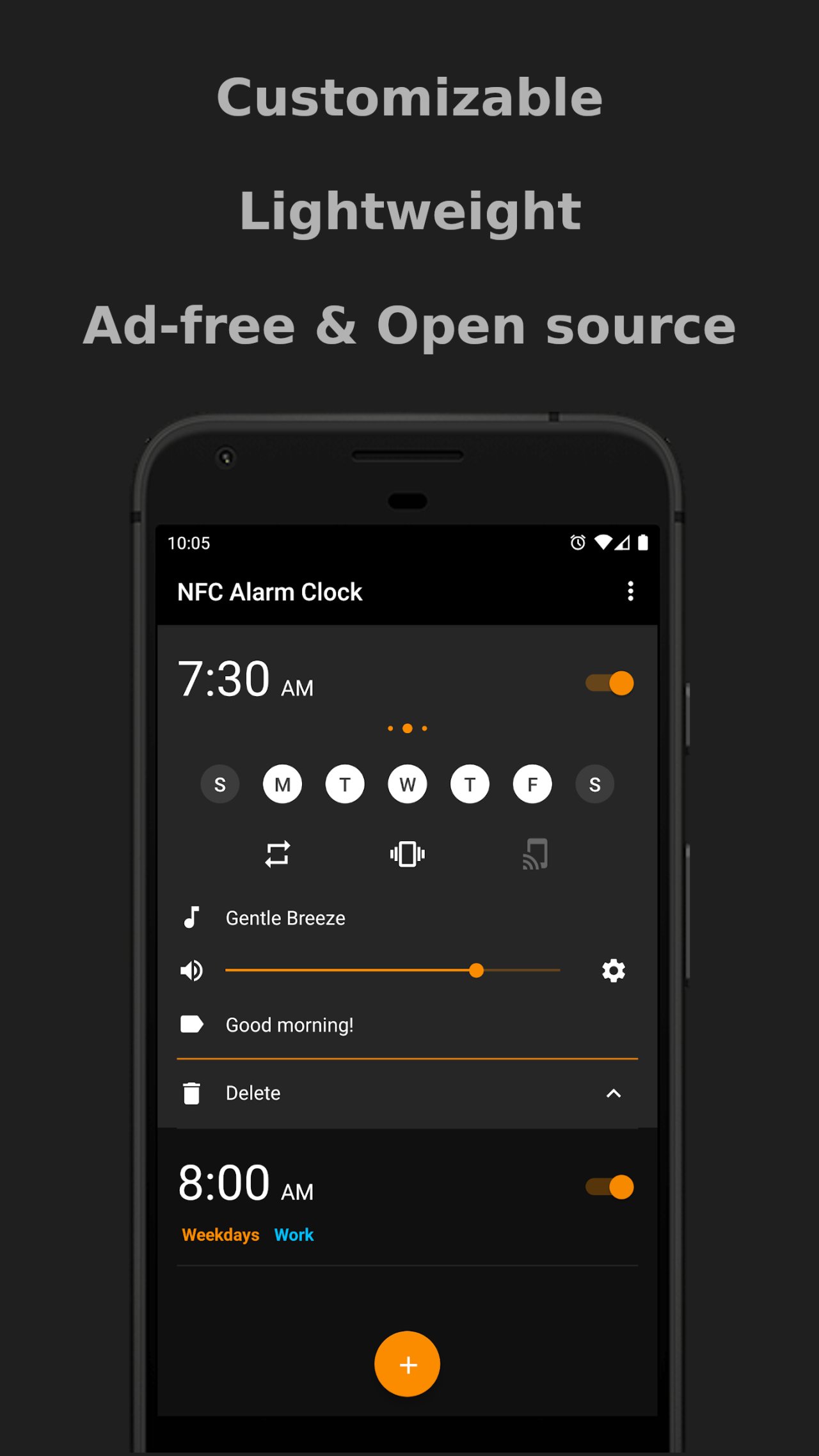
Customize how your alarms look, easily create/delete alarms, and more. Each alarm can be configured however you want to use it.
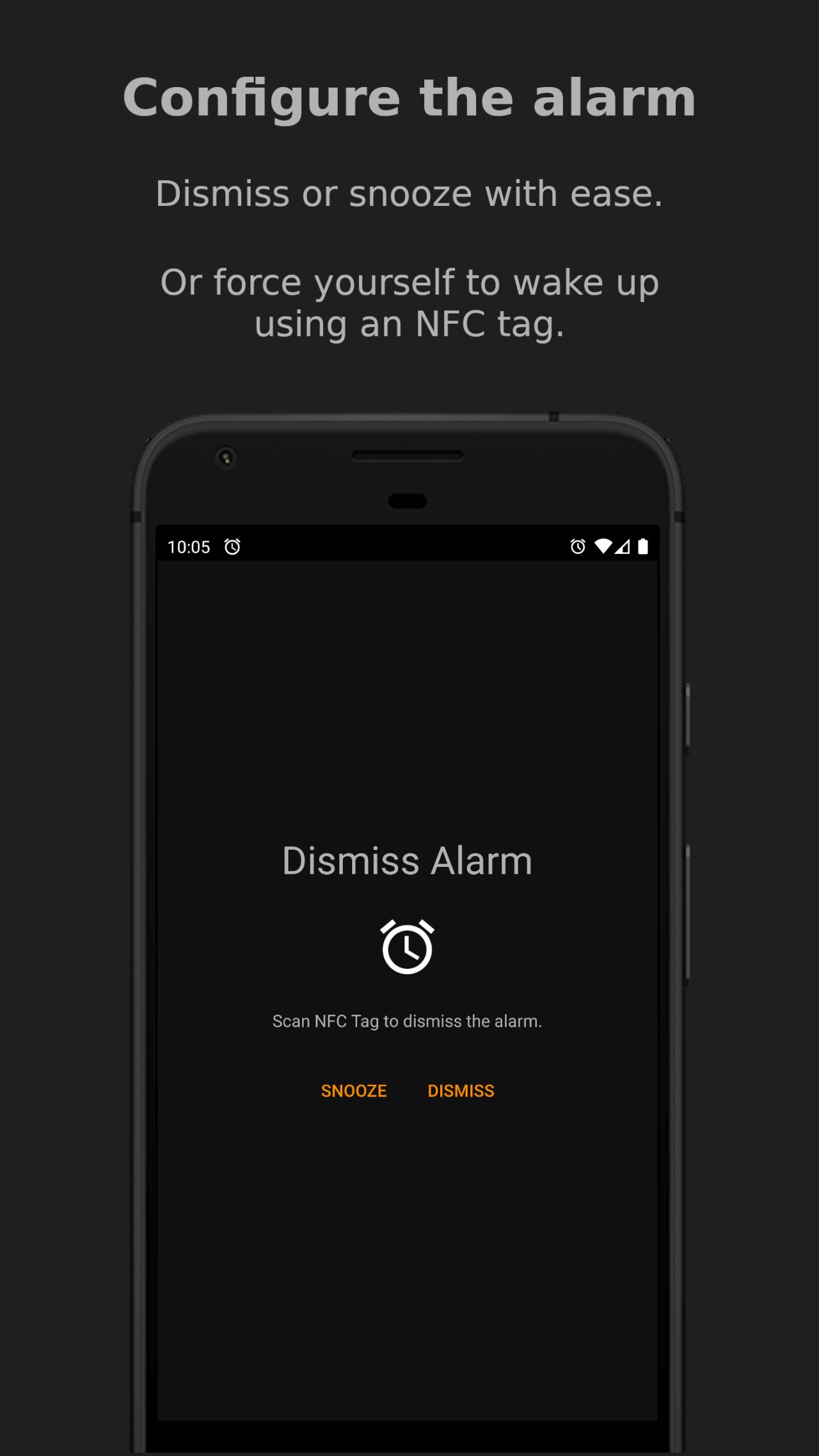
For those that struggle to wake up, you can restrict the volume or have it gradually increase when your alarm goes off. You can also use an NFC card or tag to dismiss your alarm.
See the full list of features below for a more detailed look into all the things you can do.
Features:
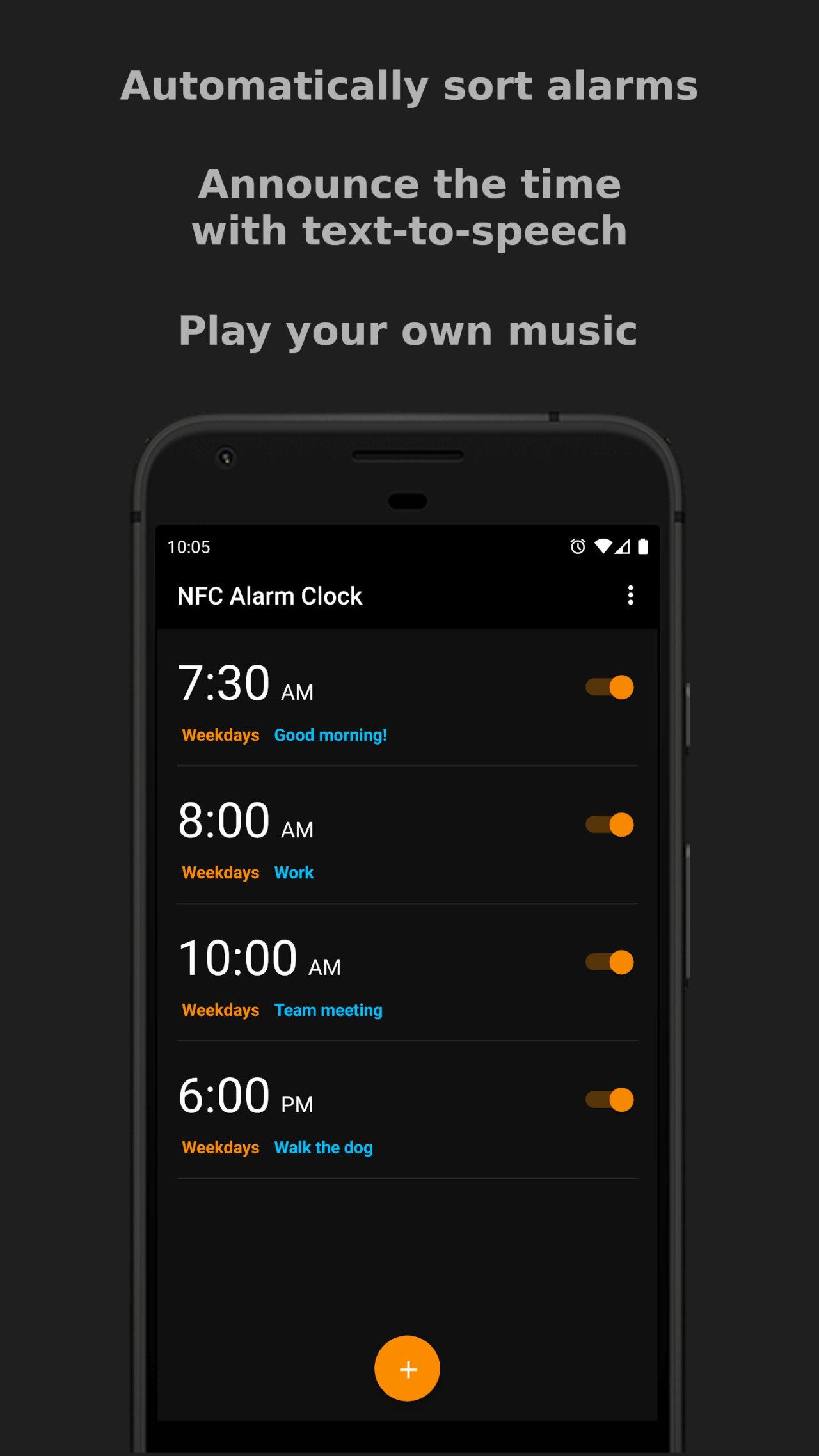
* Edit and view alarms all in one screen.
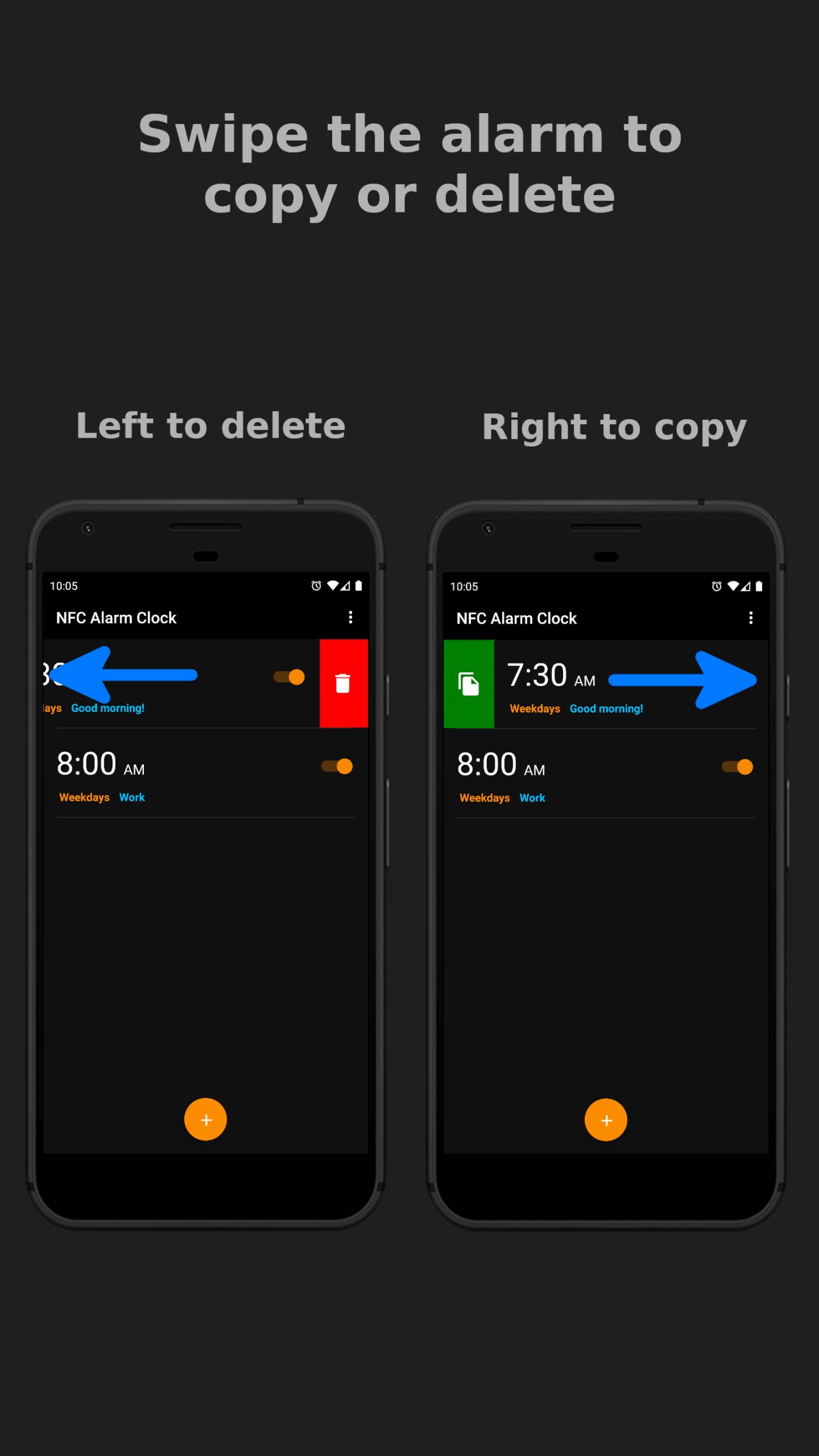
* Swipe left to delete an alarm.
* Swipe right to copy an alarm.
* Play music from your phone to wake up. Can even choose to play all the music in a folder.
* Use NFC to dismiss an alarm. This is optional and can be set on a per-alarm basis. Found by selecting the gear icon next to the volume slider of an alarm.
* Gradually increase the volume when your alarm goes off. This is optional and can be set on a per-alarm basis. Found by selecting the gear icon next to the volume slider of an alarm.
* Restrict changing the volume when your alarm goes off. This is optional and can be set on a per-alarm basis. Found by selecting the gear icon next to the volume slider of an alarm.
* Text-to-speech when your alarm goes off. It will say the current time to you at whatever cadence you choose. This is optional and can be set on a per-alarm basis. Found by selecting the gear icon next to the volume slider of an alarm.
* Choose which audio source you want the alarm sound to play out of (Alarm, Call, Music, Notification, Ringtone). This is optional and can be set on a per-alarm basis. Found by selecting the gear icon next to the volume slider of an alarm.
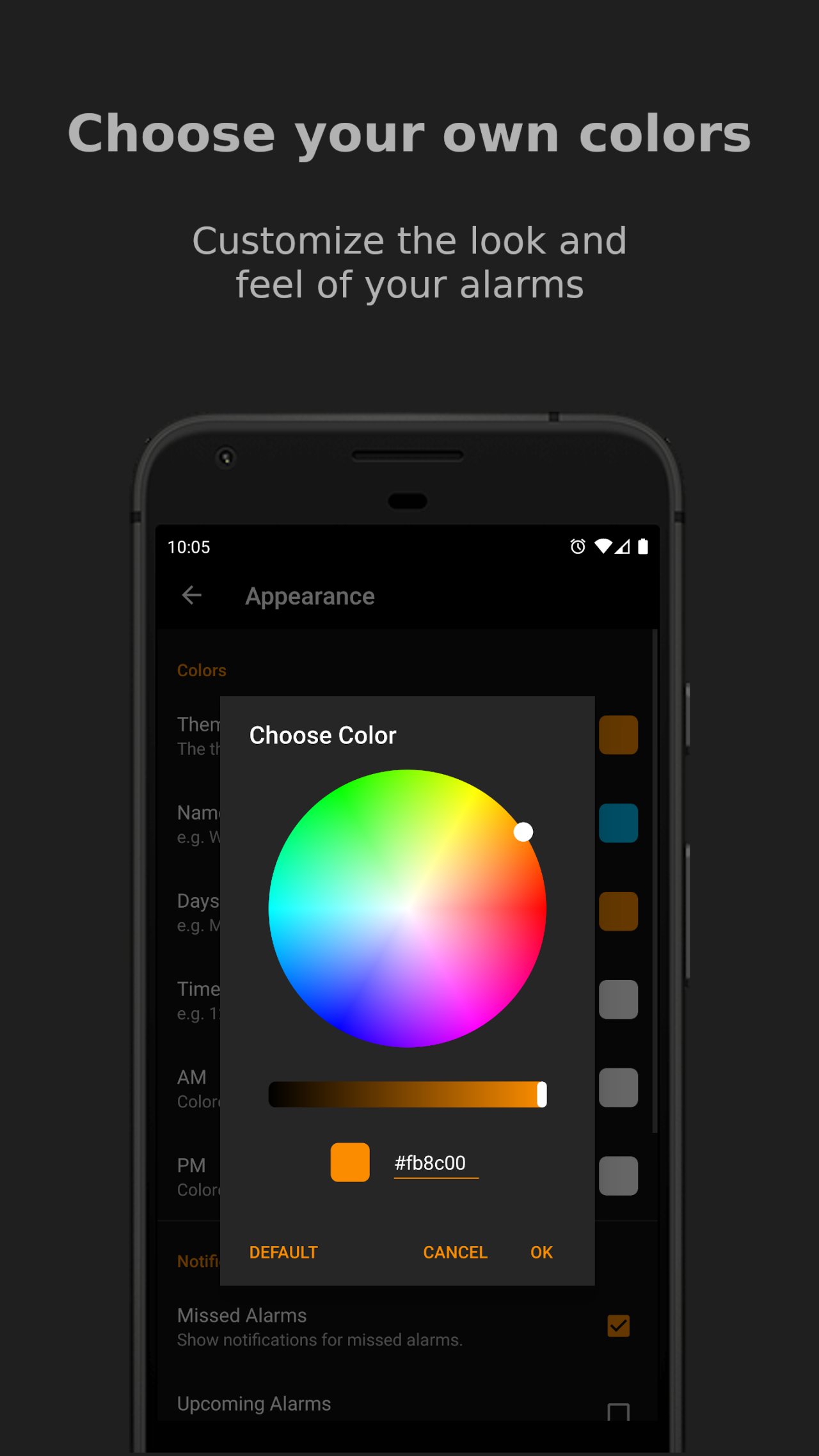
* Customize the colors of: the theme, name of the alarm, days in which the alarm runs, time, and AM/PM. Found in Settings › Appearance.
* View statistics of how many alarms you have dismissed/snoozed/missed, and how many you have created/deleted.
Permissions:
* NFC: (Optional) Allow the app to detect NFC tags.
* Storage: (Optional) Read music that is stored on the phone. You are prompted to enable this permission if and only if you choose to play music as the alarm ringtone. Otherwise, this permission is unused.
* Vibrate: (Optional) Allow the app to vibrate the phone.
* Startup: (Required) Restore alarms when the phone is turned on. By default, Android will delete alarms when the phone is turned off.
* Wakelock: (Required) Prevent the phone from sleeping so that an activated alarm will continue to go off.
License: GPL-3.0-or-later
For those that struggle to wake up, you can restrict the volume or have it gradually increase when your alarm goes off. You can also use an NFC card or tag to dismiss your alarm.
See the full list of features below for a more detailed look into all the things you can do.
Features:
* Edit and view alarms all in one screen.
* Swipe left to delete an alarm.
* Swipe right to copy an alarm.
* Play music from your phone to wake up. Can even choose to play all the music in a folder.
* Use NFC to dismiss an alarm. This is optional and can be set on a per-alarm basis. Found by selecting the gear icon next to the volume slider of an alarm.
* Gradually increase the volume when your alarm goes off. This is optional and can be set on a per-alarm basis. Found by selecting the gear icon next to the volume slider of an alarm.
* Restrict changing the volume when your alarm goes off. This is optional and can be set on a per-alarm basis. Found by selecting the gear icon next to the volume slider of an alarm.
* Text-to-speech when your alarm goes off. It will say the current time to you at whatever cadence you choose. This is optional and can be set on a per-alarm basis. Found by selecting the gear icon next to the volume slider of an alarm.
* Choose which audio source you want the alarm sound to play out of (Alarm, Call, Music, Notification, Ringtone). This is optional and can be set on a per-alarm basis. Found by selecting the gear icon next to the volume slider of an alarm.
* Customize the colors of: the theme, name of the alarm, days in which the alarm runs, time, and AM/PM. Found in Settings › Appearance.
* View statistics of how many alarms you have dismissed/snoozed/missed, and how many you have created/deleted.
Permissions:
* NFC: (Optional) Allow the app to detect NFC tags.
* Storage: (Optional) Read music that is stored on the phone. You are prompted to enable this permission if and only if you choose to play music as the alarm ringtone. Otherwise, this permission is unused.
* Vibrate: (Optional) Allow the app to vibrate the phone.
* Startup: (Required) Restore alarms when the phone is turned on. By default, Android will delete alarms when the phone is turned off.
* Wakelock: (Required) Prevent the phone from sleeping so that an activated alarm will continue to go off.
License: GPL-3.0-or-later
| Release info | Update on Oct 10, 2026 |
|---|---|
| Release notes | • Increased maximum $${\textsf{\color{orange}dismiss early}}$$ time from 2 hours to 6 hours. • Fixed translation issue with $${\textsf{\color{orange}flashlight}}$$ options which was causing a crash. • Fixed rare issue where the $${\textsf{\color{orange}alarm screen}}$$ would still show even after an alarm was dismissed. • Proguard optimization is still disabled (started in v12.7.3), so the $${\textsf{\color{orange}app file size}}$$ is still slightly bigger than normal. |
| Listing data | F-Droid |
Reviews
No reviews yet. Be the first to review NFC Alarm Clock.
Used NFC Alarm Clock? Tell other visitors what you thought.
Log in to write a reviewOther products by this publisher
- "No Distractions" for YouTube 4.10 ----
- #Bible 11.6 "Incredible App - My sister shared this app with me a few weeks ago and it is truly incredible.
- #filmphotography 1.4.2 So, you decided to shoot on film?
- $quirrel 1.5.1 $quirrel Budget & Finance helps you plan each paycheck, track spending, manage debt, and see what is safe to spend before the next payday.
- % Percentage Calculator Pro 1.41 This is the Pro version of % Percentage Calculator.
Most viewed Android Alarm Clock
-
1
 Chrono 0.6.0
Modern and powerful clock, alarms, timer and stopwatch.
-
2
 AlarmClock Deluxe (Wecker, Uhr, Timer, Stoppuhr) 2026.08.001
Alarm, clock, timer and stopwatch with advanced alarm tools
-
3
 Nature's Music 1.8.1
Mix nature sounds—ocean, rain, forest, storm, city—and set a sleep alarm
-
4
 Malarm 0.6.3
Flexible no-frills alarm scheduler, free and open source
- 5 Japanese Traditional Time 1.7.1 Clock widget
- 6 Flashy Alarm 1.0.0 Turn on flashlight/torch when alarm goes off.
-
7
 Noor Connect 2.5.0
Privacy-first Islamic companion: Quran, prayer times, Qibla, hadith & more.
-
8
 Suntimes 0.17.6
Sunlight and moonlight information (clock, alarms, tiles, and widgets).
-
9
 YtAlarm 1.0.15
A simple alarm application using ytdl-android.
- 10 Clock31 1.0.3 Clock + Calendar combo widget for Android
Most downloaded Android Alarm Clock
-
1
 LocReminder 2.1.1
Reminds you at the right place
-
2
Chrono 0.6.0
Modern and powerful clock, alarms, timer and stopwatch.
-
3
 QRAlarm 2.11.4
Disable alarms with a QR scanner
-
4
 NFC Alarm Clock 12.7.5
Customizable and feature-rich alarm clock app.
-
5
 Remind Me! 1.4.0
Set alarms for a specific date in the future (alarm, not a reminder!).
- 6 Japanese Traditional Time 1.7.1 Clock widget
-
7
Nature's Music 1.8.1
Mix nature sounds—ocean, rain, forest, storm, city—and set a sleep alarm
-
8
Noor Connect 2.5.0
Privacy-first Islamic companion: Quran, prayer times, Qibla, hadith & more.
-
9
YtAlarm 1.0.15
A simple alarm application using ytdl-android.
- 10 Clock31 1.0.3 Clock + Calendar combo widget for Android