Nextcloud Photo Widget 2.0
Home screen widget showing random photos from your Nextcloud
Download
2.28 MB · nc-photo-widget-2.0.apk
19downloads
19this week
FreeFreeware
0reviews
Screenshots
About Nextcloud Photo Widget
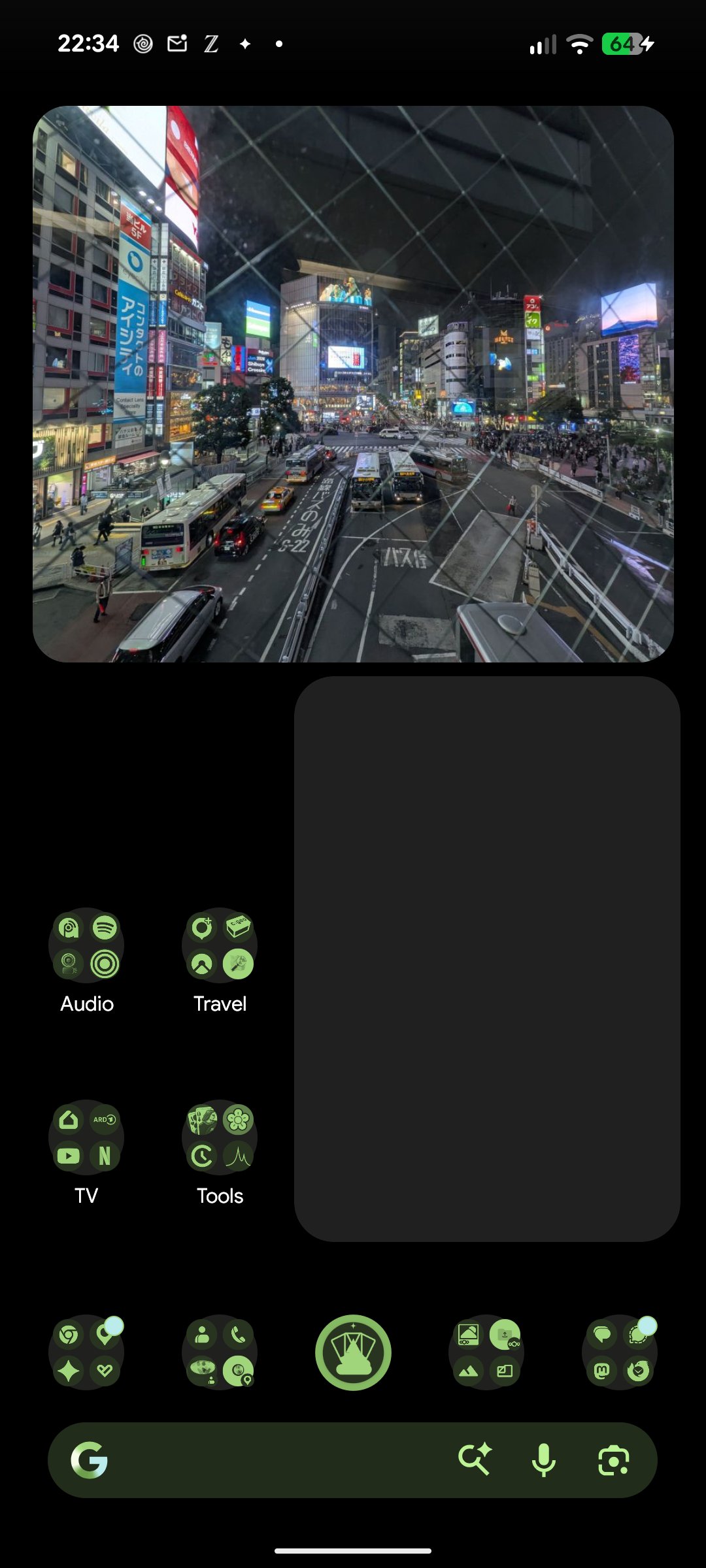
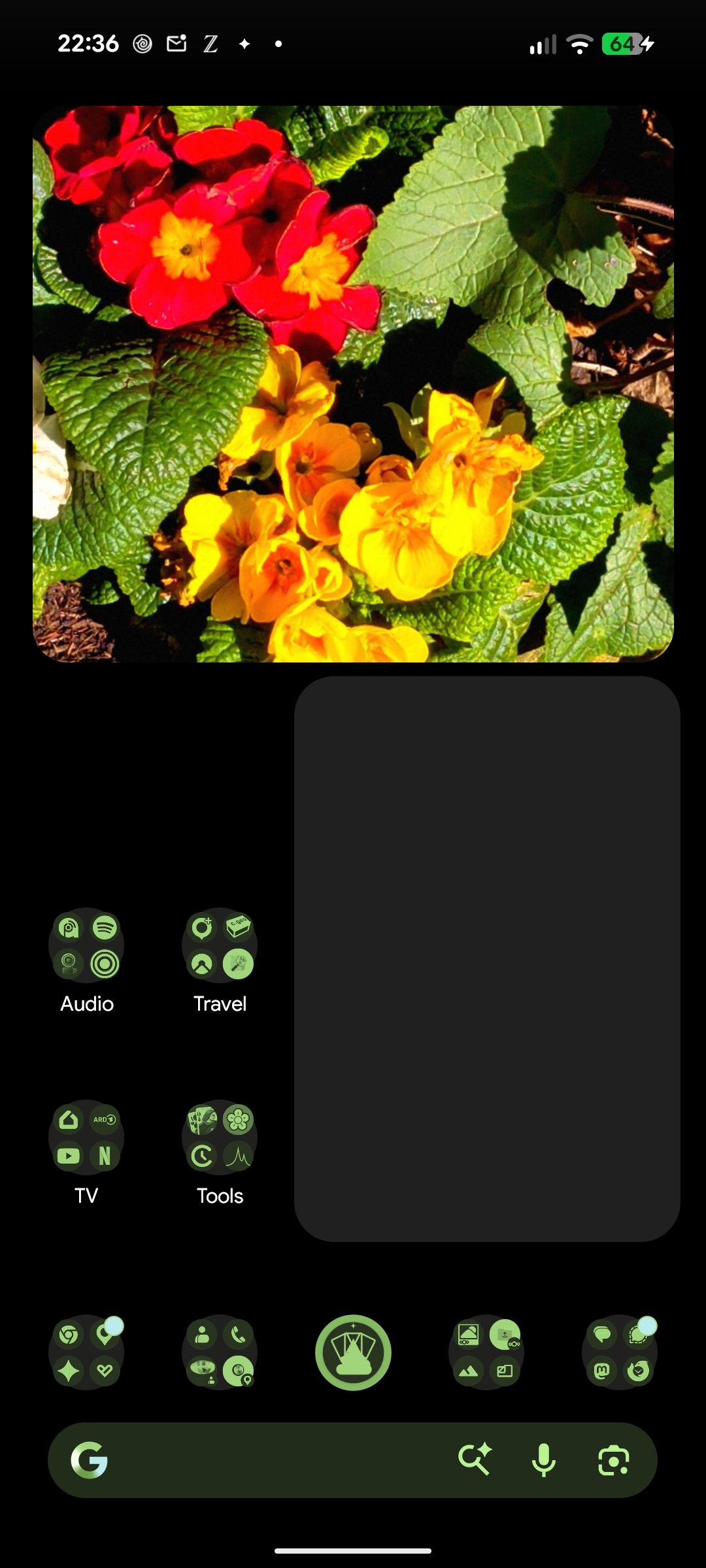
Shows a random picture from a folder on your Nextcloud server as a home screen widget, without syncing your photo library to the phone. Only one downscaled preview is stored at a time.
Features
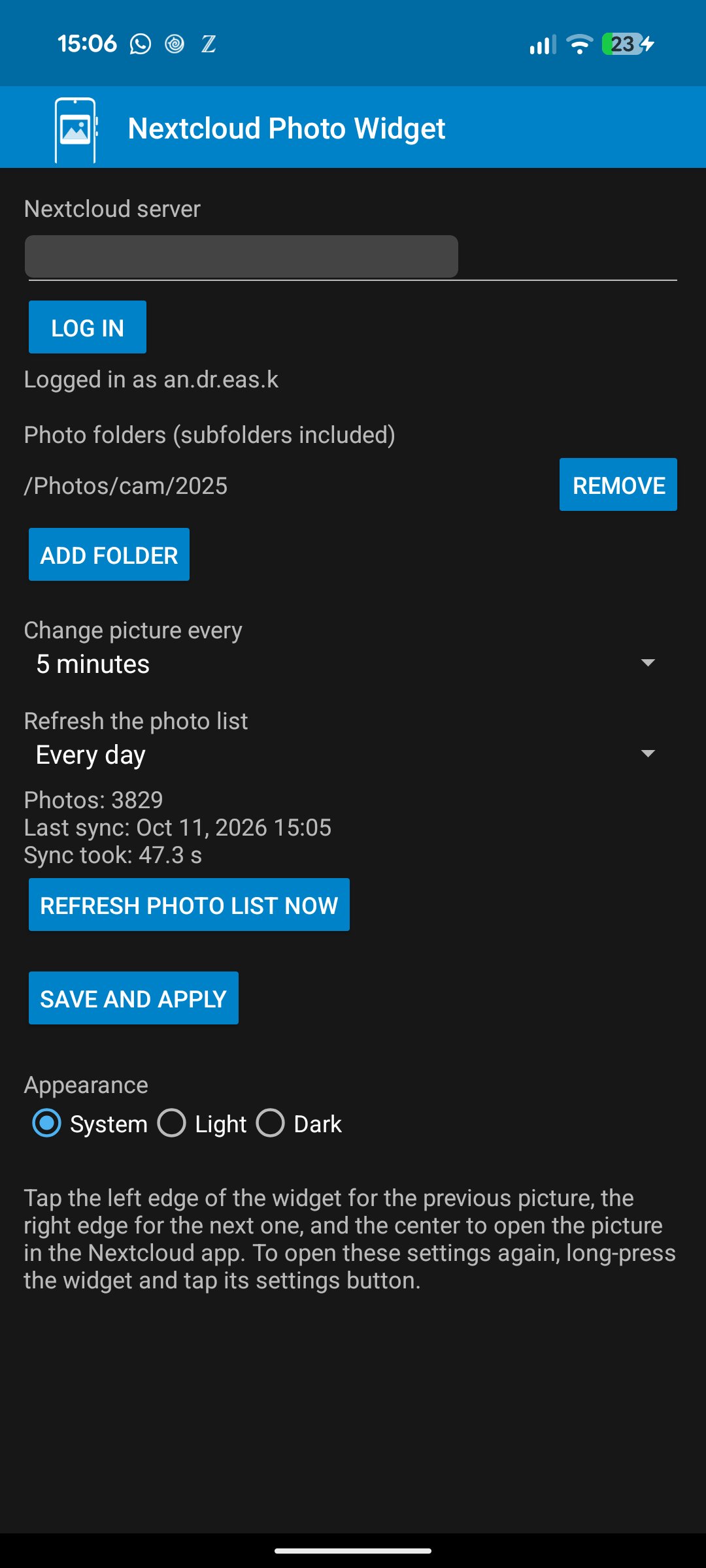
• Any number of widgets, each with its own folders, tags, interval, shape and filter
• Random photo from one or more Nextcloud folders, subfolders included
• Tag filter: photos with any of some tags and all of others
• Time span filter: photos of the last days, optionally also of the same days in every earlier year
• Widget shapes: rounded corners, square, circle, oval, pill or cut corners; resizable down to one tile
• Picture changes automatically every 15 minutes to 24 hours, or only on tap
• Configurable photo list refresh, with photo count, last sync time and sync duration
• Picture filters such as grayscale, sepia or a faded film look; pictures with "snapseed" in the file name are shown unfiltered, as they already have a look
• Tap the left edge for the previous picture, the right edge for the next one; the recent history is kept on the device, also for offline use
• Tap the center to open the picture in the official Nextcloud app
• Light, dark or system theme
Privacy
The app only talks to the Nextcloud server you configure. Login uses Nextcloud Login Flow v2, so a revocable app password is stored on the device and never your real password. There is no tracking and no analytics.
Requires Android 8.0 or newer and a Nextcloud server reachable over HTTPS. This is an unofficial app and is not affiliated with Nextcloud GmbH.
License: MIT
Features
• Any number of widgets, each with its own folders, tags, interval, shape and filter
• Random photo from one or more Nextcloud folders, subfolders included
• Tag filter: photos with any of some tags and all of others
• Time span filter: photos of the last days, optionally also of the same days in every earlier year
• Widget shapes: rounded corners, square, circle, oval, pill or cut corners; resizable down to one tile
• Picture changes automatically every 15 minutes to 24 hours, or only on tap
• Configurable photo list refresh, with photo count, last sync time and sync duration
• Picture filters such as grayscale, sepia or a faded film look; pictures with "snapseed" in the file name are shown unfiltered, as they already have a look
• Tap the left edge for the previous picture, the right edge for the next one; the recent history is kept on the device, also for offline use
• Tap the center to open the picture in the official Nextcloud app
• Light, dark or system theme
Privacy
The app only talks to the Nextcloud server you configure. Login uses Nextcloud Login Flow v2, so a revocable app password is stored on the device and never your real password. There is no tracking and no analytics.
Requires Android 8.0 or newer and a Nextcloud server reachable over HTTPS. This is an unofficial app and is not affiliated with Nextcloud GmbH.
License: MIT
| Release info | Update on Nov 01, 2026 |
|---|---|
| Release notes | Every widget now has its own settings: folders, tags, change interval, shape and picture filter. New: widget shapes (rounded, square, circle, oval, pill, cut corners), picture filters, tag filter with any-of and all-of, time span filter (last days, optionally also in earlier years), offline back and forward through the history, a red mark when loading failed, and widgets down to 1x1. Login now finishes even if you leave the settings. SHA-256 of nc-photo-widget-2.0.apk: 3344526f45a9a24b8792f88447cb97dfa5f8115ec67719d8e21e3bf5a258eb0e |
| Listing data | F-Droid |
Reviews
No reviews yet. Be the first to review Nextcloud Photo Widget.
Used Nextcloud Photo Widget? Tell other visitors what you thought.
Log in to write a reviewOther products by this publisher
- "No Distractions" for YouTube 4.10 ----
- #Bible 11.5 "Incredible App - My sister shared this app with me a few weeks ago and it is truly incredible.
- #filmphotography 1.4.2 So, you decided to shoot on film?
- $quirrel 1.5.1 $quirrel Budget & Finance helps you plan each paycheck, track spending, manage debt, and see what is safe to spend before the next payday.
- % Percentage Calculator Pro 1.41 This is the Pro version of % Percentage Calculator.
Most viewed Android Multimedia
- 1 Democracy Droid 4.3.0 Watch "Democracy Now The war and peace report"
-
2
 Notenkladde 2.1
Photograph and import sheet music, read it while you play, write notes on it
-
3
 MIDICtrl 0.1.3
Simple MIDI Controller for Android.
- 4 AVIF Viewer 1.0.4 AVIF Image Viewer
-
5
 Gecko 1.0.6-build6
Time-travelling audio recorder — save what just happened
- 6 Jellyfin 2.7.3 Mobile client for Jellyfin, the free software media system
- 7 ListenTogether 1.1.2 Listen to podcasts or other audio files together.
-
8
 Semitone 1.3
tuner, metronome, and piano
- 9 Equalizer314 0.0.23-beta System-wide EQ with multiband compression, limiter, and audio-visual feedback.
- 10 FFShare 2.0.0 Compress image, video and audio files through ffmpeg before sharing them
Most downloaded Android Multimedia
- 1 AVIF Viewer 1.0.4 AVIF Image Viewer
-
2
 Blink Comparison 1.2.1
Simplifies comparing photos of tamper-evident seals using your eyes
- 3 DJ Edertech 1.1.1 This app invites you to relive the nostalgic curated sets of DJ Edertech.
- 4 Democracy Droid 4.3.0 Watch "Democracy Now The war and peace report"
-
5
 Bosun 0.8.6
Configure MIDI Captain pedals from your phone
-
6
 Tsacdop-Fork - Podcast Player 0.10.1
Enjoy podcasts with Tsacdop-Fork! A clean, simply beautiful, and friendly app.
-
7
 Audio Spectrum Analyzer 3.2
A handy real-time audio spectrum and spectrogram analyzer
-
8
 Recording Studio Lite 0.2.1
Audio recorder
- 9 Equalizer314 0.0.23-beta System-wide EQ with multiband compression, limiter, and audio-visual feedback.
-
10
 Open Video Editor 1.1.3
Open source Android video editor, built with Media3 and Jetpack Compose.