
NasManager 1.3.0
Unofficial companion client for TrueNAS SCALE: dashboard, graphs, alerts, apps
Download
3.00 MB
8downloads
2this week
FreeFreeware
0reviews
Screenshots
About NasManager
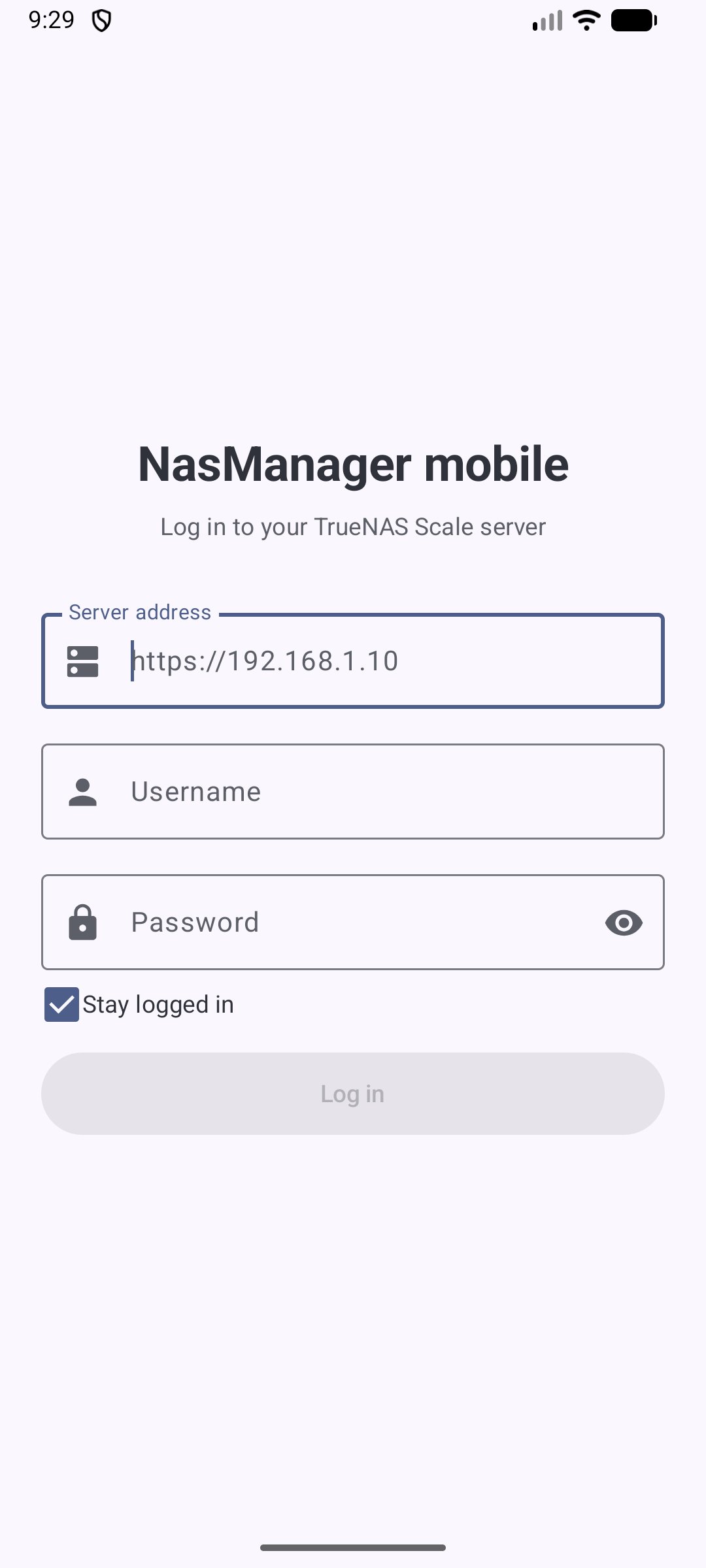
NasManager is an unofficial companion client for TrueNAS® SCALE servers. It talks directly to your server's REST API (/api/v2.0): no account to create, no intermediate server, no tracking, no ads.
Dashboard
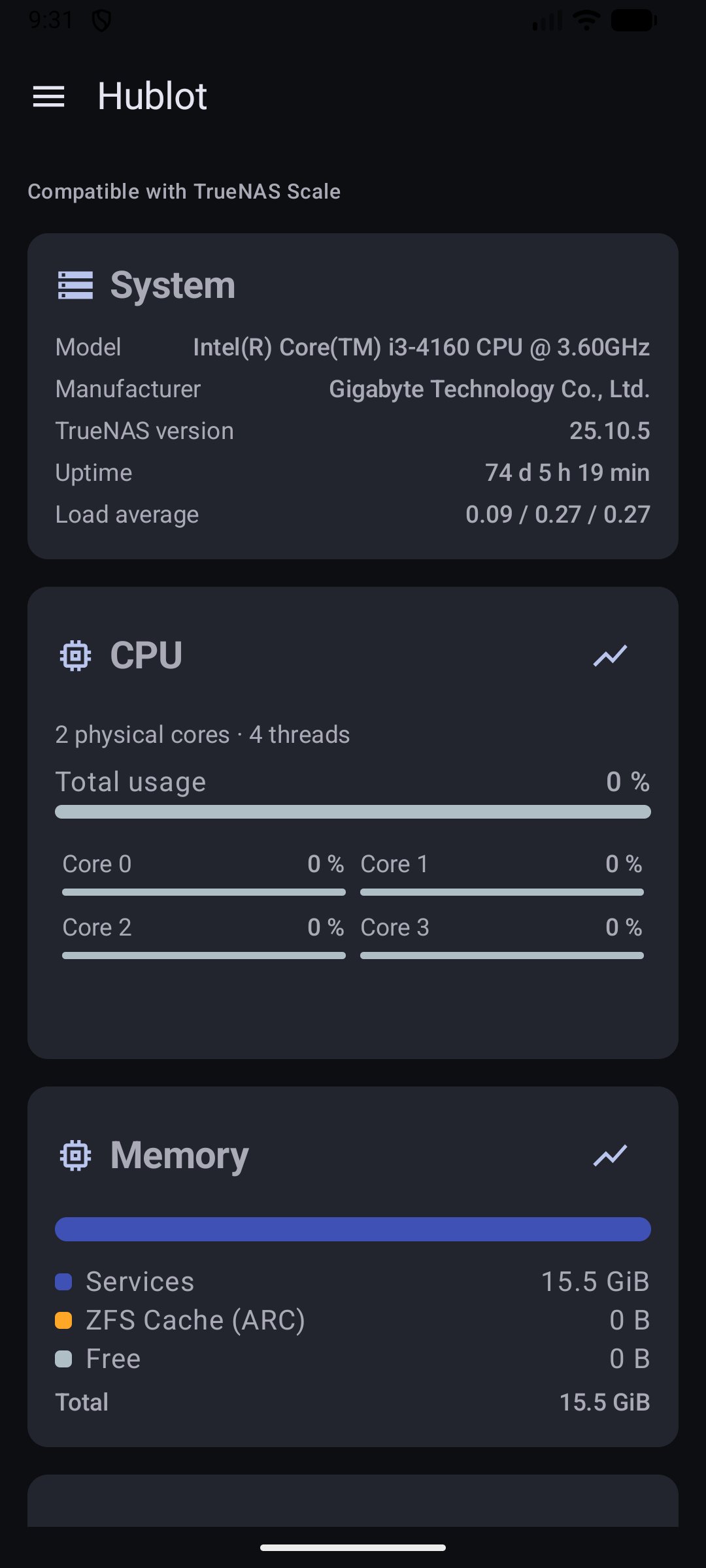
• System information, CPU (total and per core), memory (Services / ZFS Cache / Free, same breakdown as the TrueNAS web dashboard), pools and storage
• CPU, memory and pools refreshed every 2 seconds
Reporting graphs
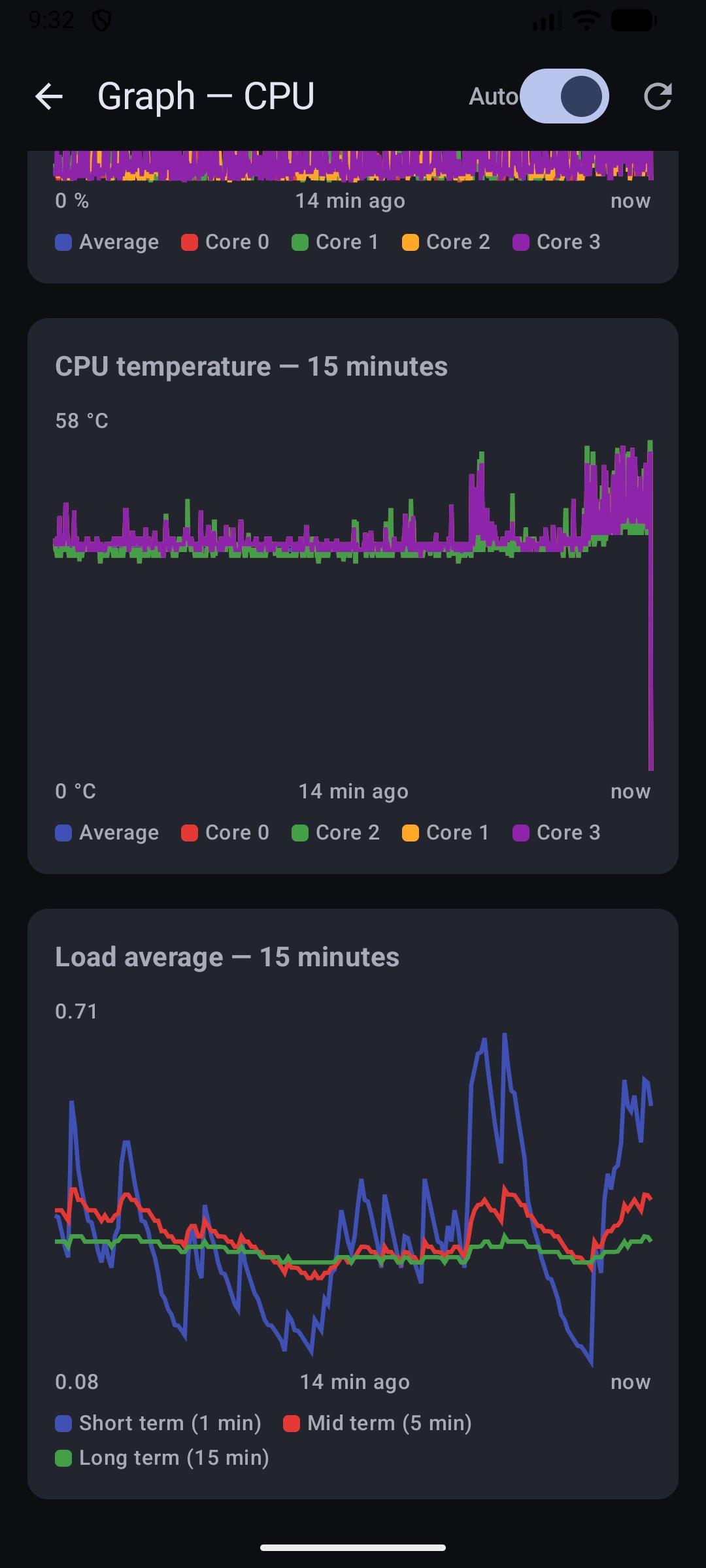
• CPU: usage (average and per core), temperature, load average
• Memory: available, used, ZFS cache (ARC)
• Time range from 5 minutes to 1 month, optional auto-refresh every 5 seconds
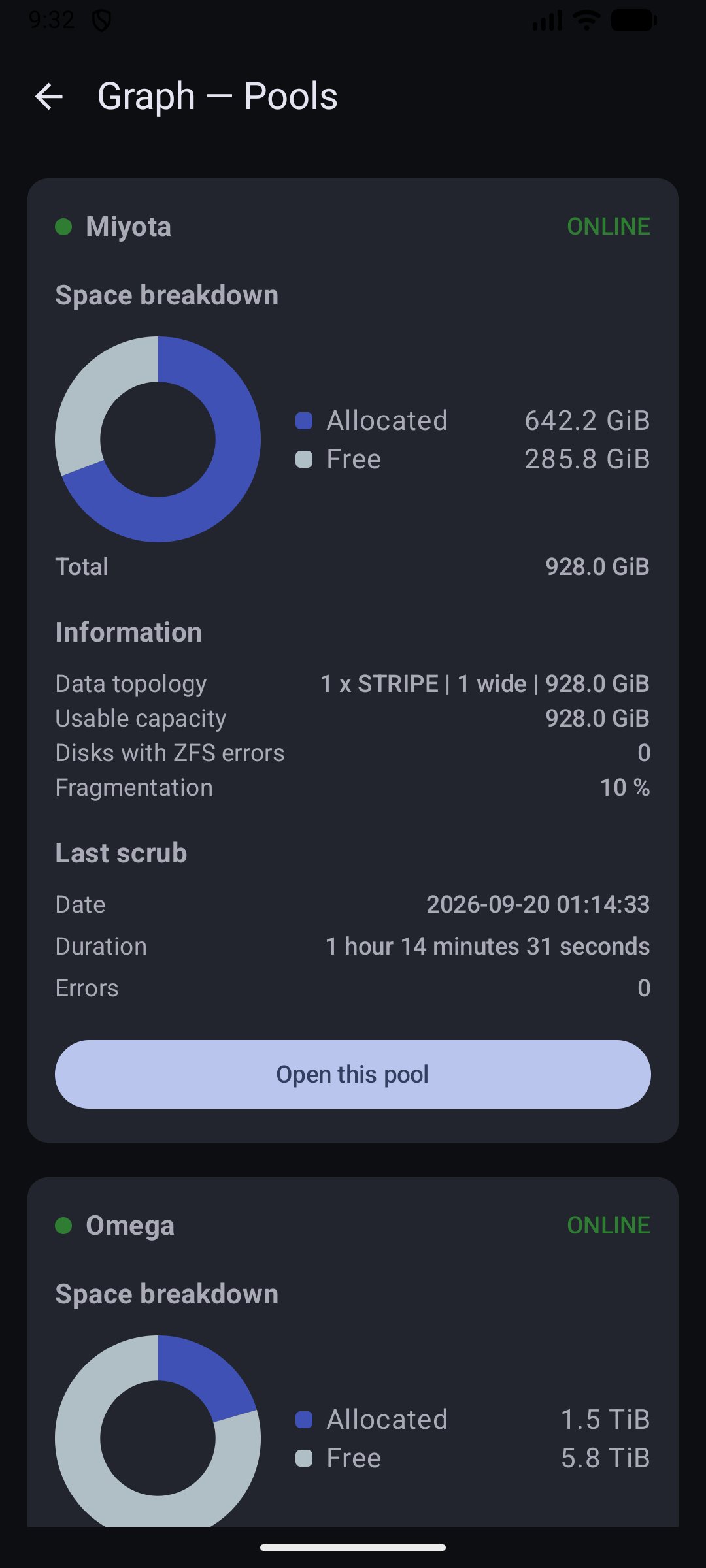
• Pools: space breakdown, topology, usable capacity, status, fragmentation, last scrub
• Per-disk detail: I/O and temperature graphs, with max / mean / min
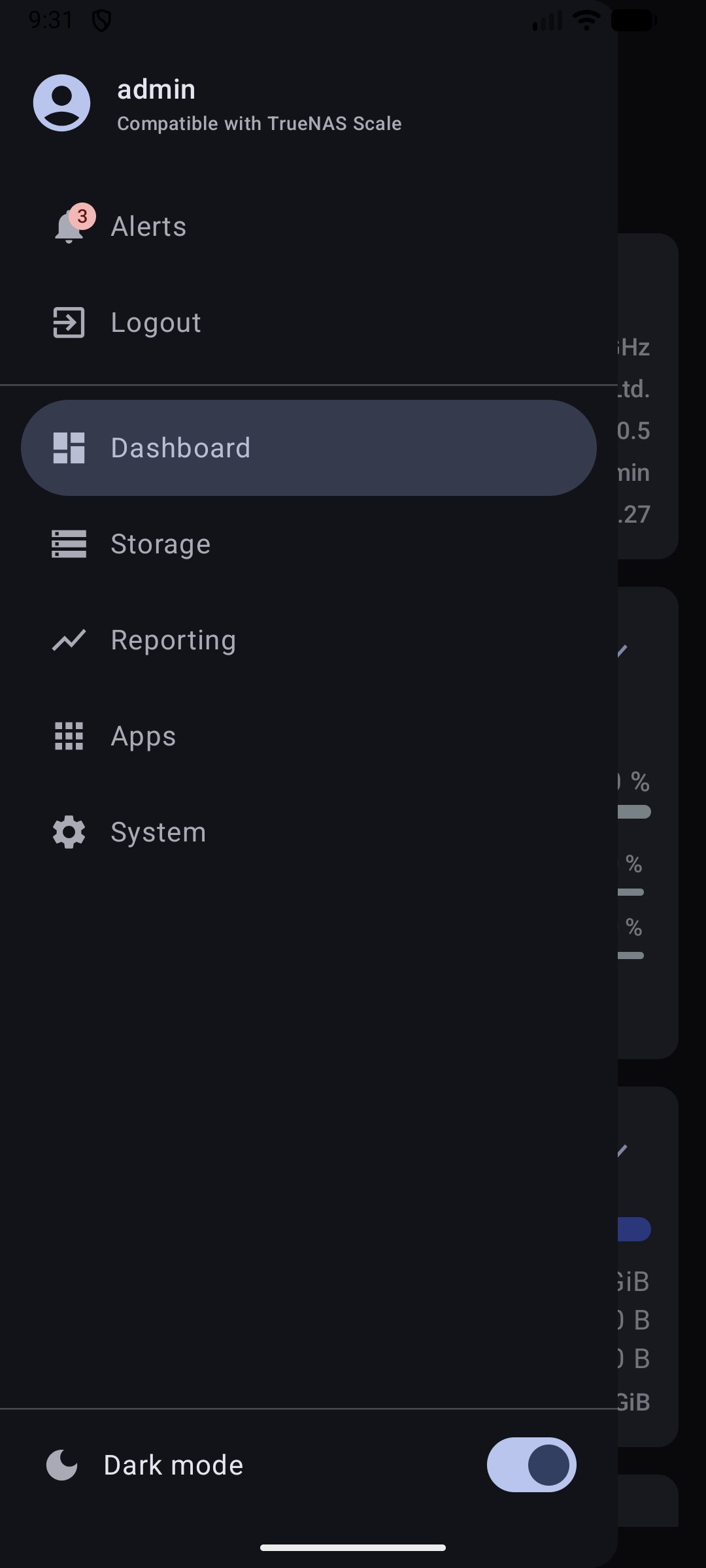
Alerts: list of active alerts with a badge in the menu, and a "Dismiss" button per alert (applied on the server, like in the web interface).
Apps: installed apps with their status, update one app or all of them at once.
System: general settings, network configuration and interfaces, boot environments (read-only).
Security and privacy — please read
• Authentication: TrueNAS SCALE has no REST login route, so the app uses HTTP Basic Auth: your username and password are sent with every request to your server. Use a TrueNAS account dedicated to the app with reduced permissions, rather than your main admin account.
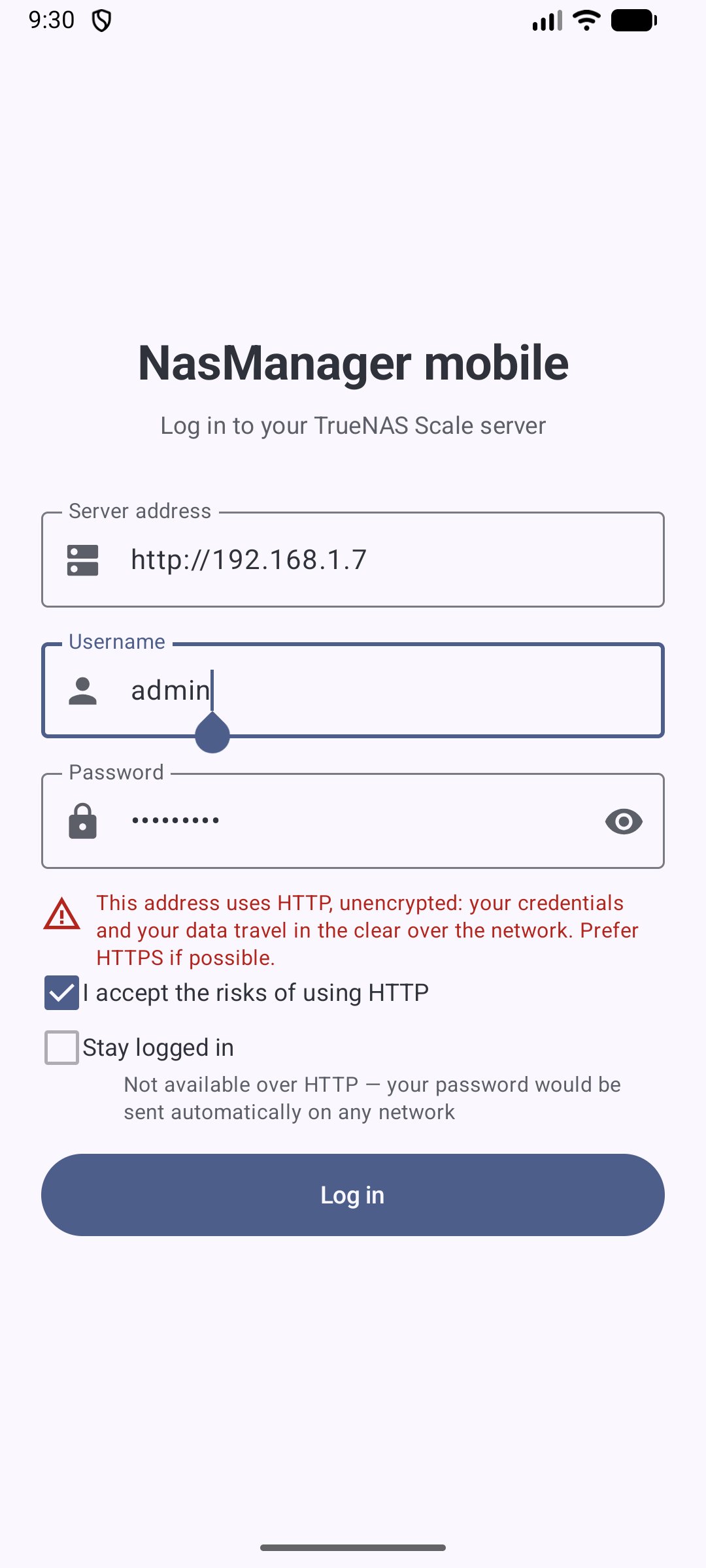
• Unencrypted HTTP: HTTPS is recommended. Plain HTTP (IP address or hostname) is possible, but only after you explicitly check a box accepting the risk: your credentials then travel in clear text on the network.
• Credential storage: by default, credentials are only kept in memory. If you check "Stay logged in", they are saved on the device, encrypted with a key held in the Android Keystore (EncryptedSharedPreferences). "Stay logged in" is unavailable for an HTTP address, so a saved password is never sent automatically in clear text.
• Network connections: the app only connects to the server address you enter, plus, on the Apps screen, the public TrueNAS icon CDN (media.sys.truenas.net) to display app icons. Your credentials are never sent to that CDN.
Requirements and limits
• A TrueNAS SCALE server reachable from your phone. With a self-signed certificate (TrueNAS default), install it in Android's security settings for HTTPS to work.
• No per-app CPU / memory / network usage: TrueNAS only exposes these metrics over WebSocket, not REST.
• "Discover Apps" (catalog browsing and install) is not available yet.
• Interface in English.
Free software, GPLv3 licensed.
TrueNAS® is a registered trademark of iXsystems, Inc. This app is an independent project, not affiliated with or endorsed by iXsystems.
License: GPL-3.0-or-later
Dashboard
• System information, CPU (total and per core), memory (Services / ZFS Cache / Free, same breakdown as the TrueNAS web dashboard), pools and storage
• CPU, memory and pools refreshed every 2 seconds
Reporting graphs
• CPU: usage (average and per core), temperature, load average
• Memory: available, used, ZFS cache (ARC)
• Time range from 5 minutes to 1 month, optional auto-refresh every 5 seconds
• Pools: space breakdown, topology, usable capacity, status, fragmentation, last scrub
• Per-disk detail: I/O and temperature graphs, with max / mean / min
Alerts: list of active alerts with a badge in the menu, and a "Dismiss" button per alert (applied on the server, like in the web interface).
Apps: installed apps with their status, update one app or all of them at once.
System: general settings, network configuration and interfaces, boot environments (read-only).
Security and privacy — please read
• Authentication: TrueNAS SCALE has no REST login route, so the app uses HTTP Basic Auth: your username and password are sent with every request to your server. Use a TrueNAS account dedicated to the app with reduced permissions, rather than your main admin account.
• Unencrypted HTTP: HTTPS is recommended. Plain HTTP (IP address or hostname) is possible, but only after you explicitly check a box accepting the risk: your credentials then travel in clear text on the network.
• Credential storage: by default, credentials are only kept in memory. If you check "Stay logged in", they are saved on the device, encrypted with a key held in the Android Keystore (EncryptedSharedPreferences). "Stay logged in" is unavailable for an HTTP address, so a saved password is never sent automatically in clear text.
• Network connections: the app only connects to the server address you enter, plus, on the Apps screen, the public TrueNAS icon CDN (media.sys.truenas.net) to display app icons. Your credentials are never sent to that CDN.
Requirements and limits
• A TrueNAS SCALE server reachable from your phone. With a self-signed certificate (TrueNAS default), install it in Android's security settings for HTTPS to work.
• No per-app CPU / memory / network usage: TrueNAS only exposes these metrics over WebSocket, not REST.
• "Discover Apps" (catalog browsing and install) is not available yet.
• Interface in English.
Free software, GPLv3 licensed.
TrueNAS® is a registered trademark of iXsystems, Inc. This app is an independent project, not affiliated with or endorsed by iXsystems.
License: GPL-3.0-or-later
| Release info | Update on Nov 08, 2026 |
|---|---|
| Release notes | ? Breaking change: TrueNAS SCALE 25.04 or later required The app now talks to TrueNAS over its WebSocket JSON-RPC API (/api/current) instead of the REST API (/api/v2.0). TrueNAS deprecated REST in 25.04 and removes it in TrueNAS 27, and 25.10.1+ already warns about its use. TrueNAS SCALE 24.10 and earlier can no longer connect. If your server runs one of these versions, stay on v1.2.2 until you upgrade it. Tested on TrueNAS SCALE 25.10. What's new o API key login: paste a TrueNAS API key in the password field to log in with it instead of your password. Only over HTTPS: an API key is never sent over an unencrypted connection. o More robust connection: a single authenticated session per login, which reconnects on its own after a network drop. If the server refuses your credentials on reconnect (password changed, API key revoked), you are signed out instead of silently retrying. o Apps: the Start/Stop button alone now shows whether an app is running (the status dot is gone; still announced to screen readers). Under the hood o All dashboard, reporting, alerts, apps and system calls moved to their JSON-RPC equivalents. o The Android 17 local network notice from 1.2.2 still works with the new connection. o New unit tests for the RPC client and the local network regression. Thanks Huge thanks to @naorleizer, who proposed and built this migration (#6) and tested it end-to-end on TrueNAS SCALE 25.10 and Android 17. Full changelog: v1.2.2...v1.3.0 |
| Listing data | F-Droid |
Reviews
No reviews yet. Be the first to review NasManager.
Used NasManager? Tell other visitors what you thought.
Log in to write a reviewOther products by this publisher
- "No Distractions" for YouTube 4.10 ----
- #Bible 11.6 "Incredible App - My sister shared this app with me a few weeks ago and it is truly incredible.
- #filmphotography 1.4.2 So, you decided to shoot on film?
- $quirrel 1.5.1 $quirrel Budget & Finance helps you plan each paycheck, track spending, manage debt, and see what is safe to spend before the next payday.
- % Percentage Calculator Pro 1.41 This is the Pro version of % Percentage Calculator.
Most viewed Android Internet
-
1
 Offline Web Search 1.0.39
Search curated websites, blogs, and RSS feeds completely offline and privately.
- 2 NOVA 0.1.41 Open-source client for Unraid® NAS servers
-
3
 URSA 1.3.4
Native Android client for Uptime Kuma with FOSS push, no Google services.
-
4
 Nextcloud Pantry 0.38.0
Shared household lists, photos & notes on your own server — and on your watch.
-
5
 Brevier 0.23.1
A reading browser: the web without JavaScript, set in your own type
- 6 Husk 1.4 Turn a spare Android phone into a remote camera and control rig
- 7 Intra 1.5.1 Encrypted DNS client
- 8 Phylax 2.13 Viewer for Frigate NVR with smart URL switching and notifications
-
9
 Atrium 1.10.2
Control your self-hosted media stack from one app
- 10 Jami 20260807-01 Share, freely and privately
Most downloaded Android Internet
- 1 Citrine 3.2.1 Nostr relay for Android
-
2
 Twig 1.18.1
Dual-pane file manager: archives, SFTP, SMB, WebDAV, S3, restic, Jellyfin
-
3
 Volksverpetzer 2.5.5
Read Volksverpetzer fact checks, analysis and articles on your mobile phone.
-
4
Brevier 0.23.1
A reading browser: the web without JavaScript, set in your own type
-
5
 Punch-hole Download Progress 2.11.0
Xposed module showing download progress around the camera cutout
- 6 Filester 3.4.0 Temporary cloud storage for fast, private file sharing
- 7 Cryptomator 2.1.0 Put a lock on your cloud: Take the security of your data into your own hands
- 8 kitshn (for Tandoor) 2.1.6 An unofficial client for the self-hosted Tandoor recipe management software.
-
9
 Webview Kiosk 0.26.26
Turn your Android device into a locked-down web page in fullscreen mode.
-
10
 RCX - Rclone for Android 1.12.2
A file manager for Android, using rclone for the heavy lifting.