12downloads
0this week
FreeCommercial
0reviews
Screenshots
About MyCam Pro
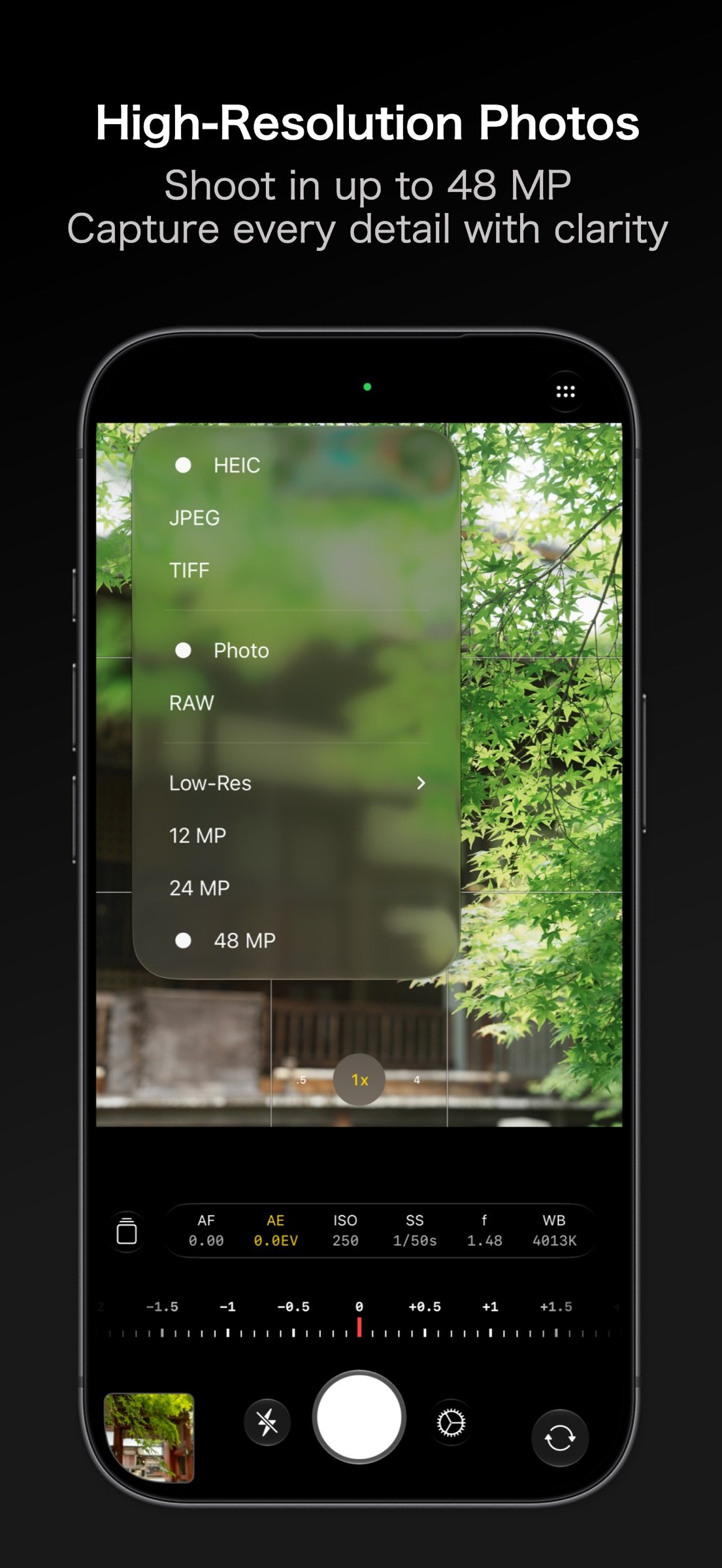
? 48 MP / 24 MP rear and 18 MP front photos
? iPhone Duo support with 16 MP photos and Duo Preview
? Apple ProRAW / Bayer RAW capture
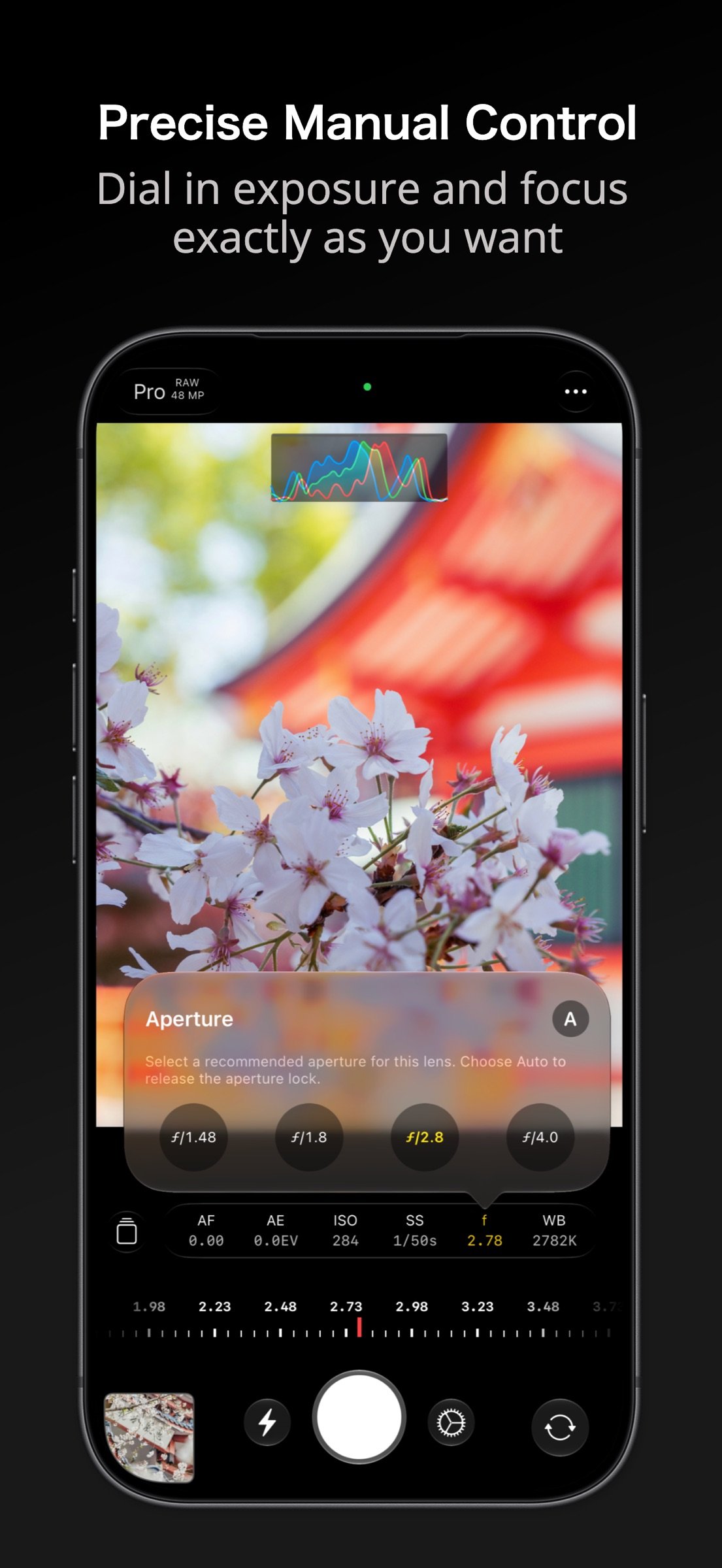
? Manual shutter speed / ISO / white balance / focus / aperture
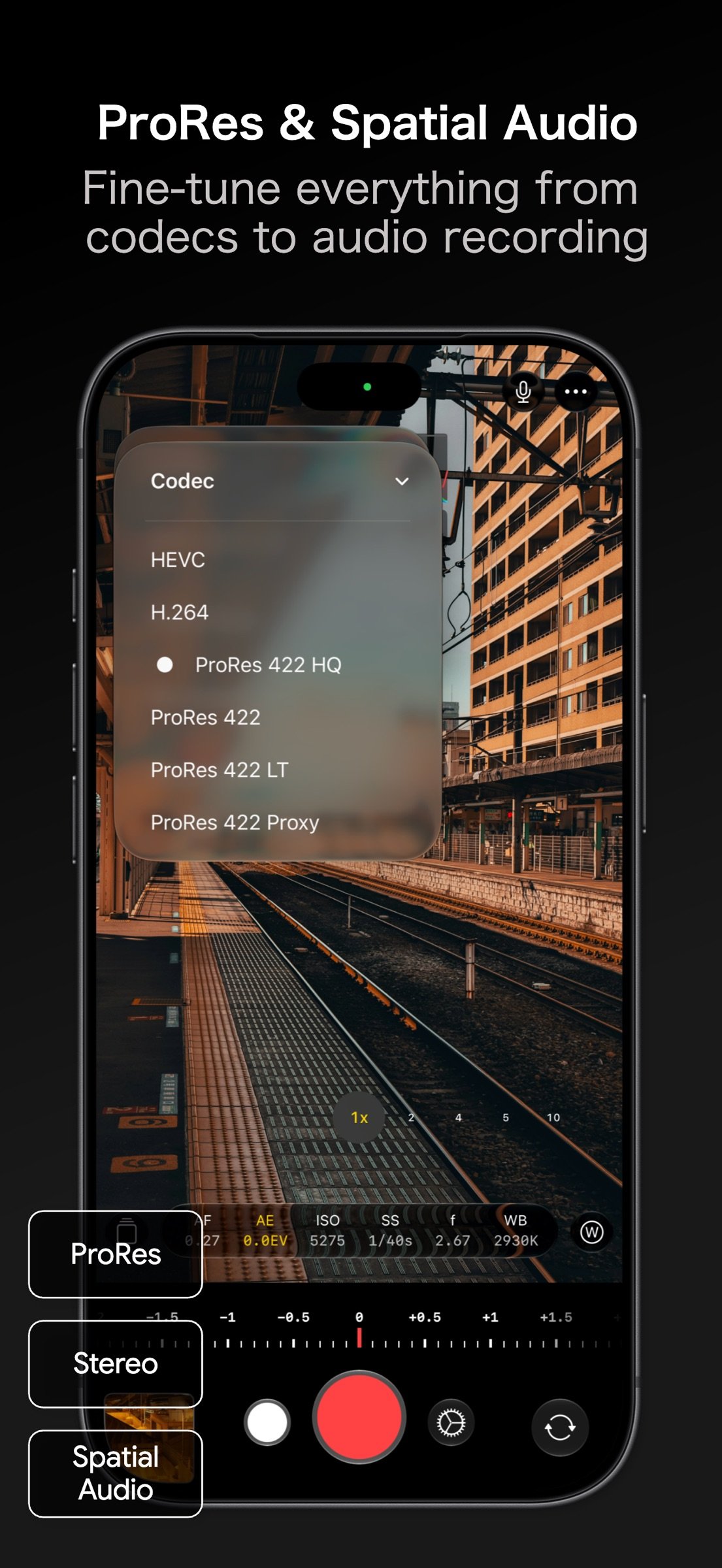
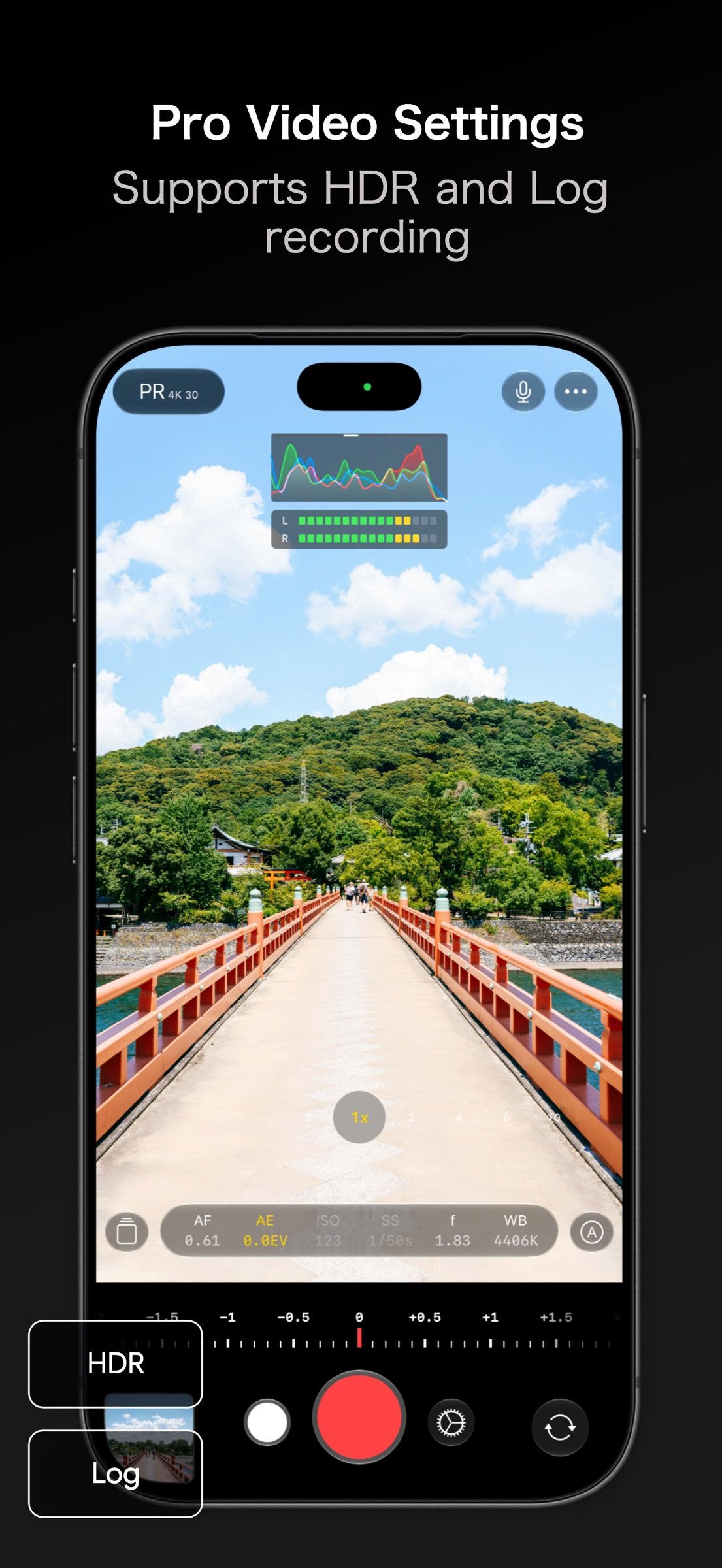
? 4K / Log / ProRes video
? Cinematic stabilization for smooth handheld video
? Powerful tools to edit photos your way
? About MyCam Pro 2
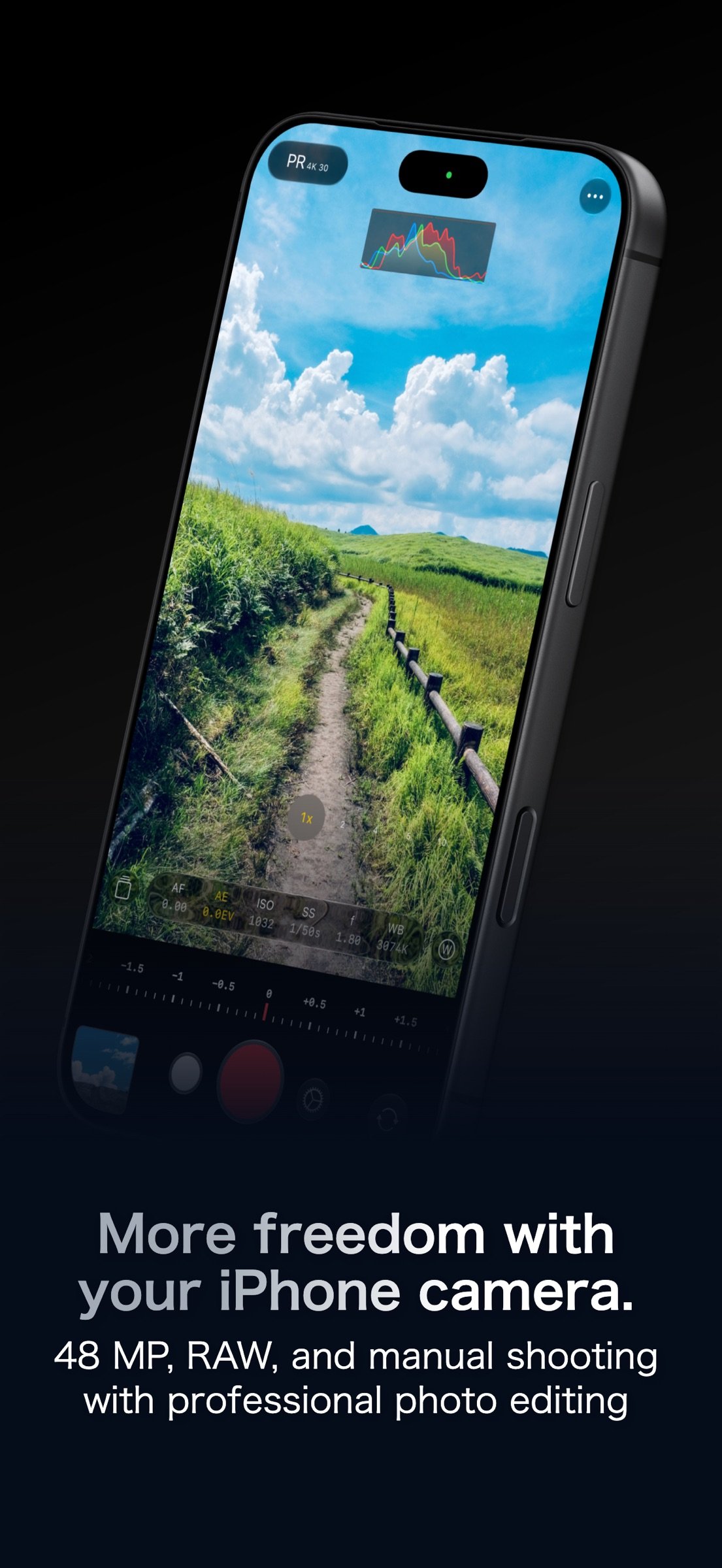
MyCam Pro 2 brings high-resolution photos, RAW, manual controls, 4K, Log, ProRes, and more to your iPhone camera.
Focus peaking, zebras, histograms, photo editing, and Apple Watch integration give you greater control over every shot.
? Key Features
? Capture
- Photo
?48 MP / 24 MP rear camera
?18 MP front camera
?16 MP front camera *1
?Square-sensor aspect ratios on the front camera *2
?Live Photos
?Apple ProRAW / Bayer RAW (RAW / RAW+L)
?ProRAW formats (JPEG Lossless / JPEG-XL Lossless / Lossy)
?Aspect ratios (1:1 / 4:3 / 3:2 / 16:9 / 5:4 / 9:7 / 10:7)
?Responsive capture processing
?Deep Fusion
?Photo quality (Unprocessed / Standard / Processed)
?Formats (HEIC / JPEG / TIFF)
?Low-resolution capture (0.1 MP - 6 MP)
?Custom size (300px - 3000px)
?Date stamp
?LUT (.cube)
?QR scanning
?Face detection
?Portrait (depth map)
*1: iPhone Duo only.
*2: Square-sensor models only.
- Video
?4K video
?Resolution (HD / FHD / 4K / VGA)
?Frame rate (24 / 25 / 30 / 48 / 50 / 60 fps; up to 120 fps on supported devices)
?Stabilization (Standard / Cinematic)
?HDR (Rec.2020 HDR)
?Codec (HEVC / H.264 / ProRes; Log: ProRes) *3
?Color space (Rec.709 / P3 D65 / Rec.2020 HDR / Apple Log) *3
?Audio (Mono / Stereo / Spatial Audio) *4
?Audio meter (Off / Line / Segments)
?Apple ProRes Log
?Cinematic video
?Time-lapse
?Slow motion
?Quick video
*3: Combinations vary by device and settings. Log uses ProRes.
*4: Spatial Audio requires a supported device.
- Capture Tools
?Manual controls (Focus / Exposure / Shutter / ISO / WB / Aperture)
?Exposure (Auto / Manual / Shutter Priority / Aperture Priority) *5
?Lenses (Ultra Wide / Wide / Telephoto / Auto)
?Macro toggle
?Histogram (RGB / Luma Waveform / Luma Bar)
?Focus Peaking / Zebras
?Grid / Level
?Timer / Interval
?Flash / Torch
?AirPods remote shutter
?Bluetooth remote shutter
?Metadata editing
*5: Shutter / Aperture Priority require variable aperture.
? Photo Editing
?Brightness / Contrast / Temperature / Vibrance
?Highlights / Shadows / Vignette
?Film-style effects
?Tone Curve
?64 filters
?40 light leaks
?20 scratch effects
?Grain / Blur / Skin correction
?LUT (.cube)
?Editing presets
? Gallery & Media
?View / edit EXIF
?Automatic photo editing
?Resize / rotate / duplicate photos
?Save to Photos / Files / Lightbox
?Biometric-protected private folder
? Widgets
?Home Screen / Lock Screen / Control widgets
?Live Activities
?Shortcut buttons are customizable.
? Quick Access
?Quick launch from Lock Screen Camera Control
?Quick Actions
?Action Button
? iPhone Duo
?Inner and outer display support
?Duo Preview (real-time preview on the outer display)
? Apple Watch
?Real-time preview
?Remote capture
?Photo preview
?Live Activities
? Integrations
?Shortcuts app
?Share Sheet
? Notes
?In-app purchase required for:
?4K / 60 fps video
?Cinematic stabilization
?Cinematic video
?Apple ProRes Log
?Slow motion
?Time-lapse
?Batch photo auto-edit / rotate / resize
?LUT (.cube) in Photo mode
?Some filters
?Biometric-protected private folder
?TIFF cannot be used with Live Photos, RAW, 18 MP, or 24 MP.
?18 MP / 24 MP are unavailable when saving to Files. Lock Screen captures are saved to Photos.
?4K / 60 fps ProRes requires external storage with 220 MB/s+ write speed and max power use of 4.5 W. 4K / 120 fps requires 440 MB/s+.
?On-device ProRes can use Pro Video Storage on supported devices with iOS 27 or later.
?48 MP rear photos are available on numbered iPhone models from iPhone 14 Pro onward.
MyCam Pro 2 is continuously updated for new iOS technologies and improved stability.
For requests or bugs, use Feedback in the app.
Contact: contact.dev.n.m@gmail.com
License: Commercial
? iPhone Duo support with 16 MP photos and Duo Preview
? Apple ProRAW / Bayer RAW capture
? Manual shutter speed / ISO / white balance / focus / aperture
? 4K / Log / ProRes video
? Cinematic stabilization for smooth handheld video
? Powerful tools to edit photos your way
? About MyCam Pro 2
MyCam Pro 2 brings high-resolution photos, RAW, manual controls, 4K, Log, ProRes, and more to your iPhone camera.
Focus peaking, zebras, histograms, photo editing, and Apple Watch integration give you greater control over every shot.
? Key Features
? Capture
- Photo
?48 MP / 24 MP rear camera
?18 MP front camera
?16 MP front camera *1
?Square-sensor aspect ratios on the front camera *2
?Live Photos
?Apple ProRAW / Bayer RAW (RAW / RAW+L)
?ProRAW formats (JPEG Lossless / JPEG-XL Lossless / Lossy)
?Aspect ratios (1:1 / 4:3 / 3:2 / 16:9 / 5:4 / 9:7 / 10:7)
?Responsive capture processing
?Deep Fusion
?Photo quality (Unprocessed / Standard / Processed)
?Formats (HEIC / JPEG / TIFF)
?Low-resolution capture (0.1 MP - 6 MP)
?Custom size (300px - 3000px)
?Date stamp
?LUT (.cube)
?QR scanning
?Face detection
?Portrait (depth map)
*1: iPhone Duo only.
*2: Square-sensor models only.
- Video
?4K video
?Resolution (HD / FHD / 4K / VGA)
?Frame rate (24 / 25 / 30 / 48 / 50 / 60 fps; up to 120 fps on supported devices)
?Stabilization (Standard / Cinematic)
?HDR (Rec.2020 HDR)
?Codec (HEVC / H.264 / ProRes; Log: ProRes) *3
?Color space (Rec.709 / P3 D65 / Rec.2020 HDR / Apple Log) *3
?Audio (Mono / Stereo / Spatial Audio) *4
?Audio meter (Off / Line / Segments)
?Apple ProRes Log
?Cinematic video
?Time-lapse
?Slow motion
?Quick video
*3: Combinations vary by device and settings. Log uses ProRes.
*4: Spatial Audio requires a supported device.
- Capture Tools
?Manual controls (Focus / Exposure / Shutter / ISO / WB / Aperture)
?Exposure (Auto / Manual / Shutter Priority / Aperture Priority) *5
?Lenses (Ultra Wide / Wide / Telephoto / Auto)
?Macro toggle
?Histogram (RGB / Luma Waveform / Luma Bar)
?Focus Peaking / Zebras
?Grid / Level
?Timer / Interval
?Flash / Torch
?AirPods remote shutter
?Bluetooth remote shutter
?Metadata editing
*5: Shutter / Aperture Priority require variable aperture.
? Photo Editing
?Brightness / Contrast / Temperature / Vibrance
?Highlights / Shadows / Vignette
?Film-style effects
?Tone Curve
?64 filters
?40 light leaks
?20 scratch effects
?Grain / Blur / Skin correction
?LUT (.cube)
?Editing presets
? Gallery & Media
?View / edit EXIF
?Automatic photo editing
?Resize / rotate / duplicate photos
?Save to Photos / Files / Lightbox
?Biometric-protected private folder
? Widgets
?Home Screen / Lock Screen / Control widgets
?Live Activities
?Shortcut buttons are customizable.
? Quick Access
?Quick launch from Lock Screen Camera Control
?Quick Actions
?Action Button
? iPhone Duo
?Inner and outer display support
?Duo Preview (real-time preview on the outer display)
? Apple Watch
?Real-time preview
?Remote capture
?Photo preview
?Live Activities
? Integrations
?Shortcuts app
?Share Sheet
? Notes
?In-app purchase required for:
?4K / 60 fps video
?Cinematic stabilization
?Cinematic video
?Apple ProRes Log
?Slow motion
?Time-lapse
?Batch photo auto-edit / rotate / resize
?LUT (.cube) in Photo mode
?Some filters
?Biometric-protected private folder
?TIFF cannot be used with Live Photos, RAW, 18 MP, or 24 MP.
?18 MP / 24 MP are unavailable when saving to Files. Lock Screen captures are saved to Photos.
?4K / 60 fps ProRes requires external storage with 220 MB/s+ write speed and max power use of 4.5 W. 4K / 120 fps requires 440 MB/s+.
?On-device ProRes can use Pro Video Storage on supported devices with iOS 27 or later.
?48 MP rear photos are available on numbered iPhone models from iPhone 14 Pro onward.
MyCam Pro 2 is continuously updated for new iOS technologies and improved stability.
For requests or bugs, use Feedback in the app.
Contact: contact.dev.n.m@gmail.com
License: Commercial
| Release info | Update on Nov 15, 2026 |
|---|---|
| Release notes | ? New Features ?Live Photos Editing Select a Live Photo in the photo library and tap the "Edit" button to choose between editing it as a still image or as a Live Photo. You can now edit Live Photos directly in MyCam Pro 2. ?Cropping You can now freely crop still images. Crop your photos to your preferred size. ? Improvements ?Redesigned Album Screen We've redesigned the Album screen to organize your captured photos by category. You can now change the order of the categories and pin your favorite categories to the top. Thank you for using MyCam Pro 2. If you have any questions, please check the "FAQ" in the app. If you need further assistance, please contact us through "Feedback" in the "Information" tab. |
| Listing data | App Store |
Reviews
No reviews yet. Be the first to review MyCam Pro.
Used MyCam Pro? Tell other visitors what you thought.
Log in to write a reviewOther products by this publisher
- "No Distractions" for YouTube 4.10 ----
- #Bible 11.6 "Incredible App - My sister shared this app with me a few weeks ago and it is truly incredible.
- #filmphotography 1.4.2 So, you decided to shoot on film?
- $quirrel 1.5.1 $quirrel Budget & Finance helps you plan each paycheck, track spending, manage debt, and see what is safe to spend before the next payday.
- % Percentage Calculator Pro 1.41 This is the Pro version of % Percentage Calculator.
Most viewed iOS Photo & Video
-
1
 ShortDiShow 2.0
Drama Quest Island — An offline interactive short-drama adventure.
-
2
 Infuse 8.5.10
Infuse: Enterprise provides the same great features as the standard version of Infuse and includes permanent access to all Pro features via a traditional paid app.
-
3
 AI Video Generator 2.0.3
Vixel – AI Video Generator
-
4
 OPlayer 4.8
Play all your videos directly without having to convert them!
-
5
 Necrometer II 1.2
Necrometer II is a paranormal investigation companion designed for ghost hunters and researchers.
-
6
 CapCut 20.1.0
CapCut offers easy-to-use video editing functions, in-APP fonts and effects, advanced features such as keyframe animation, smooth slow-motion, chroma key, and stabilization, to help you capture and snip moments.
- 7 #filmphotography 1.4.2 So, you decided to shoot on film?
-
8
 Ai Photo 1.1.2
AI Photo Retouch – BG Eraser
-
9
 Pop Dot Comics 1.48
Create a comic worthy of the Sunday newspaper or your favorite pulp-fiction cover.
-
10
 Analog Radio 3.0
The iPhone and iPad devices don't have the FM/AM radio antenna installed.
Most downloaded iOS Photo & Video
-
1
 DJI Fly 1.21.18
DJI Fly is designed to help pilots fly drones with ease.
-
2
Infuse 8.5.10
Infuse: Enterprise provides the same great features as the standard version of Infuse and includes permanent access to all Pro features via a traditional paid app.
-
3
Analog Radio 3.0
The iPhone and iPad devices don't have the FM/AM radio antenna installed.
-
4
 TurboCollage Automatic 1.2.4
#1 Easy automatic photo collage maker for iPhone & iPad.
-
5
 ReelyGo 1.1.42
ReelyGo: Your Daily Drama Escape
-
6
 Rozeta Sequencer Suite 1.3.16
Rozeta is a suite of MIDI sequencers and controllers that lets you explore a new, freeform approach to sequencing and controlling mobile music apps.
-
7
 Treblo 1.6.6
Make songs with the world's best AI music model.
-
8
Pop Dot Comics 1.48
Create a comic worthy of the Sunday newspaper or your favorite pulp-fiction cover.
-
9
 AGAIN. Rehearsal Notes 2.0.1
AGAIN. is the rehearsal app that remembers why the band stopped — and, new in Version 2, who said what in a writing session or a table read.
-
10
 Sun Scout 1.5.0
If your work or play requires sunlight, Sun Scout is built for you.