
MotionCam Pro 5.0.2
MotionCam Pro is for creators who want more from their phone camera.
Download
47.61 MB
0downloads
0this week
FreeCommercial
0reviews
Screenshots
About MotionCam Pro
MotionCam Pro is for creators who want more from their phone camera.
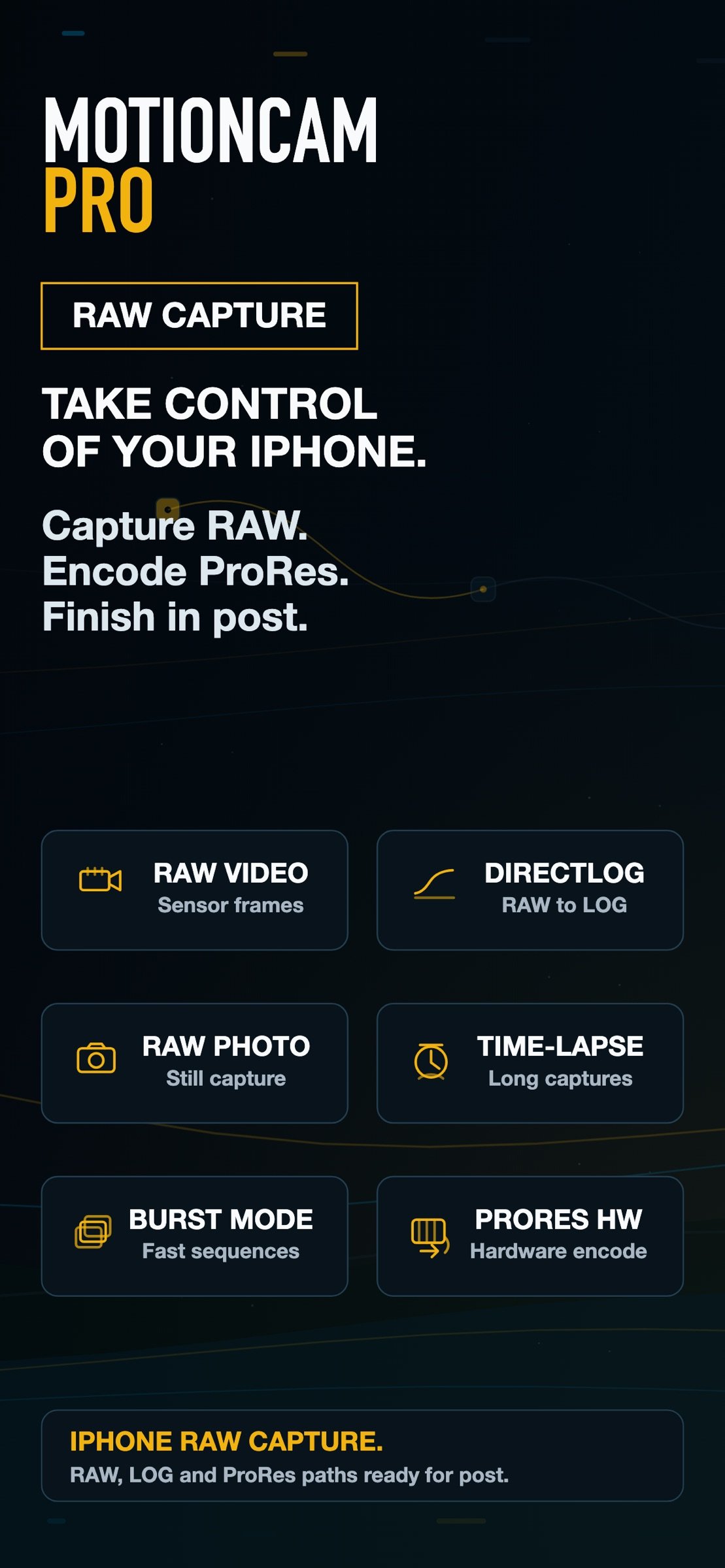
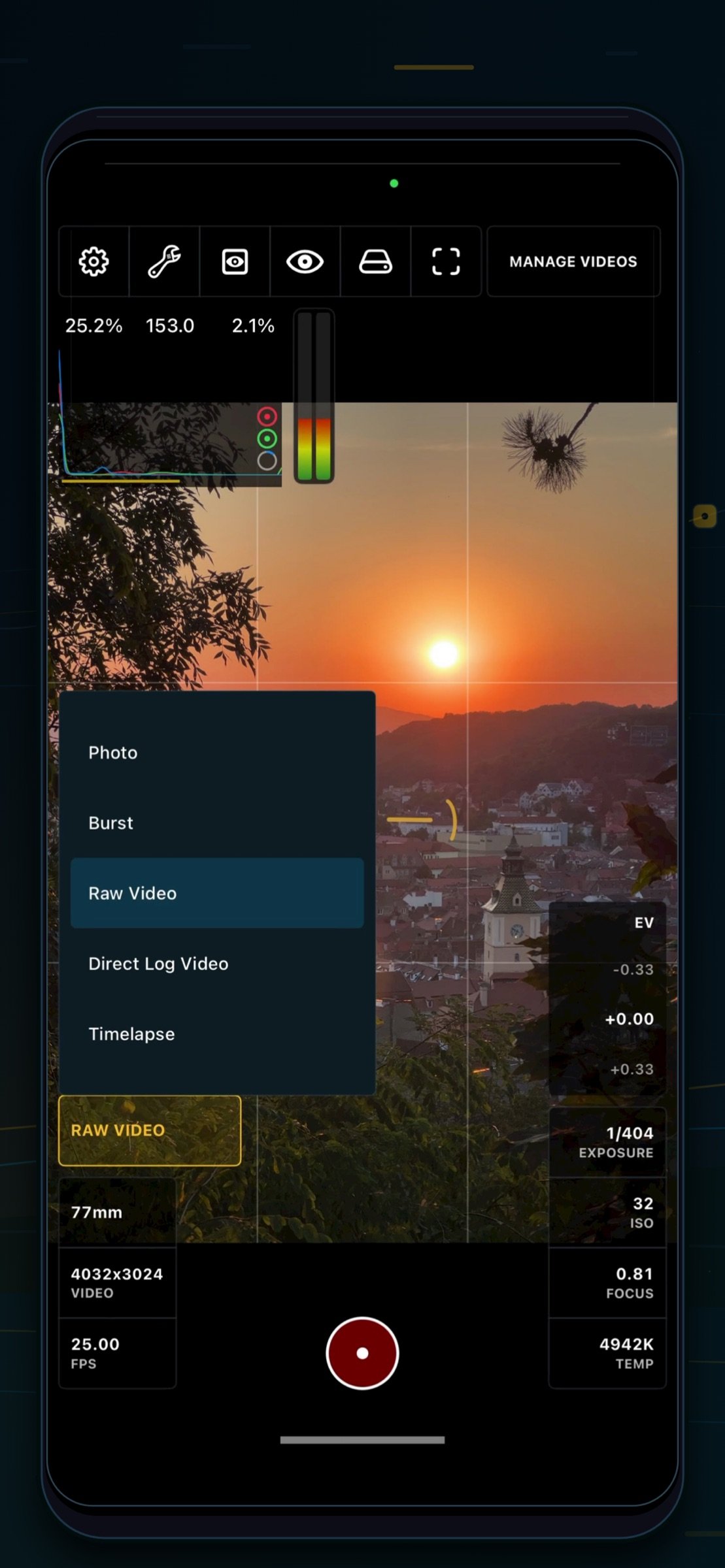
Capture RAW video, RAW photos, DirectLog video, time-lapse and burst sequences, then render or process your footage with a workflow built for grading and real post-production.
Most phones shape the image through a default processing pipeline, giving footage a fixed “phone look” before you ever start editing. MotionCam Pro is built around RAW sensor data, so you can monitor the signal, protect highlights and shape the final image yourself.
Made for filmmakers, photographers and curious creators who want to learn, test, take control and keep improving their images.
Capture with more control:
- RAW video capture from the camera sensor
- RAW photo, burst and time-lapse modes
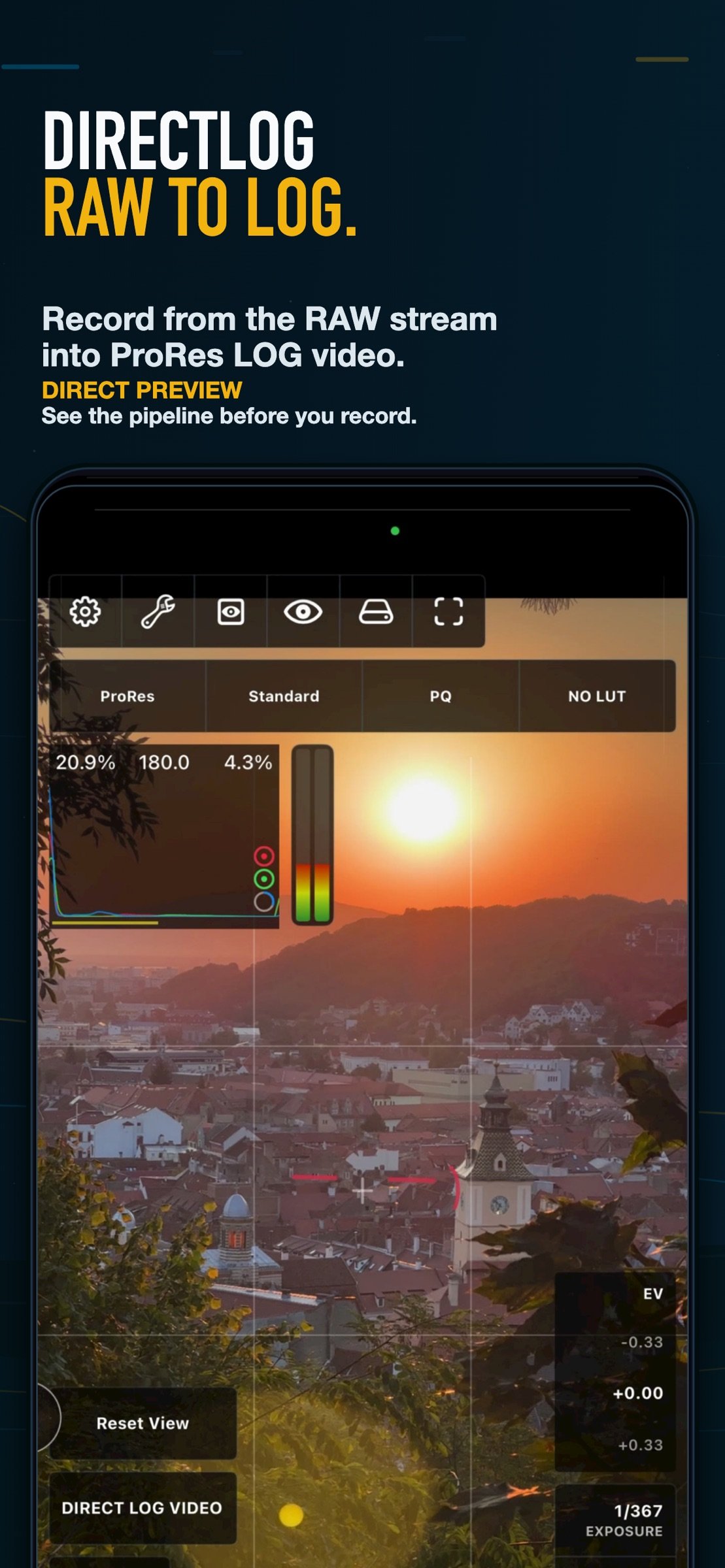
- DirectLog video for real-time RAW-to-LOG recording
- In-app rendering and export workflows
- ProRes, HEVC / H.265 and professional post-production options
Expose with confidence:
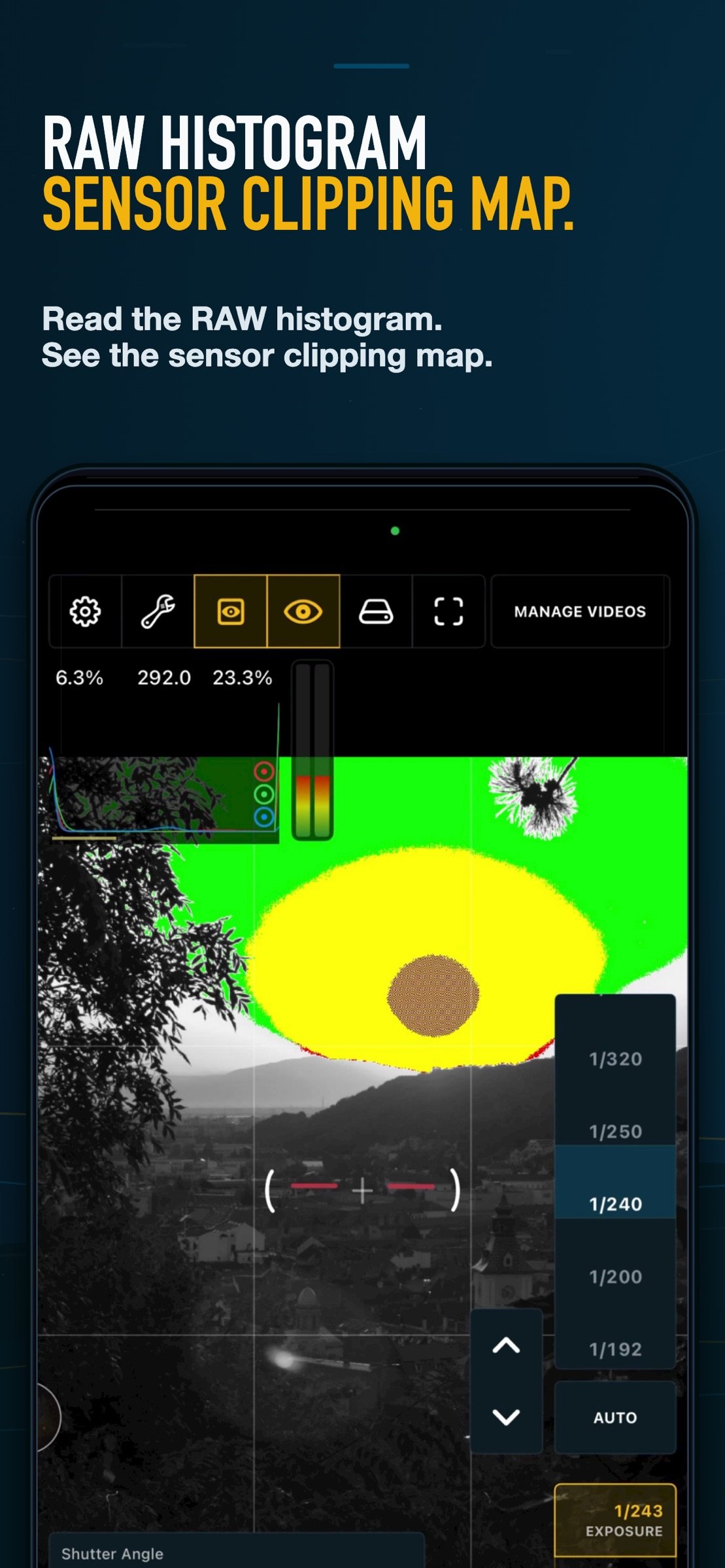
- RAW histogram
- Sensor clipping map by RGB channel
- False color monitoring
- Focus peaking
- Direct Preview to see the pipeline before recording
Shape your look:
- ACES color pipeline
- DCP profiles
- LUT support
- Wide-gamut workflows
- LOG outputs for grading in professional tools
Continue your workflow beyond the phone:
- Render on device
- Process footage on desktop with MotionCam Tools for PC and macOS
- Export for professional editing and color grading workflows
Join more than 10,000 MotionCam users in the community to learn, test, share workflows and improve your results:
[link removed]
License: Commercial
Capture RAW video, RAW photos, DirectLog video, time-lapse and burst sequences, then render or process your footage with a workflow built for grading and real post-production.
Most phones shape the image through a default processing pipeline, giving footage a fixed “phone look” before you ever start editing. MotionCam Pro is built around RAW sensor data, so you can monitor the signal, protect highlights and shape the final image yourself.
Made for filmmakers, photographers and curious creators who want to learn, test, take control and keep improving their images.
Capture with more control:
- RAW video capture from the camera sensor
- RAW photo, burst and time-lapse modes
- DirectLog video for real-time RAW-to-LOG recording
- In-app rendering and export workflows
- ProRes, HEVC / H.265 and professional post-production options
Expose with confidence:
- RAW histogram
- Sensor clipping map by RGB channel
- False color monitoring
- Focus peaking
- Direct Preview to see the pipeline before recording
Shape your look:
- ACES color pipeline
- DCP profiles
- LUT support
- Wide-gamut workflows
- LOG outputs for grading in professional tools
Continue your workflow beyond the phone:
- Render on device
- Process footage on desktop with MotionCam Tools for PC and macOS
- Export for professional editing and color grading workflows
Join more than 10,000 MotionCam users in the community to learn, test, share workflows and improve your results:
[link removed]
License: Commercial
| Release info | New Release on Oct 13, 2026 |
|---|---|
| Release notes | - Added aperture control - Bug fixes |
| Listing data | App Store |
Reviews
No reviews yet. Be the first to review MotionCam Pro.
Used MotionCam Pro? Tell other visitors what you thought.
Log in to write a reviewOther products by this publisher
- #Bible 11.5 "Incredible App - My sister shared this app with me a few weeks ago and it is truly incredible.
- % Percentage Calculator Pro 1.41 This is the Pro version of % Percentage Calculator.
- (beat) for iOS 0.5.8 An elegant Fountain screenwriting app, created by a screenwriter for screenwriters.
- (Deep) HIARCS Chess Explorer 1.14 Chess database, analysis and game playing program
- (How to) Pronounce PRO 1.5.6 This is a PRO version of (How to) Pronounce.
Most viewed iOS Photo & Video
-
1
 AI Video Generator 1.8.2
Vixel – AI Video Generator
AI Video Generator 1.8.2
Vixel – AI Video Generator
-
2
 Sci-Fi Keyboard 3.0
Make your keyboard a Sci-Fi input panel.
Sci-Fi Keyboard 3.0
Make your keyboard a Sci-Fi input panel.
-
3
 Ai Photo 1.1.0
AI Photo Retouch – BG Eraser
Ai Photo 1.1.0
AI Photo Retouch – BG Eraser
-
4
 Locket Widget 2.69.0
Locket is a widget that shows live photos from your best friends, right to your Home Screen.
Locket Widget 2.69.0
Locket is a widget that shows live photos from your best friends, right to your Home Screen.
-
5
 TouchSiren Delta 3.1
--------------------------------------------------------------
TouchSiren Delta 3.1
--------------------------------------------------------------
-
6
 CapCut 19.7.0
CapCut offers easy-to-use video editing functions, in-APP fonts and effects, advanced features such as keyframe animation, smooth slow-motion, chroma key, and stabilization, to help you capture and snip moments.
CapCut 19.7.0
CapCut offers easy-to-use video editing functions, in-APP fonts and effects, advanced features such as keyframe animation, smooth slow-motion, chroma key, and stabilization, to help you capture and snip moments.
-
7
 Dance AI 1.1.0
CREATE YOUR AI DANCE VIDEOS
Dance AI 1.1.0
CREATE YOUR AI DANCE VIDEOS
-
8
 CNU 3.0.12
CNU?????????????????????,???????????????
CNU 3.0.12
CNU?????????????????????,???????????????
-
9
 Forum, a Facebook app 29.0
Facebook is great for keeping up with friends, watching videos, and staying connected.
Forum, a Facebook app 29.0
Facebook is great for keeping up with friends, watching videos, and staying connected.
-
10
 BeReal 4.96.1
BeReal is the simplest photo-sharing app where you and your friends post once a day to show what you’re really up to.
BeReal 4.96.1
BeReal is the simplest photo-sharing app where you and your friends post once a day to show what you’re really up to.
Most downloaded iOS Photo & Video
-
1
 Infuse 8.5.6
Infuse: Enterprise provides the same great features as the standard version of Infuse and includes permanent access to all Pro features via a traditional paid app.
Infuse 8.5.6
Infuse: Enterprise provides the same great features as the standard version of Infuse and includes permanent access to all Pro features via a traditional paid app.
-
2
 JLab 1.4.2
Compatible Models:
JLab 1.4.2
Compatible Models:
-
3
 Emoji Maker 3.11.2
Emoji Up is an emoji maker that lets you create your own custom emojis.
Emoji Maker 3.11.2
Emoji Up is an emoji maker that lets you create your own custom emojis.
-
4
 Open Source Selfie Stick 1.0
This app acts as a "virtual selfie stick." It lets one iOS device act as a remote control for the camera of another iOS device (two iOS devices are required).
Open Source Selfie Stick 1.0
This app acts as a "virtual selfie stick." It lets one iOS device act as a remote control for the camera of another iOS device (two iOS devices are required).
-
5
BeReal 4.96.1
BeReal is the simplest photo-sharing app where you and your friends post once a day to show what you’re really up to.
-
6
AI Video Generator 1.8.2
Vixel – AI Video Generator
-
7
 Letterboxd 4.12.6
Letterboxd for iOS puts the popular social network for film lovers on your iPhone or iPad, so you can log films and catch up on your friends’ activity with ease.
Letterboxd 4.12.6
Letterboxd for iOS puts the popular social network for film lovers on your iPhone or iPad, so you can log films and catch up on your friends’ activity with ease.
-
8
 Giggles 2.9
YOU'VE BEEN INVITED
Giggles 2.9
YOU'VE BEEN INVITED
-
9
 PixGallery for Google Photos 1.12
Watch all Google Photos with albums on Apple TV & Watch with simple connectivity.
PixGallery for Google Photos 1.12
Watch all Google Photos with albums on Apple TV & Watch with simple connectivity.
-
10
CapCut 19.7.0
CapCut offers easy-to-use video editing functions, in-APP fonts and effects, advanced features such as keyframe animation, smooth slow-motion, chroma key, and stabilization, to help you capture and snip moments.