
Momiji 1.1.2
Unofficial Remote Play: play your PS5 or PS4 on Android, at home and away
Download
13.60 MB
25downloads
3this week
FreeFreeware
0reviews
Screenshots
About Momiji
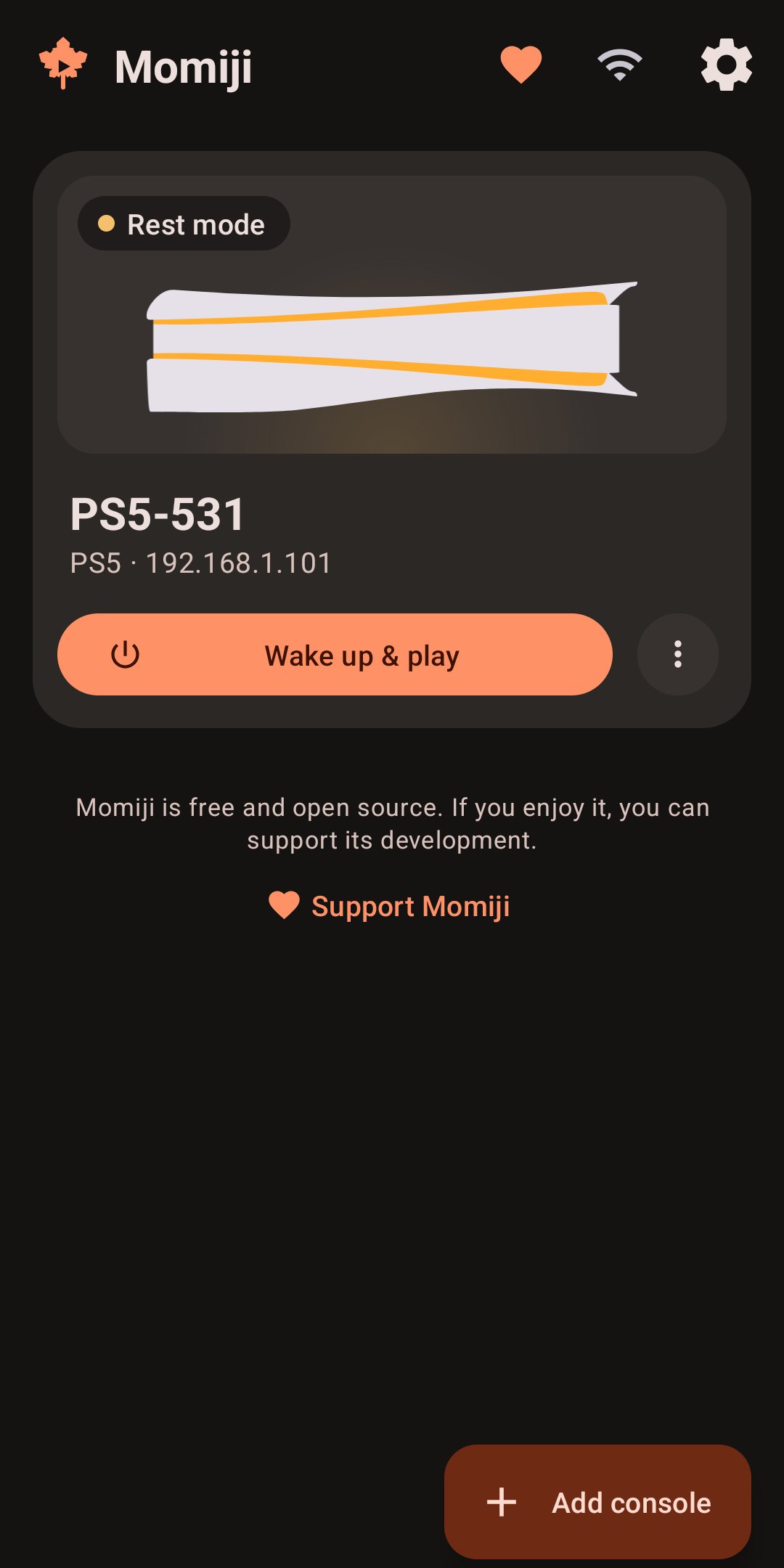
Momiji streams games from your PS5 or PS4 to your Android phone, tablet, TV box or Samsung DeX, at home or away. It's free and open source, with no ads or tracking.
Easy to set up
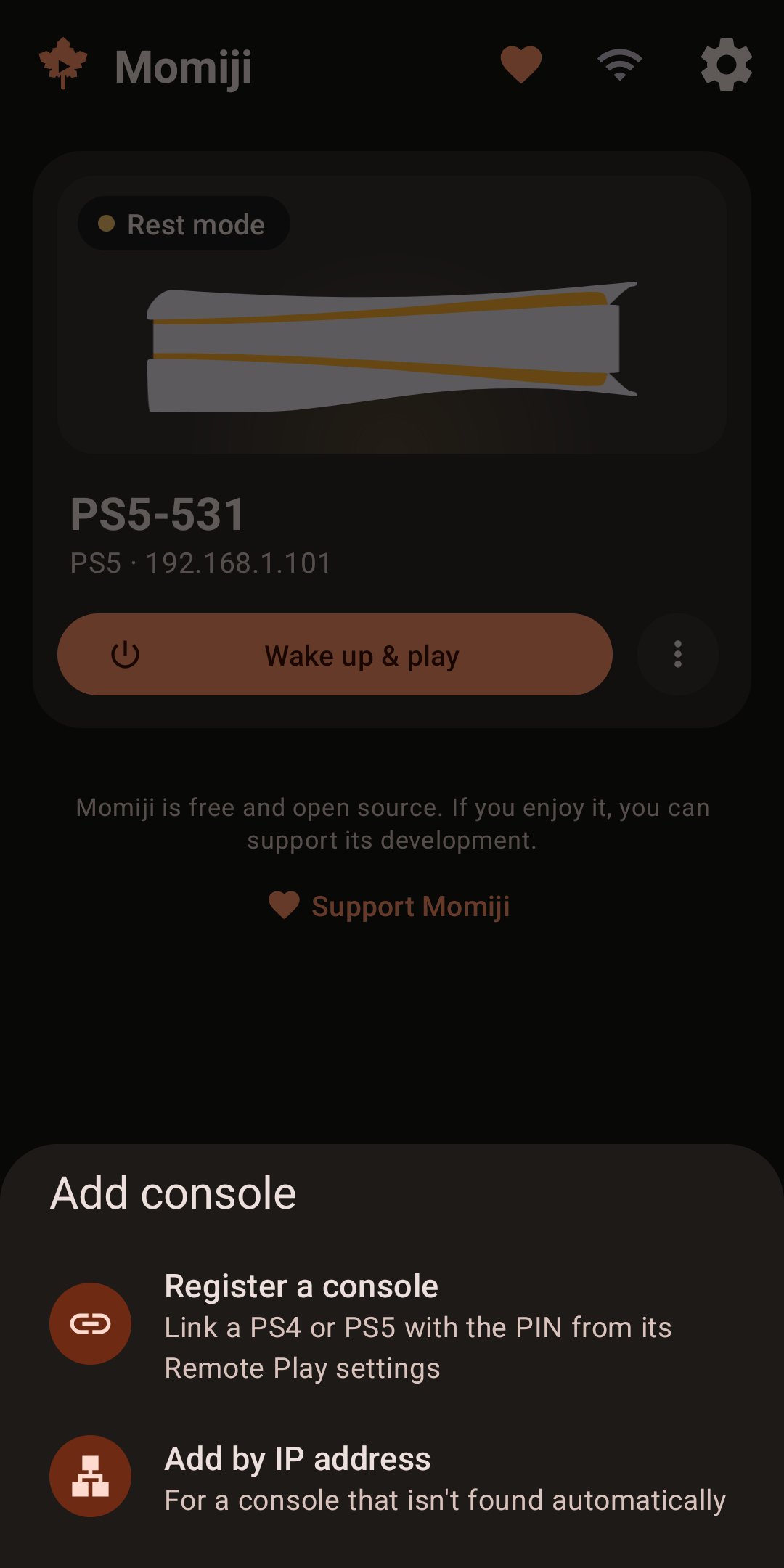
o Finds the consoles on your network and wakes them up from rest mode.
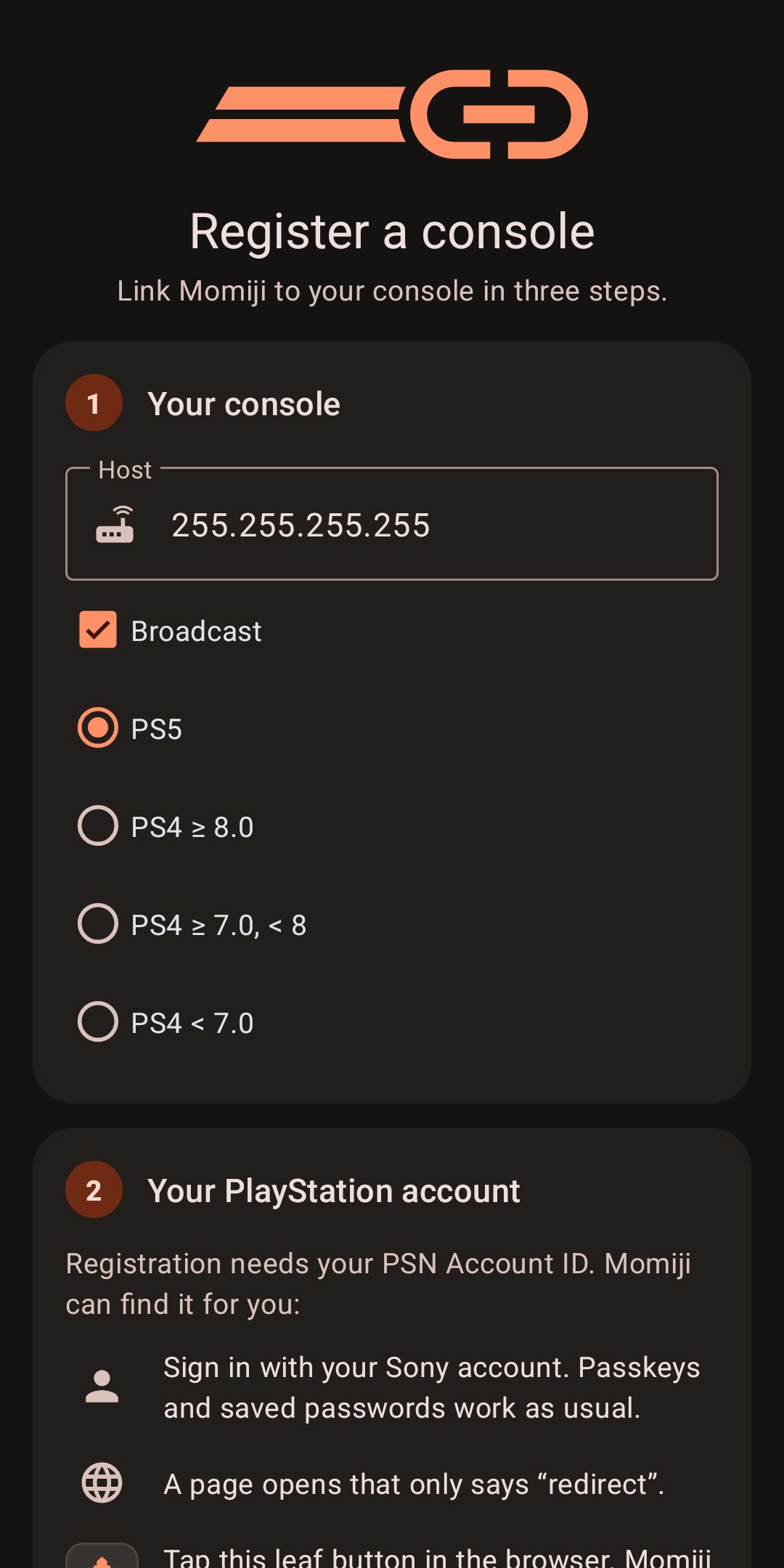
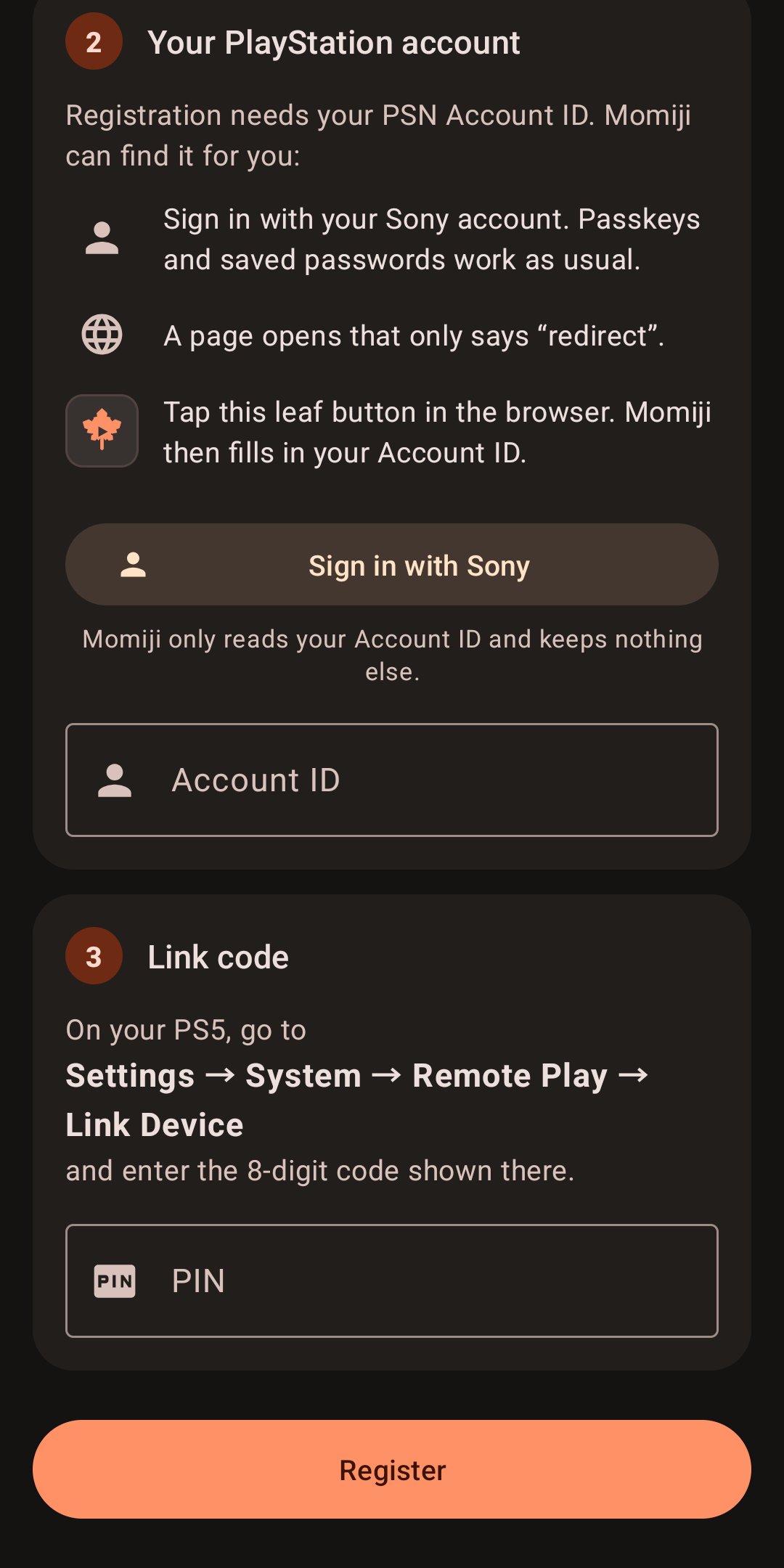
o Registration in three explained steps. Sign in with Sony in your browser (or inside Momiji on devices without one), and Momiji fills in your Account ID for you. Passkeys work too.
Play anywhere
o Away from home, your consoles connect through PlayStation Network once you sign in with Sony.
o Play a console in one tap from shortcuts, a Quick Settings tile, a widget or the Android TV home screen.
o Picture-in-picture keeps the stream going in a small window when you leave the app.
Play with a real controller
o DualSense, DualShock 4, Xbox and other controllers, with rumble.
o Button mapping, stick dead zone and a test for each controller, and its battery level in the stream menu.
o DualSense touch haptics on the controller's own actuators over USB, its light bar, gyro and touchpad.
o On-screen controls for touch, hidden while a controller is connected.
o On dual-screen handhelds like the AYN Thor, the second screen becomes the touchpad, with the PS, Create and Options buttons.
Great picture, low latency
o Up to 1080p at 60 fps, with H.264 or HEVC and up to 100 Mbps.
o Quality presets: Smooth, Balanced or Sharp, also for each console.
o Super resolution sharpens the stream on screens with more pixels than it, like a phone's or a 4K TV.
o Hardware decoding in low latency mode, with the display's refresh rate matched to the stream.
o An optional filter against color banding in dark scenes.
For the living room
o Works with a TV remote or controller on Android TV boxes, and can start right into Momiji.
o In Samsung DeX, the stream fills the TV, with its sound on the TV.
In English and Arabic.
Before you start, turn on Remote Play on your console: Settings -> System -> Remote Play on a PS5, or Settings -> Remote Play Connection Settings on a PS4.
Momiji is based on Chiaki and chiaki-ng, and is licensed under the AGPL-3.0. Its source code is at github.com/yazanj082/momiji.
Momiji is an unofficial app and is not endorsed or certified by Sony Interactive Entertainment. PlayStation, PS4, PS5, DualShock and DualSense are trademarks of Sony Interactive Entertainment LLC.
License: AGPL-3.0-only
| Release info | New Release on Nov 03, 2026 |
|---|---|
| Release notes | On dual-screen handhelds like the AYN Thor, the touchpad and buttons now appear on the second screen as soon as the stream starts, not only after coming back from the small window. The stream menu (press L1 + R1 + Options + Create together) has a PS button, for controllers whose home button belongs to the system, like the Thor's. |
| Listing data | F-Droid |
Reviews
No reviews yet. Be the first to review Momiji.
Used Momiji? Tell other visitors what you thought.
Log in to write a reviewOther products by this publisher
- "No Distractions" for YouTube 4.10 ----
- #Bible 11.6.1 "Incredible App - My sister shared this app with me a few weeks ago and it is truly incredible.
- #filmphotography 1.4.2 So, you decided to shoot on film?
- #LookBusy Fake Calendar Events 1.0.6 Look Busy scans your work calendar for open time slots and fills them with realistic-looking (but secretly fake) work events.
- #Small Talk Is Canceled 1.0.2 #Small Talk Is Canceled — Conversations That Matter
Most viewed Android Multimedia
-
1
 Notenkladde 2.1
Photograph and import sheet music, read it while you play, write notes on it
- 2 Democracy Droid 4.3.0 Watch "Democracy Now The war and peace report"
-
3
 LibreCuts Beta 1.0-beta7
LibreCuts is a free, open-source privacy friendly video editor for Android.
- 4 Jellyfin 2.7.3 Mobile client for Jellyfin, the free software media system
-
5
 MIDICtrl 0.1.3
Simple MIDI Controller for Android.
- 6 AVIF Viewer 1.0.4 AVIF Image Viewer
- 7 FFShare 2.0.0 Compress image, video and audio files through ffmpeg before sharing them
-
8
 Gecko 1.0.7-build7
Time-travelling audio recorder — save what just happened
- 9 Findroid 1.2.0 Third-party native Jellyfin app
- 10 Equalizer314 0.0.23-beta System-wide EQ with multiband compression, limiter, and audio-visual feedback.
Most downloaded Android Multimedia
- 1 DAVY - Daika Anime Viewer because YOLO 1.4.0 Open-source anime app for phones, Android TV, and Google TV.
- 2 Easy Watermark 3.0.4 Securely, easily add a watermark to your sensitive photos.
-
3
 Monkeyboard Keystone Radio 2.1.7
Monkeyboard FM & DAB/DAB+ radio interface
- 4 Easy Repost and Downloader for Instagram 2.0.6 Repost and download Instagram posts by clicking "Copy Share URL" in Instagram.
-
5
 PebbleRecorder 1.5.3
Turn a Pebble watch button into a remote start/stop trigger for audio recording.
-
6
 Privacy QR And Barcode Scanner 2.2
Fast, offline QR code and barcode scanner - no tracking, no ads
-
7
 Bosun 0.8.6
Configure MIDI Captain pedals from your phone
-
8
 Power Ampache 2 1.01-89
Music Streaming suite for Ampache, Nextcloud Music and compatible backends.
-
9
 TV Viewer - IPTV Streaming 2.25.4
Free open-source IPTV player with community channels and opt-in analytics.
-
10
 Nextcloud Photo Widget 2.1
Home screen widget showing random photos from your Nextcloud