1downloads
1this week
FreeCommercial
0reviews
Screenshots
About Mirage Capture
Mirage turns the devices you already own into a video crew. Your iPhone is the camera, your iPad is the monitor, your Mac is the studio, and Apple Watch is the remote. Everything stays on your local network: no account, no cloud.
WHAT WORKS WHERE
• iPhone and iPad: Camera, Microphone, Director, and Screen Share.
• iPad only: Capture Card. iPhone can't connect a capture card, but it can watch an iPad's Capture Card broadcast.
• Apple Watch: a remote for the Mirage app on your iPhone.
• Mac: Mirage for Mac, a studio for every camera you own.
A CAMERA FOR OBS (iPhone and iPad)
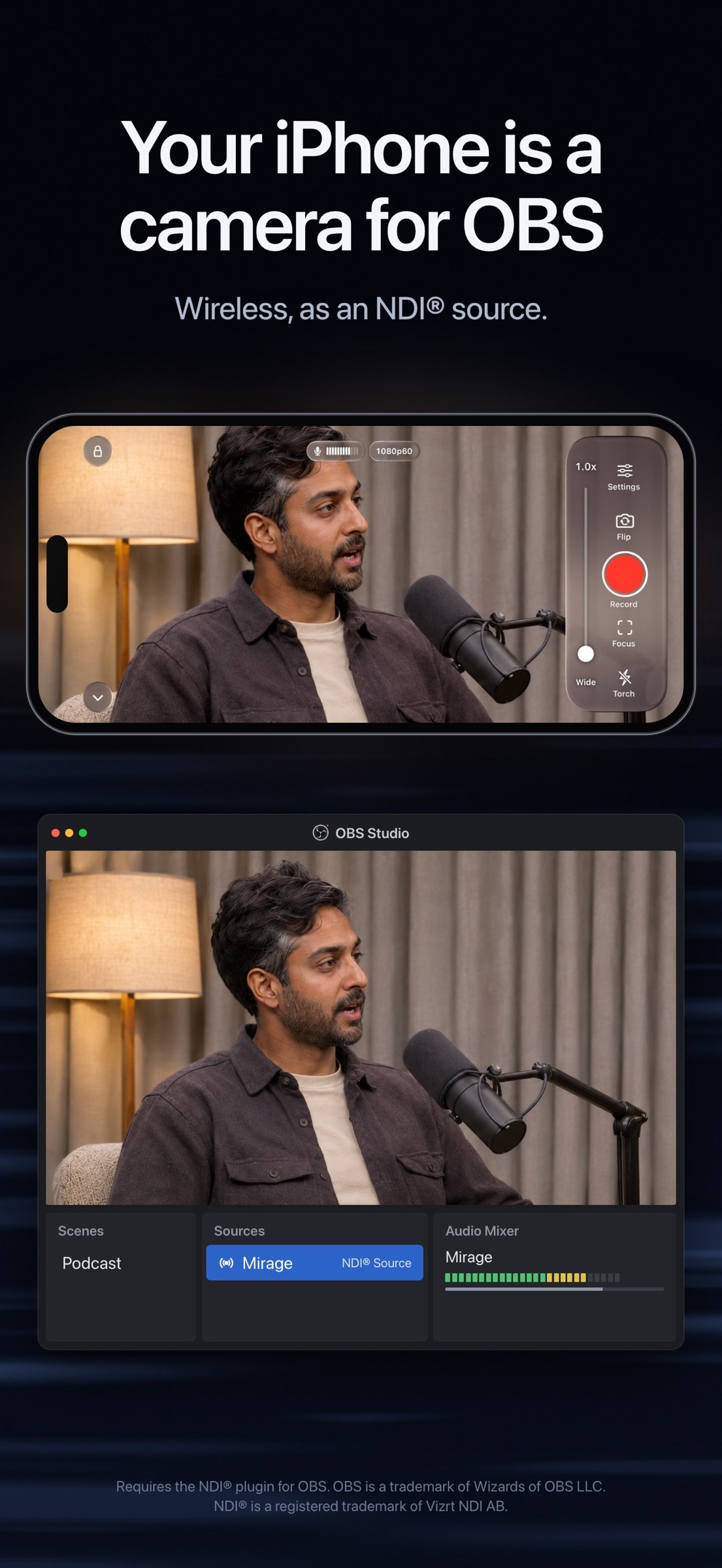
Turn the built-in camera into a live source for OBS.
• Video and microphone audio go into OBS and other NDI-compatible software over your network.
• Send it to Mirage on your Mac or another iPhone or iPad, and record it on the device at the same time.
• Pinch to zoom and drag to pan, or use a game controller. Auto Framing and hand gestures keep you in the shot.
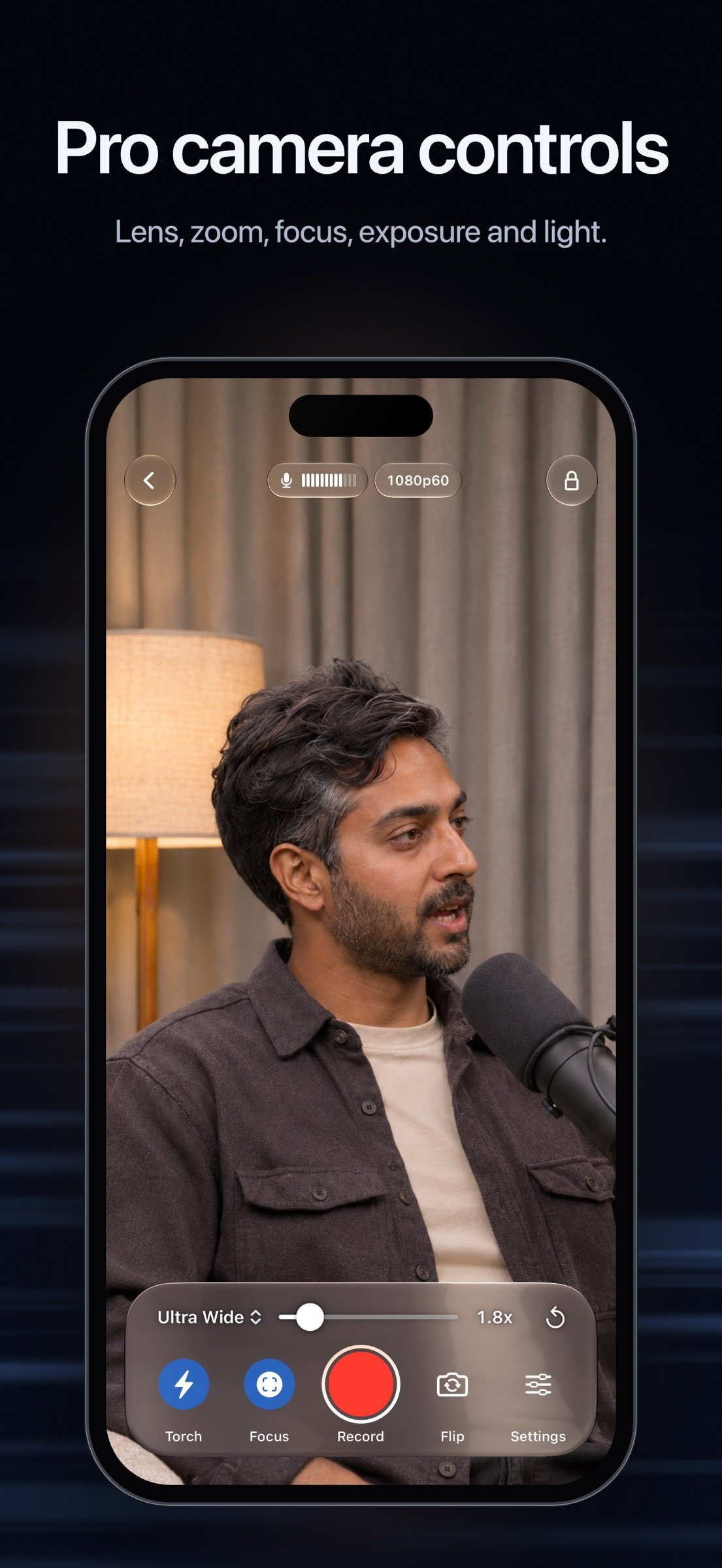
• Switch lenses, and control focus, exposure, white balance, and the torch.
• Record in H.264, HEVC, or ProRes, and in Apple Log on supported iPhone Pro models. Recordings stay on your device, or go to a folder you choose in Files.
• A teleprompter that can follow your voice, and a ghost of your last shot to line up the next one.
DIRECTOR (iPhone and iPad)
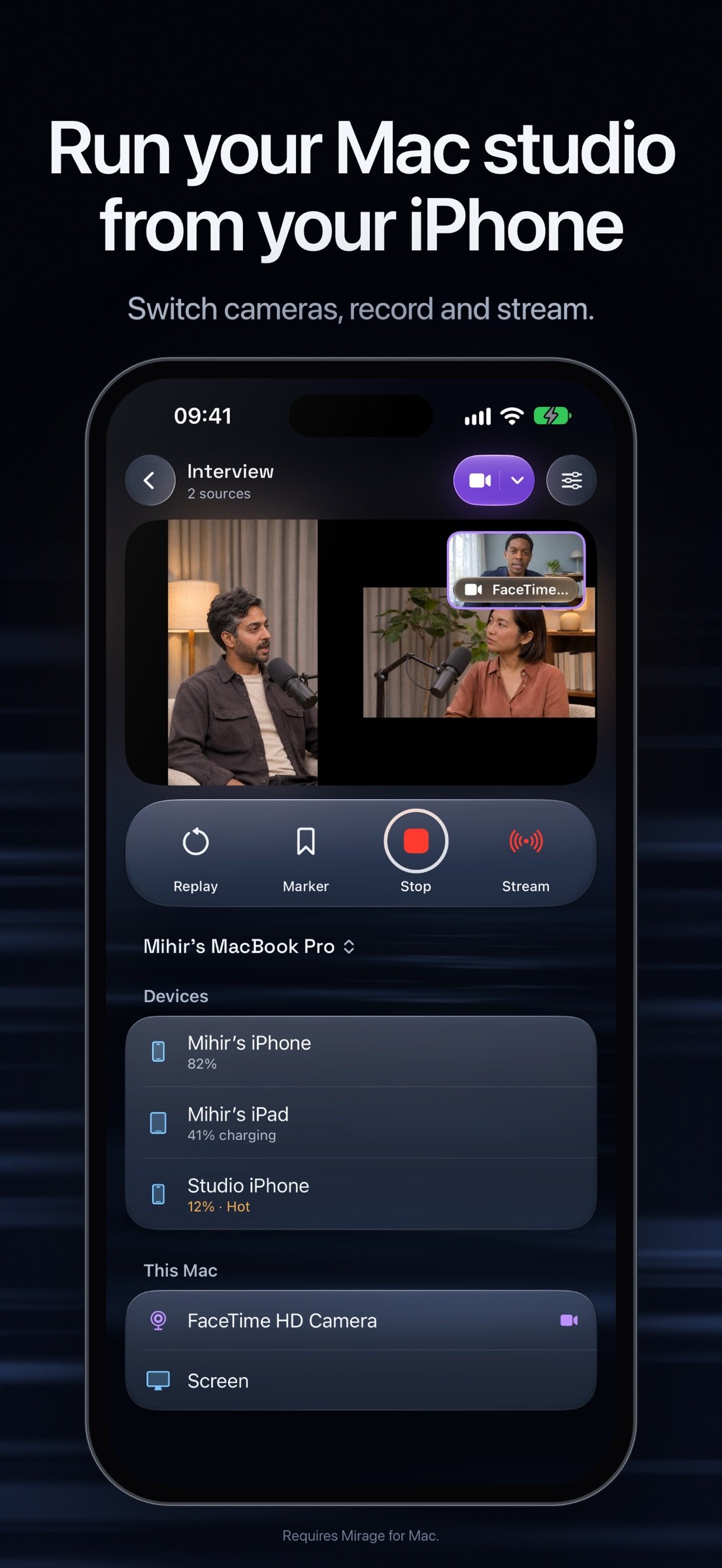
Watch up to four Mirage cameras at once, and run your Mac studio from your hand: switch what's in use, record, add markers, play a replay, and start the stream, with the studio's sound levels and controls on screen.
MICROPHONE (iPhone and iPad)
Use a spare iPhone as a wireless microphone for your Mac. It keeps working with the screen locked, and it records its own copy on the device, so a dropped connection never costs you the take.
APPLE WATCH
Run Mirage from your wrist while the app is open on your iPhone: record, flip the camera, switch lenses, turn on the light, mute Camera or Microphone, and run your Mac studio from Director, with a live preview on the watch.
CAPTURE CARD (iPad only)
Connect a compatible UVC capture card to an iPad with a USB-C port, and use the iPad as a monitor for a camera, console, or computer.
• Check exposure and focus with false color, zebras, focus peaking, a histogram, a waveform, frame guides, and your own LUTs.
• Record the clean feed with its audio, or broadcast it to another iPhone, iPad, or Mac. Monitoring tools never appear in broadcasts or recordings.
SCREEN SHARE AND DIRECTOR (iPhone and iPad)
Show your screen on a nearby iPhone, iPad, or Mac while you use other apps. Watch any Mirage broadcast on your network with its six-digit code. A broadcast can be watched by up to four devices at a time (two for Screen Share).
MIRAGE FOR MAC
• Bring in your iPhones and iPads with sound, add your Mac's cameras and screen, and arrange them in groups.
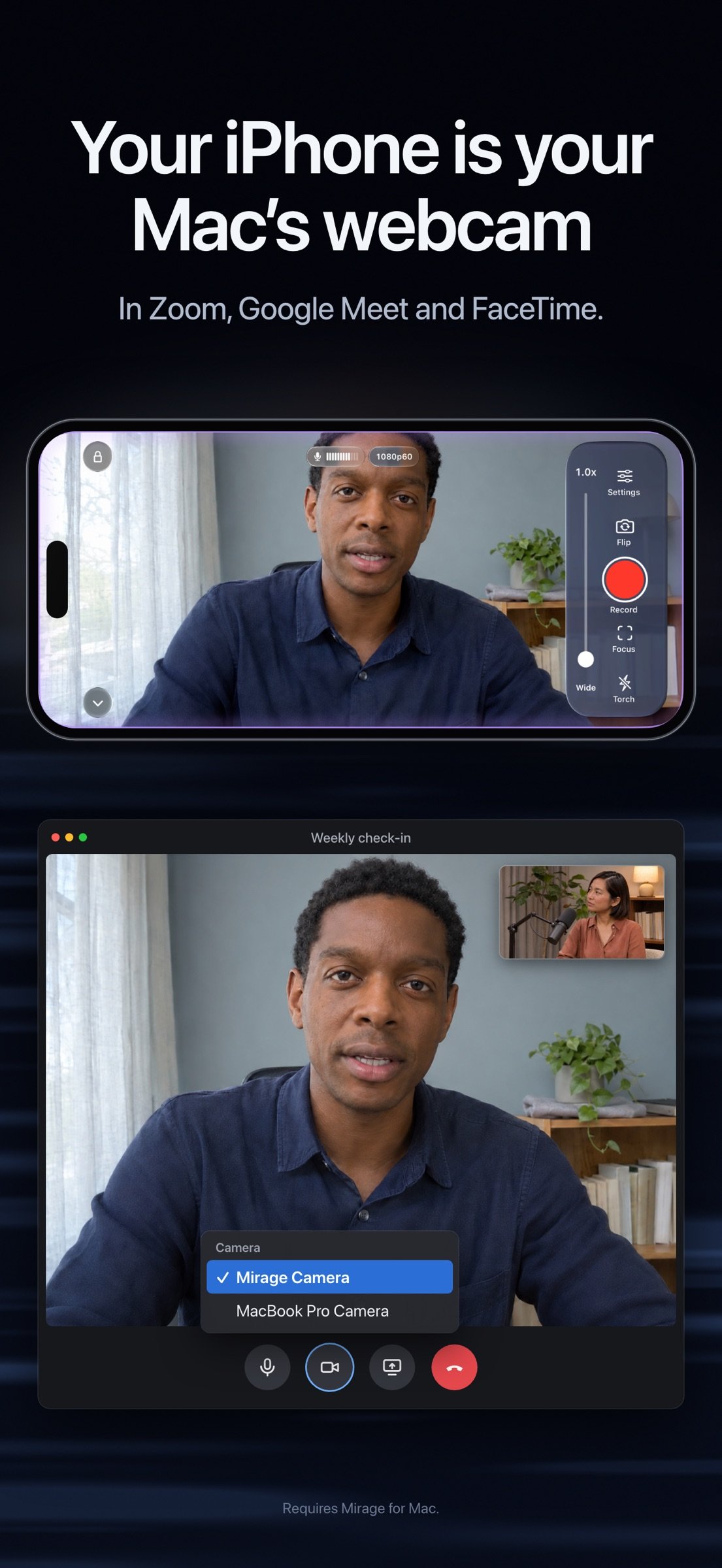
• Use the result as your camera in Zoom, FaceTime, OBS, and other apps.
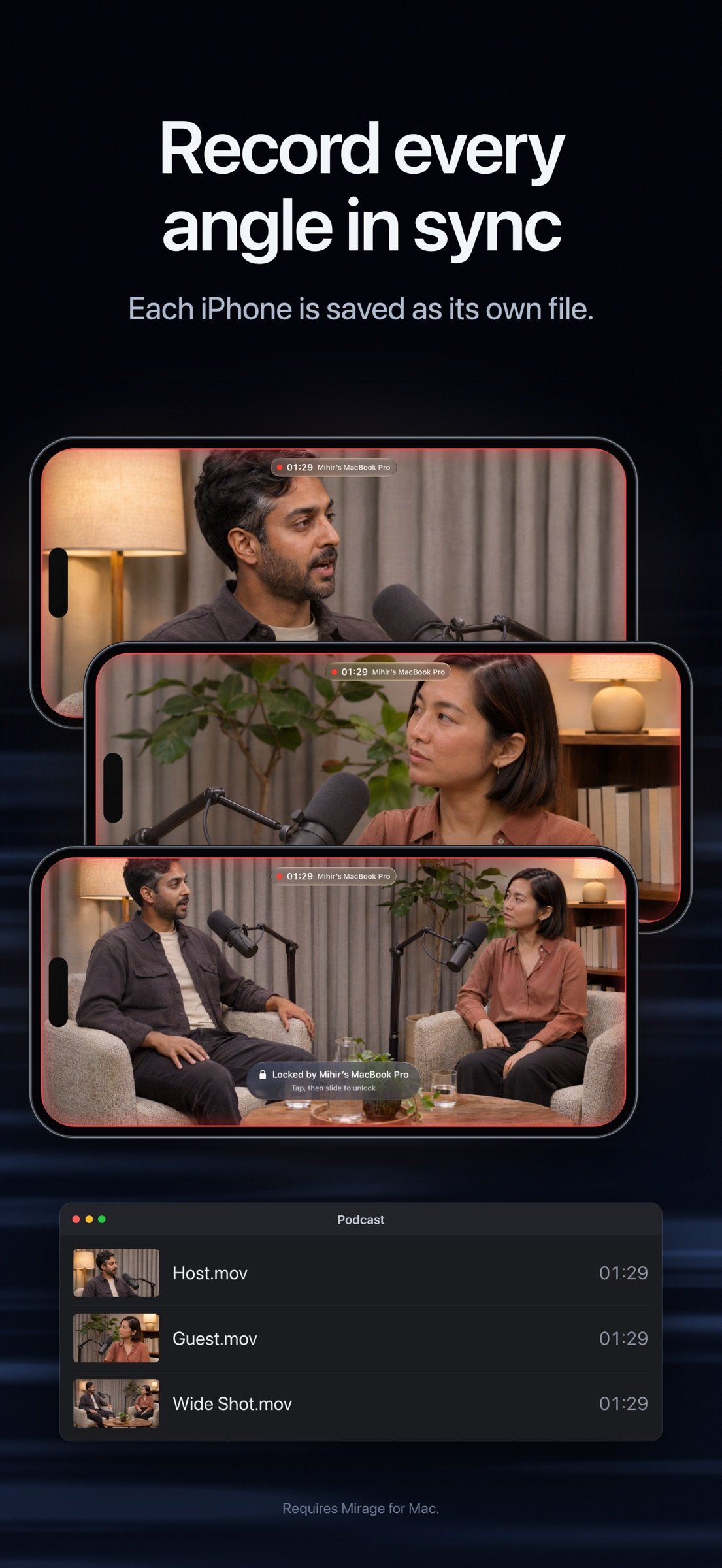
• Record every angle as its own file, in sync, with a timeline for your editor. iPhone and iPad keep a full-quality copy, and the Mac downloads it.
• Live captions written on your Mac, stream to a service with your own stream key, instant replay, and search inside your recordings.
SHORTCUTS AND SIRI
Start and stop recording, add a marker, play a replay, or switch cameras with Shortcuts and Siri.
PRIVATE BY DESIGN
No account and no cloud relay. Mirage connections are encrypted and paired with a six-digit code. NDI output does not use the pairing code, so use a network you trust.
REQUIREMENTS
• Devices must be on the same local network. Keep Mirage open on iPhone and iPad while Camera is streaming.
• Capture Card needs an iPad with a USB-C port and a compatible UVC capture card.
• OBS requires an NDI receiver plugin.
• Apple Log needs a supported iPhone Pro model. The Apple Watch app needs the Mirage app open on the paired iPhone.
• Mirage for Mac needs macOS 26 or later. Update Mirage on every device.
NDI is a registered trademark of Vizrt NDI AB.
License: Commercial
WHAT WORKS WHERE
• iPhone and iPad: Camera, Microphone, Director, and Screen Share.
• iPad only: Capture Card. iPhone can't connect a capture card, but it can watch an iPad's Capture Card broadcast.
• Apple Watch: a remote for the Mirage app on your iPhone.
• Mac: Mirage for Mac, a studio for every camera you own.
A CAMERA FOR OBS (iPhone and iPad)
Turn the built-in camera into a live source for OBS.
• Video and microphone audio go into OBS and other NDI-compatible software over your network.
• Send it to Mirage on your Mac or another iPhone or iPad, and record it on the device at the same time.
• Pinch to zoom and drag to pan, or use a game controller. Auto Framing and hand gestures keep you in the shot.
• Switch lenses, and control focus, exposure, white balance, and the torch.
• Record in H.264, HEVC, or ProRes, and in Apple Log on supported iPhone Pro models. Recordings stay on your device, or go to a folder you choose in Files.
• A teleprompter that can follow your voice, and a ghost of your last shot to line up the next one.
DIRECTOR (iPhone and iPad)
Watch up to four Mirage cameras at once, and run your Mac studio from your hand: switch what's in use, record, add markers, play a replay, and start the stream, with the studio's sound levels and controls on screen.
MICROPHONE (iPhone and iPad)
Use a spare iPhone as a wireless microphone for your Mac. It keeps working with the screen locked, and it records its own copy on the device, so a dropped connection never costs you the take.
APPLE WATCH
Run Mirage from your wrist while the app is open on your iPhone: record, flip the camera, switch lenses, turn on the light, mute Camera or Microphone, and run your Mac studio from Director, with a live preview on the watch.
CAPTURE CARD (iPad only)
Connect a compatible UVC capture card to an iPad with a USB-C port, and use the iPad as a monitor for a camera, console, or computer.
• Check exposure and focus with false color, zebras, focus peaking, a histogram, a waveform, frame guides, and your own LUTs.
• Record the clean feed with its audio, or broadcast it to another iPhone, iPad, or Mac. Monitoring tools never appear in broadcasts or recordings.
SCREEN SHARE AND DIRECTOR (iPhone and iPad)
Show your screen on a nearby iPhone, iPad, or Mac while you use other apps. Watch any Mirage broadcast on your network with its six-digit code. A broadcast can be watched by up to four devices at a time (two for Screen Share).
MIRAGE FOR MAC
• Bring in your iPhones and iPads with sound, add your Mac's cameras and screen, and arrange them in groups.
• Use the result as your camera in Zoom, FaceTime, OBS, and other apps.
• Record every angle as its own file, in sync, with a timeline for your editor. iPhone and iPad keep a full-quality copy, and the Mac downloads it.
• Live captions written on your Mac, stream to a service with your own stream key, instant replay, and search inside your recordings.
SHORTCUTS AND SIRI
Start and stop recording, add a marker, play a replay, or switch cameras with Shortcuts and Siri.
PRIVATE BY DESIGN
No account and no cloud relay. Mirage connections are encrypted and paired with a six-digit code. NDI output does not use the pairing code, so use a network you trust.
REQUIREMENTS
• Devices must be on the same local network. Keep Mirage open on iPhone and iPad while Camera is streaming.
• Capture Card needs an iPad with a USB-C port and a compatible UVC capture card.
• OBS requires an NDI receiver plugin.
• Apple Log needs a supported iPhone Pro model. The Apple Watch app needs the Mirage app open on the paired iPhone.
• Mirage for Mac needs macOS 26 or later. Update Mirage on every device.
NDI is a registered trademark of Vizrt NDI AB.
License: Commercial
| Release info | Update on Nov 09, 2026 |
|---|---|
| Release notes | Mirage has a new Liquid Glass look, with redesigned screens and controls that keep your picture at the centre. This update refreshes the interface. Your familiar capture, streaming and monitoring tools are still here. |
| Listing data | App Store |
Reviews
No reviews yet. Be the first to review Mirage Capture.
Used Mirage Capture? Tell other visitors what you thought.
Log in to write a reviewOther products by this publisher
- "No Distractions" for YouTube 4.10 ----
- #Bible 11.6 "Incredible App - My sister shared this app with me a few weeks ago and it is truly incredible.
- #filmphotography 1.4.2 So, you decided to shoot on film?
- $quirrel 1.5.1 $quirrel Budget & Finance helps you plan each paycheck, track spending, manage debt, and see what is safe to spend before the next payday.
- % Percentage Calculator Pro 1.41 This is the Pro version of % Percentage Calculator.
Most viewed iOS Photo & Video
-
1
 ShortDiShow 2.0
Drama Quest Island — An offline interactive short-drama adventure.
-
2
 Infuse 8.5.10
Infuse: Enterprise provides the same great features as the standard version of Infuse and includes permanent access to all Pro features via a traditional paid app.
-
3
 AI Video Generator 2.0.2
Vixel – AI Video Generator
-
4
 OPlayer 4.8
Play all your videos directly without having to convert them!
-
5
 Necrometer II 1.2
Necrometer II is a paranormal investigation companion designed for ghost hunters and researchers.
-
6
 CapCut 20.1.0
CapCut offers easy-to-use video editing functions, in-APP fonts and effects, advanced features such as keyframe animation, smooth slow-motion, chroma key, and stabilization, to help you capture and snip moments.
-
7
 Ai Photo 1.1.2
AI Photo Retouch – BG Eraser
-
8
 Treblo 1.6.0
Make songs with the world's best AI music model.
-
9
 Pop Dot Comics 1.48
Create a comic worthy of the Sunday newspaper or your favorite pulp-fiction cover.
- 10 #filmphotography 1.4.2 So, you decided to shoot on film?
Most downloaded iOS Photo & Video
-
1
Infuse 8.5.10
Infuse: Enterprise provides the same great features as the standard version of Infuse and includes permanent access to all Pro features via a traditional paid app.
-
2
 DJI Fly 1.21.18
DJI Fly is designed to help pilots fly drones with ease.
-
3
 Analog Radio 3.0
The iPhone and iPad devices don't have the FM/AM radio antenna installed.
-
4
 TurboCollage Automatic 1.2.4
#1 Easy automatic photo collage maker for iPhone & iPad.
-
5
Treblo 1.6.0
Make songs with the world's best AI music model.
-
6
 ReelyGo 1.1.42
ReelyGo: Your Daily Drama Escape
-
7
 Rozeta Sequencer Suite 1.3.16
Rozeta is a suite of MIDI sequencers and controllers that lets you explore a new, freeform approach to sequencing and controlling mobile music apps.
-
8
 AGAIN. Rehearsal Notes 2.0.1
AGAIN. is the rehearsal app that remembers why the band stopped — and, new in Version 2, who said what in a writing session or a table read.
-
9
Pop Dot Comics 1.48
Create a comic worthy of the Sunday newspaper or your favorite pulp-fiction cover.
-
10
 SSS IPTV, Simple, Smart Super 1.0.2
An Easiest way to watch TV Online or Movies or Series, Bring your Own list M3u,