
20downloads
5this week
FreeCommercial
0reviews
Screenshots
About MIDIRack
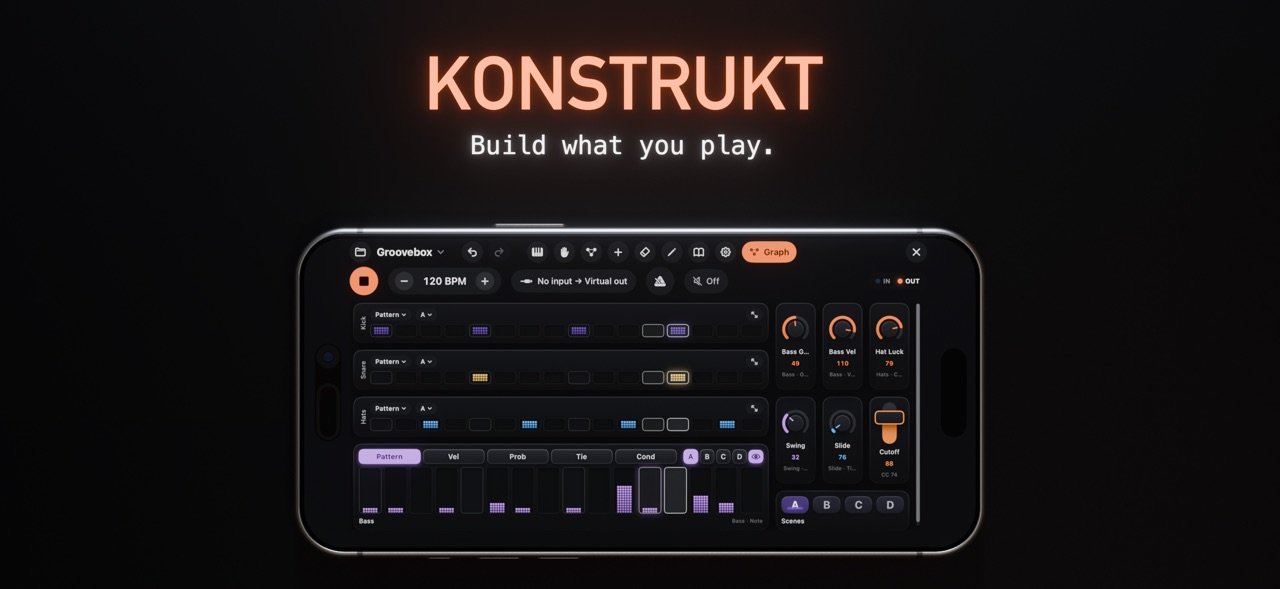
Konstrukt is a patchable instrument for iPad and iPhone. Design the surface you play, sequence it, give it sound with built-in instruments and your own AUv3 plug-ins, mix and record it -- and when you want to go deeper, unlock the visual graph underneath and rewire all of it. Standalone, and as an AUv3 in your host.
SURFACES YOU DESIGN
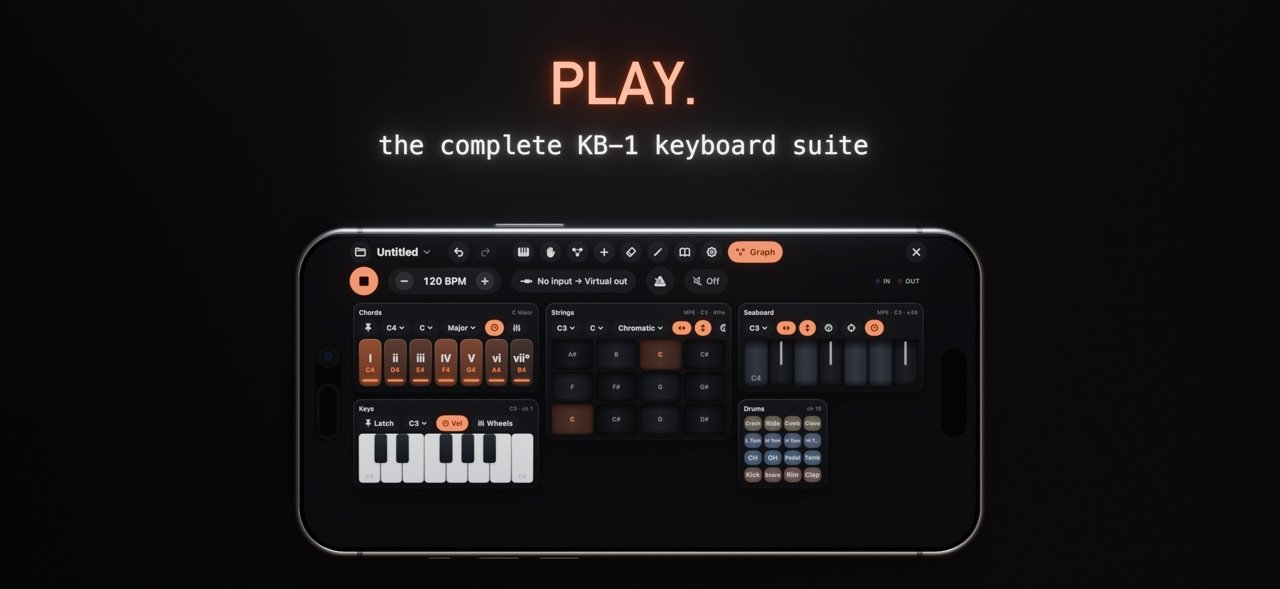
o The KB-1 keyboard suite -- piano, diatonic chord pads, scale-locked keyboard, MPE Seaboard ribbon, MPE Strings grid (4ths) and a 4x4 drum-pad grid, each with an arpeggiator. Successor to the KB-1 Expressive Keyboard Suite.
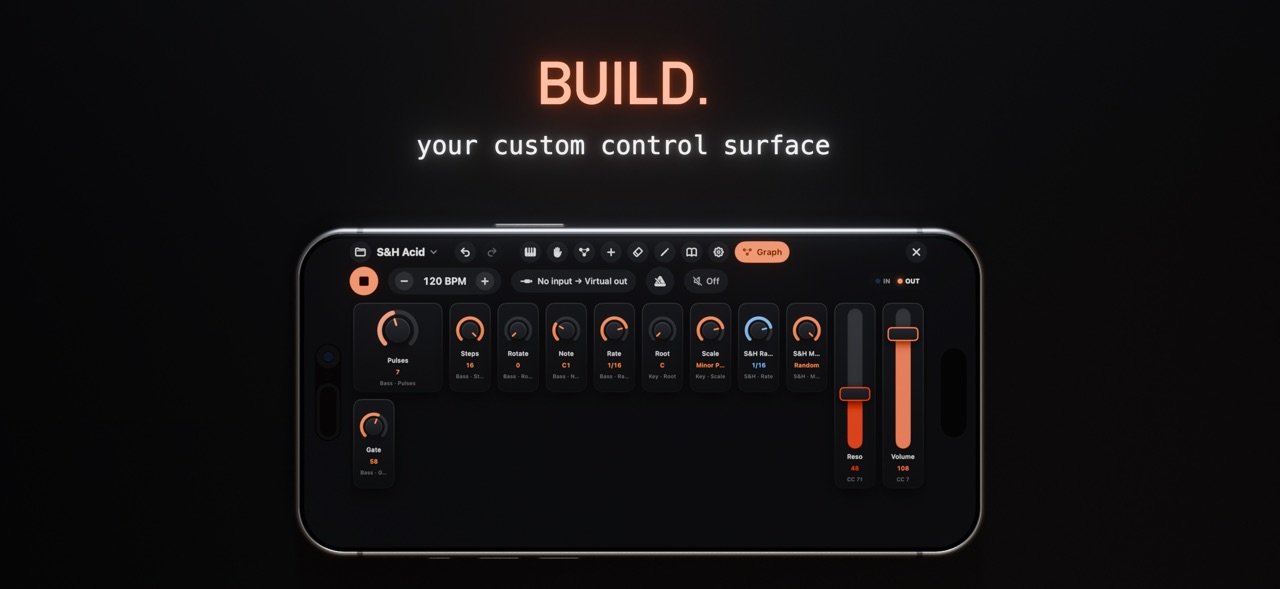
o Knobs, faders, XY pads, buttons, live visualizers and channel strips on a snapping grid, in pages like hardware banks. Bind any control to MIDI CC -- or, with the unlock, to any parameter in the patch.
A SUITE OF SEQUENCERS
o Drum, melody, chord, analog and CC lanes, the Drum Grid, a Metropolis-style Stage Seq and a Matrix note grid -- tap to edit, with per-step velocity, probability, trigger conditions, ratchets and microtiming.
o Patterns up to four bars, eight banks per lane. Record into patterns step by step or live, then fix it in the grid. A Looper with quantize, undo and expression capture.
o Players: one tap on a lane writes a pattern from a style and a Complexity slider -- drums with fills, a bass under your chords, chord stabs and pushes.
o One patch key and scale every lane can follow, custom scales, and chord lanes with their own rhythm layer.
INSTRUMENTS AND YOUR PLUG-INS
o Built in: a two-oscillator Synth, a Wavetable synth, Drums, MegaSaw, a Sampler and a loop Slicer, plus Drive, Filter, Delay, Reverb, Compressor, EQ, Chorus and Phaser -- each with its own panel.
o Host your AUv3 instruments, effects and MIDI effects inside the patch (standalone app), with floating plug-in windows, presets and bindable parameters.
THE RACK
o A strip per instrument: fader, pan, mute and solo, inserts, pre- or post-fader sends to bus strips, sidechain, MIDI Learn, master inserts, and scenes recalled with a fade. Hardware synths join as External Instruments.
o Bring a mic or guitar in on its own channel. Record the master and stems to 24-bit WAV. Tap tempo, metronome with count-in, Ableton Link, MIDI clock in and out. Multi-output routing on a multi-channel interface.
UNLOCK -- THE GRAPH EDITOR (in-app purchase)
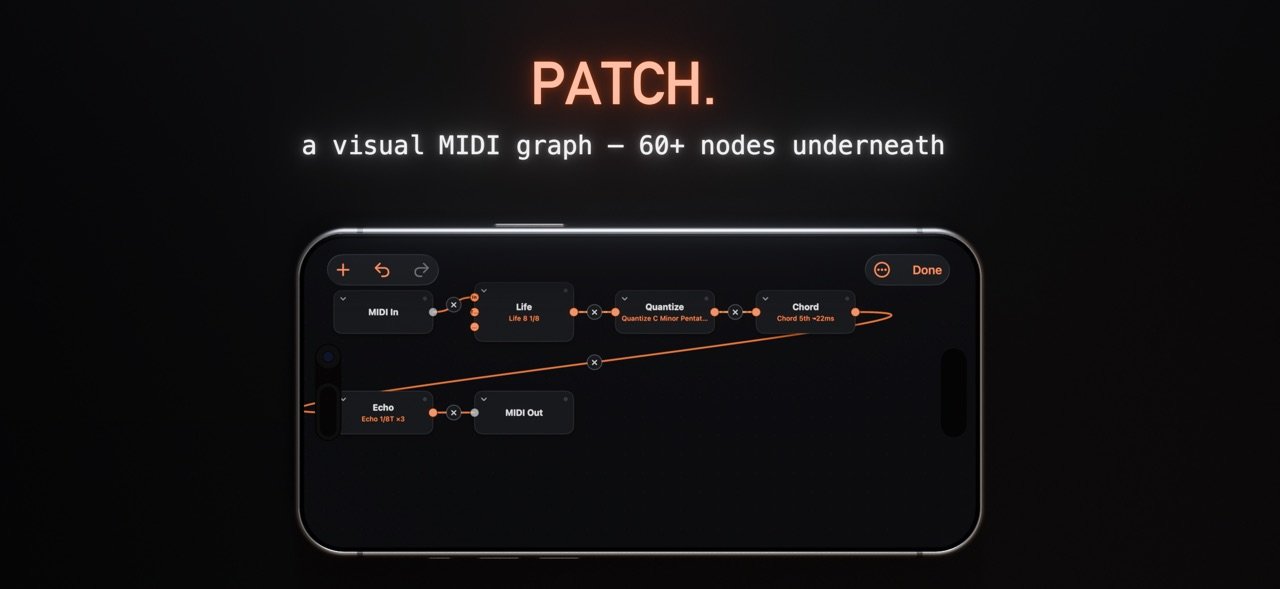
Everything above runs on one visual graph that carries MIDI and audio. Unlock the editor to rewire it:
o 80+ node kinds -- arps, scale quantizers, chords, echoes, swing, euclidean rhythms, LFOs and CC tools, wired MIDI In -> processors -> instruments or MIDI Out.
o Components -- save a cluster of nodes as one card with real ports, its surface cards included; drop saved components into any patch and edit them inside.
o Audio on the same canvas -- cable instruments through effect chains and hosted effects, split sends to buses, key a sidechain. The Rack is this graph seen as strips.
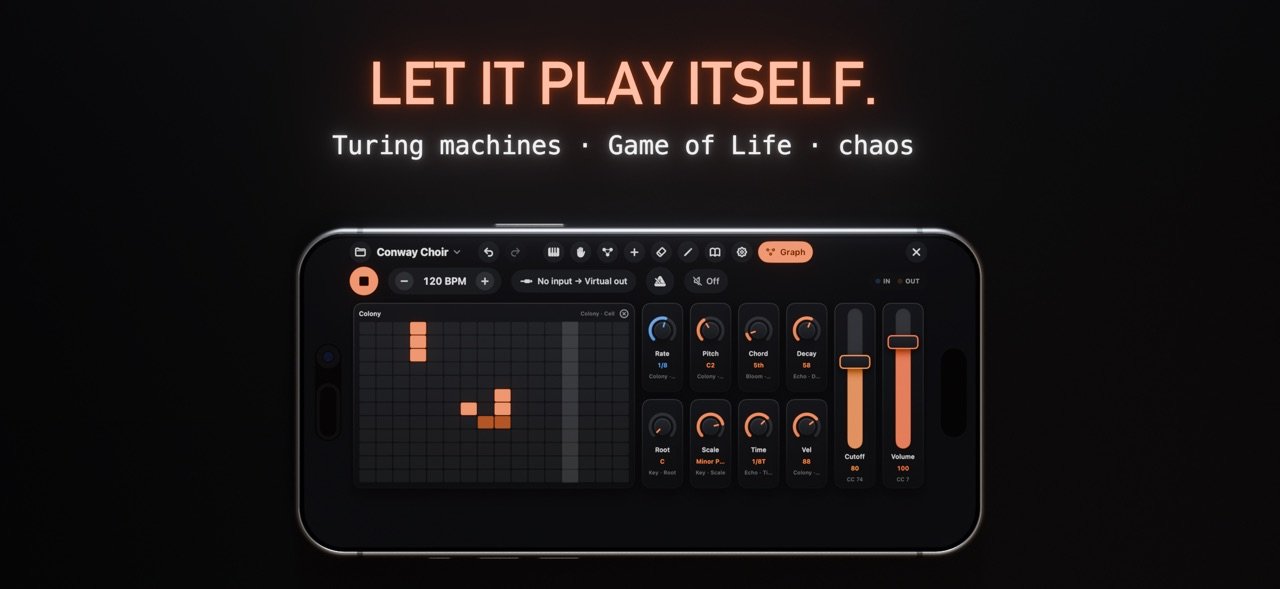
o Emergence generators -- Game of Life, Turing machine, Wolfram rules, Markov chains, bouncing balls, a Lorenz attractor -- patterns that evolve instead of loop. Every keyboard is a routable node, every knob can drive any parameter.
Factory graph patches open and play without the unlock. The unlock is the editor and nothing else.
WITH HARDWARE, OTHER APPS OR A DESKTOP DAW
o MIDI out over CoreMIDI, extra output ports and an always-on virtual port: 16 channels plus MPE.
o One USB cable to a Mac, or Bluetooth MIDI -- two MPE surfaces and a controller that reshapes per track, no driver needed.
o As an AUv3, load Konstrukt as a MIDI processor or as an instrument in hosts such as AUM, Logic Pro, GarageBand, Cubasis, Drambo and Loopy Pro.
PRICING
One-time purchases, no subscription. The app is the whole instrument; the graph editor is a single optional unlock. One purchase covers iPad and iPhone.
Requires iOS 17 or iPadOS 17 or later; on iPhone the app runs in landscape. Plug-in hosting, audio input and recording are part of the standalone app. No user data is collected.
License: Commercial
| Release info | Update on Nov 19, 2026 |
|---|---|
| Release notes | • Performance: improved UI responsiveness, especially on older devices • Chord Seq: added borrowed chords • Keyboards: Chord Memory, a wider strum strip, new arp modes and Note Repeat. • Piano Roll: fixed janky scrolling/zooming • I/O: added support for mono channels • Graph: when dragging out a wire from an output onto the empty canvas, the add menu will now only show nodes that can be inserted rather than all avilable ones • Bounce node gets a Trig output • Snap node gets a Next line mode. • Minor bugfixes and polish |
| Listing data | App Store |
Reviews
No reviews yet. Be the first to review MIDIRack.
Used MIDIRack? Tell other visitors what you thought.
Log in to write a reviewOther products by this publisher
- "No Distractions" for YouTube 4.10 ----
- #Bible 11.6.1 "Incredible App - My sister shared this app with me a few weeks ago and it is truly incredible.
- #filmphotography 1.4.2 So, you decided to shoot on film?
- #LookBusy Fake Calendar Events 1.0.6 Look Busy scans your work calendar for open time slots and fills them with realistic-looking (but secretly fake) work events.
- #Small Talk Is Canceled 1.0.2 #Small Talk Is Canceled — Conversations That Matter
Most viewed iOS Photo & Video
-
1
 Restore Old Photos 1.1.0
Bring old family photos back to life, privately on your iPhone or iPad.
-
2
 Infrared Developer 1.2
Infrared Developer is a photo editor built for infrared photography.
-
3
 ShortDiShow 2.0
Drama Quest Island — An offline interactive short-drama adventure.
-
4
 Face Witness 1.0.4
FaceWitness lets you create a face by putting together individual features.
-
5
 Infuse 8.5.11
Infuse: Enterprise provides the same great features as the standard version of Infuse and includes permanent access to all Pro features via a traditional paid app.
-
6
 makeART Coloring Book 1.0
Color something beautiful.
-
7
 AI Video Generator 2.0.3
Vixel – AI Video Generator
- 8 #filmphotography 1.4.2 So, you decided to shoot on film?
-
9
 OPlayer 4.8
Play all your videos directly without having to convert them!
-
10
 CapCut 20.3.0
CapCut is an all-in-one video editing solution that offers essential editing features, creative effects, AI tools, filters, stickers, and fonts, and a wide range of video templates to empower users to easily create incredible videos regardless of th…
Most downloaded iOS Photo & Video
-
1
 DJI Fly 1.21.18
DJI Fly is designed to help pilots fly drones with ease.
-
2
Infuse 8.5.11
Infuse: Enterprise provides the same great features as the standard version of Infuse and includes permanent access to all Pro features via a traditional paid app.
-
3
 ReelyGo 1.1.60
ReelyGo: Your Daily Drama Escape
-
4
 Analog Radio 3.0
The iPhone and iPad devices don't have the FM/AM radio antenna installed.
-
5
 TurboCollage Automatic 1.2.4
#1 Easy automatic photo collage maker for iPhone & iPad.
-
6
 Rozeta Sequencer Suite 1.3.16
Rozeta is a suite of MIDI sequencers and controllers that lets you explore a new, freeform approach to sequencing and controlling mobile music apps.
-
7
 Treblo 1.6.7
Make songs with the world's best AI music model.
-
8
 Pop Dot Comics 1.48
Create a comic worthy of the Sunday newspaper or your favorite pulp-fiction cover.
-
9
 AGAIN. Rehearsal Notes 2.0.1
AGAIN. is the rehearsal app that remembers why the band stopped — and, new in Version 2, who said what in a writing session or a table read.
-
10
 Sun Scout 1.5.0
If your work or play requires sunlight, Sun Scout is built for you.