
6downloads
2this week
FreeCommercial
0reviews
Screenshots
About MaxCurve
Best Apps of 2016, as Chosen by Apple.
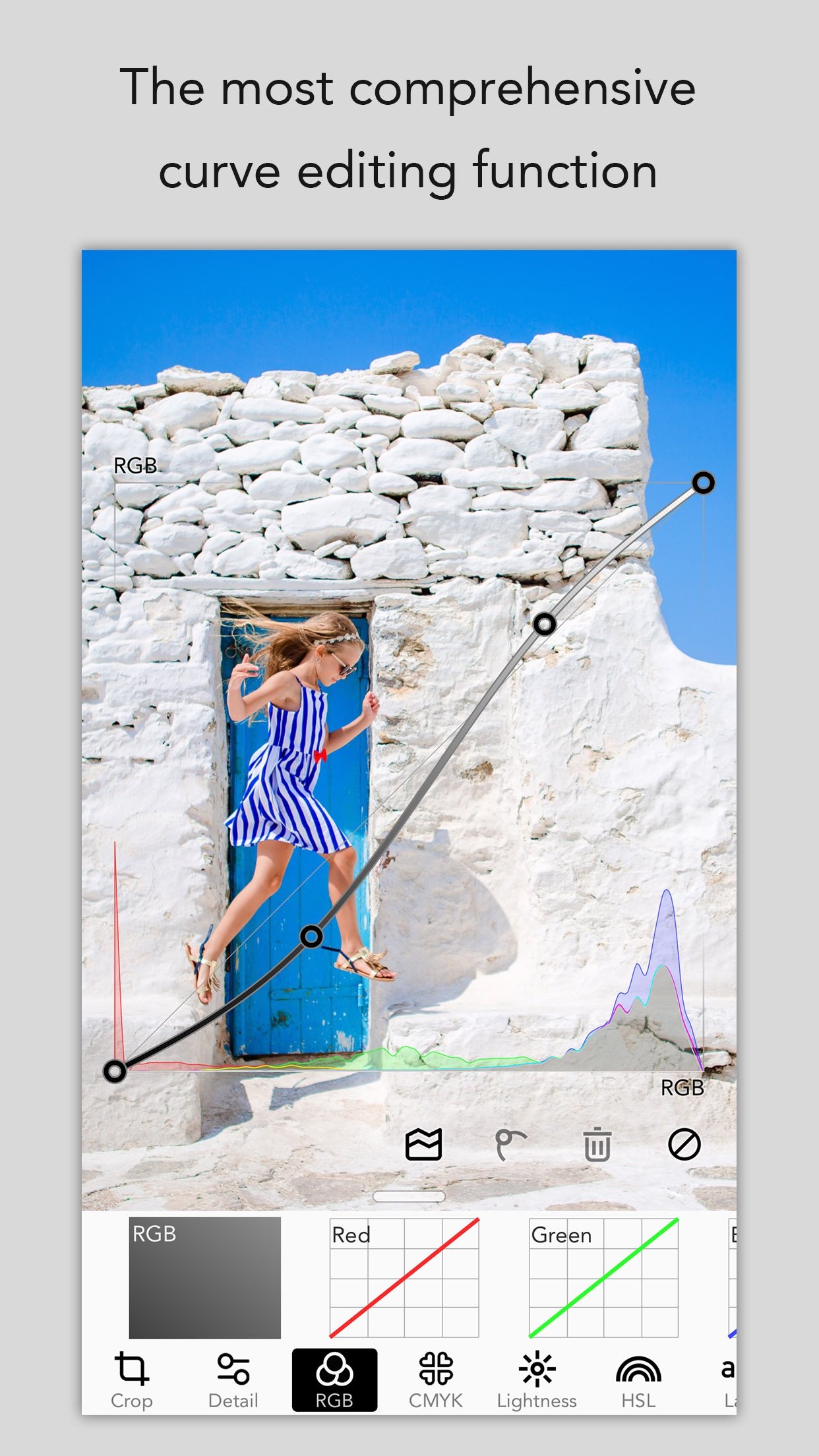
MaxCurve is a professional photo editor, which has the most comprehensive curve editing function and pro manual camera.
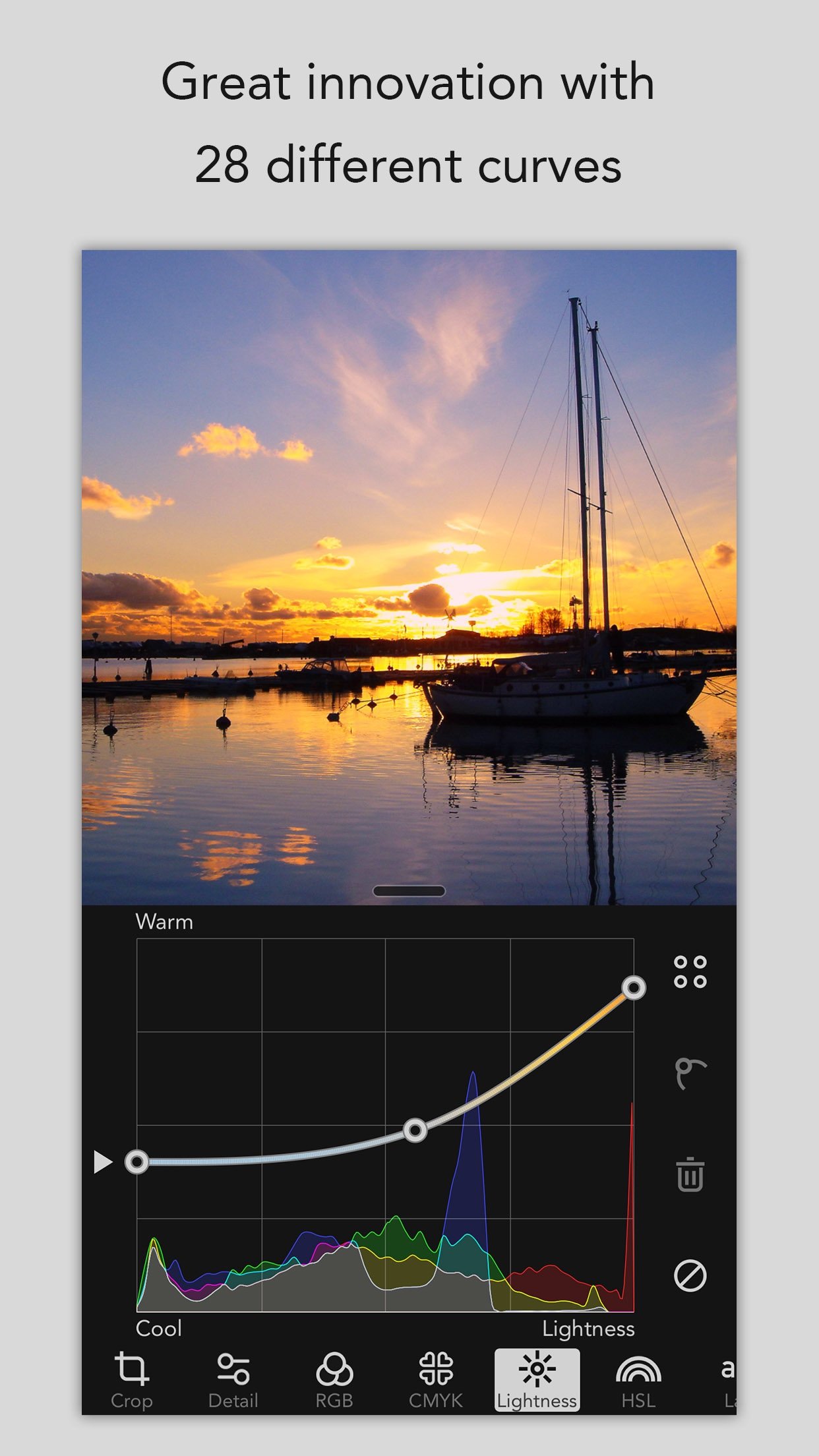
MaxCurve achieves great innovation with 28 curves, most of which users have never seen on other apps. Even Photoshop can't achieve such an exquisite adjustment performance. Furthermore, manual camera, HDR, layer, channel, mask, preset, blend mode, opacity, crop and vignette are available. MaxCurve is able to edit every detail of your photos to its maximum design and also help to perfectly reconstruct your photography works. It's an indispensable app for photographers, and an essential tool serving as great assistant for artists.
"MaxCurve should satisfy even the most perfectionist image editors."
-- DPReview
"Take your iPhone photography to new levels with MaxCurve."
-- App Advice
"MaxCurve brings professional image editing that even goes beyond some of the Photoshop curve functions. Recommended."
-- Life in LoFi
"Even more powerful desktop applications like Photoshop don’t offer the same level of control over some of their adjustments as MaxCurve does through its diverse range of curves tools."
-- iPhone Photography School
RGB KIT
- RGB, Red, Green and Blue curves
CMYK KIT
- CMYK, Cyan, Magenta, Yellow and Black curves
LIGHTNESS KIT
- Contrast/Lightness curve
- Exposure/Lightness curve, like shadow/highlight in Photoshop
- Gamma/Lightness curve
- Temperature/Lightness curve
- Lightness/Hue curve, like hue/saturation in Photoshop
- Black & White/Hue curve, best BW tool ever
HSL KIT
- Hue curve, like hue/saturation in Photoshop
- Hue/Saturation curve
- Hue/Lightness curve, like color balance in Photoshop
- Saturation curve
- Saturation/Hue curve
- Saturation/Lightness curve
LAB KIT
- a curve
- a/Luminosity curve
- Copy a to b curve
- b curve
- b/Luminosity curve
- Copy b to a curve
- Luminosity curve
LAYER KIT
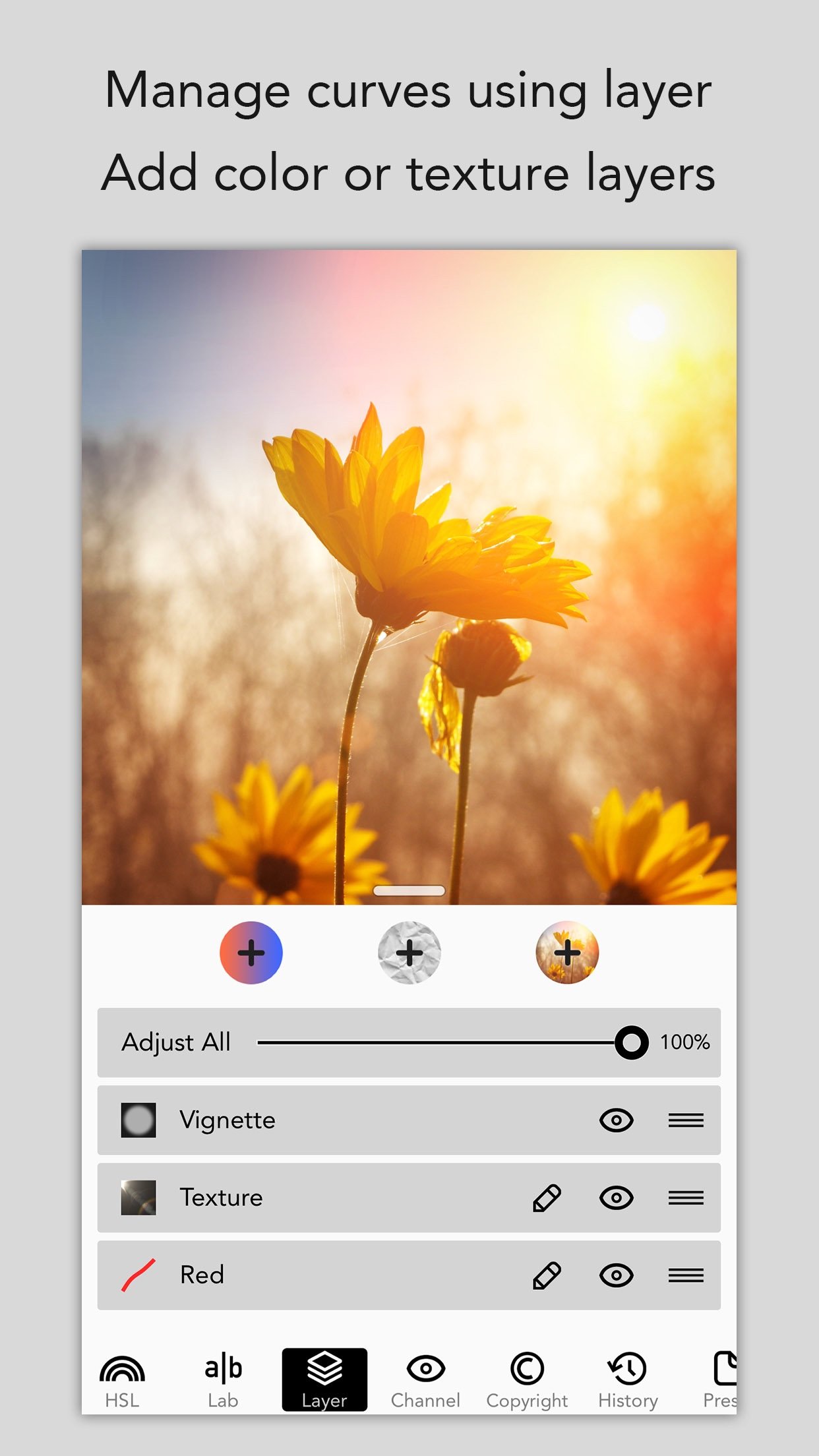
- Manage curves using maximum 40 layers
- Add color layer, texture layer or self-blending layer; then set blend modes like in Photoshop
- Adjust blending opacity using curves
- Add mask for every layer
CHANNEL KIT
- RGB, CMYK, HSL and LAB channels
- Check and adjust channels separately
MORE KITS
- HDR brings a stunning look to your image by using one image
- Crop, rotation, mirror and ratio tools
- Sharpness, blur, grain, structure and vignette tools
- Powerful history function with snapshot
- Pixelate and border tools
MANUAL CAMERA
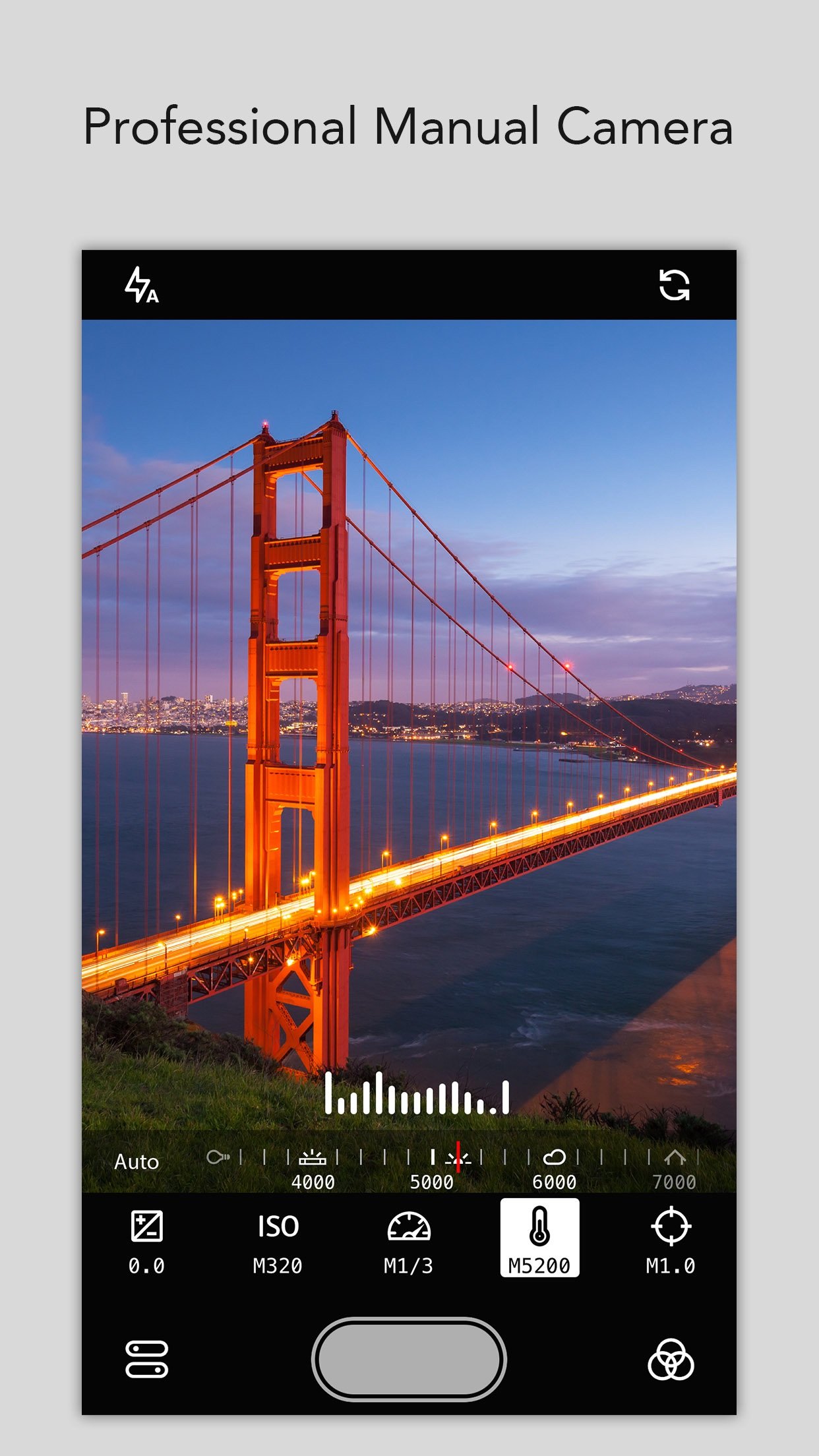
- Adjust the exposure, ISO, shutter speed, temperature and focus by manual
- Use the presets to be the filters while taking photos
- Use it as a standalone camera
SYNC TO PHOTOSHOP
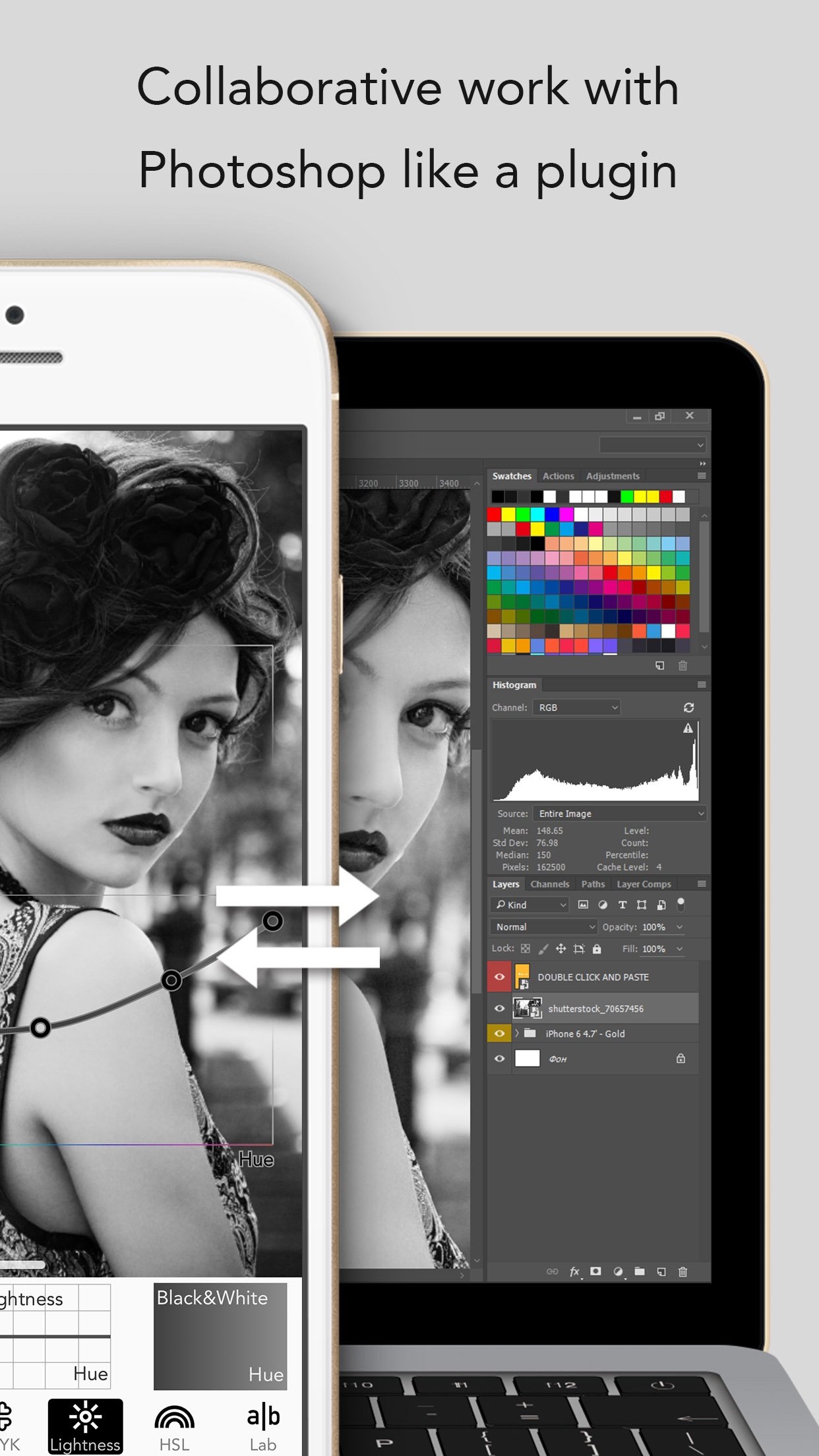
- MaxCurve can be linked to your Mac or PC's Photoshop using Wi-Fi, import images from Photoshop and export them back again after processing
- Output presets as the format of 3D LUT, and use them in the function named 'Color Lookup' of Photoshop
- You can perform collaborative work with Photoshop like a plugin, first of its kind ever created
PROFESSIONAL EDIT
- Process and save images as FULL size without downscaling resolution
- Support for JPEG, TIFF, PNG and RAW (CRW, CR2, DNG, ARW, RAF, ORF, NEF, MRW, PEF, and others)
- Reserve EXIF and GPS information as original picture
- Add copyright info into EXIF, or add watermark for protecting your copyright
- Choice of export quality
- Analyze pictures by professional histogram and gradient map
- Open MaxCurve in system's Photos app, and have it serve as a filter extension
- Support is available for split view on iPad and 3D touch
SHARE CURVES
- Save curves into presets for subsequent and future use
- We set up an online curve sharing platform for users to share photography artworks and curves without registration
- Find inspiration on a publication highlighting creativity from around the globe
- Save curves of other photographers to local presets
Have suggestions or problems? Contact us via email: support@ maxcurve. net
License: Commercial
MaxCurve is a professional photo editor, which has the most comprehensive curve editing function and pro manual camera.
MaxCurve achieves great innovation with 28 curves, most of which users have never seen on other apps. Even Photoshop can't achieve such an exquisite adjustment performance. Furthermore, manual camera, HDR, layer, channel, mask, preset, blend mode, opacity, crop and vignette are available. MaxCurve is able to edit every detail of your photos to its maximum design and also help to perfectly reconstruct your photography works. It's an indispensable app for photographers, and an essential tool serving as great assistant for artists.
"MaxCurve should satisfy even the most perfectionist image editors."
-- DPReview
"Take your iPhone photography to new levels with MaxCurve."
-- App Advice
"MaxCurve brings professional image editing that even goes beyond some of the Photoshop curve functions. Recommended."
-- Life in LoFi
"Even more powerful desktop applications like Photoshop don’t offer the same level of control over some of their adjustments as MaxCurve does through its diverse range of curves tools."
-- iPhone Photography School
RGB KIT
- RGB, Red, Green and Blue curves
CMYK KIT
- CMYK, Cyan, Magenta, Yellow and Black curves
LIGHTNESS KIT
- Contrast/Lightness curve
- Exposure/Lightness curve, like shadow/highlight in Photoshop
- Gamma/Lightness curve
- Temperature/Lightness curve
- Lightness/Hue curve, like hue/saturation in Photoshop
- Black & White/Hue curve, best BW tool ever
HSL KIT
- Hue curve, like hue/saturation in Photoshop
- Hue/Saturation curve
- Hue/Lightness curve, like color balance in Photoshop
- Saturation curve
- Saturation/Hue curve
- Saturation/Lightness curve
LAB KIT
- a curve
- a/Luminosity curve
- Copy a to b curve
- b curve
- b/Luminosity curve
- Copy b to a curve
- Luminosity curve
LAYER KIT
- Manage curves using maximum 40 layers
- Add color layer, texture layer or self-blending layer; then set blend modes like in Photoshop
- Adjust blending opacity using curves
- Add mask for every layer
CHANNEL KIT
- RGB, CMYK, HSL and LAB channels
- Check and adjust channels separately
MORE KITS
- HDR brings a stunning look to your image by using one image
- Crop, rotation, mirror and ratio tools
- Sharpness, blur, grain, structure and vignette tools
- Powerful history function with snapshot
- Pixelate and border tools
MANUAL CAMERA
- Adjust the exposure, ISO, shutter speed, temperature and focus by manual
- Use the presets to be the filters while taking photos
- Use it as a standalone camera
SYNC TO PHOTOSHOP
- MaxCurve can be linked to your Mac or PC's Photoshop using Wi-Fi, import images from Photoshop and export them back again after processing
- Output presets as the format of 3D LUT, and use them in the function named 'Color Lookup' of Photoshop
- You can perform collaborative work with Photoshop like a plugin, first of its kind ever created
PROFESSIONAL EDIT
- Process and save images as FULL size without downscaling resolution
- Support for JPEG, TIFF, PNG and RAW (CRW, CR2, DNG, ARW, RAF, ORF, NEF, MRW, PEF, and others)
- Reserve EXIF and GPS information as original picture
- Add copyright info into EXIF, or add watermark for protecting your copyright
- Choice of export quality
- Analyze pictures by professional histogram and gradient map
- Open MaxCurve in system's Photos app, and have it serve as a filter extension
- Support is available for split view on iPad and 3D touch
SHARE CURVES
- Save curves into presets for subsequent and future use
- We set up an online curve sharing platform for users to share photography artworks and curves without registration
- Find inspiration on a publication highlighting creativity from around the globe
- Save curves of other photographers to local presets
Have suggestions or problems? Contact us via email: support@ maxcurve. net
License: Commercial
| Release info | New Release on Nov 21, 2017 |
|---|---|
| Release notes | - Added support for iOS 11 and iPhone X. - New Structure tool added to detail kit which may enhance the detail of texture. You may find it beside the HDR tool. - Save pictures faster when taking photos. - Added support for new cameras with RAW formats. - Minor bugs have fixed to improve performance. |
| Listing data | App Store |
Reviews
No reviews yet. Be the first to review MaxCurve.
Used MaxCurve? Tell other visitors what you thought.
Log in to write a reviewOther products by this publisher
- "No Distractions" for YouTube 4.10 ----
- #Bible 11.5 "Incredible App - My sister shared this app with me a few weeks ago and it is truly incredible.
- #filmphotography 1.4.2 So, you decided to shoot on film?
- $quirrel 1.5.1 $quirrel Budget & Finance helps you plan each paycheck, track spending, manage debt, and see what is safe to spend before the next payday.
- % Percentage Calculator Pro 1.41 This is the Pro version of % Percentage Calculator.
Most viewed iOS Photo & Video
-
1
 Infuse 8.5.9
Infuse: Enterprise provides the same great features as the standard version of Infuse and includes permanent access to all Pro features via a traditional paid app.
-
2
 ShortDiShow 2.0
Drama Quest Island — An offline interactive short-drama adventure.
-
3
 AI Video Generator 2.0.2
Vixel – AI Video Generator
-
4
 OPlayer 4.8
Play all your videos directly without having to convert them!
-
5
 Necrometer II 1.2
Necrometer II is a paranormal investigation companion designed for ghost hunters and researchers.
-
6
 CapCut 20.0.0
CapCut offers easy-to-use video editing functions, in-APP fonts and effects, advanced features such as keyframe animation, smooth slow-motion, chroma key, and stabilization, to help you capture and snip moments.
-
7
 TouchSiren Delta 3.1
--------------------------------------------------------------
-
8
 Ai Photo 1.1.2
AI Photo Retouch – BG Eraser
-
9
 CNU 3.0.12
CNU?????????????????????,???????????????
-
10
 Treblo 1.6.0
Make songs with the world's best AI music model.
Most downloaded iOS Photo & Video
-
1
Infuse 8.5.9
Infuse: Enterprise provides the same great features as the standard version of Infuse and includes permanent access to all Pro features via a traditional paid app.
-
2
 DJI Fly 1.21.18
DJI Fly is designed to help pilots fly drones with ease.
-
3
 ReelyGo 1.1.42
ReelyGo: Your Daily Drama Escape
-
4
 TurboCollage Automatic 1.2.4
#1 Easy automatic photo collage maker for iPhone & iPad.
-
5
 Analog Radio 3.0
The iPhone and iPad devices don't have the FM/AM radio antenna installed.
-
6
 AGAIN. Rehearsal Notes 2.0.1
AGAIN. is the rehearsal app that remembers why the band stopped — and, new in Version 2, who said what in a writing session or a table read.
-
7
Treblo 1.6.0
Make songs with the world's best AI music model.
-
8
 Pop Dot Comics 1.48
Create a comic worthy of the Sunday newspaper or your favorite pulp-fiction cover.
-
9
 Rozeta Sequencer Suite 1.3.16
Rozeta is a suite of MIDI sequencers and controllers that lets you explore a new, freeform approach to sequencing and controlling mobile music apps.
-
10
 SSS IPTV, Simple, Smart Super 1.0.2
An Easiest way to watch TV Online or Movies or Series, Bring your Own list M3u,