
3downloads
1this week
FreeCommercial
0reviews
Screenshots
About ListMonger
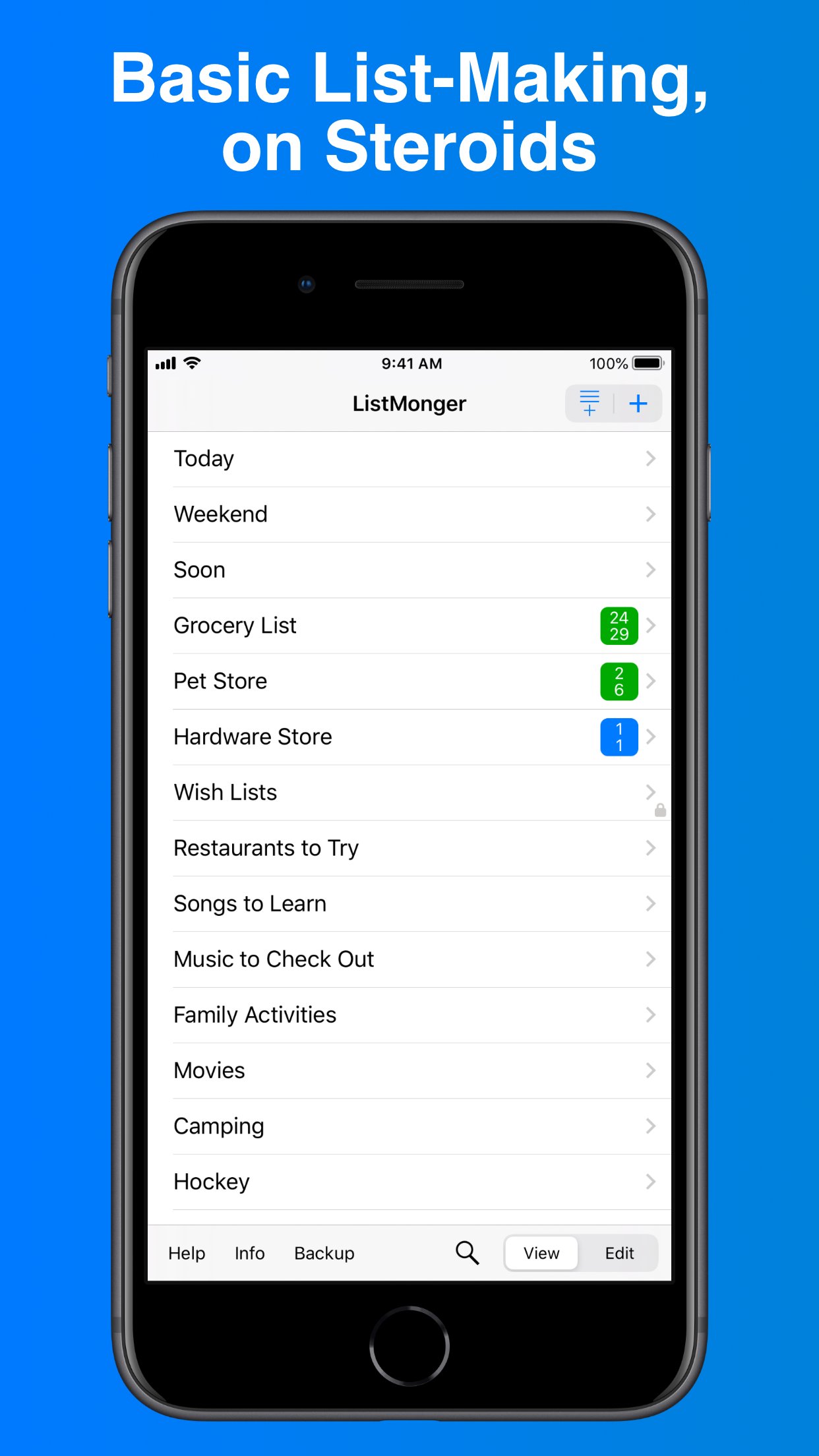
Basic List-Making, On Steroids
(nested sublists • sort on any field • add items at any position • dark mode • backup & restore • search • mail lists between users • more!)
ListMonger provides powerful, quick, and easy list-making in the palm of your hand. Leave the post-it notes and scraps of paper behind, and fire-up ListMonger to conveniently keep track of any kind of list.
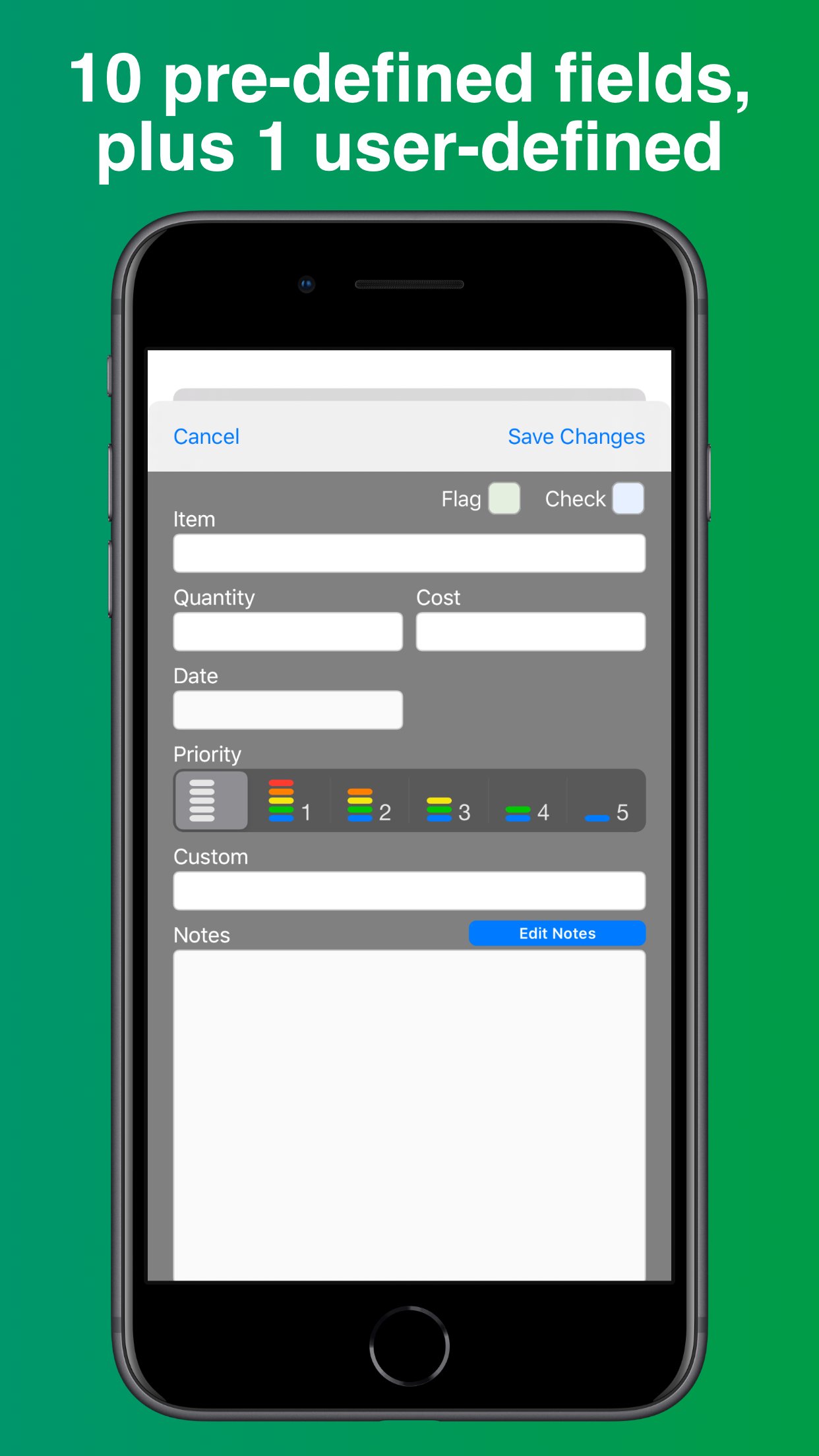
ListMonger provides 11 pre-configured yet flexible fields, making it ready to serve an infinite variety of list-making needs, without any futzing around or complicated set-up each time you start a new list.
Unique, powerful, and thoughtfully-implemented features separate ListMonger from the pack. ListMonger provides the ability to slice and dice your lists, right in hand, in ways that other iOS list-making apps simply can't do.
List lovers rejoice!
ListMonger offers:
NESTED SUBLISTS
Your list items can have lists of their own! And they can have sublists! And they can have sublists...
ÜBER-SORTING
Touch and hold any column name to sort on that field. Or re-order your items using drag and drop. Or visit the sort menu for more options, including the ability to save and recall a custom sort order.
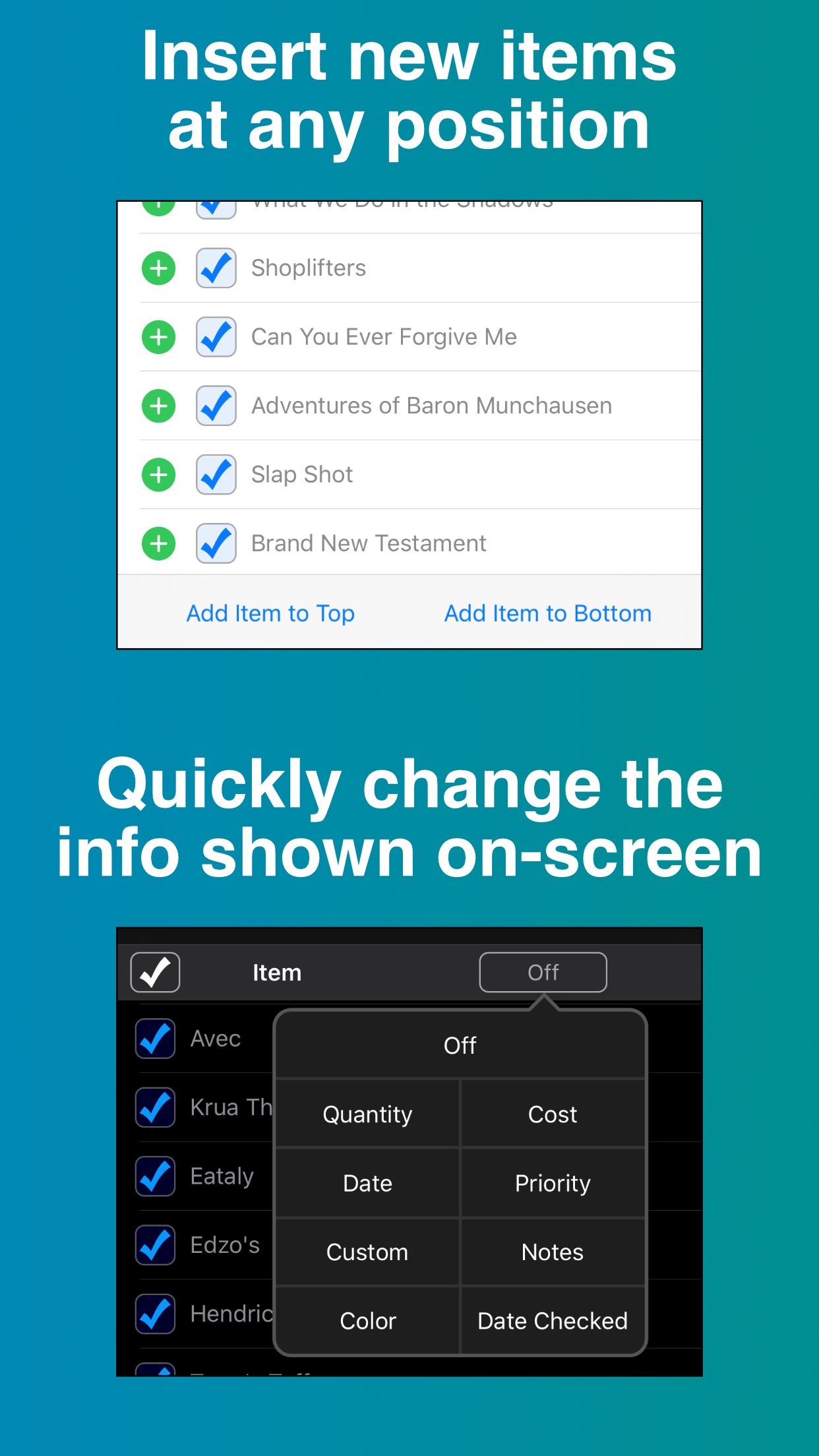
PUT IT WHERE YOU WANT IT
Identify any list position as the insertion point when adding a new item.
QUANTITY + AND - BUTTONS
Easily increase or decrease the quantity field with + and - buttons.
QUICK-CHANGE COLUMN VIEWS
Quickly change the info shown on-screen using pop-over selection menus.
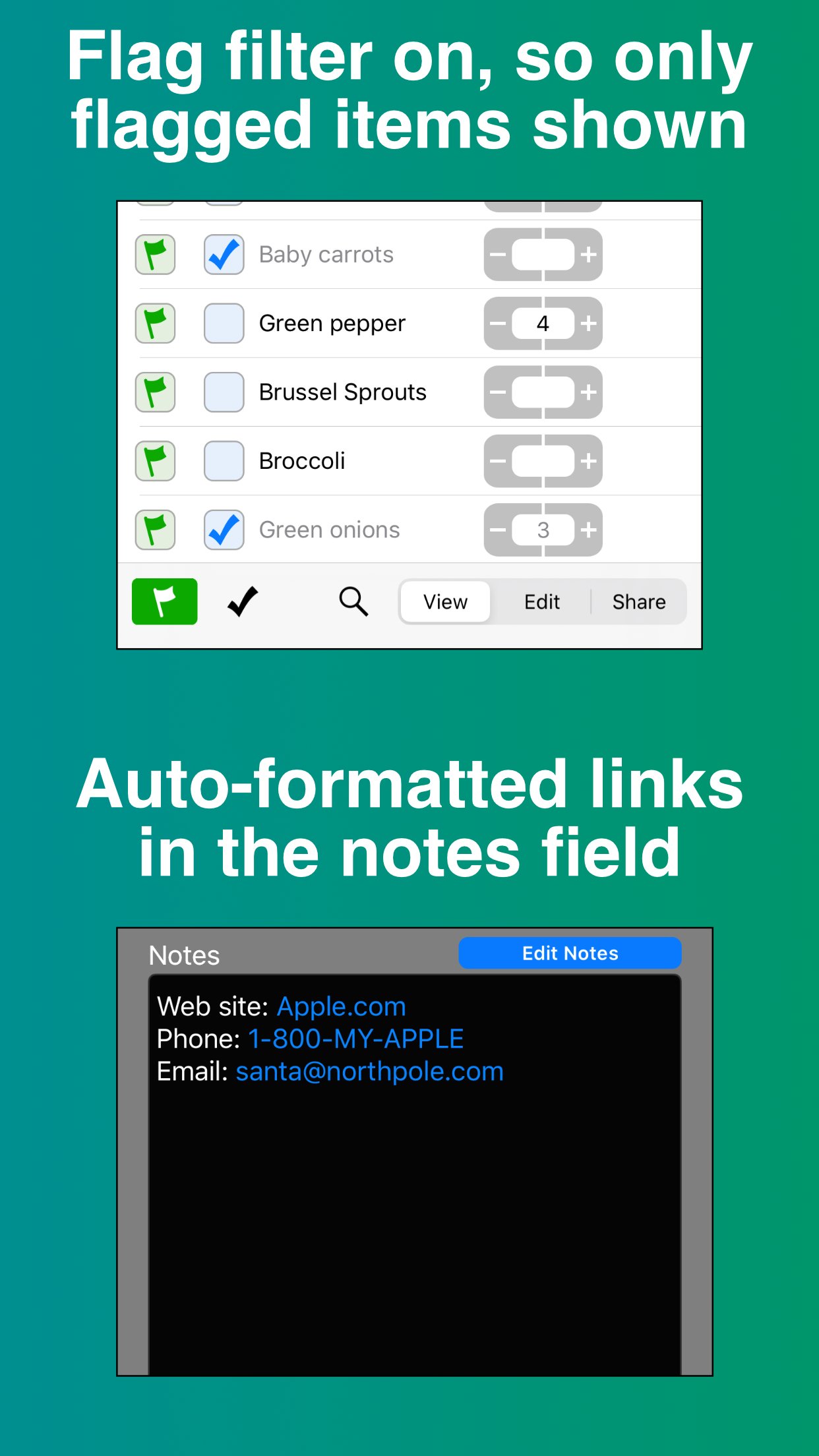
FLAG ITEMS FOR QUICK FILTERING
Lists can be easily filtered on either the flag or check field, or both. (eg, Flag the items you need from a master grocery list, turn-on the flag filter, and you’ll be left with a filtered list of just your currently needed items. Then use the checkmarks to check-off items as you pick them up.)
SHARE YOUR LISTS
Send a list to anyone via email. Or send your list data to another user, who can open and use it in ListMonger running on their device. (Please note that ListMonger does not sync across devices.)
AUTO DATE-STAMPING OF CHECKED ITEMS
Automatically keep track of when you did stuff.
ENHANCED NOTES FIELD
The notes field can pop into a full-screen view, with phone numbers, email addresses, and URLs auto-formatted as links.
11 FIELDS, 1 USER-DEFINED PER LIST
Item, Quantity, Cost, Priority, Date, Flag, Check, Check Date, Notes, and Color, plus one user-defined field.
BACKUP & RESTORE
Safeguard your lists by copying the ListMonger database between your iOS device and a Mac/PC using App File Sharing / iTunes.
THOUGHTFUL DESIGN
Functions are easy to get at and easy to use.
MORE…
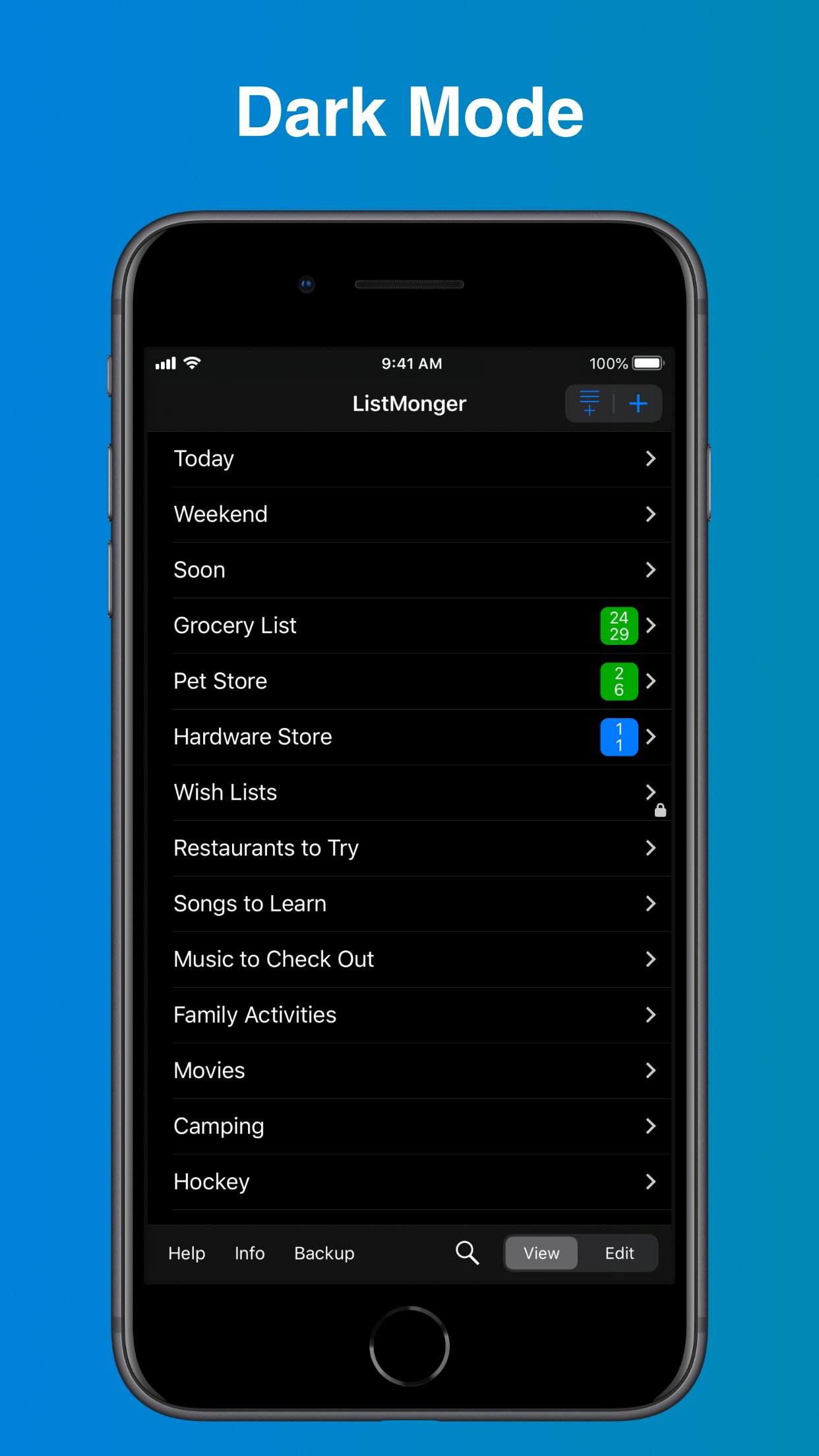
• Dark mode.
• Launch password and/or individual list password protection.
• Flexible item counting options.
• Color-code items.
• Search / filter items within a list.
• Delete, move, or copy multiple items at once.
• No ads, subscriptions, or in-app purchases required.
Thanks for your interest!
License: Commercial
| Release info | New Release on Sep 28, 2020 |
|---|---|
| Release notes | • Updated for iOS 14. • Support for Dark Mode. |
| Listing data | App Store |
Reviews
No reviews yet. Be the first to review ListMonger.
Used ListMonger? Tell other visitors what you thought.
Log in to write a reviewOther products by this publisher
- "No Distractions" for YouTube 4.10 ----
- #Bible 11.6.1 "Incredible App - My sister shared this app with me a few weeks ago and it is truly incredible.
- #filmphotography 1.4.2 So, you decided to shoot on film?
- #LookBusy Fake Calendar Events 1.0.6 Look Busy scans your work calendar for open time slots and fills them with realistic-looking (but secretly fake) work events.
- #Small Talk Is Canceled 1.0.2 #Small Talk Is Canceled — Conversations That Matter
Most viewed iOS Productivity
-
1
 WordPress 27.4
Manage or create your WordPress blog or website right from your iOS device: create and edit posts and pages, upload your favorite photos and videos, view stats and reply to comments.
- 2 Voice Translator - Alive 1.6 Translation app that turns your iPhone into an interpreter instantly.
-
3
 Life360 26.44.0
Whether at home, online, or on the move, our comprehensive family safety features bring peace of mind to your loved ones AND help safeguard your personal belongings.
-
4
 Claude by Anthropic 1.261119.19
Meet Claude, your AI problem solver and thinking partner.
-
5
 WristMemo 2.0
WristMemo turns your Apple Watch into an all-day voice recorder.
- 6 "No Distractions" for YouTube 4.10 ----
-
7
 Colicine 1.3.0
Have you ever been there—
- 8 (beat) for iOS 0.5.10 An elegant Fountain screenwriting app, created by a screenwriter for screenwriters.
-
9
 DeepSeek 2.9.0
Experience seamless interaction with DeepSeek's official AI assistant for free!
-
10
 Howbout 16.8.0
The shared calendar for friends, couples, and family
Most downloaded iOS Productivity
- 1 Voice Translator - Alive 1.6 Translation app that turns your iPhone into an interpreter instantly.
-
2
 SessionsAI 1.2.1
Sessions AI is a private AI workspace that runs entirely on your iPhone, iPad, or Mac.
-
3
DeepSeek 2.9.0
Experience seamless interaction with DeepSeek's official AI assistant for free!
-
4
 Voices AI 1.16.15
Discover Voices, the premier voice transformation app designed exclusively for iOS.
-
5
 Block Distracting Websites 1.11
"It's a great way to save time, and stop browsing Reddit when you should be doing coursework."
-
6
 Plot Digitizer 1.4.1
Plot Digitizer is an app to extract numerical data from plot images.
-
7
 Google Docs 1.2026.47103
Create, edit, and collaborate on online documents with the Google Docs app.
-
8
 MyHyundai with Bluelink 5.4.6
The MyHyundai app makes getting information about your Hyundai vehicle easier than ever.
-
9
 Pixy Mood Tracker 1.110.0
Track your mood, one pixel at a time.
-
10
 Minder 1.4
Minder turns your phone into a pair of eyes that watch you work.